
agentenna
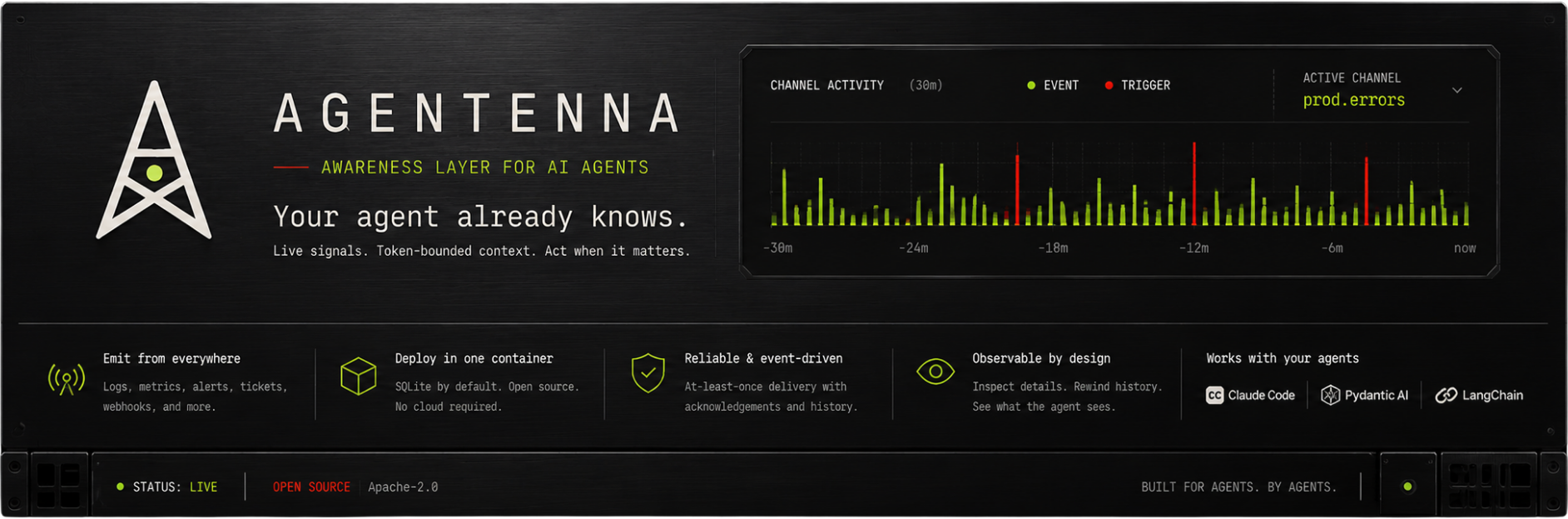
Agentenna is the awareness layer for AI agents.





Your agent already knows.
Agentenna gives agents a live, token-bounded view of what's happening —
messages, logs, alerts, tickets — rendered straight into context, refreshed every turn.
Inspect the details, rewind the history, wake up when it matters.
pip install agentenna
Quickstart · Claude Code · MCP · API cheatsheet · Manifesto
Agentenna puts a compact awareness surface inside the model's context. Emit a fact from a terminal, service, webhook, or another agent; a reader tuned to that channel sees it on its next turn. It is designed for proactive agents, ambient assistants, and agent loops that need to notice what changed without receiving an unbounded raw feed.
See what the agent sees
This is real renderer output. It is not a dashboard screenshot or a prompt mockup — this XML block is what the model receives:
<agentenna-awareness slot="agentenna:awareness" channel="prod.checkout" generated_at="2026-06-22T12:00:00+00:00">
  <instructions scope="kind:prod.error">
    Summarize impact first.
  </instructions>
  <learnings scope="kind:prod.error" confidence="0.9">
    Check the deploy first.
  </learnings>
  <states>
    <state kind="deploy.prod" message="rolled_back" t="-2m" />
  </states>
  <tasks open="1" claimed="0" blocked="0">
    <task id="task_12" priority="high" status="open" t="-11m" kind="ops.triage">
      Investigate recurring checkout 5xx spikes.
    </task>
  </tasks>
  <agentenna-events window="30m">
    <event id="evt_456" t="-2m" severity="crit" kind="prod.error" has_payload="true">
      Billing worker failed processing webhook.
    </event>
  </agentenna-events>
  <actions>Use inspect(id) to expand any event or task with has_payload="true".</actions>
</agentenna-awareness>
The surface is a HUD for the agent:
- events show what changed
- states show what is true now
- tasks show work awaiting judgment
- instructions and learnings travel with the signals they govern
- inspect and rewind keep full detail and history out of the prompt until needed
With replace-mode injection, the block occupies one named slot and replaces the previous block every turn. The agent gets a bounded view, not an ever-growing paste of old alerts.
Quickstart
Emit → Station → reader.
Requires Python 3.12 or newer.
pip install "agentenna[station]"
agentenna hello
agentenna hello leaves no files behind. It emits sample signals and prints
the awareness surface an agent would receive.
1. Start a Station
A Station stores signals, serves the HTTP API, and hosts the read-only MCP surface.
agentenna serve \
  --db .agentenna/agentenna.db \
  --port 1234
That is the complete local first run: a loopback Station runs open, and local
SDK clients, hooks, and MCP connect without a token. For a shared or exposed
Station, pass --token and give clients the same bearer token.
2. Emit something
In another terminal, use the same local database:
# One fact
agentenna emit prod.errors "Checkout 5xx rate jumped to 12%" \
  --kind fault --severity crit \
  --db .agentenna/agentenna.db

# Every non-empty line becomes a low-severity log event; output still passes through
tail -f app.log | agentenna pipe terminal.logs \
  --db .agentenna/agentenna.db

# Emit the result of a command; fast successful commands stay quiet
agentenna run ci.builds --db .agentenna/agentenna.db -- pytest -q
pipe and run redact common secret-looking values by default. The v0.1 CLI
producers write directly to local SQLite, so use the Station's --db path on
the same machine. Remote producers use the Python SDK or webhook endpoint.
3. Add a reader
Connect Claude Code
The included installer configures project-level turn hooks and MCP:
export AGENTENNA_STATION_URL=http://localhost:1234
export AGENTENNA_CHANNELS=prod.errors,ci.builds,terminal.logs

agentenna install claude-code
agentenna doctor
Start Claude Code from that shell. At session start it receives a composed
snapshot; before each prompt it receives only new events. Quiet turns inject
nothing. agentenna_inspect and agentenna_rewind are available through MCP
when the agent needs depth.
Claude Code has an append-only transcript, so this integration uses delta mode: eventful deltas remain until host compaction, then a fresh snapshot is seeded. State changes mid-session appear at the next snapshot or an explicit MCP listen. See the Claude Code guide for the exact delivery guarantee and configuration-file option.
Connect your own agent loop
from agentenna import Antenna, inject_awareness

ant = Antenna.connect(
    "http://localhost:1234",
    entity="my-agent",
)
channel = ant.channel("prod.errors")

async def run_turn(messages, run_agent):
    surface = channel.listen(new_only=True)
    aware_messages = inject_awareness(messages, surface, max_chars=4_000)
    response = await run_agent(aware_messages)
    surface.ack()  # advance only after the turn succeeds
    return response
inject_awareness works with OpenAI-style message lists. Complete examples
for raw messages,
Pydantic AI, and
LangGraph are included.
Connect any MCP host
Run the stdio bridge:
agentenna mcp \
  --station http://localhost:1234
It exposes four read-only tools:
agentenna_list_channels, agentenna_listen, agentenna_inspect, and
agentenna_rewind. Hosts without turn-start hooks, including the current
Cursor and Codex integrations,
use MCP pull mode: freshness depends on the agent calling listen.
Emit once. Every agent knows.
A Channel is a named shared bus, not point-to-point delivery. Many producers can emit to it and many readers can tune in:
               ticket   webhook  logger  health  terminal
                  │        │       │       │        │
support.urgent ───●────────●───────┼───────┼────────┼────●────────●────────┼────────▶
                                   │       │        │    │        │        │
prod.errors    ────────────────────●───────●────────┼────┼────────●────────●────────▶
                                                    │    │        │        │
terminal.logs  ─────────────────────────────────────●────┼────────┼────────●────────▶
                                                         │        │        │
                                                      support     AI     coding
                                                       agent   assistant   agent

             ● tap (emit above · listen below)   ┼ crossing, no connection   ▶ time
The multiplexer analogy is precise: producers place inputs onto named buses; each reader's channel subscription is its select line. Every reader acts as its own demultiplexer and keeps its own ack-position. One reader moving forward does not hide the signal from another.
One emit can therefore update all your running agents without N copies of the same webhook glue.
Send from anything
Remote SDK:
from agentenna import Antenna

ant = Antenna.connect(
    "http://localhost:1234",
    entity="checkout-api",
)
ant.channel("prod.errors").emit(
    "Stripe webhook failed: KeyError customer_id",
    severity="high",
    kind="fault",
    source="stripe-webhook",
)
Python logging:
import logging
from agentenna import AgentennaLogHandler

logging.getLogger().addHandler(
    AgentennaLogHandler(ant.channel("app.logs"))
)
Any JSON webhook:
curl -X POST \
  "http://localhost:1234/v1/ingest/prod.alerts?kind=alert&severity=high" \
  -H "Content-Type: application/json" \
  -d '{"message":"disk usage reached 91% on db-1"}'
The generic ingest endpoint keeps the original body as inspectable payload.
Use message_path=some.nested.field when the message is nested.
Webhooks deliver payloads to your server. Agentenna delivers awareness to your agent.
How delivery fits the host
Agentenna uses the strongest delivery mode each host supports:
| Mode | Used by | Guarantee |
|---|---|---|
| Replace | message lists, Pydantic AI, LangGraph | one slot is replaced; fixed per-turn awareness budget |
| Delta | Claude Code | session snapshot, then only new events; quiet turns cost zero |
| Pull | Cursor, Codex, generic MCP hosts | awareness on demand; freshness depends on the agent asking |
The Station and surface stay the same. Only the last step into context changes.
What people use it for
- Self-monitoring coding agents and developer helpers — keep tests, terminal output, CI results, and deploy state near the current task.
- Production assistants — surface application logs, health changes, and webhook alerts; wake a receiver only for deliberate trigger events.
- Support and operations agents — turn ticket or queue webhooks into a compact feed, current state, and durable tasks.
- Personal and ambient agents — carry selected calendar, inbox, home, or chat changes from your own integrations into an always-on assistant.
- Multi-agent systems — emit outcomes and handoffs onto shared channels without coupling one agent runtime to another.
Agentenna does not run your agents. It sits beside your runtime and carries live context into the model:
| Layer | Question |
|---|---|
| Memory | What mattered before? |
| Tools | What can the agent do? |
| Agentenna | What is happening now? |
Memory is what mattered. Awareness is what's happening.
Seeing is not waking
Most signals should simply appear on the next surface. For the few that
cannot wait, attach a Trigger and run a receiver:
from agentenna import Antenna, Event, Trigger

ant = Antenna.connect(
    "http://localhost:1234",
    entity="oncall-agent",
)
channel = ant.channel("prod.errors")

channel.emit(
    Event(
        message="Checkout error rate crossed 12%",
        severity="crit",
        kind="incident",
        trigger=Trigger(key="oncall"),
    )
)

@ant.on("oncall")
async def handle(event):
    print(f"woke on: {event.message}")
    event.ack()

ant.run_receiver()
Triggered delivery is at-least-once and best-effort. Some things your agent should just see. Some things should wake it up.
Run it locally
The Python process above is the shortest path. The repository also includes a Dockerfile and Compose setup that build from source:
docker compose up --build
The Station uses SQLite WAL, optional bearer-token auth, bounded age retention,
OpenAPI, health endpoints, and MCP at /mcp.
Apache 2.0. Everything in the repo is the whole product — no account, no telemetry, and your feeds never leave your box.
v0.1 status
The current public release is intentionally small and pre-1.0:
- Python 3.12+; local SQLite or one self-hosted HTTP Station
- XML awareness surface
- SDK, CLI
emit/pipe/run, logging handler, and generic webhook ingest - events, states, tasks, scoped instructions and learnings
- inspect, full-text rewind, per-reader ack-positions, triggers and receivers
- Claude Code hooks + MCP; MCP pull guides for Cursor and Codex
- bring inputs through the SDK, logging handler, terminal producers, or generic webhook
APIs may change before 1.0. If something does not work as documented, please open an issue.
Documentation
- API cheatsheet — the complete v0.1 surface
- Host guides — delivery modes and setup by runtime
- Examples — runnable Python, MCP, and receiver integrations
- Manifesto — why awareness is a separate agent primitive
- Contributing — development setup and DCO
Apache 2.0 · the client in your code is an Antenna · the process you run is a Station.
Memory gave agents a past. Tools gave them hands.
Agentenna gives them the present.
When you turn to your agent — it already knows.
1 maintainer

Metadata
1 maintainer
Release files for agentenna 0.1.3
For a detailed explanation of source distributions (sdists) and built distributions (wheels), please see the package formats documentation.
Source distribution (sdist)
| File | Size | Uploaded | Provenance | |
|---|---|---|---|---|
| agentenna-0.1.3.tar.gz | 1.4 MB | With provenance | Details |
Built distribution (wheel)
| File | Interpreter | ABI | Platform | Reset |
|---|---|---|---|---|
| agentenna-0.1.3-py3-none-any.whl | Python 3 | none | any | Details |
Total release size: 1.5 MB
Release files / agentenna-0.1.3.tar.gz
| Download URL | agentenna-0.1.3.tar.gz |
|---|---|
| Size | 1.4 MB |
| Tags | Source |
|
SHA-256 checksum How to use checksums |
73ea98e229fff3f04da6890ea6c795d5f1438736db2705c7a7c17783b3ab9d5a
|
|
BLAKE2b-256 checksum How to use checksums |
28e109b012150b2fe27b15291208c8f40586a53004879e7078a389cd0750d949
|
| Upload date | |
|
Uploaded using Trusted Publishing? What is trusted publishing? |
Yes |
| Uploaded via |
twine/6.1.0 CPython/3.13.14
|
Provenance
Provenance describes where a file came from. On PyPI, provenance is shared via attestations, which provide a verifiable record of the build or publishing details. View details, limitations and caveats.


PyPI Publish Attestation
PyPI verified that this artifact, at this checksum, originated from the publisher listed below.
Signed by GitHub Actions, verified by PyPI on Jul 24, 2026.
Transparency logRelease files / agentenna-0.1.3-py3-none-any.whl
| Download URL | agentenna-0.1.3-py3-none-any.whl |
|---|---|
| Size | 65.8 kB |
| Tags | Python 3 |
|
SHA-256 checksum How to use checksums |
cd0bf8f875b529f2fd8b88d252c5b671f61b53cb2d59f525f982db1e49411327
|
|
BLAKE2b-256 checksum How to use checksums |
3b84292cff76dc418d94763182ef0c9f4df75f032683b070479d2c5c1c78d4f5
|
| Upload date | |
|
Uploaded using Trusted Publishing? What is trusted publishing? |
Yes |
| Uploaded via |
twine/6.1.0 CPython/3.13.14
|
Provenance
Provenance describes where a file came from. On PyPI, provenance is shared via attestations, which provide a verifiable record of the build or publishing details. View details, limitations and caveats.
PyPI Publish Attestation
PyPI verified that this artifact, at this checksum, originated from the publisher listed below.
Signed by GitHub Actions, verified by PyPI on Jul 24, 2026.
Transparency logSecurity for agentenna 0.1.3
Provenance
Provenance describes where a file came from. On PyPI, provenance is shared via attestations, which provide a verifiable record of the build or publishing details. View details, limitations and caveats.
Full provenance
All 2 files in this release have been uploaded with provenance metadata.
Attestation for agentenna-0.1.3.tar.gz
PyPI Publish Attestation
PyPI verified that this artifact, at this checksum, originated from the publisher listed below.
Signed by GitHub Actions, verified by PyPI on Jul 24, 2026.
Transparency logA note on package security
PyPI is a repository for distributing packages, not a service for auditing them. While third-party security researchers and our staff do their best to detect and remove malicious packages, PyPI cannot guarantee the quality, security or suitability of any given package.
To learn more about protecting yourself from malicious actors, visit our package security documentation.














