
AgentGlow
Live 3D views of your agent system, driven only by OpenTelemetry. Every agent is a glowing instance that is
born when its span starts, pulses on each LLM call, fires tool/MCP/graph packets, delegates to subagents, and fades
when its span ends. Works with LangChain, LangGraph (incl. langgraph-supervisor), deepagents, the OpenAI Agents SDK
(agentglow[openai-agents]), Hatchet workflows, Claude Code (via hooks), and any agent framework that emits OTel spans.

15 themes:
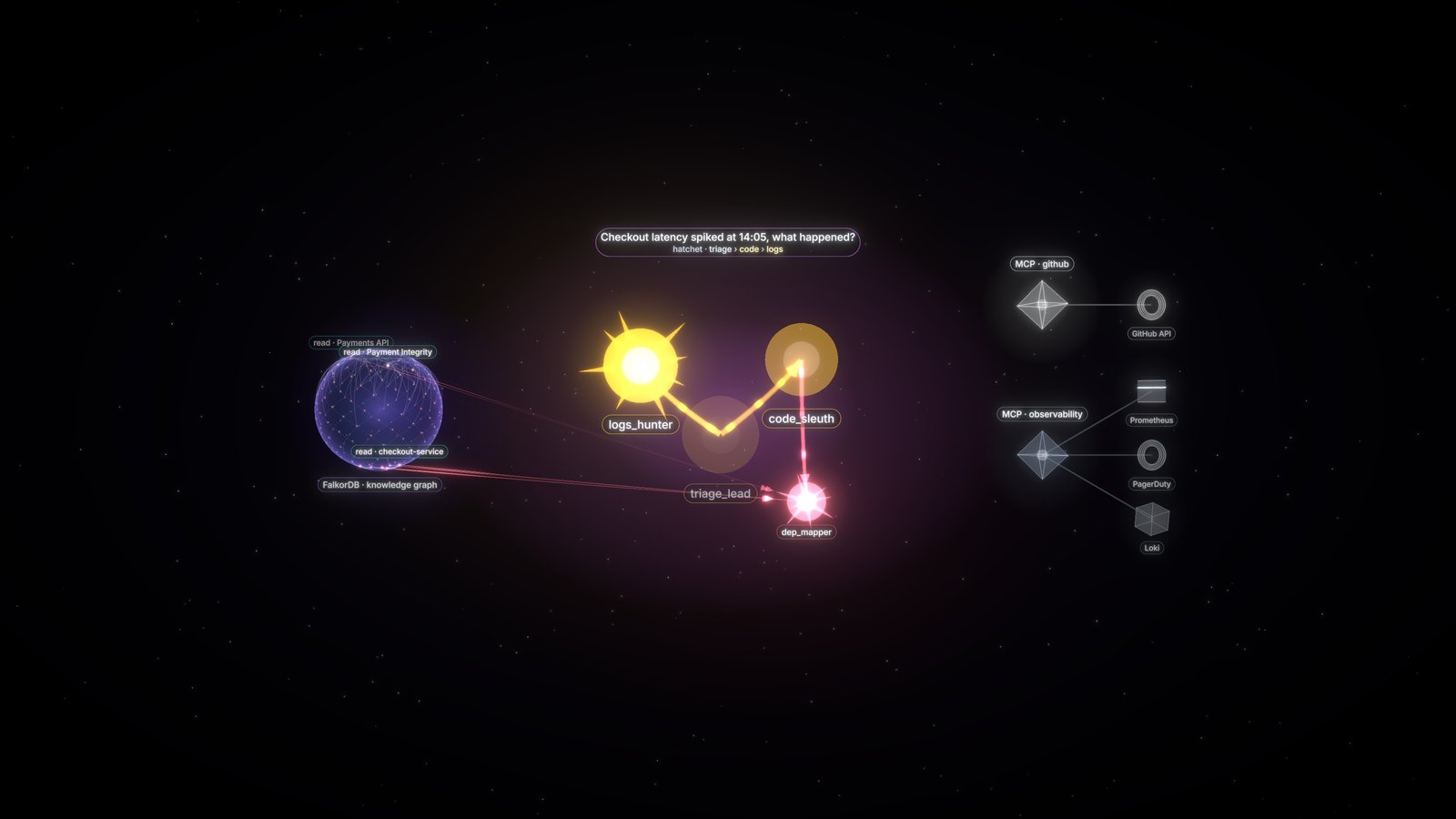 neural neural |
 hive hive |
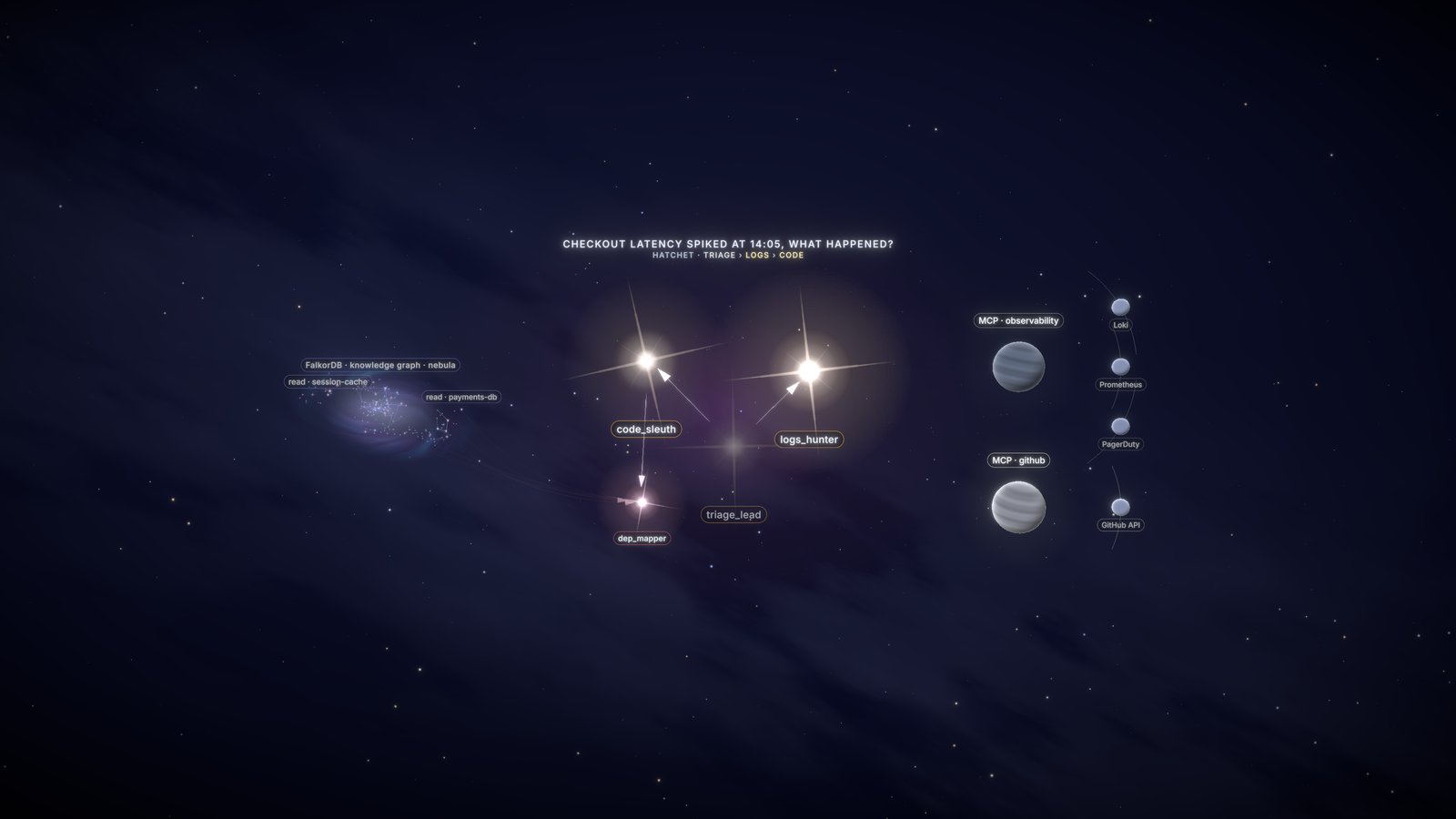 constellation constellation |
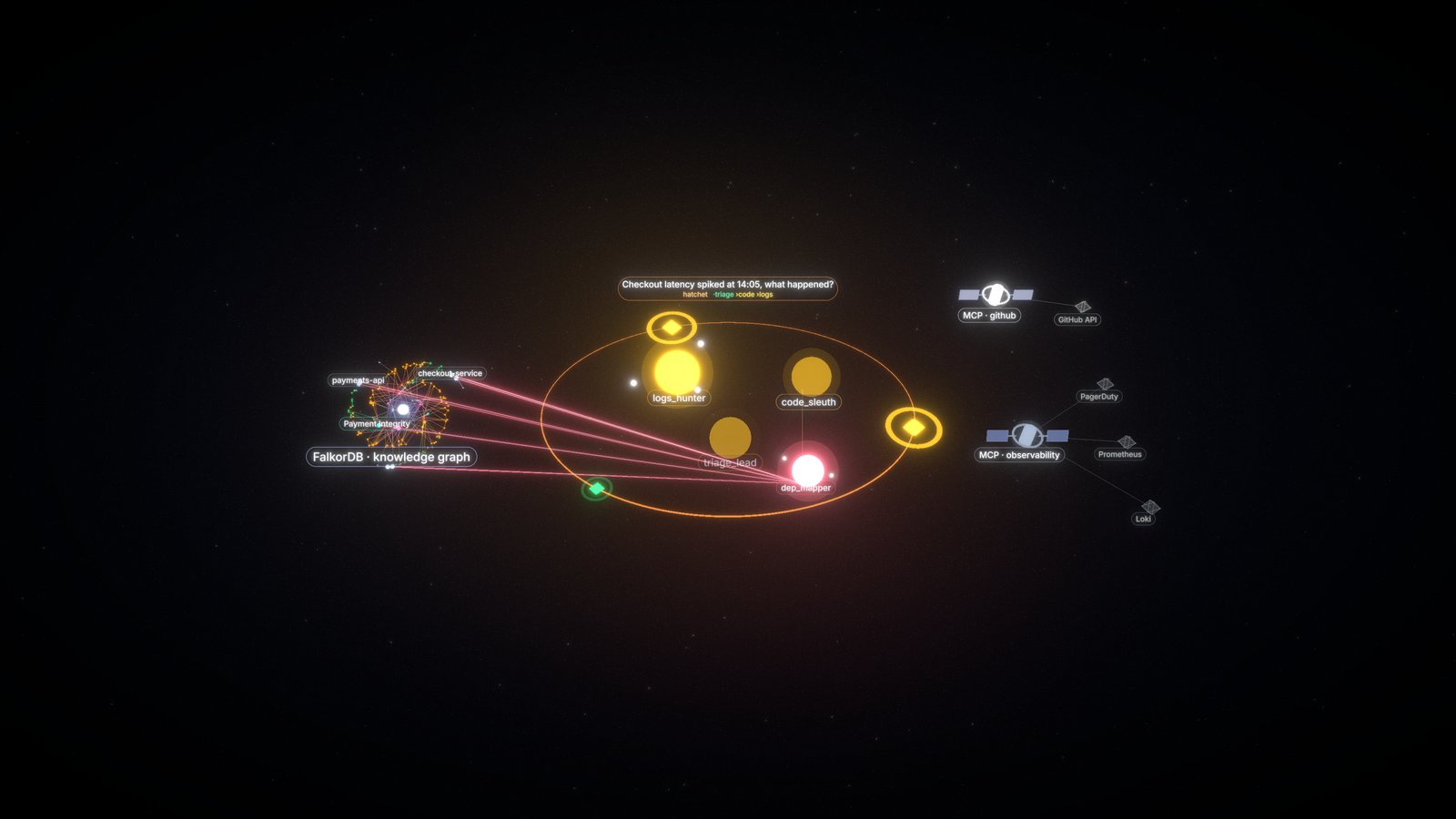 orbit orbit |
 forest forest |
 mycelium mycelium |
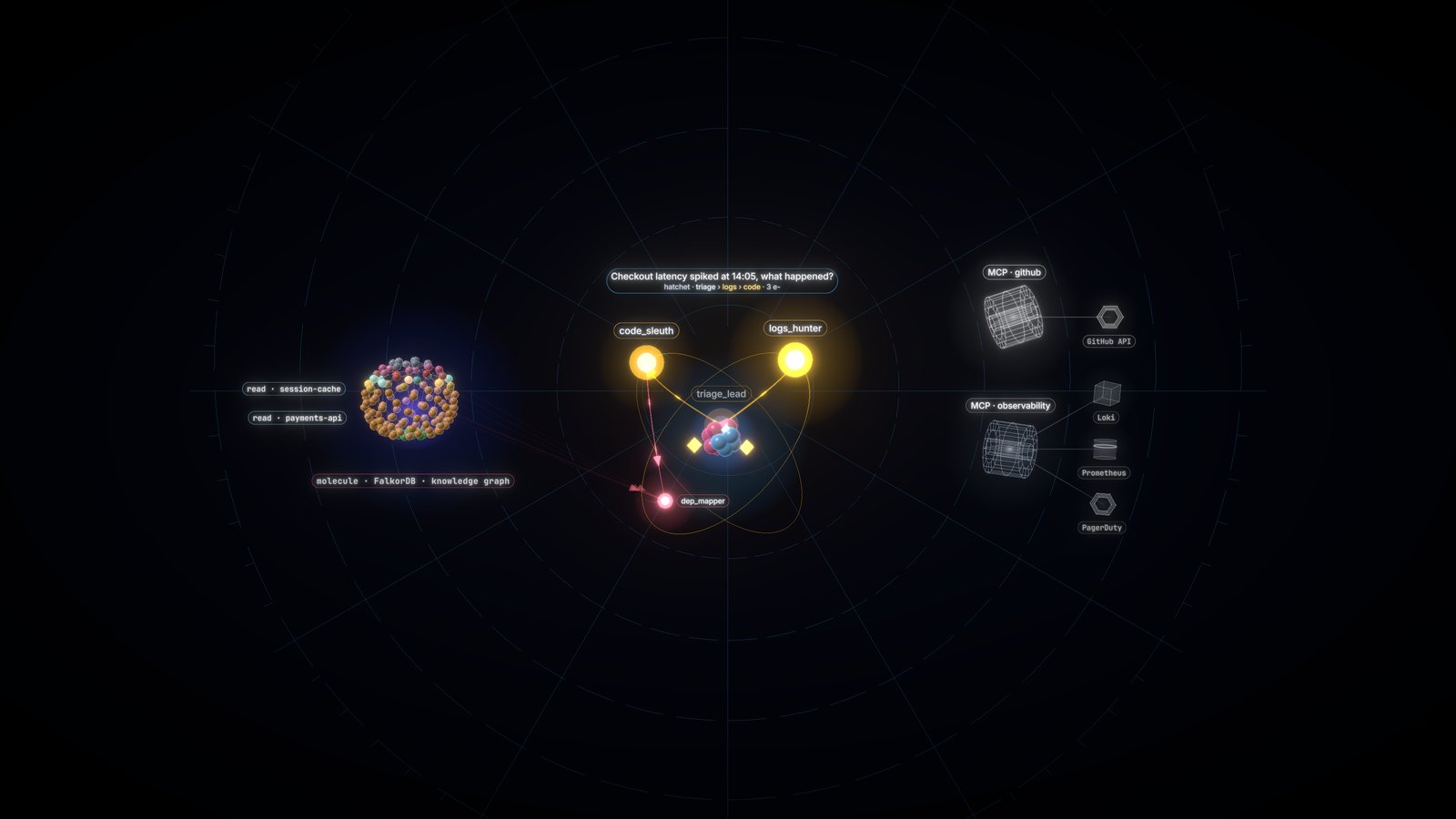 atom atom |
 airport airport |
 factory factory |
 city city |
 ocean ocean |
 subway subway |
 circuit circuit |
 tunnel tunnel |
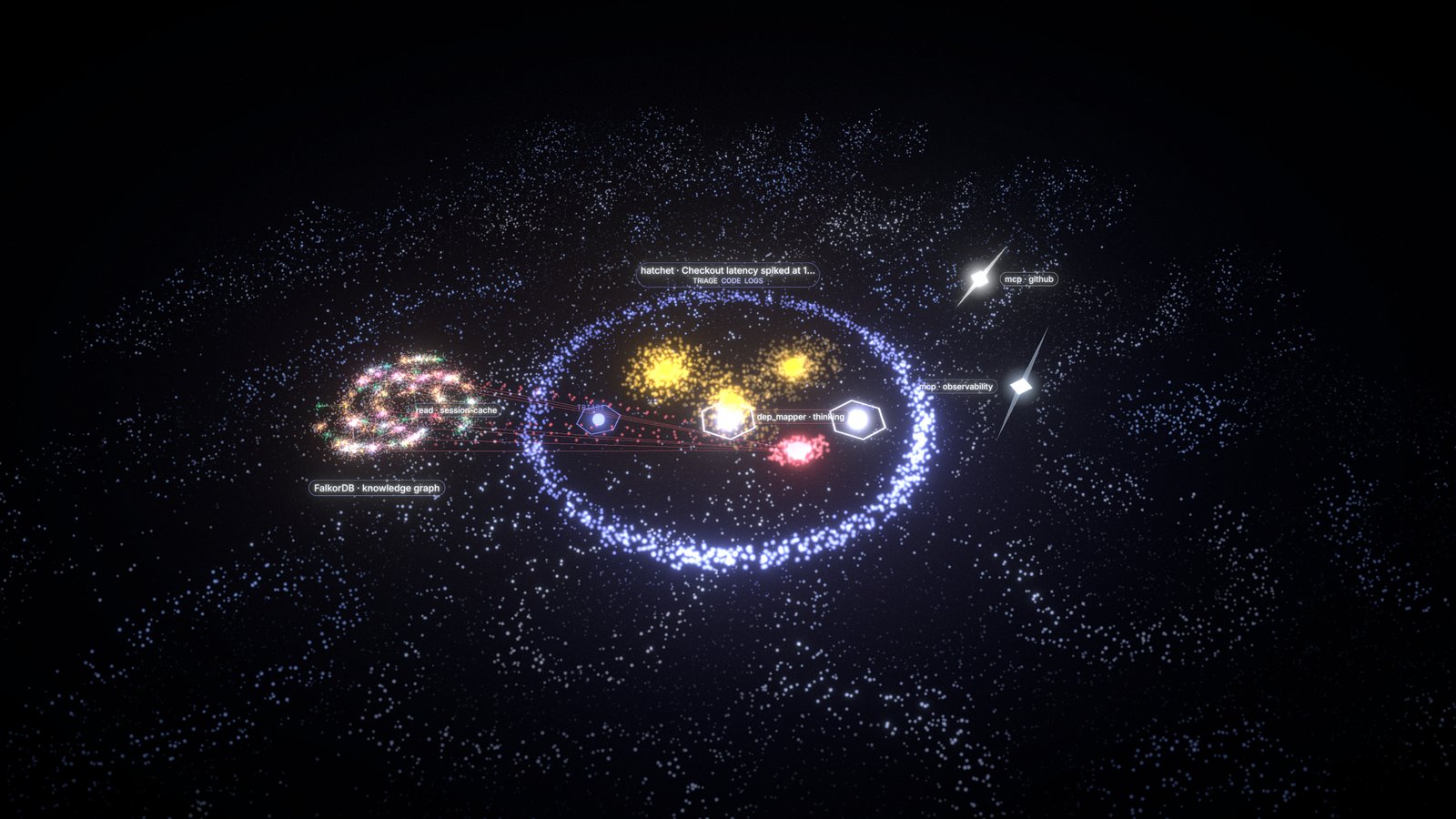 flow flow |
Quickstart
uvx agentglow serve                  # → http://localhost:8100 (gallery at /, scenes at /neural, /orbit, …)
uv add "agentglow[langchain]"        # in your agent project (or: uv pip install "agentglow[langchain]")
# pip install "agentglow[langchain]" also works
import agentglow
agentglow.watch()                    # call once, before your agents run

# ... run your LangGraph / deepagents / Hatchet code as usual
That's it. watch() reuses your global OpenTelemetry TracerProvider (Langfuse or other exporters keep working),
or installs one, adds a LiveSpanProcessor that streams span starts and ends to the server in ~50 ms batches
from a background thread (never blocks, drops silently if the server is down), and turns on OpenInference
LangChain instrumentation and Hatchet instrumentation when those packages are installed.
What gets drawn
| Span | Becomes |
|---|---|
LangGraph / deepagents agent graph (span named after create_deep_agent(name=...)) |
an agent instance |
deepagents subagent (runs under the task tool) |
a smaller child instance, with delegation + result messages |
LLM span (OpenInference LLM, gen_ai.operation.name=chat) |
"thinking" + a pulse sized by tokens |
| Tool span | a tool event on the owning agent |
mcp.server.name / agentglow.mcp.server (+ agentglow.mcp.resource, agentglow.mcp.resource_kind) |
an MCP satellite with a live tether while the call is pending |
db.system (+ agentglow.graph.nodes, agentglow.db.op) |
graph read/write flares on a side knowledge graph, shown only once used |
Hatchet step run (hatchet.workflow_run_id, hatchet.step_name) or agentglow.step |
run lanes and steps |
Optional attributes you can set on your own spans: agentglow.agent (mark a span as an agent, value = name),
agentglow.run.id, agentglow.run.topic, agentglow.step, agentglow.final (final answer text).
Announce MCP servers before they are called: agentglow.register_mcp("analytics", {"snowflake": "warehouse", "spark": "spark"}).
Hand-written agent loops (manual API)
No framework? Wrap your own loop. Each call is a plain OpenTelemetry span with the hint attributes below, so it works
with watch() (agents appear the moment they start, even if they live for minutes) and with OTLP exporters. Without
any TracerProvider every call is a cheap no-op. Context rides in contextvars: asyncio tasks created inside inherit it.
import agentglow
agentglow.watch()

async def handle_call(call_id):                      # one asyncio task per phone call
    async with agentglow.run(topic="Inbound call", run_id=call_id, scope=clinic_id):
        async with agentglow.agent("receptionist") as a:
            a.llm(model="gpt-realtime", tokens_in=812, tokens_out=64)   # one finished turn (or `with agentglow.llm(...) as l: l.set_tokens(i, o)`)
            with agentglow.tool("lookup_patient", args={"phone": "+1-555-0100"}) as t:
                with agentglow.mcp("clinic-db", tool="query", resource="Postgres", kind="db"):
                    ...
                t.result("found")
            async with agentglow.agent("scheduler", task="find a slot") as s:  # nested agent = subagent
                with agentglow.graph("write", nodes=["Appointment"]): ...
                s.final("Tue 10:30")                  # subagent: result message to its parent
            a.final("Booked Tue 10:30")               # top-level agent: the run's final text
agentglow.run(topic, run_id=None, scope=None, workflow=None) |
a run (always a new trace); scope tags every span inside; .final(text) |
agentglow.agent(name, final=None, task=None, parent=None) |
an agent; inside another agent (or parent=) it is a subagent, task = delegation text; .llm(), .say(), .final(), .tool(), .mcp(), .graph(), .agent() |
agentglow.llm(model, tokens_in=None, tokens_out=None) |
an LLM turn (context manager, .set_tokens(in, out)); a.llm(..., latency_ms=) records a finished one |
agentglow.tool(name, args=None) / agentglow.mcp(server, tool, resource, kind) / agentglow.graph(op, nodes) |
tool call / MCP or backend call / graph read or write on the current agent; .result(value) |
@agentglow.traced_agent("name"), @agentglow.traced_tool("name", capture_args=False) |
decorators for sync and async functions; agentglow.current_agent() inside |
Text you pass (say, final, task, args) is shown in the UI after the secret scrub only: keep PHI/PII out of it.
Options
agentglow serve [--host 0.0.0.0] [--port 8100] [--falkor redis://localhost:6379/<graph>] [--secret S] [--ingest-key K]
agentglow.watch(url="http://localhost:8100", *, instrument=True, service_name=None, api_key=None) |
url also from AGENTGLOW_URL, api_key from AGENTGLOW_API_KEY (sent as x-api-key) |
--ingest-key K / AGENTGLOW_INGEST_KEY |
ingest endpoints (/v1/live, /v1/traces, /v1/claude-code, /live/topology) require x-api-key: K (or Authorization: Bearer K), else 401; comma-separate keys to rotate; unset = open (dev). OTel exporters: OTEL_EXPORTER_OTLP_HEADERS="x-api-key=K" |
POST /v1/live |
span start/end batches from watch() |
POST /v1/traces |
standard OTLP/HTTP (protobuf or JSON) - point any OTel SDK or Collector here (ended spans only) |
GET /live/stream |
SSE world events; new viewers get MCP topology + runs still in progress |
GET /live/graph |
graph sample for the scenes from FalkorDB (--falkor / AGENTGLOW_FALKOR_URL), else an empty graph |
POST /v1/claude-code |
Claude Code HTTP hooks → its main agent + subagents in 3D (see examples/claude-code) |
GET /live/health |
status |
POST /live/run {topic, scope?} |
optional: forwards to AGENTGLOW_RUN_WEBHOOK (your trigger endpoint) and returns its JSON, e.g. {run_id}; health reports run: true and the UI shows "▶ Run agents" only when it is set |
Embed in your own React app: npm i agentglow → <AgentScene theme="neural" source="http://localhost:8100" />.
Show each user only their agents
with agentglow.scope(user.id):   # or agentglow.set_scope(user.id); tags every span started inside
    run_agents()
token = agentglow.make_token(os.environ["AGENTGLOW_SECRET"], scope=user.id)  # for <AgentScene scope token />
With --secret / AGENTGLOW_SECRET, /live/stream, /live/graph and /live/run need Authorization: Bearer <token>
and each viewer sees only its token's scope (or run; no scope and no run = admin). Without a secret (dev), the
X-AgentGlow-Scope / X-AgentGlow-Run headers or ?run= on the stream filter. Claude Code hooks: add ?scope=...
to the hook URL. Token format and details: docs/SPEC.md "Scopes & auth".
Scale
Agents are always centered; graph and MCP servers are side resources that appear only when used. The camera batches spawns into one smooth zoom.
Above 12 live agents the scenes auto-group older runs into clickable clusters and keep the newest ~10 in full detail (~60 fps with 500 live agents).
Deploying
State is in memory (no Redis). Run exactly one server per environment - on Kubernetes a Deployment with
replicas: 1 plus a Service; point every worker's AGENTGLOW_URL at that Service.
MIT licensed · https://github.com/Nideesh1/agentglow
1 maintainer

Metadata
1 maintainer
Release files for agentglow 0.2.2
For a detailed explanation of source distributions (sdists) and built distributions (wheels), please see the package formats documentation.
Source distribution (sdist)
| File | Size | Uploaded | |
|---|---|---|---|
| agentglow-0.2.2.tar.gz | 729.0 kB | Details |
Built distribution (wheel)
| File | Interpreter | ABI | Platform | Reset |
|---|---|---|---|---|
| agentglow-0.2.2-py3-none-any.whl | Python 3 | none | any | Details |
Total release size: 1.5 MB
Release files / agentglow-0.2.2.tar.gz
| Download URL | agentglow-0.2.2.tar.gz |
|---|---|
| Size | 729.0 kB |
| Tags | Source |
|
SHA-256 checksum How to use checksums |
56d3a2702b569d9c340048c5509f8f23bce25e07984c57474a86439cbb12c170
|
|
BLAKE2b-256 checksum How to use checksums |
1992605b3b89d09e42ac3b799c70671e4d053242b2d04d641e129f9f1228588e
|
| Upload date | |
|
Uploaded using Trusted Publishing? What is trusted publishing? |
Yes |
| Uploaded via |
twine/7.0.0 CPython/3.13.14
|
Provenance
Provenance describes where a file came from. On PyPI, provenance is shared via attestations, which provide a verifiable record of the build or publishing details. View details, limitations and caveats.


PyPI Publish Attestation
PyPI verified that this artifact, at this checksum, originated from the publisher listed below.
Signed by GitHub Actions, verified by PyPI on Oct 1, 2026.
Transparency logRelease files / agentglow-0.2.2-py3-none-any.whl
| Download URL | agentglow-0.2.2-py3-none-any.whl |
|---|---|
| Size | 754.6 kB |
| Tags | Python 3 |
|
SHA-256 checksum How to use checksums |
d4a99ab627a391447a55cd817235a1873980d983fd81970ce044f5a149896b71
|
|
BLAKE2b-256 checksum How to use checksums |
28e3e91b72e377c1c0f76fba283909c82e4651c518d3c93f52955d909356c237
|
| Upload date | |
|
Uploaded using Trusted Publishing? What is trusted publishing? |
Yes |
| Uploaded via |
twine/7.0.0 CPython/3.13.14
|
Provenance
Provenance describes where a file came from. On PyPI, provenance is shared via attestations, which provide a verifiable record of the build or publishing details. View details, limitations and caveats.
PyPI Publish Attestation
PyPI verified that this artifact, at this checksum, originated from the publisher listed below.
Signed by GitHub Actions, verified by PyPI on Oct 1, 2026.
Transparency log













