
⚛️ AgentNova - A minimal, hackable agentic framework for local LLM inference

Project description
⚛️ AgentNova R03.6
Status: Alpha
A minimal, hackable agentic framework engineered to run entirely locally with Ollama or BitNet.
Inspired by the architecture of OpenClaw, rebuilt from scratch for local-first operation.









📚 Documentation
| Document | Description |
|---|---|
| Architecture.md | Technical documentation for developers (directory structure, core design, orchestrator modes) |
| CHANGELOG.md | Version history and release notes (includes LocalClaw history) |
| TESTS.md | Benchmark results, model recommendations, and testing guide |
Features
- Zero dependencies — Uses Python stdlib only (urllib for HTTP)
- Ollama + BitNet backends — Switch with
--backendflag - Dual API support — OpenResponses (
--api resp) and Chat-Completions (--api comp) - Three-tier tool support — Native, ReAct, or none (auto-detected)
- Small model optimized — Fuzzy matching, argument normalization
- Built-in security — Path validation, command blocklist, SSRF protection
- Multi-agent orchestration — Router, pipeline, and parallel modes
- Soul Spec v0.5 — Persona packages with progressive disclosure
- ACP v1.0.5 integration — Agent Control Panel for monitoring and control
- AgentSkills spec — Skill loading with SPDX license validation
- Thinking models support — Automatic handling of qwen3, deepseek-r1 thinking mode
Installation
# From source
git clone https://github.com/VTSTech/AgentNova.git
cd AgentNova
pip install -e .

# Or from PyPI (when published)
pip install agentnova
Quick Start
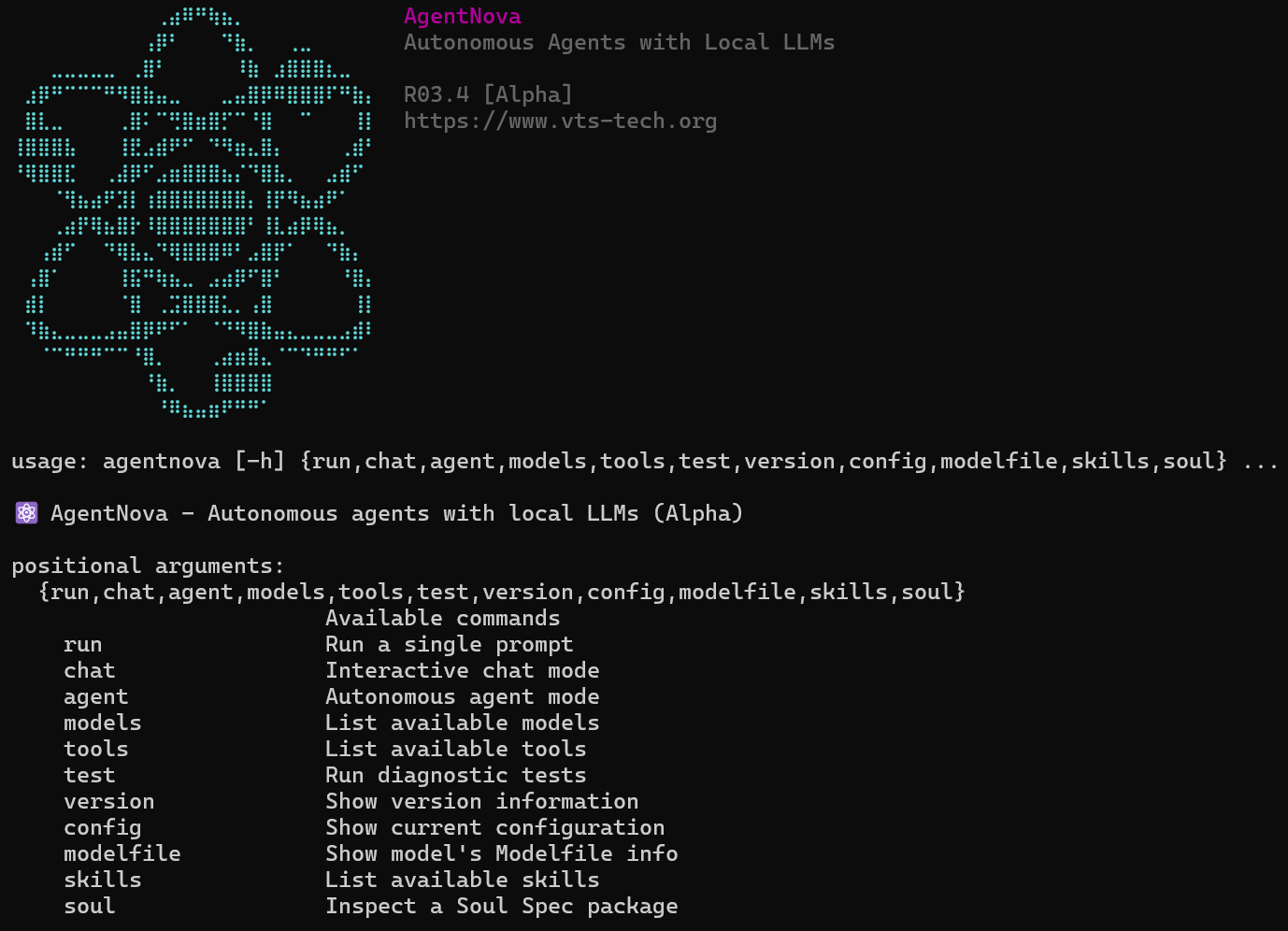
CLI Usage
# Run a single prompt
agentnova run "What is 15 * 8?" --tools calculator

# Interactive chat
agentnova chat -m qwen2.5:0.5b --tools calculator,shell

# Autonomous agent mode
agentnova agent -m qwen2.5:7b --tools calculator,shell,write_file

# Use Chat-Completions API (OpenAI-compatible)
agentnova chat -m qwen2.5:0.5b --api comp

# List available models
agentnova models

# List available tools
agentnova tools
Python API
from agentnova import Agent
from agentnova.tools import make_builtin_registry

# Create tools
tools = make_builtin_registry().subset(["calculator", "shell"])

# Create agent
agent = Agent(
    model="qwen2.5:0.5b",
    tools=tools,
    backend="ollama",
)

# Run
result = agent.run("What is 15 * 8?")
print(result.final_answer)
print(f"Completed in {result.total_ms:.0f}ms")
Chat-Completions Streaming
from agentnova.backends import get_backend
from agentnova.core.types import ApiMode

# Use Chat-Completions mode with streaming
backend = get_backend("ollama", api_mode=ApiMode.COMPLETIONS)

for chunk in backend.generate_completions_stream(
    model="qwen2.5:0.5b",
    messages=[{"role": "user", "content": "Hello!"}],
    response_format={"type": "json_object"}
):
    print(chunk["delta"], end="", flush=True)
Skill License Validation
from agentnova.skills import validate_spdx_license, parse_compatibility

# Validate SPDX license identifier
valid, msg = validate_spdx_license("MIT")  # (True, "Valid SPDX identifier: MIT")
valid, msg = validate_spdx_license("Custom")  # (False, "Unknown license...")

# Parse compatibility requirements
compat = parse_compatibility("python>=3.8, ollama")
# Returns: {"python": ">=3.8", "runtimes": ["ollama"], "frameworks": []}
Multi-Agent Orchestration
from agentnova import Agent, Orchestrator, AgentCard

orchestrator = Orchestrator(mode="router")

# Register specialized agents
orchestrator.register(AgentCard(
    name="math_agent",
    description="Handles mathematical calculations",
    capabilities=["calculate", "math", "compute"],
    tools=["calculator"],
))

orchestrator.register(AgentCard(
    name="file_agent",
    description="Handles file operations",
    capabilities=["read", "write", "file"],
    tools=["read_file", "write_file"],
))

# Route tasks to appropriate agent
result = orchestrator.run("Calculate 15 * 8 and save to file")
Tool Support Levels
AgentNova supports three levels of tool use:
- Native — Models with built-in function calling (qwen2.5, llama3.1+, mistral, granite, functiongemma)
- ReAct — Text-based tool use via reasoning prompts (qwen2.5-coder, qwen3)
- None — Pure reasoning without tools
Tool support is auto-detected by running agentnova models --tool-support. Results are cached in ~/.cache/agentnova/tool_support.json.
# Test and cache tool support for all models
agentnova models --tool-support

# Re-test (ignore cache)
agentnova models --tool-support --no-cache
You can also force ReAct mode:
agent = Agent(model="qwen2.5:0.5b", force_react=True)
Model Families
Configured model families with optimized prompts:
- qwen2.5 — Native tool support, excellent performance
- llama3.1/3.2/3.3 — Native tool support
- mistral/mixtral — Native tool support
- gemma2/gemma3 — ReAct mode, special prompting
- granite/granitemoe — Native tool support
- phi3 — Native tool support
- deepseek — Native with
<think/>tag handling
Security Features
Built-in security for safe operation:
- Command blocklist — Blocks dangerous shell commands (rm, sudo, etc.)
- Path validation — Prevents access to sensitive directories
- SSRF protection — Blocks requests to local/internal URLs
- Injection detection — Detects shell injection patterns
Configuration
Environment variables:
# Backend URLs
OLLAMA_BASE_URL=https://your-ollama-server.com    # Default: http://localhost:11434
BITNET_BASE_URL=http://localhost:8765              # BitNet server URL
BITNET_TUNNEL=https://your-tunnel.com              # Alternative BitNet URL
ACP_BASE_URL=http://localhost:8766                 # ACP server URL

# Agent settings
AGENTNOVA_BACKEND=ollama      # Default backend: ollama or bitnet
AGENTNOVA_MODEL=qwen2.5:0.5b  # Default model
AGENTNOVA_MAX_STEPS=10        # Maximum reasoning steps
AGENTNOVA_DEBUG=false         # Enable debug output
Check current configuration:
agentnova config
agentnova config --urls  # Show only URLs
CLI Options (run, chat, agent)
| Option | Description |
|---|---|
--api resp|comp |
API mode: OpenResponses (default) or Chat-Completions |
--response-format text|json |
Response format (Chat-Completions mode) |
--truncation auto|disabled |
Truncation behavior for long responses |
--soul <path> |
Load Soul Spec persona package |
--soul-level 1-3 |
Progressive disclosure level |
--num-ctx <tokens> |
Context window size (default: 4096) |
--timeout <seconds> |
Request timeout (default: 120) |
--acp |
Enable ACP (Agent Control Panel) logging |
--acp-url <url> |
ACP server URL |
LocalClaw Redirect
The localclaw command is provided for backward compatibility:
# Both work identically
localclaw run "What is 2+2?"
agentnova run "What is 2+2?"
Tests & Examples
AgentNova includes a suite of tests for validating agent capabilities:
# Basic agent test (no tools)
python -m agentnova.examples.00_basic_agent

# Quick 5-question diagnostic
python -m agentnova.examples.01_quick_diagnostic

# Tool usage tests (calculator, shell, datetime)
python -m agentnova.examples.02_tool_test

# Logic and reasoning tests (BBH-style)
python -m agentnova.examples.03_reasoning_test

# GSM8K math benchmark (50 questions)
python -m agentnova.examples.04_gsm8k_benchmark
Test Categories
| Test | Questions | Focus |
|---|---|---|
| Quick Diagnostic | 5 | Calculator tool, multi-step reasoning |
| Tool Test | 10 | Calculator, shell, datetime tools |
| Reasoning Test | 13 | Logic, deduction, patterns, spatial |
| GSM8K Benchmark | 50 | Math word problems |
Benchmark Results (Quick Diagnostic)
| Model | Score | Time | Tool Support |
|---|---|---|---|
| functiongemma:270m | 5/5 (100%) | ~20s | native |
| granite4:350m | 5/5 (100%) | ~50s | native |
| qwen2.5:0.5b | 5/5 (100%) | 38s | native |
| qwen2.5-coder:0.5b | 5/5 (100%) | 93s | react |
| qwen3:0.6b | 5/5 (100%) | 70s | react |
All tested models achieve 100% on the Quick Diagnostic. Native models are ~2x faster than ReAct models due to direct API tool calling.
Development
# Install dev dependencies
pip install -e ".[dev]"

# Run unit tests
pytest

# Format code
black agentnova
ruff check agentnova
License
MIT License - See LICENSE file for details.
Author
VTSTech — https://www.vts-tech.org
Contributing
Contributions welcome! Please read the contributing guidelines first.
Acknowledgments
- Built for local inference with Ollama
- Optimized for small, efficient models
- Inspired by ReAct and other agentic frameworks
Release history Release notifications | RSS feed


Download files
Download the file for your platform. If you're not sure which to choose, learn more about installing packages.
Source Distribution
Built Distribution
Filter files by name, interpreter, ABI, and platform.
If you're not sure about the file name format, learn more about wheel file names.
Copy a direct link to the current filters
File details
Details for the file agentnova-0.3.6.tar.gz.
File metadata
- Download URL: agentnova-0.3.6.tar.gz
- Upload date:
- Size: 237.3 kB
- Tags: Source
- Uploaded using Trusted Publishing? No
- Uploaded via: twine/6.2.0 CPython/3.10.11
File hashes
| Algorithm | Hash digest | |
|---|---|---|
| SHA256 |
a311bf1124cd2c3e1f768aa34bc2dd8530af3c8fb69656f8cf39fe691b101f1a
|
|
| MD5 |
a35e400ebc82b1e9de817ccca60b2377
|
|
| BLAKE2b-256 |
4fa6ea24e063b51e2735a88bdd9f476fd921950f235246c3621fc3a4b1dad248
|
File details
Details for the file agentnova-0.3.6-py3-none-any.whl.
File metadata
- Download URL: agentnova-0.3.6-py3-none-any.whl
- Upload date:
- Size: 275.9 kB
- Tags: Python 3
- Uploaded using Trusted Publishing? No
- Uploaded via: twine/6.2.0 CPython/3.10.11
File hashes
| Algorithm | Hash digest | |
|---|---|---|
| SHA256 |
fb723c07532fc45ea6db8a98ecf49c049e6eaa30bf90e1f7de60f9c37f6b1b89
|
|
| MD5 |
9ed26b91f3d03ef81d3ec07836da7e43
|
|
| BLAKE2b-256 |
0727cafd9a9306a86521b6cdcc3f9763c642afb782a63ae3f658e6bd8378a587
|






