
A production-ready runtime framework for agent applications, providing secure sandboxed execution environments and scalable deployment solutions with multi-framework support.

Project description
AgentScope Runtime















[Cookbook] [中文README] [Samples]
A Production-Ready Runtime Framework for Intelligent Agent Applications
AgentScope Runtime tackles two critical challenges in agent development: secure sandboxed tool execution and scalable agent deployment. Built with a dual-core architecture, it provides framework-agnostic infrastructure for deploying agents with full observability and safe tool interactions.
🆕 NEWS
- [2025-10] We released
v0.2.0— introducingAgentAppAPI server support, enabling easy use of agent applications and custom API endpoints through synchronous, asynchronous, and streaming interfaces. Check our cookbook for more details. - [2025-10] GUI Sandbox is added with support for virtual desktop environments, mouse, keyboard, and screen operations. Introduced the
desktop_urlproperty for GUI Sandbox, Browser Sandbox, and Filesystem Sandbox — allowing direct access to the virtual desktop via your browser. Check our cookbook for more details.
✨ Key Features
-
🏗️ Deployment Infrastructure: Built-in services for session management, memory, and sandbox environment control
-
🔒 Sandboxed Tool Execution: Isolated sandboxes ensure safe tool execution without system compromise
-
🔧 Framework Agnostic: Not tied to any specific framework. Works seamlessly with popular open-source agent frameworks and custom implementations
-
⚡ Developer Friendly: Simple deployment with powerful customization options
-
📊 Observability: Comprehensive tracing and monitoring for runtime operations
💬 Contact
Welcome to join our community on
| Discord | DingTalk |
|---|---|
 |
 |
📋 Table of Contents
🚀 Quick Start
Prerequisites
- Python 3.10 or higher
- pip or uv package manager
Installation
From PyPI:
# Install core dependencies
pip install agentscope-runtime
(Optional) From source:
# Pull the source code from GitHub
git clone -b main https://github.com/agentscope-ai/agentscope-runtime.git
cd agentscope-runtime

# Install core dependencies
pip install -e .
Basic Agent App Example
This example demonstrates how to create an agent API server using agentscope ReActAgent and AgentApp. The server will process your input and return streaming agent-generated responses.
import os

from agentscope_runtime.engine import AgentApp
from agentscope_runtime.engine.agents.agentscope_agent import AgentScopeAgent

from agentscope.agent import ReActAgent
from agentscope.model import OpenAIChatModel


agent = AgentScopeAgent(
    name="Friday",
    model=OpenAIChatModel(
        "gpt-4",
        api_key=os.getenv("OPENAI_API_KEY"),
    ),
    agent_config={
        "sys_prompt": "You're a helpful assistant named Friday.",
    },
    agent_builder=ReActAgent,  # Or use your own agent builder
)
app = AgentApp(agent=agent, endpoint_path="/process")

app.run(host="0.0.0.0", port=8090)
The server will start and listen on: http://localhost:8090/process. You can send JSON input to the API using curl:
curl -N \
  -X POST "http://localhost:8090/process" \
  -H "Content-Type: application/json" \
  -d '{
    "input": [
      {
        "role": "user",
        "content": [
          { "type": "text", "text": "What is the capital of France?" }
        ]
      }
    ]
  }'
You’ll see output streamed in Server-Sent Events (SSE) format:
data: {"sequence_number":0,"object":"response","status":"created", ... }
data: {"sequence_number":1,"object":"response","status":"in_progress", ... }
data: {"sequence_number":2,"object":"content","status":"in_progress","text":"The" }
data: {"sequence_number":3,"object":"content","status":"in_progress","text":" capital of France is Paris." }
data: {"sequence_number":4,"object":"message","status":"completed","text":"The capital of France is Paris." }
Basic Sandbox Usage Example
These examples demonstrate how to create sandboxed environments and execute tools within them, with some examples featuring interactive frontend interfaces accessible via VNC (Virtual Network Computing):
[!NOTE]
Current version requires Docker or Kubernetes to be installed and running on your system. Please refer to this tutorial for more details.
If you plan to use the sandbox on a large scale in production, we recommend deploying it directly in Alibaba Cloud for managed hosting: One-click deploy sandbox on Alibaba Cloud
Base Sandbox
Use for running Python code or shell commands in an isolated environment.
from agentscope_runtime.sandbox import BaseSandbox

with BaseSandbox() as box:
    # By default, pulls `agentscope/runtime-sandbox-base:latest` from DockerHub
    print(box.list_tools()) # List all available tools
    print(box.run_ipython_cell(code="print('hi')"))  # Run Python code
    print(box.run_shell_command(command="echo hello"))  # Run shell command
    input("Press Enter to continue...")
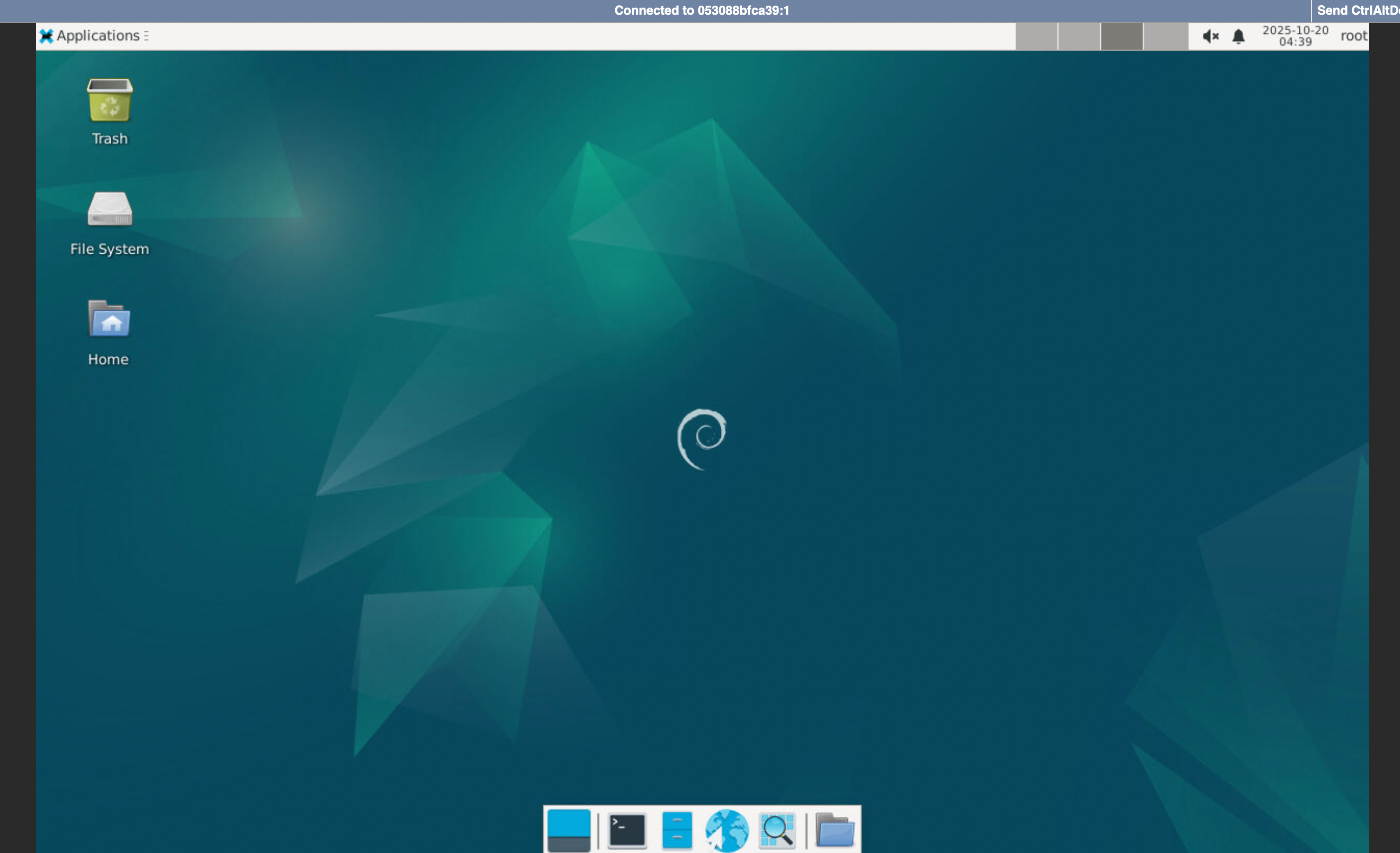
GUI Sandbox
Provides a virtual desktop environment for mouse, keyboard, and screen operations.
from agentscope_runtime.sandbox import GuiSandbox

with GuiSandbox() as box:
    # By default, pulls `agentscope/runtime-sandbox-gui:latest` from DockerHub
    print(box.list_tools()) # List all available tools
    print(box.desktop_url)  # Web desktop access URL
    print(box.computer_use(action="get_cursor_position"))  # Get mouse cursor position
    print(box.computer_use(action="get_screenshot"))       # Capture screenshot
    input("Press Enter to continue...")
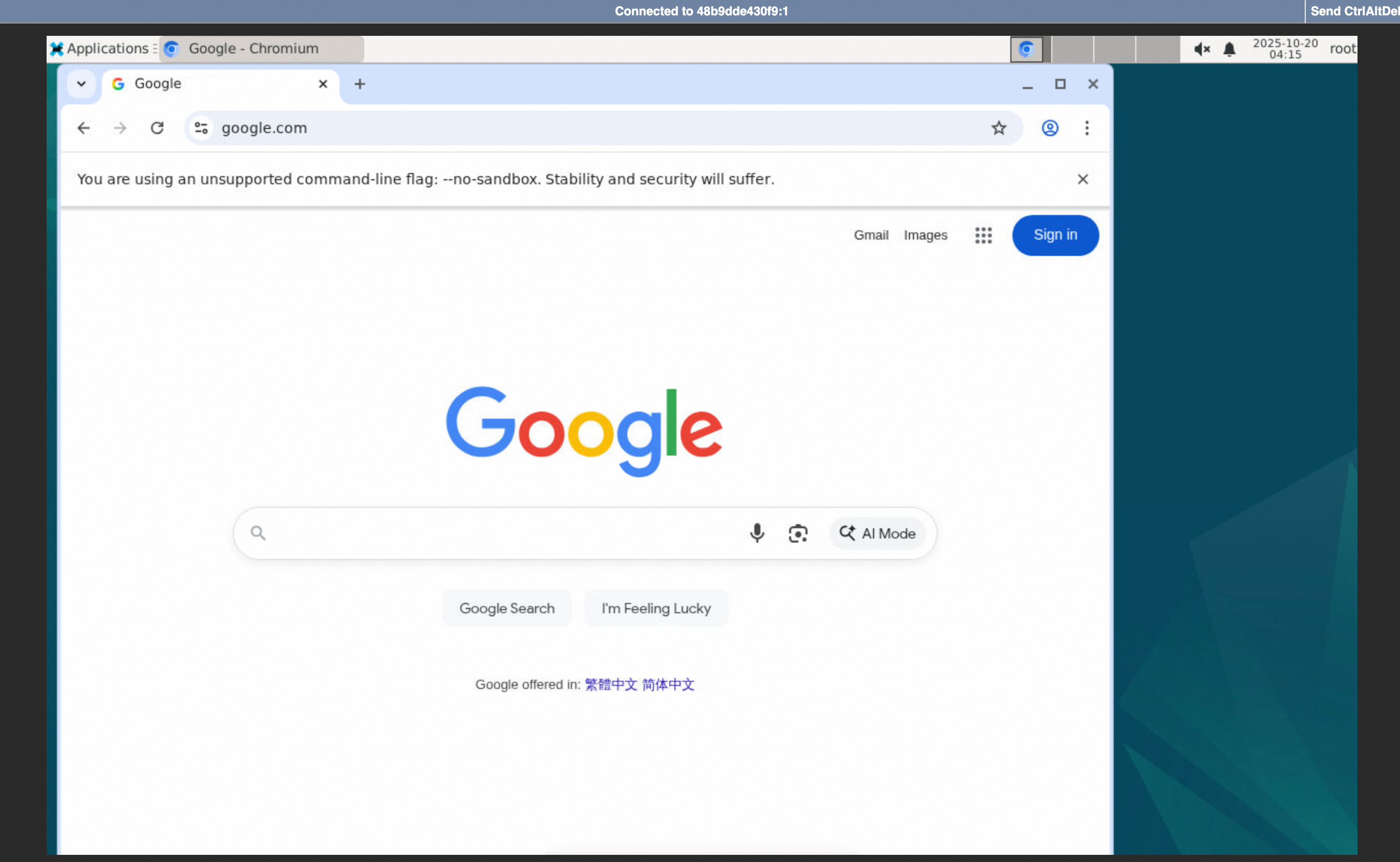
Browser Sandbox
A GUI-based sandbox with browser operations inside an isolated sandbox.
from agentscope_runtime.sandbox import BrowserSandbox

with BrowserSandbox() as box:
    # By default, pulls `agentscope/runtime-sandbox-browser:latest` from DockerHub
    print(box.list_tools()) # List all available tools
    print(box.desktop_url)  # Web desktop access URL
    box.browser_navigate("https://www.google.com/")  # Open a webpage
    input("Press Enter to continue...")
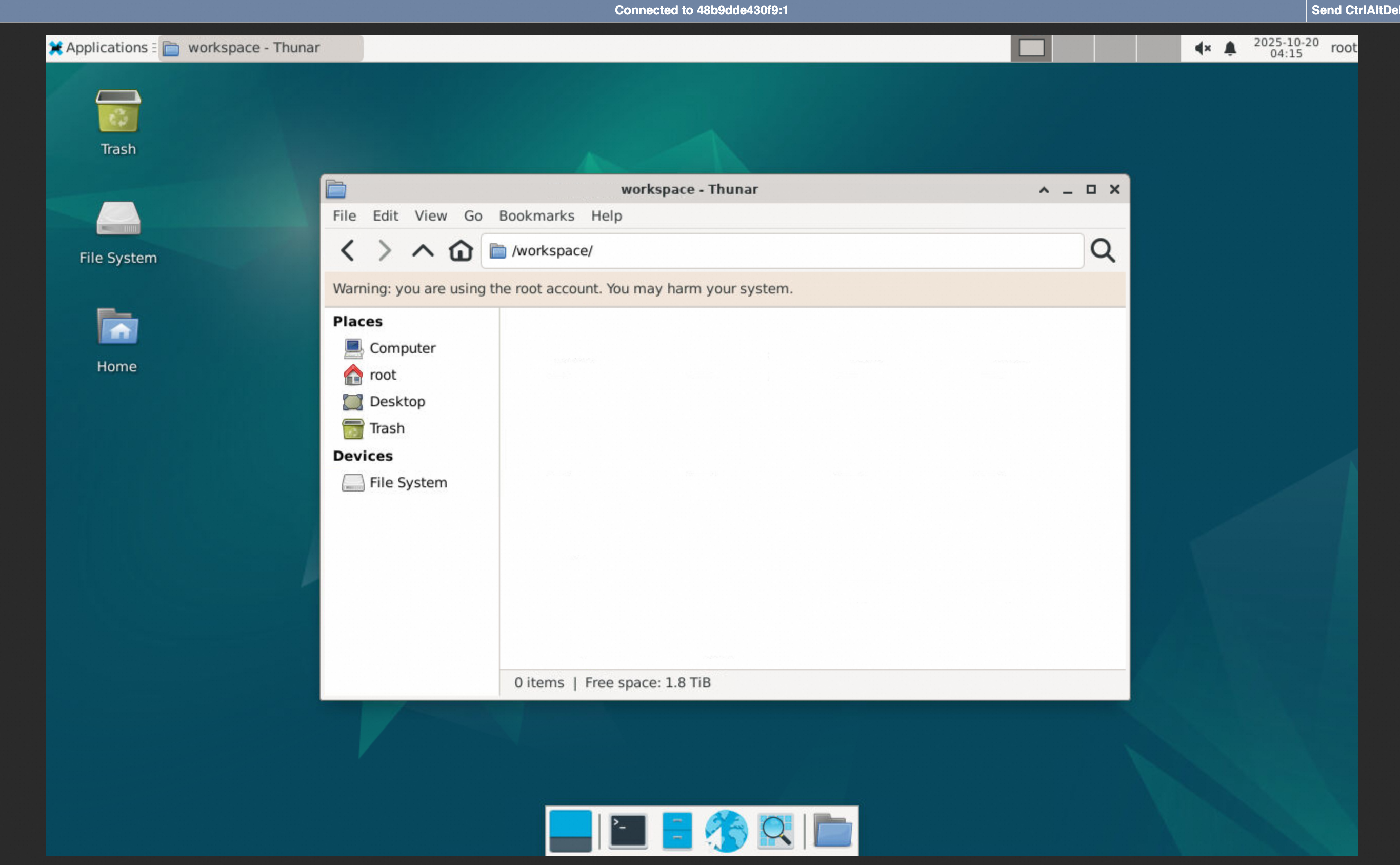
Filesystem Sandbox
A GUI-based sandbox with file system operations such as creating, reading, and deleting files.
from agentscope_runtime.sandbox import FilesystemSandbox

with FilesystemSandbox() as box:
    # By default, pulls `agentscope/runtime-sandbox-filesystem:latest` from DockerHub
    print(box.list_tools()) # List all available tools
    print(box.desktop_url)  # Web desktop access URL
    box.create_directory("test")  # Create a directory
    input("Press Enter to continue...")
Configuring Sandbox Image Registry, Namespace, and Tag
1. Registry
If pulling images from DockerHub fails (for example, due to network restrictions), you can switch the image source to Alibaba Cloud Container Registry for faster access:
export RUNTIME_SANDBOX_REGISTRY="agentscope-registry.ap-southeast-1.cr.aliyuncs.com"
2. Namespace
A namespace is used to distinguish images of different teams or projects. You can customize the namespace via an environment variable:
export RUNTIME_SANDBOX_IMAGE_NAMESPACE="agentscope"
For example, here agentscope will be used as part of the image path.
3. Tag
An image tag specifies the version of the image, for example:
export RUNTIME_SANDBOX_IMAGE_TAG="preview"
Details:
- Default is
latest, which means the image version matches the PyPI latest release. previewmeans the latest preview version built in sync with the GitHub main branch.- You can also use a specified version number such as
20250909. You can check all available image versions at DockerHub.
4. Complete Image Path
The sandbox SDK will build the full image path based on the above environment variables:
<RUNTIME_SANDBOX_REGISTRY>/<RUNTIME_SANDBOX_IMAGE_NAMESPACE>/runtime-sandbox-base:<RUNTIME_SANDBOX_IMAGE_TAG>
Example:
agentscope-registry.ap-southeast-1.cr.aliyuncs.com/agentscope/runtime-sandbox-base:preview
📚 Cookbook
- 📖 Cookbook: Comprehensive tutorials
- 💡 Concept: Core concepts and architecture overview
- 🚀 Quick Start: Quick start tutorial
- 🏠 Demo House: Rich example projects
- 📋 API Reference: Complete API documentation
🔌 Other Agent Framework Integration
Agno Integration
# pip install "agentscope-runtime[agno]"
from agno.agent import Agent
from agno.models.openai import OpenAIChat
from agentscope_runtime.engine.agents.agno_agent import AgnoAgent

agent = AgnoAgent(
    name="Friday",
    model=OpenAIChat(
        id="gpt-4",
    ),
    agent_config={
        "instructions": "You're a helpful assistant.",
    },
    agent_builder=Agent,
)
AutoGen Integration
# pip install "agentscope-runtime[autogen]"
from autogen_agentchat.agents import AssistantAgent
from autogen_ext.models.openai import OpenAIChatCompletionClient
from agentscope_runtime.engine.agents.autogen_agent import AutogenAgent

agent = AutogenAgent(
    name="Friday",
    model=OpenAIChatCompletionClient(
        model="gpt-4",
    ),
    agent_config={
        "system_message": "You're a helpful assistant",
    },
    agent_builder=AssistantAgent,
)
LangGraph Integration
# pip install "agentscope-runtime[langgraph]"
from typing import TypedDict
from langgraph import graph, types
from agentscope_runtime.engine.agents.langgraph_agent import LangGraphAgent


# define the state
class State(TypedDict, total=False):
    id: str


# define the node functions
async def set_id(state: State):
    new_id = state.get("id")
    assert new_id is not None, "must set ID"
    return types.Command(update=State(id=new_id), goto="REVERSE_ID")


async def reverse_id(state: State):
    new_id = state.get("id")
    assert new_id is not None, "ID must be set before reversing"
    return types.Command(update=State(id=new_id[::-1]))


state_graph = graph.StateGraph(state_schema=State)
state_graph.add_node("SET_ID", set_id)
state_graph.add_node("REVERSE_ID", reverse_id)
state_graph.set_entry_point("SET_ID")
compiled_graph = state_graph.compile(name="ID Reversal")
agent = LangGraphAgent(graph=compiled_graph)
[!NOTE]
More agent framework interations are comming soon!
🏗️ Deployment
The agent runner exposes a deploy method that takes a DeployManager instance and deploys the agent. The service port is set as the parameter port when creating the LocalDeployManager. The service endpoint path is set as the parameter endpoint_path when deploying the agent. In this example, we set the endpoint path to /process. After deployment, you can access the service at http://localhost:8090/process.
from agentscope_runtime.engine.deployers import LocalDeployManager

# Create deployment manager
deploy_manager = LocalDeployManager(
    host="localhost",
    port=8090,
)

# Deploy the agent as a streaming service
deploy_result = await runner.deploy(
    deploy_manager=deploy_manager,
    endpoint_path="/process",
    stream=True,  # Enable streaming responses
)
🤝 Contributing
We welcome contributions from the community! Here's how you can help:
🐛 Bug Reports
- Use GitHub Issues to report bugs
- Include detailed reproduction steps
- Provide system information and logs
💡 Feature Requests
- Discuss new ideas in GitHub Discussions
- Follow the feature request template
- Consider implementation feasibility
🔧 Code Contributions
- Fork the repository
- Create a feature branch (
git checkout -b feature/amazing-feature) - Commit your changes (
git commit -m 'Add amazing feature') - Push to the branch (
git push origin feature/amazing-feature) - Open a Pull Request
For detailed contributing guidelines, please see CONTRIBUTE.
📄 License
AgentScope Runtime is released under the Apache License 2.0.
Copyright 2025 Tongyi Lab

Licensed under the Apache License, Version 2.0 (the "License");
you may not use this file except in compliance with the License.
You may obtain a copy of the License at

    http://www.apache.org/licenses/LICENSE-2.0

Unless required by applicable law or agreed to in writing, software
distributed under the License is distributed on an "AS IS" BASIS,
WITHOUT WARRANTIES OR CONDITIONS OF ANY KIND, either express or implied.
See the License for the specific language governing permissions and
limitations under the License.
Contributors ✨

Thanks goes to these wonderful people (emoji key):
 Weirui Kuang 💻 👀 🚧 📆 |
 Bruce Luo 💻 👀 💡 |
 Zhicheng Zhang 💻 👀 📖 |
 ericczq 💻 📖 |
 qbc 👀 |
 Ran Chen 💻 |
 jinliyl 💻 📖 |
 Osier-Yi 💻 📖 |
 Kevin Lin 💻 |
 DavdGao 👀 |
 FlyLeaf 💻 📖 |
 jinghuan-Chen 💻 |
 Yuxuan Wu 💻 📖 |
 Fear1es5 🐛 |
 Add your contributions
|
||||||
This project follows the all-contributors specification. Contributions of any kind welcome!
Release history Release notifications | RSS feed


Download files
Download the file for your platform. If you're not sure which to choose, learn more about installing packages.
Source Distribution
Built Distribution
Filter files by name, interpreter, ABI, and platform.
If you're not sure about the file name format, learn more about wheel file names.
Copy a direct link to the current filters
File details
Details for the file agentscope_runtime-0.2.0b1.tar.gz.
File metadata
- Download URL: agentscope_runtime-0.2.0b1.tar.gz
- Upload date:
- Size: 249.6 kB
- Tags: Source
- Uploaded using Trusted Publishing? No
- Uploaded via: twine/6.1.0 CPython/3.13.7
File hashes
| Algorithm | Hash digest | |
|---|---|---|
| SHA256 |
bd43f1e81ef0a297a8aa472ca9278d1e3f1f3cadbdb0ea543875ff5103dbec98
|
|
| MD5 |
ab942f01f0bb9e5b80b9969dbfa8331a
|
|
| BLAKE2b-256 |
481677282a5ee01349e3006c4122f1738e20643695e73ff52f6f3af480b1fb5f
|
File details
Details for the file agentscope_runtime-0.2.0b1-py3-none-any.whl.
File metadata
- Download URL: agentscope_runtime-0.2.0b1-py3-none-any.whl
- Upload date:
- Size: 313.5 kB
- Tags: Python 3
- Uploaded using Trusted Publishing? No
- Uploaded via: twine/6.1.0 CPython/3.13.7
File hashes
| Algorithm | Hash digest | |
|---|---|---|
| SHA256 |
dfb06c10c90c3d50e207154aa5b12c1337785327afb3ba20d1ddee2b849cf712
|
|
| MD5 |
093451eadd9dbc1cda69ed3d310c8a72
|
|
| BLAKE2b-256 |
81309e68e04e9f82ebacd4c9ca46bcf5828e850eaa4aaff73b7a50842fe57d33
|






