
AgiNG - A Norton Guide reader for the terminal







Introduction
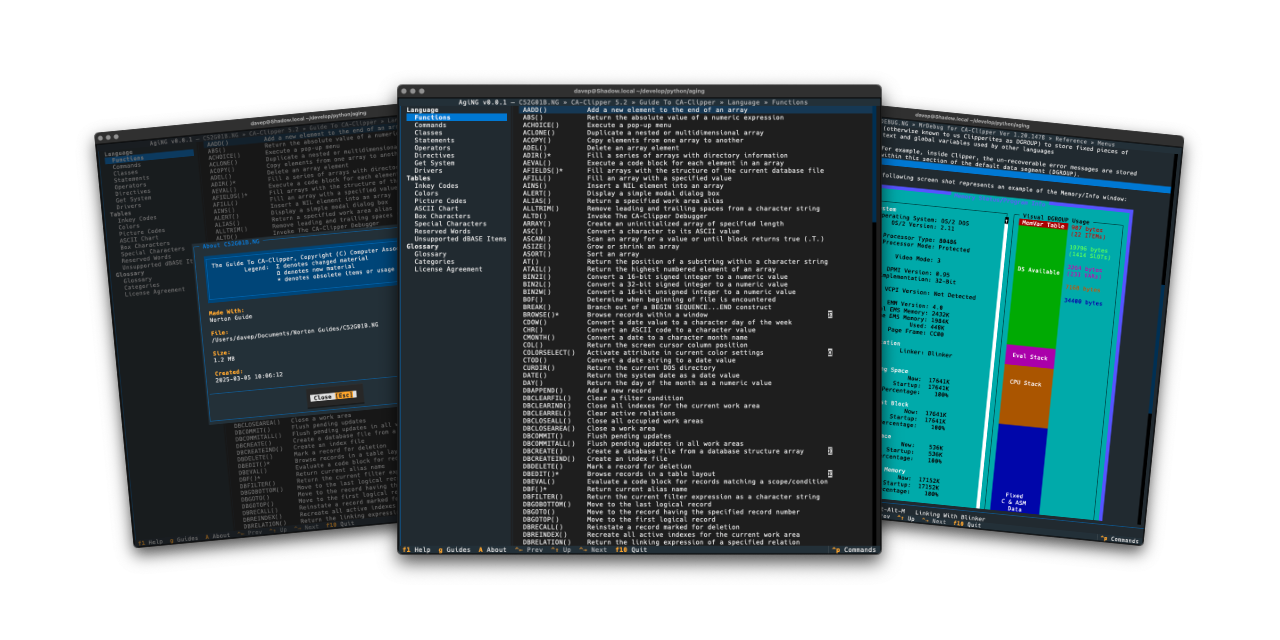
AgiNG is the latest in a long line of Norton Guide tools and readers I've written, starting in the 1990s. It is designed to be as comprehensive as possible, keyboard-first but mouse-friendly, and to look as good as possible.
Installing
pipx
The application can be installed using pipx:
$ pipx install aging
Once installed run the aging command.
Homebrew
The package is available via Homebrew. Use the following commands to install:
$ brew tap davep/homebrew
$ brew install aging
Once installed run the aging command.
Using AgiNG
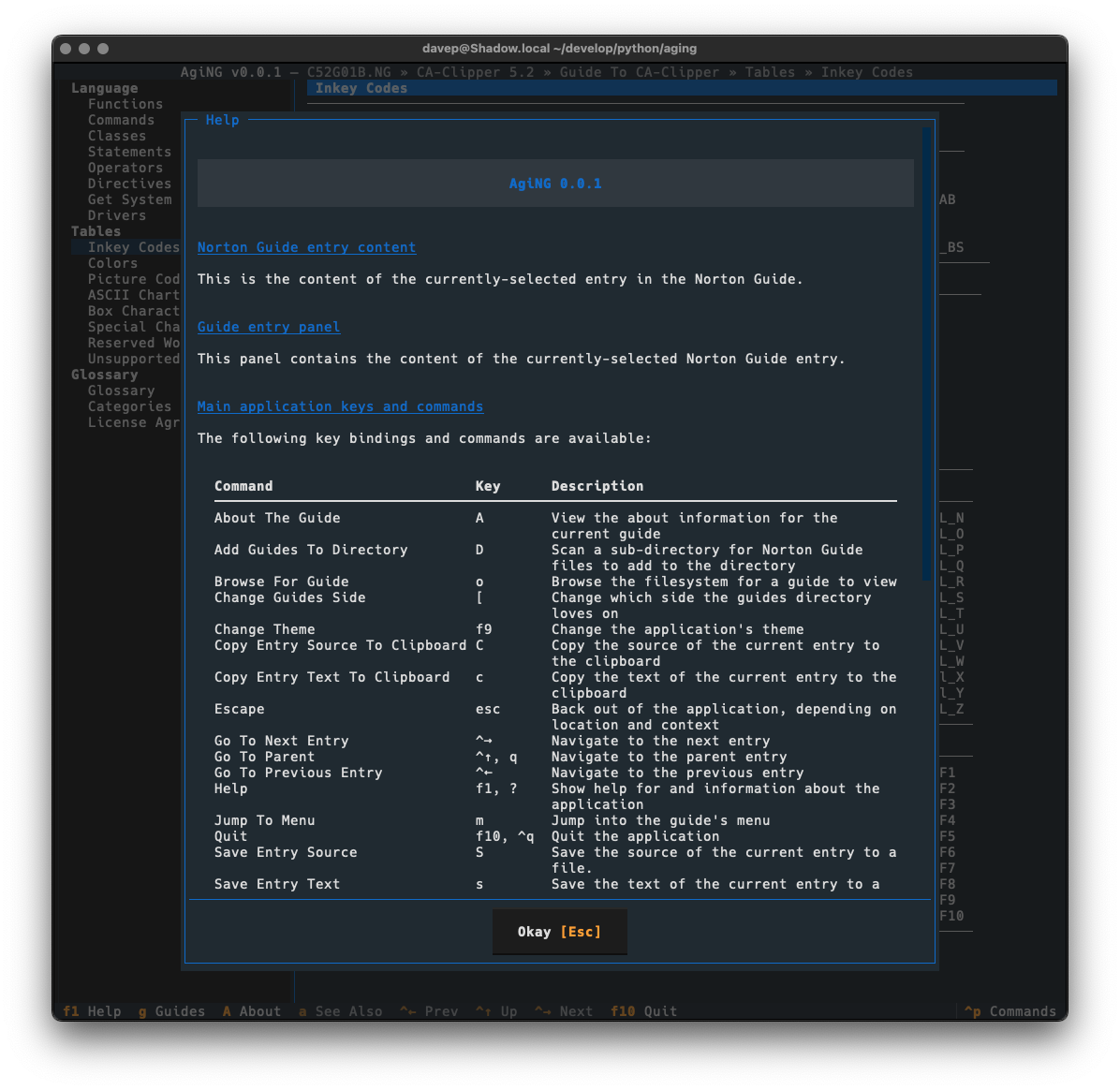
The best way to get to know AgiNG is to read the help screen. Once in the application you can see this by pressing F1.
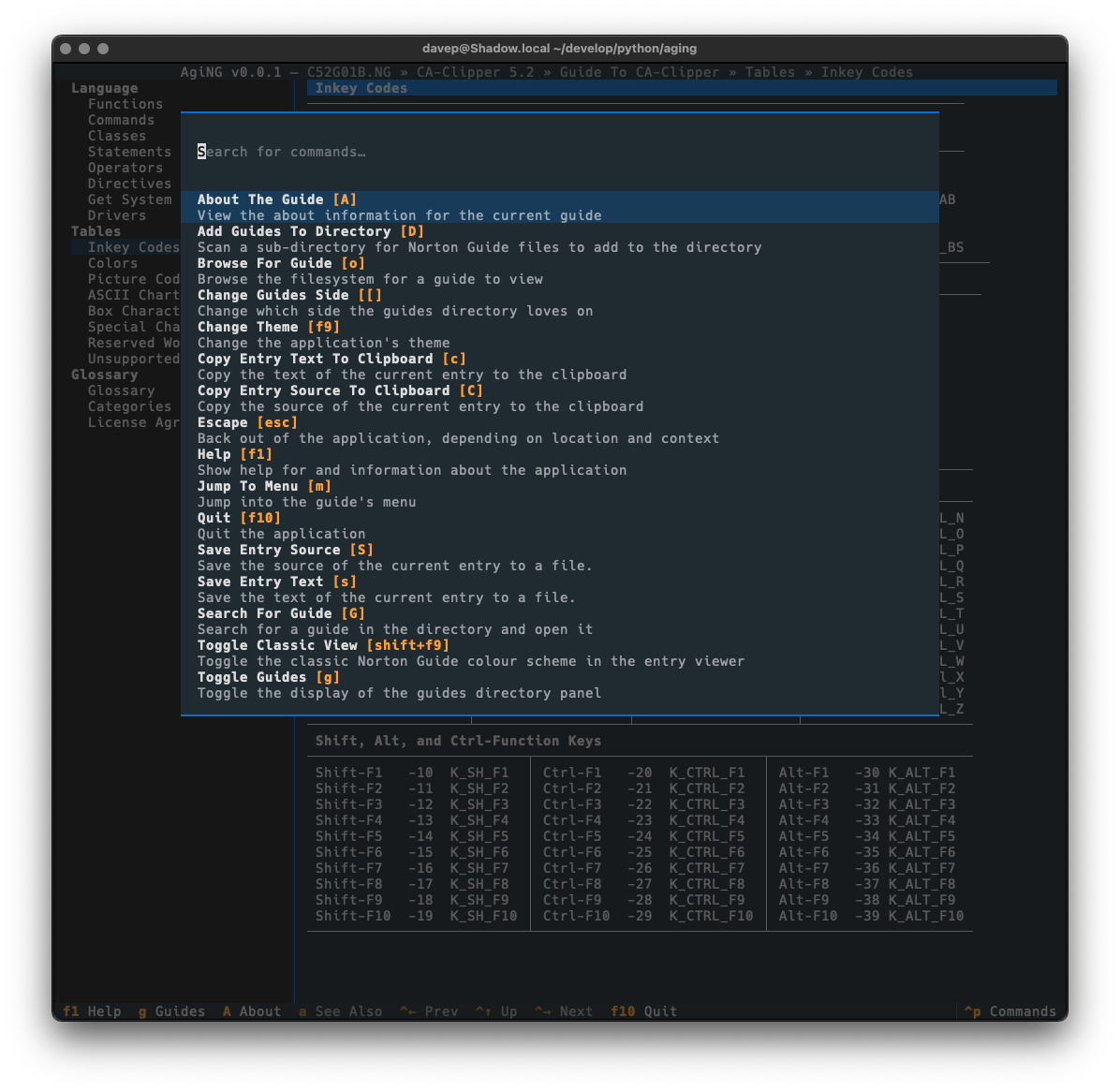
Commands can also be discovered via the command palette (ctrl+p):
Features
- Manage a directory of all of your Norton Guide files.
- Read Norton Guide files (obviously!).
- Clipboard support (copy text or copy source).
- Search the current entry.
- Search all entries in the current guide.
- Search all entries in all guides in the guide directory.
- A command palette to make it easy to discover commands and their keys.
- A rich help screen to make it easy to discover commands and their keys.
- More as time goes on.
File locations
AgiNG stores files in a aging directory within both $XDG_DATA_HOME and
$XDG_CONFIG_HOME.
If you wish to fully remove anything to do with AgiNG you will need to
remove those directories too.
Expanding for the common locations, the files normally created are:
~/.config/aging/configuration.json-- The configuration file.~/.local/share/aging/*.json-- The locally-held data.
Getting help
If you need help, or have any ideas, please feel free to raise an issue or start a discussion.
TODO
See the TODO tag in issues to see what I'm planning.
1 maintainer

Metadata
1 maintainer
Release files for aging 1.2.0
For a detailed explanation of source distributions (sdists) and built distributions (wheels), please see the package formats documentation.
Source distribution (sdist)
| File | Size | Uploaded | |
|---|---|---|---|
| aging-1.2.0.tar.gz | 27.2 kB | Details |
Built distribution (wheel)
| File | Interpreter | ABI | Platform | Reset |
|---|---|---|---|---|
| aging-1.2.0-py3-none-any.whl | Python 3 | none | any | Details |
Total release size: 67.4 kB
Release files / aging-1.2.0.tar.gz
| Download URL | aging-1.2.0.tar.gz |
|---|---|
| Size | 27.2 kB |
| Tags | Source |
|
SHA-256 checksum How to use checksums |
acd67c012b4532e76c74dbdb3570219f11f4489d265f3a5565c964c687acc22b
|
|
BLAKE2b-256 checksum How to use checksums |
1210bbcaeedc765d12798673c4ba01140fa1d5e7cb5844972f36c9bf643605b5
|
| Upload date | |
|
Uploaded using Trusted Publishing? What is trusted publishing? |
No |
| Uploaded via |
uv/0.9.17 {"installer":{"name":"uv","version":"0.9.17","subcommand":["publish"]},"python":null,"implementation":{"name":null,"version":null},"distro":{"name":"macOS","version":null,"id":null,"libc":null},"system":{"name":null,"release":null},"cpu":null,"openssl_version":null,"setuptools_version":null,"rustc_version":null,"ci":null}
|
Release files / aging-1.2.0-py3-none-any.whl
| Download URL | aging-1.2.0-py3-none-any.whl |
|---|---|
| Size | 40.3 kB |
| Tags | Python 3 |
|
SHA-256 checksum How to use checksums |
c1aa3c4e30fe60634a0d5bad885494ec3ff259c4ed6c9f57d0ce1a8242c8cf68
|
|
BLAKE2b-256 checksum How to use checksums |
f5d1ed513177ae23c30ae138d280ff0753d1e3bd45400a3393c360dd8c4db4ab
|
| Upload date | |
|
Uploaded using Trusted Publishing? What is trusted publishing? |
No |
| Uploaded via |
uv/0.9.17 {"installer":{"name":"uv","version":"0.9.17","subcommand":["publish"]},"python":null,"implementation":{"name":null,"version":null},"distro":{"name":"macOS","version":null,"id":null,"libc":null},"system":{"name":null,"release":null},"cpu":null,"openssl_version":null,"setuptools_version":null,"rustc_version":null,"ci":null}
|














