
AhaDiff (知返)
Understand the change.
Learn from Git changes, two file versions, a pasted diff, a saved snapshot, or one Markdown document. Read the explanation beside its evidence, answer questions, and review what you learned later.
中文 · Website · User Guide · v1.4.0 release notes · English video · Chinese video
AhaDiff keeps your lessons and review history in your working folder. You can study your own fixes, a colleague's edits, or AI-generated changes. File, patch, snapshot, and document learning work without Git.
What's new in 1.4.0
- Five ways to start in the WebUI. Choose Git changes, two files, a pasted diff, a saved snapshot, or one Markdown document. Preview the source locally before sending a generation request.
- Saved snapshots. Save an earlier file as a local comparison reference and compare it with a later version. AhaDiff stores a sanitized copy and leaves your original files untouched.
- Document and format evidence. Study one Markdown document, or follow citations to Markdown sections, Notebook cells, and JSON/TOML/YAML key paths in a comparison.
- Active transfer practice. Request open questions that ask you to predict a result, complete a similar example, or explain an error. Compare your attempt with the reference, then rate your understanding.
- Clearer model controls. Settings distinguishes the model default from turning thinking off, shows only supported controls, and previews model limits before you save.
Install or update
You need Python 3.11+ and a compatible SQLite runtime. Install the CLI and its bundled WebUI with one of these isolated installers:
pipx install ahadiff
# or
uv tool install ahadiff

ahadiff --version
# ahadiff 1.4.0
Already installed? Stop the running AhaDiff server, update with the installer you used, then restart it:
pipx upgrade ahadiff
# or
uv tool upgrade ahadiff
Inside a virtual environment or conda environment, use python -m pip install ahadiff; update with python -m pip install --upgrade ahadiff. If pip reports externally-managed-environment, use pipx, uv tool, or a virtual environment.
Your learning history stays under .ahadiff/ in each working folder. Keep a backup of that folder before updating. Store backups privately because they can include source excerpts and provider credentials.
The optional optimizer extra adds torch for FSRS parameter optimization. Base review and scheduling work without it: pipx install 'ahadiff[optimizer]' or uv tool install 'ahadiff[optimizer]'.
Your first lesson
Open a terminal in the folder where you want to keep your learning history:
ahadiff serve
AhaDiff creates local state as needed and opens http://127.0.0.1:8765. Use --no-browser to start the server without opening a browser. An ordinary folder works; ahadiff init and ahadiff doctor are for Git repositories.
- Open Settings, add a local or remote model provider, and select the generation model. If you have several providers, select the one to use. Set the judge provider separately if you want optional model feedback on lesson quality.
- Open Welcome, Quick Start, or Guide and choose a source from the table below.
- Preview the source. You can add Review notes or enable More options for this source → Active transfer practice before previewing. Previewing does not call an LLM; Start learning uses your configured provider and privacy mode.
- Read Lesson and follow its source links. Attempt Quiz questions before revealing the reference, then return to Review when cards are due.
| What you have | Choose | Example |
|---|---|---|
| Changes in a Git repository | Git changes | A bug fix, a reviewed commit, or AI edits |
| A before file and an after file | Two files | Code, SQL, configuration, Markdown, or two Notebook versions |
| A unified diff copied from a tool | Paste a diff | A review patch or shared changes |
| An earlier file you want to reuse | Saved snapshot | Save the earlier file, then select a later version |
| One Markdown document | One Markdown document | Study its headings and paragraphs without a before version |
For two files, select or drop each version into its field; filenames may match. Browser-selected text files are limited to 256 KiB each and 512 KiB per pair. Snapshots and standalone Markdown documents keep the 256 KiB limit in both CLI and WebUI. Pasted diffs have a 64 KiB limit. The preview shows up to 64 KiB and tells you when it cuts off the display.
Small file, patch, snapshot, and document exercises enable Generate a lesson even for small changes by default. You can clear it. This bypasses the learnability skip; evidence and safety checks still apply.
Use the terminal
Configure a provider in Settings first. Keep input files inside your working folder, then choose a command:
# Compare two text files
ahadiff learn --compare before.py after.py --force-learn

# Read a unified diff
ahadiff learn --patch change.diff --force-learn

# Study one Markdown document
ahadiff learn --document notes.md --force-learn

# Request open transfer questions
ahadiff learn --compare before.py after.py --force-learn --active-practice

# Learn from the last Git commit
ahadiff learn --last
Save and reuse a snapshot:
ahadiff snapshot save before.py --name before-refactor
ahadiff snapshot list
ahadiff learn --snapshot SNAPSHOT_ID --after after.py --force-learn
Replace SNAPSHOT_ID with the ID printed by snapshot save or snapshot list. Snapshots are sanitized learning references, not full file backups. Saving, comparing, or deleting one does not overwrite your files; deleting a snapshot keeps earlier lessons.
After a run, use its printed RUN_ID:
ahadiff quiz RUN_ID
ahadiff review
ahadiff export preview RUN_ID --out ./preview
The User Guide covers Git ranges, working-tree capture, patch URLs, directory comparisons, review notes, quiz regeneration, and export options.
Models and privacy
Use a local provider such as LM Studio or Ollama, or bring a key for OpenAI, Anthropic, Gemini, Azure, NewAPI, or an OpenAI-compatible service. Provider classes are openai, openai_responses, gemini, anthropic, azure, newapi, openai_compat, lmstudio, and ollama. Choose the class that matches your endpoint's API protocol.
Settings can keep providers in the current workspace or in your global config. A workspace alias overrides a global alias with the same name. Generation and judge models can use different providers. Limit previews use local registry/configuration data; testing a provider sends a small real request and may incur a charge.
Leave the thinking setting at Model default to use the provider's behavior. Off requests disabled thinking only for models and endpoints that support it. Other models may offer levels, an on/off control, or no control. A model appearing in a directory does not confirm that your account can call it.
The default privacy mode is strict_local. Choose redacted_remote or explicit_remote before using a remote provider. Review the source and its redactions before starting a remote run. AhaDiff checks for secrets and suspicious instructions, but you should still inspect material you plan to send.
When you paste a key into Settings, AhaDiff stores it in the selected scope’s .env and keeps an environment-variable reference in config.toml. Workspace providers use .ahadiff/.env; global providers use the OS configuration directory, listed in the User Guide. Back up global configuration separately if you use it. Workspace ignore rules prevent an ordinary git add from including the key file. You can instead supply an OS environment variable through api_key_env. On macOS/Linux the key file uses owner-only permissions; on Windows, protect the folder with NTFS permissions. Keep key files and private backups out of shared archives.
Read the results
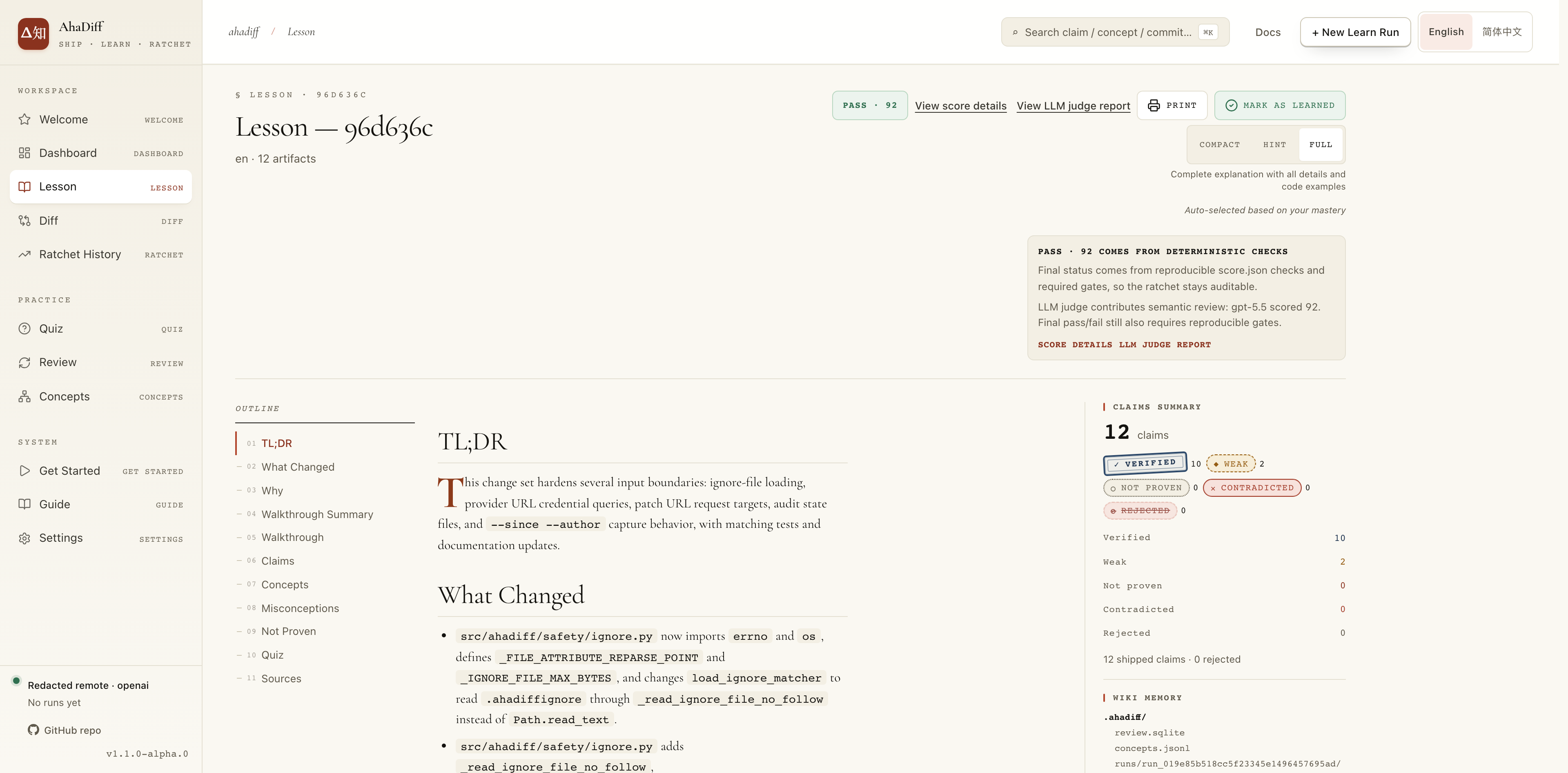
- Lesson and evidence: choose Hint, Compact, or Full explanations. Inspect each claim's source and evidence status: verified, weak, not proven, contradicted, or rejected. A source citation confirms quoted text and location; it does not prove external facts or runtime behavior.
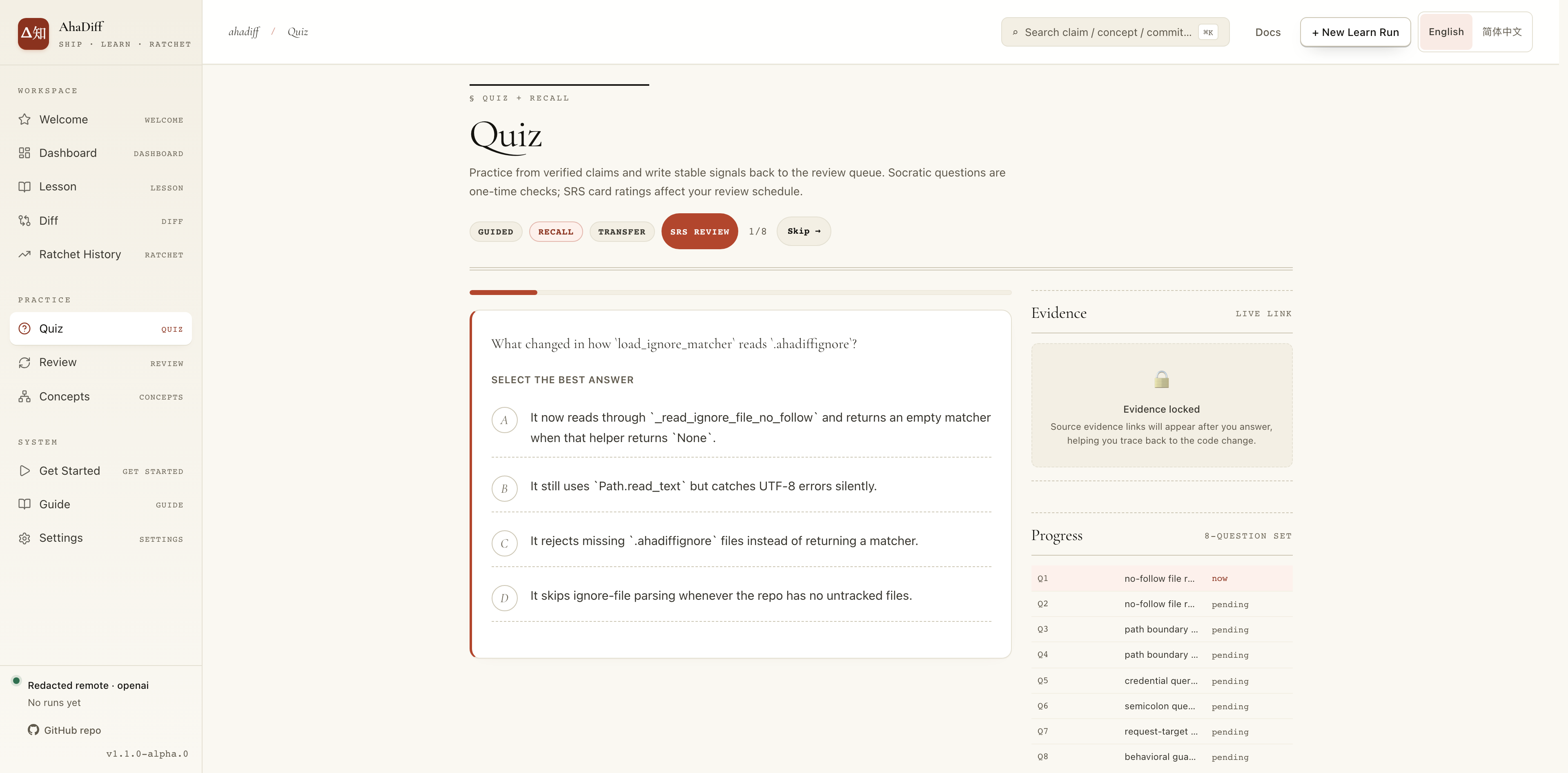
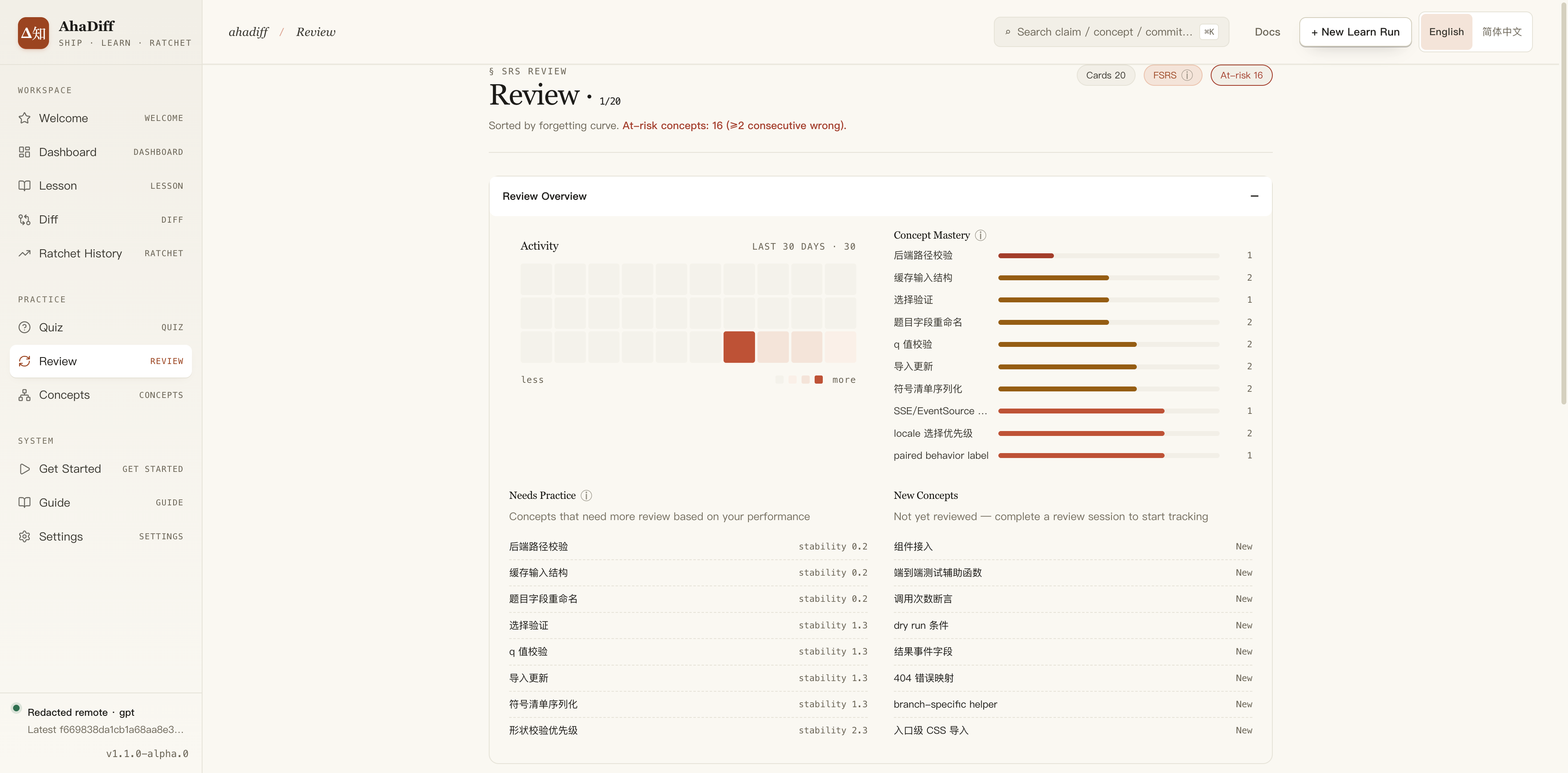
- Quiz and Review: the default quiz mixes guided, recall, and transfer questions. Active transfer practice requests open prediction, completion, and error-explanation questions. AhaDiff checks choices mechanically; you assess open answers against a reference. It does not run exercise code. Practice statistics describe recorded attempts and self-assessments, not a measured learning gain.
- Score and Judge: deterministic scoring covers eight dimensions and applies required evidence and safety checks. A high score can still fail a required check. The optional LLM judge provides feedback and cannot override the final verdict. Document runs show Diff Coverage and change-novelty Learnability as N/A; runs without a specification show Spec Alignment as N/A.
- Concepts and exports: revisit concepts across runs, export a local HTML preview, download review cards as Anki
.apkg, or export TSV/JSON data. Check a preview for private source content before sharing it. - Improve a lesson:
ahadiff improve-run RUN_IDtries a new lesson and retains it as a separate run only if its deterministic score improves. The original remains available. The separateahadiff improvecommand edits AhaDiff's own generation prompts and requires an AhaDiff source checkout.
Optional AI tool integration
Install AhaDiff once, then write project guidance for the coding tools you use:
ahadiff install --detect
ahadiff install codex --dry-run
ahadiff install codex
# Other targets include claude, cursor, copilot, pi, grok, and devin
Settings → AI Tool Guidance shows the current catalogue and previews the files before writing, updating, or removing them. Guide explains the same tools. These commands write project guidance; they do not install or sign in to third-party tools. Uninstall removes AhaDiff-generated files and marked sections while preserving other guidance.
For Git workflows on macOS/Linux, ahadiff install hooks adds reminders after commits. Add --auto-learn to generate lessons in the background. ahadiff watch learns from working-tree changes; ahadiff serve --watch adds the WebUI. Automatic learning can make repeated provider requests, so review your privacy and budget settings first.
You can also connect the read-only MCP server:
claude mcp add ahadiff -- ahadiff mcp-server --repo-root /path/to/workspace
codex mcp add ahadiff -- ahadiff mcp-server --repo-root /path/to/workspace
Requirements and limits
- Python and SQLite: use Python 3.11+ with SQLite 3.51.3+, or patched 3.50.4+ / 3.44.6+ branches. SQLite 3.51.0–3.51.2 do not meet the requirement. Check Quick Start diagnostics for the runtime AhaDiff uses; inside a Git repository,
ahadiff doctorreports it too. - Platforms: core CLI and WebUI target macOS, Linux, and Windows. Directory comparison (
--compare-dir) and Git hooks require macOS/Linux. Check the release notes for tested platforms and known issues. - Inputs: one-document learning accepts local
.md/.markdownfiles. PDF ingestion and web-page capture are not available. Notebook comparisons inspect cell sources without executing the notebook. - Evidence: unsupported structures can fall back to weaker line evidence. Review notes provide context, not proof. Old runs retain their recorded evidence format.
- Language: WebUI and generated learning material support English and Chinese. CLI help and most diagnostics use English.
Screenshots
These examples show an earlier interface. Follow the current steps above for the five source choices.
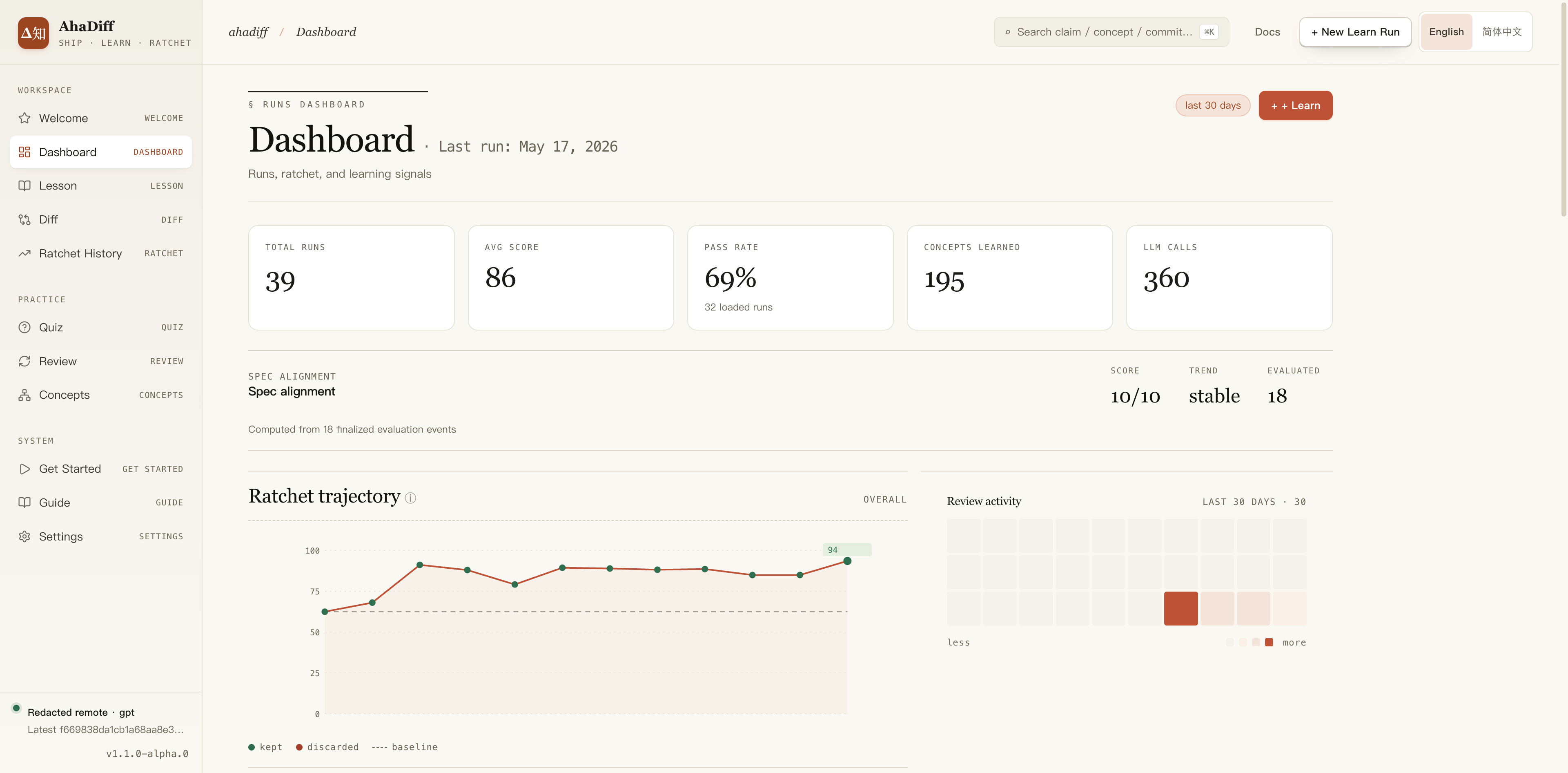
Lesson and evidence
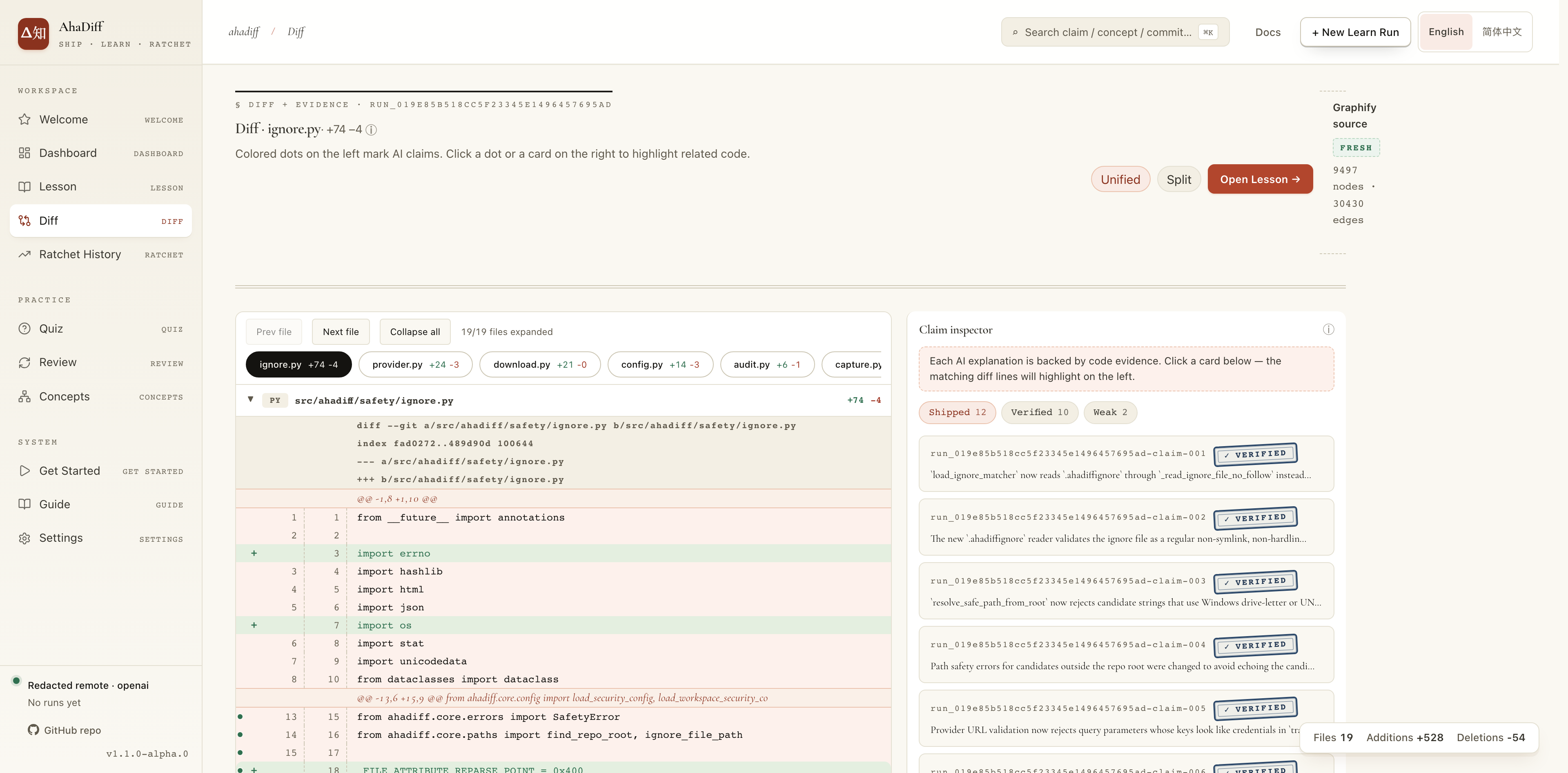
Quiz and review
From source
A source installation also needs uv and pnpm:
git clone https://github.com/AGI-is-going-to-arrive/ahadiff.git
cd ahadiff
uv sync --locked --dev
pnpm --dir viewer install --frozen-lockfile
pnpm --dir viewer build
uv tool install --editable .
Acknowledgements and license
AhaDiff draws on ideas from karpathy/autoresearch, alchaincyf/darwin-skill, Evol-ai/SkillCompass, ZJU-REAL/SkillZero, safishamsi/graphify, and karpathy/llm-wiki. Thanks to the linux.do community for feedback.
1 maintainer

Metadata
1 maintainer
Release files for ahadiff 1.4.0
For a detailed explanation of source distributions (sdists) and built distributions (wheels), please see the package formats documentation.
Source distribution (sdist)
| File | Size | Uploaded | |
|---|---|---|---|
| ahadiff-1.4.0.tar.gz | 1.3 MB | Details |
Built distribution (wheel)
| File | Interpreter | ABI | Platform | Reset |
|---|---|---|---|---|
| ahadiff-1.4.0-py3-none-any.whl | Python 3 | none | any | Details |
Total release size: 2.8 MB
Release files / ahadiff-1.4.0.tar.gz
| Download URL | ahadiff-1.4.0.tar.gz |
|---|---|
| Size | 1.3 MB |
| Tags | Source |
|
SHA-256 checksum How to use checksums |
15477ba359ee0cc6d60eba7f56d5824799f8b7c97297a674b04b9e9f2da37fe4
|
|
BLAKE2b-256 checksum How to use checksums |
9f08bf013704c24b99ce4054216d3b94a1155453c65a9098020ec6f7a0997390
|
| Upload date | |
|
Uploaded using Trusted Publishing? What is trusted publishing? |
Yes |
| Uploaded via |
twine/7.0.0 CPython/3.13.14
|
Provenance
Provenance describes where a file came from. On PyPI, provenance is shared via attestations, which provide a verifiable record of the build or publishing details. View details, limitations and caveats.


PyPI Publish Attestation
PyPI verified that this artifact, at this checksum, originated from the publisher listed below.
Signed by GitHub Actions, verified by PyPI on Sep 8, 2026.
Transparency logRelease files / ahadiff-1.4.0-py3-none-any.whl
| Download URL | ahadiff-1.4.0-py3-none-any.whl |
|---|---|
| Size | 1.5 MB |
| Tags | Python 3 |
|
SHA-256 checksum How to use checksums |
2b16194c0dfea0272079301da319037682693dd9286ec6c14298c58080088514
|
|
BLAKE2b-256 checksum How to use checksums |
efc57b00a1669ac78c25d4f5715a1330c2a0d399e738e978922489d4fed41c86
|
| Upload date | |
|
Uploaded using Trusted Publishing? What is trusted publishing? |
Yes |
| Uploaded via |
twine/7.0.0 CPython/3.13.14
|
Provenance
Provenance describes where a file came from. On PyPI, provenance is shared via attestations, which provide a verifiable record of the build or publishing details. View details, limitations and caveats.
PyPI Publish Attestation
PyPI verified that this artifact, at this checksum, originated from the publisher listed below.
Signed by GitHub Actions, verified by PyPI on Sep 8, 2026.
Transparency log













