
AI Coach Xblock evaluates open response answer of a question using Open AI
Verified details
These details have been verified by PyPIProject links
GitHub Statistics
Maintainers

Project description
AI Coach XBlock
AI Coach Xblock helps learner in improving their answers by levering power of AI. It evaluates open response answer of a question using Open AI and provides feedback to learner.
It has the followig features:
- Helps learner to get feedback on their open response answer using Open AI
- Learner can improve answer on the basis of Open AI feedback
- Ability to mark Question complete in open edX
- Save learner answer which can be retrieved later
Setup
pip install ai-coach-xblock
Update Settings of LMS and CMS
Add the OPEN AI secret key in the lms and cms configuration file
OPENAI_SECRET_KEY='set-secret-key'
Update Advanced Settings of course
Update course advanced settings by adding ai_coach as shown in below image
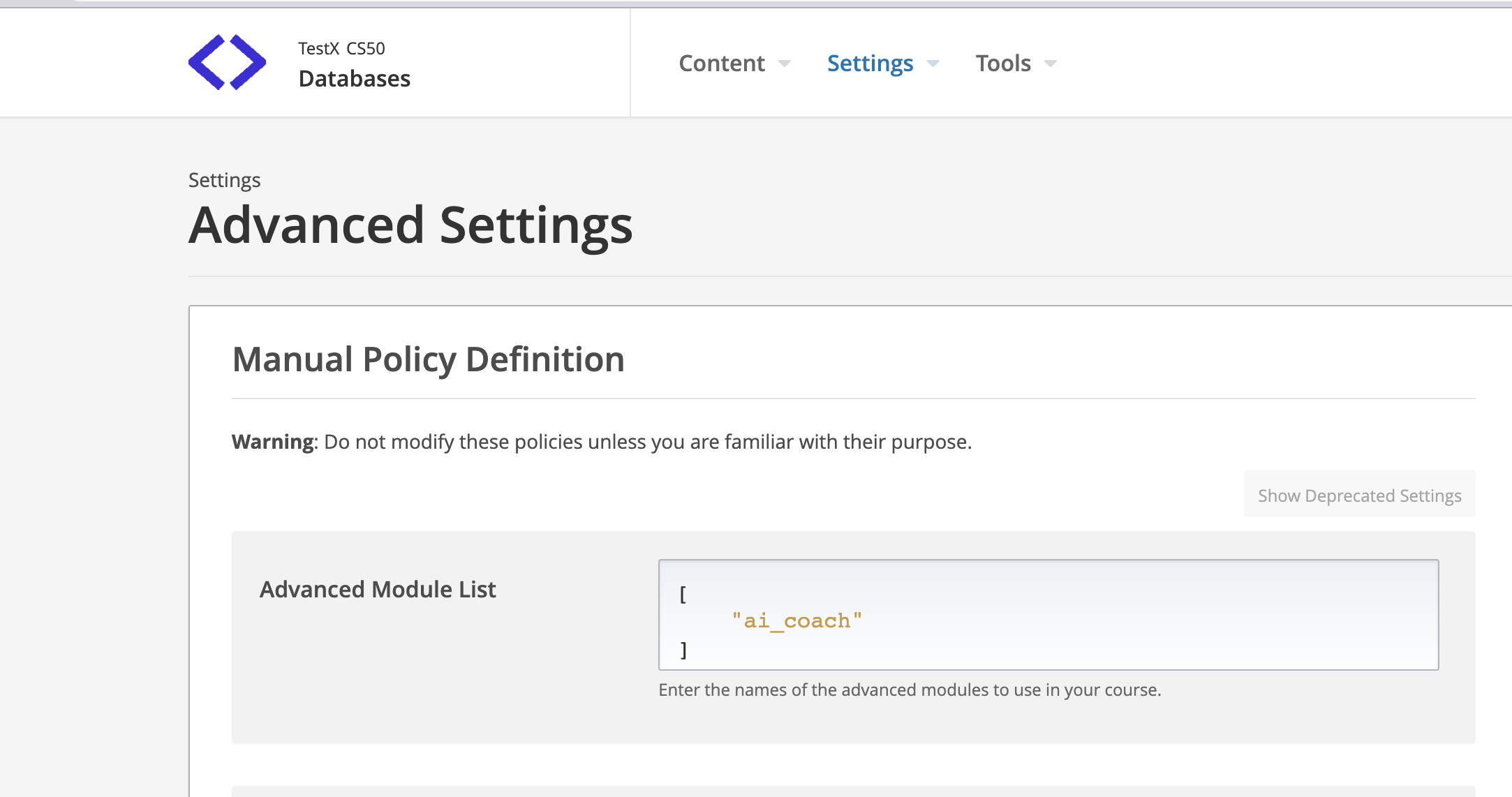
Update settings of AI Coach Component
AI Coach Xblock will be available in Advanced component of course unit now. Add "AI Coach" xblock in unit and click "Edit" button to
add question & question context and configure it.
Contextis the context of question with answer which is provided to OpenAI for feedback generation. Question and Learner Answer is integrated into context using{{question}}and{{answer}}keywords which automatically picks question & learner aswer value. Example:I am grade 8 student studying leadership. My teacher asked me question: {{question}} . I answered {{answer}} . Provide two tips to improve my answer as a grade 8 student.
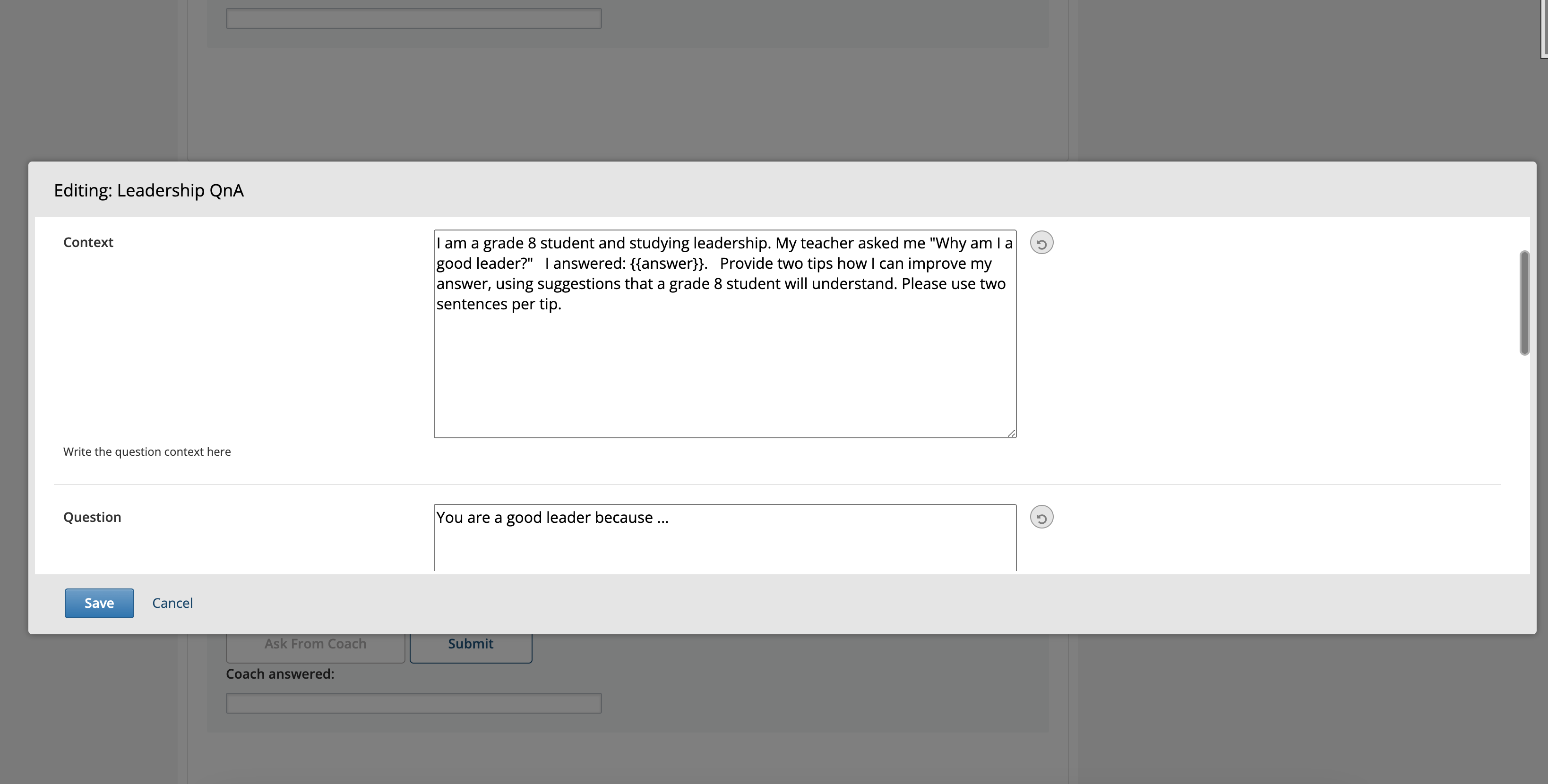
Publish Content
Use "Preview" button to preview it or publish your content and use "View Live Version" button to see how it appears on LMS
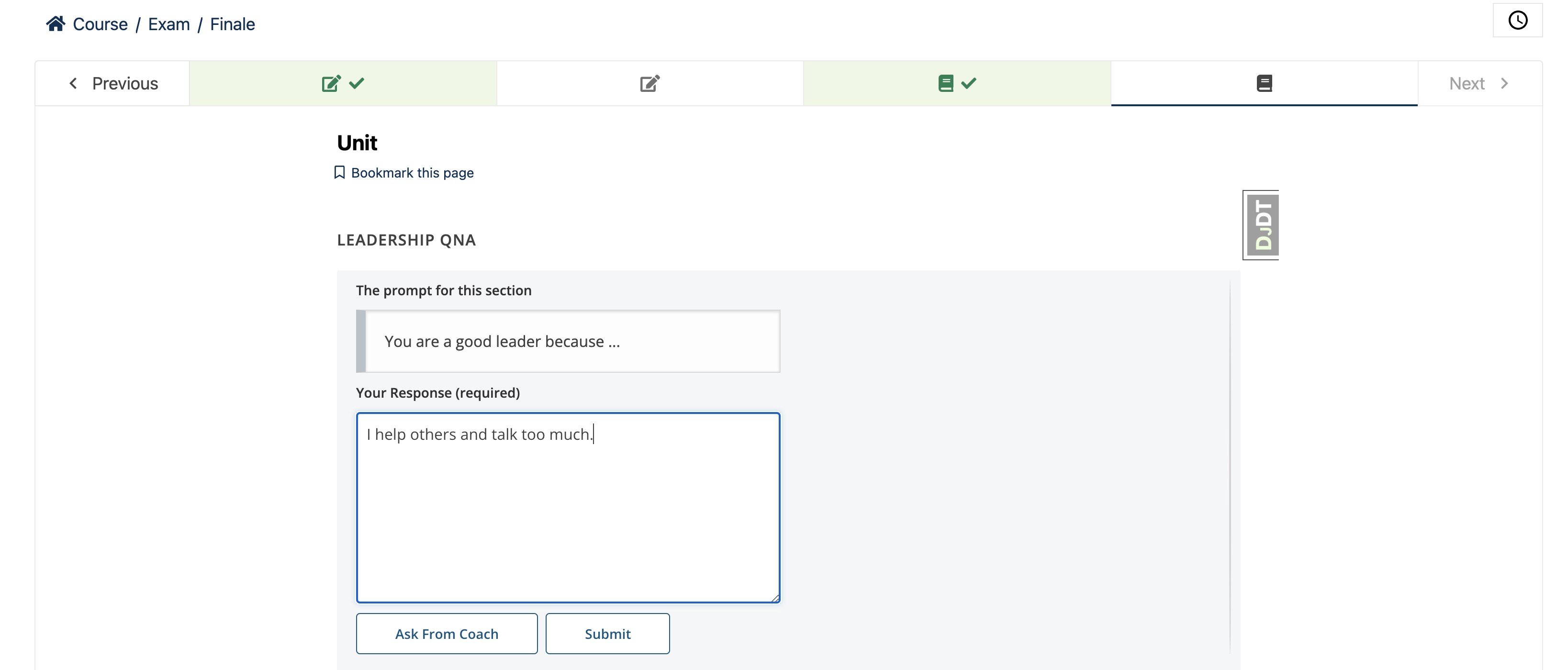
Ask For Feedback
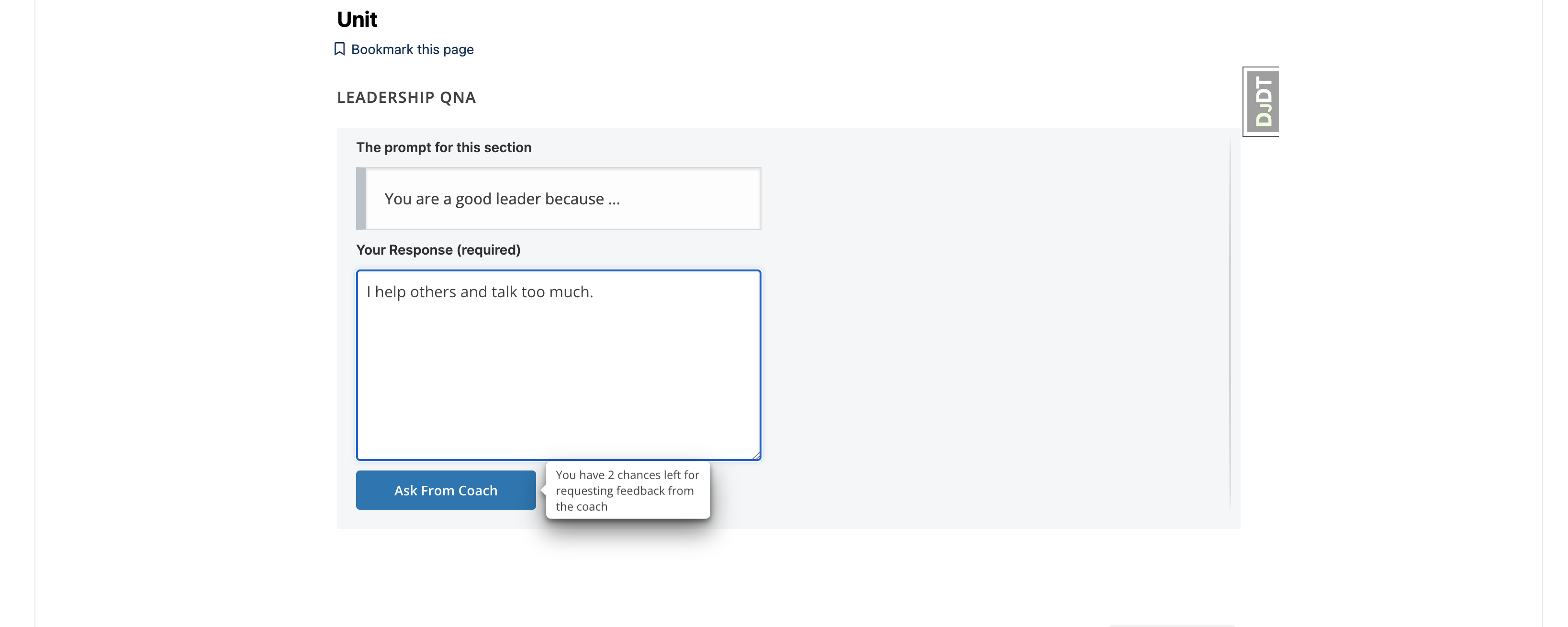
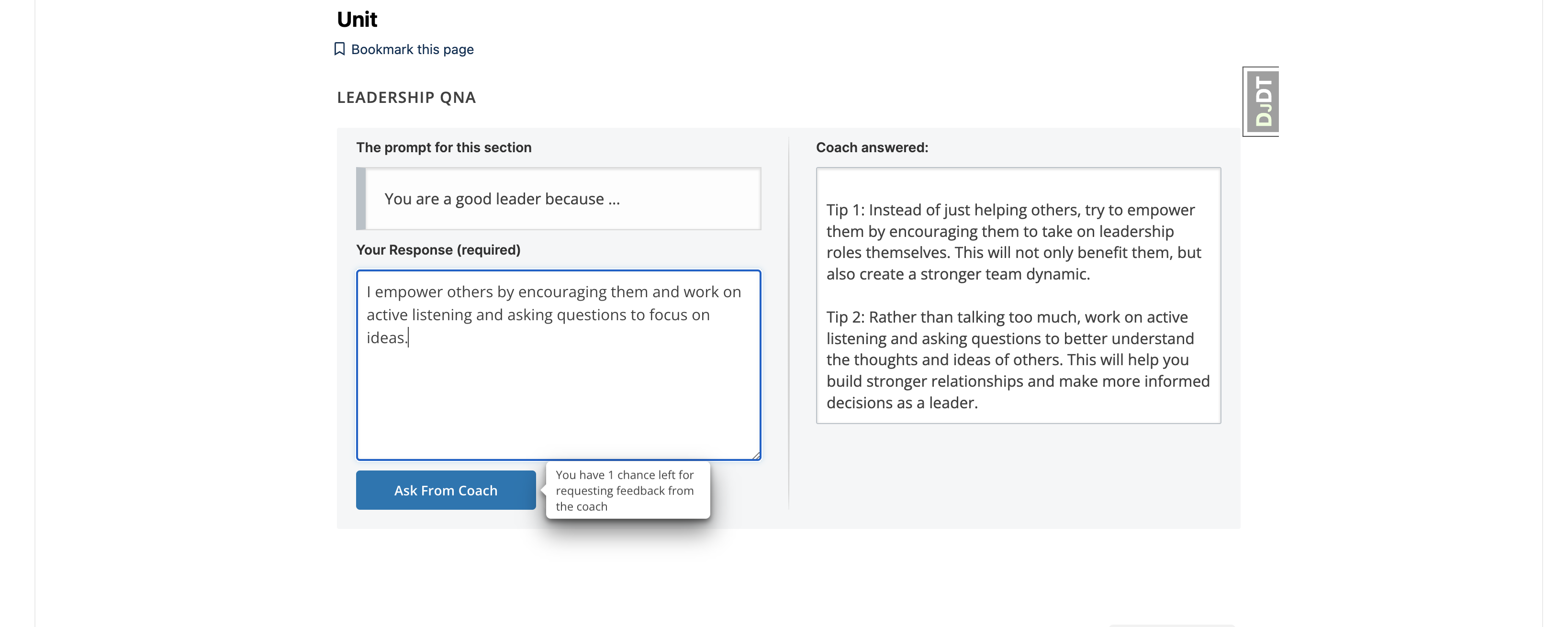
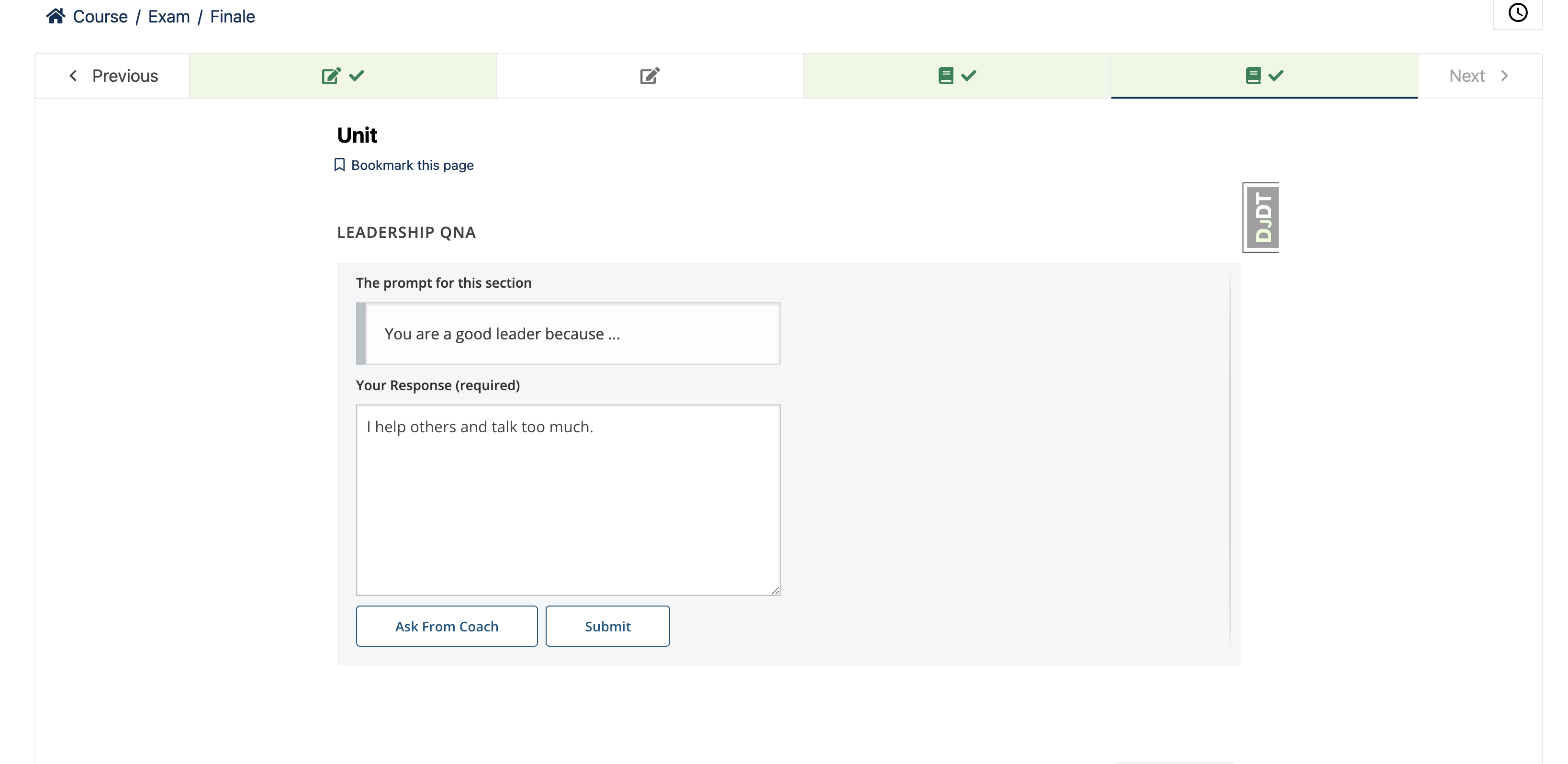
After adding answer, learner click on Ask from Coach button for feedback. Feedback is provided by OPEN AI on the basis of question context and answer.
Setting the feedback threshold
-
The feedback threshold represents the maximum number of times a learner can request feedback. You can configure the feedback threshold by accessing the AI Coach Component settings in the CMS.
-
The tooltip which appears when hovering over the
Ask from coachbutton represents the chances to request feedback from AI Coach. -
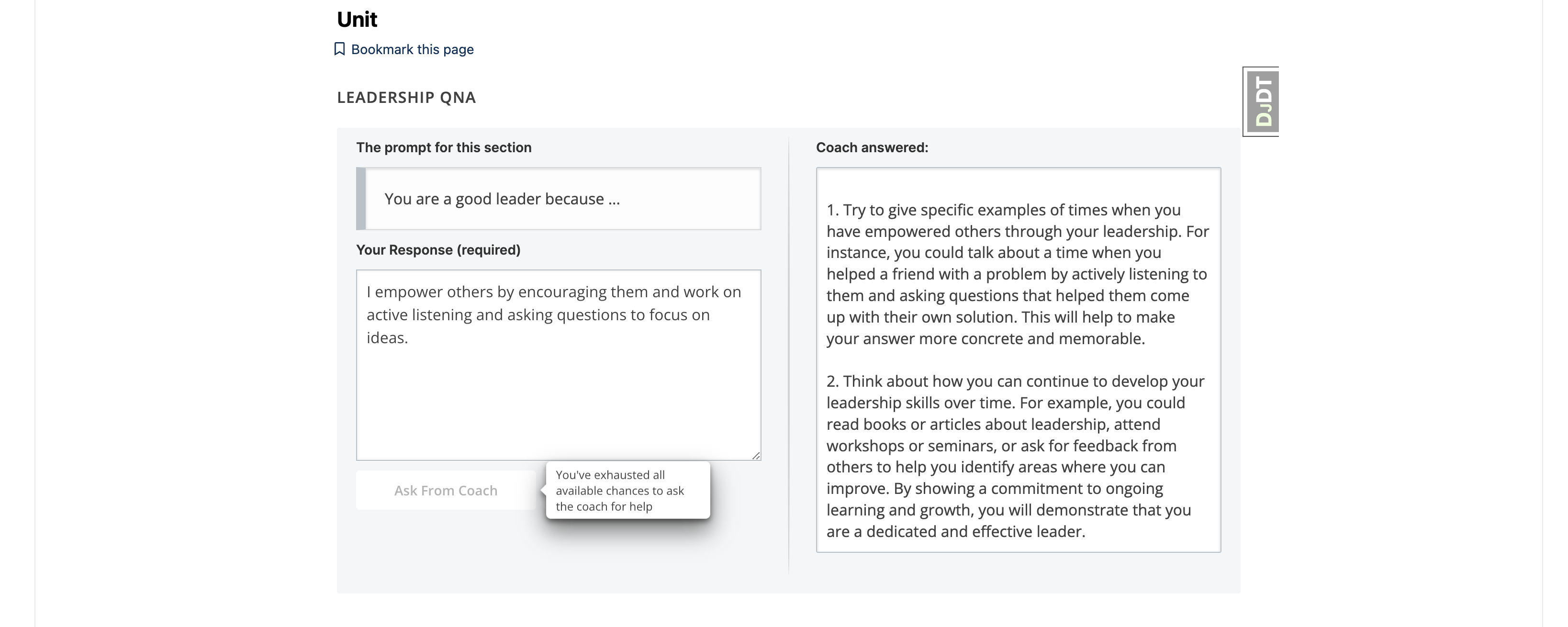
Once all available chances to request help from the coach have been utilized,
Ask from coachbutton will be disabled and learners will see the following message on tooltip: "You have exhausted all available opportunities to seek guidance from the coach."
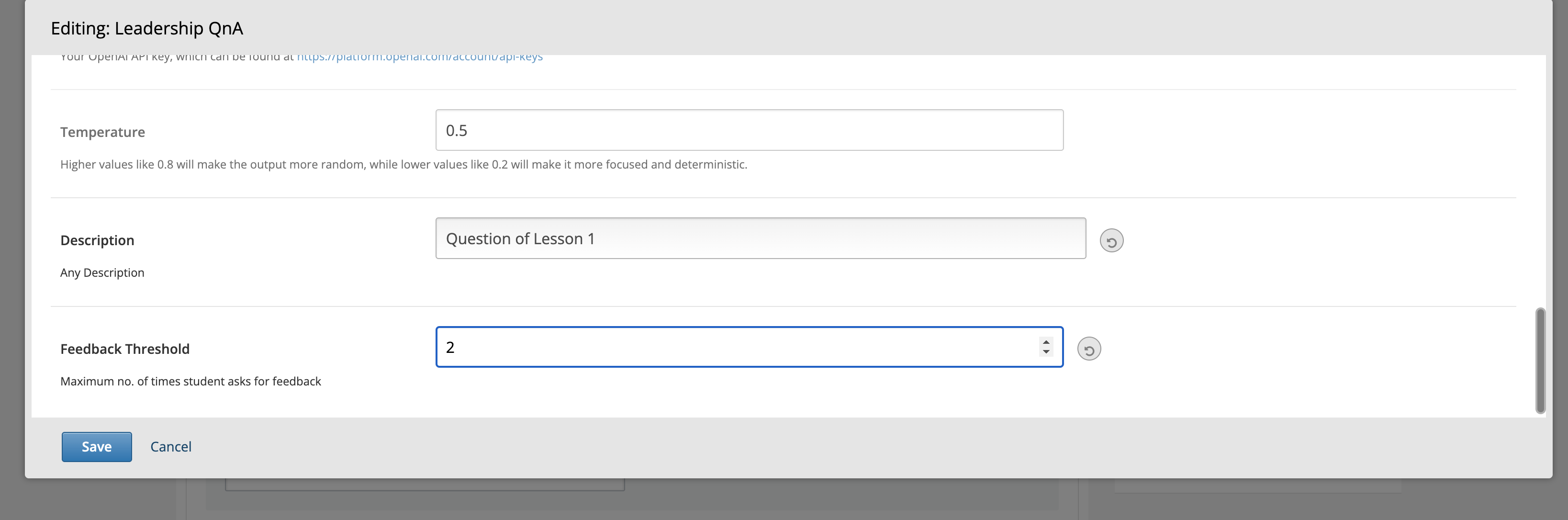
Submitting Answer
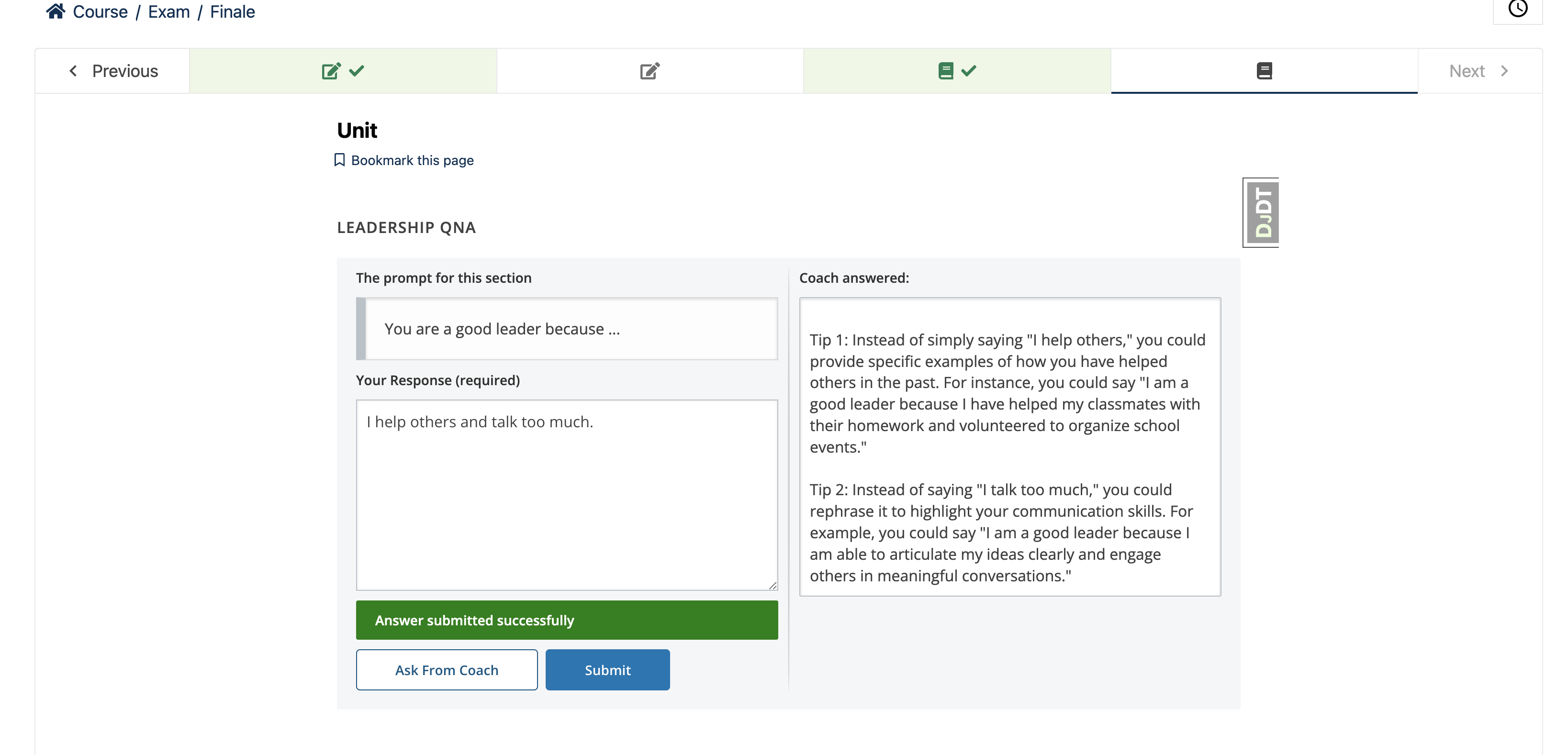
Submit button saves the learner answer and mark the completion of Xblock.
Project details
Verified details
These details have been verified by PyPIProject links
GitHub Statistics
Maintainers
Release history Release notifications | RSS feed


Download files
Download the file for your platform. If you're not sure which to choose, learn more about installing packages.
Source Distribution
Built Distribution
Filter files by name, interpreter, ABI, and platform.
If you're not sure about the file name format, learn more about wheel file names.
Copy a direct link to the current filters
File details
Details for the file ai_coach_xblock-1.0.8.tar.gz.
File metadata
- Download URL: ai_coach_xblock-1.0.8.tar.gz
- Upload date:
- Size: 22.6 kB
- Tags: Source
- Uploaded using Trusted Publishing? Yes
- Uploaded via: twine/6.1.0 CPython/3.12.8
File hashes
| Algorithm | Hash digest | |
|---|---|---|
| SHA256 |
13578059b120d4f59703847e79fe5a79f2503727d57366210ebee1986be617eb
|
|
| MD5 |
295a92db536ee1c3d40d8bd61cd79d62
|
|
| BLAKE2b-256 |
05a369ff252e1246be486f976c38585178999f725518b0995d020200619e0a73
|
Provenance
The following attestation bundles were made for ai_coach_xblock-1.0.8.tar.gz:
Publisher:
publish_pypy.yml on edly-io/ai-coach-xblock
-
Statement:
-
Statement type:
https://in-toto.io/Statement/v1 -
Predicate type:
https://docs.pypi.org/attestations/publish/v1 -
Subject name:
ai_coach_xblock-1.0.8.tar.gz -
Subject digest:
13578059b120d4f59703847e79fe5a79f2503727d57366210ebee1986be617eb - Sigstore transparency entry: 172939322
- Sigstore integration time:
-
Permalink:
edly-io/ai-coach-xblock@811c8b8259ead80ec0d79018207cb2847ac08cf3 -
Branch / Tag:
refs/tags/1.0.8 - Owner: https://github.com/edly-io
-
Access:
public
-
Token Issuer:
https://token.actions.githubusercontent.com -
Runner Environment:
github-hosted -
Publication workflow:
publish_pypy.yml@811c8b8259ead80ec0d79018207cb2847ac08cf3 -
Trigger Event:
push
-
Statement type:
File details
Details for the file ai_coach_xblock-1.0.8-py3-none-any.whl.
File metadata
- Download URL: ai_coach_xblock-1.0.8-py3-none-any.whl
- Upload date:
- Size: 22.3 kB
- Tags: Python 3
- Uploaded using Trusted Publishing? Yes
- Uploaded via: twine/6.1.0 CPython/3.12.8
File hashes
| Algorithm | Hash digest | |
|---|---|---|
| SHA256 |
4a2885e21e205c53a7c9aae573a62175dab8268894104329da276d37253c4b55
|
|
| MD5 |
ad9a1000206c1c0189b732b167a15aa8
|
|
| BLAKE2b-256 |
dc9438cdf414e6651fe446d75b53b8fbce9f6e39191b2b3fbaa3ab9d6c8cbabb
|
Provenance
The following attestation bundles were made for ai_coach_xblock-1.0.8-py3-none-any.whl:
Publisher:
publish_pypy.yml on edly-io/ai-coach-xblock
-
Statement:
-
Statement type:
https://in-toto.io/Statement/v1 -
Predicate type:
https://docs.pypi.org/attestations/publish/v1 -
Subject name:
ai_coach_xblock-1.0.8-py3-none-any.whl -
Subject digest:
4a2885e21e205c53a7c9aae573a62175dab8268894104329da276d37253c4b55 - Sigstore transparency entry: 172939323
- Sigstore integration time:
-
Permalink:
edly-io/ai-coach-xblock@811c8b8259ead80ec0d79018207cb2847ac08cf3 -
Branch / Tag:
refs/tags/1.0.8 - Owner: https://github.com/edly-io
-
Access:
public
-
Token Issuer:
https://token.actions.githubusercontent.com -
Runner Environment:
github-hosted -
Publication workflow:
publish_pypy.yml@811c8b8259ead80ec0d79018207cb2847ac08cf3 -
Trigger Event:
push
-
Statement type:






