






aimd
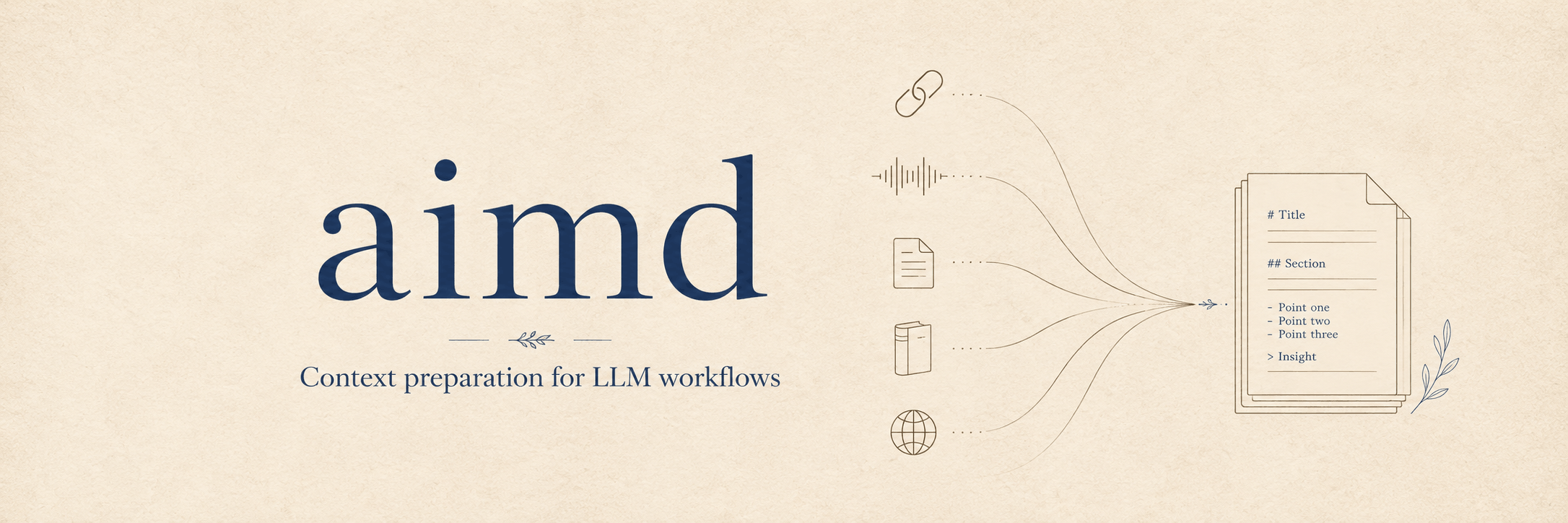
Prepare LLM-ready context from URLs, audio/video, and documents.
aimd gives you one command that auto-detects input type, extracts or transcribes the content, converts it to Markdown, and returns a chunked text context suitable for downstream AI workflows.
Highlights
- One input command for URLs, audio/video files, EPUB documents, PDFs, scanned PDFs/images, Markdown, text, and other MarkItDown-supported documents.
- URL extraction through bundled
aimd.plugins.url: yt-dlp transcript URLs such as podcasts, YouTube, and Bilibili, plus opt-in readable HTML extraction through Defuddle. - ASR transcription through bundled
aimd.plugins.asr: local audio/video transcription withmlx-audioby default on Apple Silicon, or Qwen3-ASR through native Transformers (transformers>=5.14.1) on CUDA-capable non-Darwin platforms and as an explicit opt-in model path on macOS. - Subtitle-first fallback: download subtitles when available; otherwise download audio and transcribe with
mlx-audioor Qwen3-ASR through Transformers. - Document conversion through MarkItDown, with dedicated EPUB chapter/image extraction in the bundled
aimd.plugins.docplugin. - OCR task for scanned PDFs and images, with
mlx-vlmon macOS/Apple Silicon and CUDA VLM OCR models through Transformers on Linux. - Three interfaces: CLI (
aimd), HTTP API (aimd-api), and MCP server (aimd-mcp).
Install
Install the CLI after release:
uv tool install aimd-tool
aimd --help
Install from GitHub main before a release:
uv tool install --force \
  "aimd-tool @ git+https://github.com/shuuul/aimd.git@main"
Install the full tool set from GitHub, including the API and MCP runtime dependencies:
uv tool install --force \
  "aimd-tool[all] @ git+https://github.com/shuuul/aimd.git@main"
Install API/MCP dependencies from PyPI when needed:
# HTTP API + MCP server
uv tool install "aimd-tool[all]"

# Or install into an existing Python environment
uv pip install "aimd-tool[all]"
The public PyPI release is intentionally a single distribution (aimd-tool). The installed command remains aimd.
From a source checkout, use the project directly:
git clone https://github.com/shuuul/aimd.git
cd aimd
uv sync --dev
uv run aimd --help
Platform notes:
- macOS transcription is optimized for Apple Silicon through
mlx-audio; this remains the default backend. - macOS OCR uses
mlx-vlmon Python 3.12+ and downloads OCR model weights on first use. - Linux transcription uses Qwen3-ASR through the Transformers backend and requires a CUDA-capable GPU.
- Explicit
Qwen/Qwen3-ASR-*-hf(or legacyQwen/Qwen3-ASR-*) transcription model IDs use native Transformers Qwen3-ASR (transformers>=5.14.1); on macOS this is an opt-in MPS path, not the default. - Linux OCR uses the Transformers backend with CUDA. macOS MLX OCR defaults to the 4-bit Unlimited-OCR checkpoint.
- Local file conversion is powered by MarkItDown. Pandoc-backed document conversion is handled by the bundled
aimd.plugins.docMarkItDown plugin; EPUB uses a custom ZIP/spine pipeline for stable chapter ordering and image extraction, while other Pandoc-supported formats go through the Pandoc CLI directly.
Quick start
# Auto-detect input type
aimd audio.mp3
aimd "https://youtube.com/watch?v=..."
aimd document.epub
aimd notes.txt
aimd scan.pdf
aimd page.png

# Common options
aimd audio.mp3 --output transcript.md
aimd audio.wav --language zh
aimd scan.pdf --task ocr --start 0 --end 2
aimd "https://youtube.com/watch?v=..." --cookies-from-browser chrome
aimd "https://youtube.com/watch?v=..." --raw-transcript
CLI usage
Audio and video files
aimd interview.m4a
aimd lecture.mp3
aimd audio.wav --language zh
aimd audio.wav --model mlx-community/Qwen3-ASR-1.7B-4bit
Backend selection is automatic:
| Platform | Backend | Notes |
|---|---|---|
| macOS Apple Silicon | MLX | Uses mlx-audio when available. |
| CUDA-capable non-Darwin | Transformers | Uses Qwen3-ASR through Transformers when CUDA is available. |
Passing an explicit transcription model ID such as Qwen/Qwen3-ASR-0.6B-hf (or the legacy alias Qwen/Qwen3-ASR-0.6B) opts into the native Transformers Qwen3-ASR backend, including on macOS/MPS. The automatic macOS backend remains MLX because the quantized MLX models are usually faster and lower-maintenance on Apple Silicon.
Supported models
--model is interpreted by the platform-selected backend. The table below lists the only supported model aliases and IDs. Arbitrary Hugging Face model IDs are rejected so that model/runtime compatibility stays explicit.
| Task | Platform/backend | --model value |
Upstream model / runtime | Default | Notes |
|---|---|---|---|---|---|
| Transcription | macOS Apple Silicon / MLX | mlx-community/Qwen3-ASR-1.7B-4bitmlx-community/Qwen3-ASR-1.7B-6bitmlx-community/Qwen3-ASR-1.7B-8bitmlx-community/Qwen3-ASR-1.7B-bf16 |
mlx-audio STT | 4bit | Qwen3-ASR 1.7B, all supported MLX precisions. |
| Transcription | macOS Apple Silicon / MLX | mlx-community/Qwen3-ASR-0.6B-4bitmlx-community/Qwen3-ASR-0.6B-6bitmlx-community/Qwen3-ASR-0.6B-8bitmlx-community/Qwen3-ASR-0.6B-bf16 |
mlx-audio STT | No | Qwen3-ASR 0.6B, all supported MLX precisions. |
| Transcription | CUDA-capable non-Darwin / Transformers; explicit opt-in on macOS/MPS | Qwen/Qwen3-ASR-1.7B-hf |
Native Transformers Qwen3-ASR | Yes on CUDA Transformers | Default CUDA Transformers ASR model; explicit opt-in on macOS. Legacy Qwen/Qwen3-ASR-1.7B resolves here. |
| Transcription | CUDA-capable non-Darwin / Transformers; explicit opt-in on macOS/MPS | Qwen/Qwen3-ASR-0.6B-hf |
Native Transformers Qwen3-ASR | No | Lower-memory Qwen3-ASR option; explicit opt-in on macOS. Legacy Qwen/Qwen3-ASR-0.6B resolves here. |
| OCR | macOS Apple Silicon / mlx-vlm | unlimited_ocr (default)unlimited_ocr_4bit / unlimited_ocr_6bit / unlimited_ocr_8bit / unlimited_ocr_bf16mlx-community/Unlimited-OCR-4bitmlx-community/Unlimited-OCR-6bitmlx-community/Unlimited-OCR-8bitmlx-community/Unlimited-OCR-bf16 |
mlx-vlm | Yes | Unlimited-OCR MLX checkpoints. The default alias resolves to mlx-community/Unlimited-OCR-4bit; each page uses single-image gundam mode. |
| OCR | macOS Apple Silicon / mlx-vlm | glm_ocr / glm-ocr (default)mlx-community/GLM-OCR-4bitmlx-community/GLM-OCR-6bitmlx-community/GLM-OCR-8bitmlx-community/GLM-OCR-bf16 |
mlx-vlm | No | GLM-OCR MLX checkpoints; the default alias resolves to the 4-bit checkpoint. |
| OCR | Linux/CUDA / Transformers | unlimited_ocr, unlimited-ocr, baidu/Unlimited-OCR |
baidu/Unlimited-OCR |
Yes | Default Linux/CUDA OCR model. Uses Baidu Unlimited-OCR remote code with CUDA and save_results=True. |
| OCR | Linux/CUDA / Transformers | glm_ocr, glm-ocr, zai-org/GLM-OCR |
zai-org/GLM-OCR |
No | May require a newer Transformers build than the PyPI baseline. |
URLs
aimd "https://www.youtube.com/watch?v=..."
aimd "https://www.bilibili.com/video/BV..."
aimd "https://www.xiaoyuzhoufm.com/episode/..."
Subtitles are simplified to plain text by default. Use --raw-transcript to preserve SRT/VTT formatting.
When a URL has no subtitles and audio transcription is used, aimd injects the page metadata (title, author, description, tags, chapters) as ASR context so proper nouns and names are recognized more accurately. This is enabled by default; disable it with --no-context, or supply your own biasing text with --context (works for local audio files too):
aimd "https://youtube.com/watch?v=..." --no-context
aimd interview.mp3 --context "Vocabulary: Qwen, MLX, LoRA."
For authenticated or restricted content:
aimd "https://youtube.com/watch?v=..." --cookies cookies.txt
aimd "https://www.bilibili.com/video/BV..." --cookies-from-browser "chrome:default"
When no cookie option is provided, URL extraction may try available browser cookie sources before falling back to unauthenticated access. Keep this behavior because it makes restricted media work out of the box, but explicit cookie options should fail fast when invalid. Transcript requests should also fail when subtitles and audio transcription both produce no text, instead of returning metadata-only Markdown as a successful transcript.
Documents
aimd document.epub
aimd document.pdf
aimd notes.md
aimd document.epub --output output.md
Asset-bearing documents such as EPUB are expanded into a structured output directory:
document_name/
├── document_name.md
├── chapters/
└── images/
The EPUB pipeline preserves spine order, extracts images, converts chapters through Pandoc, and applies Markdown cleanup. Other Pandoc-supported formats are converted by Pandoc directly. Text-layer PDFs are converted locally by pdf-inspector through the same document plugin, producing structured Markdown (headings, lists, tables) without OCR. Pandoc does not support MOBI/AZW3 as input formats, so AIMD no longer advertises them as supported document inputs.
OCR for scanned PDFs and images
aimd page.png
aimd scan.pdf                                  # OCR if no extractable PDF text or broken font encoding is found
aimd scan.pdf --task ocr                       # Force OCR; default model is unlimited_ocr
aimd scan.pdf --model unlimited_ocr_bf16       # macOS MLX full-precision Unlimited-OCR
aimd scan.pdf --model glm_ocr                  # GLM-OCR on macOS or Linux/CUDA
aimd scan.pdf --start 0 --end 2                # 0-based inclusive OCR PDF page range
OCR keeps the same Markdown/TextContext output contract as transcript and convert tasks. Images route to OCR automatically. PDF routing is probed with pdf-inspector: PDFs with a clean extractable text layer route to normal document conversion, while scanned PDFs and PDFs whose text layer has broken font encodings (pdf-inspector has_encoding_issues, undecodable CID fonts) route to OCR automatically. Linux/CUDA defaults to baidu/Unlimited-OCR through the Transformers backend. macOS uses mlx-vlm>=0.6.4 and defaults to mlx-community/Unlimited-OCR-4bit; unlimited_ocr_4bit, unlimited_ocr_6bit, unlimited_ocr_8bit, and unlimited_ocr_bf16 select the other MLX checkpoints. Unlimited-OCR uses single-image gundam mode (cropping=True, image_size=640, prompt document parsing.), Baidu's sliding-window no-repeat n-gram guard (ngram_size=35, window=128), and max_tokens=8192. GLM-OCR is available through the four mlx-community/GLM-OCR-* MLX checkpoints on macOS and zai-org/GLM-OCR on Linux/CUDA. Long PDFs are OCR'd page-by-page so page boundaries stay reliable. Unsupported model IDs are rejected.
MarkItDown plugins
aimd uses MarkItDown with plugins enabled. The bundled aimd.plugins.url, aimd.plugins.asr, aimd.plugins.doc, and aimd.plugins.ocr modules register standard markitdown.plugin entry points, so installing aimd-tool also installs URL transcript/readable HTML, local audio/video ASR, Pandoc document, and OCR converters.
You can also use the plugins from MarkItDown directly:
markitdown --list-plugins
markitdown --use-plugins document.epub -o doc.md
markitdown --use-plugins audio.mp3 -o transcript.md
The Defuddle-backed aimd.plugins.url readable HTML converter is opt-in so normal HTML conversion does not require Node.js/npm:
from markitdown import MarkItDown

result = MarkItDown(enable_plugins=True).convert("article.html", defuddle=True)
print(result.markdown)
HTTP API
Run the API server:
aimd-api
Endpoints:
curl http://127.0.0.1:8000/healthz

curl -X POST http://127.0.0.1:8000/v1/process \
  -H "Content-Type: application/json" \
  -d '{
    "input_source": "https://www.youtube.com/watch?v=...",
    "language": "en"
  }'

curl -X POST http://127.0.0.1:8000/v1/process \
  -H "Content-Type: application/json" \
  -d '{
    "input_source": "scan.pdf",
    "task_type": "ocr",
    "start": 0,
    "end": 2
  }'
The process response includes both lossless markdown for display/persistence and
chunk_list for context-window consumers. asset_base_uri is the URL or local file:
directory (with a trailing slash) against which relative Markdown resources resolve; it
is null for local transcriptions without associated resources.
Document conversions that extract assets return a canonical output_dir beside the
source file. That directory and its Markdown/assets are durable caller-owned output: AIMD
does not remove them when a request or job ends. An output_file request is ignored for
such conversions because moving only the Markdown would break its relative asset links.
For results without output_dir, requested output files are written byte-for-byte from
markdown; chunk_list is never recombined for persistence.
OpenAPI docs are available at /docs and /redoc.
The asynchronous desktop contract is POST /v1/jobs, GET /v1/jobs/{id}, resumable
GET /v1/jobs/{id}/events, and cancellation through DELETE /v1/jobs/{id}. See the
local desktop sidecar contract for authenticated launch, loopback,
allow-root, readiness, cancellation, and shutdown requirements.
MCP server
Run the stdio MCP server:
aimd-mcp
Tools:
healthzprocess_input
process_input mirrors the CLI/API flow and accepts options such as input_source, task_type, model, language, start, end, output_file, save_original, cookies, cookies_from_browser, and raw_transcript. For MCP, temporary files are controlled by the AIMD_TEMP_DIR environment variable.
Configuration
# Optional yt-dlp configuration
export YT_DLP_CONFIG_HOME="/path/to/config"
export YT_DLP_CACHE_DIR="/path/to/cache"

# Optional temporary directory for downloads, transcoding, and document extraction
export AIMD_TEMP_DIR="/path/to/writable/tmp"
You can also pass --temp-dir on the CLI.
Development
uv sync --dev --upgrade
uv run prek --all-files
uv run pytest -q
Useful maintenance commands:
uv run prek autoupdate
uv build
Releases are managed by release-please. Commits to main update a release PR;
merging that PR creates the tag and GitHub Release. The release workflow then builds
the single aimd-tool distribution, smoke-installs it on Linux and macOS, and
publishes it to PyPI.
Project layout:
src/
└── aimd/            # core, interfaces/{cli,api,mcp,output.py}, and bundled MarkItDown plugins
Architecture
aimd is a single published distribution, aimd-tool. See docs/architecture.md for the full architecture notes and docs/performance.md for performance expectations and measurement guidance.
The package uses MarkItDown as the URL/local-file conversion contract and keeps core as a small interface-independent processing service:
aimd.core.modelsandaimd.core.processown canonical request/response models, input routing, and processing; ASR/OCR backends are selected internally from the current platform.aimd.core.process.process_input()sends URL and local-file work throughMarkItDown(enable_plugins=True).- Bundled modules register MarkItDown plugins:
aimd.plugins.urlfor URL transcript extraction and opt-in Defuddle-backed HTML extraction,aimd.plugins.asrfor local audio/video inputs,aimd.plugins.docfor Pandoc-backed documents and pdf-inspector text-layer PDFs, andaimd.plugins.ocrfor explicit OCR of images and scanned PDFs. - Console entry points are
aimd.interfaces.cli:main,aimd.interfaces.api:main, andaimd.interfaces.mcp.app:main; MarkItDown plugin entry points areaimd.plugins.asr,aimd.plugins.url,aimd.plugins.doc, andaimd.plugins.ocr. aimd.plugins.urlowns URL extraction: yt-dlp metadata, subtitle download, cookie handling, audio download fallback, and readable HTML extraction. It intentionally keeps automatic browser-cookie probing for convenience, while explicit cookie arguments and transcript/audio fallback failures should surface clear errors.aimd.plugins.asrowns transcription backend selection, model validation, and the local audio/video MarkItDown plugin.aimd.core.processpreserves each lossless MarkItDown result onProcessResultand separately shapes it intoTextContextchunks.- CLI/API/MCP modules translate interface requests into core processing. Output file persistence is interface-owned and shared through
aimd.interfaces.output; it is not part ofProcessInput.
All processing returns a shared ProcessResult: lossless Markdown and its optional asset
base URI alongside TextContext title, chunks, and split metadata.
License
MIT. See LICENSE.
1 maintainer

Download files
Download the file for your platform. If you're not sure which to choose, learn more about installing packages.
Source Distribution
Built Distribution
Filter files by name, interpreter, ABI, and platform.
If you're not sure about the file name format, learn more about wheel file names.
Copy a direct link to the current filters
File details
Details for the file aimd_tool-0.21.0.tar.gz.
File metadata
- Download URL: aimd_tool-0.21.0.tar.gz
- Upload date:
- Size: 66.5 kB
- Tags: Source
- Uploaded using Trusted Publishing? Yes
- Uploaded via: uv/0.12.5 {"installer":{"name":"uv","version":"0.12.5","subcommand":["publish"]},"python":null,"implementation":{"name":null,"version":null},"distro":{"name":"Ubuntu","version":"24.04","id":"noble","libc":null},"system":{"name":null,"release":null},"cpu":null,"openssl_version":null,"setuptools_version":null,"rustc_version":null,"ci":true}
File hashes
| Algorithm | Hash digest | |
|---|---|---|
| SHA256 |
08d8ed8bd7c8668839bf9b440c7a8fe25010682f47e3576d38797dd6e3a74f52
|
|
| MD5 |
d50f8c4861c4d66565230c0570e9cca1
|
|
| BLAKE2b-256 |
8881c78b673532d86e560eed06c66f69fb1abbc91a49d30445cbaa10cb7d4072
|
File details
Details for the file aimd_tool-0.21.0-py3-none-any.whl.
File metadata
- Download URL: aimd_tool-0.21.0-py3-none-any.whl
- Upload date:
- Size: 91.1 kB
- Tags: Python 3
- Uploaded using Trusted Publishing? Yes
- Uploaded via: uv/0.12.5 {"installer":{"name":"uv","version":"0.12.5","subcommand":["publish"]},"python":null,"implementation":{"name":null,"version":null},"distro":{"name":"Ubuntu","version":"24.04","id":"noble","libc":null},"system":{"name":null,"release":null},"cpu":null,"openssl_version":null,"setuptools_version":null,"rustc_version":null,"ci":true}
File hashes
| Algorithm | Hash digest | |
|---|---|---|
| SHA256 |
6b1f4c85f2acfa40633041204c2f5dc53858daf4f779c9188f6916e7a34bf81d
|
|
| MD5 |
e0ccbf09348fe70067e90b1e926972e6
|
|
| BLAKE2b-256 |
1d5a60b000cb45d610902461c55a177ed049da3f0a9edd5a1b63e28239800c52
|







