
AIPass
An operating system for AI agents that remember
For Claude Code users who want their agents to remember last week, hand each other work, and build in the repos they already have.


Docs · BAUD: your agents on your phone · Discussions · r/AIPass · aipass.ai

Three commands on the bus: the fleet, a memory from a month ago found by meaning, and a standards audit at 100. The script that recorded it.
Install
You need: Python 3.10+, Claude Code on a Claude plan that includes it, and Linux or macOS (Windows through WSL2).
pipx install aipass
aipass install
The first line puts two commands on your PATH, aipass and drone. The second clones AIPass into ~/AIPass (--path to choose), builds its environment, sets up the 18 agents, adds BAUD, the phone face, with its server on your machine (--no-baud skips that), runs a health check, and ends with the AIPass concierge on screen, greeting you and saying what your machine still needs. From a clone instead (this route skips the phone step):
git clone https://github.com/AIOSAI/AIPass.git && cd AIPass && ./aipass install
Install adds AIPass hooks and deny rules to your user-level Claude Code settings, a few lines to your shell rc, and command links on your PATH; it may also set git's pull.rebase and add one npm package. See every change it makes. Something off afterwards? aipass doctor names it and aipass doctor --fix cures what it can.
Start here
-
Make a project, or adopt one you have.
aipass newbuilds a new project around a resident manager agent, makes the first commit, and ends in a conversation with that agent.aipass init run, run inside a directory you already have, does a guided setup and ends withclaudeopen in it; itsaipass_frameworktemplate adds the first agent on the way.aipass new my-project --template python # New project: scaffold, resident manager agent, first commit aipass init run # A directory you already have: run inside it, guided setup
-
Talk to your manager. Run
claudein the manager's directory and say what you want in plain words, such as "Add a CSV export to the report command." It writes a plan, sends the work to the agent that owns that code, and reports back when it lands. The same two steps by hand:drone @flow create . "Add CSV export" # A work plan that carries the context drone @ai_mail dispatch @agent "Subject" "Body" # Send the task and wake the agent
-
Grow it and check it. Add an agent with
drone @spawn create src/my_project/analyst --role "Analyst" --purpose "Reports". Rundrone @seedgo audit aipassfor the same standards checks AIPass's own agents pass in CI, andaipass doctorfor the health of the install.
How it works
 you ── plain words ──► manager agent  (one per project, the seat that writes this project's git)
                              │
                              ├─ drone @flow create       ──► a plan that carries the context
                              └─ drone @ai_mail dispatch  ──► mail + wake
                                                                  │
                                                                  ▼
                        owning agent  ◄── its README + its .trinity memory
                              │
                              └─ does the work, reports back by mail

 every call goes through one bus:   drone @agent command [args]
 every write passes the gates:      hooks decide who may write what
One bus. drone @agent command [args] reaches any agent. You use it, and agents use it to reach each other.
One citizen shape. Every agent, yours and the reference fleet, has the same layout. Know one and you know them all. The main parts:
src/my_project/<agent>/
├── .trinity/           # Identity + memory (persists across sessions)
├── .ai_mail.local/     # Mailbox (receives tasks, sends results)
├── .aipass/            # Branch prompt (how this agent introduces itself)
├── apps/               # Entry point → modules → handlers
├── artifacts/          # Birth certificate + agent-produced files
├── logs/               # Per-agent logs
├── tests/              # The agent's own test suite
└── README.md           # Domain knowledge (read on startup)
An agent's identity is a file it can read, .trinity/passport.json, trimmed here to the lines that matter:
{
  "branch_info": { "branch_name": "analyst", "email": "@analyst", "path": "src/my_project/analyst" },
  "identity": {
    "role": "analyst",
    "purpose": "Reports on the data the project collects",
    "principles": ["Fail honestly: errors over silent fallbacks"]
  }
}
One owner seat. Each project has one manager agent you steer through. Every agent can read git through the bus; only a project's manager writes to it.
No index. Nothing indexes your codebase. An agent finds its way the way a new colleague does: the bus, the owning agent's README, and its own memory of what it did last time.
Why AIPass
When the task gets complex, you become the coordinator. You copy context between tools, dispatch work by hand, and keep track of who is doing what.
Many multi-agent setups give each agent its own sandbox or worktree. One agent can't see what another just built, and when the task ends, the agent is gone.
That's not a team. That's a room full of people wearing headphones.
In AIPass, agents are citizens. Each has an identity, a memory that survives the session, a mailbox, and a home directory, on the same filesystem as you and each other. Hooks and gates decide who may write what. Switch projects, come back a week later, and nothing has to be explained again.
What you get
The boring stuff works. One human and these agents built it, and use it every day to build AIPass itself and BAUD.
- Memory that persists. Every agent remembers across sessions in plain JSON files. When those fill up, older entries roll into a local vector store you can search. Each agent has a home, a passport, and a commons where the fleet posts and gathers.
- Mail and dispatch. Agents send each other tasks and results, and wake whoever they are waiting on.
- Plans that carry context. Work is written down as a plan, so whoever picks it up knows why it exists and where it stands.
- Gates. Hooks decide which agent may edit which files. Git goes through one door. Raw deletes are refused.
- Works in your own repos. A project that holds an agent calls the fleet right away. For the fleet to send work to it, declare it once with
drone @memory roots add <path>. - Standards audits. AIPass's own 18 agents are audited in CI on every change against one written standard;
drone @seedgo auditruns the same checks on yours. - Logs and backups. Every agent logs to its own place, and runaway logs are caught. Local snapshots you can restore from, with optional Google Drive sync.
- The daemon.
drone @daemon install-timerstarts a scheduler for recurring jobs, and each agent owns its own schedule. - Everything local. Memory and mail are files on your machine. Nothing leaves it except what Claude Code itself sends to Anthropic, unless you turn on an outside API or Drive sync with your own keys. The phone face serves on your own tailnet, and the first memory search downloads its small embedding model once.
What install changes
The full list
Install builds the environment, puts aipass and drone on your PATH, and sets up the 18 agents. It runs a health check that fixes what it can. In an interactive shell it ends in a conversation with the AIPass concierge, which greets you and walks you through what your machine still needs. On the way it may ask for your git identity (only if it is not set globally), your name, and whether the session should ask before system-changing commands. A non-interactive shell finishes with defaults and no prompts, and skips both the health check and the conversation; --no-chat skips them in any shell.
Install changes a few things outside the repo, and you should know what. It adds AIPass deny rules to your user-level Claude Code settings (no raw git writes: commit, push, reset, rebase, merge, config and the destructive checkout, restore, stash and branch forms; no reading ~/.secrets/), and these apply to every Claude Code project on the machine. It merges its hooks with any you already have. It adds a claude shell function that, inside an agent directory, boots that agent's seat, attaching to it if one is already live. It sets git config --global pull.rebase true when it sets your git identity. On Linux it installs the @anthropic-ai/sandbox-runtime npm package if it is missing; macOS runs without the sandbox. On Linux, sudo may ask once to place the /usr/local/bin symlinks. Re-running install rebuilds .venv. The list below names every file it touches.
The installer writes a layer outside the project. Remove all of it to erase AIPass completely:
~/.claude/settings.json— hook wiring, plusenv.AIPASS_HOME,env.CLAUDE_CODE_DISABLE_AUTO_MEMORY,env.CLAUDE_CODE_DISABLE_AGENT_VIEW,includeGitInstructions: false, the AIPass deny rules (git write verbs,~/.secretsreads) and oneaskrule (edits under~/.claude/). Nothing of AIPass changes this file unseen: every write first drops a dated copy under~/.claude/.backup/settings/and a line in thereceipts.jsonlbeside it naming which door wrote;aipass doctor --fixlists the changes with a diff and asks once before writing (--yesfor scripts), and the installer's own preflight writes once, with a receipt. Also~/.claude/commands/memo.md.~/.claude/.backup/settings/— those dated copies and the receipts ledger.aipass/dronesymlinks in/usr/local/binor~/.local/bin.- Your shell rc (
.bashrc,.zshrcor.bash_profile): anAIPASS_HOMEexport, a PATH line where the commands went to~/.local/bin, and theclaude()boot-shim function between theAIPass boot shimmarkers in.bashrcand.zshrc. ~/.aipass/— cross-project state: the trust registry, commons database, admin key, skills, the BAUD phone face andbaud-cliunderbaud/, the logs of theaipassCLI installed from PyPI undersystem_logs/(a clone logs under its ownsystem_logs/instead), Telegram bot state (the Telegram skill is retired and switched off, but its state lands here if you turn it on).~/.secrets/aipass/if seeded.git config --global pull.rebase true, set only if install also set your identity.- Only if a
codexbinary was on PATH at install:~/.codex/config.tomlis rewritten. - Only if you ran
drone @daemon install-timer: a systemd user timer, with itsdaemon-tick.logunder~/.aipass/, removed bydrone @daemon uninstall-timer. - Unless you pass
--no-baud,aipass installsets up the host API (the./aipass installclone route skips this step): its bind in~/.secrets/aipass/host_api/config.json, token and pairing files beside it (pairing codes are stored as hashes once one is minted), and theaipass-host-api.serviceuser unit under~/.config/systemd/user/(systemctl --user disable --now aipass-host-api.serviceremoves it from boot). - macOS only, when no Python 3.10+ is found and an existing Homebrew cannot provide one: a
uv-managed interpreter under~/.local/. Linux with no Python 3.10+ stops the install and says so.
No cloud accounts, no external services — everything to clean up is on your machine.
The reference fleet
AIPass ships with 18 agents. Each has its own README and a docs/ folder under src/aipass.
All 18 agents and what each does
devpulse (orchestrator: the one you talk to)
   ├── aipass   : concierge and onboarding (init, doctor, profile)
   ├── drone    : command routing and @agent resolution
   ├── seedgo   : quality standards, checked across all agents
   ├── prax     : monitoring, logs, runaway-log detection
   ├── ai_mail  : agent-to-agent mail and task dispatch
   ├── flow     : plans, templates, archival
   ├── spawn    : creates, updates and deletes agents
   ├── hooks    : hook engine and per-project config
   ├── memory   : archival, vector store, semantic search
   ├── api      : external APIs, keys and secrets, host server (optional)
   ├── trigger  : event bus, wakes the agent that owns an error
   ├── cli      : terminal formatting and output
   ├── backup   : local snapshots and restore (optional Drive sync)
   ├── daemon   : scheduler for recurring jobs
   ├── skills   : capability units any agent can run
   ├── commons  : the social space where agents post and gather
   └── canary   : test citizen, broken on purpose so working agents never are
BAUD, the phone face
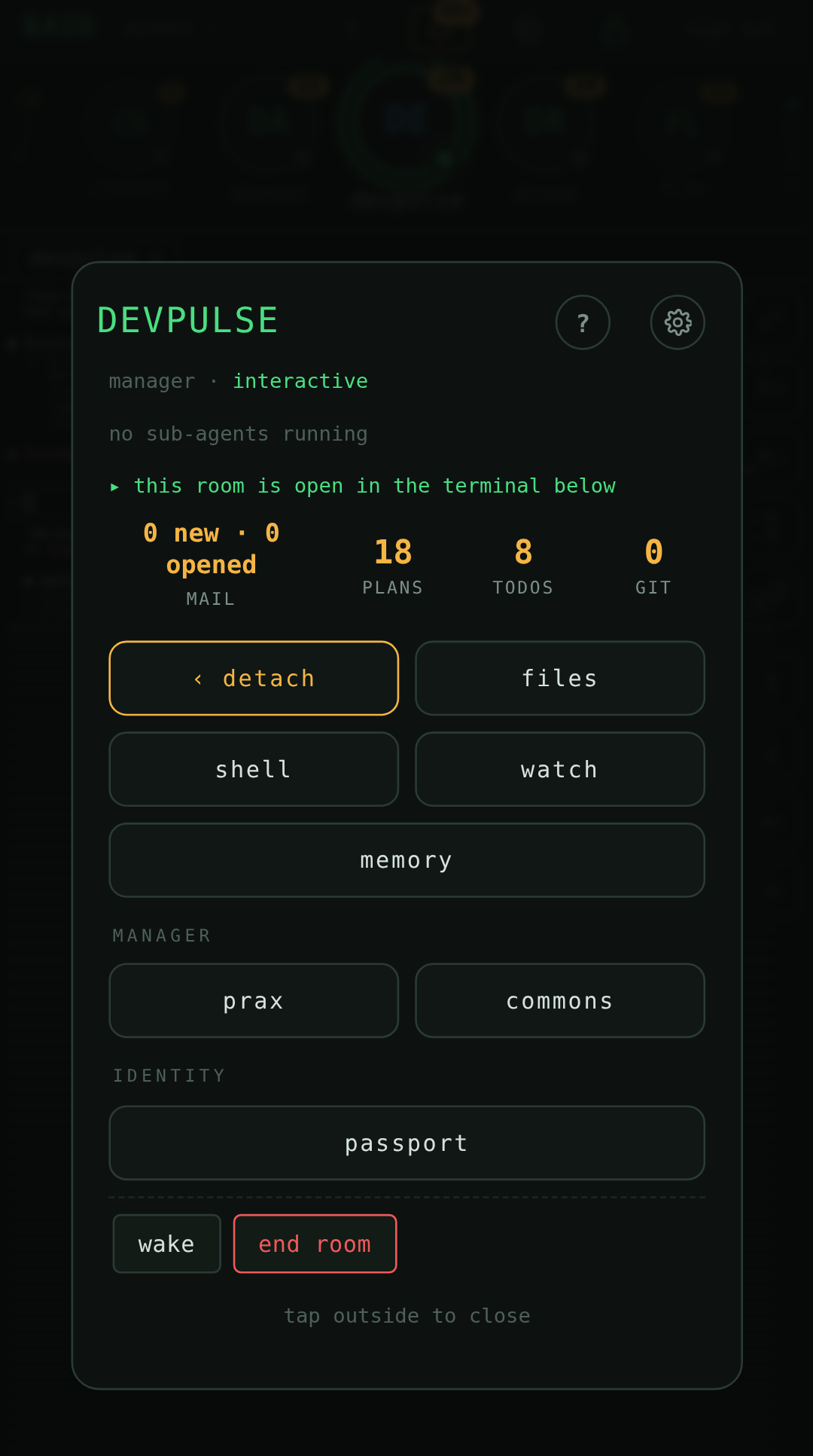
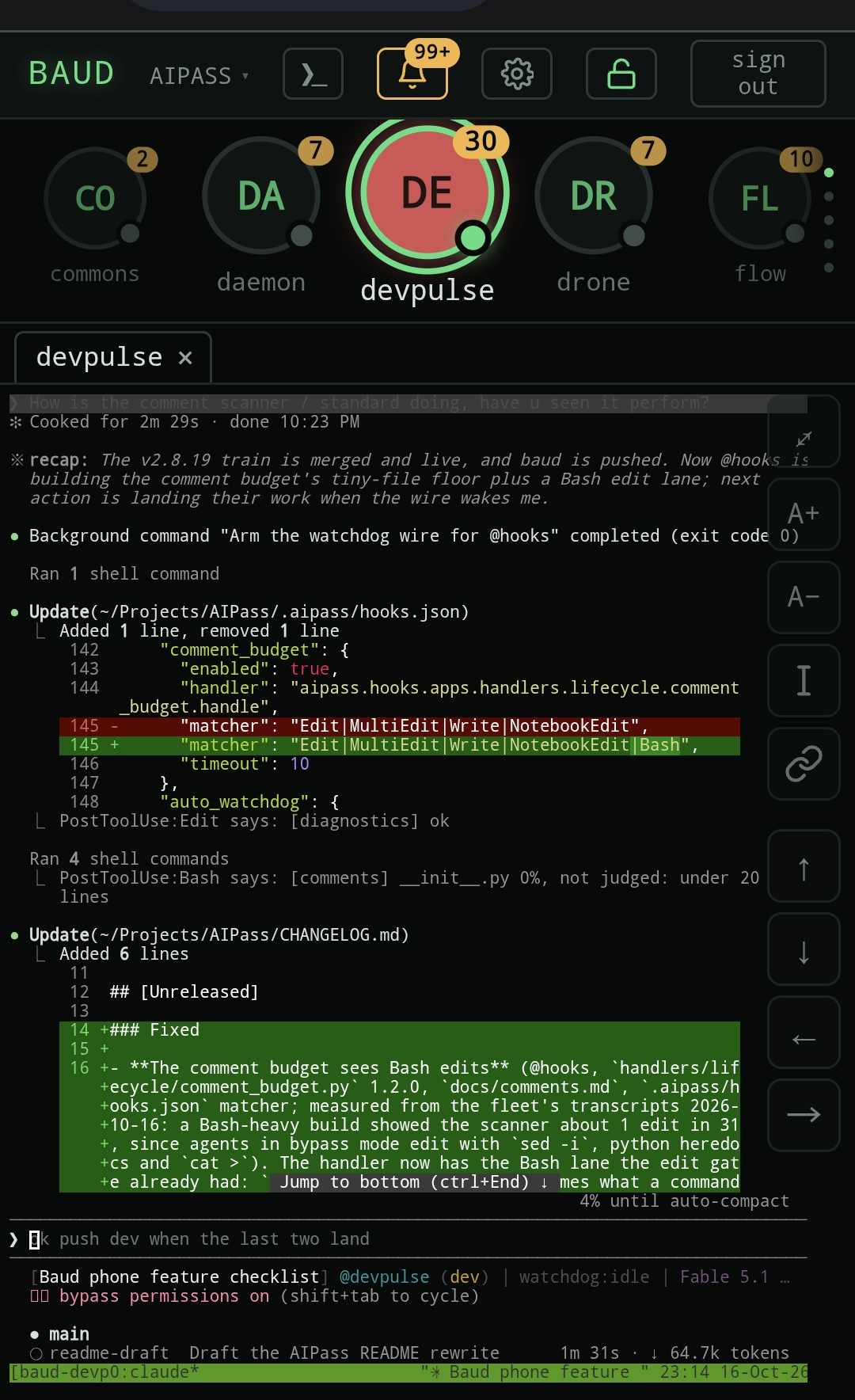
BAUD shows the same fleet to a human on a phone, served from your own machine. AIPass is what everything runs on. BAUD is how you look at it. It lives in its own repo, github.com/AIOSAI/baud, whose README covers pairing and security. One line installs BAUD together with AIPass:
curl -fsSL https://github.com/AIOSAI/baud/releases/latest/download/install.sh | sh
Project status
Stable. Built by one human and the AIPass agents, with a handful of outside contributions. From here the work is fine-tuning.
Linux is the daily platform. macOS runs the full suite in CI on Python 3.12 and is expected to work, but is not yet in daily use. On Windows, AIPass runs inside WSL2. Native Windows is not supported.
Version: 





Requirements
Full requirements
- Python 3.10+
- Claude Code on a Claude plan that includes it (Pro, Max, Team or Enterprise)
- Linux or macOS (both tested in CI). On Windows, use WSL2 and install inside it: AIPass then runs as the Linux program CI tests. Native Windows and Git Bash are not tested in CI; the code keeps its Windows paths but nothing proves them.
sudoaccess optional (Linux uses it for/usr/local/binsymlinks — falls back to~/.local/binwithout it; macOS never asks)- Node.js + npm optional (on Linux, install uses them to add the
@anthropic-ai/sandbox-runtimekernel sandbox; without them the sandbox is reported as optional and not set up, AIPass runs without it, andaipass doctorsays how to add it later; macOS skips the sandbox) - API keys / OAuth optional (OpenRouter, Google — only for optional add-on integrations)
Documentation
Each agent keeps its own docs under src/aipass/<agent>/docs/. Start with these:
- Install and first project: init and install · trust and projects · doctor
- The phone face: BAUD
- The bus: routing and resolution · git access
- Memory: the trinity standard · rollover · vector search
- Mail and dispatch: sending and delivery · wake pipeline
- Plans: plan lifecycle · plan types
- Gates: edit gate · git gate · sandbox
- Standards: AIPass standards
- Scheduler: daemon
- Backups: restore
- Project files: CONTRIBUTING · SECURITY · CHANGELOG · LICENSE
Contributing
Open an issue first, then a PR against the dev branch. CONTRIBUTING.md has the details. To work on AIPass itself, run claude in src/aipass/devpulse, the orchestrator that plans and dispatches the work.
Need help? Ask in Discussions or file feedback. Both take 30 seconds.
Uninstall
Remove AIPass from a project, from the machine, or remove one agent
Remove AIPass from a project
AIPass keeps agent state inside your project directory. To remove it:
# Remove AIPass files from your project.
# Warning: in a brought-your-own project, src/, README.md, CLAUDE.md, pyproject.toml
# and .gitignore may be partly or wholly YOURS (init never overwrites existing
# files) — remove only what AIPass created and review the rest by hand.
rm -rf .aipass/ .claude/ src/<project>/<agent>/     # the agent dir holds its own mailbox, memory, logs
rm -f CLAUDE.md AGENTS.md README.md *_REGISTRY.json .gitignore pyproject.toml .venv
rm -f src/<project>/__init__.py src/<project>/tests/conftest.py   # init's package stub

# If you ran the backup system, also remove its local state + the generated ignore file
rm -rf .backup/ && rm -f .backupignore
.venv in a project is a symlink to the AIPass runtime, not a copy.
Remove AIPass from the machine
The installer also writes a layer outside the project. Remove all of it to erase AIPass completely: every item is listed under What install changes.
Remove a single agent
Use spawn's delete command to cleanly archive and deregister:
drone @spawn delete @agent_name --retire # asks for confirmation; --yes skips it
This copies the agent's directory to .archive/deleted_branches/ (minus .venv, .git, caches), removes it from the registry, then deletes the original. The fleet's own core agents (spawn, drone, devpulse, the registry owner) refuse deletion. Every agent you create is registered, and a plain delete refuses it too: --retire is the door, and the archived copy of its passport records that it was retired.
Subscriptions and compliance
Use your existing subscription, and what AIPass does not do
Use your existing subscription
AIPass runs on your existing Claude subscription, any plan that includes Claude Code. No API keys required for core functionality. No extra costs beyond your existing subscription.
This works because AIPass runs Claude Code as an official subprocess — the same binary you'd run yourself in a terminal. It doesn't extract credentials, proxy API calls, or intercept tokens. Your subscription stays within the provider's infrastructure at all times.
What AIPass does NOT do
- Extract or redirect subscription OAuth tokens
- Intercept CLI-to-provider communication
- Bypass rate limits or prompt caching
- Impersonate official CLI clients
Claude Code is proprietary but officially supports hooks and subprocess usage.
API keys are only needed for the optional OpenRouter integration (the OpenAI SDK is its transport; nothing calls OpenAI itself). For server/automated deployments, API key authentication is recommended per Anthropic's guidance.
License
MIT. See LICENSE.
1 maintainer

Metadata
1 maintainer
Release files for aipass 2.8.21
For a detailed explanation of source distributions (sdists) and built distributions (wheels), please see the package formats documentation.
Source distribution (sdist)
| File | Size | Uploaded | Provenance | |
|---|---|---|---|---|
| aipass-2.8.21.tar.gz | 9.6 MB | With provenance | Details |
Built distribution (wheel)
| File | Interpreter | ABI | Platform | Reset |
|---|---|---|---|---|
| aipass-2.8.21-py3-none-any.whl | Python 3 | none | any | Details |
Total release size: 18.4 MB
Release files / aipass-2.8.21.tar.gz
| Download URL | aipass-2.8.21.tar.gz |
|---|---|
| Size | 9.6 MB |
| Tags | Source |
|
SHA-256 checksum How to use checksums |
8edb230b967bfb5ba1fbb63112cf62e96dff1f3b13d7e99163b25ead78bba4a6
|
|
BLAKE2b-256 checksum How to use checksums |
dbccad6c2d67334cb4a3d63ba30275d60951957dfc485088278f80359baa2299
|
| Upload date | |
|
Uploaded using Trusted Publishing? What is trusted publishing? |
Yes |
| Uploaded via |
twine/7.0.0 CPython/3.13.14
|
Provenance
Provenance describes where a file came from. On PyPI, provenance is shared via attestations, which provide a verifiable record of the build or publishing details. View details, limitations and caveats.


PyPI Publish Attestation
PyPI verified that this artifact, at this checksum, originated from the publisher listed below.
Signed by GitHub Actions, verified by PyPI on Oct 19, 2026.
Transparency logRelease files / aipass-2.8.21-py3-none-any.whl
| Download URL | aipass-2.8.21-py3-none-any.whl |
|---|---|
| Size | 8.9 MB |
| Tags | Python 3 |
|
SHA-256 checksum How to use checksums |
410ae19011d90c328a3c787f4d86018536e95e32b2a0deb1fcb2343cee58049d
|
|
BLAKE2b-256 checksum How to use checksums |
aef237f5f2fa207c080e16dcf14dcf952e13152131ce7e7e1b3dbfb123cb0e46
|
| Upload date | |
|
Uploaded using Trusted Publishing? What is trusted publishing? |
Yes |
| Uploaded via |
twine/7.0.0 CPython/3.13.14
|
Provenance
Provenance describes where a file came from. On PyPI, provenance is shared via attestations, which provide a verifiable record of the build or publishing details. View details, limitations and caveats.
PyPI Publish Attestation
PyPI verified that this artifact, at this checksum, originated from the publisher listed below.
Signed by GitHub Actions, verified by PyPI on Oct 19, 2026.
Transparency logSecurity for aipass 2.8.21
Provenance
Provenance describes where a file came from. On PyPI, provenance is shared via attestations, which provide a verifiable record of the build or publishing details. View details, limitations and caveats.
Full provenance
All 2 files in this release have been uploaded with provenance metadata.
Attestation for aipass-2.8.21.tar.gz
PyPI Publish Attestation
PyPI verified that this artifact, at this checksum, originated from the publisher listed below.
Signed by GitHub Actions, verified by PyPI on Oct 19, 2026.
Transparency logA note on package security
PyPI is a repository for distributing packages, not a service for auditing them. While third-party security researchers and our staff do their best to detect and remove malicious packages, PyPI cannot guarantee the quality, security or suitability of any given package.














