
AIPOSE




Library to use pose estimation in your projects easily.
Installation 
You can install aipose from Pypi. It's going to install the library itself and its prerequisites as well.
pip install aipose
You can install aipose from its source code.
git clone https://github.com/Tlaloc-Es/aipose.git
cd aipose
pip install -e .
Run demo
Use the following command to run a demo with your cam and YOLOv7 pose estimator,
posewebcam
Testing without a physical webcam (Linux)
You can simulate a webcam using v4l2loopback and ffmpeg:
1. Install dependencies:
sudo apt install v4l2loopback-dkms ffmpeg
2. Load the virtual device:
sudo modprobe v4l2loopback devices=1 video_nr=0 card_label="FakeWebcam" exclusive_caps=1
3. Feed it with a video or image (in a separate terminal):
# Loop a video file
ffmpeg -re -stream_loop -1 -i your_video.mp4 -vf format=yuv420p -f v4l2 /dev/video0

# Or use a static image
ffmpeg -re -loop 1 -i your_image.jpg -vf format=yuv420p -f v4l2 /dev/video0
4. Run the demo in another terminal:
posewebcam
5. Unload the virtual device when done:
sudo modprobe -r v4l2loopback
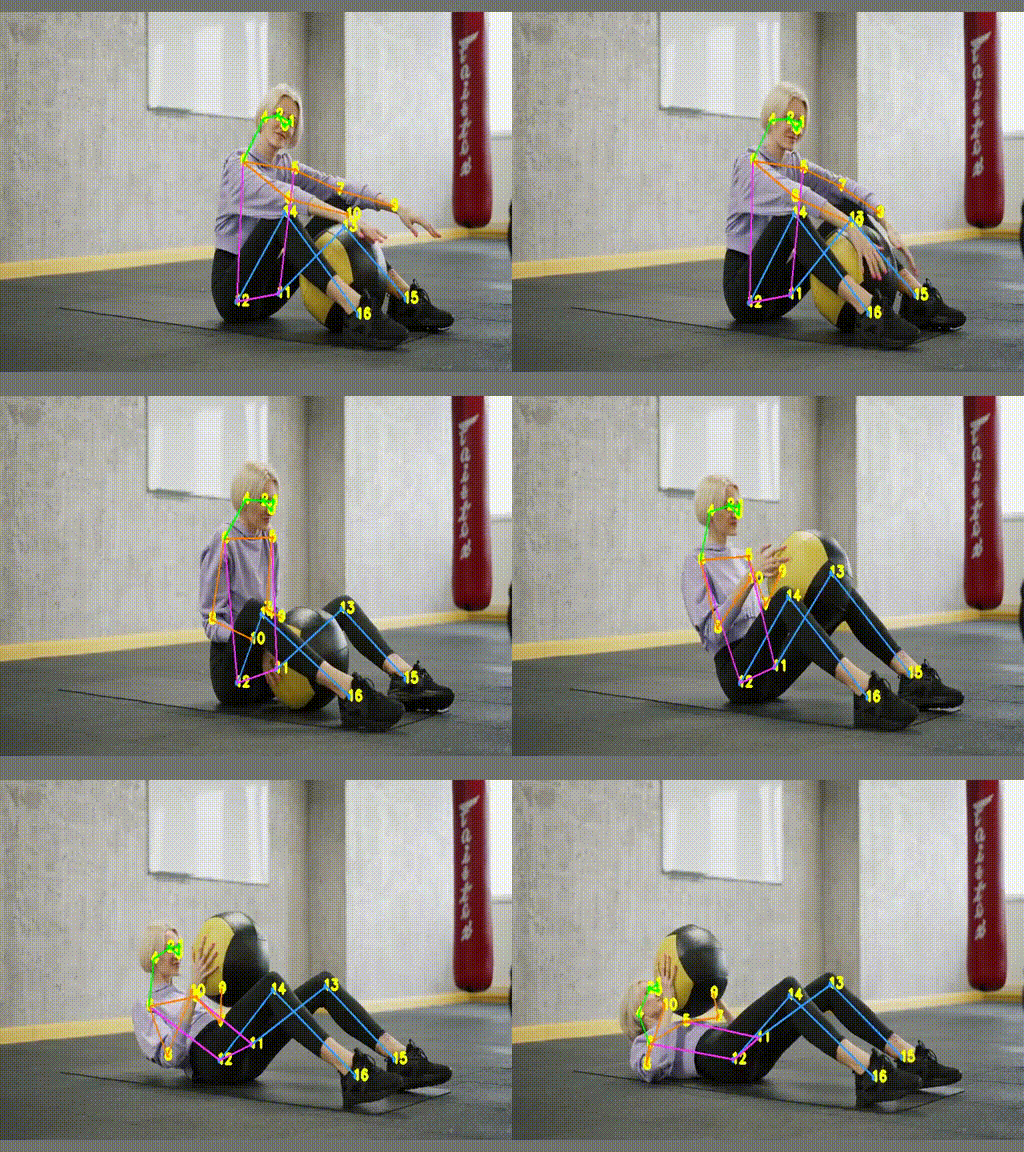
Running over a video results

How to use
You can check the section notebooks in the repository to check the usage of the library or you can ask in the Issues section.
The examples are:
- How to draw key points in a video
- How to draw key points in a video and store it
- How to draw key points in a webcam
- How to draw key points in a picture
- How to capture a frame to apply your business logic
- How to stop the video stream when anybody raises hands with YOLOv7
- How to calculate pose similarity with YOLOv7
- How to turn the pose with YOLOv7
- How to train a pose classificator
References
Support
You can do a donation with the following link.

Or you can try to make a pull request with your improvements to the repo.
Source of videos and images
- Video: Mikhail Nilov
Images (Pexels)
1 maintainer

Metadata
1 maintainer
Release files for aipose 3.2.0
For a detailed explanation of source distributions (sdists) and built distributions (wheels), please see the package formats documentation.
Source distribution (sdist)
| File | Size | Uploaded | |
|---|---|---|---|
| aipose-3.2.0.tar.gz | 71.0 MB | Details |
Built distribution (wheel)
| File | Interpreter | ABI | Platform | Reset |
|---|---|---|---|---|
| aipose-3.2.0-py3-none-any.whl | Python 3 | none | any | Details |
Total release size: 71.0 MB
Release files / aipose-3.2.0.tar.gz
| Download URL | aipose-3.2.0.tar.gz |
|---|---|
| Size | 71.0 MB |
| Tags | Source |
|
SHA-256 checksum How to use checksums |
60f0ba5093e4f45e504c2decedd44176c6016d59d27c0e6d959a80363fa36c7c
|
|
BLAKE2b-256 checksum How to use checksums |
f552b61766228ebd4e882b336b53d45b72f82d3b0e5bca87d4876182d8f08b6e
|
| Upload date | |
|
Uploaded using Trusted Publishing? What is trusted publishing? |
No |
| Uploaded via |
uv/0.11.7 {"installer":{"name":"uv","version":"0.11.7","subcommand":["publish"]},"python":null,"implementation":{"name":null,"version":null},"distro":{"name":"Ubuntu","version":"24.04","id":"noble","libc":null},"system":{"name":null,"release":null},"cpu":null,"openssl_version":null,"setuptools_version":null,"rustc_version":null,"ci":true}
|
Release files / aipose-3.2.0-py3-none-any.whl
| Download URL | aipose-3.2.0-py3-none-any.whl |
|---|---|
| Size | 22.8 kB |
| Tags | Python 3 |
|
SHA-256 checksum How to use checksums |
36be02f812602a3d19d1fe97246bb3523868897a4782a900f78a3b11c5e11f30
|
|
BLAKE2b-256 checksum How to use checksums |
3ea7e3afbe9938a6cfacba01befe05030cd2f774796cbbf5efd3f4827fb6c09d
|
| Upload date | |
|
Uploaded using Trusted Publishing? What is trusted publishing? |
No |
| Uploaded via |
uv/0.11.7 {"installer":{"name":"uv","version":"0.11.7","subcommand":["publish"]},"python":null,"implementation":{"name":null,"version":null},"distro":{"name":"Ubuntu","version":"24.04","id":"noble","libc":null},"system":{"name":null,"release":null},"cpu":null,"openssl_version":null,"setuptools_version":null,"rustc_version":null,"ci":true}
|














