
Apache Airflow code editor and file manager

Project description
Airflow Code Editor Plugin
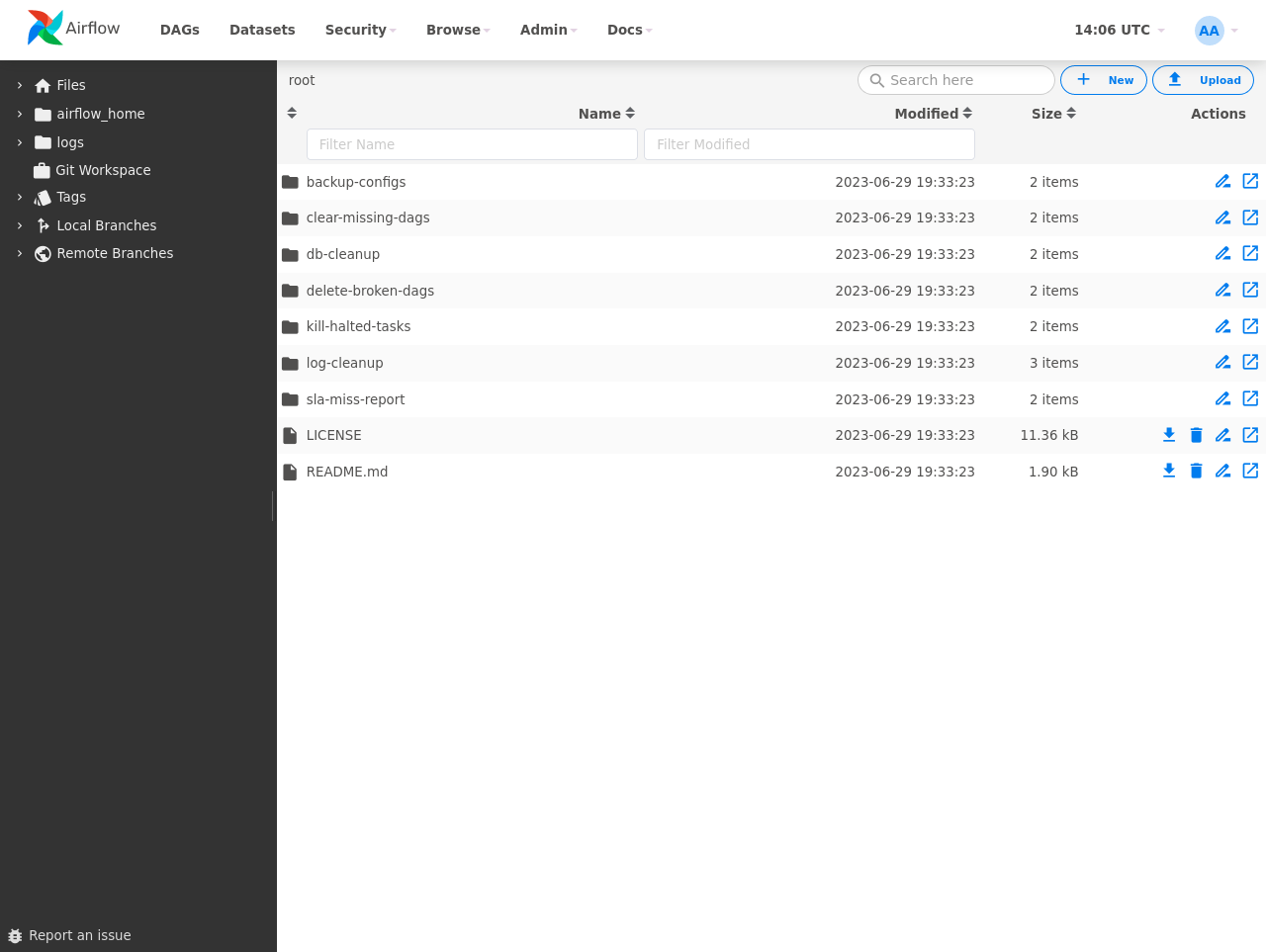
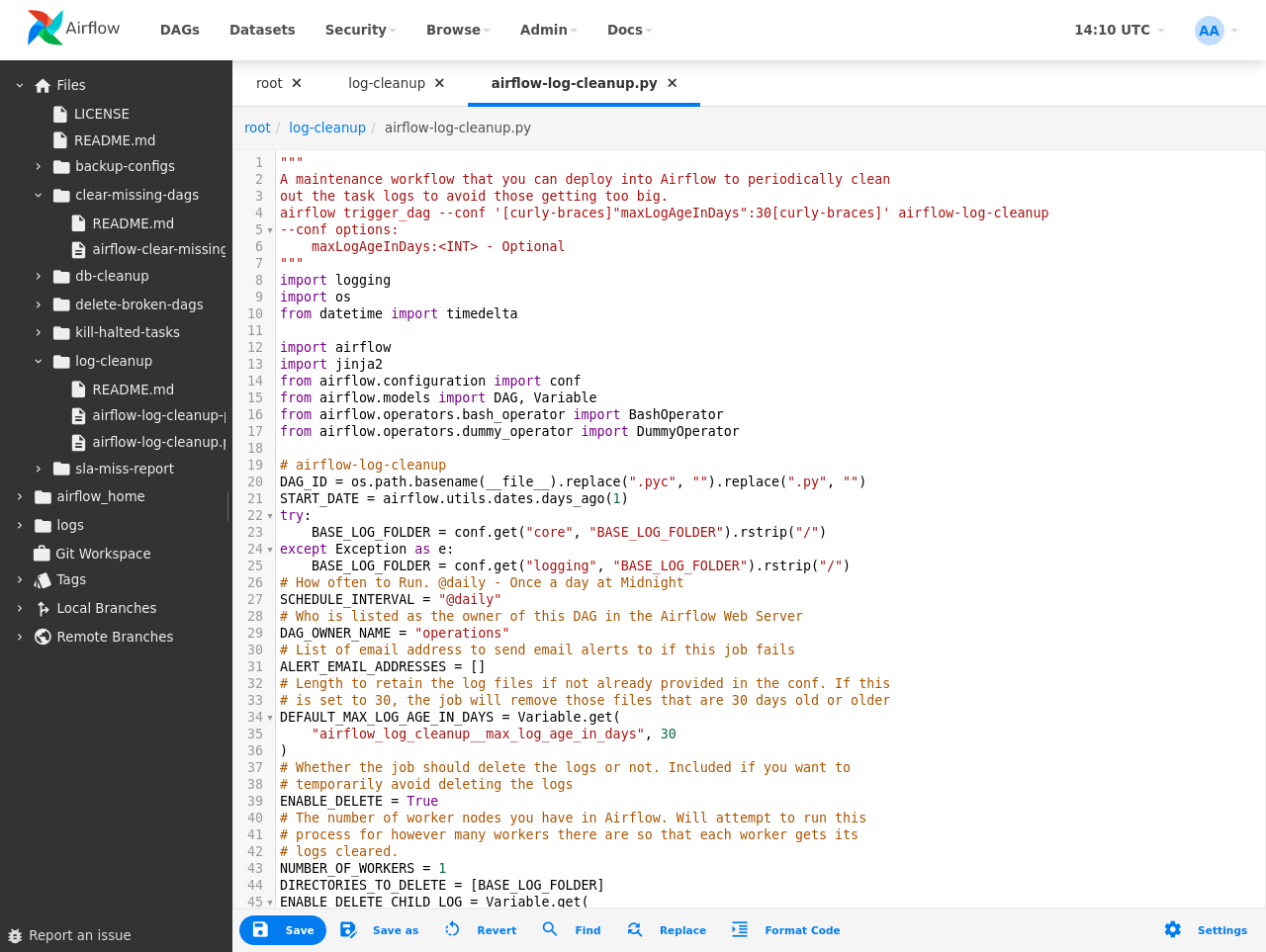
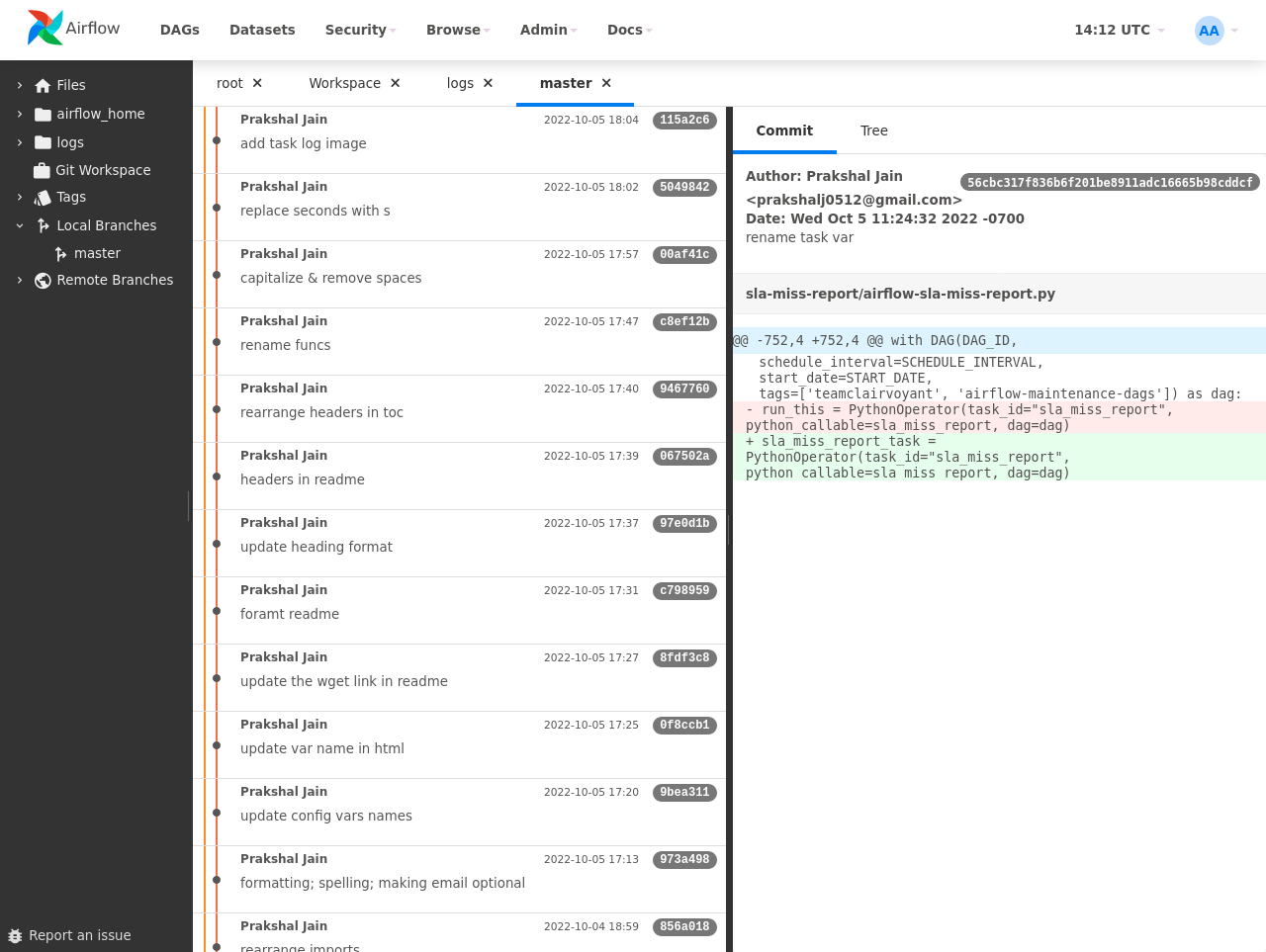
This plugin for Apache Airflow allows you to edit DAGs directly within your browser, providing a seamless and efficient workflow for managing your pipelines. Offering a user-friendly file management interface within designated directories, it facilitates effortless editing, uploading, and downloading of files. With Git support enabled, DAGs are stored in a Git repository, enabling users to explore Git history, review local modifications, and commit changes.





System Requirements
- Airflow Versions
- 2.x or 3.x
- git Versions (git is not required if git support is disabled)
- 2.0 or newer
Screenshots
File Manager
Editor
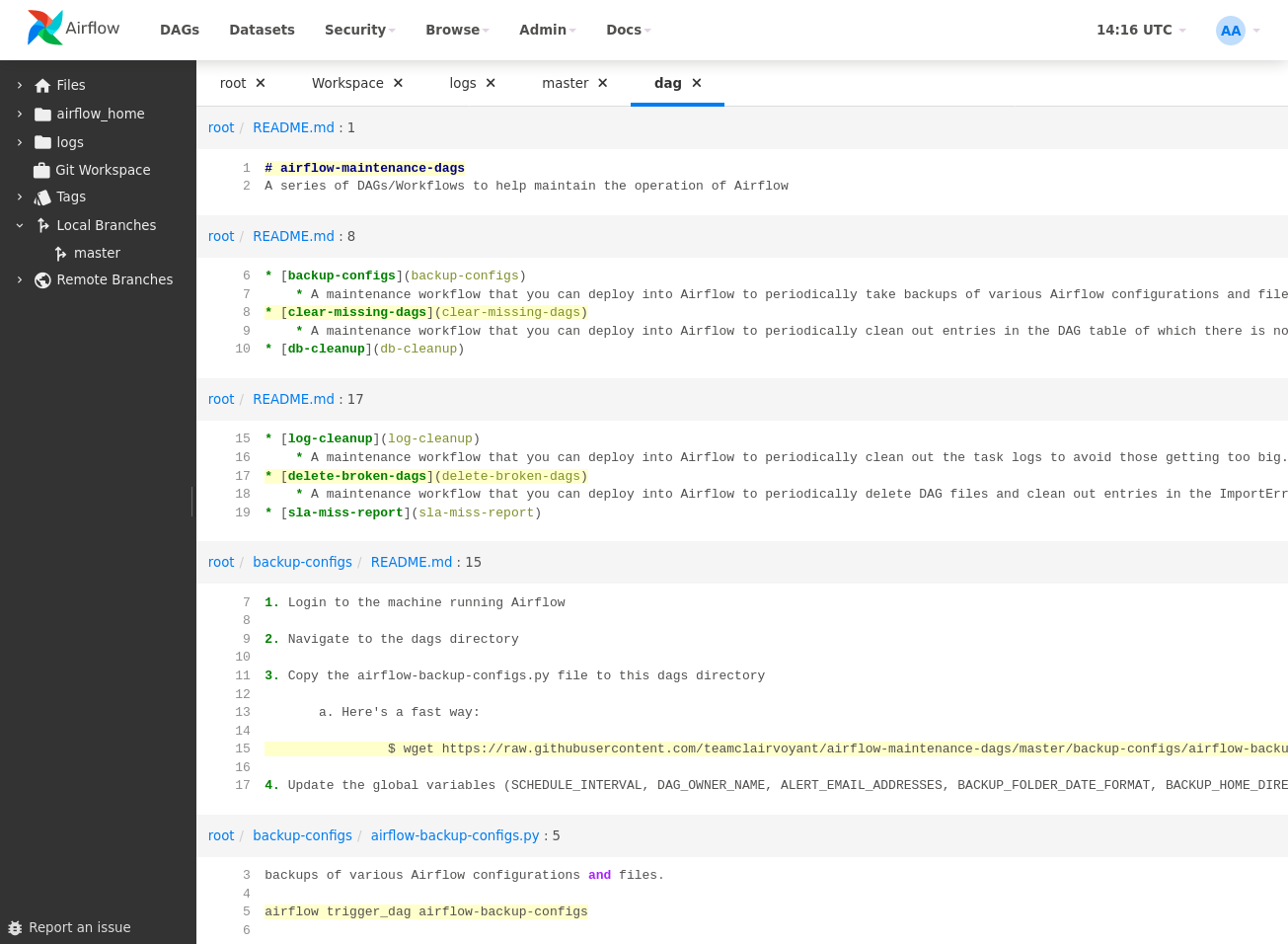
Search
Git History
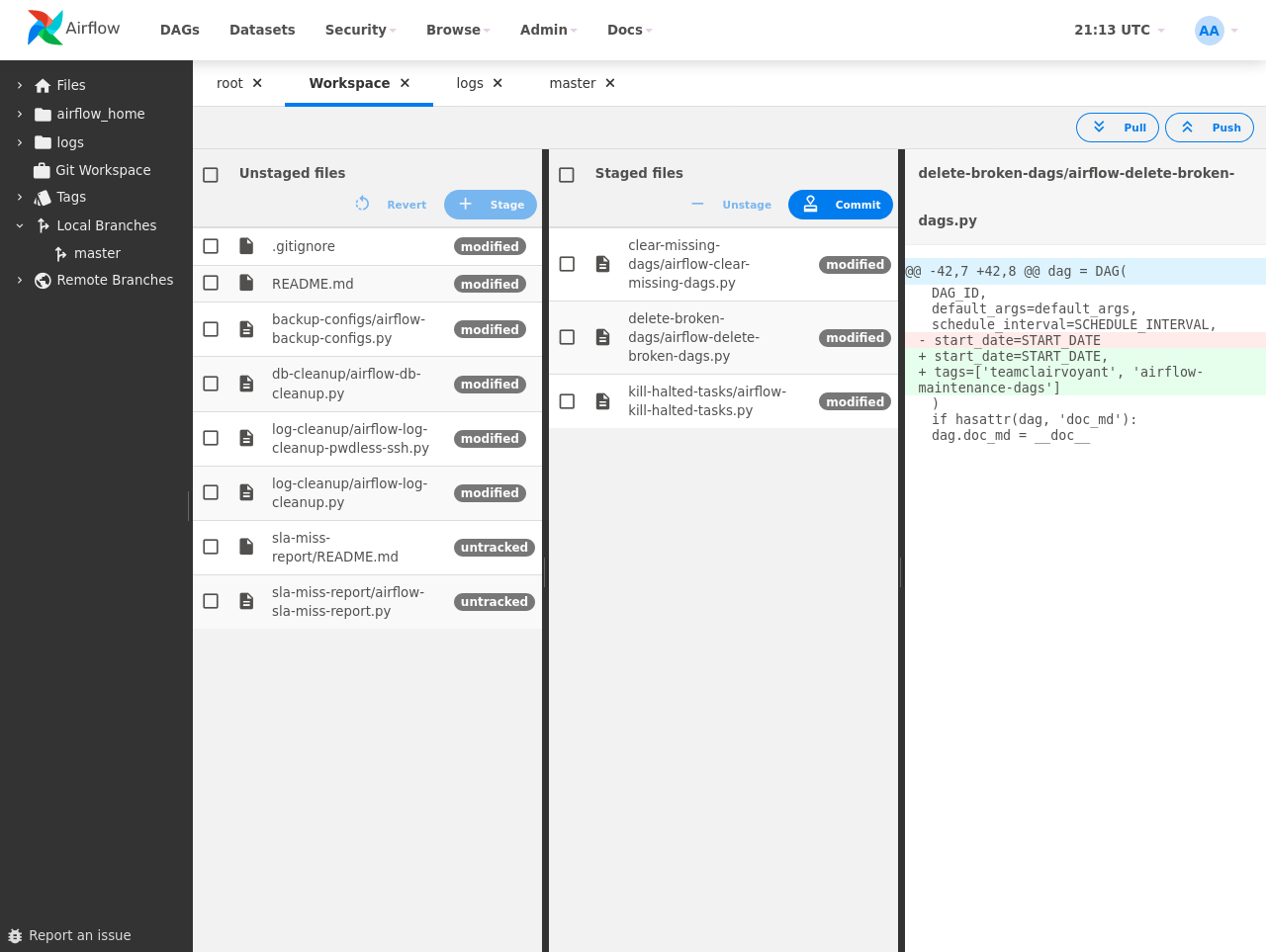
Git Workspace
Install Instructions
Docker Images
For the ease of deployment, use the production-ready reference container image. The image is based on the reference images for Apache Airflow.
You can find the following images there:
- andreax79/airflow-code-editor:latest - the latest released Airflow Code Editor image with the latest Apache Airflow version
- andreax79/airflow-code-editor:3.3.0 - the latest released Airflow Code Editor with specific Airflow version
- andreax79/airflow-code-editor:3.3.0-8.3.0 - specific version of Airflow and Airflow Code Editor
Installing from PyPI
- Install the plugin
pip install airflow-code-editor
- Install optional dependencies
-
black - Black Python code formatter
-
isort - A Python utility/library to sort imports
-
fsspec[s3] - Python filesystem interface for S3.
-
fsspec[gcs] - Python filesystem interface for Google Cloud Storage.
-
fsspec[sftp] - Python filesystem interface for SFTP.
-
... other filesystems supported fsspec
pip install black isort fsspec[s3,gcp,sftp]
-
Restart the Airflow Web Server
-
Open 'Plugins' (for Airflow 3.x) or 'Admin' (for Airflow 2.x) - 'Airflow Code Editor'
Config Options
You can set options editing the Airflow's configuration file or setting environment variables. You can edit your airflow.cfg adding any of the following settings in the [code_editor] section. All the settings are optional.
- enabled enable this plugin (default: True).
- git_enabled enable git support (default: True). If git is not installed, disable this option.
- git_cmd git command (path)
- git_default_args git arguments added to each call (default: -c color.ui=true)
- git_author_name human-readable name in the author/committer (default logged user first and last names)
- git_author_email email for the author/committer (default: logged user email)
- git_init_repo initialize a git repo in DAGs folder (default: True)
- root_directory root folder (default: Airflow DAGs folder)
- line_length Python code formatter - max line length (default: 88)
- string_normalization Python code formatter - if true normalize string quotes and prefixes (default: False)
- mount, mount1, ... configure additional folder (mount point) - format: name=xxx,path=yyy
- ignored_entries comma-separated list of entries to be excluded from file/directory list (default: .*,__pycache__)
   [code_editor]
   enabled = True
   git_enabled = True
   git_cmd = /usr/bin/git
   git_default_args = -c color.ui=true
   git_init_repo = False
   root_directory = /home/airflow/dags
   line_length = 88
   string_normalization = False
   mount = name=data,path=/home/airflow/data
   mount1 = name=logs,path=/home/airflow/logs
   mount2 = name=data,path=s3://example
Mount Options:
- name: mount name (destination)
- path: local path or PyFilesystem FS URLs - see https://docs.pyfilesystem.org/en/latest/openers.html
Example:
- name=ftp_server,path=ftp://user:pass@ftp.example.org/private
- name=data,path=s3://example
- name=tmp,path=/tmp
You can also set options with the following environment variables:
- AIRFLOW__CODE_EDITOR__ENABLED
- AIRFLOW__CODE_EDITOR__GIT_ENABLED
- AIRFLOW__CODE_EDITOR__GIT_CMD
- AIRFLOW__CODE_EDITOR__GIT_DEFAULT_ARGS
- AIRFLOW__CODE_EDITOR__GIT_AUTHOR_NAME
- AIRFLOW__CODE_EDITOR__GIT_AUTHOR_EMAIL
- AIRFLOW__CODE_EDITOR__GIT_INIT_REPO
- AIRFLOW__CODE_EDITOR__ROOT_DIRECTORY
- AIRFLOW__CODE_EDITOR__LINE_LENGTH
- AIRFLOW__CODE_EDITOR__STRING_NORMALIZATION
- AIRFLOW__CODE_EDITOR__MOUNT, AIRFLOW__CODE_EDITOR__MOUNT1, AIRFLOW__CODE_EDITOR__MOUNT2, ...
- AIRFLOW__CODE_EDITOR__IGNORED_ENTRIES
Example:
   export AIRFLOW__CODE_EDITOR__STRING_NORMALIZATION=True
   export AIRFLOW__CODE_EDITOR__MOUNT='name=data,path=/home/airflow/data'
   export AIRFLOW__CODE_EDITOR__MOUNT1='name=logs,path=/home/airflow/logs'
   export AIRFLOW__CODE_EDITOR__MOUNT2='name=tmp,path=/tmp'
REST API
Airflow Code Editor provides a REST API. Through this API, users can interact with the application programmatically, enabling automation, data retrieval, and integration with other software.
For detailed information on how to use each endpoint, refer to the API documentation.
REST API Authentication
The API authentication is inherited from the Apache Airflow.
If you want to check which auth backend is currently set, you can use
airflow config get-value api auth_backends command as in the example below.
$ airflow config get-value api auth_backends
airflow.api.auth.backend.basic_auth
For details on configuring the authentication, see API Authorization.
Development Instructions
-
Fork the repo
-
Clone it on the local machine
  git clone https://github.com/andreax79/airflow-code-editor.git
  cd airflow-code-editor
- Create dev image
make dev-image
- Switch node version
nvm use
- Make changes you need. Build npm package with:
make npm-build
- You can start Airflow API server with:
make api-server
The predefined users in the dev image are: admin, op, user, and viewer.
The password are auto-generated and are saved in docker/simple_auth_manager_passwords.json.generated.
- Run tests
make test
-
Commit and push changes
-
Create pull request to the original repo
Links
- Apache Airflow
- Codemirror, In-browser code editor
- codemirror-theme-bundle, custom themes for CodeMirror 6
- codemirror-vim, Vim keybindings for CodeMirror 6
- codemirror-emacs, Emacs keybindings for CodeMirror 6
- Git WebUI, A standalone local web based user interface for git repositories
- Black, The Uncompromising Code Formatter
- isort, A Python utility/library to sort imports
- pss, power-tool for searching source files
- itsdangerous, Safely pass trusted data to untrusted environments and back
- Vue.js
- Vue-good-table, data table for VueJS
- Vue-tree, TreeView control for VueJS
- Vue-universal-modal Universal modal plugin for Vue@3
- Vue-simple-context-menu
- vue3-notification, Vue.js notifications
- Splitpanes
- Axios, Promise based HTTP client for the browser and node.js
- fsspec, a specification for pythonic filesystems
Release history Release notifications | RSS feed


Download files
Download the file for your platform. If you're not sure which to choose, learn more about installing packages.
Source Distribution
Built Distribution
Filter files by name, interpreter, ABI, and platform.
If you're not sure about the file name format, learn more about wheel file names.
Copy a direct link to the current filters
File details
Details for the file airflow_code_editor-8.3.0.tar.gz.
File metadata
- Download URL: airflow_code_editor-8.3.0.tar.gz
- Upload date:
- Size: 2.5 MB
- Tags: Source
- Uploaded using Trusted Publishing? No
- Uploaded via: twine/7.0.0 CPython/3.13.14
File hashes
| Algorithm | Hash digest | |
|---|---|---|
| SHA256 |
f7a44b44e02c62a2b29c83dd21b69462078ae0590135118c998bd09f350a4146
|
|
| MD5 |
cb394540d6b3cf29d6b0d720f7651676
|
|
| BLAKE2b-256 |
d80c69ec10277303873766d6fb54ae431ae94933e4911fc18583ad9cccfeea0c
|
File details
Details for the file airflow_code_editor-8.3.0-py2.py3-none-any.whl.
File metadata
- Download URL: airflow_code_editor-8.3.0-py2.py3-none-any.whl
- Upload date:
- Size: 2.5 MB
- Tags: Python 2, Python 3
- Uploaded using Trusted Publishing? No
- Uploaded via: twine/7.0.0 CPython/3.13.14
File hashes
| Algorithm | Hash digest | |
|---|---|---|
| SHA256 |
f58ae2ffc1ca6f58bf26c8dded45a660eba045ed2f12323b1e88f06b8541b359
|
|
| MD5 |
914e09efb4f34f603af3c3b90160c027
|
|
| BLAKE2b-256 |
e1a4e2b7a36c8fada1149f1da04f89143e7ff629d11f6773b2bb604337a0fa94
|






