


airflow-variable-json-viewer
A better way to work with JSON-based Airflow Variables.
A modern Airflow UI plugin for browsing and editing Variables with formatted JSON, search, and an improved user experience.
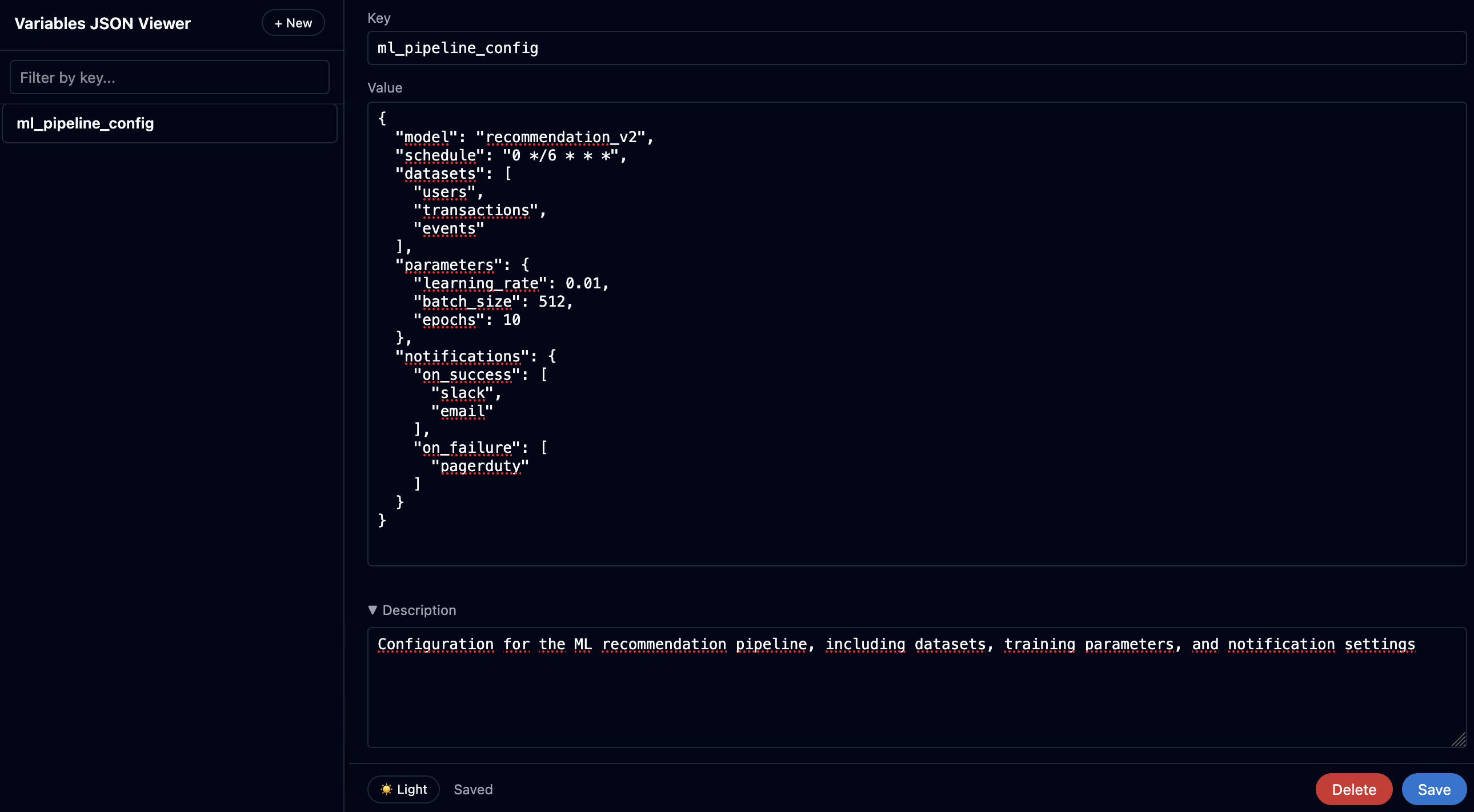
Editing variables with formatted JSON
Quick start
pip install airflow-variable-json-viewer
Why?
Airflow’s Variables UI is now more of a pain than a UX update:
- Smaller input field — large data barely fits
- No variable renaming — must recreate instead
- No JSON formatting (before 3.1.8) — all data in one line
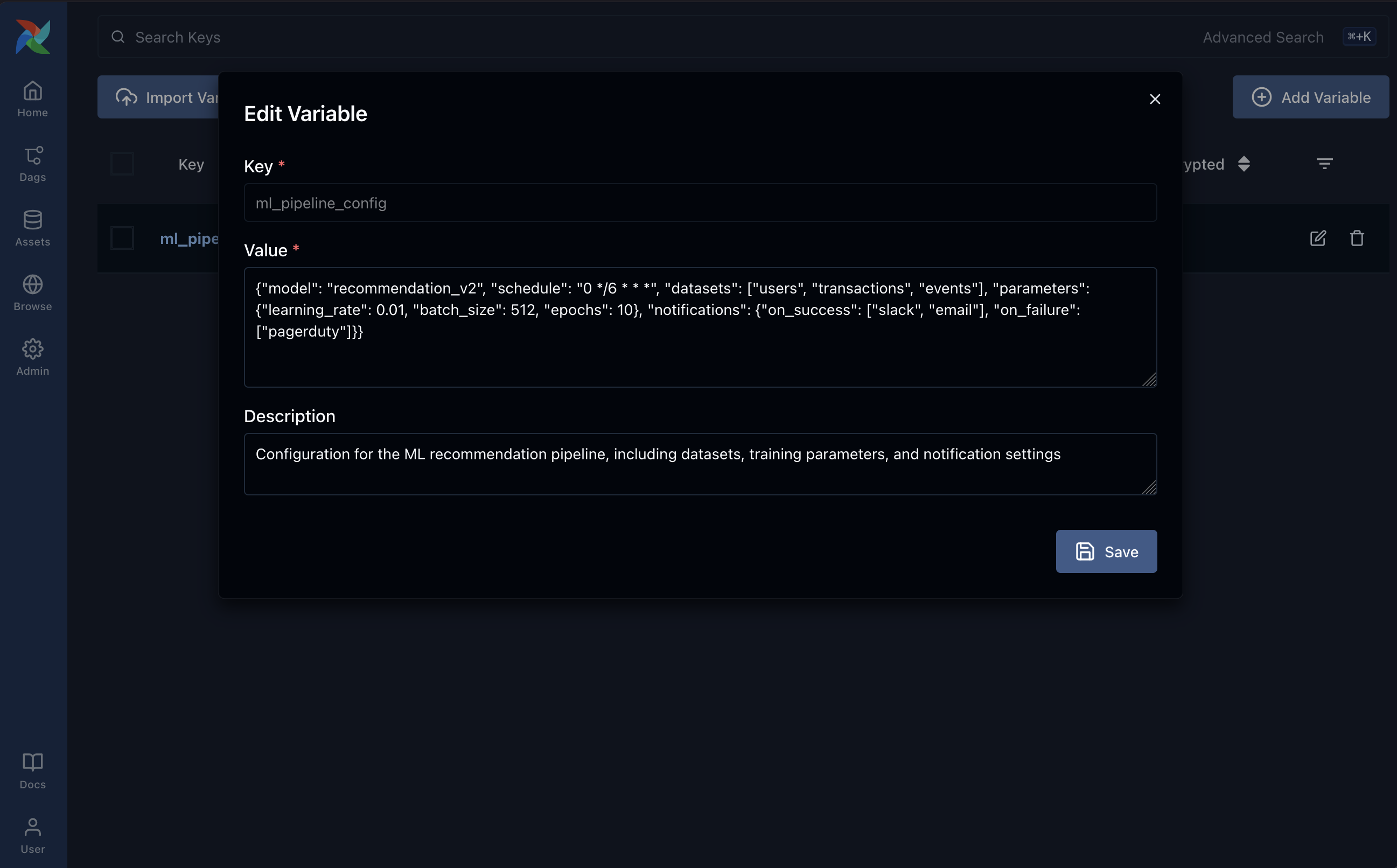
Default Airflow (<3.1.8) UI without JSON formatting
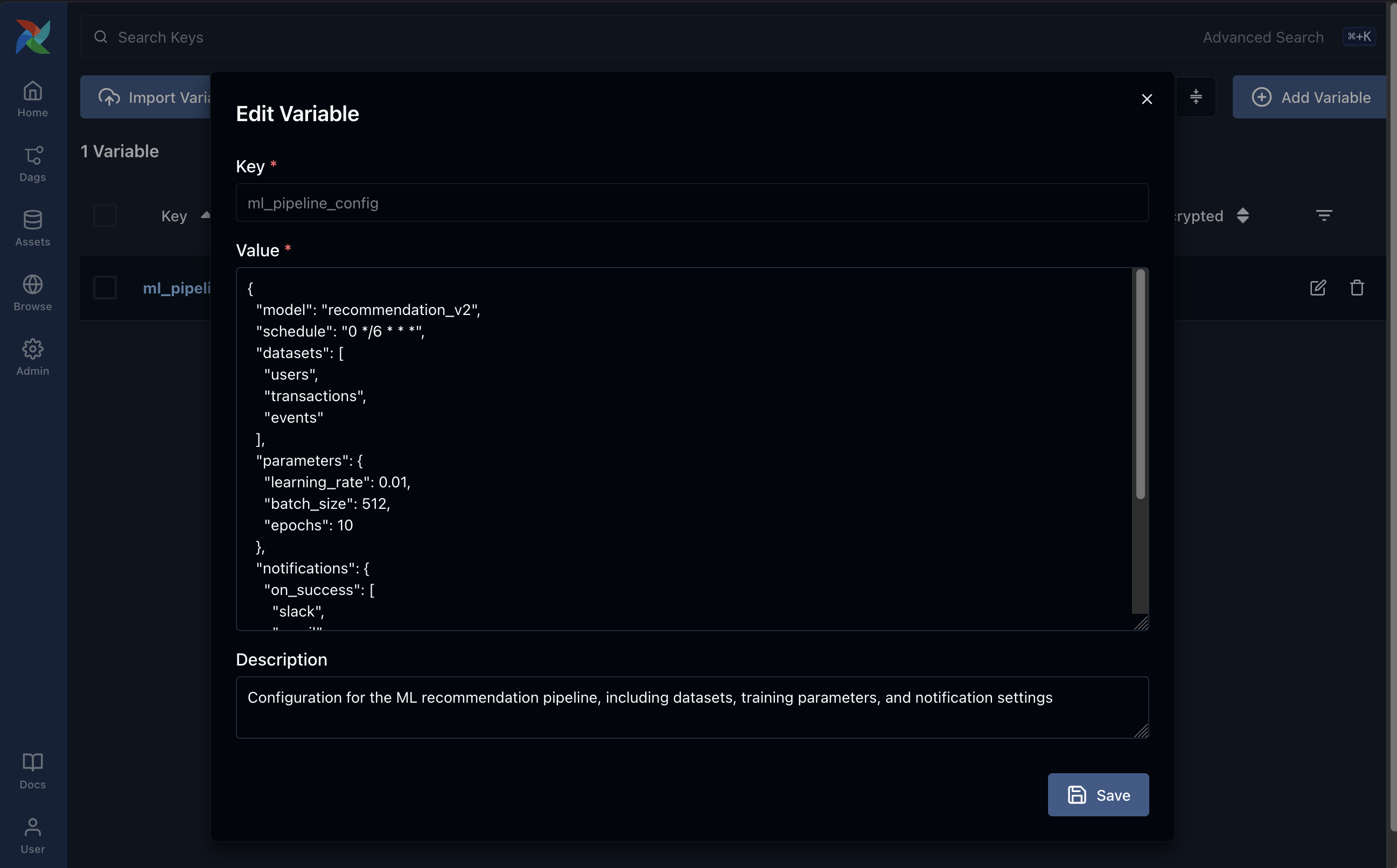
Default Airflow (3.1.8 or greater) UI with JSON formatting
This plugin provides a clean and user-friendly interface for working with JSON-based variables.
Features
- 📋 Browse all Airflow variables with instant search
- ✏️ Edit values with automatic JSON formatting
- 🔍 Easily read and navigate complex nested structures
- 🔒 View variable encryption status
- 🌓 Built-in dark and light modes
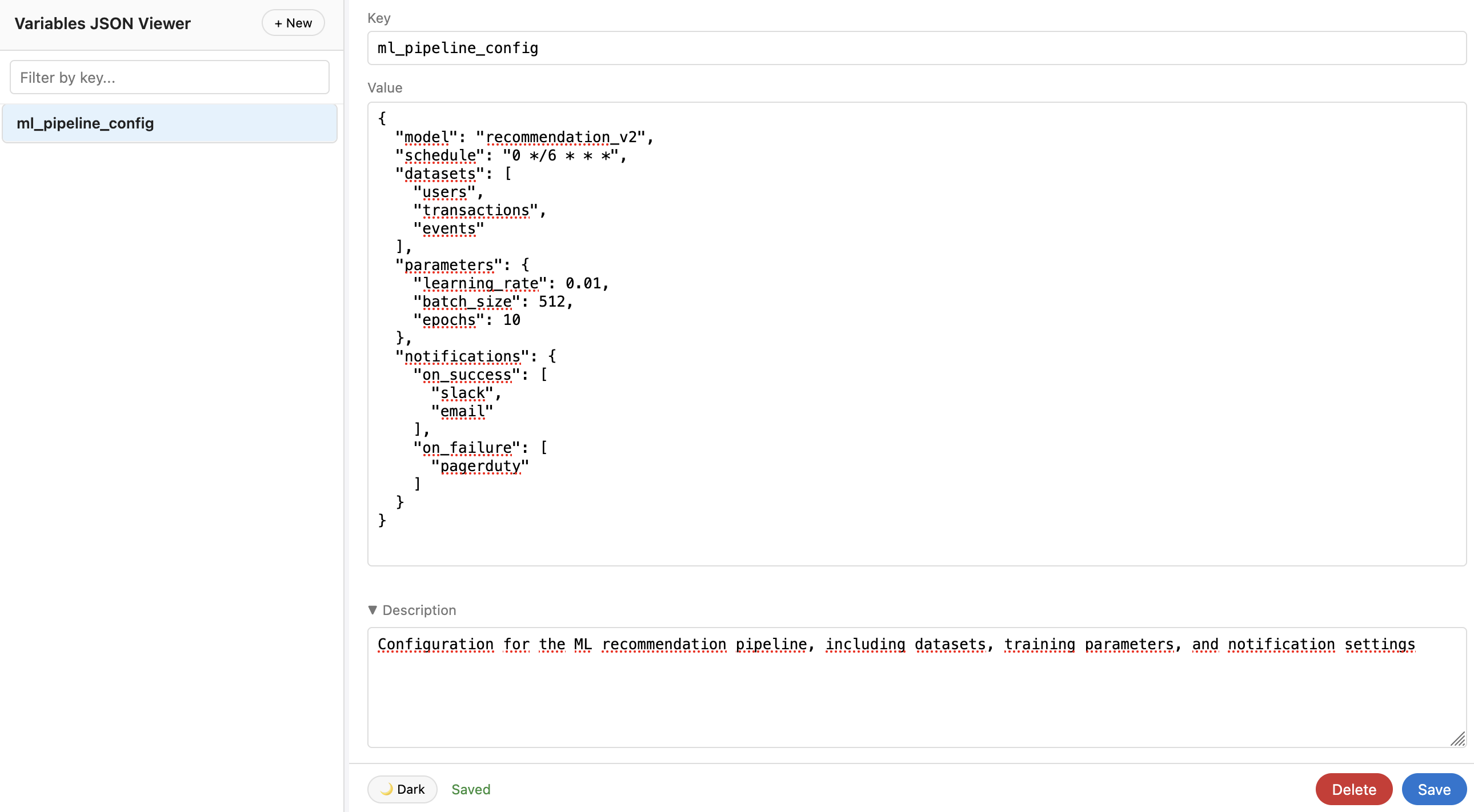
Light mode support
Compatibility
- Apache Airflow 3.1+
- Python 3.8+
Installation
You can install the plugin either manually or via pip:
Option 1: Manual copy to plugins folder
-
Copy the
variable_json_viewer/package to your Airflowpluginsfolder:$AIRFLOW_HOME/plugins/variable_json_viewer/ ├── __init__.py ├── plugin.py └── static/ ├── index.html ├── app.js └── styles.css -
Restart Airflow (webserver and scheduler).
Option 2: Installation via pip
pip install airflow-variable-json-viewer
After installation, restart Airflow — the plugin will be automatically discovered.
Usage
After installation, a new menu item "Variables JSON Viewer" will appear in the Airflow navigation menu under the Admin section.
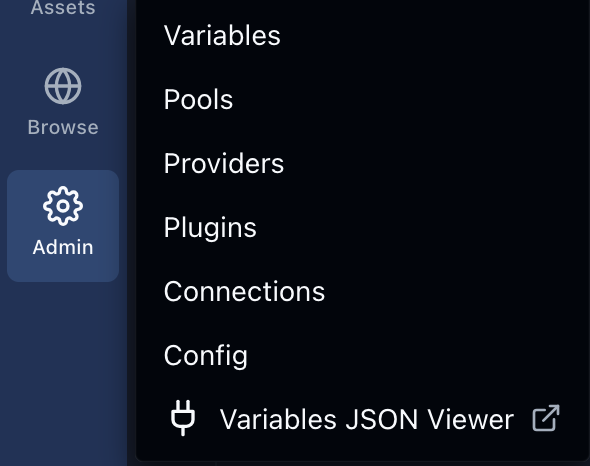
Or access it directly via:
http://<your-airflow-host>/variable-json/
License
MIT
1 maintainer

Metadata
1 maintainer
Release files for airflow-variable-json-viewer 0.2.0
For a detailed explanation of source distributions (sdists) and built distributions (wheels), please see the package formats documentation.
Source distribution (sdist)
| File | Size | Uploaded | |
|---|---|---|---|
| airflow_variable_json_viewer-0.2.0.tar.gz | 10.8 kB | Details |
Built distribution (wheel)
| File | Interpreter | ABI | Platform | Reset |
|---|---|---|---|---|
| airflow_variable_json_viewer-0.2.0-py3-none-any.whl | Python 3 | none | any | Details |
Total release size: 21.9 kB
Release files / airflow_variable_json_viewer-0.2.0.tar.gz
| Download URL | airflow_variable_json_viewer-0.2.0.tar.gz |
|---|---|
| Size | 10.8 kB |
| Tags | Source |
|
SHA-256 checksum How to use checksums |
0b4cb67dd5cf8ebfdd2a3219a136b973ca1b25f3d641791908db32e29711e452
|
|
BLAKE2b-256 checksum How to use checksums |
37b5cc572e69d87ff4ece0a3977b7a75c41b96d09c46b5c4916cbb2955cad943
|
| Upload date | |
|
Uploaded using Trusted Publishing? What is trusted publishing? |
No |
| Uploaded via |
poetry/1.8.3 CPython/3.12.2 Linux/6.6.12-linuxkit
|
Release files / airflow_variable_json_viewer-0.2.0-py3-none-any.whl
| Download URL | airflow_variable_json_viewer-0.2.0-py3-none-any.whl |
|---|---|
| Size | 11.2 kB |
| Tags | Python 3 |
|
SHA-256 checksum How to use checksums |
5c0f1a20d3d66cd3a153dc9f72a0586e5e106e0966004ebc8e62dc0f9b759b24
|
|
BLAKE2b-256 checksum How to use checksums |
1f62e9f56ff2331da1e1df2e35aeaaa0b4969db5b0dfb0507f86761162a30238
|
| Upload date | |
|
Uploaded using Trusted Publishing? What is trusted publishing? |
No |
| Uploaded via |
poetry/1.8.3 CPython/3.12.2 Linux/6.6.12-linuxkit
|














