
AISBF - AI Service Broker Framework || AI Should Be Free - A modular proxy server for managing multiple AI provider integrations

Project description
AISBF - AI Service Broker Framework || AI Should Be Free
A modular proxy server for managing multiple AI provider integrations with unified API interface. AISBF provides intelligent routing, load balancing, and AI-assisted model selection to optimize AI service usage across multiple providers.
🌐 Try AISBF Now — No Installation Required!
➡️ Launch AISBF at https://aisbf.cloud
The fully hosted service is free to use. Just open your browser and start routing AI requests across all supported providers — no setup, no configuration, no API keys needed to get started.
Also available via TOR for privacy-first access: http://aisbfity4ud6nsht53tsh2iauaur2e4dah2gplcprnikyjpkg72vfjad.onion
Key Features
- Multi-Provider Support: Unified interface for Google, OpenAI, Anthropic, Claude Code (OAuth2), Ollama, Kiro, Kilocode, Codex, and Qwen
- Unified Wallet System: Fiat wallet with crypto/PayPal/Stripe top-ups and auto top-up for subscription renewals
- Intelligent Routing: Weighted load balancing and AI-assisted model selection
- Streaming Support: Full support for streaming responses from all providers
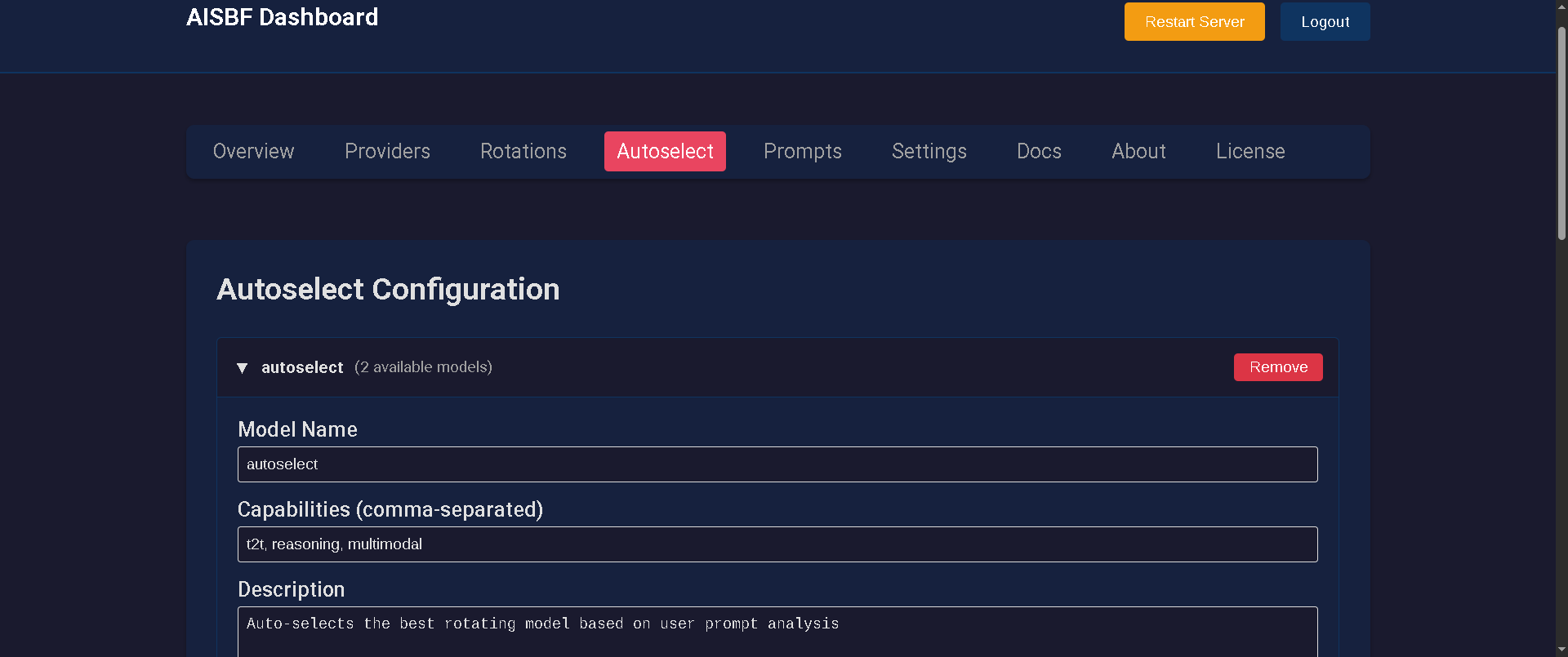
- Web Dashboard: Complete configuration and management interface
- Multi-User Support: Isolated configurations with role-based access control
- Token Usage Analytics: Comprehensive analytics with cost estimation and export
- Adaptive Rate Limiting: Learns from 429 responses for optimal request rates
- Provider-Native Caching: 50-70% cost reduction with Anthropic, Google, and OpenAI caching
- Context Management: Automatic condensation with 8+ methods when approaching limits
- SSL/TLS & TOR: Built-in HTTPS with Let's Encrypt and TOR hidden service support
- MCP Server: Model Context Protocol for remote agent integration
Quick Start
Installation
From PyPI (Recommended)
pip install aisbf
From Source
python setup.py install
Usage
aisbf
Server starts on http://127.0.0.1:17765
Web Dashboard
Access the dashboard at http://localhost:17765/dashboard (default credentials: admin / admin)
Security — change the default password immediately. The default
admin/admincredentials are publicly known. Open the dashboard → Settings → Change Password before exposing AISBF to any network. For HTTPS deployments, set the environment variableAISBF_HTTPS=trueto mark session cookies as Secure.
The dashboard provides:
- Provider configuration and API key management
- Rotation and autoselect model setup
- User wallet management and top-up options
- Token usage analytics and cost tracking
- Real-time monitoring and rate limit management
- SSL/TLS and TOR configuration
- Multi-user administration
API Usage
Basic Chat Completion
curl -X POST http://localhost:17765/api/v1/chat/completions \
  -H "Content-Type: application/json" \
  -d '{
    "model": "openai/gpt-4",
    "messages": [{"role": "user", "content": "Hello!"}]
  }'
Wallet Top-Up
curl -X POST http://localhost:17765/api/wallet/topup \
  -H "Content-Type: application/json" \
  -d '{
    "amount": 10.00,
    "currency": "USD",
    "payment_method": "stripe"
  }'
Documentation
For complete documentation, configuration guides, and API reference:
- 📚 Full Documentation - Comprehensive user and developer guide
- 🔧 Installation Guide - Detailed setup instructions
- ⚙️ Configuration - All configuration options
- 💰 Wallet System - Complete wallet documentation
- 🔌 API Reference - Complete API documentation
- 🛠️ Development - Development and deployment guides
🚀 Support AISBF - Your Donations Matter!
The project includes multiple donation options to support its development:
Ethereum Donation
ETH to 0xdA6dAb526515b5cb556d20269207D43fcc760E51
PayPal Donation
Bitcoin Donation
Address: bc1qcpt2uutqkz4456j5r78rjm3gwq03h5fpwmcc5u
Author
Stefy Lanza stefy@nexlab.net
Repository
Official repository: https://git.nexlab.net/nexlab/aisbf.git
License
GNU General Public License v3.0
Release history Release notifications | RSS feed


Download files
Download the file for your platform. If you're not sure which to choose, learn more about installing packages.
Source Distribution
Built Distribution
Filter files by name, interpreter, ABI, and platform.
If you're not sure about the file name format, learn more about wheel file names.
Copy a direct link to the current filters
File details
Details for the file aisbf-0.99.52.tar.gz.
File metadata
- Download URL: aisbf-0.99.52.tar.gz
- Upload date:
- Size: 601.9 kB
- Tags: Source
- Uploaded using Trusted Publishing? No
- Uploaded via: twine/6.2.0 CPython/3.13.7
File hashes
| Algorithm | Hash digest | |
|---|---|---|
| SHA256 |
7294cbc56dab381f273e9e2e22fe9d79ca58a22729c042e8958e78c2568e626a
|
|
| MD5 |
f1660af4b8a09fea98e223ea39d09d82
|
|
| BLAKE2b-256 |
8a3a3b6c5f5f9c224b7bada748143585de5eb73b6a49fa8c884abafc911cb708
|
File details
Details for the file aisbf-0.99.52-py3-none-any.whl.
File metadata
- Download URL: aisbf-0.99.52-py3-none-any.whl
- Upload date:
- Size: 1.0 MB
- Tags: Python 3
- Uploaded using Trusted Publishing? No
- Uploaded via: twine/6.2.0 CPython/3.13.7
File hashes
| Algorithm | Hash digest | |
|---|---|---|
| SHA256 |
e035ef7de0d436396d1f0caa2bdd7da7c35146df98ac232c813e518f1da8664a
|
|
| MD5 |
a828309e57b0cb33f44a20246ffefcb7
|
|
| BLAKE2b-256 |
1ff0ef02d8684360caeddb2e0b57584c0cbb0d6c0e1a434dc5df54fe115692bb
|






