
Advanced Machine Learning Training Platform - IN DEVELOPMENT

Project description
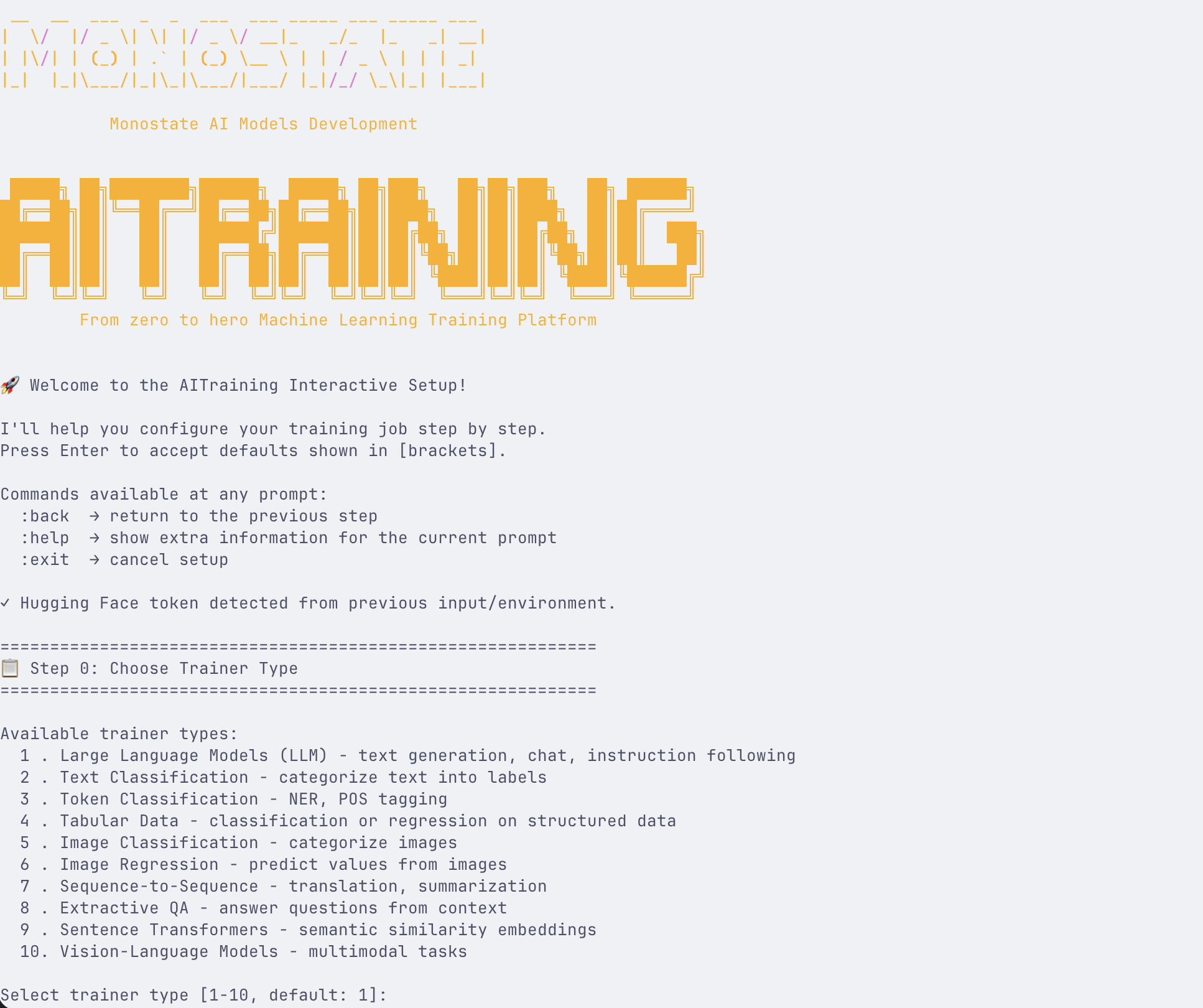





Train state-of-the-art ML models with minimal code
English | Portugues
📖 Comprehensive Documentation Available
Visit docs.monostate.com for detailed guides, tutorials, API reference, and examples covering all features including LLM fine-tuning, PEFT/LoRA, DPO/ORPO training, hyperparameter sweeps, and more.
AITraining is an advanced machine learning training platform built on top of AutoTrain Advanced. It provides a streamlined interface for fine-tuning LLMs, vision models, and more.
Highlights
Automatic Dataset Conversion
Feed any dataset format and AITraining automatically detects and converts it. Supports 6 input formats with automatic detection:
| Format | Detection | Example Columns |
|---|---|---|
| Alpaca | instruction/input/output | {"instruction": "...", "output": "..."} |
| ShareGPT | from/value pairs | {"conversations": [{"from": "human", ...}]} |
| Messages | role/content | {"messages": [{"role": "user", ...}]} |
| Q&A | question/answer variants | {"question": "...", "answer": "..."} |
| DPO | prompt/chosen/rejected | For preference training |
| Plain Text | Single text column | Raw text for pretraining |
aitraining llm --train --auto-convert-dataset --chat-template gemma3 \
  --data-path tatsu-lab/alpaca --model google/gemma-3-270m-it
32 Chat Templates
Comprehensive template library with token-level weight control:
- Llama family: llama, llama-3, llama-3.1
- Gemma family: gemma, gemma-2, gemma-3, gemma-3n
- Others: mistral, qwen-2.5, phi-3, phi-4, chatml, alpaca, vicuna, zephyr
from autotrain.rendering import get_renderer, ChatFormat, RenderConfig

config = RenderConfig(format=ChatFormat.CHATML, only_assistant=True)
renderer = get_renderer('chatml', tokenizer, config)
encoded = renderer.build_supervised_example(conversation)
# Returns: {'input_ids', 'labels', 'token_weights', 'attention_mask'}
GRPO Training with Custom Environments
Train with Group Relative Policy Optimization using your own reward environment. The env provides prompts and scores multi-turn episodes — GRPO generates completions, scores them, and optimizes:
aitraining llm --train --trainer grpo \
  --model deepseek-ai/DeepSeek-R1-Distill-Qwen-1.5B \
  --rl-env-module my_envs.hotel_env \
  --rl-env-class HotelEnv \
  --rl-num-generations 4 \
  --rl-max-new-tokens 256
Your environment implements three methods:
class HotelEnv:
    def build_dataset(self, tokenizer) -> Dataset:
        """Return HF Dataset with 'prompt' column."""

    def score_episode(self, model, tokenizer, completion, case_idx) -> float:
        """Run multi-turn episode from completion, return 0.0-1.0 score."""

    def get_tools(self) -> list[dict]:
        """Return tool schemas for generation (optional)."""
Custom RL Environments (PPO)
Build custom reward functions for PPO training with three environment types:
# Text generation with custom reward
aitraining llm --train --trainer ppo \
  --rl-env-type text_generation \
  --rl-env-config '{"stop_sequences": ["</s>"]}' \
  --rl-reward-model-path ./reward_model

# Multi-objective rewards (correctness + formatting)
aitraining llm --train --trainer ppo \
  --rl-env-type multi_objective \
  --rl-env-config '{"reward_components": {"correctness": {"type": "keyword"}, "formatting": {"type": "length"}}}' \
  --rl-reward-weights '{"correctness": 1.0, "formatting": 0.1}'
Hyperparameter Sweeps
Automated optimization with Optuna, random search, or grid search:
from autotrain.utils import HyperparameterSweep, SweepConfig, ParameterRange

config = SweepConfig(
    backend="optuna",
    optimization_metric="eval_loss",
    optimization_mode="minimize",
    num_trials=20,
)

sweep = HyperparameterSweep(
    objective_function=train_model,
    config=config,
    parameters=[
        ParameterRange("learning_rate", "log_uniform", low=1e-5, high=1e-3),
        ParameterRange("batch_size", "categorical", choices=[4, 8, 16]),
    ]
)
result = sweep.run()
# Returns best_params, best_value, trial history
Enhanced Evaluation Metrics
8 metrics beyond loss, with callbacks for periodic evaluation:
| Metric | Type | Use Case |
|---|---|---|
| Perplexity | Auto-computed | Language model quality |
| BLEU | Generation | Translation, summarization |
| ROUGE (1/2/L) | Generation | Summarization |
| BERTScore | Generation | Semantic similarity |
| METEOR | Generation | Translation |
| F1/Accuracy | Classification | Standard metrics |
| Exact Match | QA | Question answering |
from autotrain.evaluation import Evaluator, EvaluationConfig, MetricType

config = EvaluationConfig(
    metrics=[MetricType.PERPLEXITY, MetricType.BLEU, MetricType.ROUGE, MetricType.BERTSCORE],
    save_predictions=True,
)
evaluator = Evaluator(model, tokenizer, config)
result = evaluator.evaluate(dataset)
Auto LoRA Merge
After PEFT training, automatically merge adapters and save deployment-ready models:
# Default: merges adapters into full model
aitraining llm --train --peft --model meta-llama/Llama-3.2-1B

# Keep adapters separate (smaller files)
aitraining llm --train --peft --no-merge-adapter --model meta-llama/Llama-3.2-1B
Screenshots
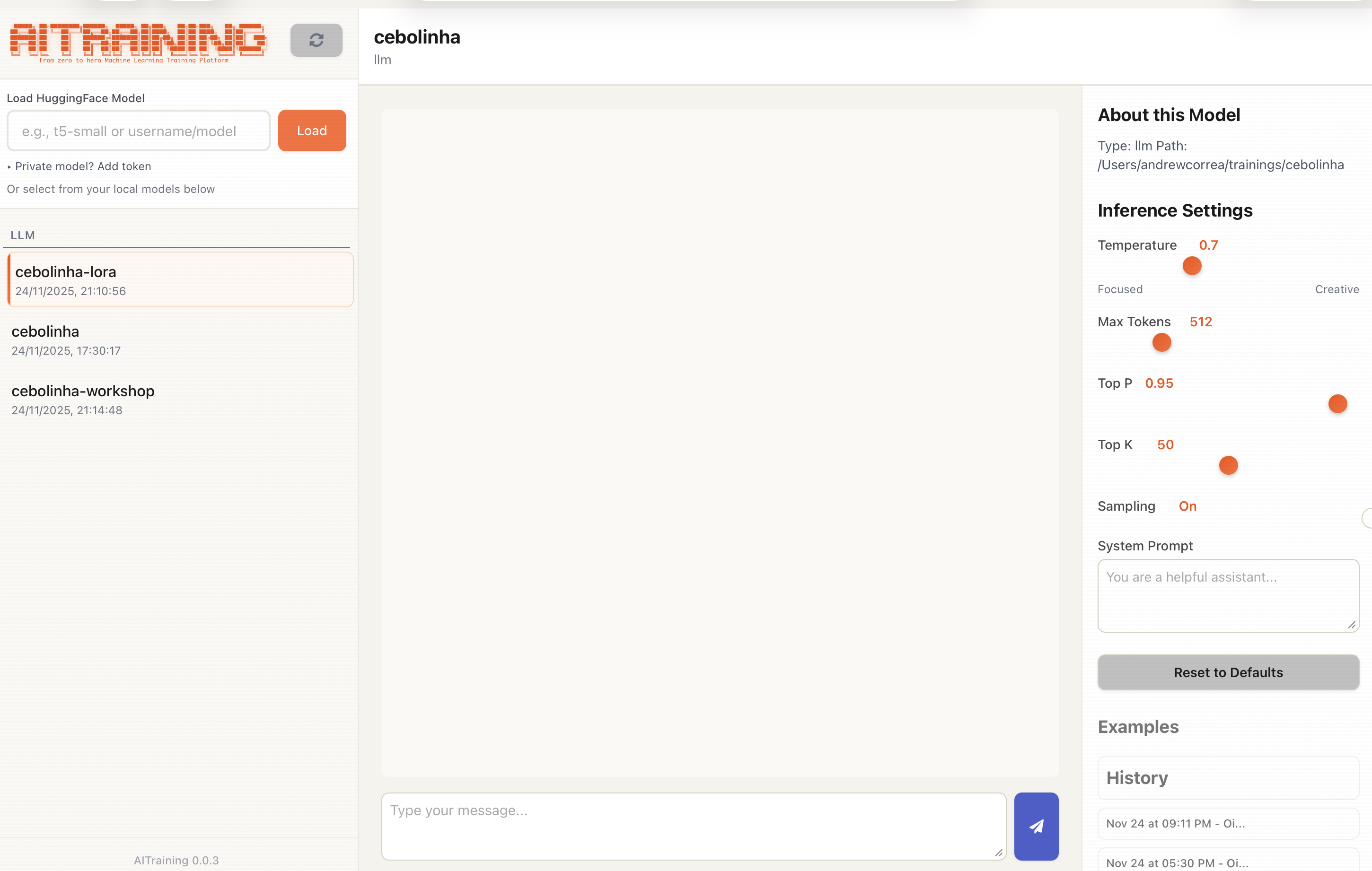
Built-in chat interface for testing trained models with conversation history
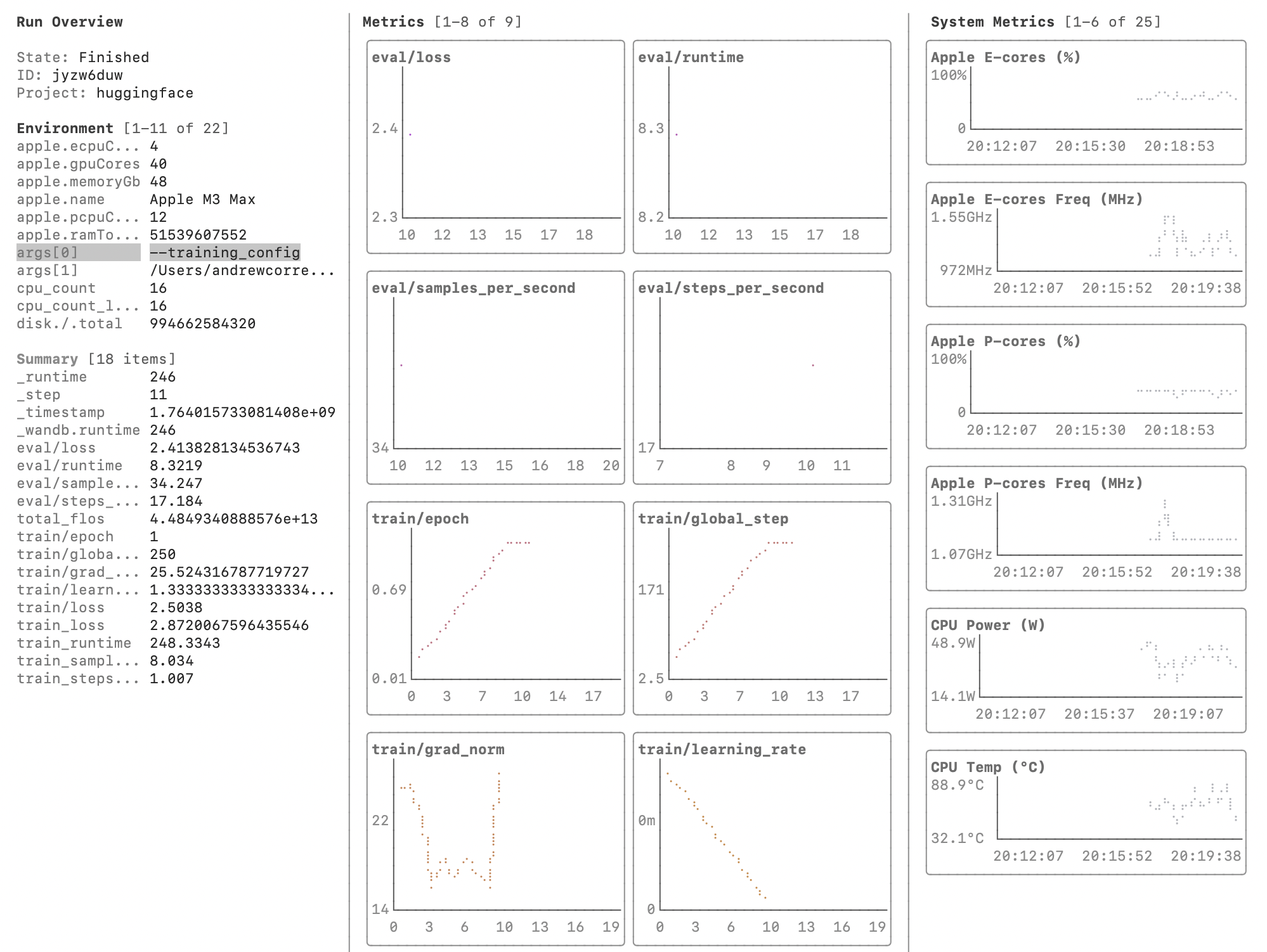
Terminal UI with real-time W&B LEET metrics visualization
Installation
pip install aitraining
Requirements: Python >= 3.10, PyTorch
Quick Start
Interactive Wizard
aitraining
The wizard guides you through:
- Trainer type selection (LLM, vision, NLP, tabular)
- Model selection with curated catalogs from HuggingFace
- Dataset configuration with auto-format detection
- Advanced parameters (PEFT, quantization, sweeps)
Config File
aitraining --config config.yaml
Python API
from autotrain.trainers.clm import train
from autotrain.trainers.clm.params import LLMTrainingParams

config = LLMTrainingParams(
    model="meta-llama/Llama-3.2-1B",
    data_path="your-dataset",
    trainer="sft",
    epochs=3,
    batch_size=4,
    lr=2e-5,
    peft=True,
    auto_convert_dataset=True,
    chat_template="llama3",
)

train(config)
Comparison
AITraining vs AutoTrain vs Tinker
| Feature | AutoTrain | AITraining | Tinker |
|---|---|---|---|
| Trainers | |||
| SFT/DPO/ORPO | Yes | Yes | Yes |
| PPO (RLHF) | Basic | Enhanced (TRL) | Advanced |
| GRPO | No | Yes (TRL 0.28) | Custom |
| Reward Modeling | Yes | Yes | No |
| Knowledge Distillation | No | Yes (KL + CE loss) | Yes (text-only) |
| Data | |||
| Auto Format Detection | No | Yes (6 formats) | No |
| Chat Template Library | Basic | 32 templates | 5 templates |
| Runtime Column Mapping | No | Yes | No |
| Conversation Extension | No | Yes | No |
| Training | |||
| Hyperparameter Sweeps | No | Yes (Optuna) | Manual |
| Custom RL Environments | No | Yes (3 types) | Yes |
| Multi-objective Rewards | No | Yes | Yes |
| Forward-Backward Pipeline | No | Yes | Yes |
| Async Off-Policy RL | No | No | Yes |
| Stream Minibatch | No | No | Yes |
| Evaluation | |||
| Metrics Beyond Loss | No | 8 metrics | Manual |
| Periodic Eval Callbacks | No | Yes | Yes |
| Custom Metric Registration | No | Yes | No |
| Interface | |||
| Interactive CLI Wizard | No | Yes | No |
| TUI (Experimental) | No | Yes | No |
| W&B LEET Visualizer | No | Yes | Yes |
| Hardware | |||
| Apple Silicon (MPS) | Limited | Full | No |
| Quantization (int4/int8) | Yes | Yes | Unknown |
| Multi-GPU | Yes | Yes | Yes |
| Task Coverage | |||
| Vision Tasks | Yes | Yes | No |
| NLP Tasks | Yes | Yes | No |
| Tabular Tasks | Yes | Yes | No |
| Tool Use Environments | No | Yes (GRPO) | Yes |
| Multiplayer RL | No | No | Yes |
Supported Tasks
| Task | Trainers | Status |
|---|---|---|
| LLM Fine-tuning | SFT, DPO, ORPO, PPO, GRPO, Reward, Distillation | Stable |
| Text Classification | Single/Multi-label | Stable |
| Token Classification | NER, POS tagging | Stable |
| Sequence-to-Sequence | Translation, Summarization | Stable |
| Image Classification | Single/Multi-label | Stable |
| Object Detection | YOLO, DETR | Stable |
| VLM Training | Vision-Language Models | Beta |
| Tabular | XGBoost, sklearn | Stable |
| Sentence Transformers | Semantic similarity | Stable |
| Extractive QA | SQuAD format | Stable |
Configuration Example
task: llm-sft
base_model: meta-llama/Llama-3.2-1B
project_name: my-finetune

data:
  path: your-dataset
  train_split: train
  auto_convert_dataset: true
  chat_template: llama3

params:
  epochs: 3
  batch_size: 4
  lr: 2e-5
  peft: true
  lora_r: 16
  lora_alpha: 32
  quantization: int4
  mixed_precision: bf16

# Optional: hyperparameter sweep
sweep:
  enabled: true
  backend: optuna
  n_trials: 10
  metric: eval_loss
Documentation
📚 docs.monostate.com — Complete documentation with tutorials, API reference, and examples.
Quick Links
- Getting Started
- LLM Fine-tuning Guide
- YAML Configuration
- Python SDK Reference
- Advanced Training (DPO/ORPO/PPO)
- Changelog
Local Docs
License
Apache 2.0 - See LICENSE for details.
Based on AutoTrain Advanced by Hugging Face.
Release history Release notifications | RSS feed


Download files
Download the file for your platform. If you're not sure which to choose, learn more about installing packages.
Source Distribution
Built Distribution
Filter files by name, interpreter, ABI, and platform.
If you're not sure about the file name format, learn more about wheel file names.
Copy a direct link to the current filters
File details
Details for the file aitraining-0.0.54.tar.gz.
File metadata
- Download URL: aitraining-0.0.54.tar.gz
- Upload date:
- Size: 567.7 kB
- Tags: Source
- Uploaded using Trusted Publishing? No
- Uploaded via: twine/6.2.0 CPython/3.13.5
File hashes
| Algorithm | Hash digest | |
|---|---|---|
| SHA256 |
5e28dbd343000dec5120f6d4d269f0b90b2bb9b8d29cfa07e3fd6e0e4a68eab7
|
|
| MD5 |
58aecc25caeaa766ec04007f61fd301a
|
|
| BLAKE2b-256 |
a4ead09a65a999446ef7c0acd228211196c2d922f46598dc8bb88ab284d8cd1b
|
File details
Details for the file aitraining-0.0.54-py3-none-any.whl.
File metadata
- Download URL: aitraining-0.0.54-py3-none-any.whl
- Upload date:
- Size: 586.1 kB
- Tags: Python 3
- Uploaded using Trusted Publishing? No
- Uploaded via: twine/6.2.0 CPython/3.13.5
File hashes
| Algorithm | Hash digest | |
|---|---|---|
| SHA256 |
217f4db47a990eb7d33f5b549d5bee2f4cdb1fd93a9b9ea7c313e010985bf1a3
|
|
| MD5 |
7c79baa1b347009a0af914d57df53b2b
|
|
| BLAKE2b-256 |
ffbdd5abc10aea910f7a8e24265d1864f6c07726d17574f1a3de0f7973011ffb
|






