
akef-cards
Image cards for Arknights: Endfield. Operator builds, profiles, pull history, endgame stuff and a few more. Operator and profile cards only need an Enka UID, no login. The rest read your SKPORT account.
All the data side (SKPORT, Enka, final stats, the wiki) lives in akef. This one only draws. If you just want the numbers, use akef on its own.
Install
pip install akef-cards
Pulls in akef too. Python 3.10+. Longer docs in docs/, runnable scripts in
examples/.
Quick start
import asyncio
import akef_cards


async def main():
    async with akef_cards.Cards() as cards:
        profile = await cards.enka(4727743200)
        for build in profile.builds:
            image = await cards.render(build)
            image.save(f"{build.name}.png")


asyncio.run(main())
Enka only sees the operators in the in-game showcase, max 4. Thats how enka works, not our fault. For the whole roster use a SKPORT token:
import akef

async with akef.Client(token) as client, akef_cards.Cards() as cards:
    card = await client.card()
    build = await cards.skport(card, "Arcane")
    image = await cards.render(build)
Every card
Each render_* gives back a Pillow image, or a list when theres more than one page. template= picks the look.
| Card | Call | Templates | Needs |
|---|---|---|---|
| Operator | render(build) |
1 light, 2 dark in-game | enka or skport |
| Compare | render_compare(uid_a, uid_b, "Yvonne") |
1 landscape, 2 dark split | enka |
| Profile | render_profile(player) |
1 light, 2 dark, 3 yellow poster | enka or skport |
| Roster | render_roster(roster) |
1 | skport |
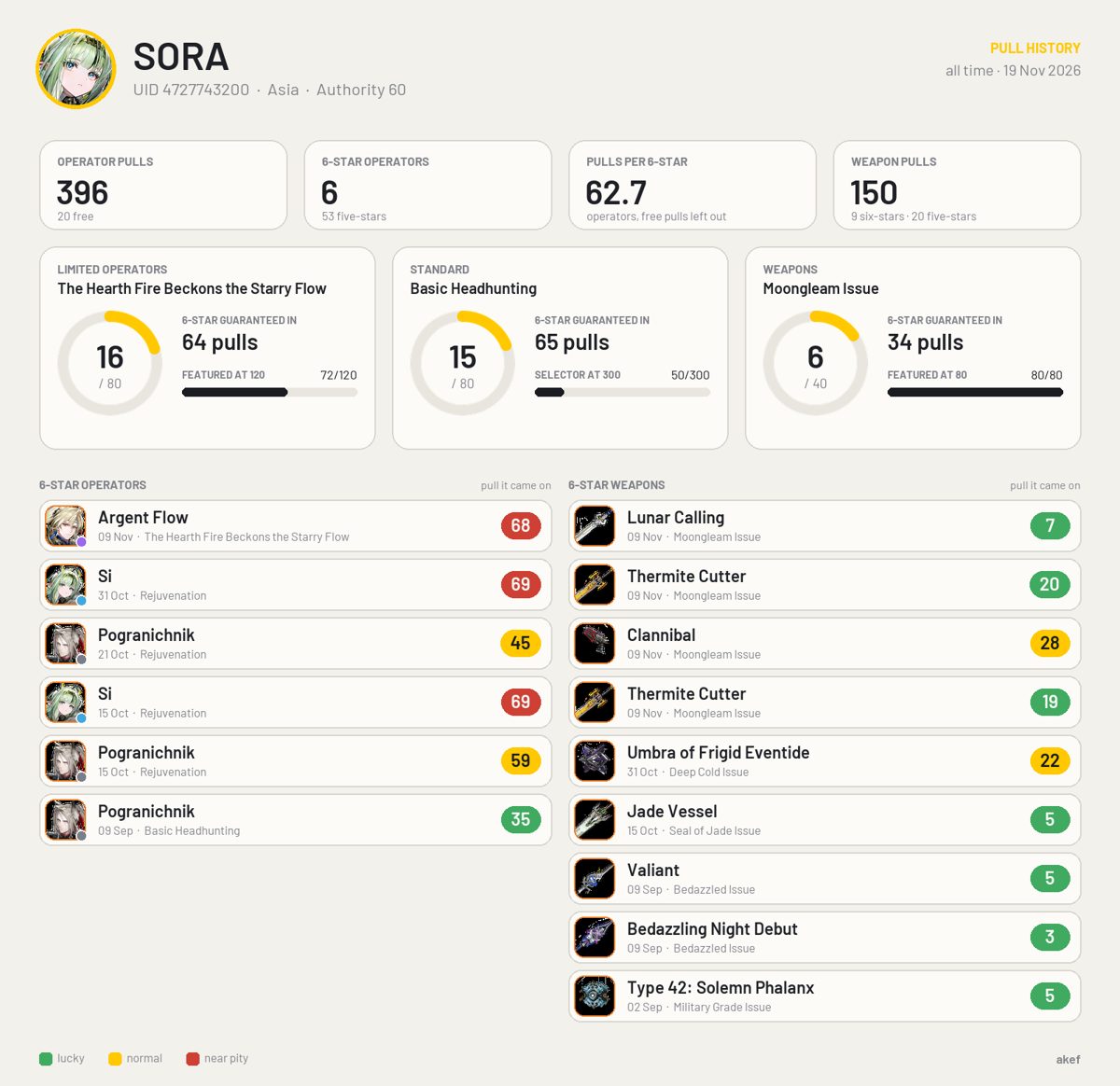
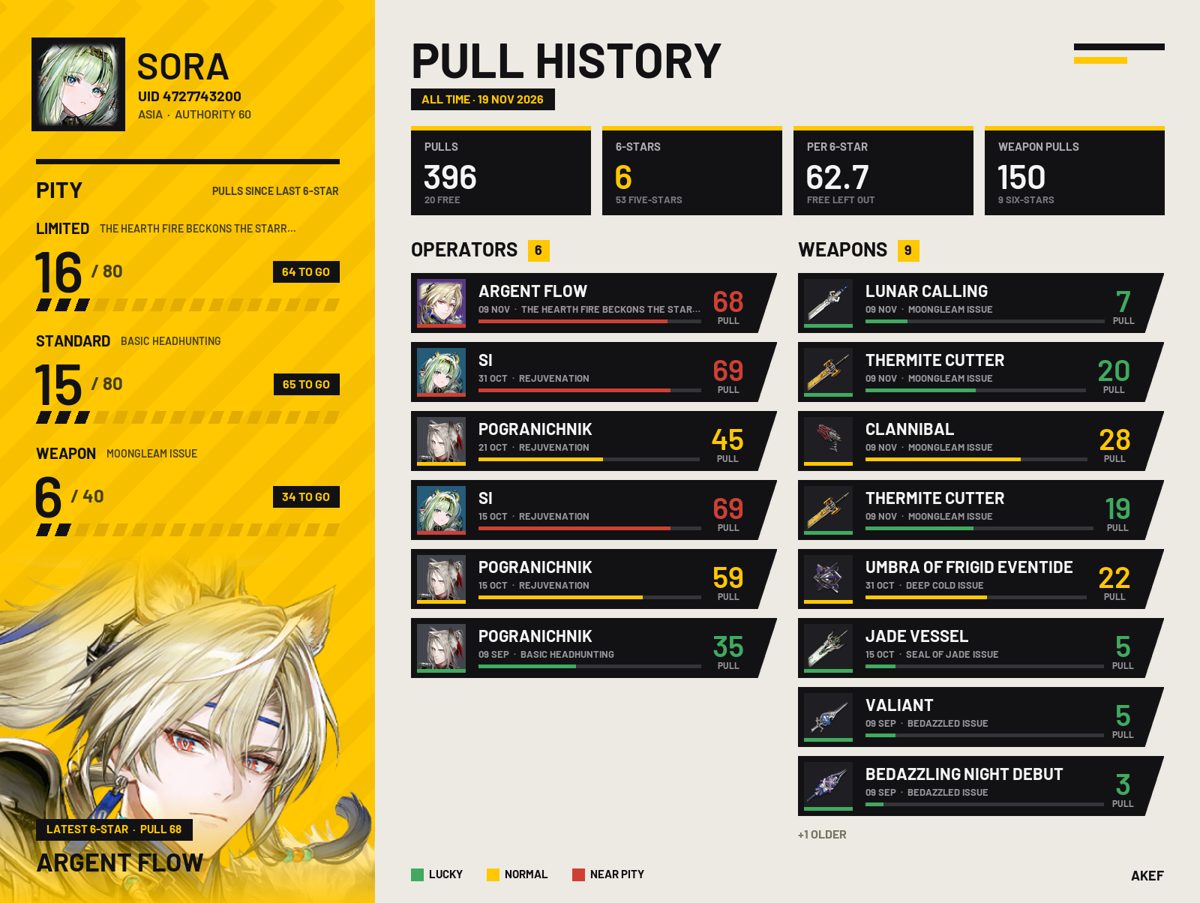
| Pull history | render_pulls(history) |
1 board, 2 poster | skport |
| Live status | render_live(live) |
1 light, 2 dark | skport |
| Monument | render_monument(monument) |
1 | skport |
| Monument event | render_monument_event(monument) |
1 light, 2 dark | skport |
| Factory | render_factory(factory) |
1 light, 2 dark | skport |
| Contingency Contract | render_contract(contracts) |
1 light, 2 dark | skport |
| Contract detail | render_contract_detail(detail) |
1 light, 2 dark | skport |
| Wiki | render_wiki_pages(page) |
1 light, 2 dark | skport wiki |
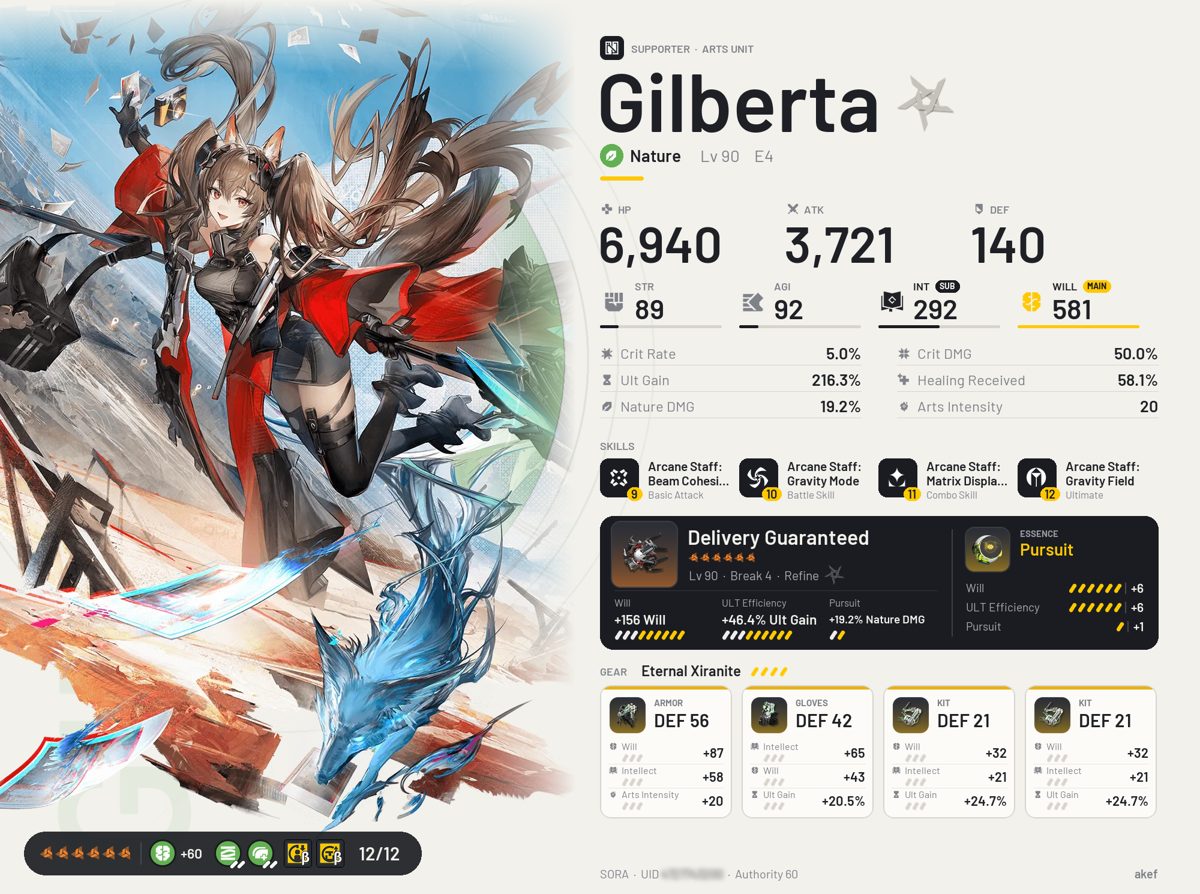
Operator
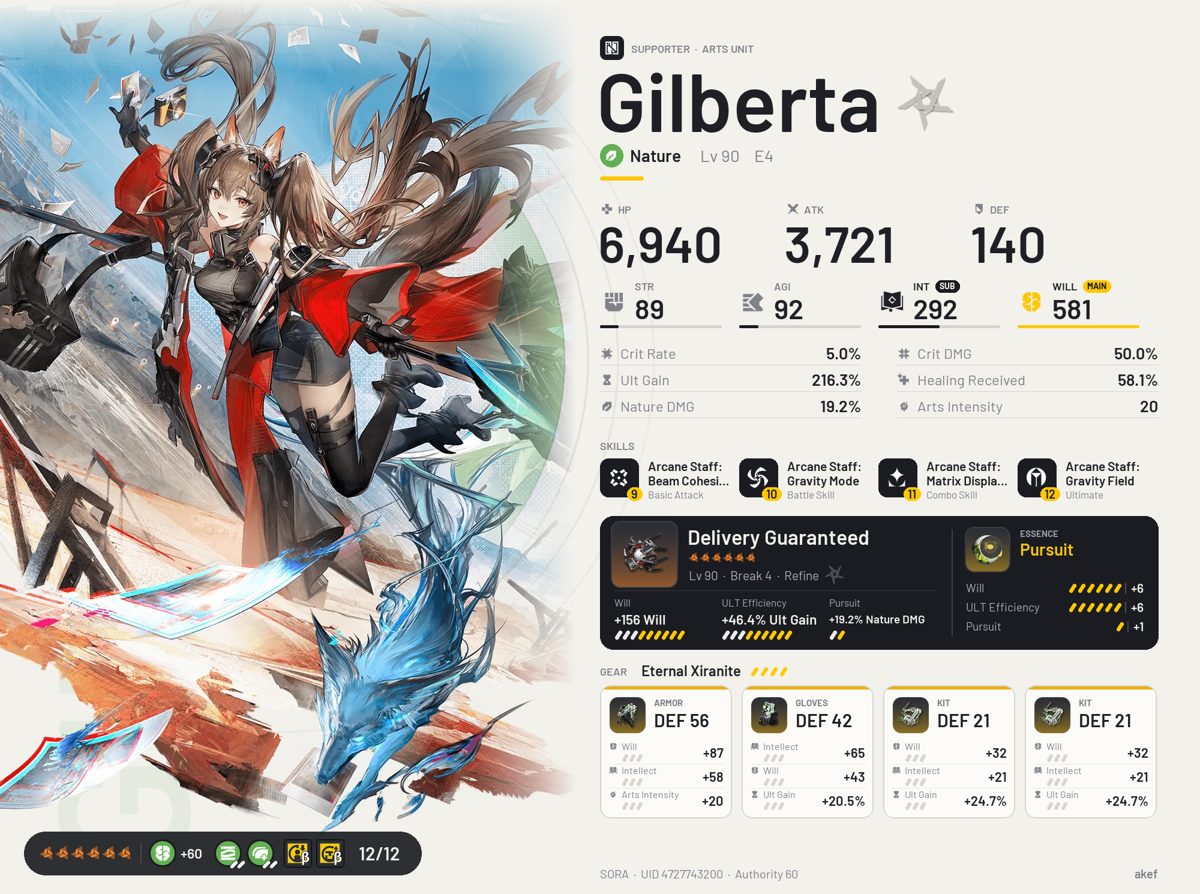
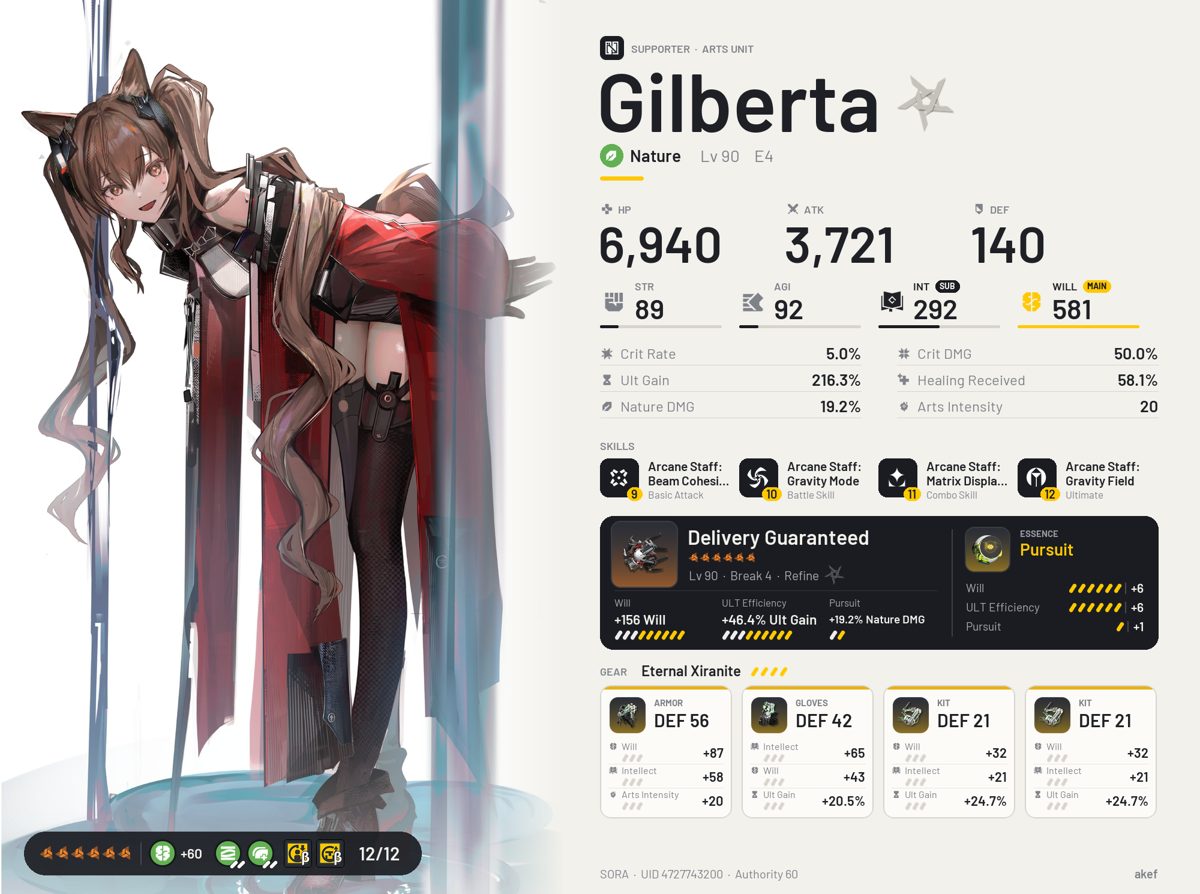
image = await cards.render(build)                # light
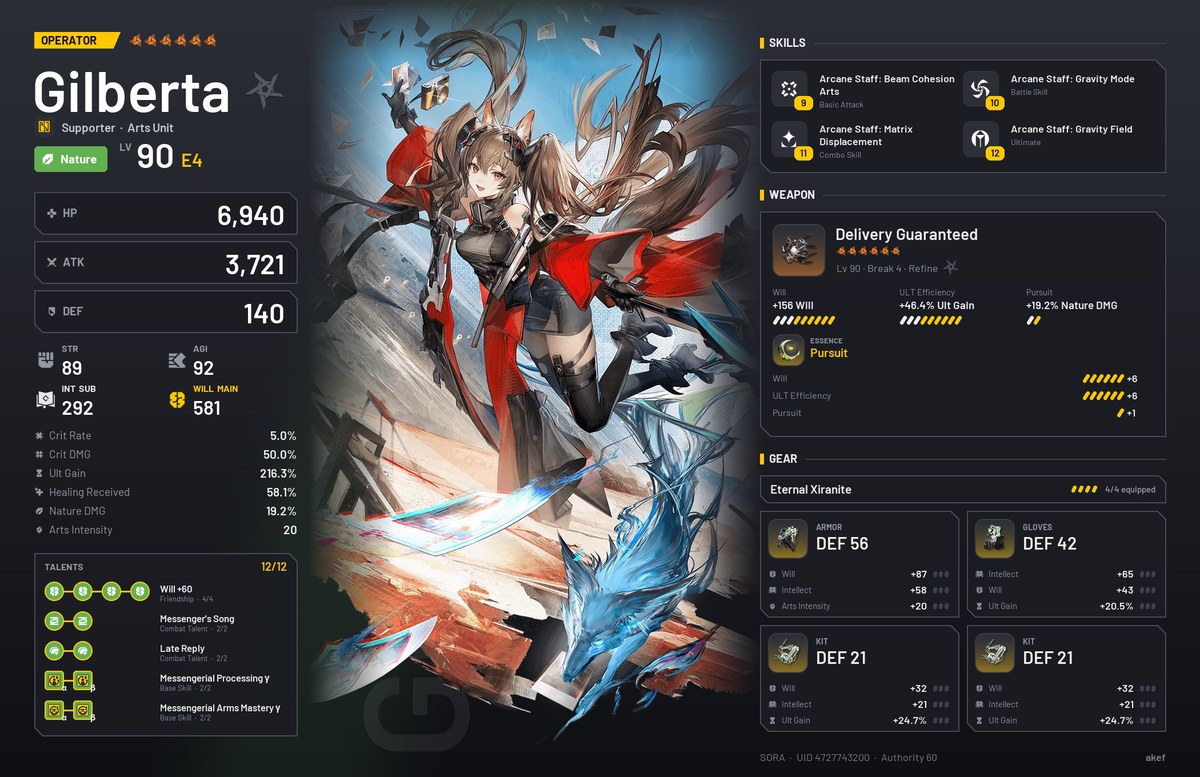
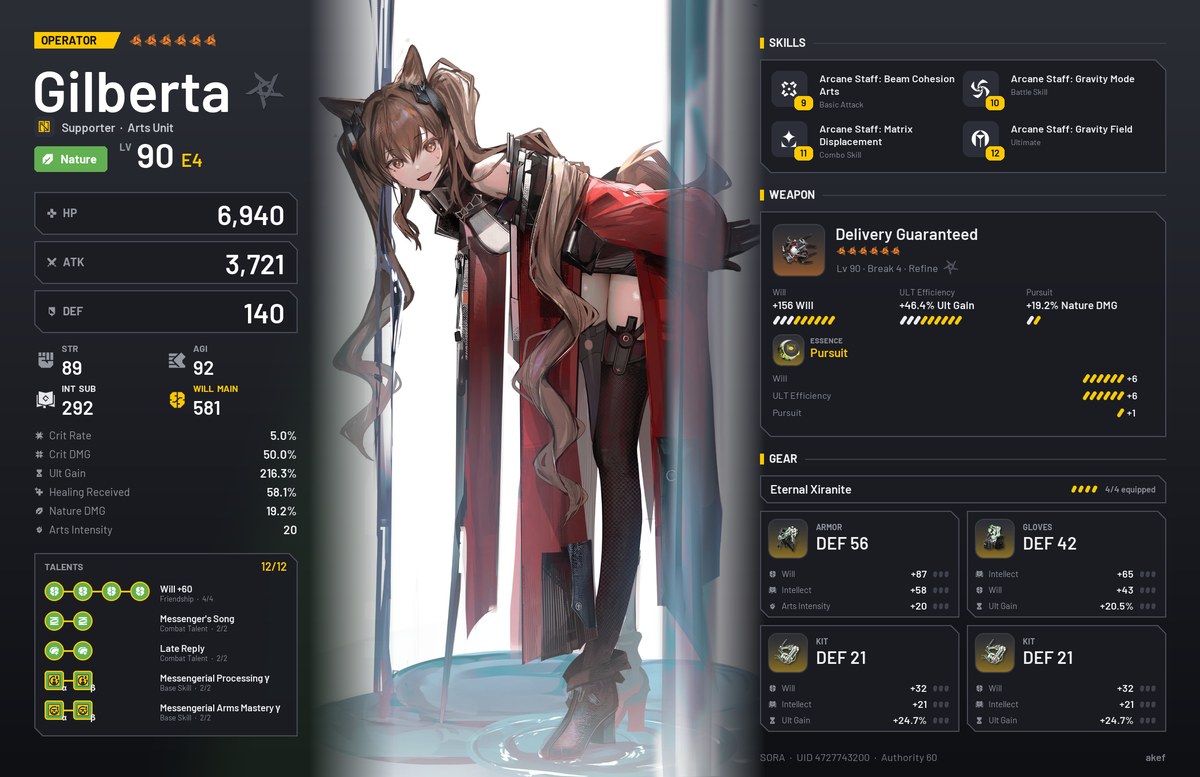
image = await cards.render(build, template=2)    # dark, game menu style
Stats are checked against the in-game screen and they match, rounding and all. Enka's site gives Gilberta's ult gain a talent bonus the game doesnt, so for her we go with the game.
Template 1
Template 2
Custom art
Dont like the default splash? Pass art= with your own. A file path, a url, raw bytes or a Pillow image all
work, on both templates. On template 1 the art takes the whole left side, no circles behind it.
image = await cards.render(build, art="my_art.png")
image = await cards.render(build, art="https://example.com/art.png")
image = await cards.render(build, art=attachment_bytes, template=2)   # from a bot upload
image = await cards.render(build, art=pillow_image)                   # edit it first if you want
Custom art is never saved to the disk cache. Some image hosts block scripts, if a url fails download it
yourself and pass the bytes. custom_art.py makes the ones below.
Custom art examples
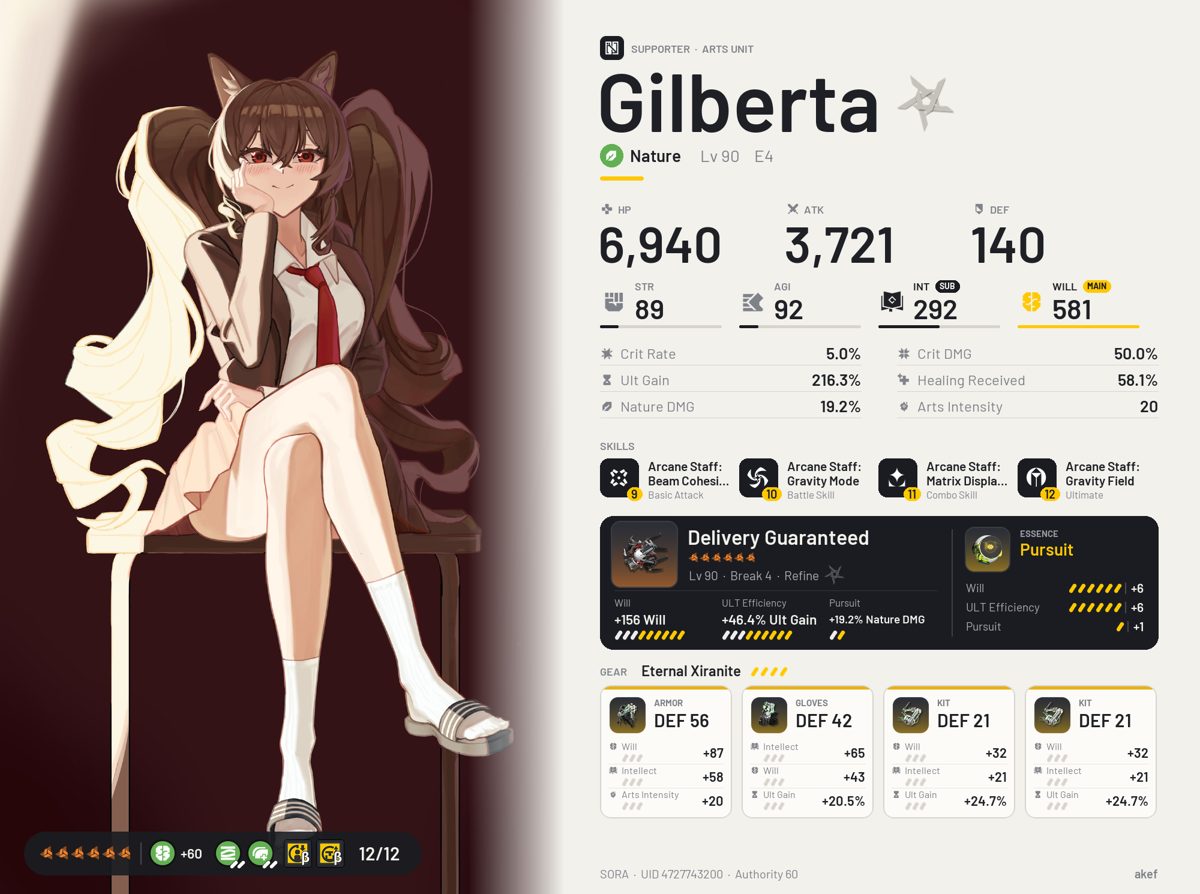
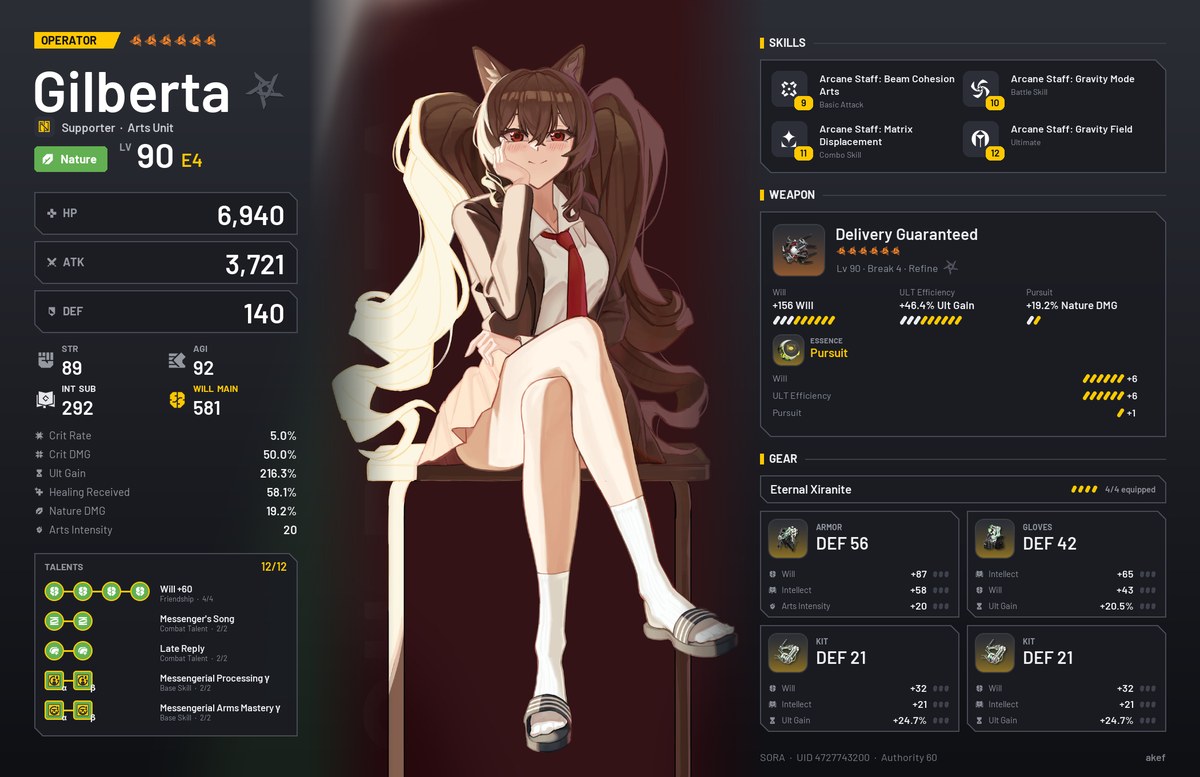
art by pigeonfight99
art by kisaragi_pana
Compare
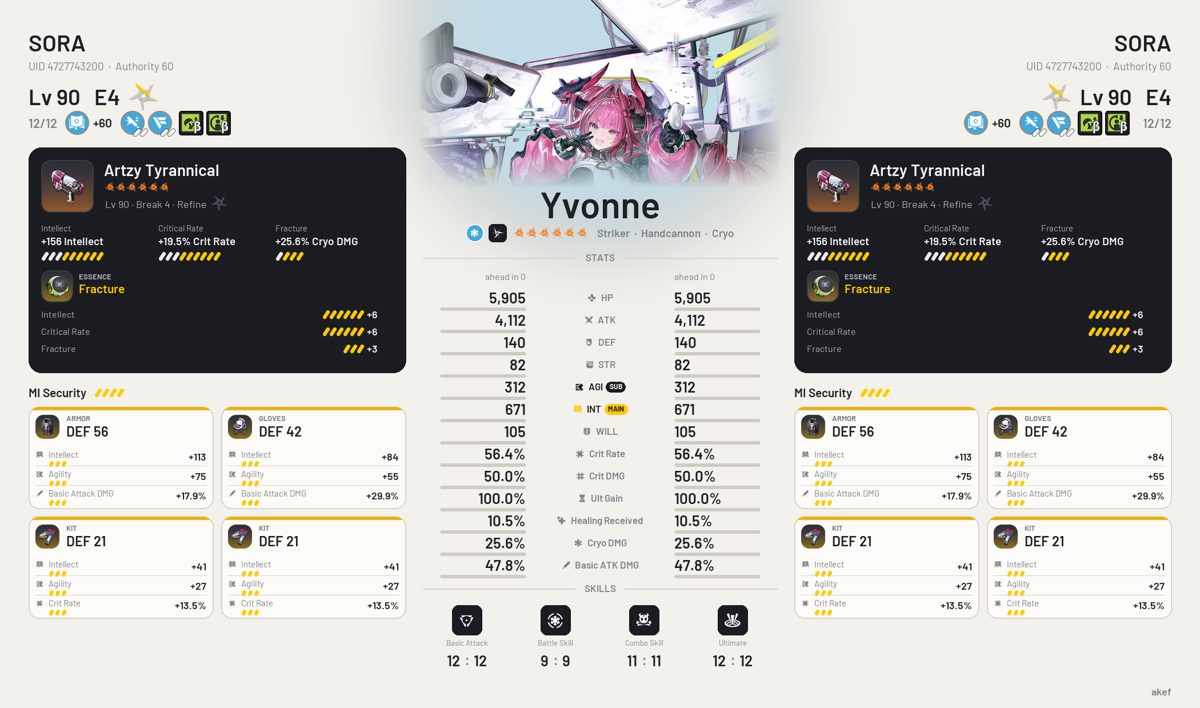
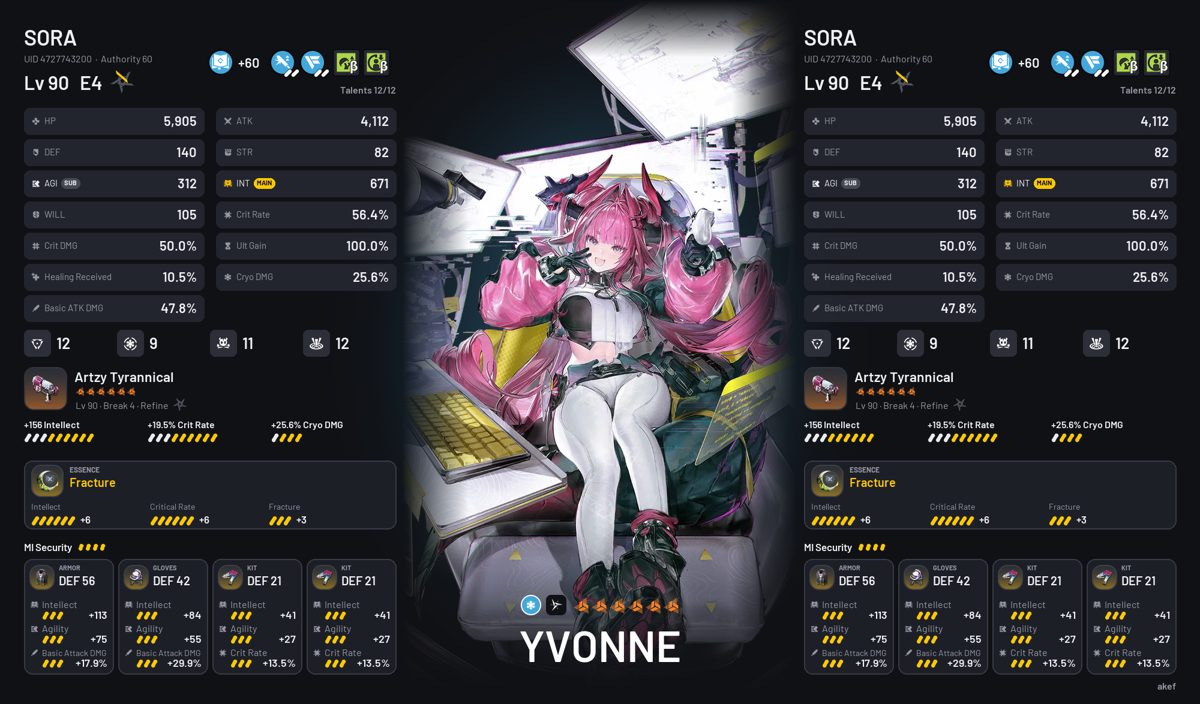
Two UIDs and an operator, or a list of them. One card per operator that both players are showing. If only one of them has it, its skipped with a warning.
pages = await cards.render_compare(uid_a, uid_b, "Yvonne")
pages = await cards.render_compare(uid_a, uid_b, ["Gilberta", "Yvonne"], template=2)
Template 1
Template 2
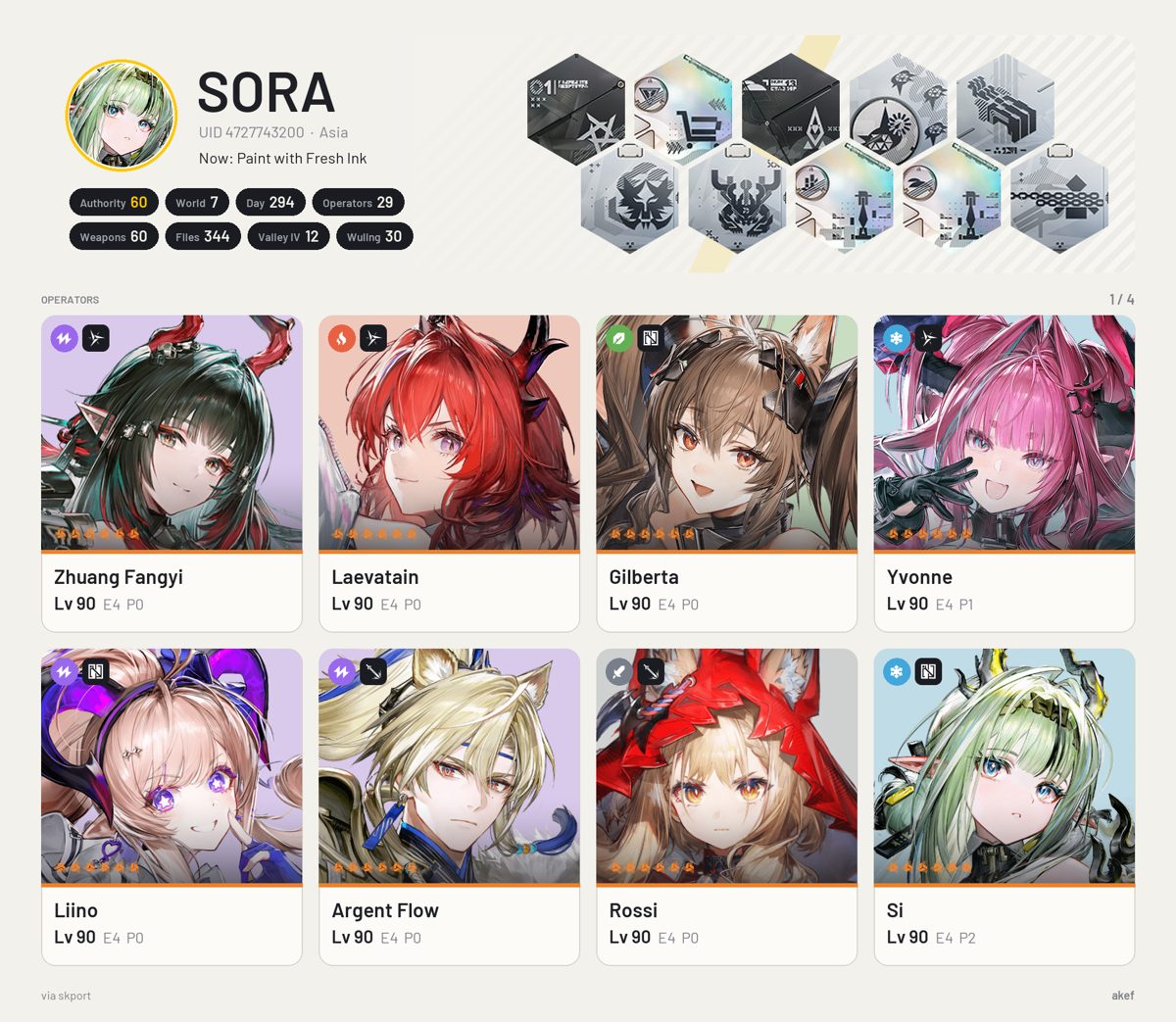
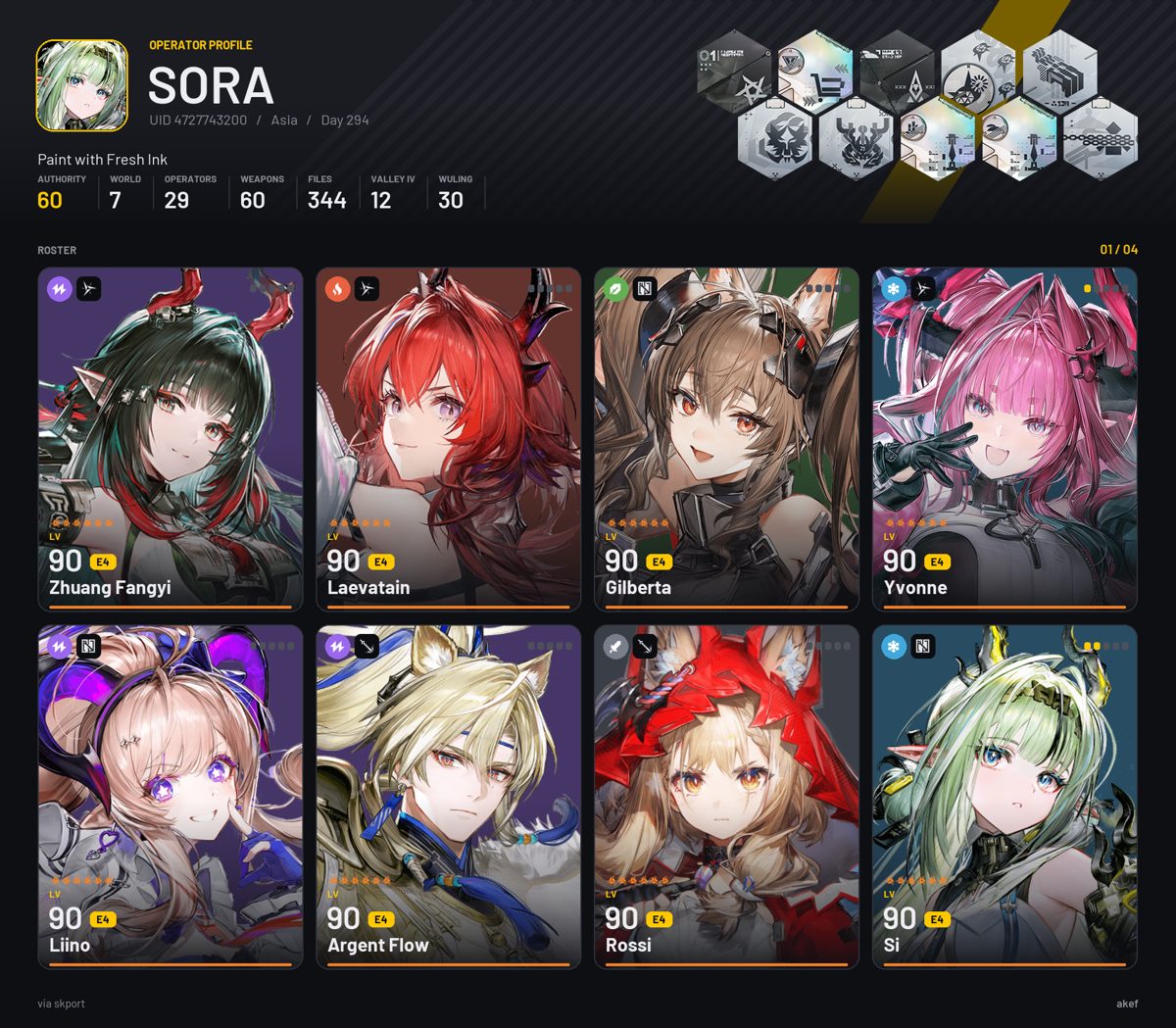
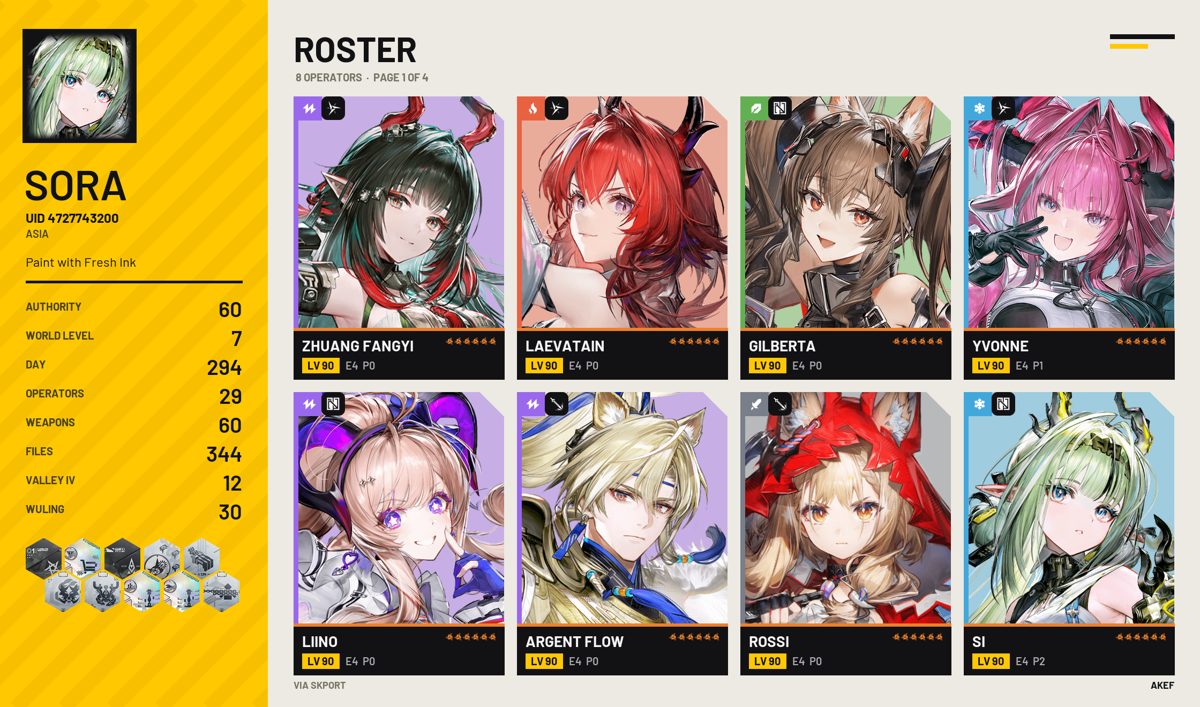
Profile
[image] = await cards.render_profile(profile.player)                        # enka, always one page
pages = await cards.render_profile(cards.skport_player(card), grid="3x3")   # skport, whole roster so many pages
SKPORT gives the full roster, so a big account becomes a few images with 8 or 9 operators each. Enka is one page since it only has the showcase.
Template 1
Template 2
Template 3
SKPORT cards
card = await client.card()

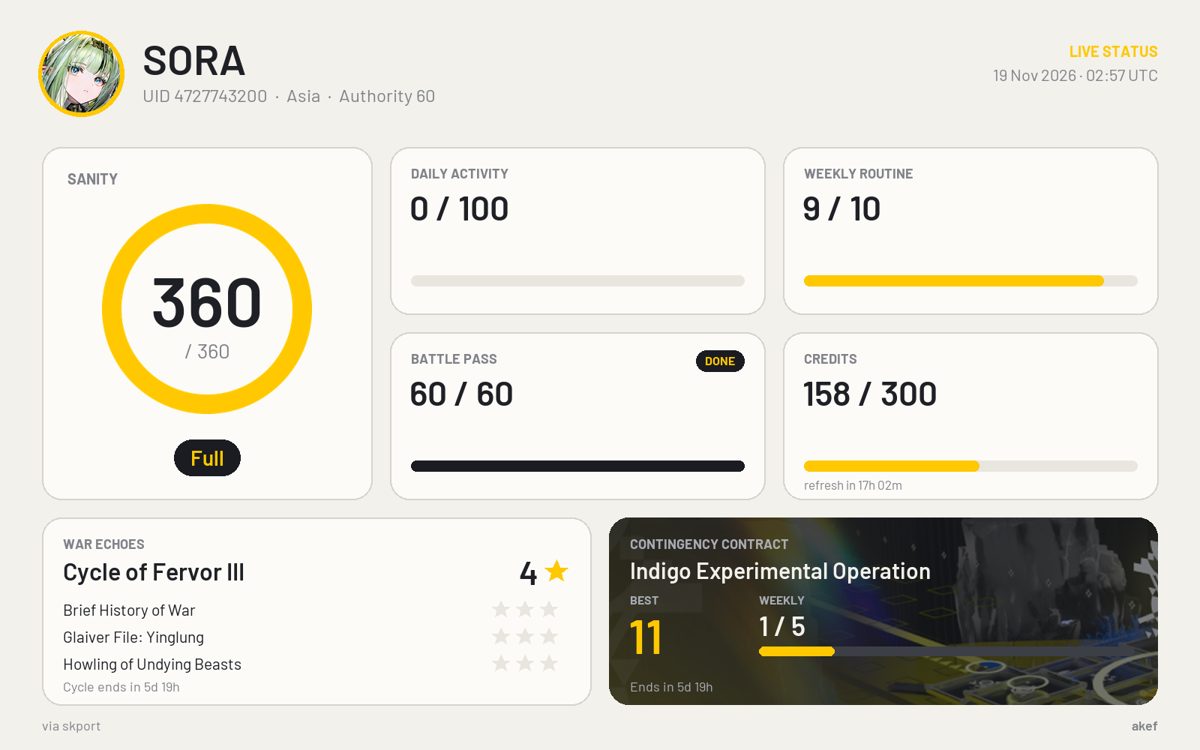
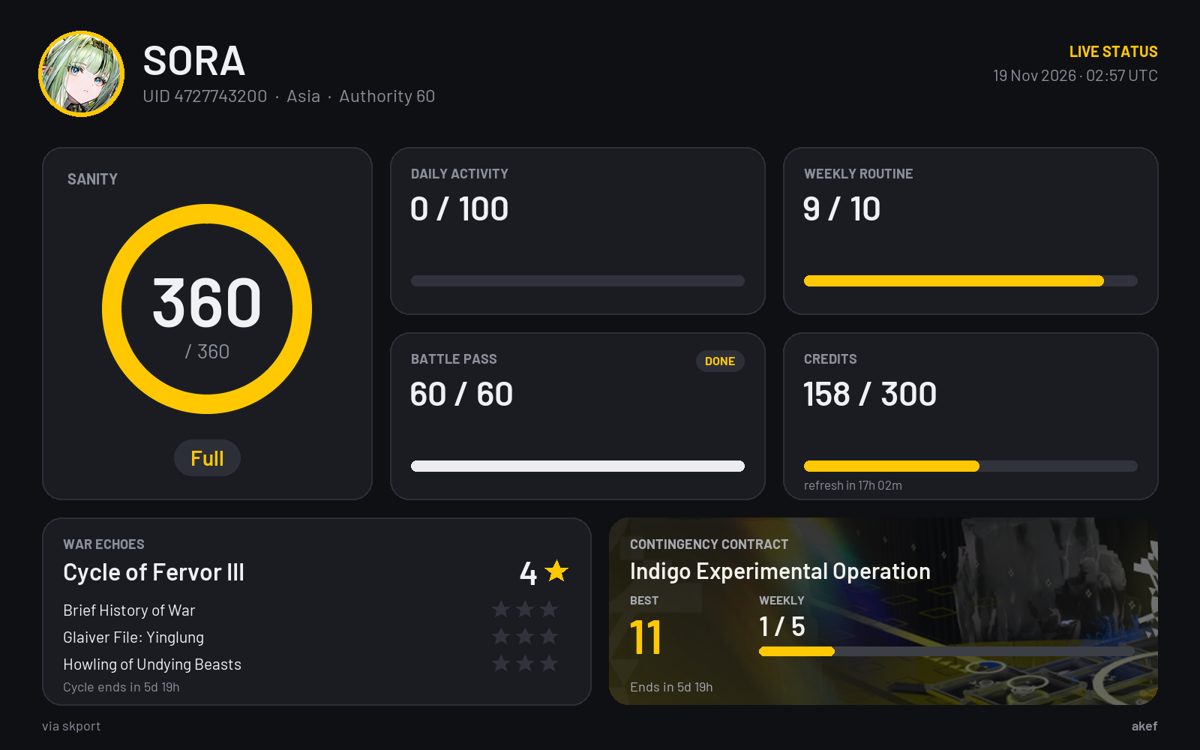
image = await cards.render_live(cards.skport_live(card), template=2)
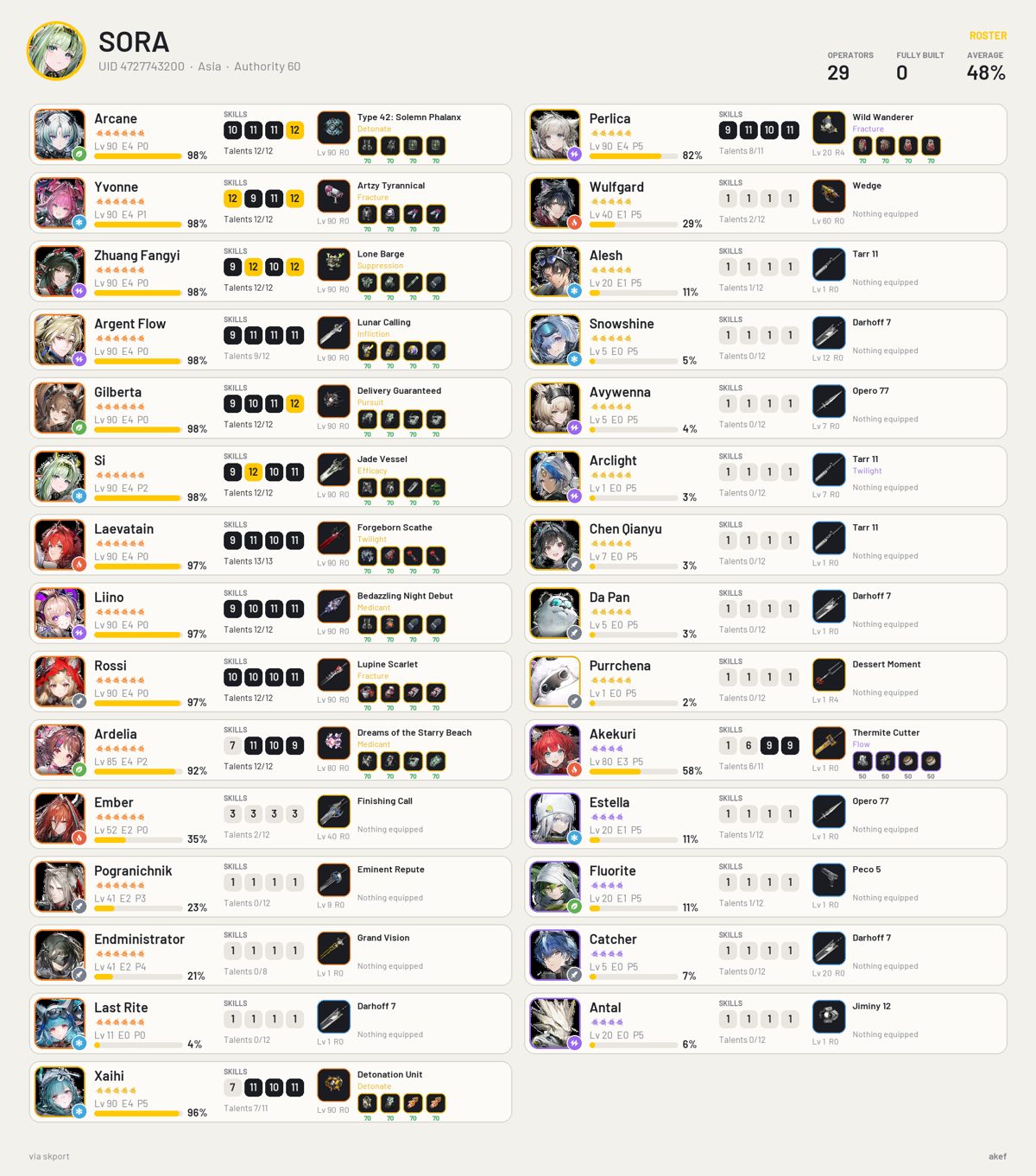
image = await cards.render_roster(cards.skport_roster(card))
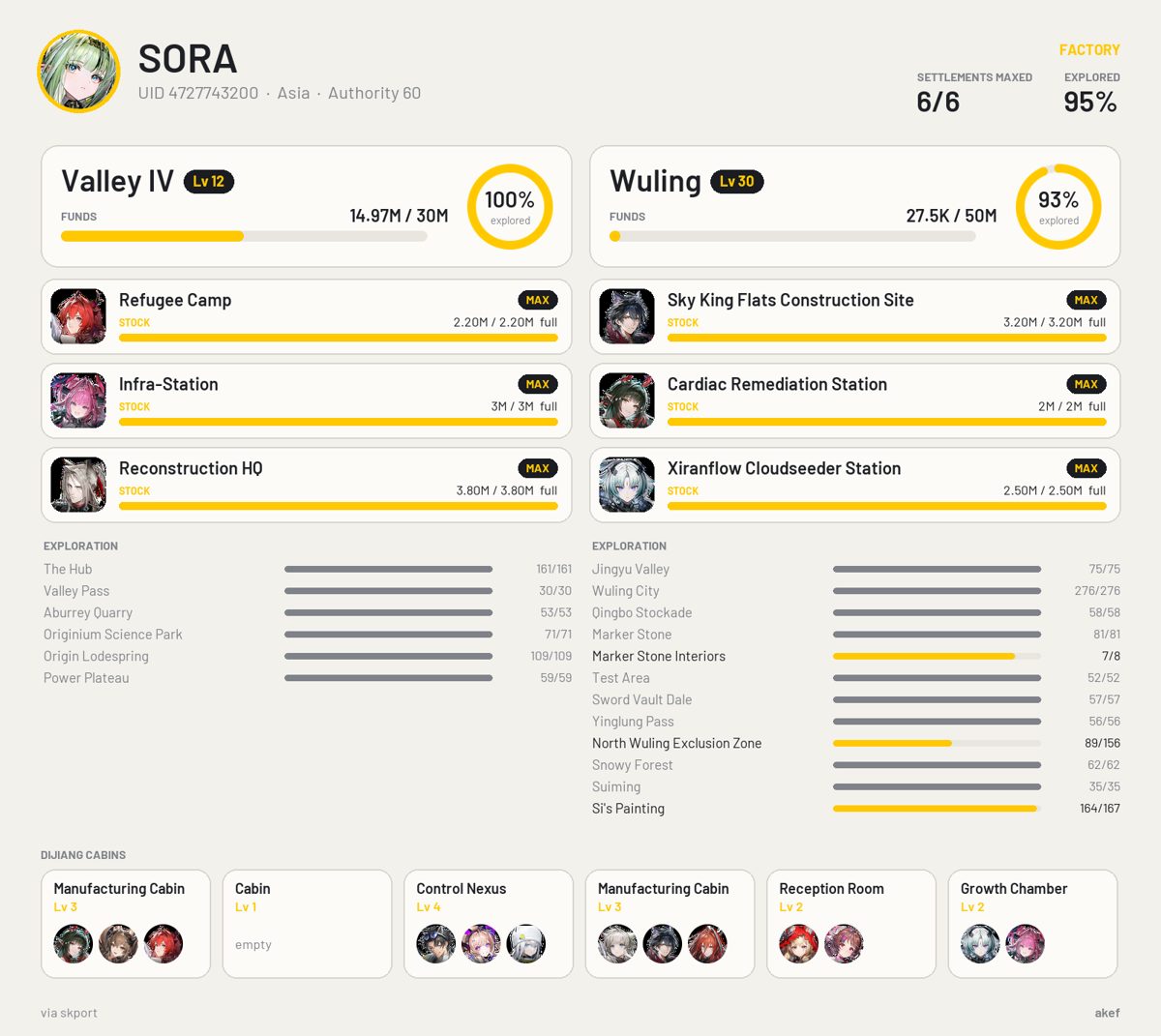
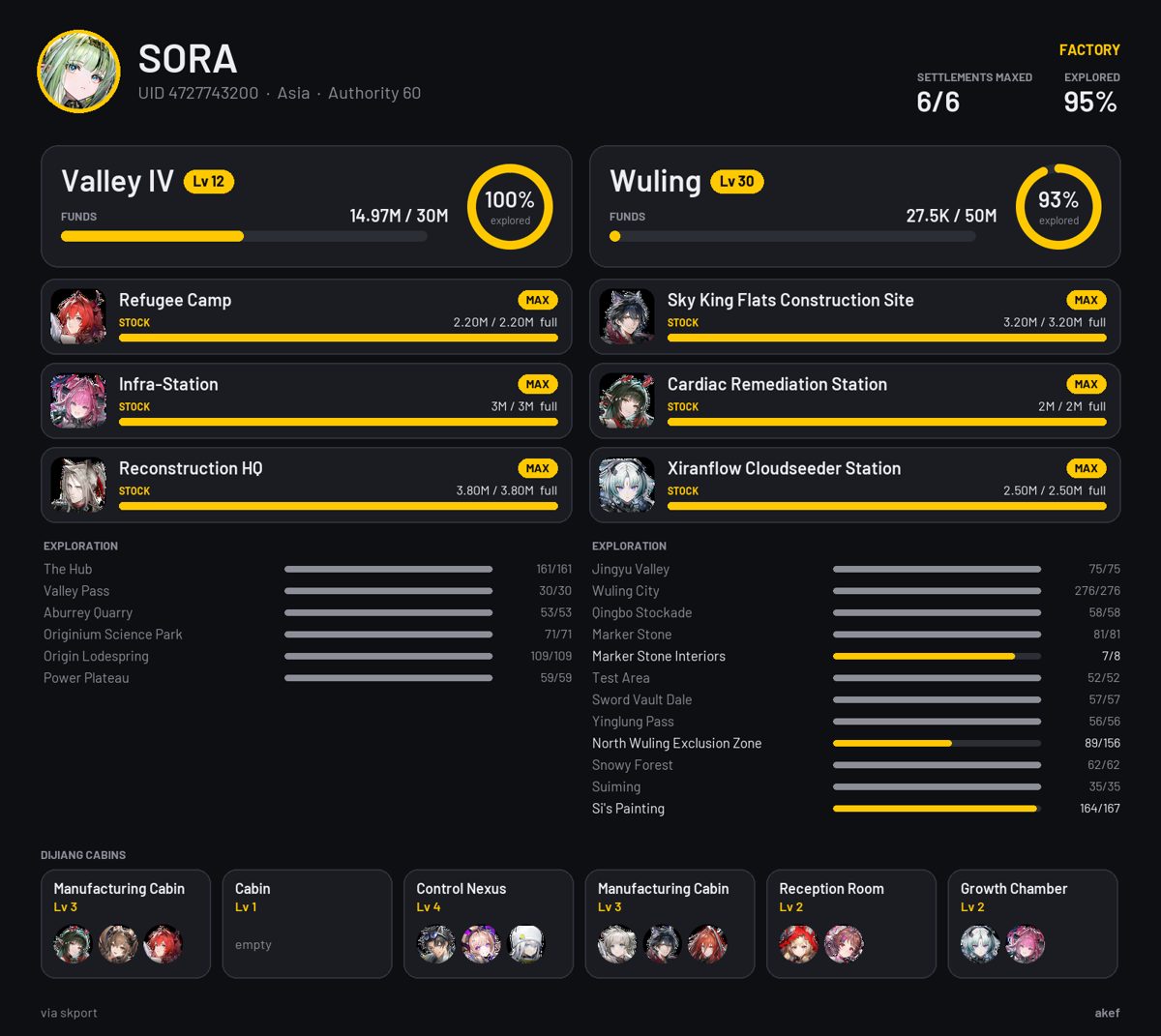
image = await cards.render_factory(cards.skport_factory(card))
image = await cards.render_pulls(await cards.skport_pulls(card, await client.pulls()))
image = await cards.render_pulls(await cards.skport_pulls(card, pulls, after=date(2026, 10, 1)))  # just a period
Live status
Roster
Factory
Pull history
Monument
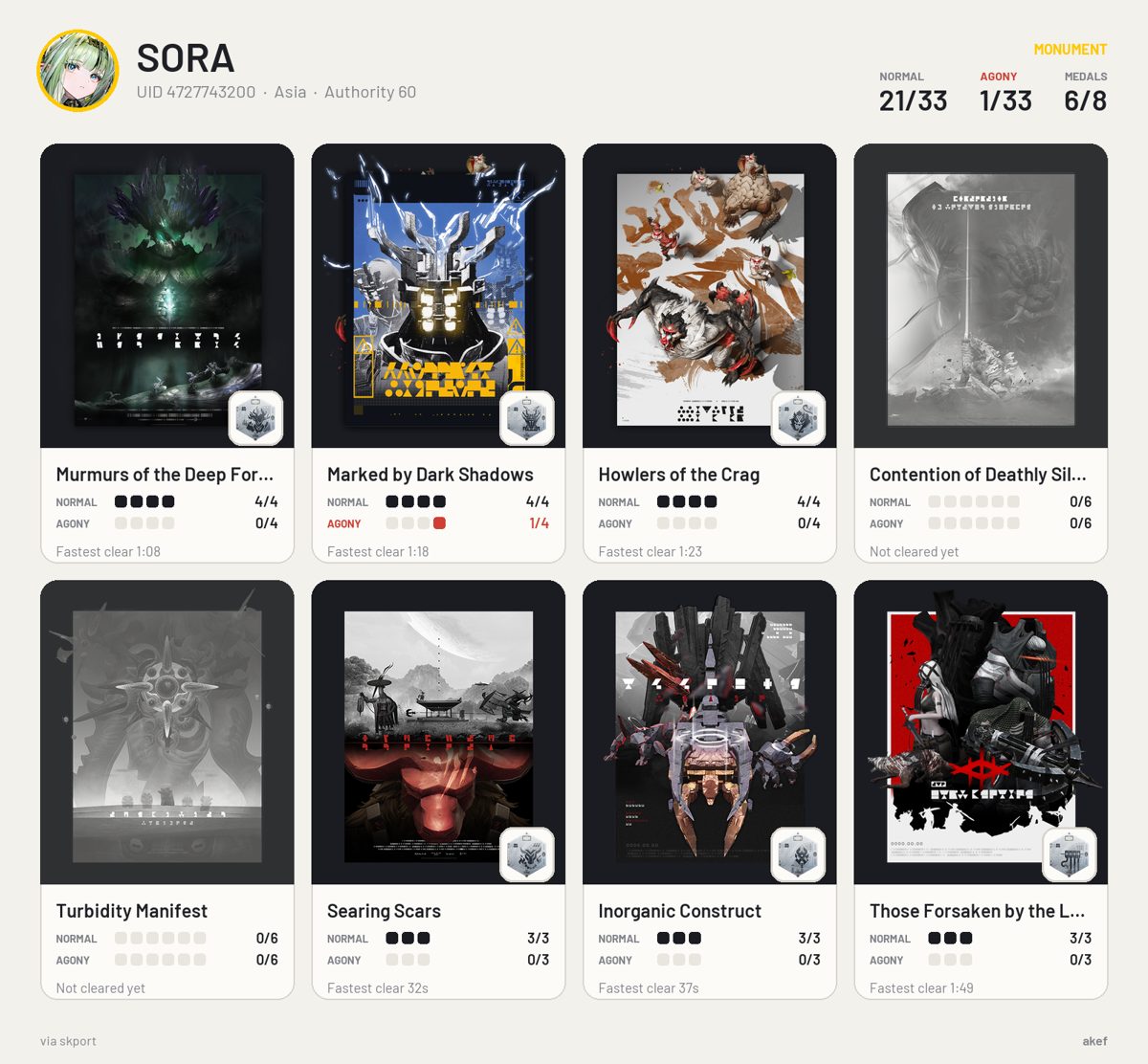
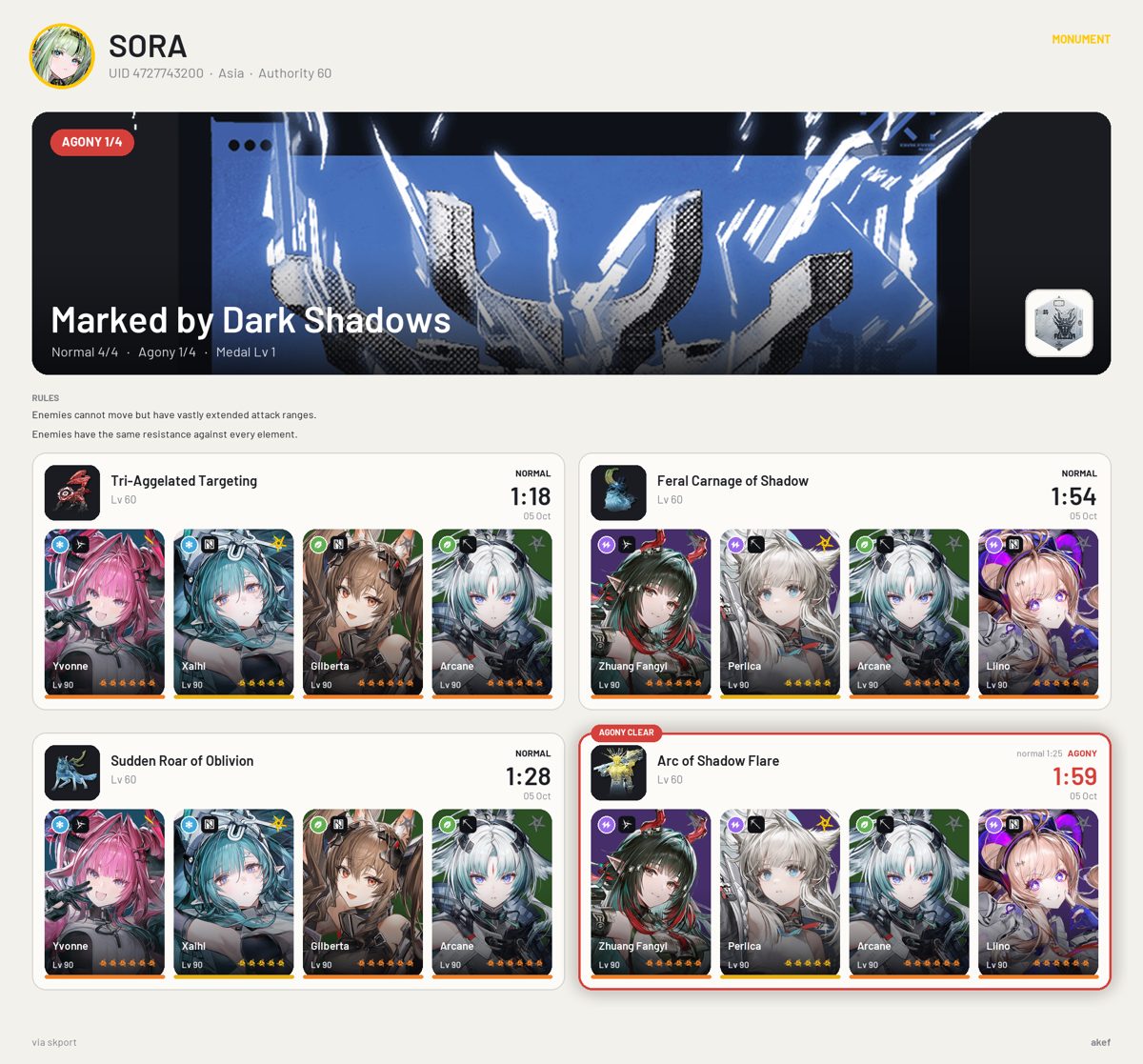
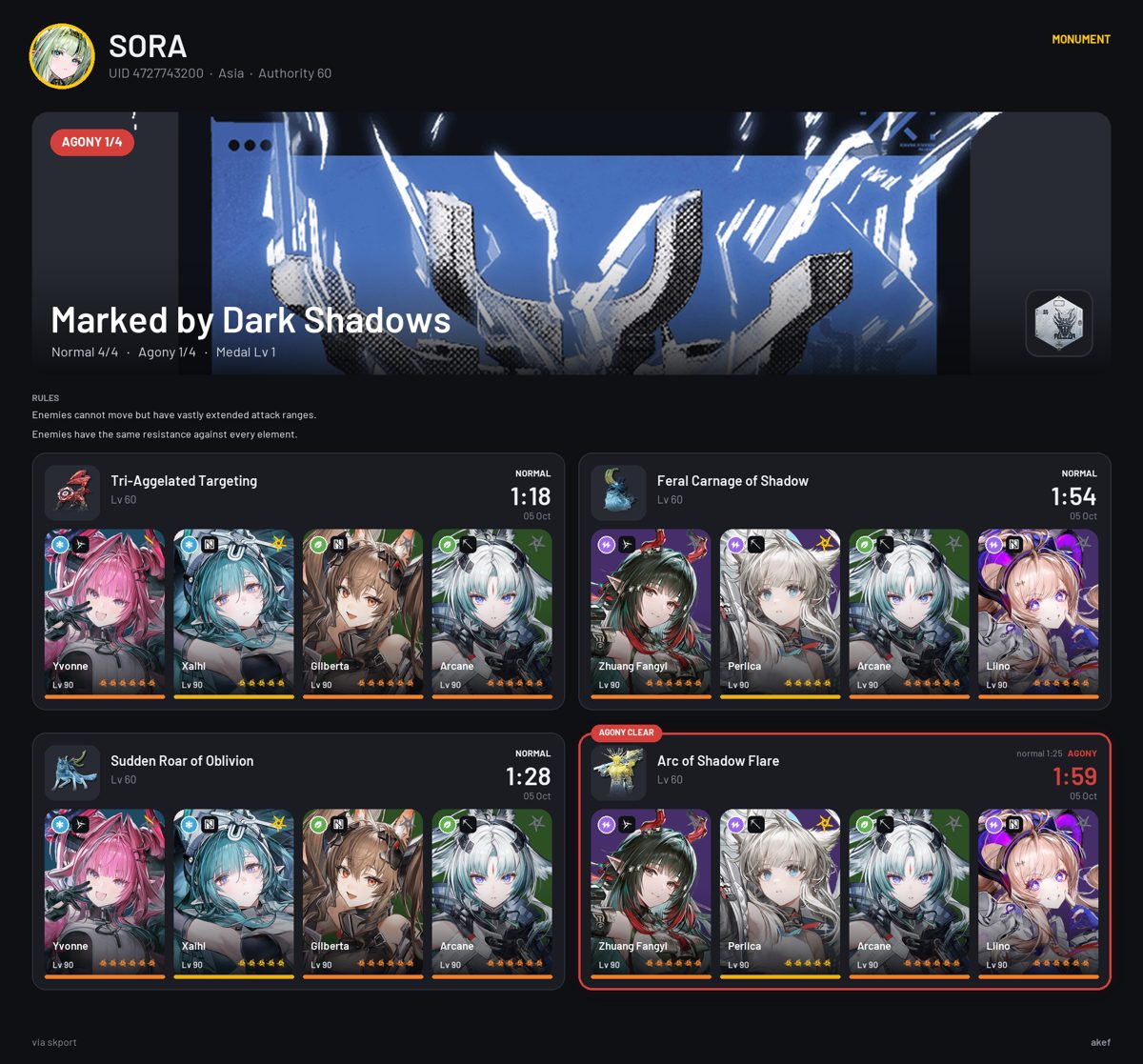
The overview shows every event at once. The event card goes deep on one: each stage, the clear time and the team you used, as big portraits so you can flex. Agony clears get a red frame.
monument = cards.skport_monument(card, await client.monument())
overview = await cards.render_monument(monument)

latest = await cards.render_monument_event(monument)                         # newest event
one = await cards.render_monument_event(monument, "Marked by Dark Shadows")
many = await cards.render_monument_event(monument, ["Searing Scars", 0])     # list in, list out
Overview
Event, light and dark
Contingency Contract
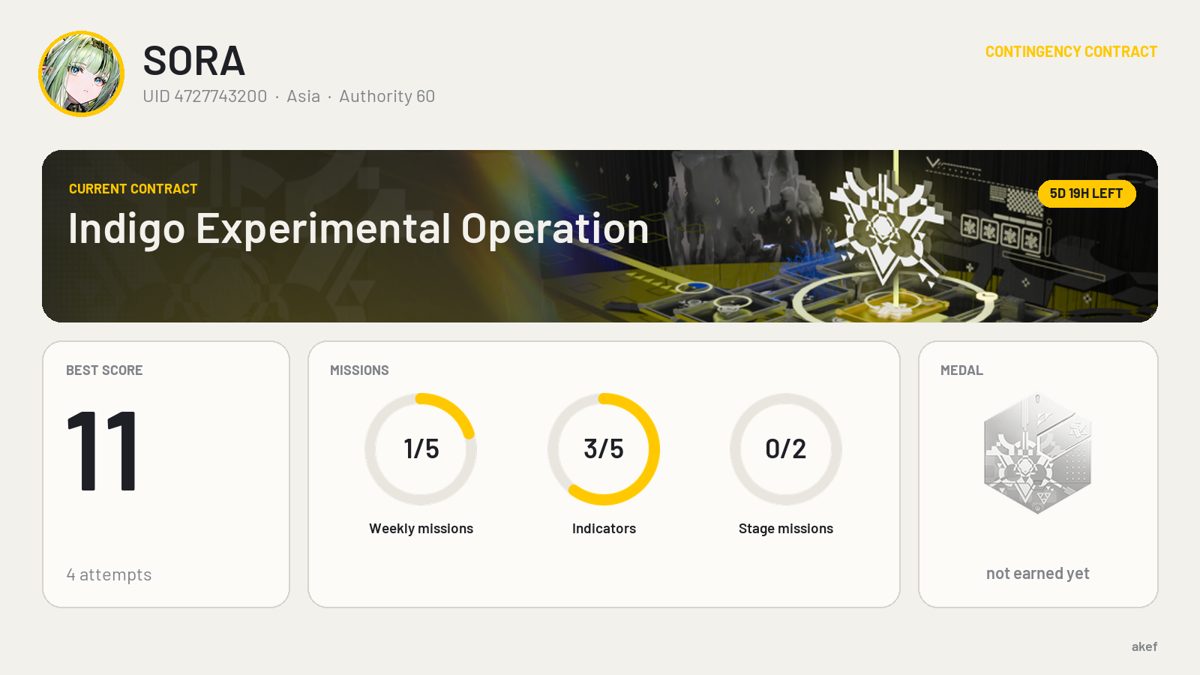
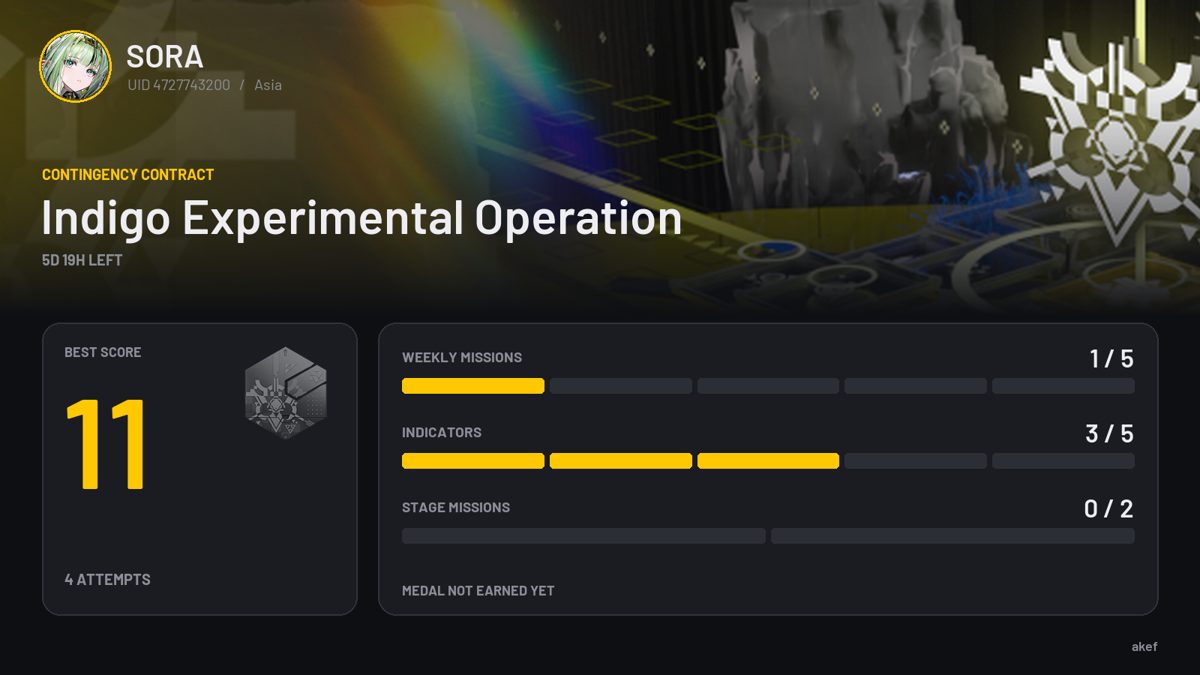
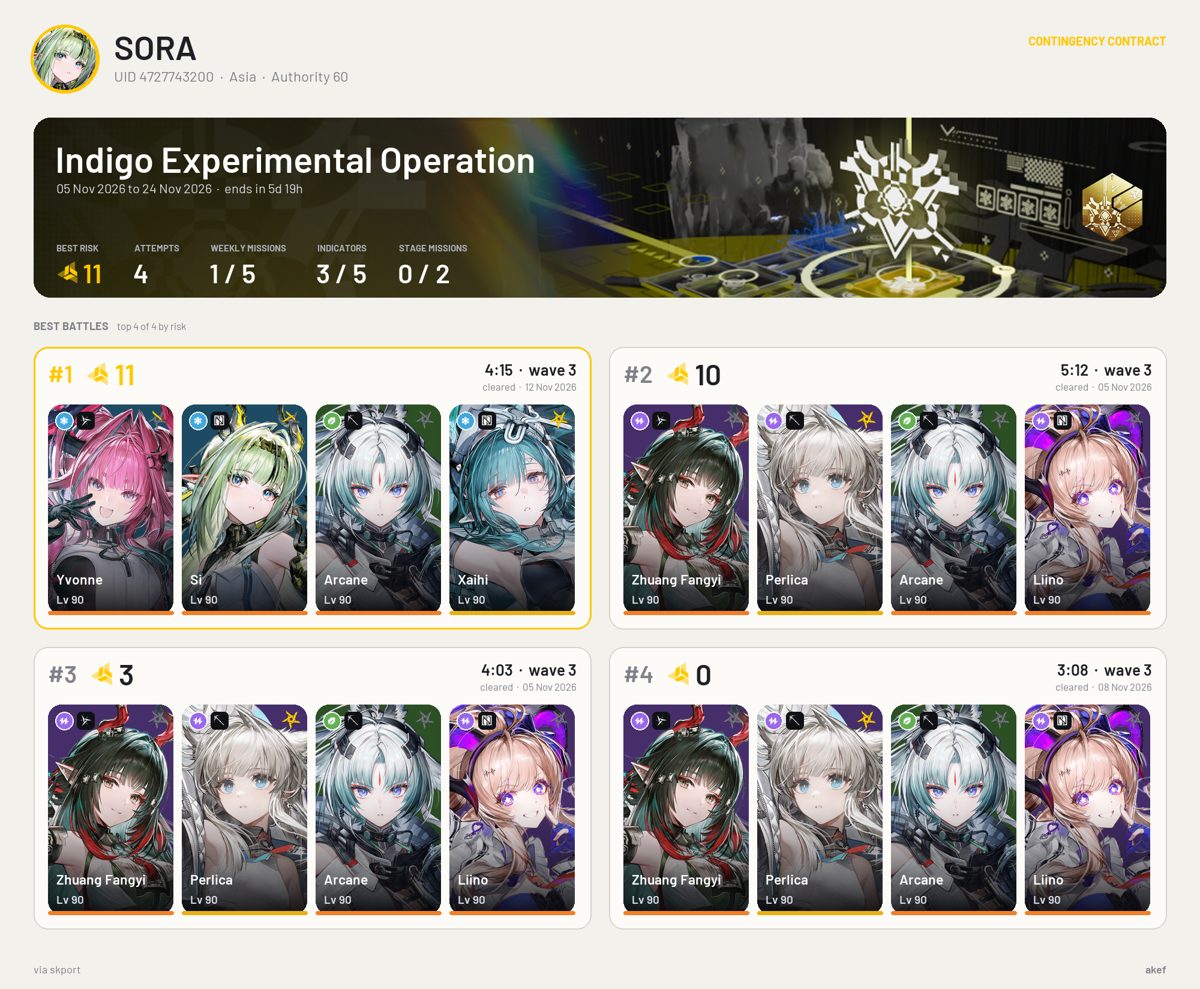
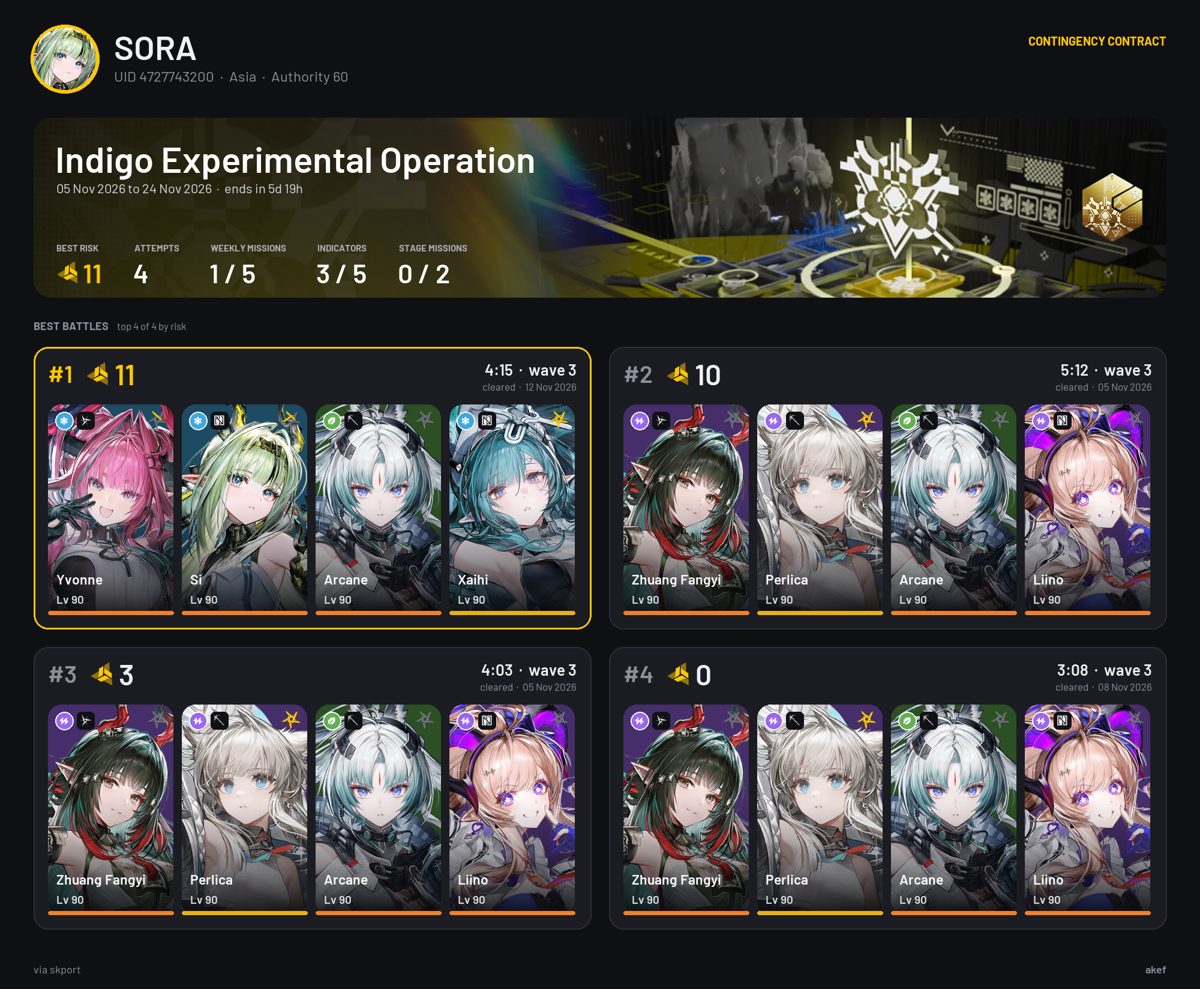
A summary card, and a detail one with your best 4 battles and the teams you ran.
image = await cards.render_contract(cards.skport_contract(card))

detail = cards.skport_contract_detail(card, await client.contract())
image = await cards.render_contract_detail(detail, template=2)
Summary
Detail
Wiki
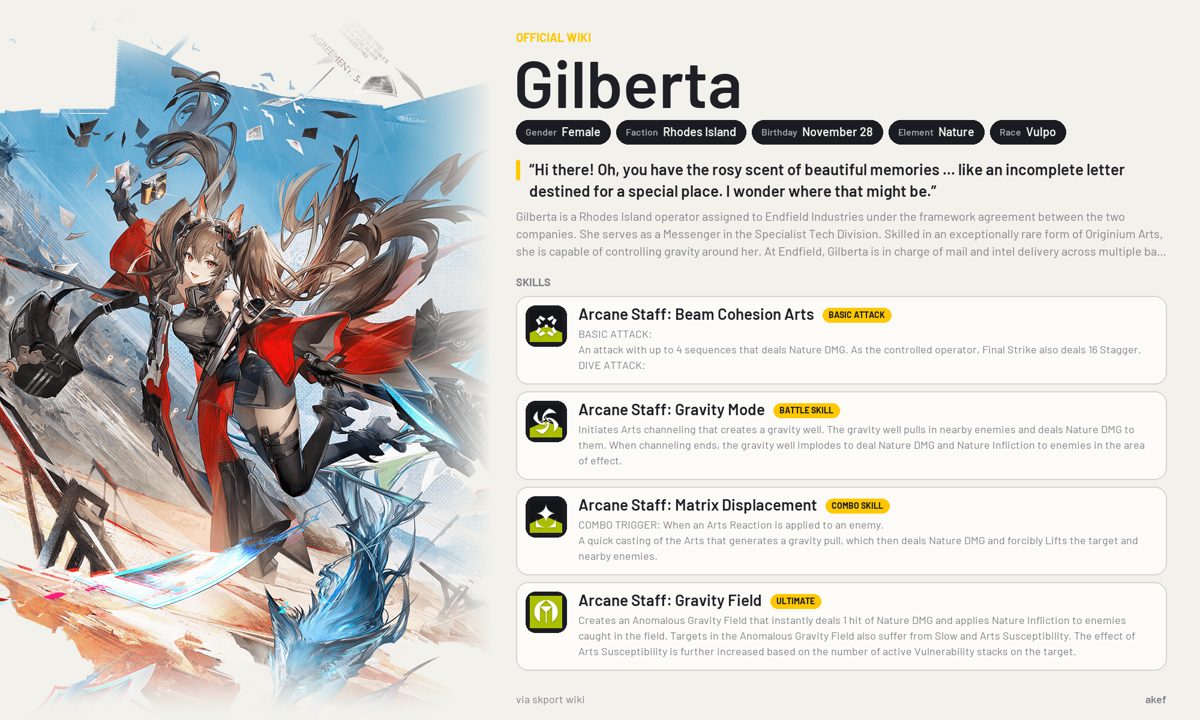
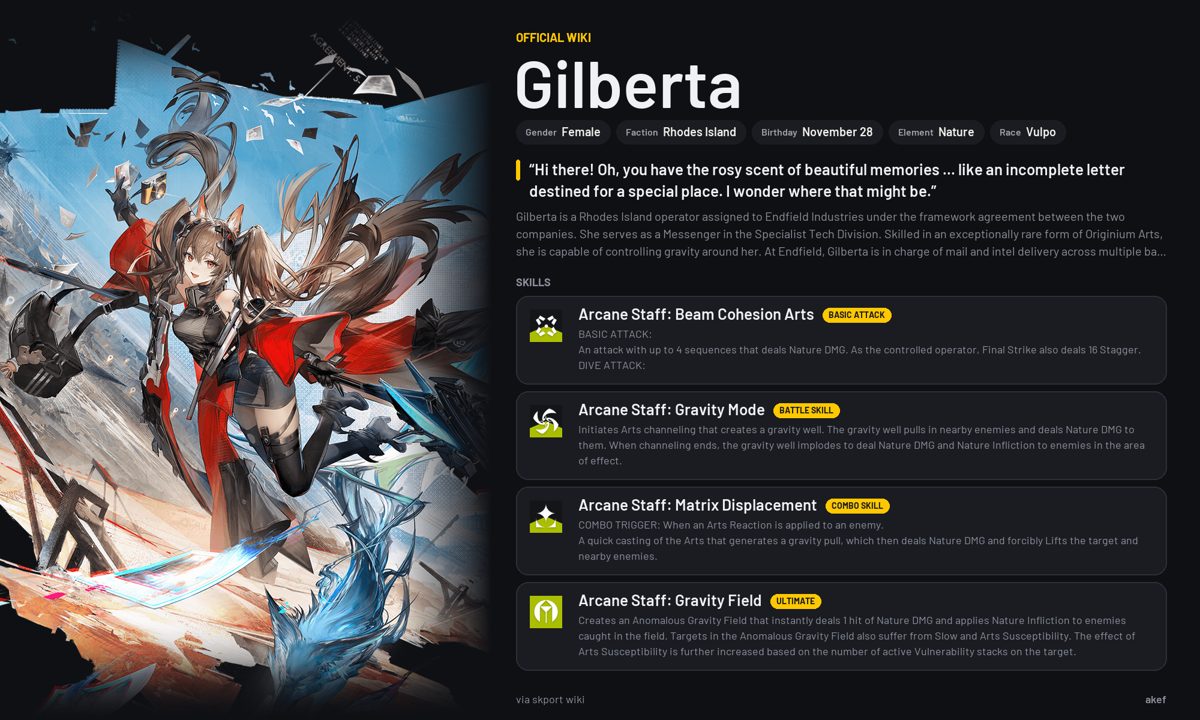
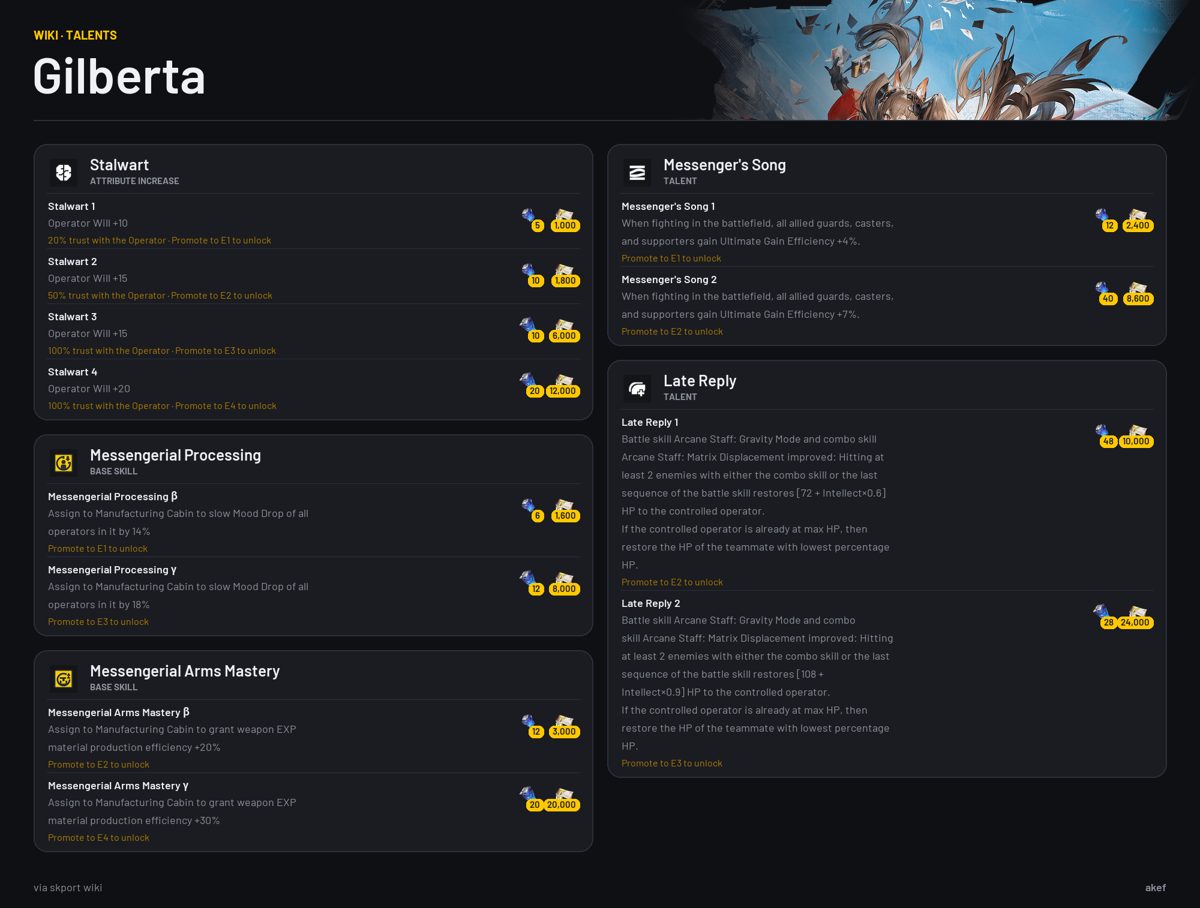
An operator's page from SKPORT's official wiki, split in six cards: overview, skills, talents, growth, profile and lore.
from akef import WikiPart

ops = await client.wiki("operators")
item = await client.wiki_item(next(o for o in ops if o.name == "Arcane").id)
page = cards.wiki(item, await client.wiki_index())          # same as akef.wiki_page(...)
pages = await cards.render_wiki_pages(page)                                    # all six
pages = await cards.render_wiki_pages(page, [WikiPart.SKILLS, WikiPart.LORE])  # just these
image = await cards.render_wiki(page, "talents", template=2)                   # one
wiki_index() is one more round of requests that names the materials and weapons a page links to. Talents,
growth and profile need it, the other three dont.
Overview, light and dark
Talents
Options
| Option | Where | What it does |
|---|---|---|
template= |
every card with more than one look | picks the look |
hidden=True |
every card | blurs the UID |
art= |
operator card | your own art instead of the splash: image, bytes, path or url |
grid="3x3" |
profile | 9 operators a page instead of 8 |
lang= |
Cards(lang="ja") |
names in that language |
render_bytes() gives a BytesIO with a file name, ready to send if youre making a bot, and works for every card. Every Build also has
the plain numbers: build.stats.atk, build.gear[0].lines, build.skills and so on. Those come from akef,
see its Enka and final stats docs.
hidden=True
Caching
On by default, nothing to set up.
| What | Where | How long |
|---|---|---|
| splash art and icons | disk, survives restarts | until the folder hits 15 MB, oldest used go first |
| finished cards | memory | last 8 |
| enka player data | memory | enka's own ttl |
| game data tables | disk | until a patch needs new ones |
Images are saved by their file name, not the link, so when SKPORT moves a link it still hits the cache. Art you
pass with art= is never saved.
cards = akef_cards.Cards(cache_mb=100, kept_cards=32)   # more room
cards = akef_cards.Cards(cache_mb=None)                 # no size limit
cards = akef_cards.Cards(cache=False)                   # always fetch and draw fresh
cards.clear_cache()
Game data
Final stats are worked out by akef from Enka's public game data. The first card downloads the tables and keeps
them on disk, after a patch they refresh by themselves when something new shows up. If enka didnt add it yet
either you get akef.MissingGameData. Refresh by hand with await cards.update(). Details in
akef's docs.
Every method
All of them in one table
| Method | Does |
|---|---|
enka(uid) |
Enka profile: showcased builds plus player for the profile card |
skport(card, name, stats=True) |
a build for any operator on a SKPORT card |
skport_player(card) |
profile data with the whole roster |
skport_live(card) |
sanity, dailies, weeklies, battle pass, echoes, contract |
skport_roster(card) |
everyone you own with their training |
skport_factory(card) |
regions, settlements and Dijiang |
skport_pulls(card, pulls, after=None) |
pull history ready to draw |
skport_monument(card, monument) |
monument events and clears |
skport_contract(card) |
contract summary |
skport_contract_detail(card, detail) |
contract runs and teams |
wiki(item, index=None) |
a readable wiki page |
render(build, template, art, hidden) |
operator card |
render_bytes(card, format="PNG", ...) |
any card as a file for bots, render_compare_bytes() and render_monument_event_bytes() for those two |
render_compare(a, b, names, template) |
two players side by side |
render_profile(player, template, grid) |
profile pages |
render_live(live, template) |
live status |
render_roster(roster) |
roster board |
render_factory(factory, template) |
factory |
render_pulls(history, template) |
pull history |
render_monument(monument) |
every monument event |
render_monument_event(monument, event, template) |
one event, or a list |
render_contract(contracts, template) |
contract summary |
render_contract_detail(detail, template) |
best 4 contract runs |
render_wiki(page, part, template) |
one wiki card |
render_wiki_pages(page, parts, template) |
several wiki cards |
update() |
refresh game data |
clear_cache() |
forget cached cards and Enka answers |
Every render_* takes hidden=True too, except the wiki ones, theres no UID on those.
Languages
Names follow Enka's 14 languages. Our own labels are English for now, anything not translated is drawn in English and logged so you can see whats missing. Translators welcome, see Languages.
Examples
| Script | Shows |
|---|---|
enka_uid.py |
every showcased operator from a UID |
skport.py |
operator cards from a SKPORT account |
profile.py |
profile from enka and from skport |
compare.py |
two players side by side |
endgame.py |
monument and contract cards |
wiki.py |
all six wiki cards |
every_card.py |
every card in every template |
caching.py |
how fast the cache makes things |
custom_art.py |
Gilberta with fan art from a path, bytes or pillow image |
options.py |
hidden uid, bytes for bots, languages |
Scripts that need SKPORT read the token from SKPORT_TOKEN or ~/.skport_token.
License
MIT. Ships Barlow, Fira Sans,
Noto Sans JP, KR, TC, SC and Noto Sans Thai
under the SIL Open Font License (see akef_cards/fonts/). Game data and art come from
Enka.Network and the game itself, big thanks to enka fr. Gilberta fan art in the custom
art example by pigeonfight99 and kisaragi_pana, it belongs to them and isnt covered by the MIT license.
Not affiliated with Hypergryph or Gryphline.
1 maintainer

Metadata
1 maintainer
Release files for akef-cards 0.3.1
For a detailed explanation of source distributions (sdists) and built distributions (wheels), please see the package formats documentation.
Source distribution (sdist)
| File | Size | Uploaded | Provenance | Actions |
|---|---|---|---|---|
| akef_cards-0.3.1.tar.gz | 31.4 MB | Without provenance | Details for akef_cards-0.3.1.tar.gz |
Built distribution (wheel)
| File | Interpreter | ABI | Platform | Actions Reset |
|---|---|---|---|---|
| akef_cards-0.3.1-py3-none-any.whl | Python 3 | none | any | Details for akef_cards-0.3.1-py3-none-any.whl |
Total release size: 62.9 MB
Release files / akef_cards-0.3.1.tar.gz
| Download URL | akef_cards-0.3.1.tar.gz |
|---|---|
| Size | 31.4 MB |
| Tags | Source |
|
SHA-256 checksum How to use checksums |
2d7a15b33837d7ecbb3f96dc298412d1cc6d92088526b9b6cb5532005899eec5
|
|
BLAKE2b-256 checksum How to use checksums |
79ce3d65bb4c14a3b7cc20ed2089b567827a274fd105512dee6ebd0a6a809c62
|
| Upload date | |
|
Uploaded using Trusted Publishing? What is trusted publishing? |
No |
| Uploaded via |
twine/7.0.0 CPython/3.12.10
|
Release files / akef_cards-0.3.1-py3-none-any.whl
| Download URL | akef_cards-0.3.1-py3-none-any.whl |
|---|---|
| Size | 31.5 MB |
| Tags | Python 3 |
|
SHA-256 checksum How to use checksums |
ff6d0b6f1a82c22cda70fbe42006b9738e305e4279b37a0bbbdb765ff6c19938
|
|
BLAKE2b-256 checksum How to use checksums |
76c75bd94589d5830931eb22fbe468a1aecaa890c8d6a963ce3045e0684e8126
|
| Upload date | |
|
Uploaded using Trusted Publishing? What is trusted publishing? |
No |
| Uploaded via |
twine/7.0.0 CPython/3.12.10
|
Security for akef-cards 0.3.1
Provenance
Provenance describes where a file came from. On PyPI, provenance is shared via attestations, which provide a verifiable record of the build or publishing details. View details, limitations and caveats.
No provenance found
None of the files in this release were uploaded with provenance metadata.
A note on package security
PyPI is a repository for distributing packages, not a service for auditing them. While third-party security researchers and our staff do their best to detect and remove malicious packages, PyPI cannot guarantee the quality, security or suitability of any given package.
To learn more about protecting yourself from malicious actors, visit our package security documentation.














