
album-splitter
Use album-splitter to automatically split any audio file (youtube videos, albums, podcasts, audiobooks, tapes, vinyls) into separate tracks starting from timestamps. album-splitter will also take care of tagging each part with the correct metadata. If your file is on YouTube, you can download it automatically.

Common use cases covered:
- music album on YouTube to download and split into tracks
- full audiobook to split into chapters
- music tape/cassette rip to split into tracks
- digitalized vinyl to split into tracks
All you need is:
- The file to split OR an URL of a YouTube video
- Timestamps for each track, for example:
00:06 - When I Was Young03:35 Dogs Eating Dogs
How to install
First time only:
- Install
ffmpeg- Linux:
apt install ffmpeg(or equivalent) - Windows: Official website
- MacOS: Official website or
brew install ffmpeg
- Linux:
- Install
Python 3(a version newer or equal to3.12is required)- Linux:
apt install python3(or equivalent) - Windows: Official webiste
- MacOS: You should have it already installed or
brew install python3
- Linux:
- Open your terminal app
- Create a virtual environment
python3 -m venv venv
- Activate the virtual environment
- Linux/MacOS:
source venv/bin/activate - Windows:
./venv/Scripts/activate
- Linux/MacOS:
- Install album-splitter
python3 -m pip install album-splitter
- You are ready to go!
After the first time:
- Open your terminal app
- Activate the virtual environment
- Linux/MacOS:
source venv/bin/activate - Windows:
./venv/Scripts/activate
- Linux/MacOS:
- Optional, update
album-splitter:python3 -m pip install --upgrade album-splitter
- You are ready to go!
Quick guide (from a local album)
- Create a copy of the
tracks.txt.example, rename it astracks.txt - Open
tracks.txt - Add your tracks timestamps info in this format:
<start-time> - <title>- A track on each line
- See Examples section, many other formats supported
- Run the script
- Basic usage:
python -m album_splitter --file <path/to/your/album.mp3> - More in the Examples section
- Basic usage:
- Wait for the splitting process to complete
- You will find your tracks in the
./splits/folder
Quick guide (from a YouTube video)
- Copy the YouTube URL of the album you want to download and split
- Find in the YouTube comments the tracklist with start-time and title
- Create a copy of the
tracks.txt.example, rename it astracks.txt - Open
tracks.txt - Copy the tracklist in the file, adjusting for the supported formats
<start-time> - <title>- A track on each line
- Run the script
- Basic usage:
python -m album_splitter -yt <youtube_url> - More in the Examples section
- Basic usage:
- Wait for the Download and for the conversion
- Wait for the splitting process to complete
- You will find your tracks in the
./splitsfolder
Output Format
The format of the output tracks is the same as the format of the input (same extension, same codec, same bitrate, ...), it simply does a copy of the codec. If you want to convert the output tracks to a different format, you can do this using additional tools.
For example to convert from .wav to .mp3 you can use FFmpeg. Here is how you can do it on Linux/macOS. This or this might help for Windows instead. You can adopt such snippets to do other processing, such as changing the bitrate.
Examples
Downloading and splitting an album from YouTube
- This is the album I want to download and split:
https://www.youtube.com/watch?v=p_uqD4ng9hw - I find the tracklist in the comments and I copy that in
tracks.txt, eventually adjusting it to a supported format for the tracklist
00:06 - When I Was Young
...
14:48 - Pretty Little Girl
- I execute
python -m album_splitter -yt "https://www.youtube.com/watch?v=p_uqD4ng9hw"and wait - Once the process is complete I open the
./splitsand I find all my songs:
    When I Was Young.mp3
    ...
    Pretty Little Girl.mp3
These songs are already mp3-tagged with their track name and track number, but not their author or their album, since we have not specified it.
Splitting and tagging with Author and Album a local file
- I somehow got the file
DogsEatingDogsAlbum.mp3that I want to split - I set the tracklist in
tracks.txt(same tracks as before) - I execute
python -m album_splitter --file DogsEatingDogsAlbum.mp3 --album "Dogs Eating Gods" --artist "blink-182" --folder "2012 - Dogs Eating Dogs" - The software will execute, it will split the album, and mp3-tag each track with the author and the album name I passed as a parameter (as well as track number and name). It will also put the files in the folder passed as an argument (instead of putting them in the default
./splitsfolder)
Supported formats for the track list (tracks.txt)
These are just some examples, find more in tracks.txt.example.
[hh:]mm:ss - TitleTitle - [hh:]mm:ssTitle [hh:]mm:ss
To just see which data would be extracted from the tracklist use the option --dry-run.
Available Options
To get the full help and all the available options run python -m album_splitter --help
Need help?
If you need any help just create an Issue or send me an email at the address you can find on my profile.
Updating
To update to use the latest version of album-splitter you can use python3 -m pip install --upgrade album-splitter
Want to help?
If you want to improve the code and submit a pull request, please feel free to do so.
License
GPL v3
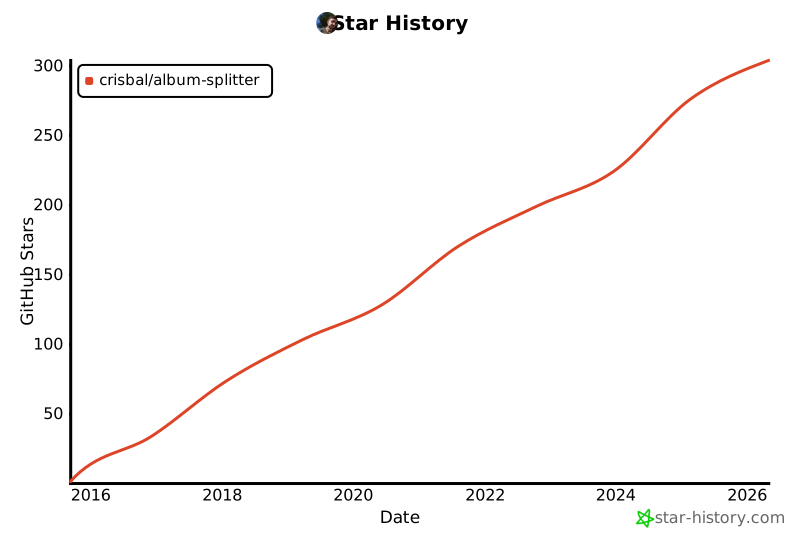
Star History
1 maintainer

Metadata
1 maintainer
Release files for album-splitter 1.0.2
For a detailed explanation of source distributions (sdists) and built distributions (wheels), please see the package formats documentation.
Source distribution (sdist)
| File | Size | Uploaded | |
|---|---|---|---|
| album_splitter-1.0.2.tar.gz | 110.8 kB | Details |
Built distribution (wheel)
| File | Interpreter | ABI | Platform | Reset |
|---|---|---|---|---|
| album_splitter-1.0.2-py3-none-any.whl | Python 3 | none | any | Details |
Total release size: 134.1 kB
Release files / album_splitter-1.0.2.tar.gz
| Download URL | album_splitter-1.0.2.tar.gz |
|---|---|
| Size | 110.8 kB |
| Tags | Source |
|
SHA-256 checksum How to use checksums |
eff3804d5504e7ede0b452099c55da7be6fbc0453db8607856411b40bdc6bfc5
|
|
BLAKE2b-256 checksum How to use checksums |
36f7787ce893321be338ba2df19619a7600e4c3372ad1f92cbc0e2ed3680796c
|
| Upload date | |
|
Uploaded using Trusted Publishing? What is trusted publishing? |
No |
| Uploaded via |
twine/6.1.0 CPython/3.13.1
|
Release files / album_splitter-1.0.2-py3-none-any.whl
| Download URL | album_splitter-1.0.2-py3-none-any.whl |
|---|---|
| Size | 23.3 kB |
| Tags | Python 3 |
|
SHA-256 checksum How to use checksums |
c156818c798d0dd6f23a4c85babba438cb7723ea99d8fc169ba53fe273f90ac6
|
|
BLAKE2b-256 checksum How to use checksums |
5c8ac6ff3d69cd6e8f11c9bc8c4b95a6ae7497a54932c2575da4c2983ba4b507
|
| Upload date | |
|
Uploaded using Trusted Publishing? What is trusted publishing? |
No |
| Uploaded via |
twine/6.1.0 CPython/3.13.1
|














