
Secure AI agent workspace — your code gets out, your secrets don't

Project description
Alcatrazer
Your code gets out. Your secrets don't.
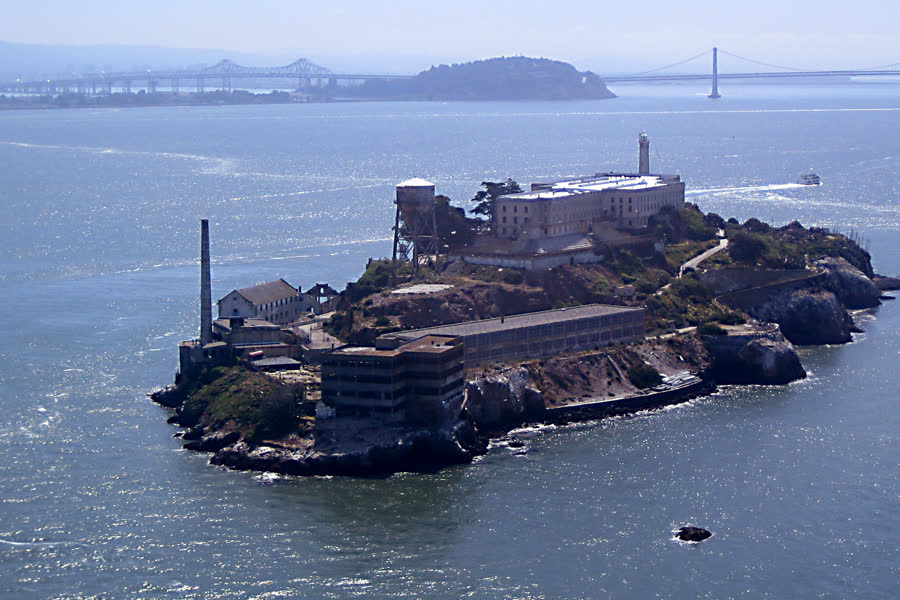
Photo: Javier Branas — Wikimedia Commons — CC BY 3.0
The year is 2026. AI agents have become the fastest coders on the planet. They write, test, refactor, and ship — tirelessly, in parallel, around the clock.
There's just one problem: you gave them the keys to your machine.
Your SSH keys. Your git credentials. Your browser sessions. That
.envfile with production database passwords. The tax return PDF you forgot in your Downloads folder. All of it — one careless mount, one leaked environment variable, one hallucinatedcurlcommand away from somewhere it should never be.You didn't mean to. Nobody does. You just wanted the agent to scaffold a FastAPI backend. But it runs as you. It sees what you see. And when it phones home to its LLM, it sends whatever context it thinks is relevant.
Alcatraz was built for a different kind of prisoner. The kind that works hard, produces valuable output, and never — ever — gets to touch the mainland.
The island is a Docker container. The inmates are your AI agents. They get a workspace, tools, and internet access to talk to their LLM. They write code, create branches, run tests, commit their work. They can even orchestrate swarms of sub-agents, each on their own branch, merging results like a well-run development team.
But the water around the island is real. No SSH keys exist inside. No git credentials. No host filesystem. The agents don't even know your name — they commit under a randomly generated ghost identity that maps to nobody real. They run under a phantom UID that doesn't exist on your machine, so even if they tunnel through the walls, they surface as nobody, owning nothing, permitted nowhere.
When the work is done, you — the warden — inspect it from the mainland. You review the commits, the branches, the merge history. If you approve, you run the transfer: every commit crosses the water with its topology intact, but the ghost identity is replaced with yours. The code enters your real repository, under your real name, ready to push.
Your agents built it. You own it. And your secrets never left the mainland.
Alcatrazer — the tool that builds your Alcatraz.
Why Alcatrazer Exists
Watch out developers community. Your paradigm has changed. You trust yourself - that is understood. And that was you who have coded inside container up till now. But the world has changed. It is no more you who is coding inside container. These are AI agents that might do harmful things due to hallucination or prompt injecting via accidental download of malicious software. Harmful both - to your localhost and to your public git repository. So, don't trust them - put them in Alcatraz.
What Alcatrazer protects
Your development environment. Your SSH keys, GPG keys, git credentials, browser sessions, .env files, personal documents — everything on your localhost that agents have no business touching.
Your professional reputation. Your public repositories carry your name. Other developers pull from them, depend on them, trust them. Unsupervised AI coding can inject trojans, backdoors, or other malware into YOUR repositories — code that others may pull and be harmed by. It is our responsibility as software engineers to review, test, and security-scan AI-created code before we publish it under our name. No AI writing to your repo without your knowledge. Alcatrazer enforces this: agents commit to an isolated inner repo, and nothing reaches your real repository until you — the warden — inspect and approve the transfer.
CAUTION
 |
This project is under active construction. File layout, APIs, naming, and the overall architecture may change without notice. The core security model works and is tested, but the tooling is not yet packaged for distribution. Use at your own risk — and contributions are welcome. |
⚠️ Release 0.0.4 — DO NOT USE FOR REAL WORK
A serious bug in the promotion machinery was uncovered during release-readiness testing for 0.0.4 and is NOT fixed in that release. The default
mirrormode rewrites your outer branch's history and leaves your working tree out of sync withHEADevery time the daemon promotes commits.End users: wait for 0.0.5. Do not run
alcatrazer startagainst any repository whose history you care about with version 0.0.4.Full details, root-cause analysis, and the planned fix: see the 0.0.4 entry of
CHANGELOG.mdand the design docdocs/features/change_promotion_machinery.md.0.0.4 is published anyway to surface the language-onboarding work for review and to keep that change cleanly separated from the promotion rewrite landing in 0.0.5.
Read the CHANGELOG before installing any release. Per-release "what's new" / "what's broken" notes live there.
Purpose
Alcatrazer is a secure development environment for AI-powered coding agents. It isolates agent work inside Docker containers, protecting your host machine from accidental or intentional credential leakage, while letting agents do their job: write code, commit, branch, merge, and talk to LLMs.
It is designed to drop into any existing git repo — install the CLI, run alcatrazer init, then alcatrazer start, and start experimenting with any agentic framework (Claude Code, os-eco, custom agent swarms, etc.) in any language you've declared in coding-environment.toml.
Repository Structure
Alcatrazer ships as a single Python package. Once installed into a target repo it creates a nested git architecture — a workspace repo inside your repo:
your_repo/                              <-- outer repo (your identity, has GitHub remote)
├── .git/                               <-- outer git
├── coding-environment.toml             <-- agent-visible recipe (committed, zero branding)
├── .env.example                        <-- committed template for API keys
├── .env                                <-- gitignored, real secrets
├── README.md
├── .alcatrazer/                        <-- gitignored via .git/info/exclude; tool state + installed source
│   ├── src/alcatrazer/                 <-- extracted package source (readable install, bundled tests)
│   ├── python -> /usr/bin/python3      <-- symlink to the Python that was used to install
│   ├── config.toml                     <-- per-developer config (identity, daemon settings)
│   ├── uid                             <-- phantom UID
│   ├── agent-identity                  <-- random agent name + email
│   ├── workspace-dir                   <-- pointer to the workspace directory name
│   ├── state.json                      <-- daemon-shutdown intent and similar runtime state
│   ├── promote-export-marks            <-- incremental fast-export/import state
│   ├── promote-import-marks
│   ├── promoted-tips.json              <-- branch tips after last promotion (conflict detection)
│   ├── paused-branches.json            <-- branches paused due to conflicts
│   ├── promotion-daemon.pid            <-- daemon PID (single-instance guard)
│   └── promotion-daemon.log            <-- daemon activity log
└── .<workspace>-<random>/              <-- gitignored, randomly named (e.g., .devspace-7f3a/)
    ├── .git/                           <-- inner git (random agent identity, no remote)
    └── ... agent work ...
The package itself (inside the wheel, and extracted into
.alcatrazer/src/alcatrazer/):
alcatrazer/
├── cli.py                              <-- entry point: init / start / stop / clear / test
├── start.py                            <-- cmd_init / cmd_start / cmd_stop / cmd_clear / cmd_selftest
├── alcatraz.py                         <-- Alcatraz port (backend-agnostic interface)
├── docker_prison.py                    <-- Docker adapter of the Alcatraz port
├── snapshot.py                         <-- flat snapshot from outer repo into the workspace
├── promote.py                          <-- fast-export / fast-import promotion (bytes-safe)
├── daemon.py                           <-- auto-promotion daemon (polls from the host side)
├── daemon_lifecycle.py                 <-- launch / shutdown wiring for start / stop / clear
├── identity.py                         <-- random agent identity + workspace dir generation
├── languages.py                        <-- declared runtimes → Dockerfile fragments
├── selftest.py                         <-- bundled security self-tests (phantom UID, etc.)
├── state.py                            <-- tiny JSON state store under .alcatrazer/
├── inspect.py                          <-- live log viewer for the daemon
├── container/entrypoint.sh             <-- container entrypoint (chown, drop via gosu)
├── scripts/                            <-- bash bootstrap (runs before Python exists)
├── templates/                          <-- coding-environment.toml + .env.example templates
├── tests/                              <-- unit + non-Docker integration tests
└── integration_tests/                  <-- Docker smoke tests (requires a real daemon)
- The outer repo is the host-side control plane: it receives promoted agent work, has your real identity, and owns the GitHub remote.
- The inner repo (
.<workspace>-<random>/) is the agent workspace. Randomly named (e.g..devspace-7f3a/,.sandbox-2c91/). This directory is the only thing mounted into Docker — the generic name prevents leaking "alcatrazer" via/proc/self/mountinfo. - Tool state and installed source live in
.alcatrazer/— never mounted into Docker, invisible to agents. - Bootstrap bash (
scripts/) exists to get Python running on the host. Everything else is Python, stdlib only, no third-party dependencies. - Ignore patterns for
.alcatrazer/and the workspace directory are written to.git/info/exclude, not.gitignore— so the exclusions themselves don't enter the agent's workspace snapshot.
Security Model
Container Isolation
The container runs as a phantom UID — a user ID that does not exist on the host machine. This provides defense in depth: even if an agent escapes the container, the process cannot write to any host files because no host user matches that UID.
The phantom UID is determined automatically during alcatrazer init — a bash helper scans the host for the first unused UID starting from 1001 and stores it in .alcatrazer/uid for reuse across container rebuilds.
What we protect against
Alcatraz protects host filesystem integrity. The threat model is an agent (intentionally or accidentally) reading local secrets, PII, or credentials and exfiltrating them over the network. Alcatraz prevents this by ensuring agents have no access to host files outside the mounted workspace.
Agents are expected to talk to LLM APIs — that's their job. Claude OAuth credentials are mounted read-only so agents can use your existing Claude subscription.
What agents CAN do
- Read and write files inside the workspace (mounted into the container as
/workspace) - Create git commits using a randomly generated throwaway identity (different per init)
- Create branches, merge branches, and build complex branch/merge histories
- Access the internet to communicate with LLM APIs via Claude OAuth or API keys
- Install packages and run code inside the container
- Use mise to manage tool versions (Python, Node.js, Bun, etc.)
What agents CANNOT do
- Push to GitHub or any remote repository (no git credentials or SSH keys are available)
- Access the host user's identity, email, or signing keys
- Access the host filesystem outside of the mounted workspace
- Access the Docker socket or spawn new containers
- Read host files (SSH keys, GPG keys, git config, shell history, environment variables, etc.)
- Write to host-owned files even if container escape occurs (phantom UID has no host permissions)
- Delete or modify files outside the mounted workspace
Branch handling
Alcatrazer always reads from and writes to the default branch of
your outer repository — main, or master if that's your convention.
It never follows the branch you happen to have checked out at the
moment alcatrazer init / alcatrazer start runs.
Concretely, when the outer repo is on a feature branch abc:
outer  abc   (checked out, ignored)
outer  main  (detected) ──── snapshot ────▶  workspace  main  ("Initial commit")
                                                           │
                                                           │  agents code, commit,
                                                           │  branch, merge
                                                           ▼
                                             workspace  main + new commits
                                                           │
                                                           │  daemon promotes
                                                           ▼
                                             outer  main  (new commits appended
                                                           under your identity)
So outer/abc is neither read nor modified:
- The snapshot source is the default branch — your
abcwork never enters the workspace, and agents start frommain's tree. - The promotion target is the same branch name the agent committed
on inside the workspace. Agents start on
main(the workspace's default branch), so their commits land on outermain. The daemon never fast-forwards, rebases, or merges across branches — it only updates each ref to the imported commits.
If you run alcatrazer start while checked out on a non-default
branch, you'll see a note like:
Note: you are currently on branch 'abc' in this repository. Alcatrazer always snapshots from the default branch ('main') and promotes agent commits back to 'main', regardless of what you have checked out. Your 'abc' branch will be neither read nor modified.
This is intentional — see docs/design_principles.md § "Main Branch
Only". The rule keeps the mental model simple: agents always start
from main, and their output always lands on main. No accidental
cross-branch contamination, no loop between your feature branch and
the agent's. If you want agents to iterate on a feature, cut the
branch inside the workspace (during the agent session) and the
daemon will promote it out under the same name.
What if the user wants to work on abc?
Merge abc into main (or rebase it onto main and fast-forward)
before running alcatrazer start, so the snapshot picks up your work.
Then let the agents branch off main inside the workspace and merge
back there — those merges promote out unchanged, and you can fold
them into whatever branch you like on the outer side afterwards.
Getting Started
1. Set up the CLI
Alcatrazer is a pure-Python package (stdlib only, Python 3.11+). There are two ways to run it, and the choice changes how you'll type every subsequent command:
| Mode | How you invoke it | which alcatrazer |
Typical when |
|---|---|---|---|
| A. Ephemeral | uvx alcatrazer <cmd> (or pipx run alcatrazer <cmd>) |
empty — by design | Trying it out; you don't want anything persistent on PATH |
| B. Persistent install | alcatrazer <cmd> |
~/.local/bin/alcatrazer |
You'll use it regularly |
Both modes converge on the exact same package — the only difference is whether the alcatrazer executable lives on your PATH.
Mode A — ephemeral (recommended for first try):
uvx alcatrazer init              # or: pipx run alcatrazer init
uvx alcatrazer start             # …prefix every command with `uvx `
uvx alcatrazer stop
Each call spins up (or reuses the cached) throwaway venv under ~/.cache/uv/. which alcatrazer stays empty — that is expected, not broken. Nothing to uninstall later; the cache is GC'd automatically, or you can force it with uv cache clean alcatrazer.
Mode B — persistent install:
uv tool install alcatrazer       # or: pipx install alcatrazer
which alcatrazer                 # → ~/.local/bin/alcatrazer
alcatrazer --version
Then call alcatrazer <cmd> directly, as the examples below do.
- Upgrade:
uv tool upgrade alcatrazer(orpipx upgrade alcatrazer) - Uninstall:
uv tool uninstall alcatrazer(orpipx uninstall alcatrazer)
The rest of this README uses the short
alcatrazer <cmd>form. If you're in Mode A, prefix every call withuvx(orpipx run). The behavior is identical.
2. Initialize Alcatrazer in your repo
From the root of the git repository you want to protect:
alcatrazer init
One-time interactive setup. It asks a few questions (promotion identity, languages, OS packages, startup commands) and writes:
coding-environment.toml— committed, zero branding, the recipe.alcatrazer/config.toml— per-developer (identity, daemon settings).env.example— committed;.envstays gitignored- A random agent identity, phantom UID, and workspace directory name
- The extracted package source under
.alcatrazer/src/alcatrazer/and a Python symlink at.alcatrazer/python(used by the daemon)
init also generates the Alcatraz recipe (Dockerfile + entrypoint)
for the Docker backend.
3. Start the workspace
alcatrazer start
On the first run this builds the Docker image, creates the workspace
(flat snapshot of your current branch — no history), starts the
container, runs the [startup] commands from coding-environment.toml,
and launches the promotion daemon in the background. Subsequent
runs detect what changed and rebuild or restart only as needed.
The daemon polls the workspace's .git/ every few seconds and
promotes new agent commits out to the outer repo under your identity —
you don't need to start it separately.
4. LLM authentication
Recommended: your existing Claude OAuth credentials at
~/.claude/.credentials.json are mounted read-only into the
container. If you've authenticated Claude Code on your host, nothing
else is needed.
Alternative: use an API key — copy .env.example to .env and
set:
ANTHROPIC_API_KEY=sk-ant-...
5. Attach to the container
alcatrazer start leaves the container running detached. Step inside it
as the agent user:
alcatrazer visit
visit opens an interactive bash inside the running Alcatraz, working
directory set to /workspace. Errors cleanly if the Alcatraz isn't
running (no auto-start — explicit by design).
All tools declared in coding-environment.toml are available
(Python / Node / Rust / Go / .NET / Java plus any [os] packages),
along with the always-on security baseline: git, mise, Claude Code CLI,
gosu.
6. Watch promotion (optional)
In a separate terminal:
tail -f .alcatrazer/promotion-daemon.log
# or the bundled live viewer:
.alcatrazer/python -m alcatrazer.inspect
Stop and clear
alcatrazer stop     # stop container + daemon; writable layer + workspace preserved
alcatrazer clear    # throw away the container + daemon; image kept; next `start` rebuilds fresh
Both are idempotent and both do a final-sync of any pending commits
before shutting the daemon down. clear explicitly does not
delete the inner workspace directory — your agent work survives across
clear / start cycles.
Verify the installation
alcatrazer test                # bundled unit + non-Docker integration tests
alcatrazer test --smoke        # also run Docker smoke tests (requires Docker)
alcatrazer start --run-selftest
                               # after start, run the bundled security
                               # self-tests against the running Alcatraz
                               # (phantom UID, credential isolation,
                               #  no docker socket, …)
Configuration
Alcatrazer splits configuration across three files so that nothing in the target repo's working tree reveals the tool to agents (Principle 2).
coding-environment.toml — repo root, version-controlled
Agent-visible, zero alcatrazer branding. Describes what the container must provide before the project's own setup can run:
schema_version = 1

[os]
packages = ["build-essential", "libpq-dev"]

[languages.python]
version = "3.12"
manager = "uv"          # always written; defaults to "pip" if omitted

[languages.node]
version = "22"
manager = "npm"         # always written; defaults to "npm" if omitted

[startup]
commands = ["uv sync", "npm install"]
schema_version stamps the file format. Files written before this field
existed are accepted as version 1, so existing configs keep working
unchanged. An older alcatrazer that meets a newer schema refuses to read
it rather than silently misinterpreting — upgrade alcatrazer in that case.
manager is always written by alcatrazer init (since Phase 1.2.4) so
the choice is visible at the line you'd edit. Each language declares
which managers ship bundled with the runtime — pip with Python, npm
with Node, cargo with Rust, go and dotnet are runtimes themselves.
Bundled managers are skipped at image build (no double-install); anything
else (uv, poetry, pnpm, yarn, maven, gradle) is installed via
mise use --global whether it's the language default or your override.
Java distributions
mise's java plugin defaults to Eclipse Temurin. Override by prefixing
the version string in [languages.java].version:
| TOML | Distribution |
|---|---|
"21" |
Eclipse Temurin (default) |
"temurin-21.0.5" |
Temurin, pinned build |
"corretto-21" |
Amazon Corretto |
"zulu-21" |
Azul Zulu |
"liberica-21" |
BellSoft Liberica |
"graalvm-21" |
GraalVM (incl. native-image) |
Pick whichever your project or employer requires; the choice is opaque
to alcatrazer — mise installs whatever the version string asks for, and
the JDKs are binary-compatible across distributions for standard Java
workloads. The alcatrazer init wizard prints the same hint when you
pick java, and it's also rendered as a comment block above each
language's version = line in your generated coding-environment.toml,
so the guidance reaches you whether you're at the prompt or hand-editing
the file later.
.alcatrazer/config.toml — gitignored, per-developer
Alcatrazer-specific, invisible to agents. Contains the promotion identity and daemon settings:
coding_environment_file = "coding-environment.toml"

[promotion]
name  = "Your Name"
email = "your@email.com"

[promotion-daemon]
interval     = 5                # polling interval (seconds)
branches     = "all"            # or "main" or ["main", "feature/*"]
mode         = "mirror"         # or "alcatraz-tree"
verbosity    = "normal"         # or "detailed"
max_log_size = 512              # log rotation threshold (KB)
.git/info/exclude — per-repo gitignore, not committed
alcatrazer init appends .alcatrazer/ and the workspace directory
name here instead of the working-tree .gitignore — so the ignore
patterns themselves don't enter the agent snapshot.
See docs/features/install_method.md for the full rationale.
Promoting Agent Work
Promotion uses git fast-export and git fast-import to transfer
commits from the inner (workspace) repo to the outer repo. The
pipeline is byte-safe — binary blobs in history (images, archives,
compiled artifacts) round-trip unchanged. It:
- Preserves full branch and merge topology (branches, merge commits, parent chains)
- Rewrites author/committer from the agent's random identity to the host user's identity
- Is incremental — only new commits since the last promotion are transferred
- Is unidirectional: inner repo to outer repo only
The promotion daemon is launched automatically by alcatrazer start and stopped automatically by alcatrazer stop / alcatrazer clear. Both shutdowns run a final-sync before tearing the daemon
down, so no commit is lost in a graceful teardown.
Manual promotion (optional)
For a one-shot push or debugging you can run the promoter directly against the installed layout:
# <workspace> is the workspace directory name (see .alcatrazer/workspace-dir)
.alcatrazer/python -m alcatrazer.promote --source <workspace> --target .

# Preview what would be promoted:
.alcatrazer/python -m alcatrazer.promote --source <workspace> --target . --dry-run
Promotion Modes
The daemon supports two modes, configured via mode in
.alcatrazer/config.toml under [promotion-daemon]:
mirror (default) — Agent branches promote to the same branch names in the outer repo (main → main). Seamless sync for projects where agents do most of the coding. If the human also commits to the outer repo on a promoted branch, the daemon detects the divergence and creates a conflict branch (see below).
alcatraz-tree — Agent branches promote into an alcatraz/* namespace (main → alcatraz/main, feature/auth → alcatraz/feature/auth). The human's branches are never touched. Use this when both human and agents commit frequently to the same branches — the separate namespace means zero conflicts. The human merges from alcatraz/* when ready.
Conflict Resolution (mirror mode)
If you commit directly to the outer repo on a branch that the daemon is also promoting, the daemon detects the divergence and pauses promotion on that branch. It:
- Creates a
conflict/resolve-<branch>-<timestamp>branch containing the agent's version of the work - Logs a warning to
.alcatrazer/promotion-daemon.log - Continues promoting other branches normally
To resolve:
# Option A: Merge the agent's work into your branch
git merge conflict/resolve-main-20260406-120000
# Resolve any merge conflicts, then:
git branch -d conflict/resolve-main-20260406-120000

# Option B: Discard the agent's work on this branch
git branch -D conflict/resolve-main-20260406-120000
Once the conflict/resolve-* branch is deleted (merged or discarded), the daemon automatically resumes promotion on that branch. No daemon restart needed.
Branch Filtering
Control which branches cross the water:
[promotion-daemon]
branches = "all"                    # every branch (default)
branches = "main"                   # a single branch (use your branch name: "main", "master", etc.)
branches = ["main", "feature/*"]    # branch names and glob patterns
Container Details
Base image and tools
- Ubuntu 24.04 base image
- Always-on baseline: git, mise (version manager), Claude Code CLI, gosu (for privilege drop in the entrypoint)
- Language runtimes come from
[languages.*]incoding-environment.toml— they are installed via mise, with the exact version the user declared (no hidden defaults). Supported:python,node,rust,go,dotnet(the .NET SDK — runs C#, F#, and VB.NET),java(JVM — Maven or Gradle as build tool; see Java distributions for picking Temurin vs Corretto vs Zulu vs GraalVM). - OS packages come from
[os].packages(installed withapt-get). Some languages also auto-add OS packages they need at runtime: for example, picking[languages.dotnet]includeslibicu74(.NET cannot start without an ICU library). These are baked at image build time — the agent user has no runtime privilege escalation, so anything requiring root has to land before the container's entrypoint drops to the non-root user.
Inside the container agents can use mise to layer additional
runtimes on top; those stay local to the writable layer.
Per-repo names
Image tag and container name are derived from the repo's canonical
absolute path: alcatraz-workspace:<basename>-<hash12> and
workspace-<basename>-<hash12> (e.g. workspace-myrepo-7c4a92b14f3e).
Two alcatrazers on different repos run simultaneously without
collision; docker ps lists them with recognizable names. Use
alcatrazer visit to step inside without typing the hash.
Upgrading from pre-Phase 1.2.5 alcatrazer? The old shared names (
alcatraz-workspace:local, containerworkspace) won't match the new derived names; do a one-time cleanup:docker rm -f workspace 2>/dev/null docker rmi alcatraz-workspace:local 2>/dev/null alcatrazer start # rebuilds under per-repo names
Stale-image self-healing
Each built image carries an alcatrazer.config_hash LABEL whose value
is a SHA-256 of the recipe (Dockerfile body) that built it. On
alcatrazer start, the running image's label is compared against the
hash of the recipe alcatrazer would build right now; on mismatch, the
image is rebuilt automatically. This catches scenarios that bare "is
there an image?" checks miss — rm -rf .alcatrazer/ followed by
alcatrazer init regenerates the Dockerfile but leaves the old image
in place; the LABEL mismatch then forces a clean rebuild.
alcatrazer clear semantics are unchanged (image kept across
stop/clear/start cycles when the recipe hasn't changed). Images
built before this LABEL existed are treated as stale and trigger one
rebuild after upgrade.
Entrypoint behavior
The container starts as root to fix ownership of the mounted
workspace and the mise directory, then drops to the non-root agent
user via gosu. On each start the entrypoint runs mise install so
any newly-declared tools materialize before the [startup] commands
run.
Ephemeral caches, no shared Docker volumes
All package caches (mise, pip, npm, etc.) live inside the container's writable overlay layer — there are no named Docker volumes shared between Alcatrazes.
Why: sharing writable caches across Alcatrazes would let one
compromised agent poison every other Alcatraz on the laptop via cache
tampering. Keeping caches per-container closes that attack surface,
at the cost of re-downloading packages on clear + start. A
stop + start cycle preserves the writable layer, so caches
survive a normal restart. See
docs/features/install_method.md
§ "Ephemeral caches — no shared Docker volumes" for the full
rationale.
Docker Container Rules
These rules are enforced by DockerPrison (the Docker adapter of the
Alcatraz sandboxing port) when it builds and runs the workspace container:
- Mount only the workspace directory as the working volume — never the outer repo or the host home directory.
- Mount only
~/.claude/.credentials.json(read-only) for LLM auth — never the entire~/.claude/directory (which contains project memories, settings, and other config). - Never mount
~/.ssh,~/.gnupg,~/.config, or~/.gitconfiginto the container. - Never mount the Docker socket (
/var/run/docker.sock) — this gives root-equivalent access to the host. - Never pass host environment variables blindly (e.g.
--env-filewith shell profile). Only explicitly chosen variables from.envare passed. - Allow outbound internet access so agents can call LLM APIs (Anthropic, etc.).
- Run as phantom UID — the container user's UID does not exist on the host.
Workflow
alcatrazer init— one-time interactive setup (per repo).alcatrazer start— build the image if needed, snapshot your main branch into the workspace, start the container, run[startup]commands, and launch the promotion daemon.alcatrazer visit— step inside as the agent user.- Agents inside the container write code, run tests, commit incrementally. They may use branches, delegate to sub-agents, and merge.
- The daemon automatically promotes agent commits out to the outer
repo under your identity. Watch activity with
tail -f .alcatrazer/promotion-daemon.logor.alcatrazer/python -m alcatrazer.inspect. - You review the promoted work in the outer repo:
git log --graph --oneline --all. - You push the promoted commits to GitHub from the outer repo.
alcatrazer stopwhen done for the day — oralcatrazer clearto throw away the container entirely (your workspace directory survives).
Running Tests
The bundled test suite is the user-facing verification surface — invoke it via the CLI:
alcatrazer test            # unit + non-Docker integration tests
alcatrazer test --smoke    # also run Docker smoke tests (requires Docker)
For development on the tool itself (checkout of this repo):
mise run test              # full non-Docker suite
mise run test-fast         # unit tests only, skip slow integration
mise run test-smoke        # Docker smoke tests (needs an initialized Alcatraz)
mise run lint              # ruff check
mise run format            # ruff format + ruff check --fix
mise run build             # build the wheel into dist/
The suite covers identity generation (name/email pools, workspace-dir
naming, collision avoidance), init/start/stop/clear command flows,
snapshot (branch detection, extraction, .gitignore filtering,
exclusions), promotion (identity rewrite, byte-safe binary blobs,
incremental, dry-run, topology preservation, namespace mode), daemon
lifecycle (PID guard, config, signals, conflict detection/resolution,
branch filtering, final-sync on shutdown), language manifest
generation, Dockerfile templating, the Alcatraz port contract and
its DockerPrison adapter, and the bundled security self-tests
(phantom UID, credential isolation, no docker socket, workspace
ownership, no git remotes). All tests use Python's unittest
framework with real git repos for integration tests and mocking for
unit tests.


Download files
Download the file for your platform. If you're not sure which to choose, learn more about installing packages.
Source Distribution
Built Distribution
Filter files by name, interpreter, ABI, and platform.
If you're not sure about the file name format, learn more about wheel file names.
Copy a direct link to the current filters
File details
Details for the file alcatrazer-0.0.4.tar.gz.
File metadata
- Download URL: alcatrazer-0.0.4.tar.gz
- Upload date:
- Size: 167.9 kB
- Tags: Source
- Uploaded using Trusted Publishing? No
- Uploaded via: twine/6.2.0 CPython/3.12.13
File hashes
| Algorithm | Hash digest | |
|---|---|---|
| SHA256 |
8445e25683cf80356381e04ec22ec304c9817dceddabfbc1d0c45ef9375206be
|
|
| MD5 |
cb77d7281e5d3ecb4d835a140447d0a3
|
|
| BLAKE2b-256 |
49c7239be2343e06a0b0f4e890d254c4374404c6072e894f267fe748c7632209
|
File details
Details for the file alcatrazer-0.0.4-py3-none-any.whl.
File metadata
- Download URL: alcatrazer-0.0.4-py3-none-any.whl
- Upload date:
- Size: 174.0 kB
- Tags: Python 3
- Uploaded using Trusted Publishing? No
- Uploaded via: twine/6.2.0 CPython/3.12.13
File hashes
| Algorithm | Hash digest | |
|---|---|---|
| SHA256 |
38f82a5c26f90c229bf156b0b6fb5d4ebbd0aec0c7c226d09db4f6808f030e6c
|
|
| MD5 |
39d1c6c9f3d5737ae3ec05e27ff85763
|
|
| BLAKE2b-256 |
7b75e474e0288cc1977286418140a0b16e4ed02b15fa727312103be617e7fa7e
|







