
Active learning and Bayesian optimization for experimental research.
Define the variables, run a first design, record the experimental results, and let a Gaussian process choose the next experiment.


Install · Your first loop · Documentation · Changelog


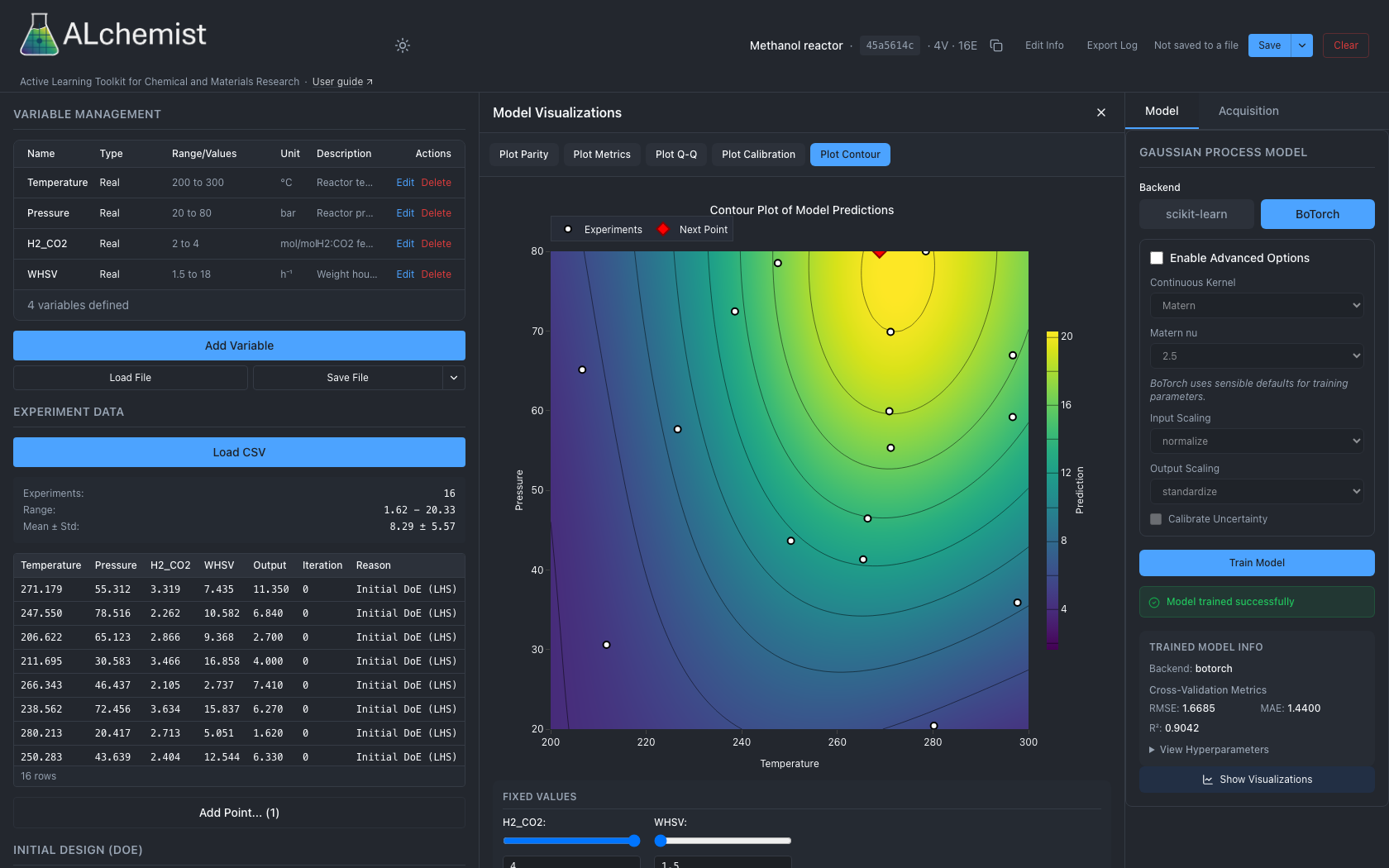
DesignLatin hypercube, Sobol, central composite and optimal designs, with linear constraints on your variables. |
ModelGaussian-process models, checked with parity, Q-Q and calibration plots from cross-validation. |
SuggestExpected improvement, upper confidence bound and batch acquisition. Stage the suggested points, then record the results once you have run them. |
Your first loop
Twenty minutes in the web app against a simulated reactor, without writing any code. The full walkthrough is Your first loop.
- Define the variables, with their ranges and units.
- Generate an initial design of ten Latin hypercube points and stage them.
- Run them and paste the results in as one table.
- Train a Gaussian process and check its parity and calibration plots.
- Ask for the next experiment, one point or a batch of four, and repeat.
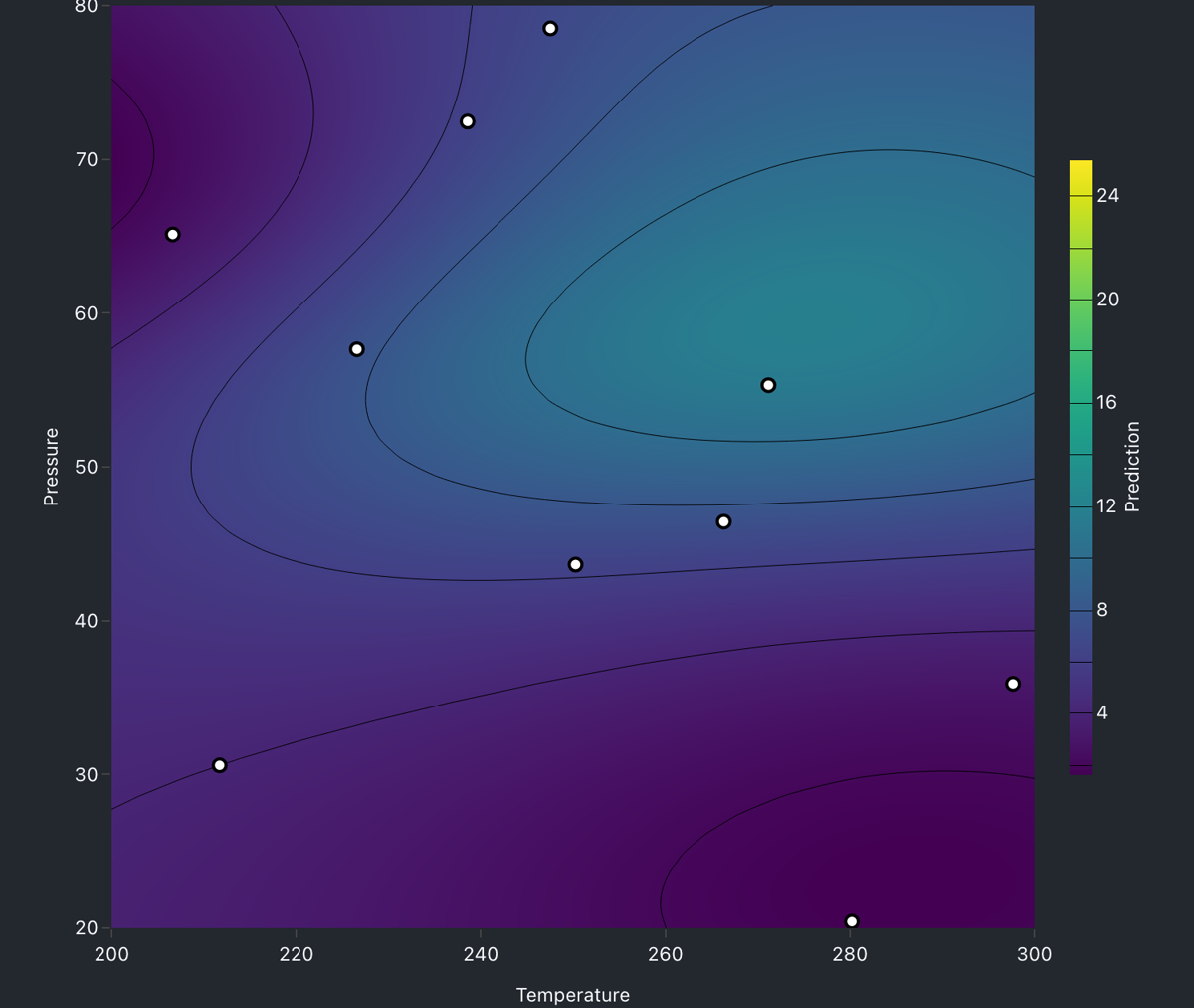
After the ten-point design |
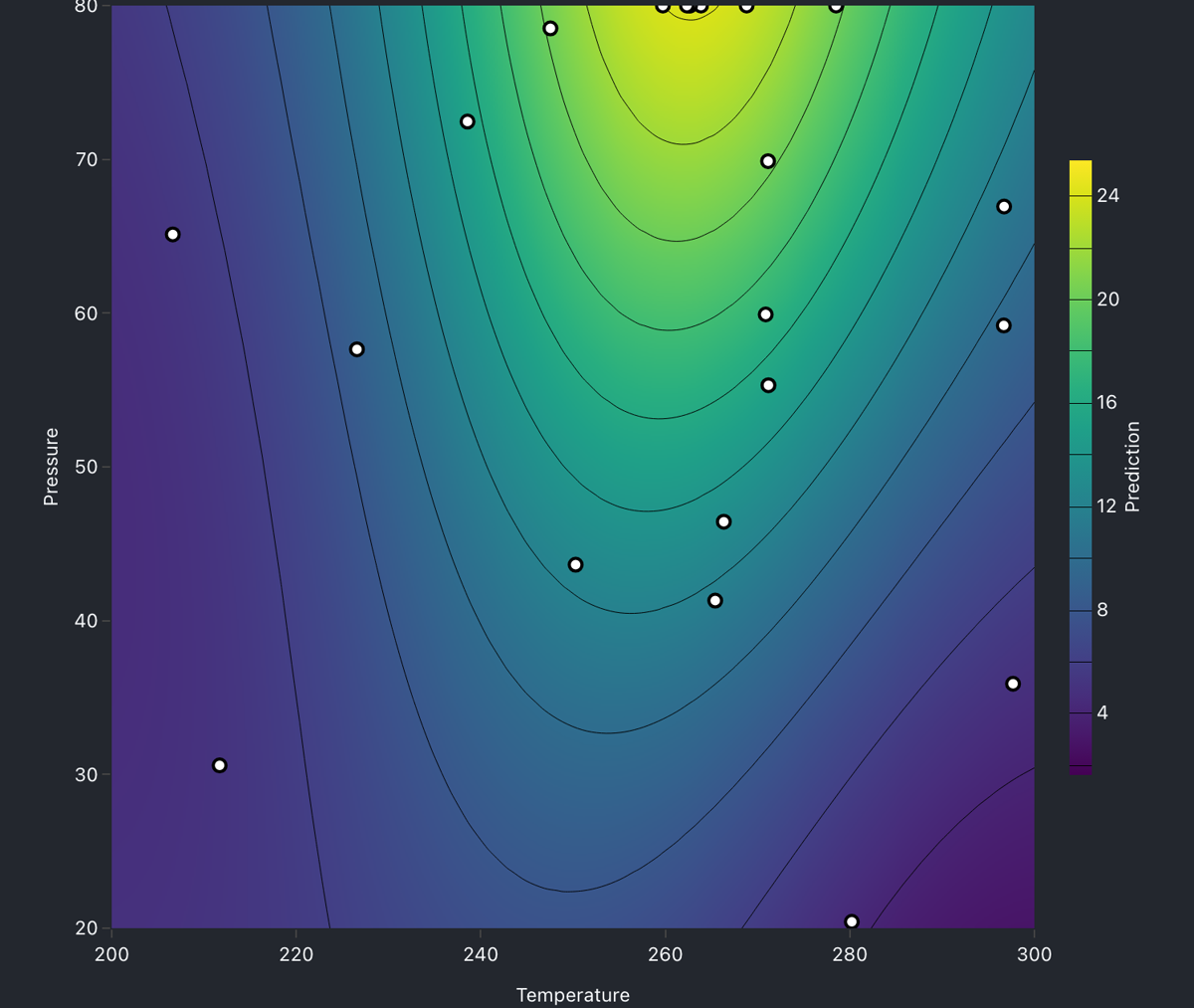
After twelve suggested experiments |
Install
pip install alchemist-nrel
alchemist-web
Python 3.11 or later; the first install downloads PyTorch and BoTorch. Open http://localhost:8000 for the web app. The same engine is a Python library and a REST API:
from alchemist_core import OptimizationSession

session = OptimizationSession()
session.add_variable("Temperature", "real", bounds=(200, 300), unit="°C")
session.add_variable("Pressure", "real", bounds=(20, 80), unit="bar")
# ... load results, then
session.train_model(backend="botorch")
session.suggest_next(strategy="LogEI")
One session file serves all three: the web app for a person in the loop, the Python API for notebooks and scripts, and the REST API, with a work queue, for a reactor or robot that runs the loop on its own. More in the documentation.
Overview, architecture and use cases
Overview
Key features:
- Real, integer, discrete and categorical variables, with linear input constraints that every design and suggestion respects
- Space-filling (LHS, Sobol), classical (CCD, Box-Behnken, factorial), screening (Plackett-Burman, GSD), D/A/I-optimal and split-plot designs
- AI-assisted choice of effects for optimal designs, through OpenAI, a local Ollama model or Edison Scientific literature search
- Gaussian-process models from BoTorch (Matern, RBF, IBNN kernels) or scikit-learn, with cross-validation diagnostics
- Expected Improvement (and its log form), Probability of Improvement, Upper Confidence Bound, batch qEI and qUCB, and qNIPV for exploration
- Several objectives at once, with Pareto fronts and hypervolume tracking
- A web app (React over FastAPI), a Python session API and a REST API over one session file, with an audit log
- A work queue that records what was suggested next to what was actually run, for reactor-in-the-loop and automated-laboratory work
- The deprecated CustomTkinter desktop app, installed with the
[desktop]extra
Architecture:
ALchemist has four parts:
- Core Session API: Headless Bayesian optimization engine (
alchemist_core) that powers all interfaces - Desktop Application (deprecated): CustomTkinter GUI using the Core Session API, designed for human-in-the-loop and offline optimization
- REST API: FastAPI server providing a thin wrapper around the Core Session API for remote access; includes a work queue for autonomous reactor-in-the-loop workflows
- Web Application: React UI consuming the REST API, supporting both interactive and autonomous optimization workflows; real-time WebSocket event streaming for live session monitoring
The web app, the Python API and the REST API share one session file format (JSON). The deprecated desktop app opens the same files, but refuses to save, train or log a session that holds something it cannot keep, such as an observed variable, input constraints or the provenance columns the work queue adds; see Desktop app (legacy).
Use Cases
- Interactive Optimization: Use the web app (or the deprecated desktop app) for manual experiment design and human-in-the-loop optimization
- Programmatic Workflows: Import the Session API in Python scripts or Jupyter notebooks for batch processing
- Autonomous Optimization: Use the REST API to integrate ALchemist with automated laboratory equipment in a closed loop (ALchemist never starts or stops a cycle; the controller does)
- Remote Monitoring: When a controller drives the session, the web app's monitor view shows the work queue and model health and lets you send pause and resume requests
For a worked example, see Your first loop in the documentation.
Installing from source, the deprecated desktop app, development status
Installation
Requirements: Python 3.11 or higher
Recommended (Optional): We recommend using Anaconda to manage Python environments:
conda create -n alchemist-env python=3.13
conda activate alchemist-env
Basic Installation:
pip install alchemist-nrel
The desktop app is deprecated and is no longer installed by default; it needs pip install "alchemist-nrel[desktop]".
From GitHub:
Note: This installs the latest unreleased version. The web application is not pre-built with this method because static build files are not included in the repository.
pip install git+https://github.com/NatLabRockies/ALchemist.git
For advanced installation options, Docker deployment, and development setup, see the Install page in the documentation.
Running ALchemist
Web Application:
alchemist-web
Opens at http://localhost:8000
Desktop Application (deprecated):
pip install "alchemist-nrel[desktop]"
alchemist
For detailed usage instructions, see Install and Your first loop in the documentation.
Development Status
ALchemist is under active development at NLR as part of the DataHub project within the ChemCatBio consortium.
Issues & Troubleshooting
If you encounter any issues or have questions, please open an issue on GitHub or contact ccoatney@nlr.gov.
For the latest known issues and troubleshooting tips, see Troubleshooting in the documentation.
Cite and license
NLR Software Record: SWR-25-102
Cite: Coatney, C. ALchemist: Active Learning Toolkit for Chemical and Materials Research. National Laboratory of the Rockies, software record SWR-25-102, DOE CODE, doi:10.11578/dc.20250707.1.
BSD 3-Clause License; see LICENSE. Questions and bug reports: GitHub Issues.
1 maintainer

Metadata
1 maintainer
Release files for alchemist-nrel 0.5.0
For a detailed explanation of source distributions (sdists) and built distributions (wheels), please see the package formats documentation.
Source distribution (sdist)
| File | Size | Uploaded | Provenance | Actions |
|---|---|---|---|---|
| alchemist_nrel-0.5.0.tar.gz | 3.1 MB | With provenance | Details for alchemist_nrel-0.5.0.tar.gz |
Built distribution (wheel)
| File | Interpreter | ABI | Platform | Actions Reset |
|---|---|---|---|---|
| alchemist_nrel-0.5.0-py3-none-any.whl | Python 3 | none | any | Details for alchemist_nrel-0.5.0-py3-none-any.whl |
Total release size: 5.6 MB
Release files / alchemist_nrel-0.5.0.tar.gz
| Download URL | alchemist_nrel-0.5.0.tar.gz |
|---|---|
| Size | 3.1 MB |
| Tags | Source |
|
SHA-256 checksum How to use checksums |
7538e65cc2569881fe010b7f1c4d4d78b043d94f8818c098605b1a659ef8d4ce
|
|
BLAKE2b-256 checksum How to use checksums |
43d87315cad7d03673bcffe67a8244038987b790f98c21591c606f54cfb5936b
|
| Upload date | |
|
Uploaded using Trusted Publishing? What is trusted publishing? |
Yes |
| Uploaded via |
twine/7.0.0 CPython/3.13.16
|
Provenance
Provenance describes where a file came from. On PyPI, provenance is shared via attestations, which provide a verifiable record of the build or publishing details. View details, limitations and caveats.


PyPI Publish Attestation
PyPI verified that this artifact, at this checksum, originated from the publisher listed below.
Signed by GitHub Actions, verified by PyPI on Nov 13, 2026.
Transparency logRelease files / alchemist_nrel-0.5.0-py3-none-any.whl
| Download URL | alchemist_nrel-0.5.0-py3-none-any.whl |
|---|---|
| Size | 2.5 MB |
| Tags | Python 3 |
|
SHA-256 checksum How to use checksums |
0ecfe9d2398b99f22aba4b02f84c183468599704caba0ff987205a7d9bce581c
|
|
BLAKE2b-256 checksum How to use checksums |
625b91fd7879137ca1cf002fe03aa973d6fef4cbabe7d7419ce56db8f1c28bd3
|
| Upload date | |
|
Uploaded using Trusted Publishing? What is trusted publishing? |
Yes |
| Uploaded via |
twine/7.0.0 CPython/3.13.16
|
Provenance
Provenance describes where a file came from. On PyPI, provenance is shared via attestations, which provide a verifiable record of the build or publishing details. View details, limitations and caveats.
PyPI Publish Attestation
PyPI verified that this artifact, at this checksum, originated from the publisher listed below.
Signed by GitHub Actions, verified by PyPI on Nov 13, 2026.
Transparency logSecurity for alchemist-nrel 0.5.0
Provenance
Provenance describes where a file came from. On PyPI, provenance is shared via attestations, which provide a verifiable record of the build or publishing details. View details, limitations and caveats.
Full provenance
Both files in this release have been uploaded with provenance metadata.
Attestation for alchemist_nrel-0.5.0.tar.gz
PyPI Publish Attestation
PyPI verified that this artifact, at this checksum, originated from the publisher listed below.
Signed by GitHub Actions, verified by PyPI on Nov 13, 2026.
Transparency logA note on package security
PyPI is a repository for distributing packages, not a service for auditing them. While third-party security researchers and our staff do their best to detect and remove malicious packages, PyPI cannot guarantee the quality, security or suitability of any given package.
To learn more about protecting yourself from malicious actors, visit our package security documentation.














