

alfred-py: Born For Deeplearning






alfred-py can be called from terminal via alfred as a tool for deep-learning usage. It also provides massive utilities to boost your daily efficiency APIs, for instance, if you want draw a box with score and label, if you want logging in your python applications, if you want convert your model to TRT engine, just import alfred, you can get whatever you want. More usage you can read instructions below.
Functions Summary
Since many new users of alfred maybe not very familiar with it, conclude functions here briefly, more details see my updates:
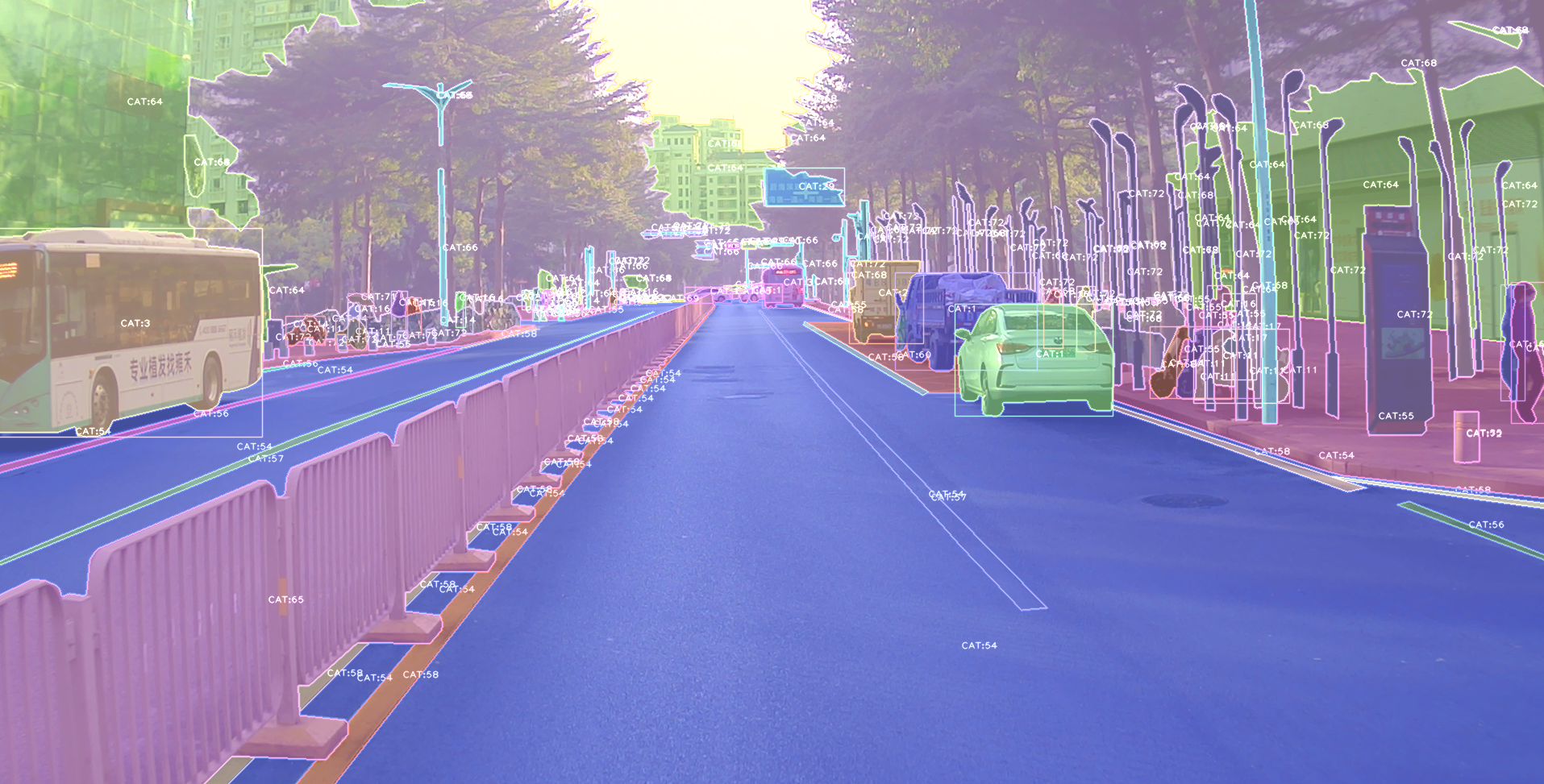
- Visualization, draw boxes, masks, keypoints is very simple, even 3D boxes on point cloud supported;
- Command line tools, such as view your annotation data in any format (yolo, voc, coco any one);
- Deploy, you can using alfred deploy your tensorrt models;
- DL common utils, such as torch.device() etc;
- Renders, render your 3D models.
A pic visualized from alfred:
Install
To install alfred, it is very simple:
requirements:
lxml [optional]
pycocotools [optional]
opencv-python [optional]
then:
pip install alfred-py
alfred is both a lib and a tool, you can import it's APIs, or you can directly call it inside your terminal.
A glance of alfred, after you installed above package, you will have alfred:
-
datamodule:# show VOC annotations alfred data vocview -i JPEGImages/ -l Annotations/ # show coco annotations alfred data cocoview -j annotations/instance_2017.json -i images/ # show yolo annotations alfred data yoloview -i images -l labels # show detection label with txt format alfred data txtview -i images/ -l txts/ # convert coco to voc alfred data coco2voc -c /path/to/coco -j annotations.json # show more of data alfred data -h # eval tools alfred data evalvoc -h
-
cabmodule:# count files number of a type alfred cab count -d ./images -t jpg # split a txt file into train and test alfred cab split -f all.txt -r 0.9,0.1 -n train,val
-
visionmodule:# extract video to images alfred vision extract -v video.mp4 # combine images to video alfred vision 2video -d images/
-
-hto see more:usage: alfred [-h] [--version] {vision,text,scrap,cab,data} ... positional arguments: {vision,text,scrap,cab,data} vision vision related commands. text text related commands. scrap scrap related commands. cab cabinet related commands. data data related commands. optional arguments: -h, --help show this help message and exit --version, -v show version info.
inside every child module, you can call it's
-has well:alfred text -h.
if you are on windows, you can install pycocotools via:
pip install "git+https://github.com/philferriere/cocoapi.git#egg=pycocotools&subdirectory=PythonAPI", we have made pycocotools as an dependencies since we need pycoco API.
Updates
alfred-py has been updating for 3 years, and it will keep going!
-
2024.08.02: Version 3.1.1 - Added COCO to VOC conversion, fixed syntax errors, added pyproject.toml for modern packaging, added
__version__to package. -
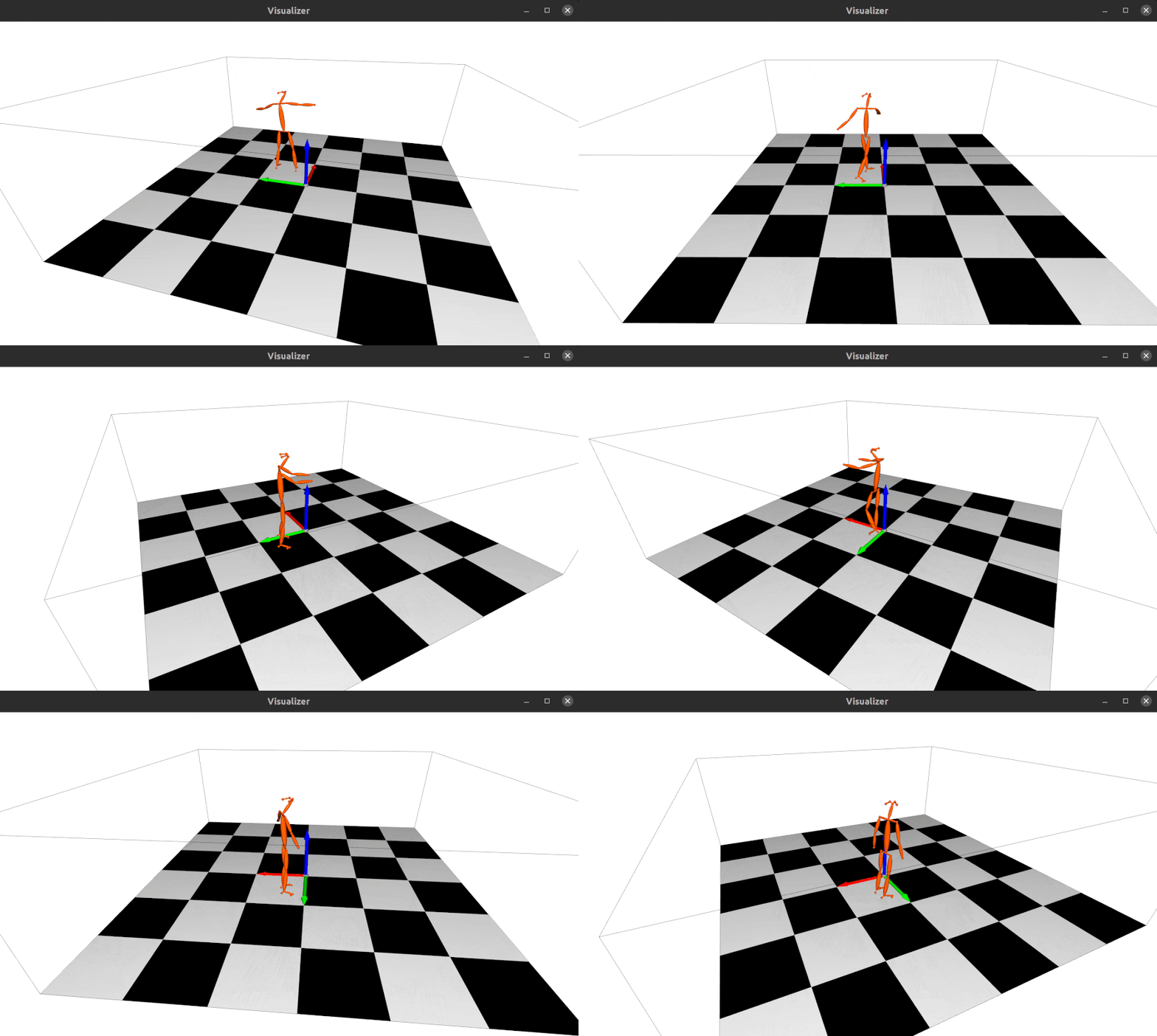
2023.04.28: Update the 3d keypoints visualizer, now you can visualize Human3DM kpts in realtime:
For detailes reference to
examples/demo_o3d_server.py. The result is generated from MotionBert. -
2022.01.18: Now alfred support a Mesh3D visualizer server based on Open3D:
from alfred.vis.mesh3d.o3dsocket import VisOpen3DSocket

def main():
    server = VisOpen3DSocket()
    while True:
        server.update()


if __name__ == "__main__":
    main()
Then, you just need setup a client, send keypoints3d to server, and it will automatically visualized out. Here is what it looks like:
-
2021.12.22: Now alfred supported keypoints visualization, almost all datasets supported in mmpose were also supported by alfred:
from alfred.vis.image.pose import vis_pose_result

# preds are poses, which is (Bs, 17, 3) for coco body
vis_pose_result(ori_image, preds, radius=5, thickness=2, show=True)
1 maintainer

Download files
Download the file for your platform. If you're not sure which to choose, learn more about installing packages.
Source Distribution
File details
Details for the file alfred_py-3.1.1.tar.gz.
File metadata
- Download URL: alfred_py-3.1.1.tar.gz
- Upload date:
- Size: 1.8 MB
- Tags: Source
- Uploaded using Trusted Publishing? No
- Uploaded via: twine/6.2.0 CPython/3.12.0
File hashes
| Algorithm | Hash digest | |
|---|---|---|
| SHA256 |
1bb1410e131f5b413c5cfd77d5641ede602a269ac1e1c04f9f6481bfefca231a
|
|
| MD5 |
3938126731c3385b70dd55ff6f462979
|
|
| BLAKE2b-256 |
125cf6b2e13c4ec56dc877c9acd60994d93b290ca979815a8b7a3a6b36f939c9
|







