
This release is a pre-release and may not be stable for production use.
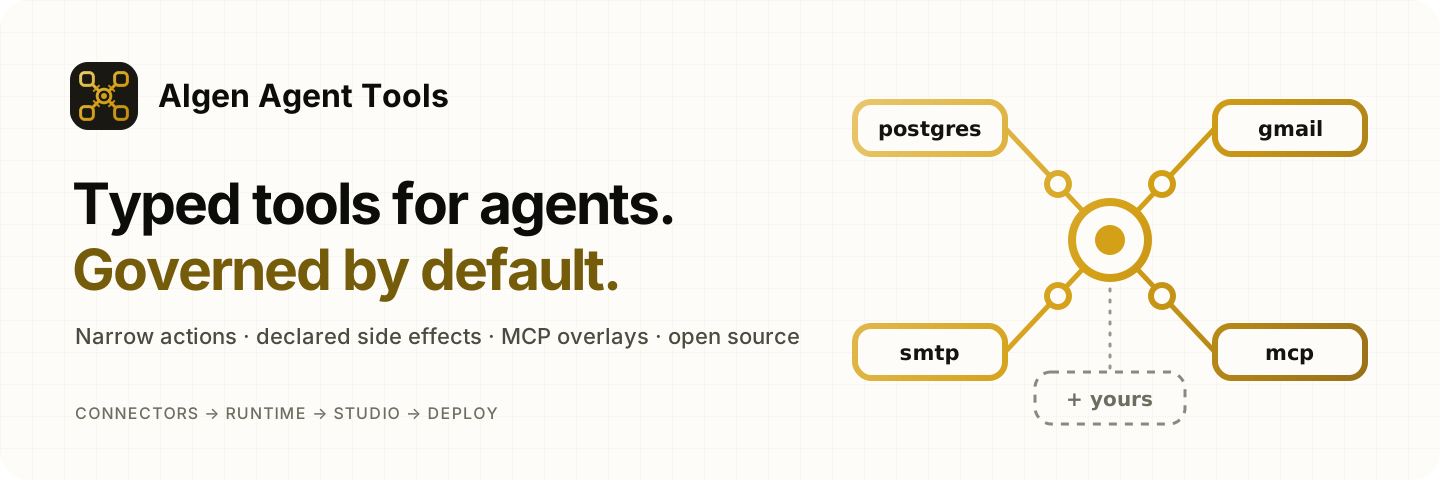
Algen Agent Tools




Curated, governed connectors for agents built on Algen Agent Runtime.
Each connector is a Runtime Toolkit of narrow, typed actions, registered through a declared
plugin. An agent names the plugin in agent.yaml, the Runtime checks every tool it enables, and
Algen Agent Studio lists each tool with its side effect, permissions and environment variables
from algen-agent-runtime describe, without running project code.
Why a separate package
- The Runtime stays small and domain-agnostic; vendor APIs change faster than its core.
- Connectors get their own release cadence, owners and security review.
- Every connector is a plugin, so Studio sees it with no extra work.
| Layer | Package | Contains |
|---|---|---|
| Core | algen-agent-runtime |
Contracts, @tool, presets, Toolkit, plugins, describe, MCP and HTTP adapters |
| Connectors | algen-agent-tools |
Generic toolkits, one optional extra each |
| Domain packs | Their own packages | Product-specific tools (hiring, text-to-SQL, HR, ...) |
Install
Python 3.12 or 3.13. Install the package with the extra for each connector you use:
pip install "algen-agent-tools[postgres]"        # one connector
pip install "algen-agent-tools[all]"             # every connector
The package supports algen-agent-runtime>=0.1.0a12,<0.2; see
compatibility.
Use a connector
Name the connector's plugin in domain_plugins, trust the package's prefix, enable the tools
and grant their permissions:
agents:
  - name: assistant
    version: 1.0.0
    description: Checks that tools are wired up
    system_instructions: Use sample.echo when asked to echo text.
    default_model: {name: m, provider: demo}
    domain_plugins: [algen_agent_tools.sample]
    enabled_tools: [sample.echo]
    tool_permissions: [sample.read]
security:
  trusted_plugin_prefixes: [algen_agent_tools]
Then check the project the way Studio will:
algen-agent-runtime check agent.yaml
algen-agent-runtime describe --config agent.yaml --json
Each zero-configuration plugin reads its settings from env:// references at the moment its
client first opens, never at import. To configure a connector in code (another name, other
environment variables, a fake for tests), build its toolkit in your own plugin:
from algen_agent_runtime.plugins.sdk import PluginManifest, plugin
from algen_agent_tools.sample import sample_toolkit


@plugin(PluginManifest(name="acme.tools", version="1.0.0", publisher="acme"))
class AcmeTools:
    def register(self, context):
        sample_toolkit(name="diagnostics").register(context)
Connectors
| Connector | Plugin | Extra | Tools | Docs |
|---|---|---|---|---|
| PostgreSQL | algen_agent_tools.postgres |
postgres |
postgres.list_tables, postgres.describe_table (read), plus your own typed queries |
postgres |
| SMTP | algen_agent_tools.smtp |
smtp |
smtp.send_email (external) |
smtp |
| Gmail | algen_agent_tools.gmail |
gmail |
gmail.list_messages, gmail.get_message (read), gmail.send_email (external) |
gmail |
| Outlook | algen_agent_tools.outlook |
outlook |
outlook.list_messages, outlook.get_message (read), outlook.send_email (external) |
outlook |
| Documents | none: built in code with an artifact loader | documents |
documents.extract_text (read) |
documents |
| Sample | algen_agent_tools.sample |
none | sample.echo (read) |
sample |
MCP servers
For services with a well-maintained MCP server, algen_agent_tools.mcp adds a
governance overlay instead of a native client: a reviewed mapping that
declares each remote tool's side effect, permission, approval rule and pinned input schema. The
tools appear in describe and Studio before anything connects, undeclared tools are never
exposed, and a tool whose schema changes is refused until it is reviewed again.
pip install "algen-agent-tools[mcp]"
python -m algen_agent_tools.mcp snapshot server.yaml --name github --output github.overlay.yaml
Moving from the Runtime's built-in email and database connectors? See migrating from the Runtime.
Proposed connectors follow the connector policy: at least two projects need it, it holds no domain logic, it has an owner and it passed a security review. When a well-maintained MCP server exists, the package ships a governance overlay instead of a native client.
Rules every connector follows
- Narrow, typed actions (
list_open_invoices,post_message), never a raw passthrough such as free-form SQL or arbitrary HTTP. - Side effect, permission, idempotency, retries and timeout come from a Runtime preset. Anything that writes, sends or deletes is keyed by the idempotency key and tried once.
- Secrets are
env://references only, resolved when a client opens. - An in-memory fake for offline tests; live tests run only when
ALGEN_TOOLS_LIVE=1. - Every toolkit passes
algen_agent_tools.testing.assert_toolkit_contract.
Development
python3.12 -m venv .venv
source .venv/bin/activate
python -m pip install --upgrade pip
python -m pip install -e '.[dev]'
make check
See CONTRIBUTING.md, writing a connector and the release process.
Security
Report vulnerabilities privately as described in SECURITY.md. Do not open a public issue.
License
1 maintainer

Metadata
1 maintainer
Release files for algen-agent-tools 0.2.0a2
For a detailed explanation of source distributions (sdists) and built distributions (wheels), please see the package formats documentation.
Source distribution (sdist)
| File | Size | Uploaded | Provenance | Actions |
|---|---|---|---|---|
| algen_agent_tools-0.2.0a2.tar.gz | 83.0 kB | With provenance | Details for algen_agent_tools-0.2.0a2.tar.gz |
Built distribution (wheel)
| File | Interpreter | ABI | Platform | Actions Reset |
|---|---|---|---|---|
| algen_agent_tools-0.2.0a2-py3-none-any.whl | Python 3 | none | any | Details for algen_agent_tools-0.2.0a2-py3-none-any.whl |
Total release size: 167.7 kB
Release files / algen_agent_tools-0.2.0a2.tar.gz
| Download URL | algen_agent_tools-0.2.0a2.tar.gz |
|---|---|
| Size | 83.0 kB |
| Tags | Source |
|
SHA-256 checksum How to use checksums |
4ed20b3ea9a38cffe917d90945e6d043dc342075eb9543166fcaa04d78914ff5
|
|
BLAKE2b-256 checksum How to use checksums |
4fa2c3d7176b92569b42d4ecbd0fbf2bd2a7e06674960ef3666fa4e1fda1ac1b
|
| Upload date | |
|
Uploaded using Trusted Publishing? What is trusted publishing? |
Yes |
| Uploaded via |
twine/7.0.0 CPython/3.13.16
|
Provenance
Provenance describes where a file came from. On PyPI, provenance is shared via attestations, which provide a verifiable record of the build or publishing details. View details, limitations and caveats.


PyPI Publish Attestation
PyPI verified that this artifact, at this checksum, originated from the publisher listed below.
Signed by GitHub Actions, verified by PyPI on Oct 27, 2026.
Transparency logRelease files / algen_agent_tools-0.2.0a2-py3-none-any.whl
| Download URL | algen_agent_tools-0.2.0a2-py3-none-any.whl |
|---|---|
| Size | 84.7 kB |
| Tags | Python 3 |
|
SHA-256 checksum How to use checksums |
d82fd84c197b49540dbcbd758c0352226b84ee68b9d39fe43ad3754eddd11cbb
|
|
BLAKE2b-256 checksum How to use checksums |
e8c5664a986640f0e4d822bbbbd079b84f838d88593631cba73289b1092d8456
|
| Upload date | |
|
Uploaded using Trusted Publishing? What is trusted publishing? |
Yes |
| Uploaded via |
twine/7.0.0 CPython/3.13.16
|
Provenance
Provenance describes where a file came from. On PyPI, provenance is shared via attestations, which provide a verifiable record of the build or publishing details. View details, limitations and caveats.
PyPI Publish Attestation
PyPI verified that this artifact, at this checksum, originated from the publisher listed below.
Signed by GitHub Actions, verified by PyPI on Oct 27, 2026.
Transparency logSecurity for algen-agent-tools 0.2.0a2
Provenance
Provenance describes where a file came from. On PyPI, provenance is shared via attestations, which provide a verifiable record of the build or publishing details. View details, limitations and caveats.
Full provenance
All 2 files in this release have been uploaded with provenance metadata.
Attestation for algen_agent_tools-0.2.0a2.tar.gz
PyPI Publish Attestation
PyPI verified that this artifact, at this checksum, originated from the publisher listed below.
Signed by GitHub Actions, verified by PyPI on Oct 27, 2026.
Transparency logA note on package security
PyPI is a repository for distributing packages, not a service for auditing them. While third-party security researchers and our staff do their best to detect and remove malicious packages, PyPI cannot guarantee the quality, security or suitability of any given package.
To learn more about protecting yourself from malicious actors, visit our package security documentation.














