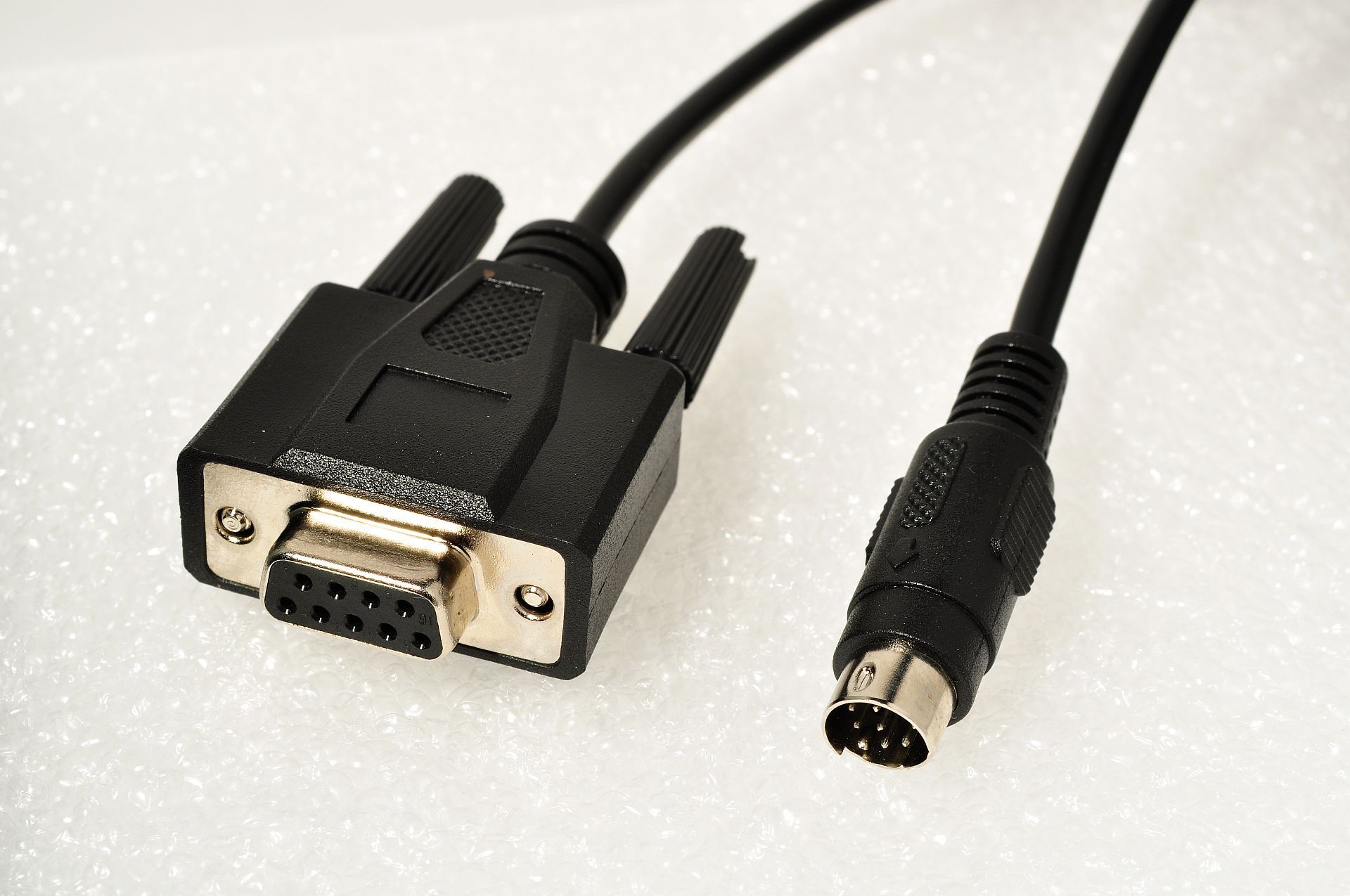
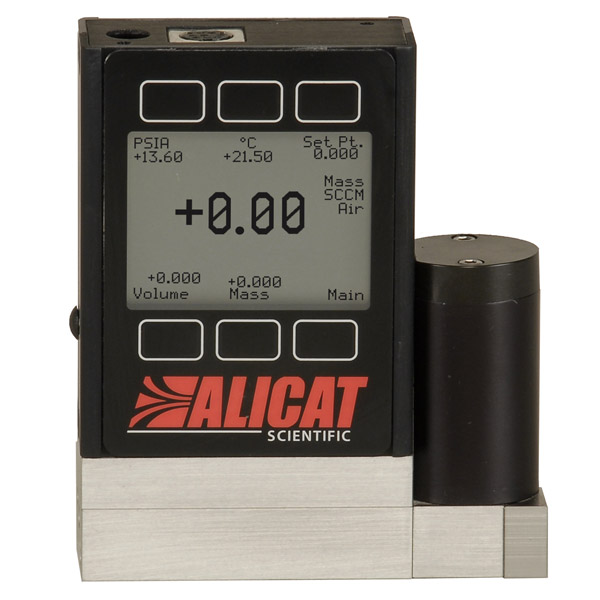
Python driver for Alicat mass flow controllers.


Project description
alicat
TCP/Serial driver and command line tool for Alicat mass flow controllers.
If you are using Analyt-MTC flow controllers, go to this repository for more info.
Example Connections
| Type | Usage |
|---|---|
The standard DB9 cable connected directly to a computer (unix: /dev/ttyS0, windows: COM1). |
Good with older computers that still have the connector. |
The cable connected to a computer through a USB converter (unix: /dev/ttyUSB0, windows: COM1). |
Good for newer computers and maker boards such as Raspberry Pis. |
Multiple cables connected to one port via a splitter and Alicat's addressing (A-Z). |
Good when number of ports is limited. |
Cables routed through a TCP device server (192.168.1.100:23). |
Installation
pip install alicat
Usage
Command Line
For basic tasks, this driver includes a command-line interface. Read the help for more.
alicat --help
Python
This uses Python ≥3.5's async/await syntax to asynchronously communicate with an Alicat. For example:
import asyncio
from alicat import FlowController

async def get():
    async with FlowController('ip-address:port') as flow_controller:
        print(await flow_controller.get())

asyncio.run(get())
If the flow controller is communicating on the specified port, this should return a dictionary of the form:
{
  'setpoint': 0.0,         # Setpoint, either mass flow rate or pressure
  'control_point': 'flow', # Either 'flow' or 'pressure'
  'gas': 'Air',            # Can be any option in `flow_controller.gases`
  'mass_flow': 0.0,        # Mass flow (in units specified at time of purchase)
  'pressure': 25.46,       # Pressure (normally in psia)
  'temperature': 23.62,    # Temperature (normally in C)
  'total_flow': 0.0,       # Optional. If totalizer function purchased, will be included
  'volumetric_flow': 0.0   # Volumetric flow (in units specified at time of purchase)
}
On flow controllers, you can set the flow or pressure setpoints.
await flow_controller.set_flow_rate(1.0)
await flow_controller.set_pressure(20)
Gas Type
You can set the gas type by name or by index. For more on setting by index, see the gas table in your Alicat's manual.
await flow_controller.set_gas('N2')
await flow_controller.set_gas(8)
For firmware 5v and greater, you can create and set gas mixes. Mixes can contain up to five gases and are stored in gas indices 236-255.
await flow_controller.create_mix(mix_no=236, name="Mix1", gases={'N2': 50, 'O2': 30, 'CO2': 20})
await flow_controller.set_gas(236)
await flow_controller.delete_mix(236)
PID Parameters
For flow controllers, read and write PID loop settings for device tuning.
await flow_controller.set_pid(p=4000, i=4000, d=10, loop_type='PD2I')
print(await flow_controller.get_pid())
{
    'loop_type': 'PD2I',
    'P': '4000',
    'I': '4000',
    'D': '10',
}
Other Features
Additional features include override commands to increase device functionality.
await flow_controller.lock()            # Lock the front display.
await flow_controller.unlock()          # Unlock the front display.
await flow_controller.hold()            # Hold the valve in its current position.
await flow_controller.cancel_hold()     # Cancel the valve hold.
await flow_controller.tare_volumetric() # Tare volumetric flow.
await flow_controller.tare_pressure()   # Tare pressure.
await flow_controller.reset_totalizer() # Reset totalizer, if totalizer functionality included.
Addressing
You can have multiple controllers on the same port by using Alicat's A-Z addresses
and an RS-232 splitter.
flow_controller_1 = FlowController(address='A')
flow_controller_2 = FlowController(address='B')

await flow_controller_1.set_flow_rate(1.0)
await flow_controller_2.set_flow_rate(0.5)

await flow_controller_1.close() # /dev/ttyUSB0 is still open!
await flow_controller_2.close()
Breaking changes
0.5.0
- Support only
asyncio. The last version with synchronous code was0.4.1. - Rename
address/-atounit/-uto match Alicat's documentation - Rename
-uto-ul(for--unlock)
0.4.1
Remove TCP support. Use pip install alicat==0.3.1 if needed
Release history Release notifications | RSS feed


Download files
Download the file for your platform. If you're not sure which to choose, learn more about installing packages.
Source Distribution
Built Distribution
Filter files by name, interpreter, ABI, and platform.
If you're not sure about the file name format, learn more about wheel file names.
Copy a direct link to the current filters
File details
Details for the file alicat-0.6.0.tar.gz.
File metadata
- Download URL: alicat-0.6.0.tar.gz
- Upload date:
- Size: 21.6 kB
- Tags: Source
- Uploaded using Trusted Publishing? No
- Uploaded via: twine/4.0.2 CPython/3.11.6
File hashes
| Algorithm | Hash digest | |
|---|---|---|
| SHA256 |
d15bedb3b6dfb3c9d02eae5b291f49aaf2f533e9f5913c464dec264b1838d1c1
|
|
| MD5 |
34a1d2f52c5c1ef20a90fb52a304811e
|
|
| BLAKE2b-256 |
eeb301b626b8929056544d26fb79fb701a6ffc4b4da3e14129e1646e0ecf23c7
|
File details
Details for the file alicat-0.6.0-py3-none-any.whl.
File metadata
- Download URL: alicat-0.6.0-py3-none-any.whl
- Upload date:
- Size: 20.6 kB
- Tags: Python 3
- Uploaded using Trusted Publishing? No
- Uploaded via: twine/4.0.2 CPython/3.11.6
File hashes
| Algorithm | Hash digest | |
|---|---|---|
| SHA256 |
fceb295b4c1624ba7ff51eeff5fb945c41f7515b9e10c60f3087e6d0b1321b46
|
|
| MD5 |
4371b30e31cea9f5b4bd16fbccc63752
|
|
| BLAKE2b-256 |
a8e371dfec954862ad0f1a86f17cde794deef298ccc703d0e0d7dfdb2a060bd8
|