
Automatic Face Alignment (AFA)
Carl M. Gaspar & Oliver G.B. Garrod
You have lots of photos of faces like this:
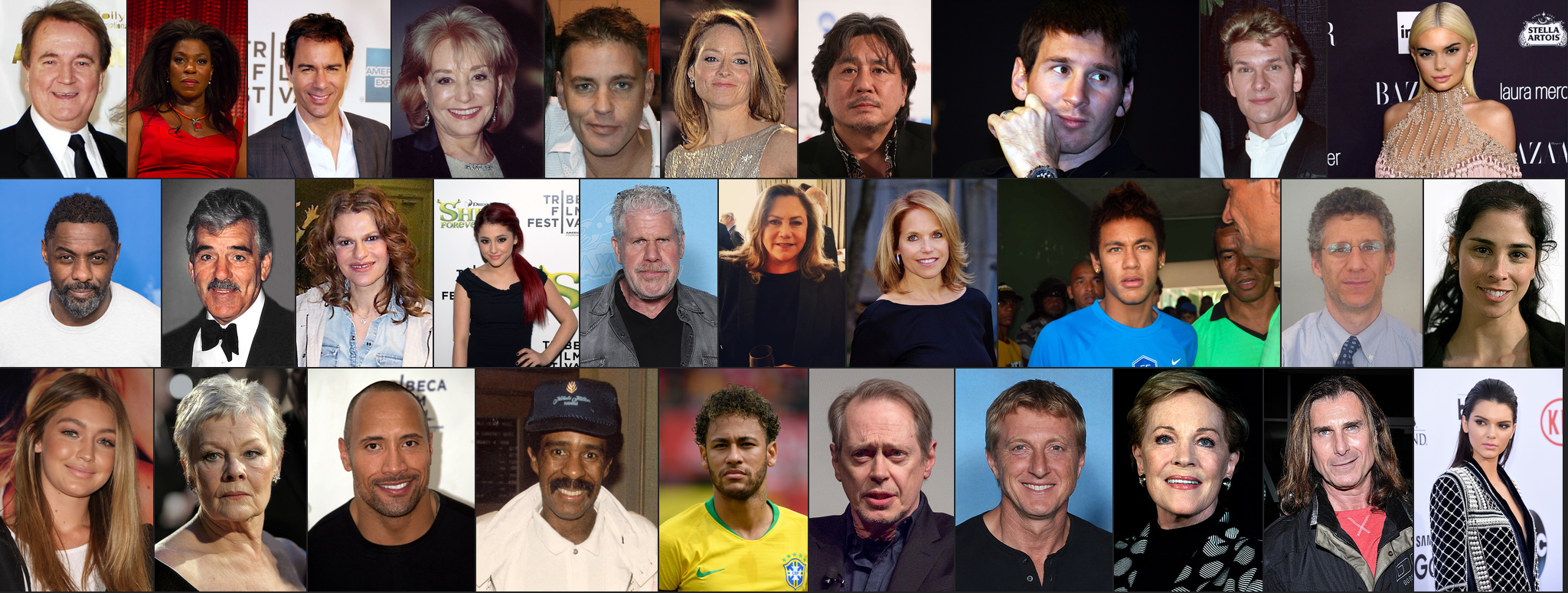
But you want to line up all of the faces like this:
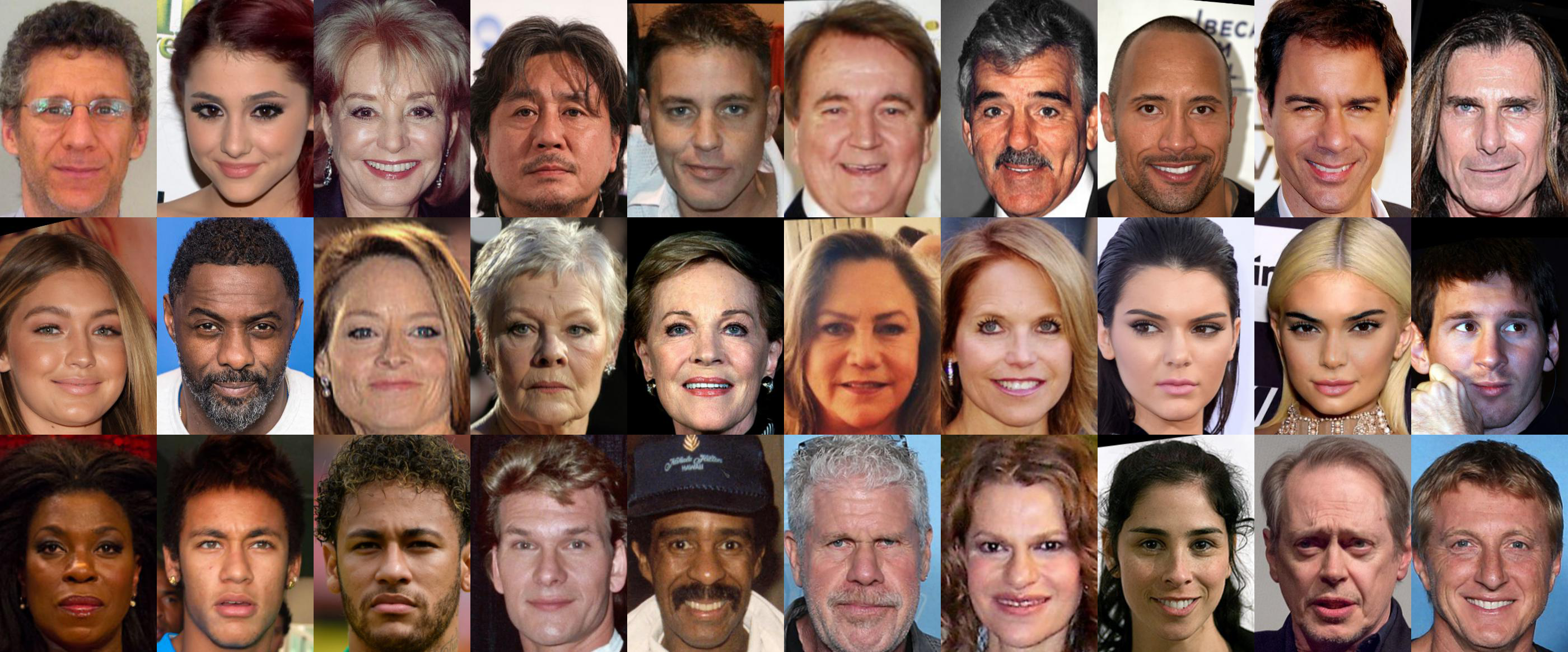
Perhaps you would also like to window the faces to show only inner facial features like this:
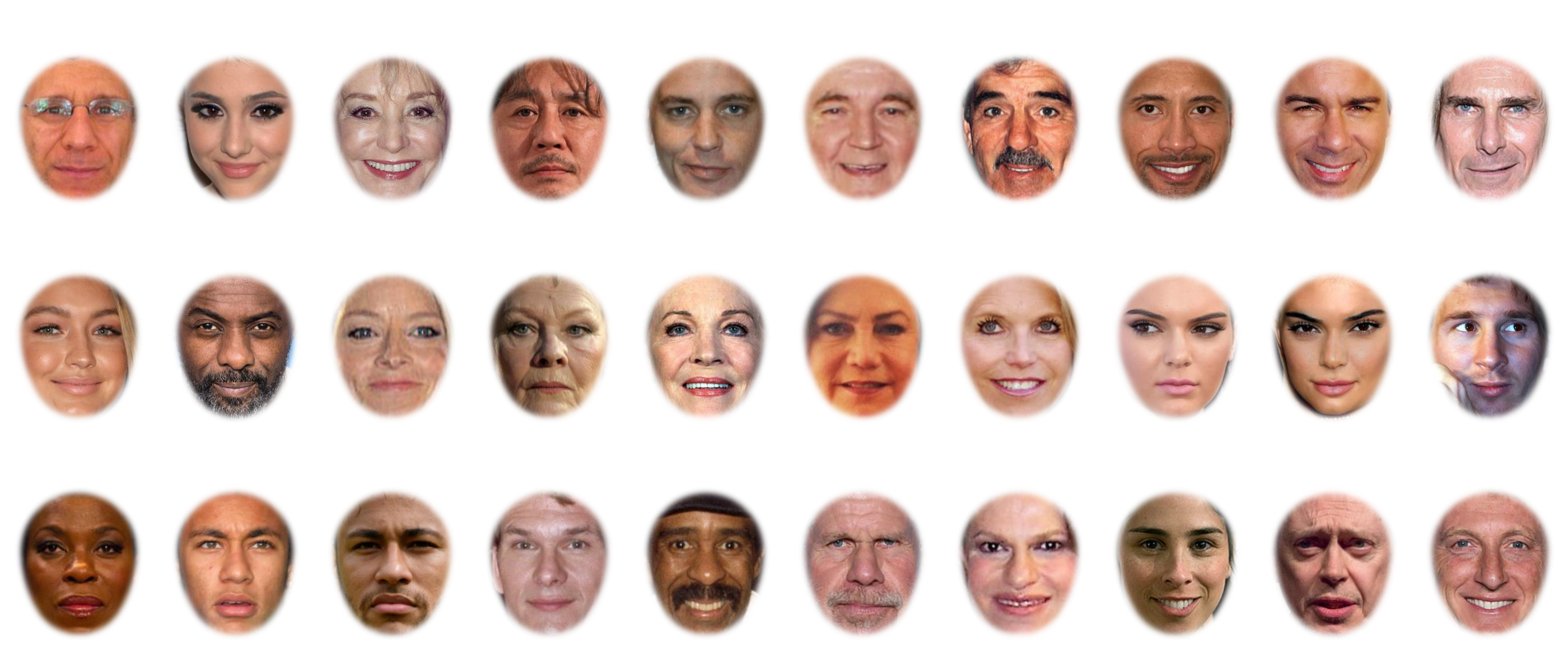
All of the above can be done using AFA like this:
import alignfaces as afa

faces_path = "/Users/Me/faces_for_my_study/"
pfx = ""     # relevant input files may start with a string
sfx = "jpg"  # input image format

afa.get_landmarks(
    faces_path,
    file_prefix=pfx,
    file_postfix=sfx,
)

aligned_path = afa.align_procrustes(
    faces_path,
    file_prefix=pfx,
    file_postfix=sfx,
)

afa.get_landmarks(
    aligned_path,
    file_prefix=pfx,
    file_postfix=sfx,
)

the_aperture, aperture_path = afa.place_aperture(
    aligned_path,
    file_prefix=pfx,
    file_postfix=sfx,
)
To better understand how to write a script for your specific purposes, we direct you to demo 1. Demo 1 also describes how AFA alignment works.
All of these functions depend on reliable detection of facial landmarks, which is provided by the DLIB library. Alignment is based on generalized Procrustes analysis (GPA), which extensively unit tested.
Additional functions (warping)
Automatic landmark detection means that it is also easy to separate shape and texture in order to produce various kinds of warped images.
AFA provides functions for two types of face-warping manipulations common in face perception research.
Morphing between faces
To learn how to do this please see demo 2.
Enhanced average of facial identity
To learn how to do this please see demo 3.
Setup
It is highly recommended that you have conda installed, preferably miniconda rather than full fat anaconda.
If you do have conda, then this is the easiest way to install:
conda create --name myenv "conda-forge::dlib<19.24.2" "python>=3.9" scikit-image

conda activate myenv

conda install -c conda-forge matplotlib
To install AFA next you have two options:
You either do this:
pip install "alignfaces @ git+https://git@github.com/SourCherries/auto-face-align.git"
Or if instead you want a readable and editable copy of AFA on your local machine, then first clone this repository, go to the root folder auto-face-align, and then do this:
pip install .
Regardless of how you installed AFA, the above process will create a new virtual environment called myenv. You can use another name for that. You'll need to activate this environment using conda activate myenv whenever you want to use AFA. To deactivate, simply type conda deactivate myenv.
If you have a readable/editable copy of AFA on your local machine, you will have copies of all the demos. Most users will want those demo scripts to get started on their projects.
Other users may want a readable/editable copy of AFA to contribute to AFA, or to evaluate AFA by running the analyses under results or the unit tests. To run the unit tests, go to the root folder auto-face-align then do this:
pip install -U pytest
pytest -v src/alignfaces/tests/
How well does this work?
In addition to unit-testing critical computations, I evaluated both landmark estimation (DLIB) and the outcome of the entire alignment procedure using various face databases. The results are described here.
Citation
If you use this package for your research, please cite the following preprint:
Gaspar, C. M., & Garrod, O. G. B. (2021, November 8). A Python toolbox for Automatic Face Alignment (AFA). Retrieved from psyarxiv.com/erc8a
DOI:
10.31234/osf.io/erc8a
License
This module is under an Apache-2.0 license.
1 maintainer

Release files for alignfaces 1.0.1
For a detailed explanation of source distributions (sdists) and built distributions (wheels), please see the package formats documentation.
Source distribution (sdist)
| File | Size | Uploaded | |
|---|---|---|---|
| alignfaces-1.0.1.tar.gz | 72.0 MB | Details |
Built distribution (wheel)
| File | Interpreter | ABI | Platform | Reset |
|---|---|---|---|---|
| alignfaces-1.0.1-py3-none-any.whl | Python 3 | none | any | Details |
Total release size: 144.4 MB
Release files / alignfaces-1.0.1.tar.gz
| Download URL | alignfaces-1.0.1.tar.gz |
|---|---|
| Size | 72.0 MB |
| Tags | Source |
|
SHA-256 checksum How to use checksums |
e3210e695fb0983587ed782ed95de9b4ab24a1a883225e99cc15379d4b8bcd17
|
|
BLAKE2b-256 checksum How to use checksums |
aa291014ef4f5dca7e0cb5509757b70e7eb9d2244ace4a1285c666c878e8b8fe
|
| Upload date | |
|
Uploaded using Trusted Publishing? What is trusted publishing? |
No |
| Uploaded via |
twine/6.2.0 CPython/3.11.14
|
Release files / alignfaces-1.0.1-py3-none-any.whl
| Download URL | alignfaces-1.0.1-py3-none-any.whl |
|---|---|
| Size | 72.4 MB |
| Tags | Python 3 |
|
SHA-256 checksum How to use checksums |
5a16c4890b0f7ec4799d31fb48adc570a624894718fe61d79611f73a4b1568c0
|
|
BLAKE2b-256 checksum How to use checksums |
ec14ee82191637fdb0d5739bc3be8ae0c917898fdb6d24a538d8612de58f7318
|
| Upload date | |
|
Uploaded using Trusted Publishing? What is trusted publishing? |
No |
| Uploaded via |
twine/6.2.0 CPython/3.11.14
|














