
alkonost
A browser cockpit for deepagent_* — a spec-driven-development approach built specifically to work with small, local, CPU-friendly models, where most AI coding tools assume a big GPU model and a huge context window.
Alkonost is not a chat UI and not a generic task board bolted onto one. It's the control surface for a pipeline: turn one task description into a reviewable plan tree, re-slice that plan along an implementation axis, spec each unit, roll everything up into a checklist, and track it — each step small enough to run comfortably on a 1B-parameter model, on CPU, with no context window to worry about.
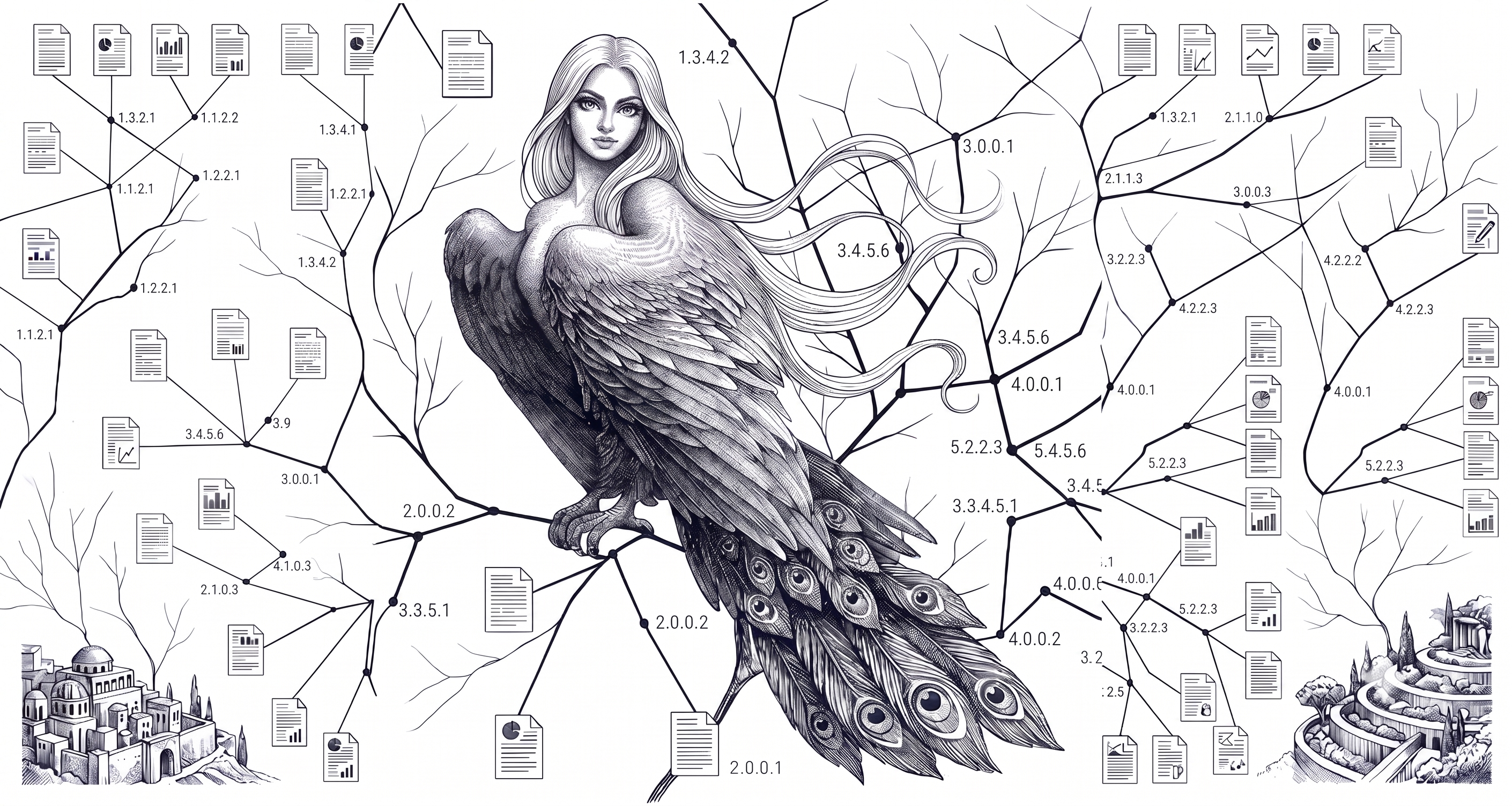
The name comes from Алконост (Alkonost), the Slavic paradise-bird of joyful song — traditionally depicted paired with Сирин (Sirin, sorrow/night), the tool this ecosystem already calls syryn.
The idea
A single prompt has a ceiling: ask a model to "design a REST API with PostgreSQL and an Android client" and it spreads its attention across every subtopic at once — competent, shallow, and the ceiling doesn't move no matter how capable the model is. It moves if you change the shape of the interaction instead: expand one node at a time, each call focused on exactly one thing, state kept on disk between calls rather than in one ballooning conversation.
That's what the deepagent_* family of flows (deepagent_md, deepagent_tree, deepagent_spec, deepagent_task, ...) already does, from the command line, in 1bcoder. Alkonost is what makes that usable without memorizing flags and hand-typing them one stage at a time: pick a flow, fill a form, click Generate, watch the log stream in, edit the tree that comes back, regenerate just the node that needs it. Nothing here does anything 1bcoder itself can't already do from a terminal — Alkonost launches the exact same commands as a local subprocess and reads the exact same files back.
Runs on modest hardware, by design
This is the actual point, not a footnote: every step in the pipeline is a single, bounded LLM call over a small, sharply-scoped piece of text — one section of a plan, one node's own content, one spec unit — never the whole project at once. Depth and scope are set externally (--maxdepth, layer-by-layer generation, chunk-by-chunk specs), never left to the model to decide when it's "done enough," which is also what keeps a small model from getting lost. Combine that with state living in plain files instead of one long conversation, and:
- A 1B–3B model (
gemma3:1b,qwen2.5-coder, whatever runs on your machine via Ollama) is enough for most steps — you're never asking one call to hold an entire architecture in its head. - CPU-only works. Nothing about the pipeline requires GPU throughput; it requires many small calls, which a modest CPU box handles fine, just not instantly.
- A tiny context window is fine. Each call's input is one node plus its immediate parent context, not the accumulated history of everything generated so far.
- Interruptions are cheap. Kill a run mid-generation (the Stop button does this for real — it kills the whole process tree, not just the top PID) and resume later; the tree/spec files already written stay exactly as they are, only what's missing gets filled in.
None of this stops you from pointing Alkonost at a much bigger model if you have the hardware for one — it just doesn't require it.
The pipeline, tab by tab
| Tab | What it drives | What you get |
|---|---|---|
| Init | deepagent_md / deepagent_tree / deepagent_tree_md |
Start a new plan from a task description. Pick prose (deepagent_md, an essay free to revisit a theme) or structure (deepagent_tree/deepagent_tree_md, a backlog where every branch owns a disjoint slice) — full one-shot run, or layer-by-layer if you want to look at depth 1 before committing to depth 4. |
| Plan | the same three flows, plus continue/redo/resume |
The generated tree, browsable and editable node by node. Regenerate one bad node without discarding its siblings, grow the tree by one more labeled layer, or resume a run that got interrupted partway through. |
| Radogast | radogast plan analyze |
Set a goal, key terms that should end up covered somewhere, and topics that shouldn't get reinvented — then check the tree against them: duplicate/redundant branches, drift out of scope, coverage gaps. Deterministic (embeddings + term-matching), no LLM call. |
| Axis | a second deepagent_tree/deepagent_tree_md pass |
Re-slices a research plan along a different axis before specs get written — e.g. a plan organized by user-facing capability re-cut along implementation units (modules → files → classes → methods) — optionally grounded in the source plan via simargl RAG. Fixes the mismatch where the spec stage needs a different decomposition than the one the research pass produced. |
| Spec | deepagent_spec, deepagent_task |
Writes a WHO/WHAT/acceptance-criteria unit per atomic piece of the (axis-)plan, then compiles the whole tree into the flat tasks.md checklist the board reads — no LLM call for the rollup itself, existing tags survive a re-run. |
| Tasks | deepagent_task's output |
The board: Kanban lanes, a filterable backlog table, tags/modules/assignees, full markdown spec panel per task, autosave. This is Alkonost v1, unchanged — now the pipeline's last screen instead of the whole product. |
| Glossary | 1bcoder's /flow glossary index, /flow rag index, simargl search |
The project's vocabulary from any of its folders (docs, code, task exports) into .1bcoder/glossary/<name>/: one button builds, updates and resumes (the flow is incremental), with --terms-only for a fast first pass and --jev to have a decision model sort terms into domain / technology / noise. Browse the articles — filter by name and kind, sort by support (how many chunks named the term), open one with its definitions, facts, links and where it was seen — and search them by meaning through simargl over an index kept inside the glossary folder. |
| Settings | .1bcoder/config.yml / ~/.1bcoder/config.yml |
Which host and model every flow above actually runs with — project-level or machine-wide. This is the one place that decides whether a given run is CPU/1B-friendly or not. |
| Files | the project folder | A plain file browser/editor for the project directory itself — read, edit, upload, without leaving the tab. |
The interface speaks English, Ukrainian, German, French, Spanish and Portuguese — the language picker sits next to the theme picker in the top bar (the same six languages and eight themes as vyrii). Only the interface's own words are translated: task titles, plans, specs, tags and logs stay as they were written.
Install
pip install alkonost
For developers
git clone https://github.com/szholobetsky/alkonost.git
cd alkonost
pip install -e .
Quick start
alkonost
Open http://localhost:8090. Run it from the folder where you keep your project (or a folder containing several) — Alkonost looks for existing plans there.
A project is simply a folder with a .1bcoder/ inside — there is no registry. To start from a folder that has none yet, click + next to the project picker (or the banner shown when no project is found), browse to the folder and choose Make this folder a project: Alkonost creates an empty .1bcoder/ there and nothing else.
- Settings — point it at your model backend. For a local Ollama setup: host
http://localhost:11434, modelgemma3:1b(or whatever you have pulled). This is genuinely enough to run the whole pipeline on CPU. - Init — describe the task, pick a flow (structure vs. prose — see the hint in the tab), click Generate. Watch the log stream; the tree appears on the Plan tab as it's written.
- Plan — read through it,
redoanything that came out wrong, grow another layer if you need more depth. - (optional) Radogast — set a target and check the tree for redundancy or drift before moving on.
- (optional) Axis — re-slice the plan along an implementation axis if the research pass wasn't organized the way you need specs cut.
- Spec — generate spec units, then roll them up into
tasks.md. - Tasks — the board is now populated; manage day-to-day progress from here.
Common launch options:
alkonost -p 8090             # custom port (default: 8090)
alkonost --root D:\Work      # folder to look in (default: current folder)
alkonost --bind 127.0.0.1    # this computer only (default: reachable on your network)
Prefer the terminal? Every button here is a thin .1bcoder/scripts/alkonost_*.txt wrapper around a single /flow ... line — nothing generation-related is reimplemented, so the same pipeline is fully scriptable directly through 1bcoder if you'd rather not use the UI at all.
Requirements
Python 3.10 or newer for Alkonost itself — Flask, Waitress, PyYAML install automatically with pip. Alkonost's own process never calls a model or the network; every generation button launches a local subprocess and reads its output back from disk.
What those subprocesses need, installed separately, only for the tabs that use them:
- Init / Plan / Axis / Spec — 1bcoder on
PATH, plus a model backend it can reach (a local Ollama install is the common case, CPU or GPU). - Radogast — radogast on
PATH. - Axis RAG grounding — simargl, via 1bcoder's own
--ragsupport.
Tasks / Settings / Files work with no external tool at all — that's still the original, dependency-free viewer/editor underneath everything else.
For developers
Project layout
alkonost/
├── alkonost/
│   ├── discovery.py    # finds projects/plans under a folder
│   ├── planmd.py       # reads/writes a deepagent_md/tree/tree_md plan tree
│   ├── spec.py         # reads/writes spec_*.md units
│   ├── tasks.py        # reads/writes the board's checklist file
│   ├── runner.py        # launches deepagent_*/radogast as local subprocesses (--scriptapply), streams logs, Stop
│   ├── settings.py      # reads/writes 1bcoder's own config.yml (project + global)
│   ├── colors.py        # module → color legend
│   ├── dashboard.py     # "show only these statuses" setting
│   ├── config.py        # remembers your last-used project/plan/theme/language
│   ├── flask_api.py     # the web server
│   ├── __main__.py      # CLI entry point
│   └── ui/               # the browser UI (no build step); ui/lang/ holds the translations
├── tests/
│   ├── fixtures/         # sample data for the Python tests
│   ├── js/               # Node test suite for the UI
│   └── test_*.py         # pytest suite
├── pyproject.toml
├── README.md
└── .gitignore
Tests
Python side (parsing, discovery, the web API, the subprocess runner):
pip install -e ".[dev]"
pytest
Client-side (ui/app.js — rendering, autosave, filtering). No build step, no extra dependency — runs on Node's built-in test runner (Node 18+):
node --test tests/js/*.test.js
Part of the SIMARGL toolkit
alkonost is one of ten tools that together form an intellectual development support system:
| Tool | Role |
|---|---|
| simargl | Task-to-code retrieval — given a task description, finds which files and modules are likely affected, using semantic similarity over git history |
| svitovyd | Project map — scans any codebase and produces a structural map of definitions and cross-file dependencies; queried from the CLI, a web UI with a layered map, or an MCP server |
| 1bcoder | AI coding assistant for small local models — surgical context management, agents, parallel inference, proc scripts, the deepagent_* flows this cockpit drives |
| yasna | Session memory — indexes conversations from all AI agents so you can find what was discussed, when, and where |
| radogast | Context drift monitor — measures how far an AI agent's conversation has drifted from the original task; powers Alkonost's Radogast tab |
| vyrii | Local AI web UI — chat, translate, web research, RAG and file management in the browser (Flask; Gradio optional); powered by Ollama or any OpenAI-compatible backend |
| syryn | Bluetooth identity beacon for headless devices — the device's IP is its Bluetooth name; hostname, mDNS and network interfaces on request |
| alkonost | Browser cockpit for 1bcoder's flows — the deepagent_* spec pipeline (plan tree → specs → task board) and the glossary (build, browse, search), tuned for small local models |
| gamayun | Statistical ontology without an LLM — builds triples of terms, identifiers, files and modules from task history or a folder of documents and code; every triple carries its significance test |
| mokosh | Dataset gathering — commits of a git repository and the tasks of its tracker (Jira, GitHub, GitLab, YouTrack) in one SQLite database that the other tools read |
- simargl finds the code related to a task by vector search over the task history (embeddings).
- svitovyd answers: how is the code structured and what depends on what?
- 1bcoder answers: how do I work with local models efficiently?
- yasna answers: where did I already discuss this?
- radogast answers: is the AI agent still on track toward the goal?
- vyrii answers: how do I access all of this through a browser?
- syryn answers: what is the address of this headless device?
- alkonost answers: how do I turn one task description into a reviewed, working plan — and see the project's glossary — without a big model or a big context window?
- gamayun finds the code related to a task through an ontology of significant links between words, files and modules (no LLM).
- mokosh prepares the initial dataset from version control and the issue tracker.
Together they cover the full development loop: understand the codebase, find relevant history, work with AI locally, access everything through a web UI, remember what was decided, verify the context stays on target, locate a headless device, and drive the whole plan-to-task pipeline from one cockpit.
About
(c) 2026 Stanislav Zholobetskyi, Oleh Andriichuk Institute for Information Recording, National Academy of Sciences of Ukraine, Kyiv PhD research: «Intelligent Technology for Software Development and Maintenance Support»
1 maintainer

Metadata
1 maintainer
Release files for alkonost 0.1.1
For a detailed explanation of source distributions (sdists) and built distributions (wheels), please see the package formats documentation.
Source distribution (sdist)
| File | Size | Uploaded | Provenance | Actions |
|---|---|---|---|---|
| alkonost-0.1.1.tar.gz | 166.4 kB | Without provenance | Details for alkonost-0.1.1.tar.gz |
Built distribution (wheel)
| File | Interpreter | ABI | Platform | Actions Reset |
|---|---|---|---|---|
| alkonost-0.1.1-py3-none-any.whl | Python 3 | none | any | Details for alkonost-0.1.1-py3-none-any.whl |
Total release size: 347.2 kB
Release files / alkonost-0.1.1.tar.gz
| Download URL | alkonost-0.1.1.tar.gz |
|---|---|
| Size | 166.4 kB |
| Tags | Source |
|
SHA-256 checksum How to use checksums |
fd423a5a086fe831918ebcb2758bb1aebec2deb1802bc936440eece04044aa72
|
|
BLAKE2b-256 checksum How to use checksums |
3d81fe8442465cb7b7387f41bdaa273771865eb0ac75cf994fe0cb3c2ff90e4e
|
| Upload date | |
|
Uploaded using Trusted Publishing? What is trusted publishing? |
No |
| Uploaded via |
twine/7.0.0 CPython/3.12.9
|
Release files / alkonost-0.1.1-py3-none-any.whl
| Download URL | alkonost-0.1.1-py3-none-any.whl |
|---|---|
| Size | 180.8 kB |
| Tags | Python 3 |
|
SHA-256 checksum How to use checksums |
466ea37470ae62154038156549098cc5e44a7f55754672de4c2c0bb8efc35d01
|
|
BLAKE2b-256 checksum How to use checksums |
caab866d04725c1187dbde96624d85cee8ec225b4ef540f46d195653dd814cb2
|
| Upload date | |
|
Uploaded using Trusted Publishing? What is trusted publishing? |
No |
| Uploaded via |
twine/7.0.0 CPython/3.12.9
|
Security for alkonost 0.1.1
Provenance
Provenance describes where a file came from. On PyPI, provenance is shared via attestations, which provide a verifiable record of the build or publishing details. View details, limitations and caveats.
No provenance found
None of the files in this release were uploaded with provenance metadata.
A note on package security
PyPI is a repository for distributing packages, not a service for auditing them. While third-party security researchers and our staff do their best to detect and remove malicious packages, PyPI cannot guarantee the quality, security or suitability of any given package.
To learn more about protecting yourself from malicious actors, visit our package security documentation.














