
Secure Groups
Plugin for Auto Group Bot Stuffs for Alliance Auth.
On its own this app does very little! However it leverages any module that is capable of providing a filter. Giving you the ability to add a very wide range of automatic filtration options your groups.
Features
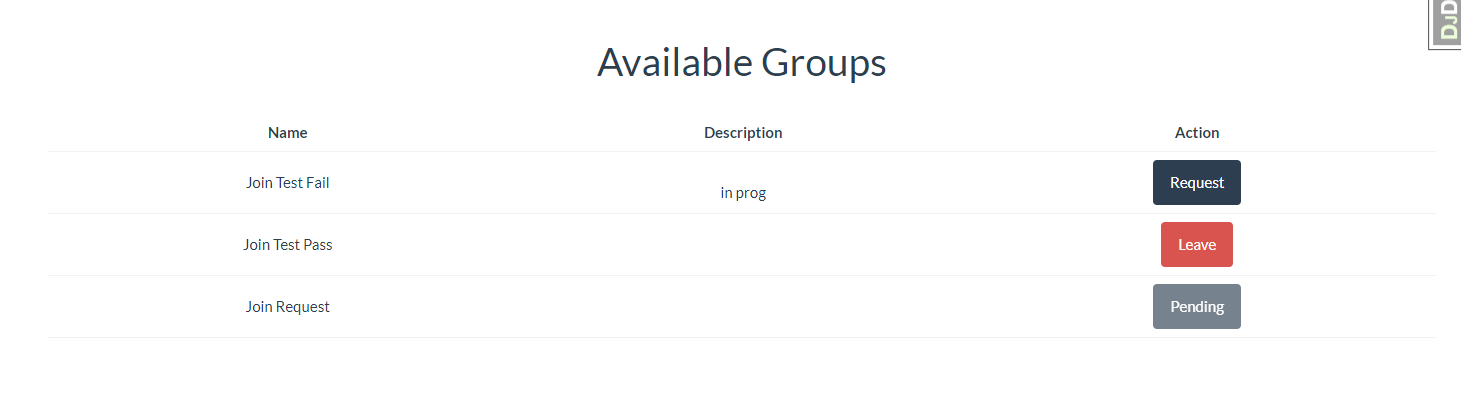
- Manual Groups, either auto join or still request join via Alliance Auth's Built in Group Management system.
- Auto Groups, process all member states for a filter and add/remove who ever passes/doesn't.
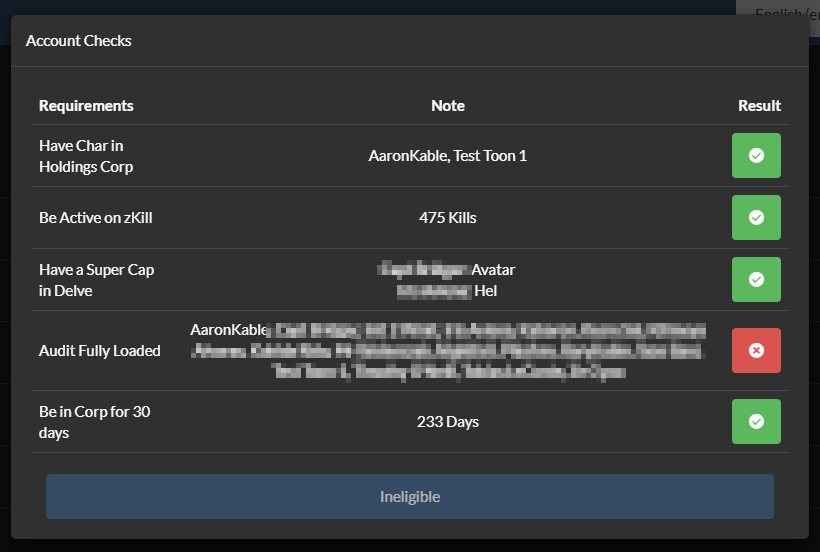
- A Grace on failure feature when already in the group with notifications to users to alow time to rectify
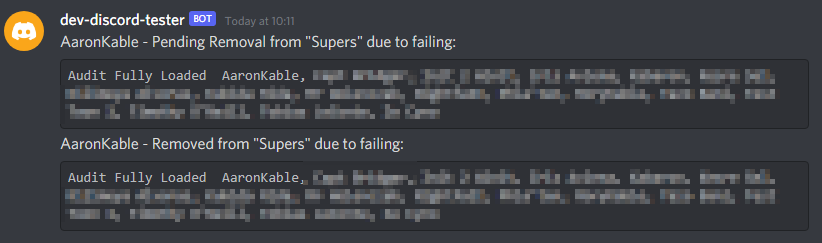
- Pings to users on discord and in auth when they are due for and removed
- Smart Group Filters included with this app:
- Character in Alliance on account
- Character in Corp on account
- User has group
Apps that provide a filter
Information for Third Party Developers can be found Here Not in any particular order:
- CorpTools
- Assets in Locations
- Skill List checks
- Single of many or,
- Require many
- Main's time in Corp
- All characters loaded in corp-tools
- Corporate Role checks
- Corporate Title check
- Highest SP on a Character check
- Expression filter that allows to combine any check to form a more complex logic expression
- Statistics
- zKill - x Kills in x Months
- Blacklist module ( link )
- users has no flags or has or has never had blacklisted char
- Member Audit via its integration.
- Activity Filter
- Asset Filter
- Character Age Filter
- Member Audit Compliance Filter
- Skill Set Filter
- Skill Point Filter
- Invoices
- No Overdue Invoices check
- Total isk paid in time period ( greater than or less than )
Soon(tm) Wishlist
- Please request any "filters" you feel are worthwhile.
Installation
Install
pip install allianceauth-securegroups- edit your
local.pyamd add'securegroups',toINSTALLED_APPS - run migrations
python myauth/manage.py migrate securegroups - restart auth
supervisorctrl restart all - create the update task by running
python myauth/manage.py setup_securegroup_task- this will create an hourly task to run all your smart group checks. you cam edit this schedule as you desire from withing the admin site.
Admin > Periodic Tasks > Secure Group Updater
- this will create an hourly task to run all your smart group checks. you cam edit this schedule as you desire from withing the admin site.
Configuration
- Create an Auth Group.
Admin > Group Management > Group > Add Group.- WARNING: There is a bug in auth that will wipe andy "AuthGroup" Settings on first save, to get around this, Set your groups name then click save and continue, then edit the rest of the settings.
- Group Settings:
- The Smart Group will override the important ones.
- Hidden On, Internal Off, Public Off
- The rest of the settings are observed as per Alliance Auth's normal group behavior
- Open: Setting this will let anyone that passes the checks to join without a manager approval.
- States:
- Set states here to limit auto groups to specific states
- Having no states will make an autogroup run against the entire user base. ( this is not recommended )
- The Smart Group will override the important ones.
- Create your Smart Filters
- These will be in admin but can be under many apps that may provide a 3rd party filter
- Create the filter and add your options as needed.
- Set any Filters "Grace Periods",
Admin > Secure Groups > Smart Filters- the default is 5 Days.
- 0 is no grace.
- after the elapsed time the user will be removed.
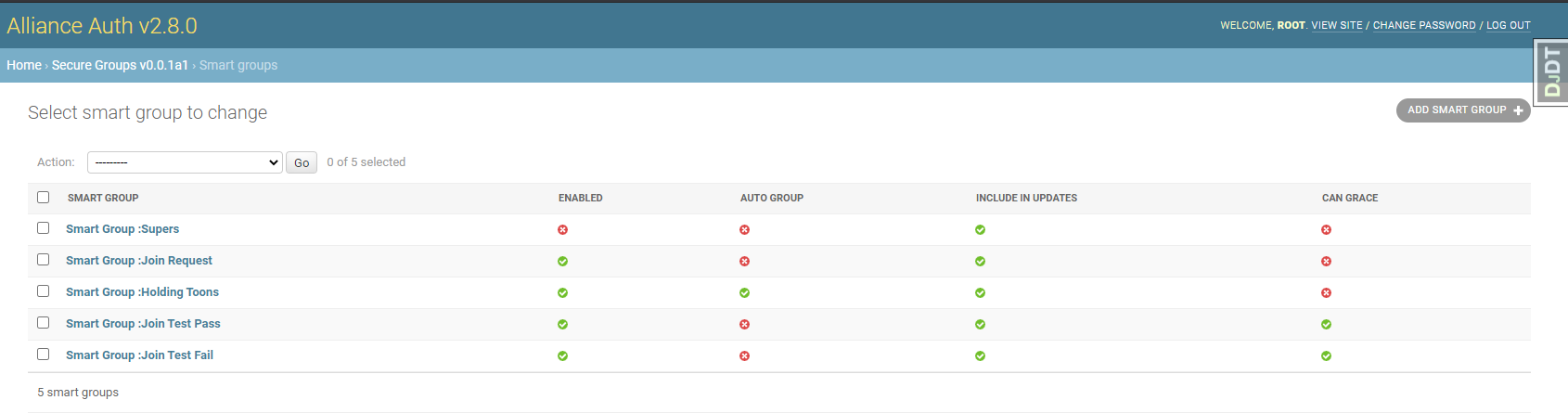
- Setup the Smart Group
Admin > Secure Groups > Smart Groups > Add Smart Group- Group: pick group from step one
- Description Optional: to add to the group description in list
- Filters: pick your Smart Filters from Step 2
- Enabled: Turning this off Smart Groups don't show im the groups screen or run in any tasks
- Can Grace: Turning this off overrides all grace periods for Instant Kick during updates.
- Auto Group: Hides the group from the Secure Groups list, and will run every user in "member" States and constantly keep it in sync.
- Include In Updates: Setting this off will alow you to have a check om join and never again style group.
Permissions
| Permision | Explanation |
|---|---|
| securegroups - smart group - Can access sec group requests screen | Grants access to the secure group request screen. |
| securegroups - smart group - Can audit sec groups members | Grants access to the secure group auditing screen, for groups the user is a leader of. |
Notifications
- You can send a simple update log to a discord webhook
- set these up in
Admin > Secure Groups > Group Update Webhooks > Add Group Update Webhook - If you are using the AllianceAuth Discord Bot from Here users will be notified of pending removals and or removals from groups via DM's from the bot with an explanation. This requires no configuration.
- set these up in
Screenshots
Admin Setup of Smart Groups
User Group Selection
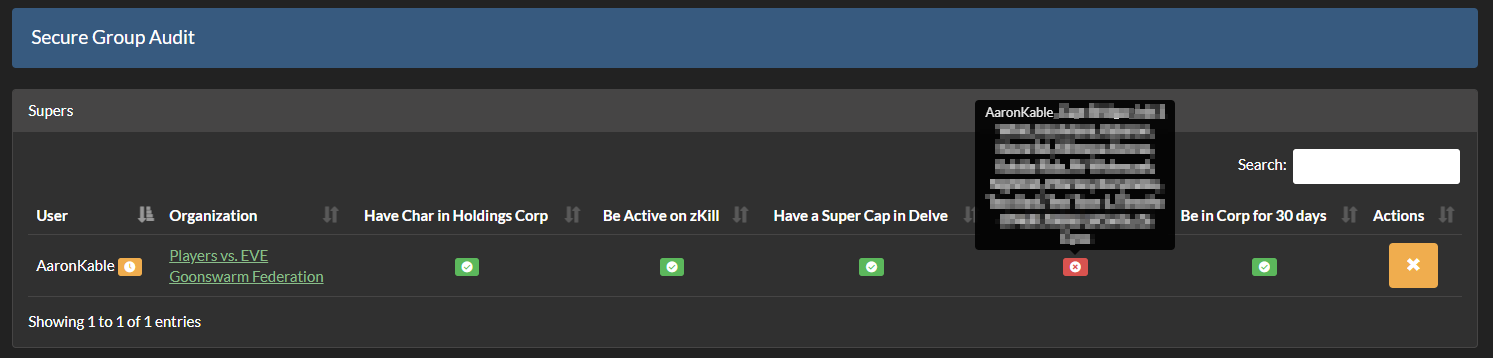
User Failed Checks
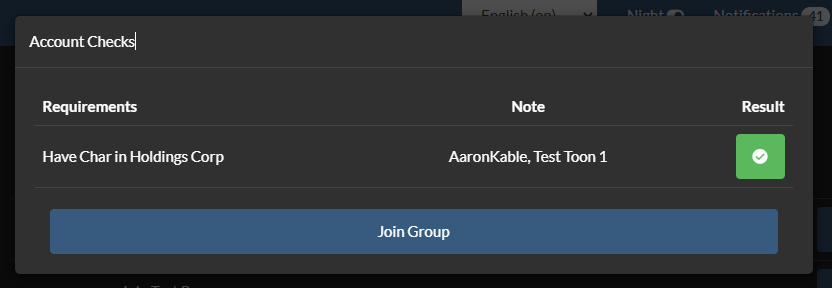
User Passed Checks
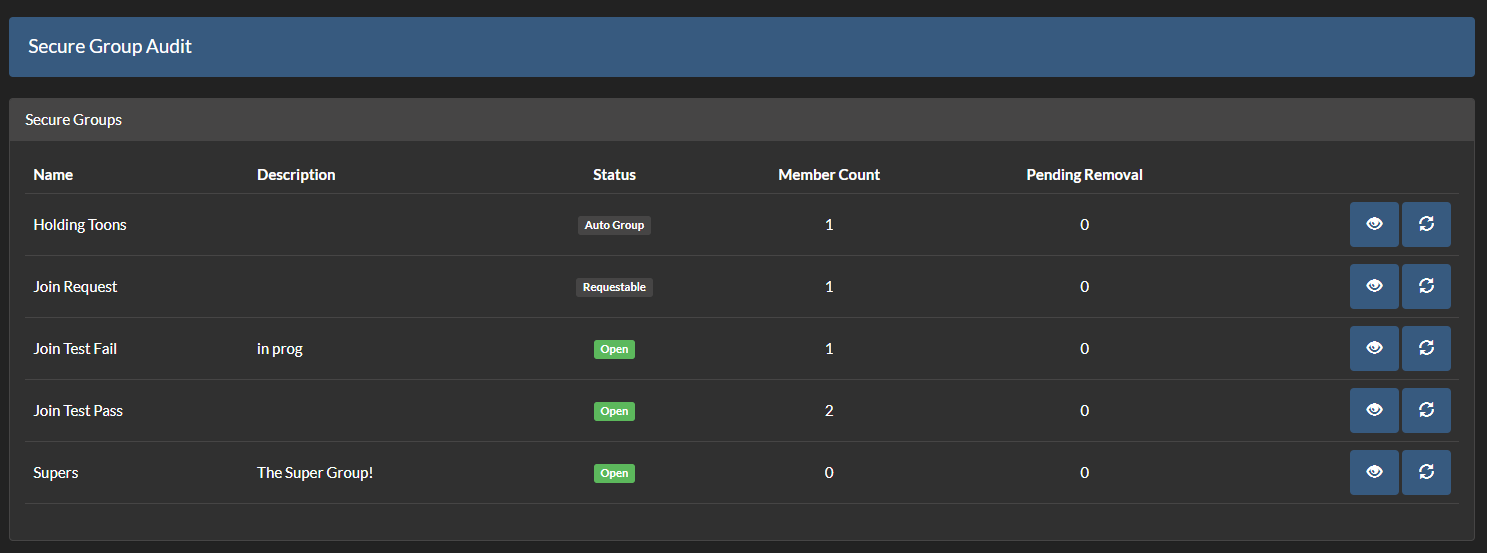
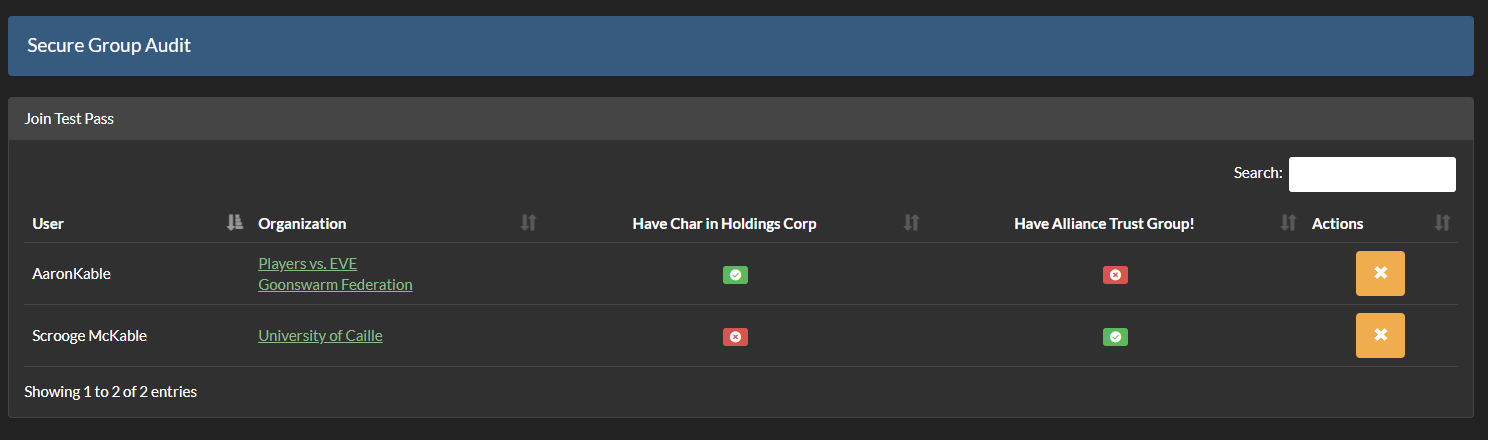
Audit Secure Groups
Discord Message Example
Issues
Please remember to report any Secure Groups related issues using the issues on this repository.
Contributing
Make sure you have signed the License Agreement by logging in at EVE Developers before submitting any pull requests.
All bug fixes or features must not include extra superfluous formatting changes. If you want to reformat the repository do it in its own MR.
1 maintainer

Download files
Download the file for your platform. If you're not sure which to choose, learn more about installing packages.
Source Distribution
Built Distribution
Filter files by name, interpreter, ABI, and platform.
If you're not sure about the file name format, learn more about wheel file names.
Copy a direct link to the current filters
File details
Details for the file allianceauth_securegroups-0.10.2.tar.gz.
File metadata
- Download URL: allianceauth_securegroups-0.10.2.tar.gz
- Upload date:
- Size: 53.7 kB
- Tags: Source
- Uploaded using Trusted Publishing? No
- Uploaded via:
twine/6.2.0 CPython/3.11.15
File hashes
| Algorithm | Hash digest | |
|---|---|---|
| SHA256 |
cb941e3c141e963f8fd19d9435d9a77a3b6c7d2d2f8ac619964197965d0286c7
|
|
| MD5 |
d12b2dd78f6a47d29a86ac370fc3016b
|
|
| BLAKE2b-256 |
e675fe2276dc913368c134b9034017f9945d0743d9b2851820cf4c24858e745e
|
File details
Details for the file allianceauth_securegroups-0.10.2-py3-none-any.whl.
File metadata
- Download URL: allianceauth_securegroups-0.10.2-py3-none-any.whl
- Upload date:
- Size: 68.5 kB
- Tags: Python 3
- Uploaded using Trusted Publishing? No
- Uploaded via:
twine/6.2.0 CPython/3.11.15
File hashes
| Algorithm | Hash digest | |
|---|---|---|
| SHA256 |
531789cb26ae65607c906a2201ea984dec23a1e0f5816200e10125ef0ec48e26
|
|
| MD5 |
8d81b424a630bd7c1147034ef3e4fa4a
|
|
| BLAKE2b-256 |
b3fe71f0844cfc6e69d3d024616c8f2c561b839c436aec38f3769122ae8f424c
|







