
Add your description here

Project description






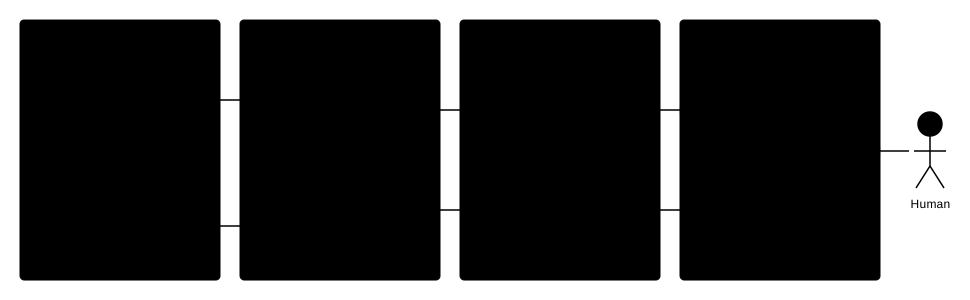
Evolve is a system designed to help agents improve over time by learning from their trajectories. It uses a combination of an MCP server for tool integration, vector storage for memory, and LLM-based conflict resolution to refine its knowledge base.
[!IMPORTANT] ⭐ Star the repo: it helps others discover it.
Features
- MCP Server: Exposes tools to get guidelines and save trajectories.
- Conflict Resolution: Intelligently merges new insights with existing guidelines using LLMs.
- Trajectory Analysis: Automatically analyzes agent trajectories to generate guidelines and best practices.
- Milvus Integration: Uses Milvus (or Milvus Lite) for efficient vector storage and retrieval.
Architecture
Quick Start
Installation
Prerequisites:
- Python 3.12 or higher
uv(recommended) orpip
git clone <repository_url>
cd altk-evolve
uv venv --python=3.12 && source .venv/bin/activate
uv sync
Configuration
For direct OpenAI usage:
export OPENAI_API_KEY=sk-...
For LiteLLM proxy usage and model selection (including global fallback via EVOLVE_MODEL_NAME), see the configuration guide.
Running the MCP Server & UI
Evolve provides both a standard MCP server and a full Web UI (Dashboard & Entity Explorer).
[!IMPORTANT] Building from Source: If you cloned this repository (rather than installing a pre-built package), you must build the UI before it can be served.
cd altk_evolve/frontend/ui
npm ci && npm run build
cd ../../../
See
altk_evolve/frontend/ui/README.mdfor more frontend development details.
Starting Both Automatically
The easiest way to start both the MCP Server (on standard input/output) and the HTTP UI backend is to run the exported launcher:
uv run evolve-mcp
This will start the UI server in the background on port 8000 and the MCP server in the foreground. You can then access the UI locally by opening your browser to:
http://127.0.0.1:8000/ui/
Starting the UI Standalone
If you only want to access the Web UI and API (without the MCP server stdio blocking the terminal), you can run the FastAPI application directly using uvicorn:
uv run uvicorn altk_evolve.frontend.mcp.mcp_server:app --host 127.0.0.1 --port 8000
Then navigate to http://127.0.0.1:8000/ui/.
Starting only the MCP Server
If you're attaching Evolve to an MCP client that requires a direct command (like Claude Desktop):
uv run evolve-mcp
Or for SSE transport:
uv run evolve-mcp --transport sse --port 8201
Verify it's running:
npx @modelcontextprotocol/inspector@latest http://127.0.0.1:8201/sse --cli --method tools/list
Available tools:
get_entities(task: str, entity_type: str): Get relevant entities for a specific task, filtered by type (e.g., 'guideline', 'policy').get_guidelines(task: str): Get relevant guidelines for a specific task (backward compatibility alias).save_trajectory(trajectory_data: str, task_id: str | None): Save a conversation trajectory and generate new guidelines.create_entity(content: str, entity_type: str, metadata: str | None, enable_conflict_resolution: bool): Create a single entity in the namespace.delete_entity(entity_id: str): Delete a specific entity by its ID.
Tip Provenance
Evolve automatically tracks the origin of every guideline it generates or stores. Every tip entity contains metadata identifying its source:
creation_mode: Identifies how the tip was created (auto-phoenixvia trace observability,auto-mcpvia trajectory saving tools, ormanual).source_task_id: The ID of the original trace or task that inspired the tip, providing full audibility.
See the Low-Code Tracing Guide for more details.
Community & Feedback
Evolve is an active project, and real‑world usage helps guide its direction.
If you’re experimenting with Evolve or exploring on‑the‑job learning for agents, feel free to open an issue or discussion to share use cases, ideas, or feedback.
Documentation
- Documentation Home - Overview of guides, reference docs, and tutorials
- Installation - Setup instructions for supported platforms
- Configuration - Environment variables and backend options
- CLI Reference - Command-line interface documentation
- Evolve Lite - Lightweight Claude Code plugin mode
- Claude Code Demo - End-to-end demo walkthrough
- Policies - Policy support and schema
Development
Running Tests
The test suite is organized into 4 cleanly isolated tiers depending on infrastructure requirements:
-
Default Local Suite Runs both fast logic tests (
unit) and filesystem script verifications (platform_integrations).uv run pytest
-
Unit Tests (Only) Fast, fully-mocked tests verifying core logic and offline pipeline schemas.
uv run pytest -m unit
-
Platform Integration Tests Fast filesystem-level integration tests verifying local tool installation and idempotency.
uv run pytest -m platform_integrations
-
End-to-End Infrastructure Tests Heavy tests that autonomously spin up a background Phoenix server and simulate full agent workflows.
uv run pytest -m e2e --run-e2e
(See the Low-Code Tracing Guide for more details).
-
LLM Evaluation Tests Tests needing active LLM inference to test resolution pipelines (requires LLM API keys).
uv run pytest -m llm
Release history Release notifications | RSS feed


Download files
Download the file for your platform. If you're not sure which to choose, learn more about installing packages.
Source Distribution
Built Distribution
Filter files by name, interpreter, ABI, and platform.
If you're not sure about the file name format, learn more about wheel file names.
Copy a direct link to the current filters
File details
Details for the file altk_evolve-1.0.8.tar.gz.
File metadata
- Download URL: altk_evolve-1.0.8.tar.gz
- Upload date:
- Size: 241.2 kB
- Tags: Source
- Uploaded using Trusted Publishing? Yes
- Uploaded via: twine/6.1.0 CPython/3.13.12
File hashes
| Algorithm | Hash digest | |
|---|---|---|
| SHA256 |
5ef5733ca9b6fbb3762ecc79a90f2f3c557dc711ea2238103bcbbd172384a01b
|
|
| MD5 |
01793c5f88ee95af67ac6e05f5dfeb78
|
|
| BLAKE2b-256 |
d91f8f376831a3e67fb319fadf55c21ee4d529ab4fba29fdb4bcb0638b195011
|
Provenance
The following attestation bundles were made for altk_evolve-1.0.8.tar.gz:
Publisher:
python-publish.yml on AgentToolkit/altk-evolve
-
Statement:
-
Statement type:
https://in-toto.io/Statement/v1 -
Predicate type:
https://docs.pypi.org/attestations/publish/v1 -
Subject name:
altk_evolve-1.0.8.tar.gz -
Subject digest:
5ef5733ca9b6fbb3762ecc79a90f2f3c557dc711ea2238103bcbbd172384a01b - Sigstore transparency entry: 1266032202
- Sigstore integration time:
-
Permalink:
AgentToolkit/altk-evolve@7f72a909d69eda1bd7879127ca5a6bafc5ba6cbd -
Branch / Tag:
refs/tags/v1.0.8 - Owner: https://github.com/AgentToolkit
-
Access:
public
-
Token Issuer:
https://token.actions.githubusercontent.com -
Runner Environment:
github-hosted -
Publication workflow:
python-publish.yml@7f72a909d69eda1bd7879127ca5a6bafc5ba6cbd -
Trigger Event:
release
-
Statement type:
File details
Details for the file altk_evolve-1.0.8-py3-none-any.whl.
File metadata
- Download URL: altk_evolve-1.0.8-py3-none-any.whl
- Upload date:
- Size: 254.3 kB
- Tags: Python 3
- Uploaded using Trusted Publishing? Yes
- Uploaded via: twine/6.1.0 CPython/3.13.12
File hashes
| Algorithm | Hash digest | |
|---|---|---|
| SHA256 |
e76c082fa055cd5374a571ad37f228092853d4de53fad354e28c49fadd1319a8
|
|
| MD5 |
86384b60fc8355861c1825e16bd3ffcb
|
|
| BLAKE2b-256 |
b11d4302839b54e12dcbe6159eada3199eb7dadda1ee1d7c22d8e393666b30d4
|
Provenance
The following attestation bundles were made for altk_evolve-1.0.8-py3-none-any.whl:
Publisher:
python-publish.yml on AgentToolkit/altk-evolve
-
Statement:
-
Statement type:
https://in-toto.io/Statement/v1 -
Predicate type:
https://docs.pypi.org/attestations/publish/v1 -
Subject name:
altk_evolve-1.0.8-py3-none-any.whl -
Subject digest:
e76c082fa055cd5374a571ad37f228092853d4de53fad354e28c49fadd1319a8 - Sigstore transparency entry: 1266032305
- Sigstore integration time:
-
Permalink:
AgentToolkit/altk-evolve@7f72a909d69eda1bd7879127ca5a6bafc5ba6cbd -
Branch / Tag:
refs/tags/v1.0.8 - Owner: https://github.com/AgentToolkit
-
Access:
public
-
Token Issuer:
https://token.actions.githubusercontent.com -
Runner Environment:
github-hosted -
Publication workflow:
python-publish.yml@7f72a909d69eda1bd7879127ca5a6bafc5ba6cbd -
Trigger Event:
release
-
Statement type:






