
AltWalker's LiveViewer
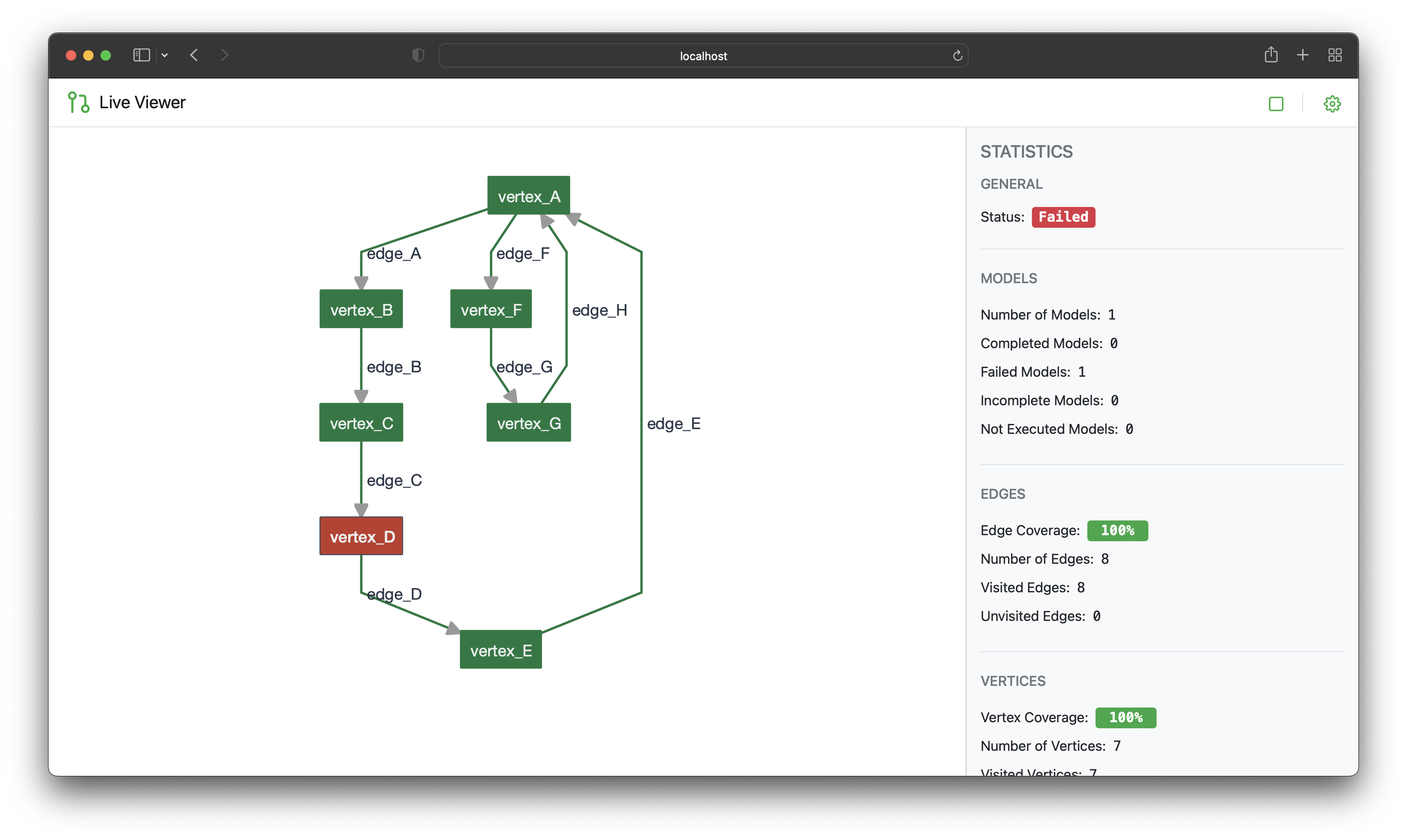
A web application for visualizing the progress of an AltWalker test run.
AltWalker's LiveViewer is a powerful tool designed to enhance your experience with AltWalker. This application provides real-time visualization and monitoring capabilities for your AltWalker test runs, allowing you to gain deeper insights into test execution, track progress, and identify potential issues with ease. With AltWalker's LiveViewer, you can effortlessly keep an eye on the execution of your test models and ensure the success of your testing endeavors.
Setup
Before you begin using AltWalker's LiveViewer, make sure you have AltWalker installed. If you haven't already, you can follow the installation instructions here.
Install the AltWalker LiveViewer command-line tool:
pip install altwalker-live-viewer
To verify that the CLI was installed correctly, run:
altwalker-viewer --version
You should see the version information displayed:
altwalker-viewer, version 0.4s.0
Running
To use altwalker-viewer, you'll need the following prerequisites:
- Test model(s)
- Test code for the model(s)
If you can run your tests using altwalker online, you already have everything you need for the LiveViewer.
The altwalker-viewer online command shares arguments and options with altwalker online. However, it includes the -p option to set up the WebSocket port.
To start the WebSocket server:
altwalker-viewer online path/to/tests/ -m path/to/model.json "generator(stop_condition)" -x [python|dotnet]
For example:
altwalker-viewer online tests -m models/default.json "random(never)"
Now, open your web browser and visit: https://altwalker.github.io/live-viewer/.
If you want to run the frontend locally, you'll need to start a WebServer, which serves the LiveViewer frontend.
altwalker-viewer open
Now, open your web browser and visit: http://localhost:8000/.
Please note that unlike the altwalker walk command, the altwalker-viewer walk command requires the -m option to specify the model files for displaying the models correctly.
For example:
altwalker-viewer walk -m models/main.json -m models/navigation.json steps.json
Troubleshooting
If you encounter any issues while using the LiveViewer, consider the following steps:
-
Check Model and Code Validity: First, ensure that your models and code are valid by using the following commands:
altwalker checkfor the model(s)altwalker verifyfor code
-
Terminating GraphWalker Processes: If you experience problems when running the
altwalker-viewer onlinecommand, it's essential to check for any existing GraphWalker processes. If any GraphWalker processes are running, you should stop them before running thealtwalker-viewer onlinecommand.
Documentation
Getting help on commands and option names
-h,--help: Show a help message and exit.
altwalker-viewer --help
altwalker-viewer online --help
altwalker-viewer open --help
Development Setup
- python3
- node
- npm
Install npm dependencies
npm install
Install PyPi dependencies
pip install -r requirements
Build the Frontend
npm run build
npm run start
Install the CLI
pip install -e .
Community
For help, discussion about best practices, sharing ideas, projects, or any other conversation that benefits from being searchable:
For casual chit-chat with us or with other members of the community:
License
This project is licensed under the GNU General Public License v3.0.
2 maintainers


Metadata
2 maintainers
Release files for altwalker-live-viewer 0.4.2
For a detailed explanation of source distributions (sdists) and built distributions (wheels), please see the package formats documentation.
Source distribution (sdist)
| File | Size | Uploaded | |
|---|---|---|---|
| altwalker-live-viewer-0.4.2.tar.gz | 39.8 kB | Details |
Built distribution (wheel)
| File | Interpreter | ABI | Platform | Reset |
|---|---|---|---|---|
| altwalker_live_viewer-0.4.2-py3-none-any.whl | Python 3 | none | any | Details |
Total release size: 86.4 kB
Release files / altwalker-live-viewer-0.4.2.tar.gz
| Download URL | altwalker-live-viewer-0.4.2.tar.gz |
|---|---|
| Size | 39.8 kB |
| Tags | Source |
|
SHA-256 checksum How to use checksums |
34a5becfca30112b8b08a3e8eb64756d997b37331a2ea9a91d8731df849041c0
|
|
BLAKE2b-256 checksum How to use checksums |
8f1f86bb2abbcc48c31734964db4746e25dc912b5fedc8c49f883d4107ad0ab9
|
| Upload date | |
|
Uploaded using Trusted Publishing? What is trusted publishing? |
No |
| Uploaded via |
twine/4.0.2 CPython/3.11.4
|
Release files / altwalker_live_viewer-0.4.2-py3-none-any.whl
| Download URL | altwalker_live_viewer-0.4.2-py3-none-any.whl |
|---|---|
| Size | 46.6 kB |
| Tags | Python 3 |
|
SHA-256 checksum How to use checksums |
f903736a0f6c3fbaf948d43248510e5c9063e7c82a95c538deb3593877fb6343
|
|
BLAKE2b-256 checksum How to use checksums |
1b0b685d54a147432ec8c709e5089d6fae3491464b962d572dd1794dd9c450c8
|
| Upload date | |
|
Uploaded using Trusted Publishing? What is trusted publishing? |
No |
| Uploaded via |
twine/4.0.2 CPython/3.11.4
|














