
Mount Amiga filesystem images via FUSE using native AmigaOS handlers
Verified details
These details have been verified by PyPIProject links
GitHub Statistics
Maintainers

Project description
amifuse
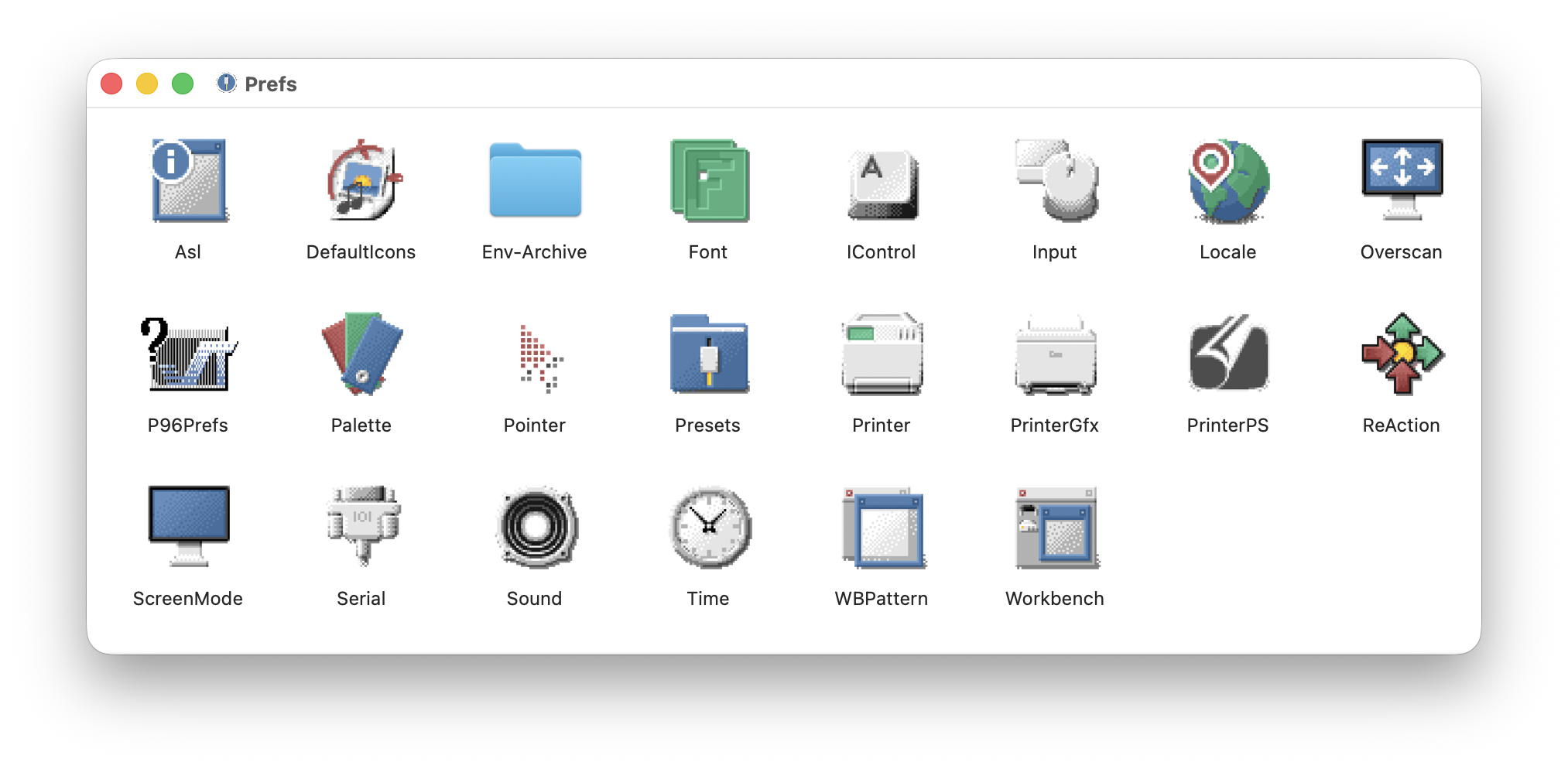
Mount Amiga filesystem images on macOS/Linux/Windows using native AmigaOS filesystem handlers via FUSE.
amifuse runs actual Amiga filesystem drivers (like PFS3) through m68k CPU emulation, allowing you to read Amiga hard disk images without relying on reverse-engineered implementations.
Requirements
- macOS: macFUSE
- Linux: FUSE for Linux
- Windows: WinFSP
- Python 3.9+
- 7z: Required for
make unpack(install viabrew install p7zipon macOS) - A filesystem handler: e.g. pfs3aio (or use
make download)
Installation
# Clone the repository with submodules
git clone --recursive https://github.com/reinauer/amifuse.git
cd amifuse

# Or if already cloned, initialize submodules
git submodule update --init
With virtual environment (recommended)
python3 -m venv .venv
source .venv/bin/activate   # On Windows: .venv\Scripts\activate

pip install -e './amitools[vamos]'   # Install amitools from submodule (includes machine68k)
pip install -e .                     # Install amifuse
Without virtual environment
pip install --user -e './amitools[vamos]'
pip install --user -e .
macOS-specific
Install macFUSE from https://osxfuse.github.io/ or via Homebrew:
brew install --cask macfuse
You may need to reboot and allow the kernel extension in System Preferences > Security & Privacy.
Linux-specific
# Debian/Ubuntu
sudo apt install fuse libfuse-dev

# Fedora
sudo dnf install fuse fuse-devel
Quick Start
To download a test PFS3 disk image and the pfs3aio handler:
make download   # Downloads pfs.7z and pfs3aio to Downloads/
make unpack     # Extracts pfs.hdf and copies pfs3aio to current directory
Then mount with:
# macOS: auto-mounts to /Volumes/<partition_name>, uses embedded driver from RDB
amifuse mount pfs.hdf

# Linux: requires explicit mountpoint
mkdir -p ./mnt
amifuse mount pfs.hdf --mountpoint ./mnt
Usage
amifuse uses subcommands for different operations:
amifuse inspect <image>                    # Inspect RDB partitions
amifuse mount <image>                      # Mount a filesystem
Inspecting Disk Images
View partition information and embedded filesystem drivers:
# Show partition summary
amifuse inspect /path/to/disk.hdf

# Show full partition details
amifuse inspect --full /path/to/disk.hdf
| Argument | Description |
|---|---|
image |
Path to the RDB image file |
--block-size |
Block size in bytes (default: auto-detect or 512) |
--full |
Show full partition details |
Mounting Filesystems
amifuse mount /path/to/disk.hdf
| Argument | Required | Description |
|---|---|---|
image |
Yes | Path to the Amiga hard disk image file |
--driver |
No | Path to filesystem handler binary (default: extract from RDB if available) |
--mountpoint |
macOS/Windows: No, Linux: Yes | Mount location (macOS: /Volumes/<partition>, Windows: first free drive letter) |
--partition |
No | Partition name (e.g., DH0) or index (default: first partition) |
--block-size |
No | Override block size (default: auto-detect or 512) |
--volname |
No | Override the volume name shown in Finder |
--debug |
No | Enable debug logging of FUSE operations |
--profile |
No | Enable cProfile profiling and write stats to profile.txt on exit |
--write |
No | Enable read-write mode (experimental, use with caution) |
--icons |
No | Convert Amiga .info icons to native icons (experimental, macOS only) |
Examples
# macOS: Mount using embedded filesystem driver from RDB (simplest)
amifuse mount disk.hdf

# macOS: Mount with explicit driver
amifuse mount pfs.hdf --driver pfs3aio

# Mount a specific partition by name
amifuse mount multi-partition.hdf --partition DH0

# Mount a specific partition by index
amifuse mount multi-partition.hdf --partition 2

# Linux: Explicit mountpoint required
mkdir -p ./mnt
amifuse mount disk.hdf --mountpoint ./mnt

# Mount an ADF floppy image (requires explicit driver)
amifuse mount workbench.adf --driver L/FastFileSystem

# Enable native icons (macOS only, converts Amiga .info files)
amifuse mount disk.hdf --icons

# Browse the filesystem
ls /Volumes/PDH0   # macOS
ls ./mnt           # Linux

# Unmount when done (Ctrl+C in the terminal, or:)
umount /Volumes/PDH0   # macOS
umount ./mnt           # Linux
Additional Tools
rdb-inspect
Inspect RDB (Rigid Disk Block) images to view partition information and embedded filesystem drivers.
# Show partition summary
rdb-inspect /path/to/disk.hdf

# Show full partition details
rdb-inspect --full /path/to/disk.hdf

# Output as JSON
rdb-inspect --json /path/to/disk.hdf

# Extract embedded filesystem driver #0 to a file
rdb-inspect --extract-fs 0 --out pfs3.bin /path/to/disk.hdf
| Argument | Description |
|---|---|
image |
Path to the RDB image file |
--block-size |
Block size in bytes (default: auto-detect or 512) |
--full |
Show full partition details |
--json |
Output parsed RDB as JSON |
--extract-fs N |
Extract filesystem entry N (0-based) to a file |
--out |
Output path for extracted filesystem (default: auto-derived) |
driver-info
Inspect Amiga filesystem handler binaries to verify they can be relocated and display segment information.
# Inspect a filesystem handler
driver-info pfs3aio

# Use a custom base address
driver-info --base 0x200000 pfs3aio
| Argument | Description |
|---|---|
binary |
Path to the filesystem handler binary |
--base |
Base address for relocation (default: 0x100000) |
--padding |
Padding between segments when relocating |
Supported Image Formats
- HDF/RDB - Hard disk images with Rigid Disk Block. Filesystem drivers can be embedded in the RDB or specified via
--driver. - Emu68-style MBR images - Disk images with MBR partition table containing an RDB partition, as used by Emu68 on Raspberry Pi.
- ADF - Amiga Disk File floppy images (DD and HD). Requires
--driversince ADFs don't contain embedded drivers.
Supported Filesystems
Currently tested with:
- PFS3 (Professional File System 3) via
pfs3aiohandler - SFS (Smart File System 1.279) via
SmartFileSystemhandler - FFS/OFS (Fast/Old File System) via
L:FastFileSystemfrom Workbench - BFFS (Berkeley Fast File System) via Chris Hooper's BFFSFilesystem handler
Other Amiga filesystem handlers may work but have not been tested. Reports are welcome.
Icon Support
The --icons flag enables conversion of Amiga .info icon files to native Finder icons:
- Folder and file icons from
.infofiles are displayed in Finder - Supports Traditional, NewIcons, and GlowIcons formats
- The
.infofiles are hidden in directory listings - Volume icons are displayed on the Desktop
*** This feature is experimental and macOS-only. ***
Notes
- The filesystem is mounted read-only by default; use
--writefor experimental read-write support - The mount runs in the foreground; press Ctrl+C to unmount
- macOS Finder/Spotlight indexing is automatically disabled to improve performance
- First directory traversal may be slow as the handler processes each path; subsequent accesses are cached
Project details
Verified details
These details have been verified by PyPIProject links
GitHub Statistics
Maintainers


Download files
Download the file for your platform. If you're not sure which to choose, learn more about installing packages.
Source Distribution
Built Distribution
Filter files by name, interpreter, ABI, and platform.
If you're not sure about the file name format, learn more about wheel file names.
Copy a direct link to the current filters
File details
Details for the file amifuse-0.2.0.tar.gz.
File metadata
- Download URL: amifuse-0.2.0.tar.gz
- Upload date:
- Size: 730.2 kB
- Tags: Source
- Uploaded using Trusted Publishing? Yes
- Uploaded via: twine/6.1.0 CPython/3.13.7
File hashes
| Algorithm | Hash digest | |
|---|---|---|
| SHA256 |
d8016d1795f3ca81be5f74451264b09ebcbe777e74e92e94201b217c1f4ea86a
|
|
| MD5 |
dda825a82124a563d3b382052a51db1b
|
|
| BLAKE2b-256 |
021778753c65a7b0cd757f857954f2c50677ff58fbb2eb04c977bc823d9c2a1a
|
Provenance
The following attestation bundles were made for amifuse-0.2.0.tar.gz:
Publisher:
publish-to-pypi.yml on reinauer/amifuse
-
Statement:
-
Statement type:
https://in-toto.io/Statement/v1 -
Predicate type:
https://docs.pypi.org/attestations/publish/v1 -
Subject name:
amifuse-0.2.0.tar.gz -
Subject digest:
d8016d1795f3ca81be5f74451264b09ebcbe777e74e92e94201b217c1f4ea86a - Sigstore transparency entry: 787596374
- Sigstore integration time:
-
Permalink:
reinauer/amifuse@9bc9aa2c57c45c15cf5bef8ccdd114a9ad7a3187 -
Branch / Tag:
refs/tags/v0.2.0 - Owner: https://github.com/reinauer
-
Access:
public
-
Token Issuer:
https://token.actions.githubusercontent.com -
Runner Environment:
github-hosted -
Publication workflow:
publish-to-pypi.yml@9bc9aa2c57c45c15cf5bef8ccdd114a9ad7a3187 -
Trigger Event:
push
-
Statement type:
File details
Details for the file amifuse-0.2.0-py3-none-any.whl.
File metadata
- Download URL: amifuse-0.2.0-py3-none-any.whl
- Upload date:
- Size: 90.7 kB
- Tags: Python 3
- Uploaded using Trusted Publishing? Yes
- Uploaded via: twine/6.1.0 CPython/3.13.7
File hashes
| Algorithm | Hash digest | |
|---|---|---|
| SHA256 |
ebd7dc70c7e9b89e494d33a6587d952f9a3ab283546fee1eba0dc0ea9db05477
|
|
| MD5 |
3b3c8e247914b154467ca2e3a110d77a
|
|
| BLAKE2b-256 |
265aeeb32ea11da56251e404272a21e1e8e3d27d28cfb67ed0c4ca6efb448a5d
|
Provenance
The following attestation bundles were made for amifuse-0.2.0-py3-none-any.whl:
Publisher:
publish-to-pypi.yml on reinauer/amifuse
-
Statement:
-
Statement type:
https://in-toto.io/Statement/v1 -
Predicate type:
https://docs.pypi.org/attestations/publish/v1 -
Subject name:
amifuse-0.2.0-py3-none-any.whl -
Subject digest:
ebd7dc70c7e9b89e494d33a6587d952f9a3ab283546fee1eba0dc0ea9db05477 - Sigstore transparency entry: 787596375
- Sigstore integration time:
-
Permalink:
reinauer/amifuse@9bc9aa2c57c45c15cf5bef8ccdd114a9ad7a3187 -
Branch / Tag:
refs/tags/v0.2.0 - Owner: https://github.com/reinauer
-
Access:
public
-
Token Issuer:
https://token.actions.githubusercontent.com -
Runner Environment:
github-hosted -
Publication workflow:
publish-to-pypi.yml@9bc9aa2c57c45c15cf5bef8ccdd114a9ad7a3187 -
Trigger Event:
push
-
Statement type:






