
ANAI an Automated Machine Learning Library by Revca





About
ANAI is an Automated Machine Learning Python Library that works with tabular data. It is intended to save time when performing data analysis. It will assist you with everything right from the beginning i.e Ingesting data using the inbuilt connectors, preprocessing, feature engineering, model building, model evaluation, model tuning and much more.
Our Goal
Our Goal is to democratize Machine Learning and make it accessible to everyone.
Let's get started
Installation
1) Python venv:
    pip install anai-opensource
Available Modelling Techniques
-
Classification
Available Models for Classification - "lr": "Logistic Regression" - "sgd": "Stochastic Gradient Descent" - "perc": "Perceptron" - "pass": "Passive Aggressive Classifier" - "ridg": "Ridge Classifier" - "svm": "Support Vector Machine" - "knn": "K-Nearest Neighbors" - "dt": "Decision Trees" - "nb": "Naive Bayes" - "rfc": "Random Forest Classifier" - "gbc": "Gradient Boosting Classifier" - "ada": "AdaBoost Classifier" - "bag": "Bagging Classifier" - "ext": "Extra Trees Classifier" - "lgbm": "LightGBM Classifier" - "cat": "CatBoost Classifier" - "xgb": "XGBoost Classifier" - "ann": "Multi Layer Perceptron Classifier" - "poisson": "Poisson Classifier" - "huber": "Huber Classifiers" - "ridge_cv": "RidgeCV Classifier" - "encv": "ElasticNet CV Classifier" - "lcv": "LassoCV Classifier" - "llic": "LassoLarsIC Classifier" - "llcv": "LassoLarsCV Classifier" - "ransac": "RANSACClassifiers", - "ompcv": "OrthogonalMatchingPursuitCV Classifier", - "omp": "OrthogonalMatchingPursuit Classifier", - "iso": "IsotonicRegression Classifier", - "rad": "RadiusNeighbors Classifier", - "quantile": "QuantileRegression Classifier", - "theil": "TheilSenRegressor Classifier", - "lars": "Lars Classifeir", - "lcv": "LarsCV Classifier", - "tweedie": "TweedieClassifiers", - "all": "All Classifiers" -
Regression
Available Models for Regression

 - "lin": "Linear Regression"
 - "sgd": "Stochastic Gradient Descent Regressor"
 - "krr": "Kernel Ridge Regression"
 - "elas": "Elastic Net Regression"
 - "br": "Bayesian Ridge Regression"
 - "svr": "Support Vector Regressor"
 - "knn": "K-Nearest Neighbors"
 - "dt": "Decision Trees Regressor"
 - "rfr": "Random Forest Regressor"
 - "gbr": "Gradient Boosted Regressor"
 - "ada": "AdaBoostRegressor"
 - "bag": "Bagging Regressor"
 - "ext": "Extra Trees Regressor"
 - "lgbm": "LightGBM Regressor"
 - "xgb": "XGBoost Regressor"
 - "cat": "Catboost Regressor"
 - "ann": "Multi-Layer Perceptron Regressor"
 - "poisson": "Poisson Regressor"
 - "huber": "Huber Regressor"
 - "gamma": "Gamma Regressor"
 - "ridge": "Ridge CV Regressor"
 - "encv": "ElasticNetCV Regressor"
 - "lcv": "LassoCV Regressor"
 - "llic": "LassoLarsIC Regressor"
 - "llcv": "LassoLarsCV Regressor"
 - "ransac": "RANSACRegressor",
 - "ompcv": "OrthogonalMatchingPursuitCV",
 - "gpr": "GaussianProcessRegressor",
 - "omp": "OrthogonalMatchingPursuit",
 - "llars": "LassoLars",
 - "iso": "IsotonicRegression",
 - "rnr": "Radius Neighbors Regressor Regressors",
 - "qr": "Quantile Regression Regressors",
 - "theil": "TheilSenRegressor Regressors",
 - "all": "All Regressors"
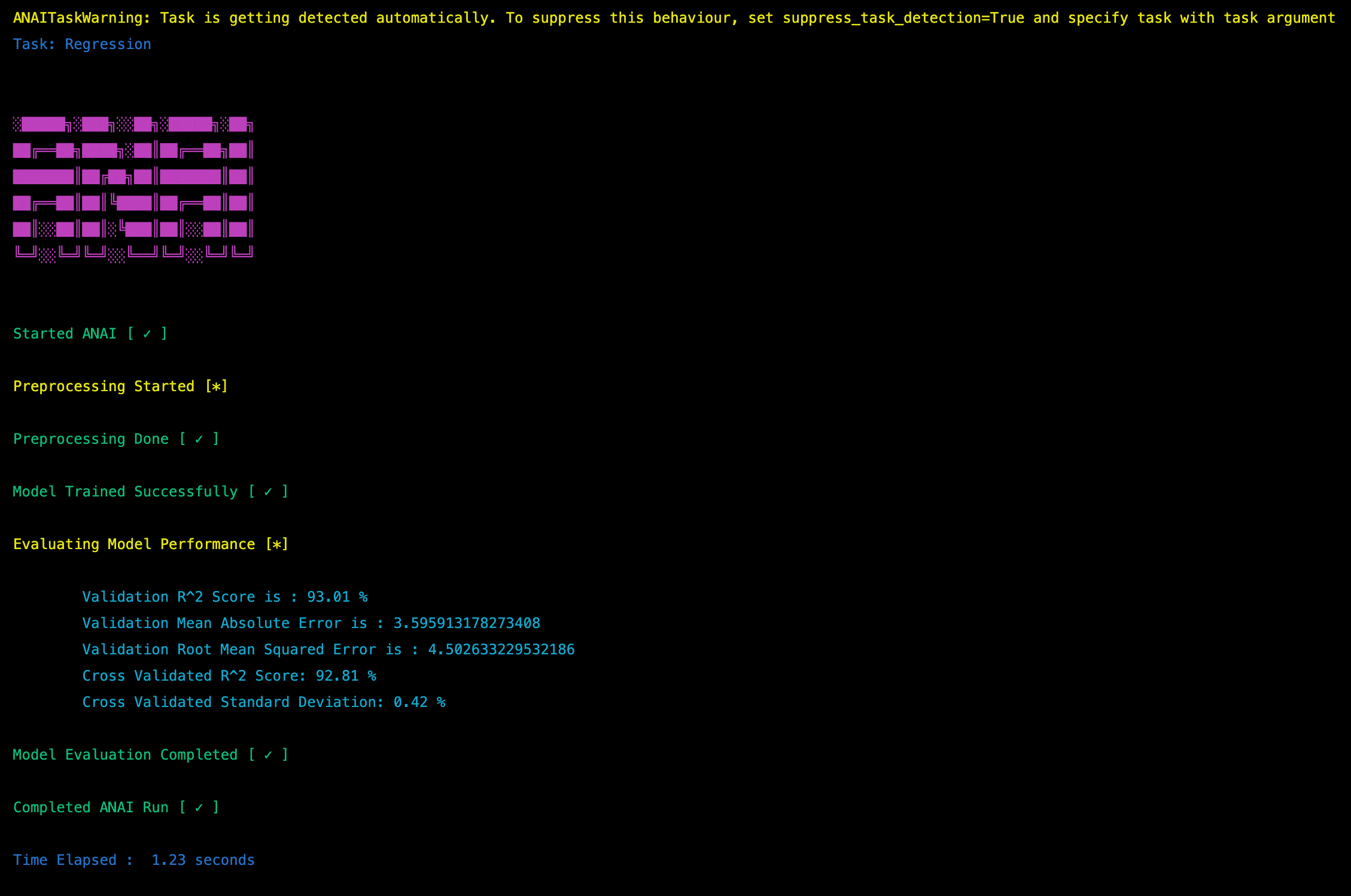
Usage Example
import anai
ai = anai.run(
            filepath='examples/Folds5x2_pp.xlsx',
            target='PE',
            predictor=['lin'],
)
Hyperparameter Tuning
ANAI is powered by Optuna for Hyperparam tuning. Just pass "tune = True" in run arguments and it will start tuning the model/s with Optuna.
Persistence
ANAI's model can be saved as a pickle file. It will save both the model and the scaler to the pickle file.
- Saving

    Ex:
        ai.save([<path-to-model.pkl>, <path-to-scaler.pkl>])
A new ANAI Object can be loaded as well by specifying path of model and scaler
- Loading

    Ex:
        ai = anai.run(path = [<path-to-model.pkl>, <path-to-scaler.pkl>])
More Examples
You can find more examples/tutorials here
Documentation
More information about ANAI can be found here
Contributing
- If you have any suggestions or bug reports, please open an issue here
- If you want to join the ANAI Team send us your resume here
License
- APACHE 2.0 License
Contact
Roadmap
1 maintainer

Metadata
1 maintainer
Release files for anai-opensource 0.1.7.2
For a detailed explanation of source distributions (sdists) and built distributions (wheels), please see the package formats documentation.
Source distribution (sdist)
| File | Size | Uploaded | |
|---|---|---|---|
| anai-opensource-0.1.7.2.tar.gz | 49.5 kB | Details |
Built distribution (wheel)
| File | Interpreter | ABI | Platform | Reset |
|---|---|---|---|---|
| anai_opensource-0.1.7.2-py3-none-any.whl | Python 3 | none | any | Details |
Total release size: 105.9 kB
Release files / anai-opensource-0.1.7.2.tar.gz
| Download URL | anai-opensource-0.1.7.2.tar.gz |
|---|---|
| Size | 49.5 kB |
| Tags | Source |
|
SHA-256 checksum How to use checksums |
fdd9ac64b09be60f647906dab2a81261c7ec4cf93448aaf89290a3d043d01cd3
|
|
BLAKE2b-256 checksum How to use checksums |
6952df29465fab9983818195da8a7ea5c499babb7219f5a78630d613ca9ea18f
|
| Upload date | |
|
Uploaded using Trusted Publishing? What is trusted publishing? |
No |
| Uploaded via |
twine/4.0.1 CPython/3.10.7
|
Release files / anai_opensource-0.1.7.2-py3-none-any.whl
| Download URL | anai_opensource-0.1.7.2-py3-none-any.whl |
|---|---|
| Size | 56.4 kB |
| Tags | Python 3 |
|
SHA-256 checksum How to use checksums |
3c35a2a06dea20688fd3a05abad72882ac962eb1da7906e56f400443b6670c77
|
|
BLAKE2b-256 checksum How to use checksums |
3f3ff62ab3d1a8317361047e1933ab045ce89a26defa315b066ffd5a5371cef6
|
| Upload date | |
|
Uploaded using Trusted Publishing? What is trusted publishing? |
No |
| Uploaded via |
twine/4.0.1 CPython/3.10.7
|














