
📲 AndroidManifestExplorer
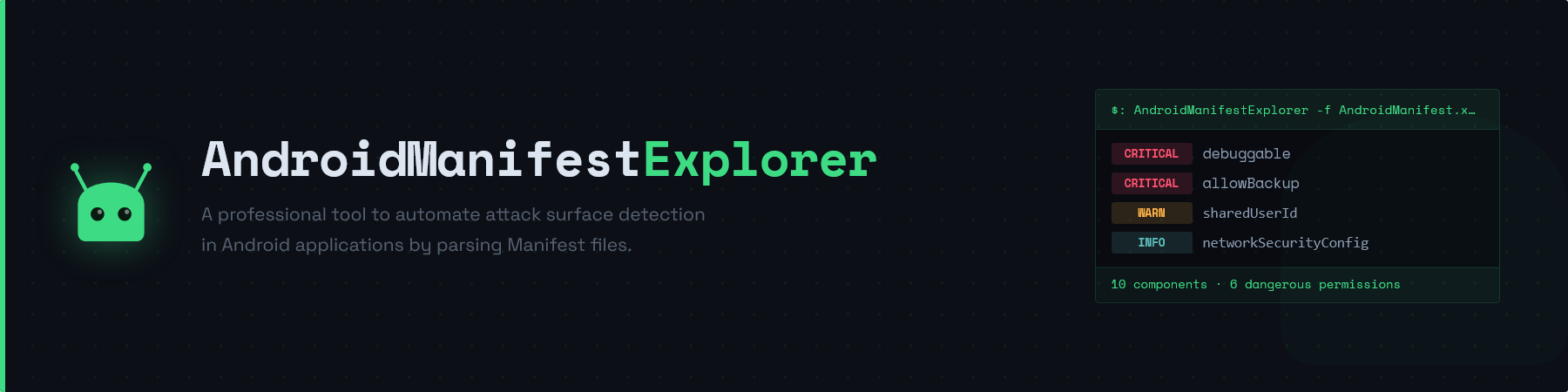



A high-performance static analysis utility designed to automate the discovery of attack surfaces in Android applications. By parsing decompiled AndroidManifest.xml files, this tool identifies exposed components, security misconfigurations, deep-link vectors, and dangerous permission usage, providing ready-to-use adb payloads for immediate dynamic verification.
🎯 Security Objectives
- Attack Surface Mapping: Identify all exported Activities, Services, Broadcast Receivers, and Content Providers.
- Implicit Export Detection: Flag components that are exported by default due to the presence of intent-filters without explicit
android:exported="false"attributes. - Deep Link Analysis: Extract URI schemes, hosts, and paths to facilitate intent-fuzzing and unauthorized navigation testing.
- MIME-Type Intent Detection: Identify activities handling file-sharing and content intents (
ACTION_SEND,ACTION_VIEWwith MIME types) and generate targeted ADB commands. - Dangerous Permissions Audit: Match declared
<uses-permission>entries against 40+ known dangerous Android permissions with risk descriptions. - Provider Vulnerability Analysis: Generate SQLi test payloads, LFI traversal commands, and detect
grantUriPermissionsandpath-permissionmisconfigurations. - Config Analysis: Detect high-risk application flags such as
debuggable="true",allowBackup="true",usesCleartextTraffic="true",sharedUserId,networkSecurityConfig, andtestOnly="true". - JSON Output: Export all findings as structured JSON for pipeline integration and further processing.
🚀 Installation
Prerequisites
- Python 3.6+
- apktool (for decompiling binary XML)
Setup
- Clone the repository and install the dependencies:
$: git clone https://github.com/mateofumis/AndroidManifestExplorer.git
$: cd AndroidManifestExplorer
$: pip install .
- Alternatively, install the requirements directly:
$: pip install -r requirements.txt
- Using PyPI (Available for
piporpipx)
# with pip/pip3
$: pip install AndroidManifestExplorer
# or pipx
$: pipx install AndroidManifestExplorer
🛠 Usage Workflow
1. Decompile Target APK
The tool operates on the plain-text XML output of apktool.
$: apktool d target_app.apk -o output_dir
2. Execute Scan
Run the explorer against the generated manifest:
$: AndroidManifestExplorer -f output_dir/AndroidManifest.xml
Optionally save all findings to a JSON file:
$: AndroidManifestExplorer -f output_dir/AndroidManifest.xml -o output.json
If running the script directly without installation:
$: python3 AndroidManifestExplorer.py -f output_dir/AndroidManifest.xml
$: python3 AndroidManifestExplorer.py -f output_dir/AndroidManifest.xml -o output.json
📊 Technical Output Overview
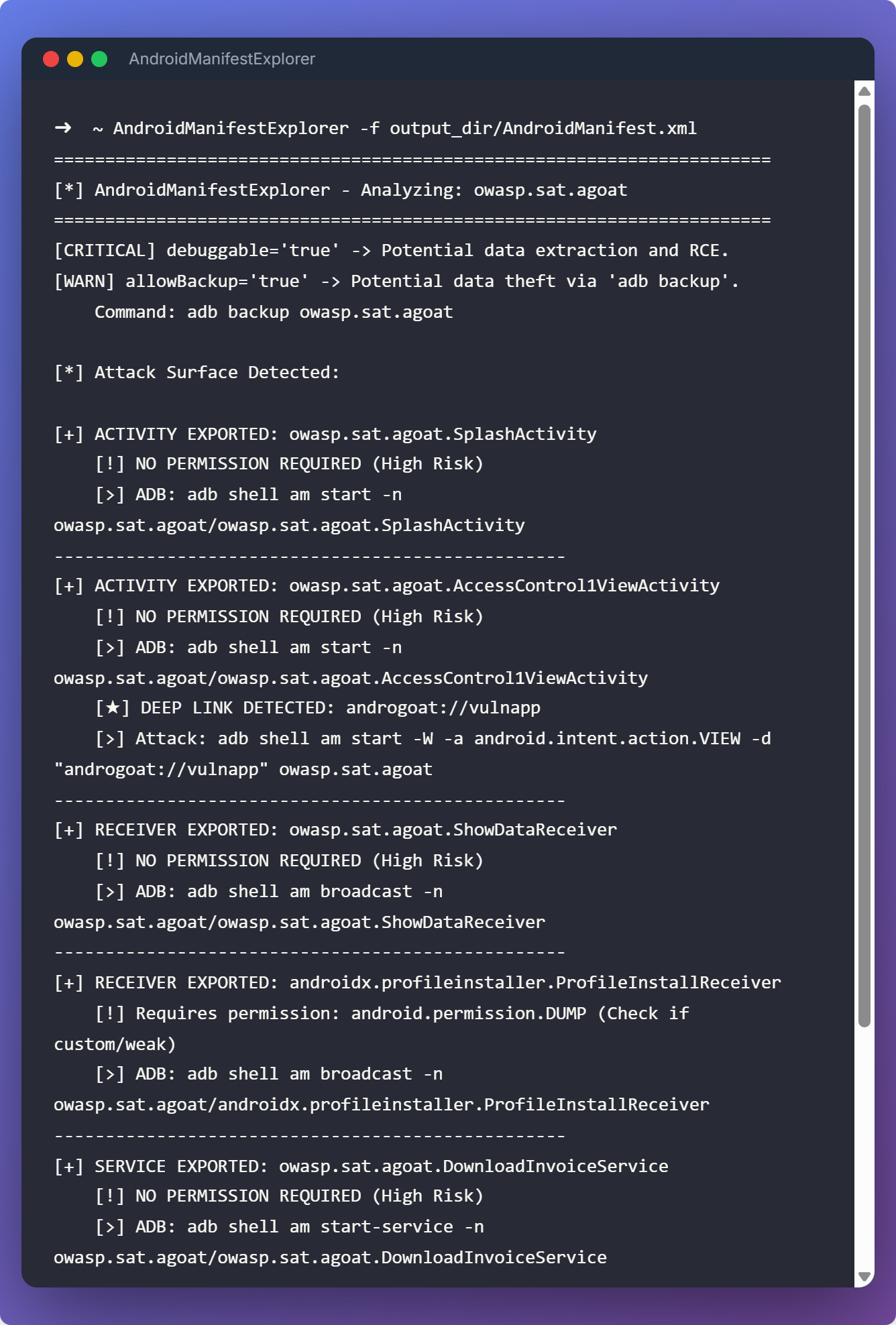
The tool produces color-coded Rich terminal output organized into the following sections:
App Flags
A severity-sorted table reporting dangerous application-level attributes:
| Severity | Flag |
|---|---|
| CRITICAL | debuggable="true" — enables ADB debugging, data extraction, and RCE |
| CRITICAL | allowBackup="true" — allows full data extraction via adb backup |
| WARN | usesCleartextTraffic="true" — permits unencrypted HTTP traffic (MITM risk) |
| WARN | sharedUserId — app shares a Linux UID with other packages (privilege escalation risk) |
| INFO | networkSecurityConfig — custom network security policy defined, review recommended |
| INFO | testOnly="true" — test or debug APK |
Dangerous Permissions
Matches all <uses-permission> declarations against 40+ known Android dangerous permissions (covering location, camera, microphone, contacts, SMS, storage, phone state, biometrics, Bluetooth, and more) and displays each match with a risk description.
Attack Surface
One panel per exported or implicitly-exported component, color-coded by type:
- 🟢 Activities (
am start -n) — shows protecting permission, intent-filter actions/categories/MIME types, deep links with ready-to-run ADB commands, and MIME-type-only intents (e.g.ACTION_SEND image/*). - 🔵 Services (
am startservice -n) — shows protecting permission and trigger command. - 🟣 Receivers (
am broadcast -n) — shows protecting permission and trigger command. - 🔴 Providers (
content query --uri) — shows protecting permission and generates three payloads per authority:- Plain query:
adb shell content query --uri content://<authority>/ - SQLi test: same command with
--where "1=1" - LFI test:
adb shell content read --uri content://<authority>/../../../../../../data/data/<package>/databases/ - Warns if
grantUriPermissions="true"is set or<path-permission>elements are present.
- Plain query:
JSON Output Schema
When -o is provided, findings are saved as structured JSON:
{
  "package": "com.manifestexploitable.app",
  "app_flags": {
    "sharedUserId": "com.manifestexploitable.shared",
    "debuggable": "true",
    "allowBackup": "true",
    "testOnly": "true",
    "usesCleartextTraffic": "true",
    "networkSecurityConfig": "@xml/network_security_config"
  },
  "dangerous_permissions": [
    "android.permission.CAMERA",
    "android.permission.READ_SMS",
    "android.permission.RECORD_AUDIO",
    "android.permission.ACCESS_FINE_LOCATION",
    "android.permission.READ_CONTACTS",
    "android.permission.WRITE_EXTERNAL_STORAGE"
  ],
  "attack_surface": [
    {
      "type": "activity",
      "name": "com.manifestexploitable.app.MainActivity",
      "permission": null,
      "intent_filters": [
        {
          "actions": [
            "android.intent.action.MAIN"
          ],
          "categories": [
            "android.intent.category.LAUNCHER"
          ]
        }
      ],
      "adb_command": "adb shell am start -n com.manifestexploitable.app/com.manifestexploitable.app.MainActivity"
    },
    {
      "type": "activity",
      "name": "com.manifestexploitable.app.TransferActivity",
      "permission": null,
      "intent_filters": [],
      "adb_command": "adb shell am start -n com.manifestexploitable.app/com.manifestexploitable.app.TransferActivity"
    },
    {
      "type": "activity",
      "name": "com.manifestexploitable.app.DeepLinkActivity",
      "permission": null,
      "intent_filters": [
        {
          "actions": [
            "android.intent.action.VIEW"
          ],
          "categories": [
            "android.intent.category.DEFAULT",
            "android.intent.category.BROWSABLE"
          ]
        },
        {
          "actions": [
            "android.intent.action.VIEW"
          ],
          "categories": [
            "android.intent.category.DEFAULT",
            "android.intent.category.BROWSABLE"
          ]
        }
      ],
      "adb_command": "adb shell am start -n com.manifestexploitable.app/com.manifestexploitable.app.DeepLinkActivity",
      "deep_links": [
        {
          "uri": "manifestexploitable://open/transfer",
          "action": "android.intent.action.VIEW",
          "attack_command": "adb shell am start -W -a android.intent.action.VIEW -d 'manifestexploitable://open/transfer' com.manifestexploitable.app"
        },
        {
          "uri": "https://manifestexploitable.com/account/.*",
          "action": "android.intent.action.VIEW",
          "attack_command": "adb shell am start -W -a android.intent.action.VIEW -d 'https://manifestexploitable.com/account/' com.manifestexploitable.app"
        }
      ]
    },
    {
      "type": "activity",
      "name": "com.manifestexploitable.app.AdminPanelActivity",
      "permission": "com.manifestexploitable.app.ACCESS_ACCOUNTS",
      "intent_filters": [],
      "adb_command": "adb shell am start -n com.manifestexploitable.app/com.manifestexploitable.app.AdminPanelActivity"
    },
    {
      "type": "receiver",
      "name": "com.manifestexploitable.app.SmsInterceptReceiver",
      "permission": null,
      "intent_filters": [
        {
          "actions": [
            "android.provider.Telephony.SMS_RECEIVED"
          ]
        }
      ],
      "adb_command": "adb shell am broadcast -n com.manifestexploitable.app/com.manifestexploitable.app.SmsInterceptReceiver"
    },
    {
      "type": "receiver",
      "name": "com.manifestexploitable.app.AdminCommandReceiver",
      "permission": null,
      "intent_filters": [],
      "adb_command": "adb shell am broadcast -n com.manifestexploitable.app/com.manifestexploitable.app.AdminCommandReceiver"
    },
    {
      "type": "service",
      "name": "com.manifestexploitable.app.DataSyncService",
      "permission": null,
      "intent_filters": [
        {
          "actions": [
            "com.manifestexploitable.app.action.SYNC"
          ]
        }
      ],
      "adb_command": "adb shell am startservice -n com.manifestexploitable.app/com.manifestexploitable.app.DataSyncService"
    },
    {
      "type": "service",
      "name": "com.manifestexploitable.app.RemoteControlService",
      "permission": "com.manifestexploitable.app.VIEW_TRANSACTIONS",
      "intent_filters": [],
      "adb_command": "adb shell am startservice -n com.manifestexploitable.app/com.manifestexploitable.app.RemoteControlService"
    },
    {
      "type": "provider",
      "name": "com.manifestexploitable.app.AccountsProvider",
      "permission": null,
      "grantUriPermissions": "true",
      "adb_command": "adb shell content query --uri content://com.manifestexploitable.app.accounts/",
      "sqli_test": "adb shell content query --uri content://com.manifestexploitable.app.accounts/ --where \"1=1\"",
      "lfi_test": "adb shell content read --uri content://com.manifestexploitable.app.accounts/../../../../../../data/data/com.manifestexploitable.app/databases/",
      "path_permissions": [
        {
          "path": "/transactions",
          "readPermission": "com.manifestexploitable.app.VIEW_TRANSACTIONS",
          "writePermission": null
        },
        {
          "path": "/admin",
          "readPermission": "com.manifestexploitable.app.ACCESS_ACCOUNTS",
          "writePermission": "com.manifestexploitable.app.ACCESS_ACCOUNTS"
        }
      ]
    },
    {
      "type": "provider",
      "name": "com.manifestexploitable.app.UserDataProvider",
      "permission": null,
      "grantUriPermissions": null,
      "adb_command": "adb shell content query --uri content://com.manifestexploitable.app.userdata/",
      "sqli_test": "adb shell content query --uri content://com.manifestexploitable.app.userdata/ --where \"1=1\"",
      "lfi_test": "adb shell content read --uri content://com.manifestexploitable.app.userdata/../../../../../../data/data/com.manifestexploitable.app/databases/"
    }
  ]
}
Preview
⚖️ Disclaimer
This tool is intended for professional security research and authorized penetration testing only. Unauthorized use against systems without prior written consent is strictly prohibited and may violate local and international laws. The developer assumes no liability for misuse or damage caused by this utility.
1 maintainer

Metadata
1 maintainer
Release files for AndroidManifestExplorer 2.1.0
For a detailed explanation of source distributions (sdists) and built distributions (wheels), please see the package formats documentation.
Source distribution (sdist)
| File | Size | Uploaded | |
|---|---|---|---|
| androidmanifestexplorer-2.1.0.tar.gz | 17.9 kB | Details |
Built distribution (wheel)
| File | Interpreter | ABI | Platform | Reset |
|---|---|---|---|---|
| androidmanifestexplorer-2.1.0-py3-none-any.whl | Python 3 | none | any | Details |
Total release size: 33.2 kB
Release files / androidmanifestexplorer-2.1.0.tar.gz
| Download URL | androidmanifestexplorer-2.1.0.tar.gz |
|---|---|
| Size | 17.9 kB |
| Tags | Source |
|
SHA-256 checksum How to use checksums |
adfc6ca7d83af87f8c2e0b9772904693de35916c3ddee846dc68d1d23e35842f
|
|
BLAKE2b-256 checksum How to use checksums |
ec738e202016690d4b50f6362b67aa79a160fd5c6f22cbec759e017fafd2e264
|
| Upload date | |
|
Uploaded using Trusted Publishing? What is trusted publishing? |
No |
| Uploaded via |
twine/6.2.0 CPython/3.13.12
|
Release files / androidmanifestexplorer-2.1.0-py3-none-any.whl
| Download URL | androidmanifestexplorer-2.1.0-py3-none-any.whl |
|---|---|
| Size | 15.3 kB |
| Tags | Python 3 |
|
SHA-256 checksum How to use checksums |
765b2dabef5eeec35a128440d55336766ea486764cb422ddc5b91f233270beee
|
|
BLAKE2b-256 checksum How to use checksums |
7585a7261a233c88bc95227f45db07c0f6afa35f89ed00291b6e781b65afd9c4
|
| Upload date | |
|
Uploaded using Trusted Publishing? What is trusted publishing? |
No |
| Uploaded via |
twine/6.2.0 CPython/3.13.12
|














