






Reference implementation of aniate, a Python library for finite decision problems: Markov decision processes and problems whose reward depends on the history of the episode.
A problem is specified by its states, actions, transition probabilities, rewards and discount factor. The specification is validated at construction, and a model is rejected when a probability row does not sum to one, when a terminal state continues to move or to accrue reward, or when its value is unbounded. The library computes optimal policies together with their exact values, simulates episodes in batches, and compares any external simulator with the model through per-transition chi-square tests and the value martingale M_t = G_<t + γ^t V(s_t). History-dependent objectives are expressed with event labels and a Mealy automaton, and the exact product model is solved. Every operation writes one structured log line, and every figure is saved as a PDF with embedded Computer Modern fonts. The library can be run in a web browser, without installation, at aniate.com/playground.
Installation
pip install aniate            # numpy and scipy
pip install 'aniate[vis]'     # adds matplotlib, required for plots
pip install 'aniate[gym]'     # adds gymnasium, required for aniate.gym
Verifying the installation
from aniate import ant
ant()
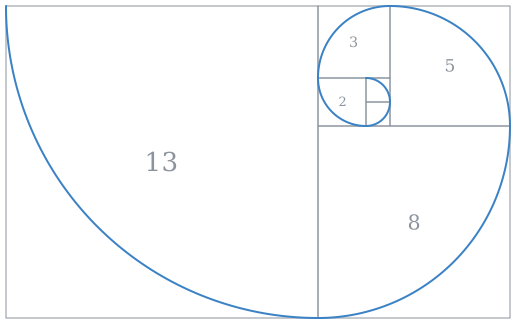
ant() prints the Fibonacci drawing, the installed version of Python and of each dependency, and the result of a self-test that builds, solves, simulates and checks a small model. It returns True when aniate is working. The same report is printed by python -m aniate.
aniate 2.1.0   Approximate Numerics in Applied Transition Environments

python      3.12.4      ok             required, 3.10 or later
numpy       2.1.0       ok             required, 1.24 or later
scipy       1.14.1      ok             required, 1.12 or later
matplotlib  -           not installed  optional, for plots in aniate.vis
pytest      -           not installed  optional, for running the tests
hypothesis  -           not installed  optional, for property-based tests
gymnasium   -           not installed  optional, for the Gymnasium adapter in aniate.gym

self-test   model valid | solved, value 3.20876 | 2,000 episodes simulated | check passed | 13 ms
            plots unavailable; install them with: pip install 'aniate[vis]'

aniate is working.
Quick start
import aniate as an
from aniate import vis

m = an.from_functions(
    states=range(5), actions=["left", "right"],
    transition=lambda s, a: {max(s - 1, 0): 1.0} if a == "left" else {min(s + 1, 4): 0.8, s: 0.2},
    reward=lambda s, a, s_next: 10.0 if s_next == 4 else -1.0,
    gamma=0.9, terminal=[4], initial=0,
)

sol = m.solve()                                   # optimal policy, its exact value, an error bound
runs = an.simulate(m, sol, episodes=10_000)       # 10,000 episodes, run in parallel
report = an.check(m, policy=sol)                  # compares simulated behaviour with the model
vis.save(vis.overview(runs), "overview.pdf")      # four standard plots in one PDF
m.describe()                                      # the model as a JSON-compatible dict
Each operation writes one line to standard error:
aniate | model    | 5 states | 2 actions | gamma 0.9 | horizon inf | 14 transitions | valid
aniate | solve    | policy_iteration | 4 iterations | 2.8 ms | start value 3.20876 | bound 8.9e-15
aniate | simulate | 10,000 episodes | 49,768 steps | 4 ms | mean return 3.23989 +/- 0.014 | 10,000 terminated | 0 truncated
aniate | check    | PASSED | 300 episodes | 1,505 steps | 4 pairs tested | return 3.1863 vs model 3.2088
aniate | vis      | saved overview.pdf
Validation
Construction fails, and the error names each offending state and action, if any of the following hold:
| code | condition |
|---|---|
row_sum |
a row of transition probabilities does not sum to 1 |
dead_end |
a state-action pair has no successor |
terminal_not_absorbing |
a terminal state moves to another state or pays a reward |
unbounded_value |
the discount factor is 1 and no terminal state is reachable |
an.check(model, env=simulator) runs episodes through an external simulator and reports impossible_transition, transition_frequency, reward_mismatch, termination_mismatch and return_mismatch. These properties are verified by runtime checks and by the test suite; they are not formally proved.
History-dependent rewards
from aniate import nmdp

world  = an.problems.gridworld(rows=5, cols=5, goals=((0, 4),), start=(4, 0))
labels = nmdp.Labels(world).at("r4c4", "A").at("r0c4", "B")
task   = an.NMDP(world, labels, nmdp.Ordering(["A", "B"], violation_penalty=-1))
policy = task.solve()        # a MemoryPolicy: policy.step(state) returns the next action
nmdp.Ordering, nmdp.Budget and nmdp.Deadline cover common patterns, and nmdp.Mealy expresses any finite-memory rule.
Notebooks
In Jupyter, a model, solution, set of episodes, check report, automaton or non-Markovian task that ends a cell is displayed as a table. A long table is shortened, and the number of omitted rows is stated.
Gymnasium
from aniate import gym

env = gym.make(m)                               # a gymnasium.Env with Discrete spaces
obs, info = env.reset(seed=0)
obs, reward, terminated, truncated, info = env.step(env.action_space.sample())

gym.register("aniate/Corridor-v0", lambda: m)   # gymnasium.make("aniate/Corridor-v0") then builds it
Transitions are sampled from the model with the seeded generator of Gymnasium, so equal seeds give equal episodes, and the environment passes the Gymnasium environment checker. The adapter requires pip install 'aniate[gym]'.
Interface
| call | purpose |
|---|---|
ant() |
report installed dependencies and run a self-test |
an.from_functions(states, actions, transition, reward, gamma, terminal=, initial=) |
define a model with Python functions |
an.Builder(gamma) |
define a model one transition at a time |
an.MDP(P, R, gamma) |
define a model from matrices |
m.solve() |
optimal policy and exact value |
an.evaluate(m, policy) |
exact value of any policy |
an.simulate(m, policy, episodes) |
batched episodes, returned as Episodes |
m.env() |
a Gym-style environment with reset and step |
an.check(m, env=simulator, policy=) |
statistical comparison of a simulator with the model |
an.NMDP(world, labels, automaton) |
a problem whose reward depends on history |
gym.make(m), gym.register(id, model) |
the model as a Gymnasium environment |
vis.overview(runs), vis.graph(m), vis.grid(m, sol) |
plots; vis.save(fig, "name.pdf") writes a PDF |
obj.describe() |
a JSON-compatible summary of any model, solution, report or set of episodes |
an.verbosity("quiet") |
set the log level |
A decision tree for choosing among these calls, the package layout and the conventions for extending the library are given in tree.md.
Worked examples
| folder | problem | result verified by the tests |
|---|---|---|
tests/stsp |
stochastic travelling salesman with randomly blocked roads | the exact solution equals the best of all 24 tours, with expected cost 17.6227 |
tests/gaussian |
Gaussian random walk between two absorbing edges | the hitting probability is 0.5 by symmetry and 0.956 under drift; Monte Carlo estimates agree |
tests/heavy_tail |
travel time with power-law delays | the value equals the closed form, the martingale mean is constant, and an incorrect simulator is detected |
pip install -e '.[dev]'
pytest                               # all tests
python tests/stsp/plot.py            # writes route.pdf and overview.pdf into tests/stsp
Importing aniate prints a Fibonacci rectangle to standard error once per process; ANIATE_BANNER=0 disables it.
Citation
@software{murjani2026aniate,
  author  = {Murjani, Kabir},
  title   = {aniate: Approximate Numerics in Applied Transition Environments},
  year    = {2026},
  version = {2.1.0},
  url     = {https://github.com/Kcbir/aniate}
}
Licence
Released under the MIT Licence.
1 maintainer

Metadata
1 maintainer
Release files for aniate 2.1.0
For a detailed explanation of source distributions (sdists) and built distributions (wheels), please see the package formats documentation.
Source distribution (sdist)
| File | Size | Uploaded | Provenance | |
|---|---|---|---|---|
| aniate-2.1.0.tar.gz | 85.4 kB | Without provenance | Details |
Built distribution (wheel)
| File | Interpreter | ABI | Platform | Reset |
|---|---|---|---|---|
| aniate-2.1.0-py3-none-any.whl | Python 3 | none | any | Details |
Total release size: 165.4 kB
Release files / aniate-2.1.0.tar.gz
| Download URL | aniate-2.1.0.tar.gz |
|---|---|
| Size | 85.4 kB |
| Tags | Source |
|
SHA-256 checksum How to use checksums |
11fb6ab380c6c2613268ff748d1c42da341fe1abdebcb53213827027ca7941b7
|
|
BLAKE2b-256 checksum How to use checksums |
56f8507f3f3b7f9e76d8ceb44c6607cc772e6b859d49e0cf7d0940b11a6906da
|
| Upload date | |
|
Uploaded using Trusted Publishing? What is trusted publishing? |
No |
| Uploaded via |
twine/7.0.0 CPython/3.14.6
|
Release files / aniate-2.1.0-py3-none-any.whl
| Download URL | aniate-2.1.0-py3-none-any.whl |
|---|---|
| Size | 79.9 kB |
| Tags | Python 3 |
|
SHA-256 checksum How to use checksums |
4223684a3e9e7c17e5d98e72a188e997b9c3e76c516185a05cd71818c78fd0cc
|
|
BLAKE2b-256 checksum How to use checksums |
52416cc67b91edc462f77c08cda467ec3b71412c05a7b054dd2a1e76c80e6367
|
| Upload date | |
|
Uploaded using Trusted Publishing? What is trusted publishing? |
No |
| Uploaded via |
twine/7.0.0 CPython/3.14.6
|
Security for aniate 2.1.0
Provenance
Provenance describes where a file came from. On PyPI, provenance is shared via attestations, which provide a verifiable record of the build or publishing details. View details, limitations and caveats.
No provenance found
None of the files in this release were uploaded with provenance metadata.
A note on package security
PyPI is a repository for distributing packages, not a service for auditing them. While third-party security researchers and our staff do their best to detect and remove malicious packages, PyPI cannot guarantee the quality, security or suitability of any given package.
To learn more about protecting yourself from malicious actors, visit our package security documentation.














