
AnimAID




Turn Python data structures into beautiful HTML with zero effort.
📖 Documentation | 🚀 PyPI | 💻 GitHub
AnimAID is a Python library that wraps common data types (strings, numbers, lists, dicts, tuples, sets) and gives them the ability to render themselves as styled HTML. It's perfect for:
- Building interactive tutorials and documentation
- Creating quick web dashboards
- Generating HTML reports
- Learning web development concepts through Python
Quick Start
Installation
pip install animaid
Your First Styled String
from animaid import HTMLString

# Create a styled string
greeting = HTMLString("Hello, World!")
greeting = greeting.bold().color("blue")

# Get the HTML
print(greeting.render())
# Output: <span style="font-weight: bold; color: blue">Hello, World!</span>
That's it! You just created styled HTML from Python.
What Can AnimAID Do?
AnimAID provides HTML-renderable versions of Python's built-in types:
| Python Type | AnimAID Type | What It Does |
|---|---|---|
str |
HTMLString |
Style text with colors, fonts, backgrounds |
int |
HTMLInt |
Format numbers with commas, currency, percentages |
float |
HTMLFloat |
Control decimal places, add units |
list |
HTMLList |
Render as styled lists, cards, or pills |
dict |
HTMLDict |
Display as tables, cards, or definition lists |
tuple |
HTMLTuple |
Show tuples with labels or custom separators |
set |
HTMLSet |
Render unique items as tags or pills |
| - | App |
Interactive browser display with real-time updates |
Learning by Example
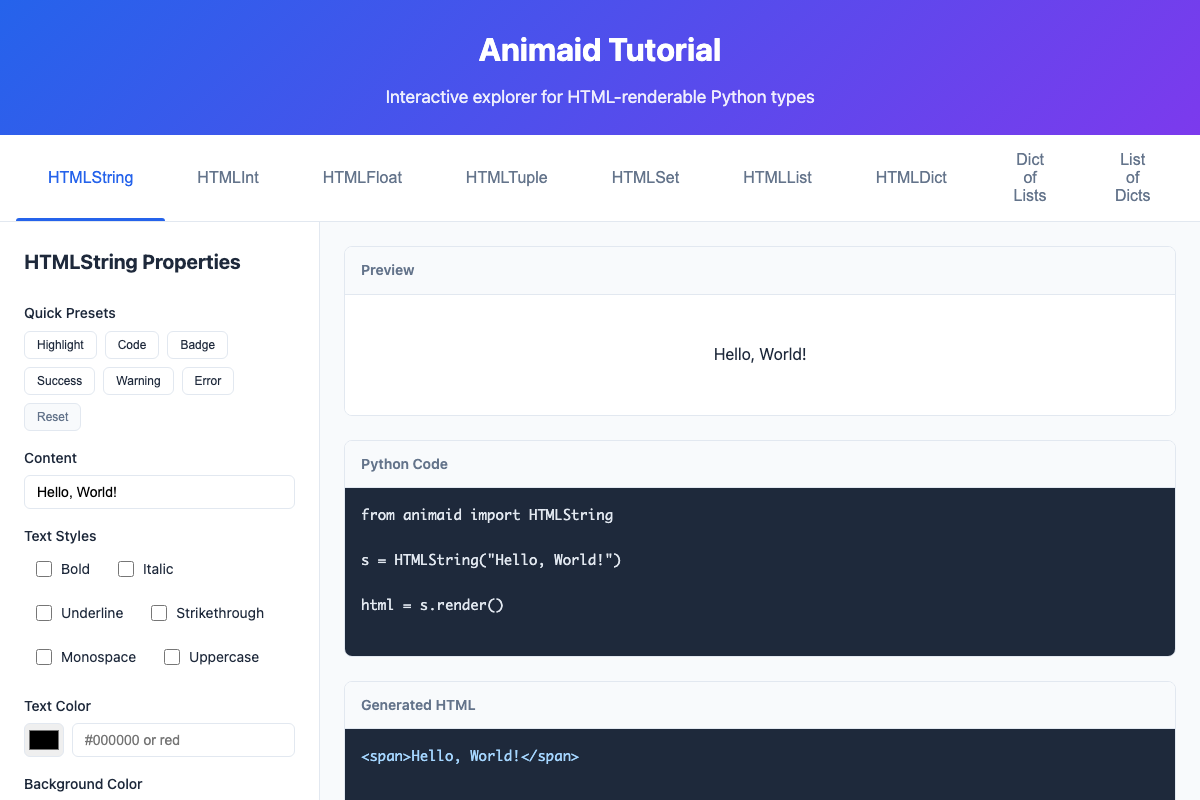
Styling Text (HTMLString)
from animaid import HTMLString

# Basic styling
text = HTMLString("Important!")
text = text.bold().italic().color("red")
print(text.render())
You can chain multiple styles together:
# Chaining styles
badge = (HTMLString("NEW")
    .uppercase()
    .bold()
    .padding("4px 8px")
    .background("#4CAF50")
    .color("white")
    .border_radius("4px"))
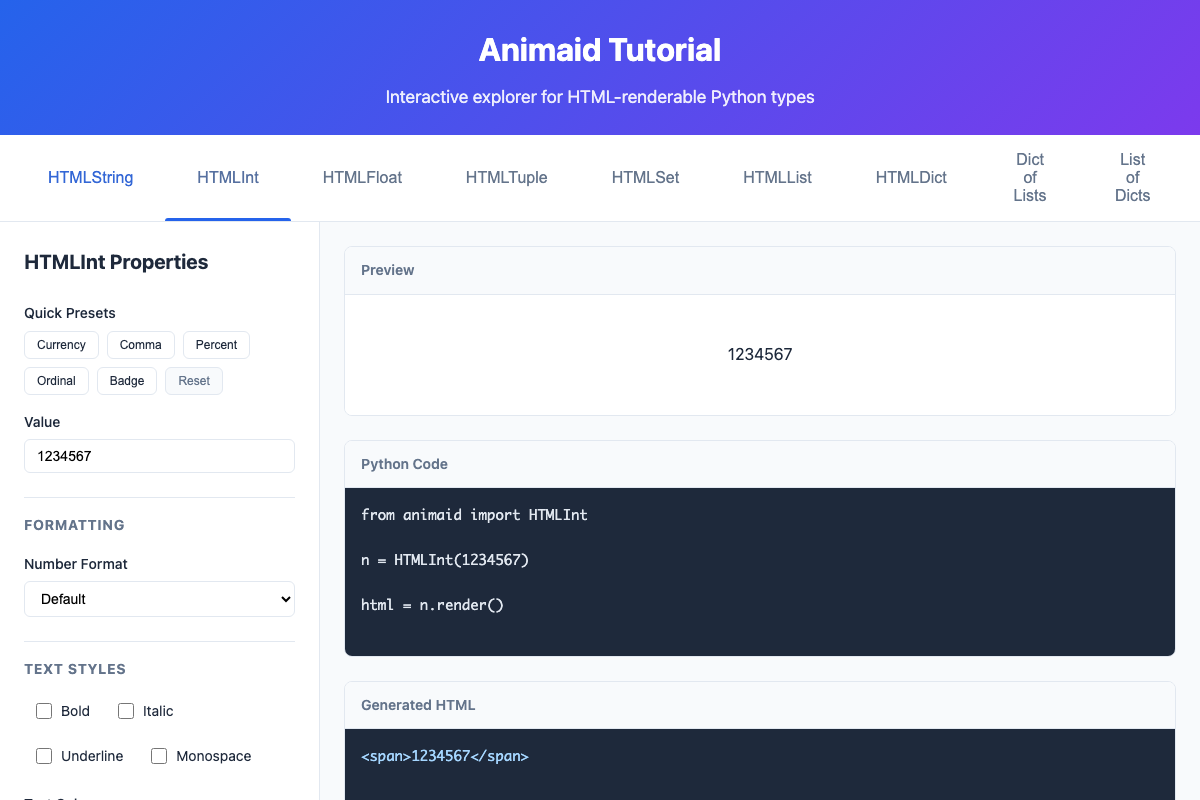
Formatting Numbers (HTMLInt)
from animaid import HTMLInt

# Display as currency
price = HTMLInt(1234567)
price = price.currency("$").bold().color("#2e7d32")
print(price.render())
# Output: $1,234,567
Common number formats:
.comma()- Add thousand separators: 1,234,567.currency("$")- Format as money: $1,234,567.percent()- Show as percentage: 85%.ordinal()- Show as ordinal: 1st, 2nd, 3rd
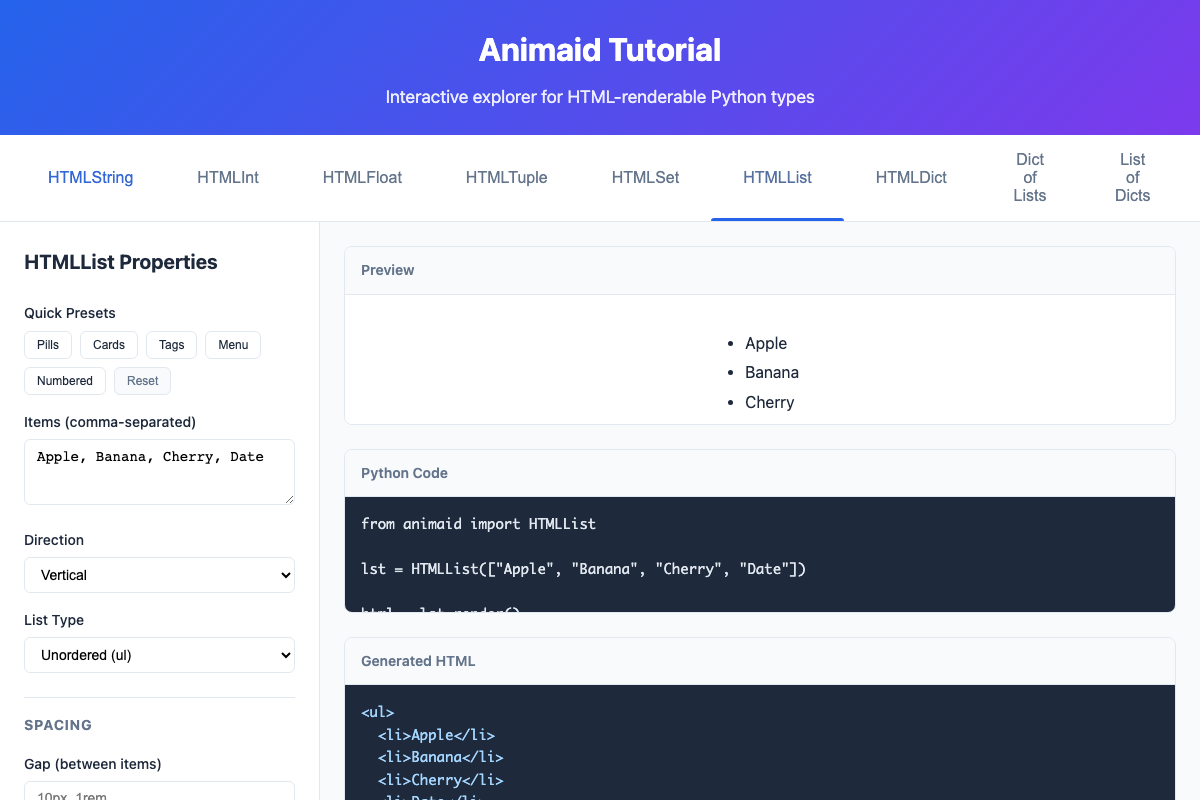
Creating Lists (HTMLList)
from animaid import HTMLList

# Simple list
fruits = HTMLList(["Apple", "Banana", "Cherry"])
print(fruits.render())

# Styled as horizontal cards
cards = (HTMLList(["Apple", "Banana", "Cherry", "Date"])
    .horizontal()
    .plain()
    .gap("16px")
    .item_padding("16px")
    .item_border("1px solid #e0e0e0")
    .item_border_radius("8px"))
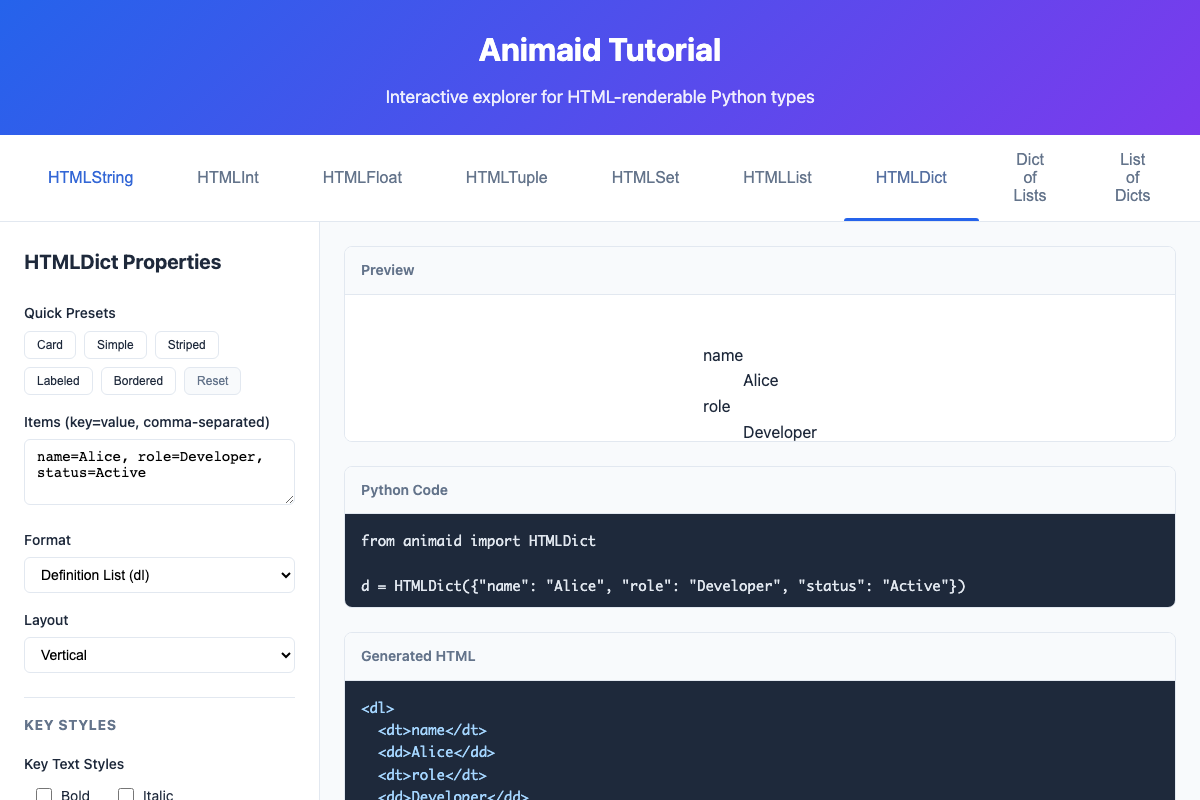
Displaying Dictionaries (HTMLDict)
from animaid import HTMLDict

# User profile as a card
profile = HTMLDict({
    "name": "Alice",
    "role": "Developer",
    "status": "Active"
})

styled = (profile
    .as_divs()
    .key_bold()
    .padding("16px")
    .border("1px solid #e0e0e0")
    .border_radius("8px")
    .background("white"))
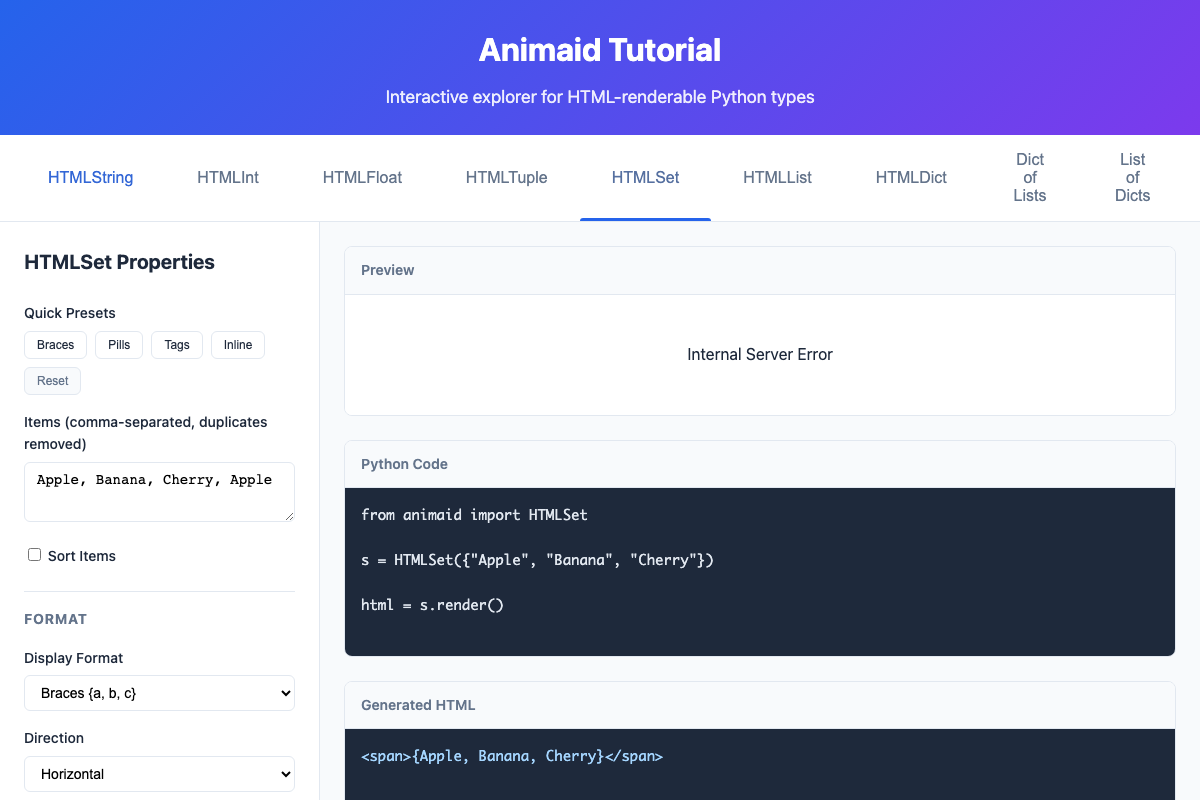
Working with Sets (HTMLSet)
Sets automatically remove duplicates:
from animaid import HTMLSet

# Duplicates are removed automatically
tags = HTMLSet(["Python", "Web", "Python", "HTML"])
# Only contains: Python, Web, HTML

# Style as pills
pills = tags.pills()  # Rounded pill-style items
The Fluent API
AnimAID uses a "fluent" API where methods modify the object in-place and return self, letting you chain calls:
# Method chaining
result = (HTMLString("Hello")
    .bold()
    .italic()
    .color("blue")
    .padding("10px")
    .border("1px solid black"))
Methods modify the original object and return it, so you can also do:
# Step by step
text = HTMLString("Hello")
text.bold()
text.color("blue")
Both approaches work the same way!
Quick Style Presets
Many types come with presets for common use cases:
# String presets
HTMLString("Note").highlight()   # Yellow background
HTMLString("def foo").code()     # Monospace, dark background
HTMLString("3").badge()          # Circular badge style

# Number presets
HTMLInt(99).currency("$")        # $99 in green
HTMLInt(42).badge()              # Circular number badge

# List presets
HTMLList(items).pills()          # Rounded pill items
HTMLList(items).cards()          # Card-style items
HTMLList(items).tags()           # Tag-style items

# Set presets
HTMLSet(items).pills()           # Pill-style unique items
HTMLSet(items).tags()            # Tag-style items
CSS Helper Types
AnimAID includes helper types for CSS values:
from animaid import Color, Size, Spacing, Border

# Colors
Color.red                    # Named color
Color.hex("#4CAF50")         # Hex color
Color.rgb(100, 150, 200)     # RGB color

# Sizes
Size.px(16)                  # 16px
Size.em(1.5)                 # 1.5em
Size.sm()                    # Small preset (8px)
Size.md()                    # Medium preset (16px)

# Spacing
Spacing.px(10)               # 10px all around
Spacing.symmetric(10, 20)    # 10px top/bottom, 20px left/right

# Borders
Border.solid(1, Color.gray)  # 1px solid gray
Border.dashed(2, Color.red)  # 2px dashed red
Interactive Display (App)
The App class provides a Tkinter-like interactive environment using HTML. The browser becomes the display surface where you can add, update, and remove AnimAID objects in real-time.
from animaid import App, HTMLString, HTMLList

# Create and start (opens browser automatically)
app = App()
app.run()

# Add items - browser updates in real-time
app.add(HTMLString("Hello World!").bold().xl())
app.add(HTMLList(["Apple", "Banana", "Cherry"]).pills())

# Update existing items
item_id = app.add(HTMLString("Loading..."))
app.update(item_id, HTMLString("Done!").success())

# Clean up
app.stop()
Or use the context manager:
with App() as app:
    app.add(HTMLString("Temporary display").bold())
    input("Press Enter to exit...")
# Server stops automatically
Note: App requires the tutorial dependencies: pip install animaid[tutorial]
Reactive Updates
All HTML objects automatically notify App when their styles change. The browser updates in real-time:
from animaid import App, HTMLList, HTMLDict, HTMLString, HTMLInt

app = App()
app.run()

# Styling changes trigger automatic updates for ALL types
message = HTMLString("Hello")
app.add(message)
message.bold().red()   # Browser updates automatically

number = HTMLInt(42)
app.add(number)
number.badge()         # Browser updates automatically

# Mutable types also update on data changes
scores = HTMLList([10, 20, 30]).pills()
app.add(scores)
scores.append(40)      # Browser shows [10, 20, 30, 40]
scores[0] = 100        # Browser shows [100, 20, 30, 40]

data = HTMLDict({"score": 0})
app.add(data)
data["score"] = 500    # Browser updates automatically
Note: Immutable types (HTMLString, HTMLInt, HTMLFloat, HTMLTuple) can have their styles changed in-place, but to change their underlying data/content, use app.update(item_id, new_value).
Demo Programs
AnimAID includes demo programs that showcase its interactive capabilities:
# List available demos
animaid-demo --list

# Run a specific demo
animaid-demo countdown_timer
Available demos:
Core Demos:
- countdown_timer - Real-time countdown with color transitions
- live_list - Reactive shopping cart with
.append()and.pop() - score_tracker - Game score tracking with automatic dict updates
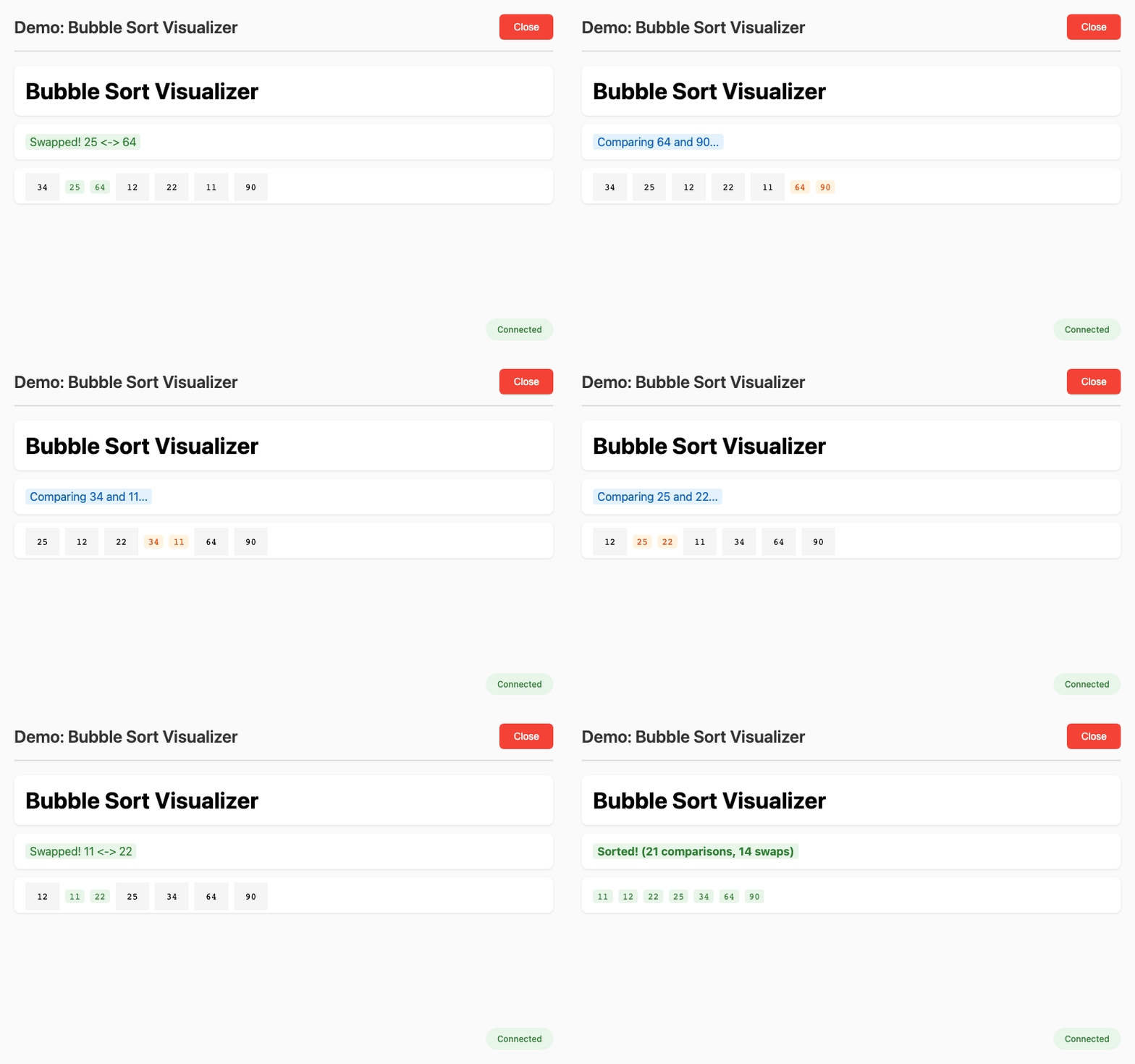
- sorting_visualizer - Bubble sort algorithm visualization
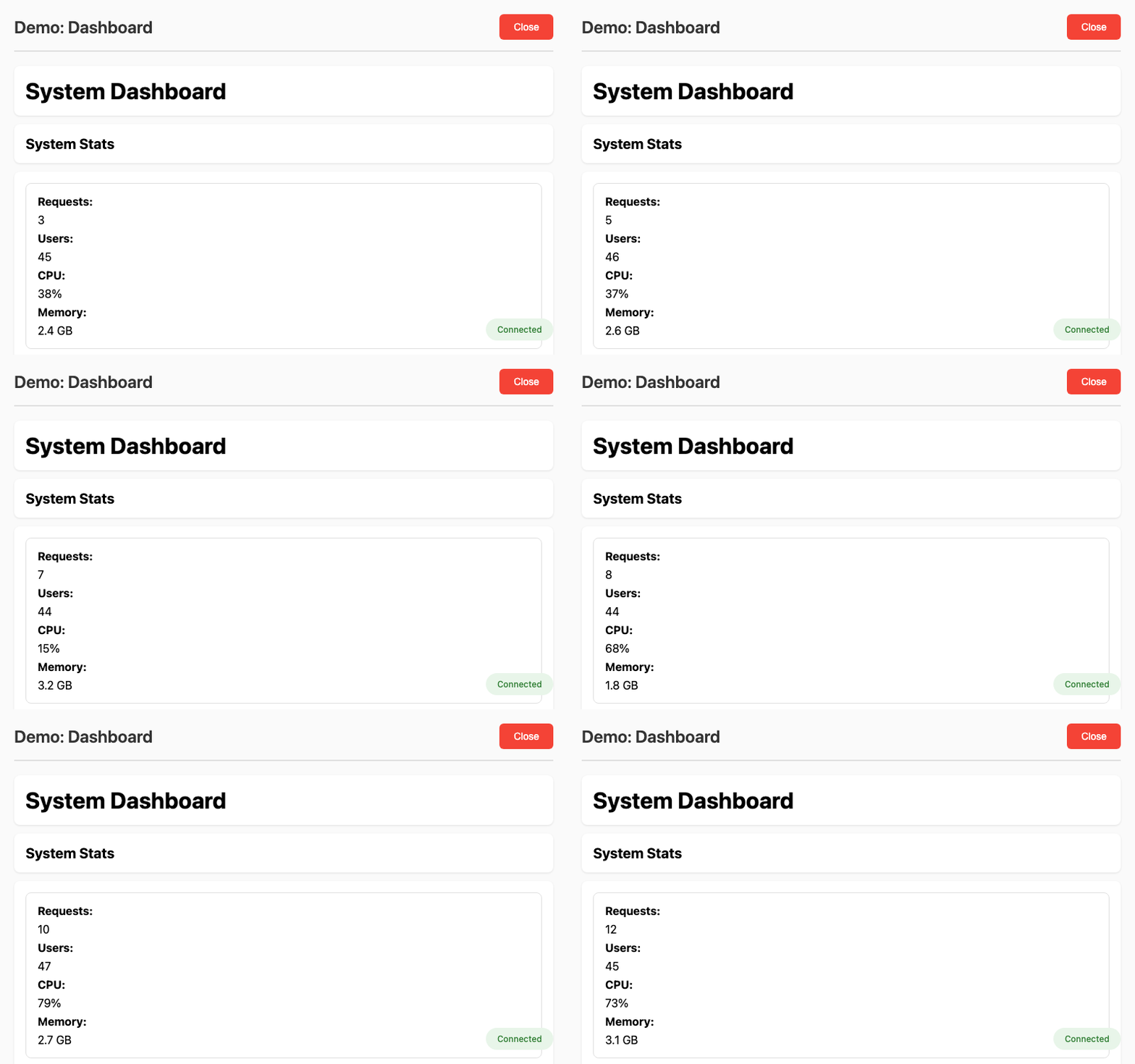
- dashboard - Multi-type dashboard with all HTML types
- typewriter - Typewriter effect with progressive styling
- todo_app - Interactive todo list with CRUD operations
- data_pipeline - ETL pipeline progress tracking
Input Widget Demos:
- input_button - Button styles, sizes, and click events
- input_text - Text input with live feedback
- input_checkbox - Checkbox toggles and preferences
- input_select - Select dropdowns with dynamic updates
- input_slider - RGB color mixer with sliders
Each demo opens a browser and shows real-time updates as the Python code runs.
Demo Previews
Sorting Visualizer - Watch bubble sort in action (source):
Dashboard - Multiple HTML types updating together (source):
Documentation
Full documentation is available at animaid.readthedocs.io
The documentation includes:
- Complete API reference
- CSS helper types guide
- App class usage
- Demo program gallery
Interactive Tutorial
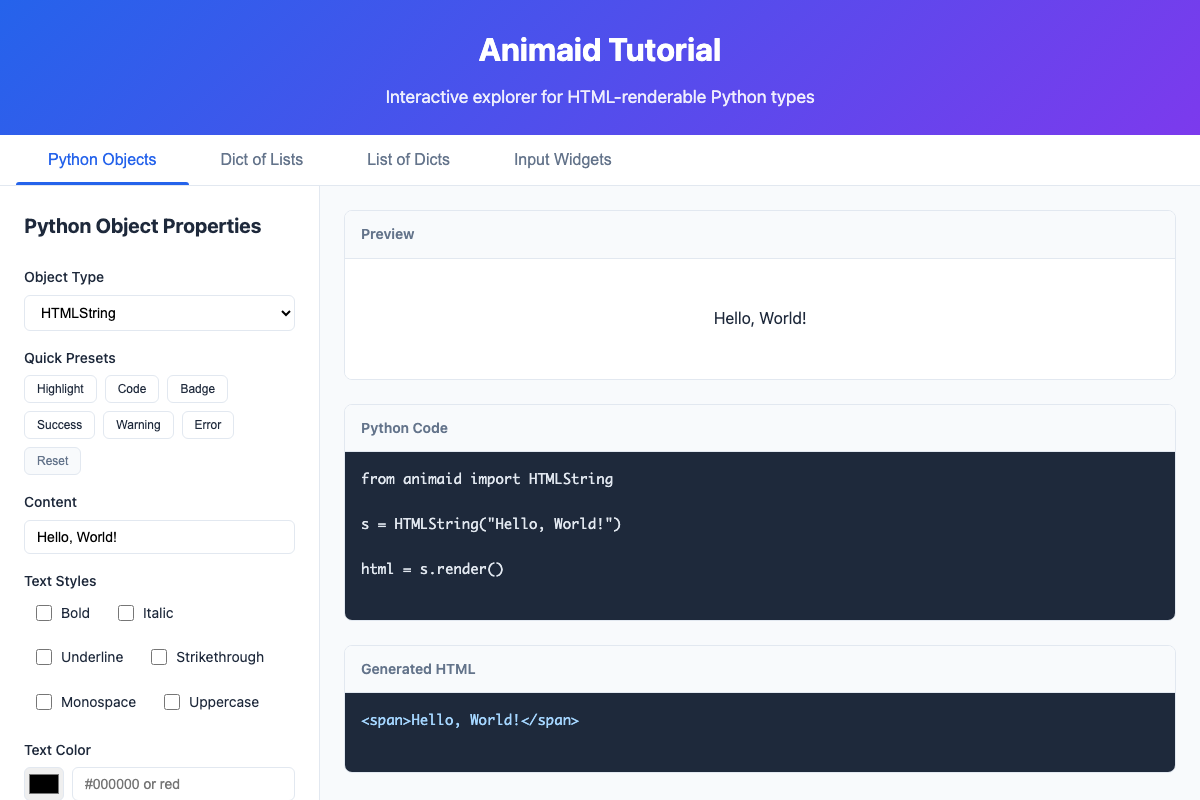
AnimAID includes a web-based tutorial that lets you experiment with all the features:
# Install with tutorial dependencies
pip install animaid[tutorial]

# Start the tutorial (opens browser automatically)
animaid-tutorial
The tutorial provides:
- Python Objects Tab: Explore all HTML types (HTMLString, HTMLList, HTMLDict, etc.) with a unified interface
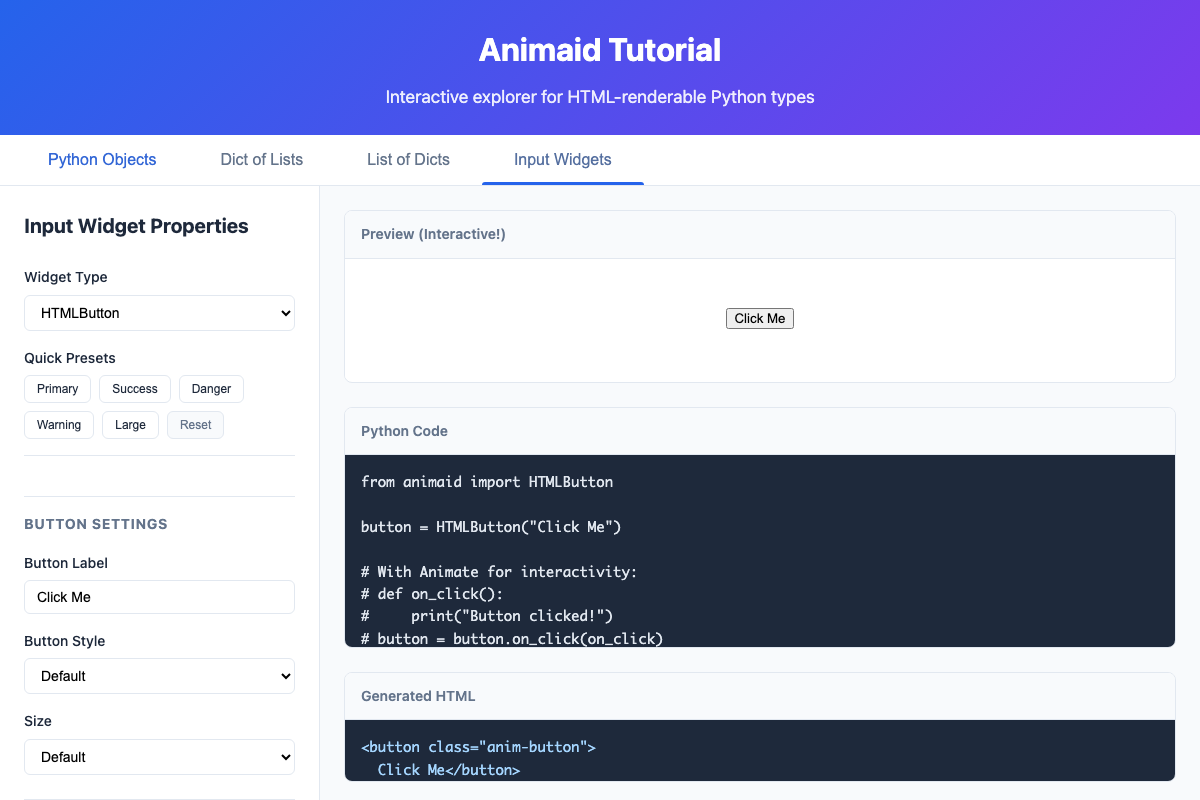
- Input Widgets Tab: Interactive input widgets (buttons, text inputs, checkboxes, sliders, selects)
- Dict of Lists / List of Dicts: Nested data structure visualizations
- Live preview of styled output
- Generated Python code you can copy
- Generated HTML output
- Quick preset buttons for common styles
Input Widgets
The tutorial also demonstrates interactive input widgets that work with the App class:
Type Aliases
For convenience, AnimAID provides short aliases:
from animaid import String, Int, Float, List, Dict, Tuple, Set

# These are equivalent:
HTMLString("hello")  # Full name
String("hello")      # Short alias
Common Styling Methods
Most AnimAID types share these styling methods:
| Method | Example | Description |
|---|---|---|
.bold() |
.bold() |
Make text bold |
.italic() |
.italic() |
Make text italic |
.color(c) |
.color("red") |
Set text color |
.background(c) |
.background("#f0f0f0") |
Set background color |
.padding(p) |
.padding("10px") |
Add padding |
.margin(m) |
.margin("5px") |
Add margin |
.border(b) |
.border("1px solid black") |
Add border |
.border_radius(r) |
.border_radius("5px") |
Round corners |
.font_size(s) |
.font_size("18px") |
Set font size |
Development
# Clone the repository
git clone https://github.com/jdrumgoole/animaid.git
cd animaid

# Install with development dependencies
pip install -e ".[dev,docs,tutorial]"

# Run tests
pytest

# Run linting
ruff check src tests

# Build documentation
sphinx-build -b html docs docs/_build/html

# Start the tutorial server
animaid-tutorial
For development with uv:
uv pip install -e ".[dev,docs,tutorial]"
uv run pytest
uv run invoke check  # Run all checks
Requirements
- Python 3.10+
- No external dependencies for the core library
License
Code: Apache License 2.0 - see LICENSE for details.
Documentation: Creative Commons Attribution 4.0 International (CC BY 4.0)
Contributing
Contributions are welcome! Please feel free to submit a Pull Request.
- Fork the repository
- Create your feature branch (
git checkout -b feature/amazing-feature) - Run the tests (
invoke test) - Commit your changes (
git commit -m 'Add amazing feature') - Push to the branch (
git push origin feature/amazing-feature) - Open a Pull Request
1 maintainer

Metadata
1 maintainer
Release files for animaid 0.6.0
For a detailed explanation of source distributions (sdists) and built distributions (wheels), please see the package formats documentation.
Source distribution (sdist)
| File | Size | Uploaded | |
|---|---|---|---|
| animaid-0.6.0.tar.gz | 70.8 kB | Details |
Built distribution (wheel)
| File | Interpreter | ABI | Platform | Reset |
|---|---|---|---|---|
| animaid-0.6.0-py3-none-any.whl | Python 3 | none | any | Details |
Total release size: 164.8 kB
Release files / animaid-0.6.0.tar.gz
| Download URL | animaid-0.6.0.tar.gz |
|---|---|
| Size | 70.8 kB |
| Tags | Source |
|
SHA-256 checksum How to use checksums |
48ff5ebcdbe017b782c265c6fe7d8e3195553f89f77371b31162f370d3f5219a
|
|
BLAKE2b-256 checksum How to use checksums |
4d296f0f3c2494835d938459f20fc4f419c4df89e09ce2c93985f93a813863b8
|
| Upload date | |
|
Uploaded using Trusted Publishing? What is trusted publishing? |
Yes |
| Uploaded via |
twine/6.1.0 CPython/3.13.7
|
Provenance
Provenance describes where a file came from. On PyPI, provenance is shared via attestations, which provide a verifiable record of the build or publishing details. View details, limitations and caveats.


PyPI Publish Attestation
PyPI verified that this artifact, at this checksum, originated from the publisher listed below.
Signed by GitHub Actions, verified by PyPI on Feb 3, 2026.
Transparency logRelease files / animaid-0.6.0-py3-none-any.whl
| Download URL | animaid-0.6.0-py3-none-any.whl |
|---|---|
| Size | 94.1 kB |
| Tags | Python 3 |
|
SHA-256 checksum How to use checksums |
130b7efb9f7e938cc92f293c02d2f41f04fd5c592e74900ffa9c3d0522d6b697
|
|
BLAKE2b-256 checksum How to use checksums |
fa0b8216e1bd85cb1bfe90f0f8e5428039d049437d111f7ee9c0efb7dd75de6c
|
| Upload date | |
|
Uploaded using Trusted Publishing? What is trusted publishing? |
Yes |
| Uploaded via |
twine/6.1.0 CPython/3.13.7
|
Provenance
Provenance describes where a file came from. On PyPI, provenance is shared via attestations, which provide a verifiable record of the build or publishing details. View details, limitations and caveats.
PyPI Publish Attestation
PyPI verified that this artifact, at this checksum, originated from the publisher listed below.
Signed by GitHub Actions, verified by PyPI on Feb 3, 2026.
Transparency log













