

Automatically annotate papers using LLMs




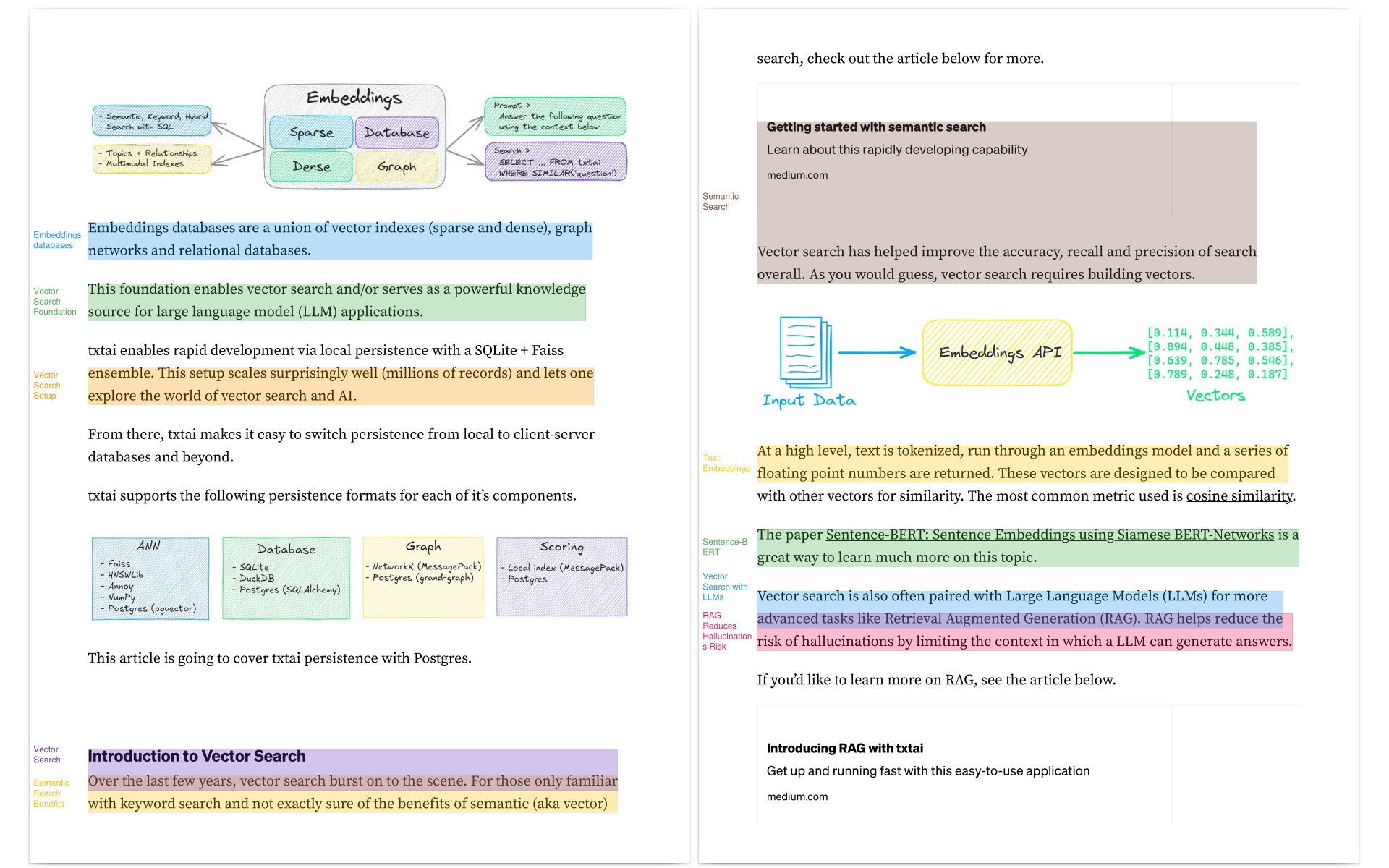
annotateai automatically annotates papers using Large Language Models (LLMs). While LLMs can summarize papers, search papers and build generative text about papers, this project focuses on providing human readers with context as they read.
Architecture
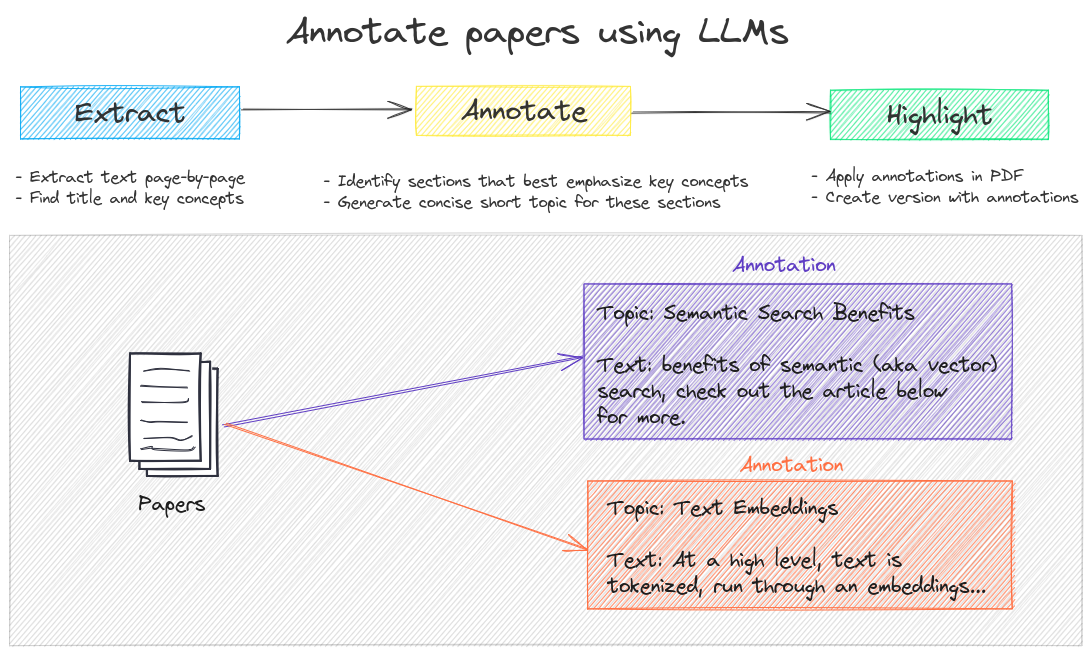
A one-line call does the following:
- Reads the paper
- Finds the title and important key concepts
- Goes through each page and finds sections that best emphasis the key concepts
- Reads the section and builds a concise short topic
- Annotates the paper and highlights those sections
Installation
The easiest way to install is via pip and PyPI
pip install annotateai
Python 3.10+ is supported. Using a Python virtual environment is recommended.
annotateai can also be installed directly from GitHub to access the latest, unreleased features.
pip install git+https://github.com/neuml/annotateai
Examples
annotateai can annotate any PDF but it works especially well for medical and scientific papers. The following shows a series of examples using papers from arXiv.
This project also works well with papers from PubMed, bioRxiv and medRxiv!
Setup
The primary input parameter is the path to the LLM. This project is backed by txtai and it supports any txtai-supported LLM.
from annotateai import Annotate

# Lightweight but powerful default model
annotate = Annotate("Qwen/Qwen3-4B-Instruct-2507")

# The previous default model uses the now deprecated AutoAWQ library
# Run pip install autoawq to enable
# Note as time goes on, this may require pinning to older versions of transformers & torch
annotate = Annotate("NeuML/Llama-3.1_OpenScholar-8B-AWQ")

# llama.cpp version of the above model
# Run pip install llama-cpp-python to enable
annotate = Annotate(
  "bartowski/Llama-3.1_OpenScholar-8B-GGUF/Llama-3.1_OpenScholar-8B-Q4_K_M.gguf"
)
Annotate paper "Retrieval-Augmented Generation for Knowledge-Intensive NLP Tasks"
This paper proposed RAG before most of us knew we needed it.
annotate("https://arxiv.org/pdf/2005.11401")
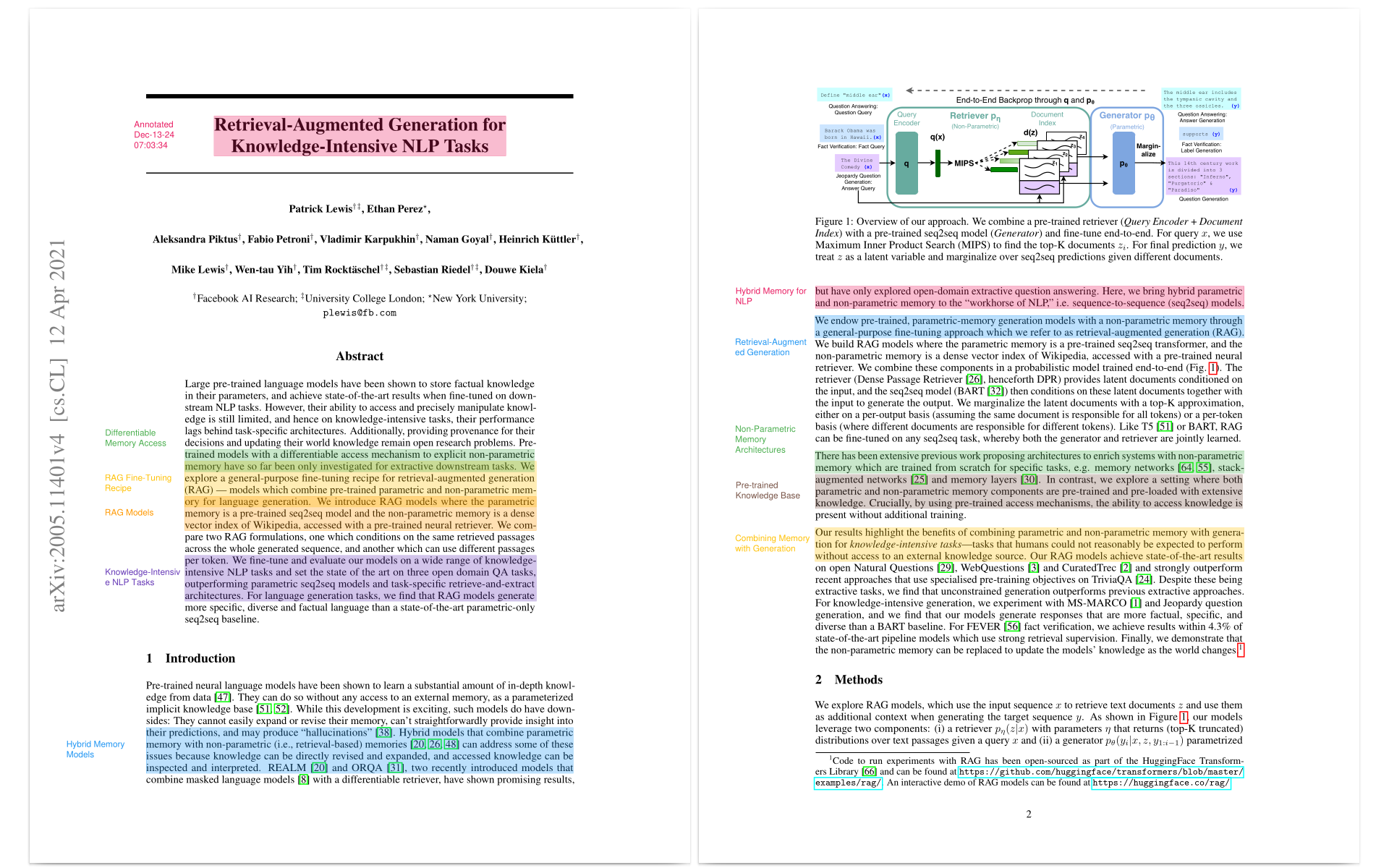
Source: https://arxiv.org/pdf/2005.11401
Annotate paper "HunyuanVideo: A Systematic Framework For Large Video Generative Models"
This paper builds the largest open-source video generation model as of Dec 2024.
annotate("https://arxiv.org/pdf/2412.03603v2")
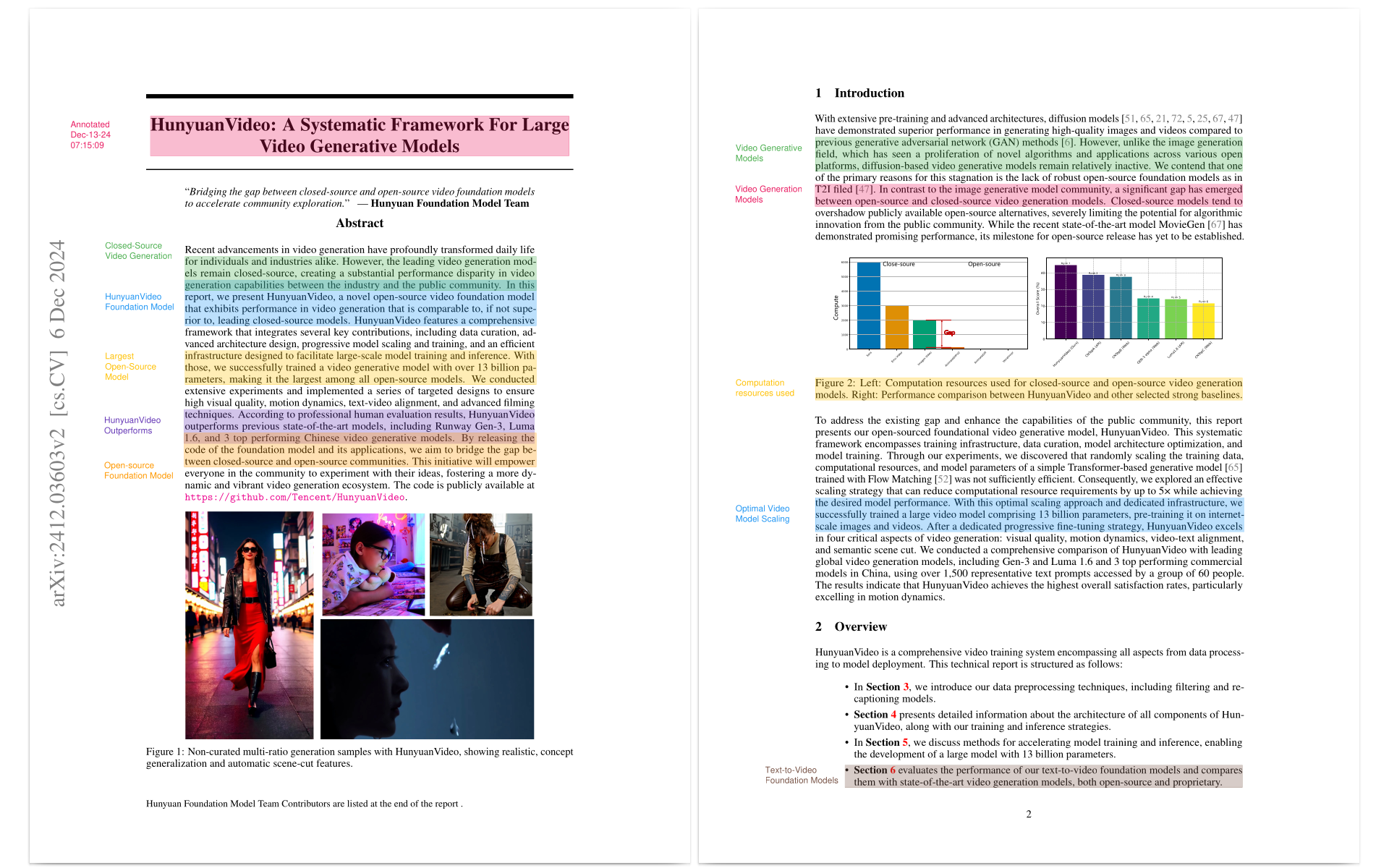
Source: https://arxiv.org/pdf/2412.03603v2
Annotate paper "OpenDebateEvidence: A Massive-Scale Argument Mining and Summarization Dataset"
This paper was presented at the 38th Conference on Neural Information Processing Systems (NeurIPS 2024) Track on Datasets and Benchmarks.
annotate("https://arxiv.org/pdf/2406.14657")
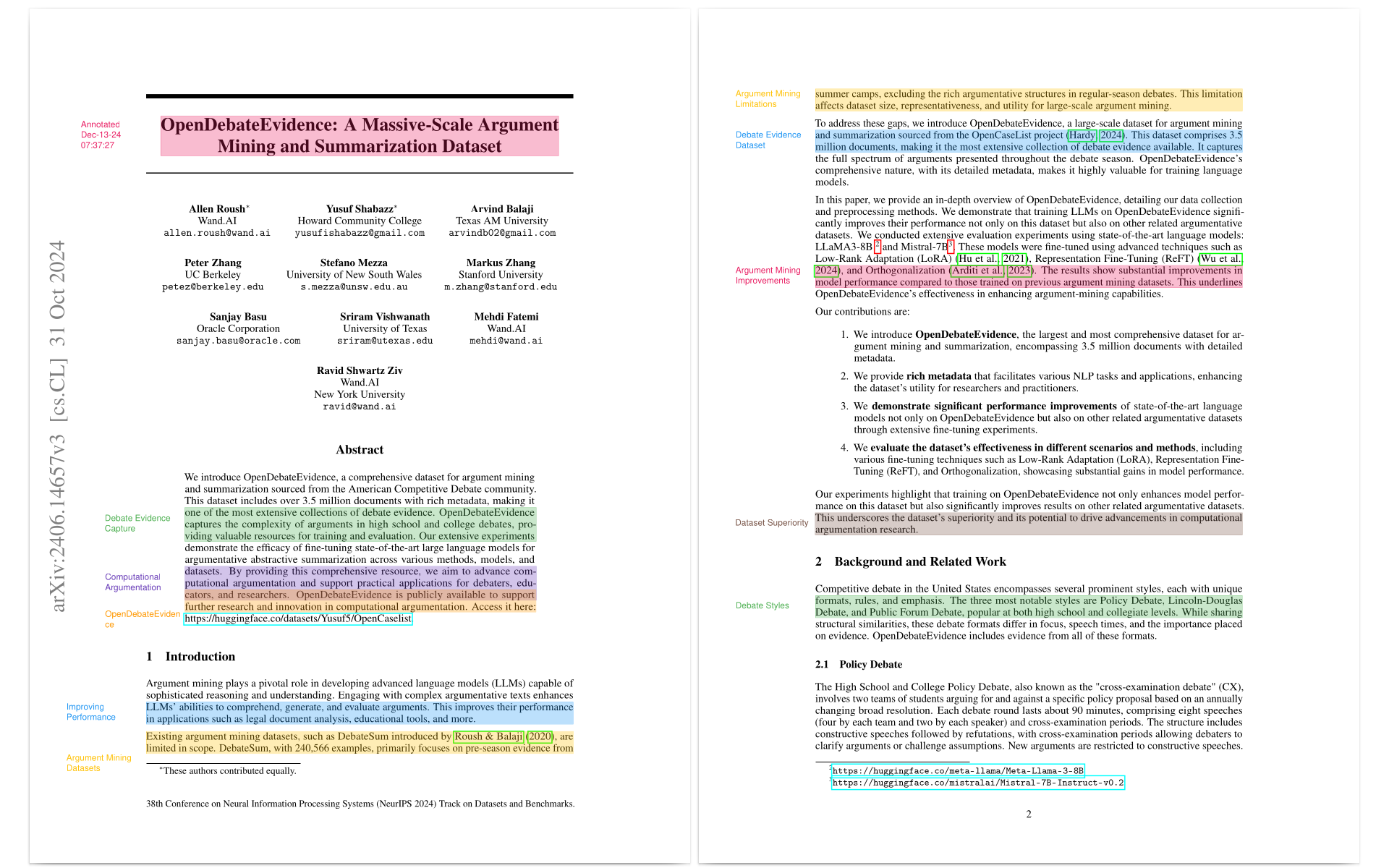
Source: https://arxiv.org/pdf/2406.14657
LLM APIs and llama.cpp
As mentioned earlier, this project supports any txtai-supported LLM. Some examples below.
pip install txtai[pipeline-llm]
# LLM API services
annotate = Annotate("gpt-5.1")
annotate = Annotate("claude-opus-4-5-20251101")
annotate = Annotate("gemini/gemini-3-pro-preview")

# Ollama endpoint
annotate = Annotate("ollama/gpt-oss")

# llama.cpp GGUF from Hugging Face Hub
annotate = Annotate(
  "unsloth/gpt-oss-20b-GGUF/gpt-oss-20b-Q4_K_M.gguf"
)
Additional parameters
The default mode for an annotate instance is to automatically generate the key concepts to search for. But these concepts can be provided via the keywords parameter.
annotate("https://arxiv.org/pdf/2005.11401", keywords=["hallucinations", "llm"])
This is useful for situations where we have a large batch of papers and we want it to identify a specific set of concepts to help with a review.
The progress bar can be disabled as follows:
annotate("https://arxiv.org/pdf/2005.11401", progress=False)
Docker Web Application
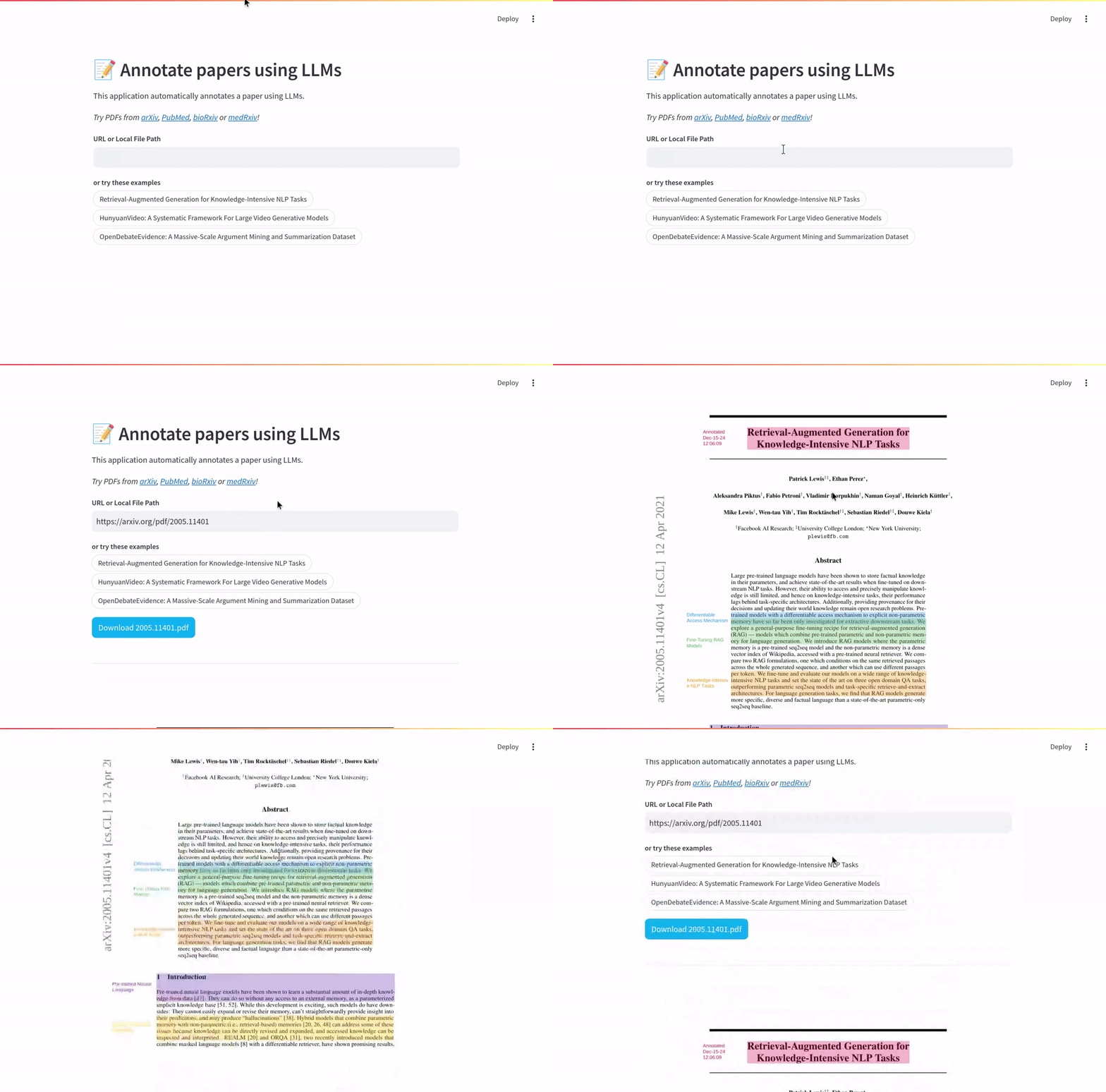
neuml/annotateai is a web application available on Docker Hub.
This can be run with the default settings as follows.
docker run -d --gpus=all -it -p 8501:8501 neuml/annotateai
The LLM can also be set via ENV parameters.
docker run -d --gpus=all -it -p 8501:8501 -e LLM=unsloth/gpt-oss-20b-GGUF/gpt-oss-20b-Q4_K_M.gguf -e MAXLENGTH=10000 -e n_ctx=4096 neuml/annotateai
The code for this application can be found in the app folder.
Further Reading
1 maintainer

Metadata
1 maintainer
Release files for annotateai 0.3.0
For a detailed explanation of source distributions (sdists) and built distributions (wheels), please see the package formats documentation.
Source distribution (sdist)
| File | Size | Uploaded | |
|---|---|---|---|
| annotateai-0.3.0.tar.gz | 12.7 kB | Details |
Built distribution (wheel)
| File | Interpreter | ABI | Platform | Reset |
|---|---|---|---|---|
| annotateai-0.3.0-py3-none-any.whl | Python 3 | none | any | Details |
Total release size: 23.0 kB
Release files / annotateai-0.3.0.tar.gz
| Download URL | annotateai-0.3.0.tar.gz |
|---|---|
| Size | 12.7 kB |
| Tags | Source |
|
SHA-256 checksum How to use checksums |
c6130ca6b6605c4a4e15ec4e66dbba7d3b6215c1102b446a9a038b663f0f4a23
|
|
BLAKE2b-256 checksum How to use checksums |
1d05df8f8c3f330fb800577fa76c938b9a2ca6f844708ac892709f05b2deebe2
|
| Upload date | |
|
Uploaded using Trusted Publishing? What is trusted publishing? |
No |
| Uploaded via |
twine/6.1.0 CPython/3.10.19
|
Release files / annotateai-0.3.0-py3-none-any.whl
| Download URL | annotateai-0.3.0-py3-none-any.whl |
|---|---|
| Size | 10.3 kB |
| Tags | Python 3 |
|
SHA-256 checksum How to use checksums |
212105286995d034d4f3396ebfce319767e32adced84d0bf18a39a829d84d402
|
|
BLAKE2b-256 checksum How to use checksums |
3b659fa624f5d81712889da13e148ab13adb85f44adbba06bf7ae04788c53097
|
| Upload date | |
|
Uploaded using Trusted Publishing? What is trusted publishing? |
No |
| Uploaded via |
twine/6.1.0 CPython/3.10.19
|














