
DocSmith for Ansible: automating role documentation (using argument_specs.yml)
Project description
DocSmith for Ansible
Automating role documentation (using argument_specs.yml)
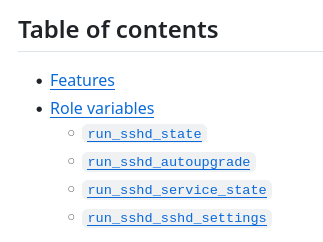
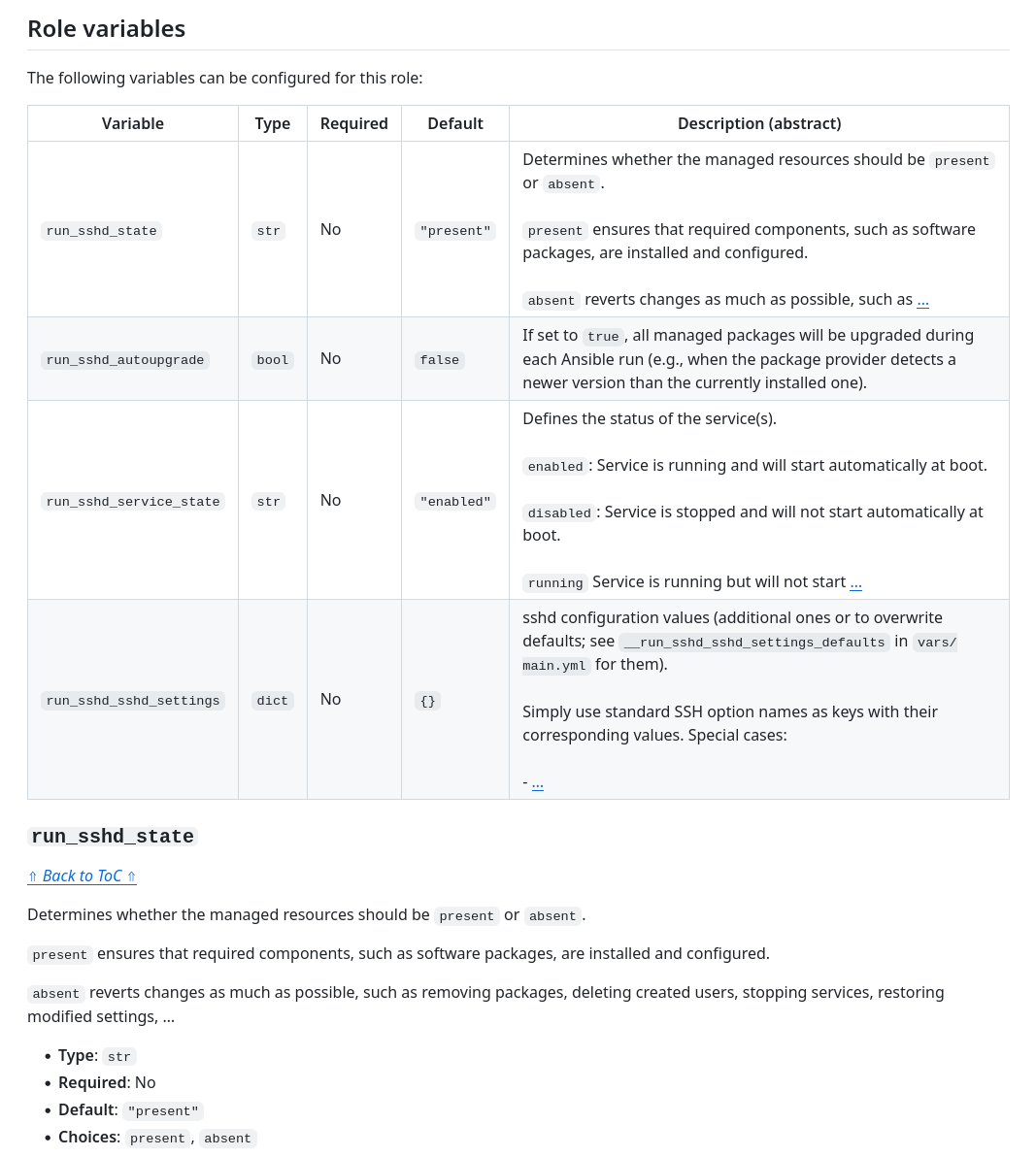
DocSmith is a documentation generator. It reads a role's meta/argument_specs.yml and produces up‑to‑date variable descriptions for the README.md as well as inline comment blocks for defaults/main.yml (or other role entry-point files). It works with roles in both stand‑alone form and within collections.

⭐ Found this useful? Support open-source and star this project:

Table of contents
Demo
Roles using DocSmith
- Ansible role:
foundata.acmesh.run: - Ansible role:
foundata.sshd.run:
Screenshots
Features
- Efficient and simple: Uses the
argument_specs.ymlfrom Ansible's built‑in role argument validation as the single source of truth, generating human‑readable documentation in multiple places while maintaining just one file. - Built-in validation: Verifies that argument specs are complete, correct, and in sync with entry-point
defaults/. - Automation‑friendly: Works seamlessly in CI/CD pipelines and pre‑commit hooks.
- Supports Markdown and reStructuredText.
Installation

DocSmith needs Python ≥ v3.11. It is available on PyPI and can be installed with the package manager of your choice.
Using uv (recommended):
uv tool install ansible-docsmith
Using pip or pipx:
pip install ansible-docsmith
pipx install ansible-docsmith
Usage
Preparations
- If not already existing, simply create an
argument_specs.ymlfor Ansible’s role argument validation. Try to adddescription:to your variables. The more complete your specification, the better the argument validation and documentation. - Add simple markers in your role's
README.mdwhere DocSmith shall maintain the human-readable documentation. All content between these markers will be removed and updated on eachansible-docsmith generaterun:<!-- ANSIBLE DOCSMITH MAIN START --> <!-- ANSIBLE DOCSMITH MAIN END -->
where the variable descriptions shall be placed (mandatory) and<!-- ANSIBLE DOCSMITH TOC START --> <!-- ANSIBLE DOCSMITH TOC END -->
for putting list entries for a table of contents (ToC) (optional).
That's it. The entry-point variable files below the /defaults directory of your role do not need additional preparations. The tool will automatically (re)place formatted inline comment blocks above variables defined there.
Example files:
- Markdown:
README.md - reStructuredText:
README.rst(difference to Markdown:..comments,.. contents:: **Table of Contents**directive)
Generate or update documentation
Basic usage:
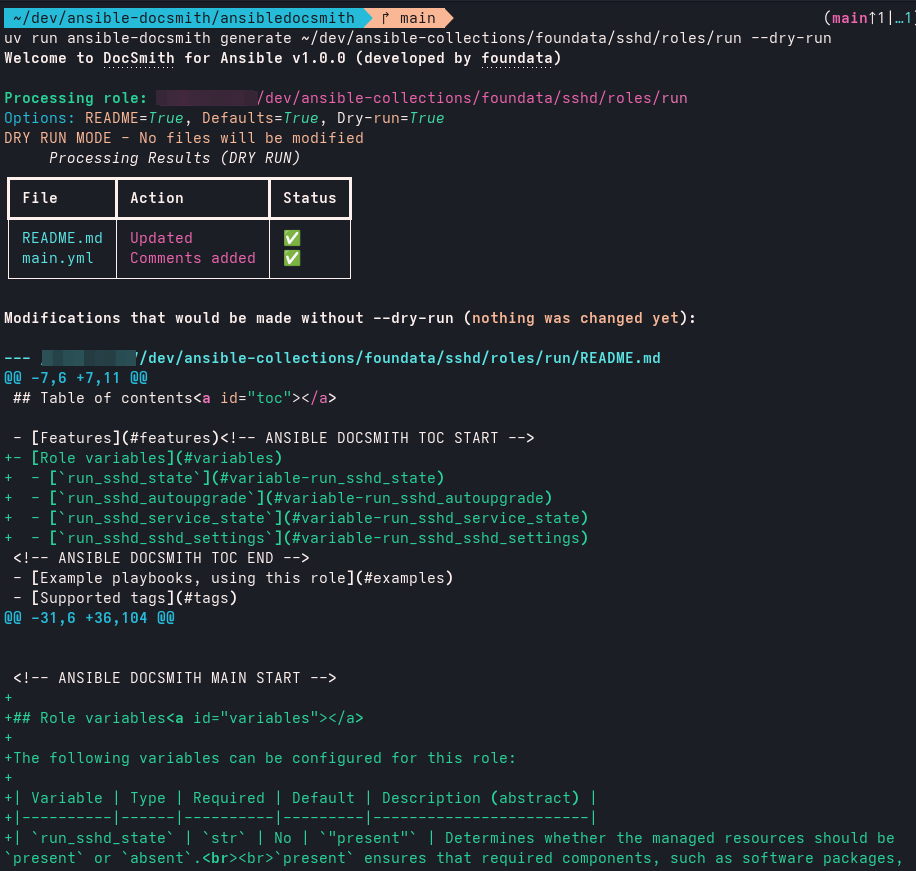
# Safely preview changes without writing to files. No modifications are made.
ansible-docsmith generate /path/to/role --dry-run

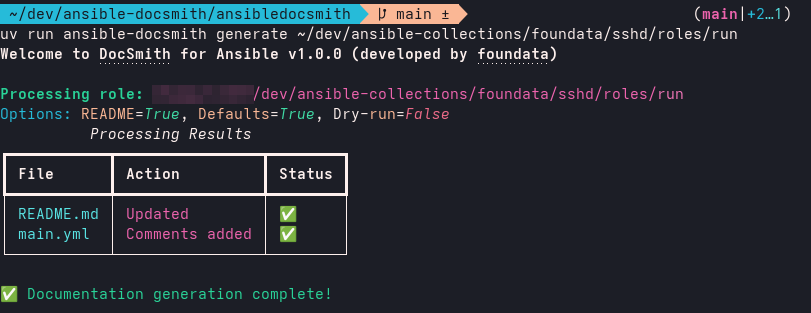
# Generate / update README.md and comments in entry-point files (like defaults/main.yml)
ansible-docsmith generate /path/to/role

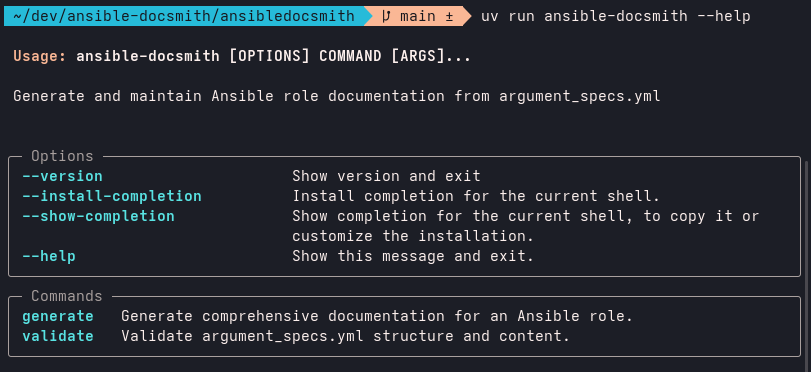
# Show help
ansible-docsmith --help
ansible-docsmith generate --help
Advanced parameters:
# Generate / update only the README.md, skip comments for variables in
# entry-point files (like defaults/main.yml).
ansible-docsmith generate /path/to/role --no-defaults

# Generate / update only the comments in entry-point files (like defaults/main.yml),
# skip README.md
ansible-docsmith generate /path/to/role --no-readme

# Verbose output for debugging
ansible-docsmith generate /path/to/role --verbose
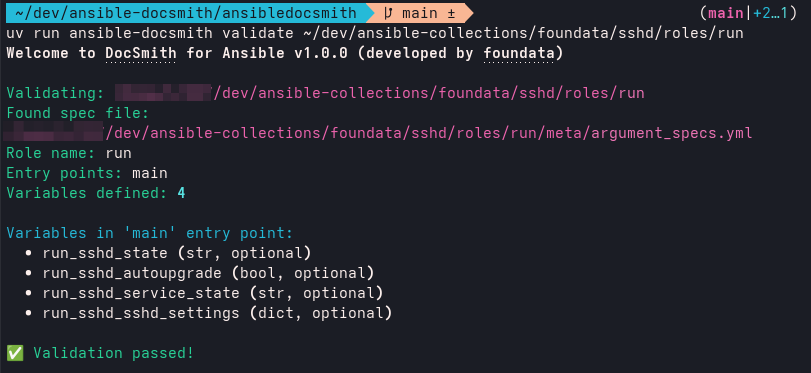
Validate argument_specs.yml and /defaults
# Validate argument_specs.yml structure as well as role entry-point files in /defaults/.
# These validation checks include:
#
# - ERROR:   Variables present in "defaults/" but missing from "argument_specs.yml".
# - ERROR:   Variables with "default:" values defined in "argument_specs.yml" but
#            missing from the entry-point files in "defaults/".
# - WARNING: Unknown keys in "argument_specs.yml".
# - NOTICE:  Potential mismatches, where variables are listed in "argument_specs.yml"
#            but not in "defaults/", for user awareness.
ansible-docsmith validate /path/to/role

# Show help
ansible-docsmith --help
ansible-docsmith validate --help

# Verbose output for debugging
ansible-docsmith validate /path/to/role --verbose
Custom templates
You can customize the generated Markdown output by providing your own Jinja2 template. The rendered content will be inserted between the <!-- ANSIBLE DOCSMITH MAIN START --> and <!-- ANSIBLE DOCSMITH MAIN END --> markers in the role's README.md file.
# Use a custom template for README generation
ansible-docsmith generate /path/to/role --template-readme /path/to/custom-template.md.j2

# Combined with other options
ansible-docsmith generate /path/to/role --template-readme ./templates/my-readme.md.j2 --dry-run
Template files must use the .j2 extension (for example, simple-readme.md.j2) and follow Jinja2 syntax. Below is a basic example:
# {{ role_name | title }} Ansible Role

{% if has_options %}
## Role variables

{% for var_name, var_spec in options.items() %}
- **{{ var_name }}** ({{ var_spec.type }}): {{ var_spec.description }}
{% endfor %}
{% else %}
The role has no configurable variables.
{% endif %}
Check out the readme/default.md.j2 template that DocSmith uses as an advanced example with conditional sections. Copying this file is often the easiest way to get started.
Most important available template variables:
role_name: Name of the Ansible role.has_options: Boolean indicating if variables are defined.options: Dictionary of all role variables with their specifications.entry_points: List of all Ansible role entry-point names.
Most important available Jinja2 filters:
ansible_escape: Escapes characters for Ansible/YAML contexts.code_escape: Escapes content for code blocks.format_default: Formats default values appropriately.format_description: Formats multi-line descriptions.format_table_description: Formats descriptions for table cells.
If you are creative, you may even maintain non-obvious parts of your README.md between the markers:
## Example Playbook

```yaml
[...]
- ansible.builtin.include_role:
    name: "{{ role_name }}"
  vars:
{% for var_name, var_spec in options.items() %}
{% if var_spec.default is not none %}
    {{ var_name }}: {{ var_spec.default }}
{% else %}
    # {{ var_name }}: # {{ var_spec.description }}
{% endif %}
{% endfor %}
```

## Author Information

{% if primary_spec.author %}
{% for author in primary_spec.author %}

- {{ author }}
{% endfor %}
{% endif %}
Licensing, copyright
Copyright (c) 2025 foundata GmbH (https://foundata.com)
This project is licensed under the GNU General Public License v3.0 or later (SPDX-License-Identifier: GPL-3.0-or-later), see LICENSES/GPL-3.0-or-later.txt for the full text.
The REUSE.toml file provides detailed licensing and copyright information in a human- and machine-readable format. This includes parts that may be subject to different licensing or usage terms, such as third-party components. The repository conforms to the REUSE specification. You can use reuse spdx to create a SPDX software bill of materials (SBOM).

Trademarks
- Red Hat® is a trademark of Red Hat, Inc., registered in the US and other countries.
- Ansible® is a trademark of Red Hat, Inc., registered in the US and other countries.
Author information
This project was created and is maintained by foundata.
DocSmith is not associated with Red Hat nor the Ansible project.
Project details
Release history Release notifications | RSS feed


Download files
Download the file for your platform. If you're not sure which to choose, learn more about installing packages.
Source Distribution
Built Distribution
Filter files by name, interpreter, ABI, and platform.
If you're not sure about the file name format, learn more about wheel file names.
Copy a direct link to the current filters
File details
Details for the file ansible_docsmith-2.0.0.tar.gz.
File metadata
- Download URL: ansible_docsmith-2.0.0.tar.gz
- Upload date:
- Size: 46.2 kB
- Tags: Source
- Uploaded using Trusted Publishing? No
- Uploaded via: uv/0.8.11
File hashes
| Algorithm | Hash digest | |
|---|---|---|
| SHA256 |
59cdd027aecdf5d6aadb9dd0536ce78100bf6c0e3aecb97db74be2ef99a7f0ef
|
|
| MD5 |
e29f96ad7ed110b69359acc5020db25f
|
|
| BLAKE2b-256 |
32d573143b3f82968aaab5516922a1a787d4bf4cfe55974e695a1f365b45daa4
|
File details
Details for the file ansible_docsmith-2.0.0-py3-none-any.whl.
File metadata
- Download URL: ansible_docsmith-2.0.0-py3-none-any.whl
- Upload date:
- Size: 49.1 kB
- Tags: Python 3
- Uploaded using Trusted Publishing? No
- Uploaded via: uv/0.8.11
File hashes
| Algorithm | Hash digest | |
|---|---|---|
| SHA256 |
bb82b097e9f539c25f1ae8ef1b53bf5a15b086399f185bd7b6a0d8106c5a3132
|
|
| MD5 |
b78ea87e56bff89d5048c3d6bd1d9c56
|
|
| BLAKE2b-256 |
0decb80638ae0798b5477263df3dc21bfc669179fd04c7e5dc34fa6bea794a3c
|






