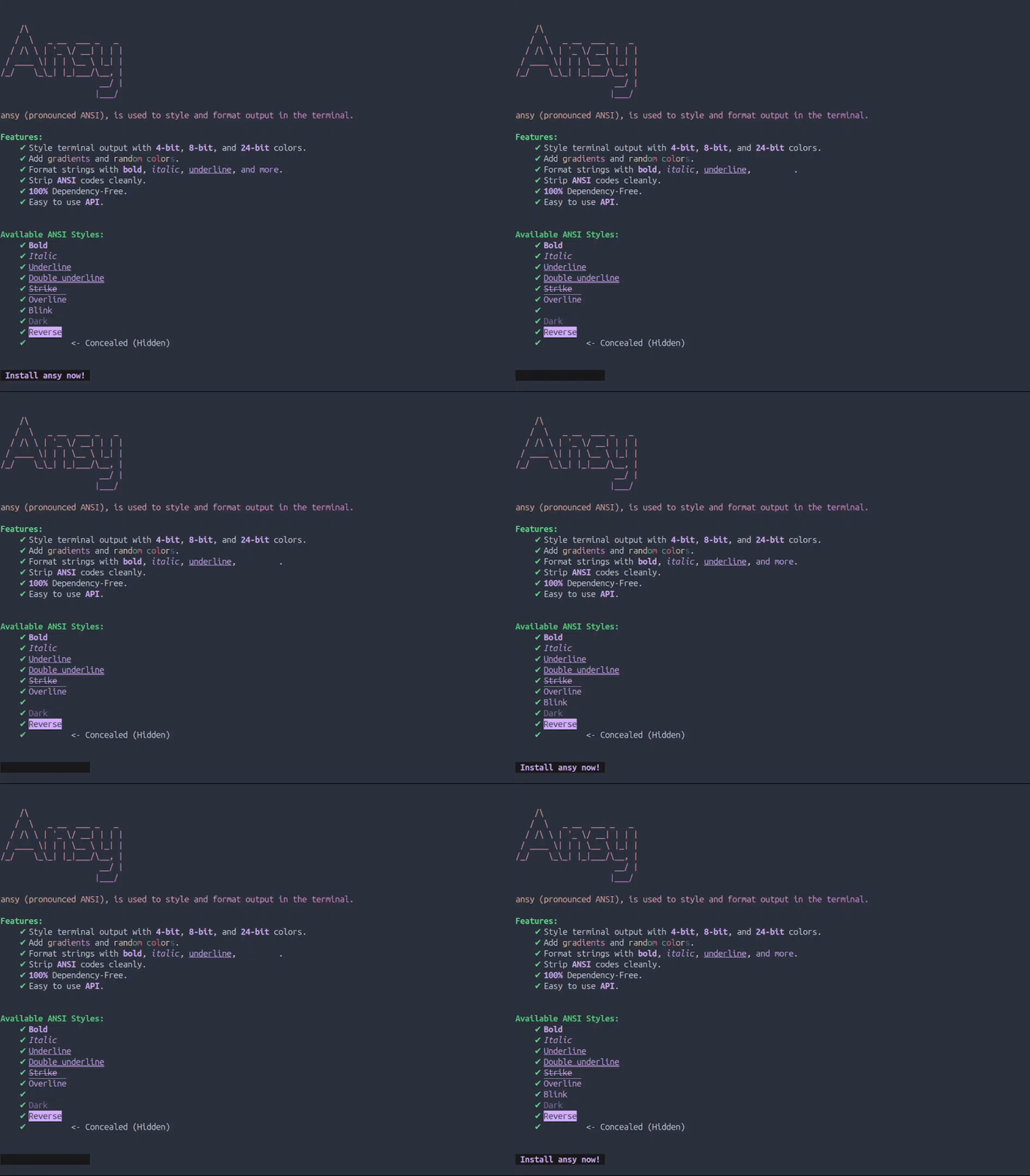
A Python package to colorize and format output in the terminal.
Project description
Ansy 🥱
ansy (pronounced ANSI), inspired by (& successor to) termcolor module that is used to style and format output in the terminal.
It is a part of another module i'm currently writing, but i thought why not publish it as it's own standalone module. So, Here it is.
▎ Why do i say "Successor"?
While termcolor is an excellent module for doing what it says it does which is formatting text using ANSI codes for colored output. ansy does the same, plus some other things which make it far more superior to termcolor (No disrespect!)
▎ What can Ansy do? (that termcolor can't)
ansy has much more to offer than termcolor. Below is a comparision.
What termcolor can do:
- Can color a string using
4-bitcolors (total 16 colors).- Can format a string to print output as
bold,underlineetc.What Ansy can do:
- Can color a string using
4-bitcolors. (total 16 colors)- Can color a string using
8-bitcolors. (total 256 colors)- Can color a string using
24-bitRGB colors. (total approx. 16.7 million colors)- Can apply gradients to a string using
24-bitRGB colors.- Can color a string using random colors from any color mode.
- Can color selected parts of a string.
- Can apply
bold,underline,italic(and such) formatting on strings. (all attributes that termcolor supports plus some more)- Can clean a string containing ANSI escape codes*.
- And more...
▎ Features (in a list)
-
Colorize a string using 3 color modes (
4-bit,8-bit,24-bit) -
Colorize selective parts of a string
-
Colorize a string using random colors.
-
Apply Gradients to strings.
-
Format a string using attributes such as
bold,italic,underline, and 7 more -
Strip away ANSI Codes from a string
-
Access to widely used colors
-
No external dependencies
-
Easy to use API
-
All of this under
90kb(and much of it is occupied bydocstrings,type annotationsandhex colors)
▎ Setup & Installation
- Run
pip install ansyin the terminal. - You may also need to install
colorama(for windows users).
▎ From termcolor to ansy
If your code uses termcolor and you want to shift to ansy, you can safely replace the colored function of termcolor with the colored function of ansy.
from ansy import colored
colored('This is ansy.', 'light_red', 'dark_grey', ['bold', 'underline'])
# Argument names for color & on_color have been changed to fgcolor & bgcolor
colored(text='this is ansy with kw-args', fgcolor='light_red', bgcolor='dark_grey', attrs=['bold'])
▎ USAGE
Using ansy is very easy.
Coloring a string:
Use the
coloredfunction, if you want to colorize a string.from ansy import colored # Bold Red text on a White background red_white = colored('This is a string', 'red', 'white', attrs=['bold']) print(red_white)Leaving an argument empty uses the default
Nonevalue which disables that formatting.# Red text with default background and no attributes red = ansy.colored('This is a string', 'red')This method also takes an extra
color_modeargument, which specifies the color mode you want to use.# Underlined Text with 215 (brown_sandy) FG and 183 (plum) BG. formatted = colored('This is a string', 215, 183, ['underline'], color_mode=8)
color_modecan only be one of below:
4to use 4 bit colors
8to use 8 bit colors
24to use 24 bit colorsNotice i've also changed the colors to some codes. These codes belong to the
8-bitcolor system and they range from0to255.You can also use color names instead of codes.
# Underlined Text with brown_sandy FG and plum BG. formatted = colored('This is a string', 'brown_sandy', 'plum', ['underline'], 8)You can get these colors using
get_all_colorsfunction, which yields a tuple containing color name and code on each iteration.# Iterates through and prints all colors from 8-bit colorsystem for name, code in ansy.get_all_colors(): print(name, code)Or you can just call
print_all_colors(), which prints these color names, their code and the color they represent.ansy.print_all_colors() # Outputs similar to below, but colored # ▓▓▓▓▓▓ 0: black # ▓▓▓▓▓▓ 1: red # ▓▓▓▓▓▓ 2: green # --snip-- # ▓▓▓▓▓▓ 255: grey_24Modern terminals also support RGB colors which offer a much much more wider range of colors (approx. 16.7 million colors). Now you have the ability to use any color you like (provided if the terminal supports)
# Red Italic Text on a White background fg = (255,100,100) bg = (215,215,215) colored('This is a string', fg, bg, ['italic'], 24)
24-bitcolor system accepts RGB tuple as well as Hex color codes.# Red Italic Text on a White background fg = '#FF6464' bg = '#D7D7D7' colored('This is a string', fg, bg, ['italic'], 24)You can also use
printc()function with same arguments as ofcolored()to just print the result ofcolored()instead of returning the formatted string.from ansy import printc printc('Print this string after formatting.', fgcolor='plum', attrs=['italic'], color_mode=8)Similar to
c_print()function oftermcolor, only easier to write.Coloring selective parts of a string:
colored()formats the whole string. And so if you wanted to apply formatting to a selective part of a string you would normally have to do it like this:# Formatting the name part and leaving the rest as is formatted_world = colored('World', fgcolor='purple', attrs=['bold'], color_mode=8) print(f"Hello, {formatted_world}!") # Output: Hello, World!What if you wanted to set a different color for
"Hello"too?formatted_hello = colored('Hello', fgcolor='orange', color_mode=8) formatted_world = colored('World', fgcolor='purple', attrs=['bold'], color_mode=8) print(f"{formatted_hello}, {formatted_world}") # Output: Hello, World!You could imagine where this is going, right?
The solution to this problem is
colored_ansy()function. It adds the styling defined instyledictionary to wherever anansy stringis found in the whole string.What is an Ansy String?
An ansy string is simply a syntax that allows you to apply a specific styling or formatting to any part of the text they want.
An
Ansy Stringstarts with a@followed by the name of the style (defined by thestyledict), and the text in backets[text]to which they want to apply the formatting.ansy_string = "This is an @my_style[ansy string]"What is Style Dict?
Style dictis a dictionary which defines the style(s) to apply to these ansy strings. Each style in thestyledictionary is itself a dictionary.Purpose of this structure is so that you could define all your styles in one dictionary and then use it everywhere, instead of creating a dictioanry for each style and create a mess in your code.
Structure of Style Dict:
style = { "my_style": { "colormode": 8, "fgcolor": "light_red", "bgcolor": 255, "attrs": ['bold', 'italic'] } }Every key in this
styledictionary is the name of the style that you're gonna use in theansy strings.Each style must have 4
key:valuepairs.
color_mode: the color mode to use (4,8,24)
fgcolor: the foreground color of the style
bgcolor: the background color of the style
attrs: the attributes to applyOne thing to note here,
color_modedecides which color mode to use and you should provide a color supported by that mode. for example, if using4bit color mode, provide a color that is a valid 4-bit color. If using8bit, provide a color from256color system. For color mode24, provide anRGBTupleor aHexcolor code.Back to our problem.
from ansy import colored_ansy # Define styles style = { "orange": { "color_mode": 8, "fgcolor": 'orange', "bgcolor": None, "attrs": None }, "purple": { "color_mode": 8, "fgcolor": 'purple', "bgcolor": None, "attrs": ['bold'] }} formatted = colored_ansy("@orange[Hello] @purple[World]!", style) print(formatted) # Output: Hello, World!You must be thinking, wow! what a solution. we now have to write even more lines of code, right?
Well yeah! but only if you do it manually. there is a function in called
create_style()which makes it easier to define styles.from ansy import colored_ansy, create_style # Create styles style = { "orange": create_style(8, fgcolor='orange'), "purple": create_style(8, fgcolor='purple', attrs=['bold']) } formatted = colored_ansy("@orange[Hello] @purple[World]!", style) print(formatted) # Output: Hello, World!Still more code, but it's just a one time thing! now you can use
orangeandpurplestyle to format as many parts as you want.This below example hides some parts of text using
concealedattribute.# Reusing Styles style['hide'] = create_style(attrs=['concealed']) formatted = ansy.colored_ansy('Hide this @hide[..], & this @hide[++], but not this @hide[**]', style) print(formatted) # Output: Hide this , & this , but not this **Note that
concealedattribute does not remove/delete the text, it only hides it visually.Applying Gradients:
Horizontal Gradients can be applied to the foreground of a string using two 24-bit Colors using the
colored_gradient()function.# Gradient (left-to-right) using Red and Blue colors from ansy import colored_gradient formatted = colored_gradient('This is ansy.', (255,100,100), (100,50,200))This method takes in
5argument:
text: the text to apply the gradient to
start_color: starting foreground rgb color
end_color: ending foreground rgb color
quality: quality of the gradientcan be set to
high,mediumorlow
reversereverse the gradient to be (right to left) instead.Currently, this method only supports horizontal gradients, not vertical ones. but you can fake vertical gradients by introducing newline characters
\nin your string.text = "This is text is \ngoing to be used \nto create or fake \na vertical gradient." print(colored_gradient(text, '#00ffff','#b00b1e')) # Output: # This is text is # going to be used # to create or fake # a vertical gradient.It still is horizontal gradient but it would appear as if it's a vertical gradient. (well, technically diagonal)
Random Colors:
Coloring strings in your application using random colors may not be the best thing to do. but it's there if you need.
from ansy import colored_random formatted = colored_random('Random Random, Evil Phantom!') print(formatted)By default, this method choose a random color from
4-bitcolorsystem. but you can change thecolor_modeto8or24to use those colors.colored_random('text'. color_mode=24)This method takes
6arguments:
text: the text string
target: how to apply random colors
chars: apply a random color to each character of text
words: apply a random color to each word of text
all: apply a random color to whole text (default)
color_mode: the color mode to use
custom_palette: choose colors randomly only from this list of colors
attrs: the attributes to apply
random_attrs: randomize the attributes tooYou can also choose a
targetto apply random colors to.colored_random('Apply random colors to each word', target='words') colored_random('Apply random colors to each character', target='chars')You can pass a list of colors that you like, to
custom_paletteand this method then, will only choose colors from that list.palette = ["#69D2E7","#A7DBD8","#E0E4CC","#F38630","#FA6900"] colored_random('Not so random palette.', custom_palette=palette, color_mode=24)You can add colors from any color system into the
palettelist, but then make sure to set that color mode too.De-ansifying a string containing ANSI Codes:
If you want to remove all
ANSI Escape Codesfrom a string, you can use thede_ansifunction.from ansy import colored, de_ansi ansi_string = colored('This string contains ANSI', 'light_blue', 'dark_grey', ['italic']) clean_string = de_ansi(ansi_string) print([ansi_string]) # Output: ['\x1b[3m\x1b[100m\x1b[94mThis string contains ANSI\x1b[0m'] print([clean_string]) # Output: ['This string contains ANSI']Notice how i am printing the strings, this is a neat little trick to check if a string contains
ANSI Codes.By simply printing a string containing
ANSI, you won't be able to see the ANSI Escape Code because, well, they are escaped.print([ansi_string])just prints the contents of a list and theANSI Codesdo not "ESCAPE" this way.Also you can write out the strings in a text file. that method works too.
Widely Used Colors:
Ansy includes
24-bitcolors to be used in your applications. These colors include:
19Google's Material Colors (with14different shades in each)
140Web/HTML Colors
200Color Palettes (with5colors in each)You can get these colors using the
colorsmodule within theansypackage.from ansy import colorsThis module contains
4functions:
get_material_color(): Takes in acolorstring and returns all shades of that color from Material Colors.
get_palettes(): Returns a generator iterator, which yields a list of colors on each iteration.
get_random_palette(): Returns a random palette from Color Palettes.
get_web_colors(): Returns a generator iterator, which yields dictionaries of colors from Web/HTML Colors.All Material Colors are tabulated in the Useful to know section with their names and shades.
from ansy import colors # Material colors materials = colors.get_material_color("red") print(materials) # Output: { '50': '#ffebee', '100': '#ffcdd2', ..., 'a700': '#d50000' }Get Web Colors like this:
for color in colors.get_web_colors(): print(color) # Output: {'color': 'AliceBlue', 'hex': '#F0F8FF'} {'color': 'AntiqueWhite', 'hex': '#FAEBD7'} --snip-- {'color': 'YellowGreen', 'hex': '#9ACD32'}And Palettes like this:
for palette in colors.get_palettes(): print(palette) # Output: ['#69D2E7', '#A7DBD8', '#E0E4CC', '#F38630', '#FA6900'] ['#FE4365', '#FC9D9A', '#F9CDAD', '#C8C8A9', '#83AF9B'] --snip-- ['#5CACC4', '#8CD19D', '#CEE879', '#FCB653', '#FF5254']And Get a random palette from these Palettes likes this:
print(colors.get_random_palette()) # Output: ['#041122', '#259073', '#7FDA89', '#C8E98E', '#E6F99D']
▎ ANSY API
colored(text, fgcolor=None, bgcolor=None, attrs=None, color_mode=4, no_color=None, force_color=None)
Colorize text using 4, 8, or 24 bit colors. If fgcolor, bgcolor, and attrs all are None, the text itself is returned without any ansi codes added.
Parameters:
text: the text to colorize
fgcolor: the foreground color
bgcolor: the background color
attrs: the attributes to apply
color_mode: the colormode to use (defualt is4)Returns:
Formatted string.
Exceptions:
Raises
ColorModeErrorif:
color_modeis invalidRaises
InvalidColorErrorif:
fgcoloris invalid
bgcoloris invalidRaises
AttributeErrorif:
attrscontain an invalid attribute
colored_ansy(text, style, no_color=None, force_color=None)
Adds the styling defined in style to wherever an ansy string is found in the text.
Parameters:
text: the text containing theansy strings
style: a dictionary containing the style(s).Returns:
Formatted string.
Exceptions:
Raises
StyleErrorif:
- style name used in
ansy stringnot found instyledictRaises
ColorModeErrorif:
color_modeprovided in style, is invalid
colored_gradient(text, start_color=None, end_color=None, quality='medium', reverse=False)
Apply horizontal gradient on text. This method uses 24-bit color system.
Parameters:
text: the text to apply the gradient tostart_color: starting foreground color (RGBTupleorHex code)end_color: ending foreground color (RGBTupleorHex code)quality: quality of the gradient (high,medium, orlow)reverse: reverses the gradient to be (right to left) instead.Returns:
Formatted string.
Exceptions:
Raises
InvalidColorErrorif:
start_coloris an invalid24-bitcolor
end_coloris an invalid24-bitcolorRaises
AssertionErrorif:
qualityis not set tohigh,medium, orlow
colored_random(text, target='all', color_mode=4, custom_palette=None, attrs=None, random_attrs=False)
Apply a random color to text. colors are chosen from a colorsystem specified by color_mode.
Parameters:
text: the text stringtarget: apply random colors tochars,wordsorallstring.color_mode: the colormode to usecustom_palette: choose colors only from this iterable of user-defined colorsattrs: the attributes to apply (attributes are NOT randomized by default)random_attrs: randomize the attributes too.Returns:
Formatted string.
Exceptions:
Raises
ValueErrorif:
targetis not set tochars,words,allRaises
ColorModeErrorif:
color_modeis invalidRaises
InvalidColorErrorif:
custom_palettecontains an invalid colorRaises
AttributeErrorif:
attrscontains an invalid attribute
colorname_to_code(color)
Returns the code for the color name from 8-bit color system. Returns None if color is not a valid color name.
Parameters:
color_name: name of a color (from8-bitcolor system)Returns:
Color
codeorNone
code_to_colorname(code)
Returns the color name for the code. Returns None if code is not a valid color.
Parameters:
code: code of a color (from8-bitcolor system i.e. [0-255])Returns:
Color
nameorNone
contains_ansi(text)
Returns True if text contains Ansi codes, else False.
Parameters:
text: the text string to checkReturns:
bool
create_style(color_mode=4, fgcolor=None, bgcolor=None, attrs=None)
Creates a style dict to use in colored_ansy() as style.
Parameters:
color_mode: the color mode (4-bit,8-bit,24-bit)
4means use 4-bit colors (16Standard colors)
8means use 8-bit colors (256colors)
24means use 24-bit colors (approx.16.7 millioncolors)
fgcolorthe foreground color
bgcolorthe foreground color
attrsthe attributes listReturns:
Style
dictExceptions:
Raises
InvalidColorErrorif:
fgcoloris not a valid color
bgcoloris not a valid colorRaises
ColorModeErrorif:
color_modeis invalidRaises
AttributeErrorif:
attrsincludes an invalid attribute string
create_random_palette(color_mode, n)
Returns a list of n colors from color_mode-bit color system.
Parameters:
color_mode: the colormode to usen: number of colors to include in paletteReturns:
listof colorsExceptions:
Raises
TypeErrorif:
n: is not an integer
de_ansi(text)
Removes all ANSI Codes from given string.
Parameters:
textthe text to remove ANSI codes from.Returns:
De-ansified string.
Exceptions:
Raises
TypeErrorif:
textis not astr
get_all_colors(sort_by_name=False)
Yields a tuple of color_name and it's code. (sorted by code)
Parameters:
sort_by_name: Sorts colors by name (default isFalsewhich sorts by code)Returns:
Generator obect.
get_random_color(color_mode=4)
Returns a random color from a colorsystem specified by color_mode.
Parameters:
color_mode: the color system to use to choose random color fromReturns:
Color name
str, or rgbtupleExceptions:
Raises
ColorModeErrorif:
color_modeis invalid.
hex_to_rgb(hexcode)
Converts hexcode into an RGBTuple. It is case-insensitive and also recognizes shorter hex codes e.g #FFF, #9ca etc.
Parameters:
hexcode: a hex color code stringReturns:
RGB tuple.
is_valid_attr(attr)
Returns True if attr is a valid Attribute, else False.
Parameters:
attr: the attribute stringReturns:
Boolean
is_valid_color(color, color_mode)
Validates the color based on color_mode. Returns True if color is valid, False otherwise.
Parameters:
color: a color from4,8or24-bit color systemcolor_mode: the color mode ofcolor(can be one of4,8,24)Returns:
Boolean
is_valid_hex(hexcode)
Returns True if hexcode is valid, else False.
Parameters:
hexcode: the hex color code to validateReturns:
Boolean
is_valid_rgb(rgb)
Returns True if rgb is valid RGB tuple, else False.
Parameters:
rgb: the rgb tuple to validateReturns:
Boolean
make_ansi(fgcolor=None, bgcolor=None, attrs=None, color_mode=4)
Make an Ansi Escape Sequence from the args given. Returns the sequence without Ansi Reset Code. This method is similar to colored(), but rather than adding sequence to the text, it returns the sequence itself. Matter of fact, colored() also uses this method under the hood.
Parameters:
fgcolor: the foreground color (any color that belongs tocolor_modecolor system)bgcolor: the background color (any color that belongs tocolor_modecolor system)attrs: the attributes listcolor_mode: the color mode to useReturns:
Ansi escape sequence
strExceptions:
Raises
InvalidColorErrorif:
fgcoloris invalid or not fromcolor_modecolor systembgcoloris invalid or not fromcolor_modecolor systemRaises
ColorModeErrorif:
color_modeis invalid
make_gradient(start_color, end_color, steps=10, reverse=False)
Make a gradient between two RGB colors start_color and end_color by linearly interpolating between these for a given number of steps. Returns the list of rgb tuples.
Parameters:
start_color: starting rgb color
end_color: ending rgb color
steps: steps to interpolate across (minimum2)
reverse: flip the gradient horizontallyReturns:
listof rgb colorsExceptions:
Raises
InvalidColorErrorif:
start_coloris not a valid RGBTupleend_coloris not a valid RGBTuple
print_all_colors()
Print all 256 colors from 8-bit color system with their name and code. (sorted by codes in asc. order)
Returns:
Generator object.
printc(text, fgcolor=None, bgcolor=None, attrs=None, color_mode=4, sep=" ", end="\n", file=None, flush=False, no_color=None, force_color=None)
Prints whatever returns from colored().
Parameters:
text: the text to colorize
fgcolor: the foreground color
bgcolor: the background color
attrs: the attributes to apply
color_mode: the colormode to use (defualt is4)
sep: sep arg of print function.
end: end arg of print function.
file: file arg of print function.
flush: flush arg of print function.Exceptions:
All exceptions raised by
colored()
rgb_to_hex(rgb, with_symbol=True)
Converts rgb tuple into Hex color code.
Parameters:
rgb: RGB tuple to convert to hexwith_symbol: Whether to include the#symbol in outputReturns:
Hex color code
str
search_colors(query)
Returns a generator object which on each iteration, yields a tuple (name, code) of 8-bit color that contain query in it's name. Returns None if query is empty.
Parameters:
query: the string to look for...Returns:
Generator Object.
▎ Exceptions in ansy:
ColorModeError
Raised when encountered an inappropriate color mode that is unrecognized by ansy
HexError
Raised when encountered an invalid Hex color code.
InvalidColorError
Raised when encountered an inappropriate color that is unrecognized by ansy
RGBError
Raised when encountered an invalid RGB tuple.
StyleError
Raised when encountered an invalid style for Ansy strings
▎ COLORS API
get_material_color(color)
Returns a dict of a material color (all of its shades). Returns None if color not found.
Parameters:
color: name of a color from Material ColorsReturns:
dictcontaining the shades ofcolor
get_palettes()
Returns a generator object which on iteration, yields a color palette list.
Returns:
Generator object.
get_random_palette()
Returns a random color palette list.
Returns:
listof colors
get_web_colors()
Returns a generator object which on iteration, yields a color dict from Web/HTML Colors.
Returns:
Generator object.
▎ Useful to know
Standard Colors (4-Bit)
black, red, green, yellow, blue, magenta, cyan, white,
light_grey, dark_grey, light_red, light_green, light_yellow,
light_blue, light_magenta, light_cyan
256 Colors (8-Bit)
Call ansy.print_all_colors() to see all colors and their codes.
Attributes
There are several attributes in ansy but not all are widely supported. some may not work as expected or not work at all.
| Attribute | What it does |
|---|---|
bold |
bolds the text or increases intensity |
dark |
Darkens the text |
italic |
Italicizes the text (Not widely supported) |
blink |
Sets the blinking to less than 150 times per minute (Not widely supported) |
reverse |
Swaps foreground and background colors of text |
concealed |
Hides the text visually, but does not remove (Not widely supported) |
underline |
Underlines the text |
double-underline |
Double-Underlines the text (Disables bold mode on several terminals) |
overline |
Overlines the text i.e line above the text (Not widely supported) |
strike |
Strikes the text, as if marked for deletion (Not widely supported) |
Material Colors:
These below are the names of Material Colors.
red, pink, purple, deeppurple, indigo, blue, lightblue, cyan, teal, green, lightgreen, lime, yellow, amber, orange, deeporange, brown, grey, bluegrey.
These below are the shades of each Material color.
50, 100, 200, 300, 400, 500, 600, 700, 800, 900, a100, a200, a400, a700.
▎ Attributions
-
_can_do_colour()(which checks environment variables for tty/dumb terminals) is borrowed fromtermcolor. see full license text inTHIRD_PARTY_LICENSESfile. -
8-bitcolors have been assigned X-Term names using 256-colors-cheatsheet from ditig.com (Updated and cleaned) -
colorsmodule uses 1400+ colors that are taken from the Corpora by Darius Kazemi.
Thank you all, for saving me from the frustration i had to go through if........
▎ Compatibility and Testing
This package has been well-tested across multiple platforms, including Windows, macOS, and Linux (ubuntu), ensuring broad compatibility.
It is tested on Python versions 3.9 upto 3.12. it may or may not work on other versions.
I think i'm starting to ♥ markdown even more than python.
Author: ❝ Anas shakeel ❞
Project details
Release history Release notifications | RSS feed
Download files
Download the file for your platform. If you're not sure which to choose, learn more about installing packages.