
PyTurboGrid







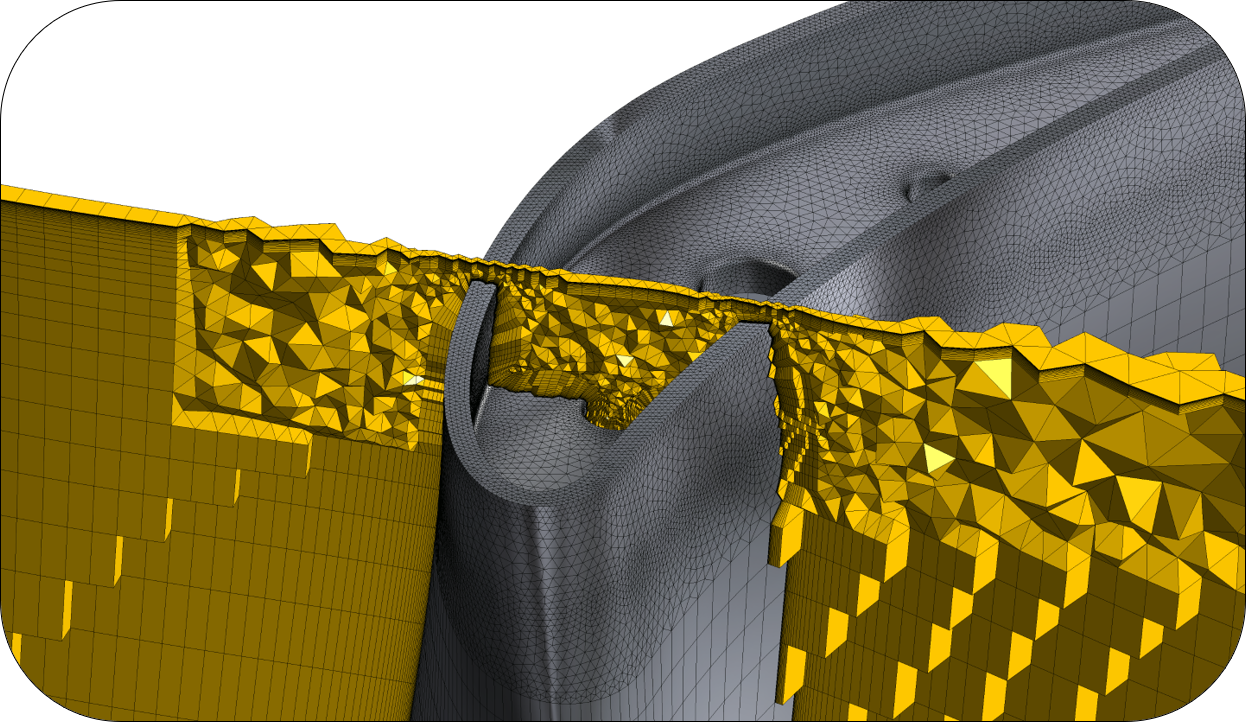
PyTurboGrid is a Python wrapper for Ansys TurboGrid, a high-quality turbomachinery meshing software app. To run PyTurboGrid, you must have access to a licensed local copy of TurboGrid. PyTurboGrid supports Ansys TurboGrid 2023 R2 and later.
Installation
The ansys-turbogrid-core package supports Python 3.9, 3.10, 3.11 and 3.12 on Windows and Linux. Two modes of installation are available:
User installation
Developer installation
User installation
To use PyTurboGrid, you must install the ansys-turbogrid-core package from PyPI.
To ensure that you have the latest version of pip, run this command:
python -m pip install -U pipTo install PyTurboGrid, run this command:
python -m pip install ansys-turbogrid-core
Developer installation
A developer installation consists of cloning the pyturbogrid repository and installing the project in editable mode. When you install PyTurboGrid from source code, you can modify and enhance the code.
Overall guidance on contributing to a PyAnsys library appears in the Contributing topic in the PyAnsys Developer’s Guide. Ensure that you are thoroughly familiar with this guide before attempting to contribute to PyTurboGrid.
Clone the pyturbogrid repository:
git clone https://github.com/ansys/pyturbogrid.gitTo avoid incompatibilites in requirements when working in multiple Python projects, create and activate a virtual environment. For more information, see Virtual environments in the PyAnsys Developer’s Guide.
To ensure that you have the latest version of pip, run this command:
python -m pip install -U pipAssuming that your current working directory is the top-level directory of your locally cloned pyturbogrid repository, install PyTurboGrid from this local repository in editable mode by running these commands in the root directory:
python -m pip install poetry
python -m pip poetry lock
python -m pip poetry install --with doc,test
python -m pip poetry shell
Requirements
You must have a licensed local installation of Ansys TurboGrid 2023 R2 or later.
The AWP_ROOTxxx environment variable, where xxx is the three-digit Ansys version, allows PyTurboGrid to find your local TurboGrid installation.
A Windows installation automatically sets this root environment variable. For example, if you install Ansys 2023 R2 in the default directory, the installer sets the AWP_ROOT232 environment variable to C:\Program Files\ANSYS Inc\v232.
A Linux installation does not automatically set this root environment variable. For example, if you install Ansys 2023 R2 in the default directory, you must manually set the AWP_ROOT232 environment variable to /usr/ansys_inc/v232.
License and acknowledgments
PyTurboGrid is licensed under the MIT license.
PyTurboGrid makes no commercial claim over Ansys whatsoever. This library extends the functionality of Ansys TurboGrid by adding a Python interface to TurboGrid without changing the core behavior or license of the original software. The use of the interactive control of PyTurboGrid requires a legally licensed local copy of TurboGrid.
For more information on TurboGrid, see the Ansys TurboGrid page on the Ansys website.
1 maintainer

Metadata
1 maintainer
Release files for ansys-turbogrid-core 0.9.4
For a detailed explanation of source distributions (sdists) and built distributions (wheels), please see the package formats documentation.
Source distribution (sdist)
| File | Size | Uploaded | Provenance | Actions |
|---|---|---|---|---|
| ansys_turbogrid_core-0.9.4.tar.gz | 37.7 kB | Without provenance | Details for ansys_turbogrid_core-0.9.4.tar.gz |
Built distribution (wheel)
| File | Interpreter | ABI | Platform | Actions Reset |
|---|---|---|---|---|
| ansys_turbogrid_core-0.9.4-py3-none-any.whl | Python 3 | none | any | Details for ansys_turbogrid_core-0.9.4-py3-none-any.whl |
Total release size: 86.1 kB
Release files / ansys_turbogrid_core-0.9.4.tar.gz
| Download URL | ansys_turbogrid_core-0.9.4.tar.gz |
|---|---|
| Size | 37.7 kB |
| Tags | Source |
|
SHA-256 checksum How to use checksums |
a85c926311d1cbf34b0aeab39c86915802b721907ce4ecc6e14c0bbe344b1d6d
|
|
BLAKE2b-256 checksum How to use checksums |
bdd538ba01104c7caf784201f47234b3fa867b118a378e66cc539d07ffcb0641
|
| Upload date | |
|
Uploaded using Trusted Publishing? What is trusted publishing? |
No |
| Uploaded via |
twine/6.1.0 CPython/3.11.15
|
Release files / ansys_turbogrid_core-0.9.4-py3-none-any.whl
| Download URL | ansys_turbogrid_core-0.9.4-py3-none-any.whl |
|---|---|
| Size | 48.4 kB |
| Tags | Python 3 |
|
SHA-256 checksum How to use checksums |
4547f180f1c3be9a829ac73041c4750ac48087d81123bacc67ef7f7ff05734d0
|
|
BLAKE2b-256 checksum How to use checksums |
496e0d7bc3fb9a9b9eabc05179c3278b0f252a0c4c70996e60797a8bbbe68a2b
|
| Upload date | |
|
Uploaded using Trusted Publishing? What is trusted publishing? |
No |
| Uploaded via |
twine/6.1.0 CPython/3.11.15
|
Security for ansys-turbogrid-core 0.9.4
Provenance
Provenance describes where a file came from. On PyPI, provenance is shared via attestations, which provide a verifiable record of the build or publishing details. View details, limitations and caveats.
No provenance found
None of the files in this release were uploaded with provenance metadata.
A note on package security
PyPI is a repository for distributing packages, not a service for auditing them. While third-party security researchers and our staff do their best to detect and remove malicious packages, PyPI cannot guarantee the quality, security or suitability of any given package.
To learn more about protecting yourself from malicious actors, visit our package security documentation.














