
machine learning experiment platform

Project description
Target
antgo is a machine learning experiment manage platform, which has been integrated deeply with MLTalker. antgo provides some easy cli commands to help ML researchers to manage, analyze, and challenge all kinds of ML tasks.
Based on amounts of statistical evaluation methods, antgo could give a fruitful evaluation report, which help researchers analyze and trade-off their model.
Antgo tutorial is at MLTalker Blog.
Installation
install 3rd software or packages:
1. install rocksdb
    sudo apt-get update
    sudo apt-get install -y build-essential libgflags-dev libsnappy-dev zlib1g-dev libbz2-dev liblz4-dev
    git clone https://github.com/facebook/rocksdb.git
    cd rocksdb/
    make shared_lib
    export CPLUS_INCLUDE_PATH=${CPLUS_INCLUDE_PATH}:`pwd`/include
    export LD_LIBRARY_PATH=${LD_LIBRARY_PATH}:`pwd`
    export LIBRARY_PATH=${LIBRARY_PATH}:`pwd`
    cd ..

2. install ipfs (https://ipfs.io/)
    wget -q https://raw.githubusercontent.com/ipfs/install-go-ipfs/master/install-ipfs.sh
    chmod +x install-ipfs.sh
    ./install-ipfs.sh

3. install graphviz (http://www.graphviz.org)
    sudo apt-get install graphviz
install antgo:
1. git clone https://github.com/jianzfb/antgo.git
2. cd antgo
3. pip install -r requirements.txt
4. python setup.py build_ext install
Register
Register in MLTalker.
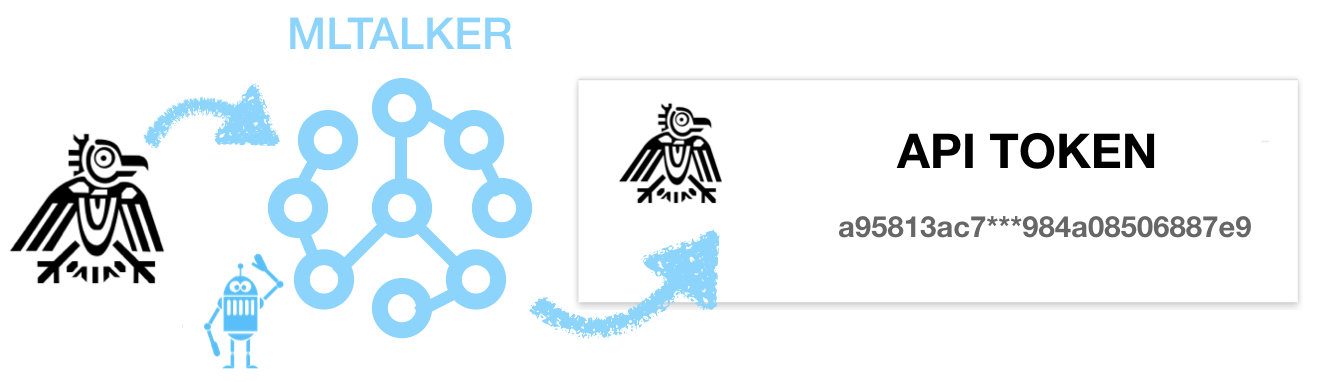
All user experiment records would be managed by MLTalker in user’s personal page.
Quick Example
1.step Apply Task from mlalker.com:
/**********************************************************************************/
/********************             enter antgo cli               *******************/
/**********************************************************************************/
antgo --token=<your token>

/**********************************************************************************/
/*************** list all public and your created private tasks   *****************/
/*** id    name       time                    dataset    applicants            ****/
/***  3    ***   2018-03-21 19:34:48            ***           1                ****/
/***  ...                                                                      ****/
/**********************************************************************************/
apply

/**********************************************************************************/
/*************               apply your interest task               ***************/
/**********************************************************************************/
apply --id=...

/**********************************************************************************/
/************************  list all your applied tasks   **************************/
/*** id   name        time          dataset  experiments    token              ****/
/***  3   ***   2018-03-21 19:08:08   ***         1     6ebb7***24743e1a       ****/
/***  ...                                                                      ****/
/**********************************************************************************/
task

/**********************************************************************************/
/*********************  list all experiments in your task     *********************/
/*** id     name                    time           optimum    report     model ****/
/*** 7  20180322.115607.896376 2018-03-22 11:56:07    0          0          0  ****/
/***  ...                                                                      ****/
/**********************************************************************************/
task --id=...
2.step Run Train Task:
(1) build running main file (eg. training_task.py)
    from antgo.context import *
    from antgo.dataflow.common import *

    # 1.step ctx take control interaction with antgo
    ctx = Context()

    # 2.step build visualization channel
    # curve channel
    loss_channel = ctx.job.create_channel("loss","NUMERIC")

    # histogram channel
    histogram_channel = ctx.job.create_channel("Layer1-activation-histogram",'HISTOGRAM')

    # build chart (bind multi-channels)
    ctx.job.create_chart([loss_channel],"Loss Curve", "step", "value")
    ctx.job.create_chart([histogram_channel], "Weight","value","frequence")

    # 3.step custom training process
    def training_callback(data_source,dump_dir):
        # data_source: data generator
        # dump_dir: save your training intermidiate data
        # 3.1 step stack batch
        stack_batch = BatchData(Node.inputs(data_source, batch_size=16)

        # 3.2 step running some epochs
        iter = 0
        for epoch in range(ctx.params.max_epochs):
            for data, label in stack_batch.iterator_value():
                # run once iterator
                loss, weight = your_training_model(data, label)

                # send running information
                # 1. loss value
                loss_channel.send(x=iter, y=loss)
                # 2. activation histogram
                histogram_channel.send(x=iter, y=weight)

    # 4.step custom infer process
    def infer_callback(data_source, dump_dir):
        # data_source: data generator
        # dump_dir: your training intermidiate data folder
        # 4.1 step load your custom model
        ...
        # 4.2 step traverse data and do forward process
        for data in data_source.iterator_value():
            # forward process
            ...
            # record result
            ctx.recorder.record(result)

    # 5.step bind training_callback and infer_callback
    ctx.training_process = training_callback
    ctx.infer_process = infer_callback

(2) call antgo cli at terminal
    antgo run --main_file=challenge_task.py --main_param=challenge_task.yaml --token=<task token>
3.step Run Challenge Task:
(1) build running main file (eg. challenge_task.py)
    from antgo.context import *
    # 1.step ctx take control interaction with antgo
    ctx = Context()

    # 2.step custom infer process
    def infer_callback(data_source, dump_dir):
        # data_source: data generator
        # dump_dir : your training intermidiate data folder

        # 2.1 step load custom model
        ...
        # 2.2 step traverse data and do forward process
        for data in data_source.iterator_value():
            # forward process
            ...
            # record result
            ctx.recorder.record(result)

    # bind infer_callback
    ctx.infer_process = infer_callback
(2) call antgo cli at terminal
antgo challenge --main_file=challenge_task.py --main_param=challenge_task.yaml --token=<task token>
Release history Release notifications | RSS feed


Download files
Download the file for your platform. If you're not sure which to choose, learn more about installing packages.
Source Distribution
File details
Details for the file antgo-0.0.2.tar.gz.
File metadata
- Download URL: antgo-0.0.2.tar.gz
- Upload date:
- Size: 4.5 MB
- Tags: Source
- Uploaded using Trusted Publishing? No
- Uploaded via: Python-urllib/3.8
File hashes
| Algorithm | Hash digest | |
|---|---|---|
| SHA256 |
248d699e4ed0ffc53b6281cc8c49c9f56ddf736f1cd7ba547dbf42941043eb1e
|
|
| MD5 |
4c65e3fbe8dd58531cb3b363df735262
|
|
| BLAKE2b-256 |
2084e4c7aa5bfe2317550858d74162ffff5404c506c311be305fa59d2c712fca
|






