
A bundle of auxiliary scripts for the Anycore project

Project description
SimEnv
A new toolset to reliably packing, and spawning a RISC-V workload (app) for any simulation purpose.
An app is packed into a simenv, which is basically the rootfs containing all the essentials for a simulation. The tool learns what are the essentials by analyzing the workload's syscall trace. When simulating with the proper PK/FESVR, the dynamic instruction stream is even reproducible.
The motivation is to help Dr. Rotenberg's microarchitecture research group and ECE721 students using SPEC CPU2006 and CPU2017 workloads (usually checkpointed workloads) with ease.
Run atool-app-repo --help to learn how to create a workload repository, and atool-simenv --help to learn how to use a workload repository.
$ atool-app-repo --help
Usage: atool-app-repo [OPTIONS] COMMAND [ARGS]...

  The app repository management utility

Options:
  --help  Show this message and exit.

Commands:
  addckpt     Import a checkpoint.
  addsysroot  Import a pristine sysroot.
  init        Create an empty app repository.
  learn       Analyze an app for how to create SimEnv.
  subrepo     Spawn a sub-repository with the selected apps.
$ atool-simenv --help
Usage: atool-simenv [OPTIONS] COMMAND [ARGS]...

  The simenv utility

Options:
  --repo-path DIRECTORY  Override the SimEnv repository path given by the
                         environmental variable "ATOOL_SIMENV_REPO_PATH".

  --help                 Show this message and exit.

Commands:
  list    List available apps and checkpoints in the SimEnv repository.
  mkgen   Generate a Makefile for a simenv, at current dir.
  spawn   Spawn a simenv.
  verify  Perform integrity checking for a simenv.
* If you are using bash/zsh/fish, you can:
- run
eval "$(_ATOOL_SIMENV_COMPLETE=source_$(basename $SHELL) atool-simenv)"to enable the auto completion for atool-simenv. - run
eval "$(_ATOOL_APP_REPO_COMPLETE=source_$(basename $SHELL) atool-app-repo)"to enable the auto completion for atool-app-repo.
Misc.
SpecResultVerification/spike_trim.py- Trim out the extra header/tail message produced by spike or pk during the simulation. Useful if you want to automatically verify the STDOUT output of a SPEC simulation.Checkpointing/ChkptDescFileGen/smpt2ckptdesc.py- Convert the Simpoint output file to the checkpoint job description file accepted by Spike.Checkpointing/DumpHTIF/chkpt_htif_dump.py- Show the HTIF syscalls recorded in a checkpoint file. When restoring a checkpoint, those syscalls will be executed in sequence to bring back the state of HTIF FESVR.TetherSim/SimTetheringController.py- Controller for 721sims working in tethering mode.
To work with trace dump
-
CpuTraceAnalysis/trace2google.py- Analyze the trace dumped by spike or 721sim and output the result in Google's Trace Event Format. -
To visualize the result, use speedscope (recommend) or Chromium's about://tracing .
- if
ignore_symbol.yamlexists in CWD, it will be read to filter out the defined function calls. SeeCpuTraceAnalysis/ignore_symbol.yamlfor an example.
- if
-
CpuTraceAnalysis/trace2tracevis.py- Analyze and visualize the trace dumped by spike or 721sim in a homebrew timeline frontend (using timeline-js).- if
ignore_symbol.yamlexists in CWD - Will be read to filter out the defined function calls. SeeCpuTraceAnalysis/ignore_symbol.yamlfor an example. - It's recommended to use
trace2google.py. Because the trace_vis frontend uses timeline-js, which is not intended for visualizing tracing result, it can be very slow and unresponsive when working with trace with a large amount of event.
- if
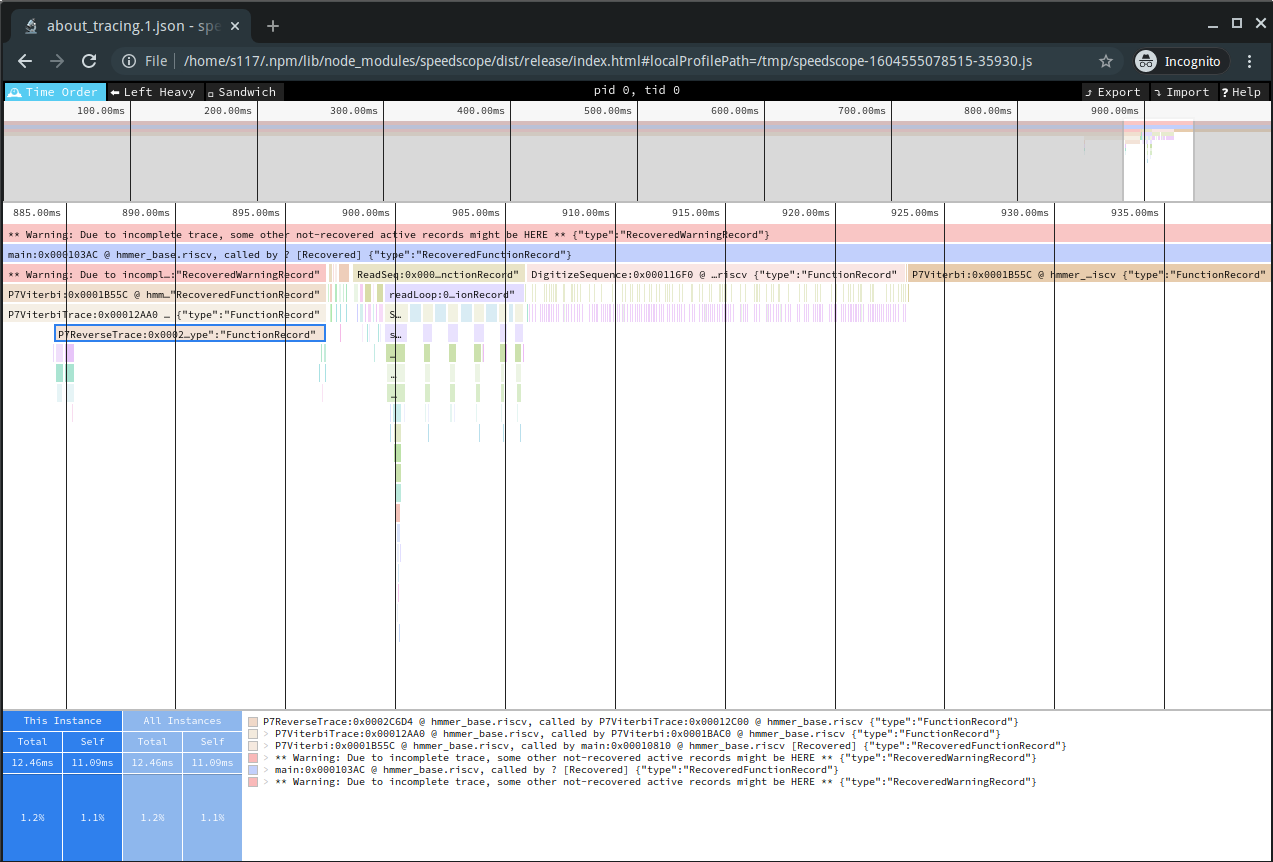
Viewing the trace2google.py output with speedscope
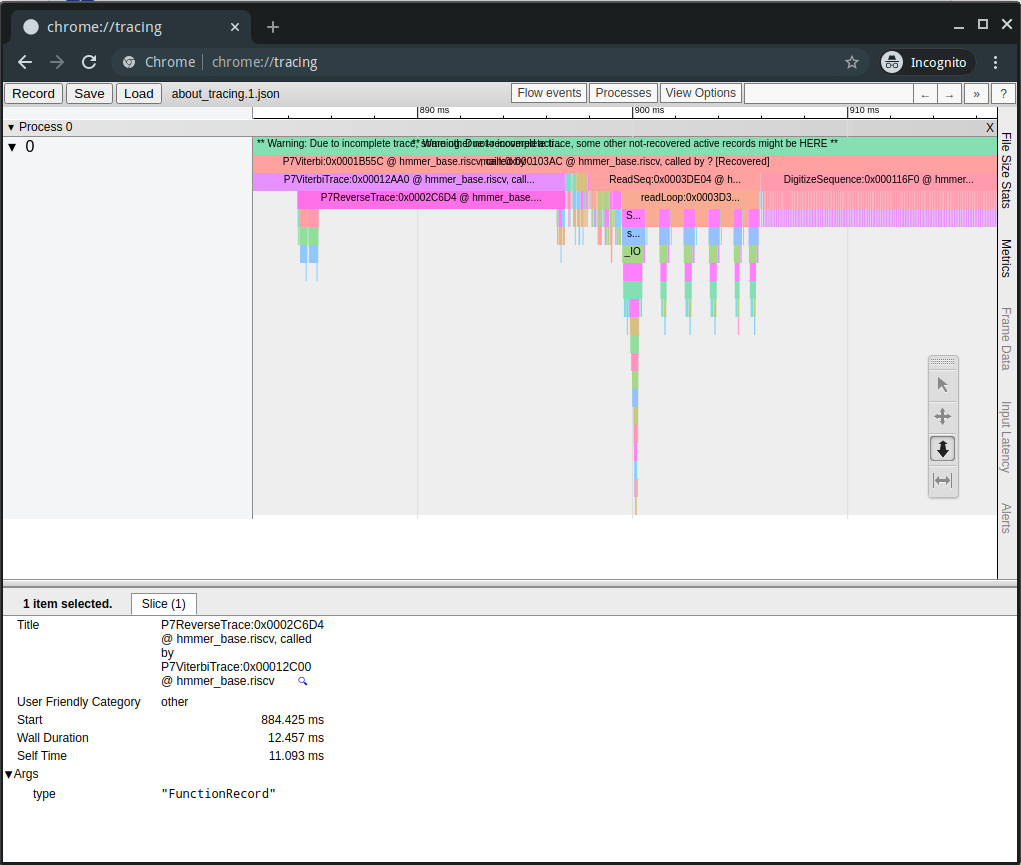
Viewing the trace2google.py output with Chrome's about:tracing
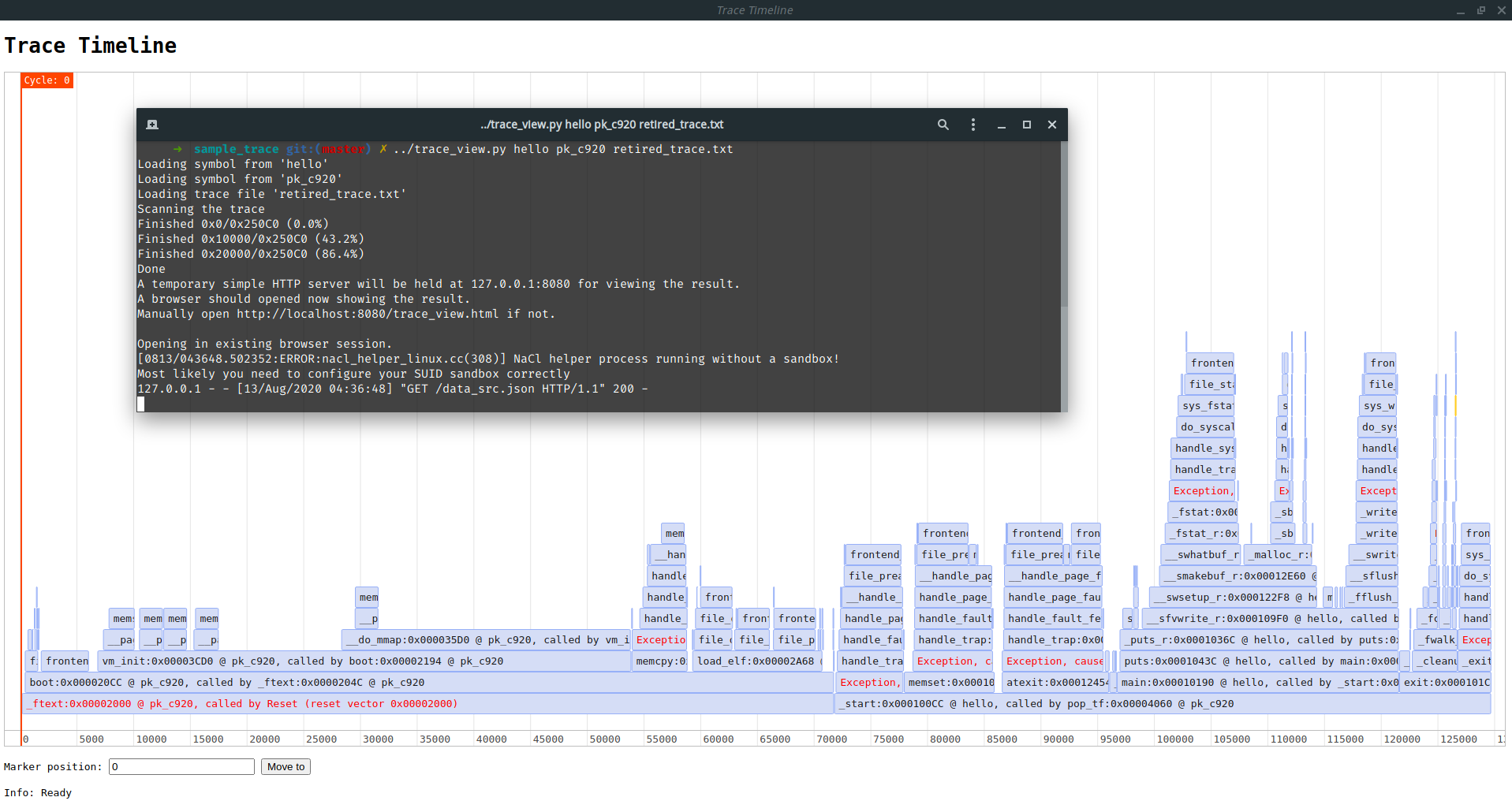
Viewing the trace using homebrew TraceVis frontend (use timeline-js)
WIP.
Release history Release notifications | RSS feed


Download files
Download the file for your platform. If you're not sure which to choose, learn more about installing packages.
Source Distribution
Built Distribution
Filter files by name, interpreter, ABI, and platform.
If you're not sure about the file name format, learn more about wheel file names.
Copy a direct link to the current filters
File details
Details for the file anycore_dbg_supplement-0.7.1.tar.gz.
File metadata
- Download URL: anycore_dbg_supplement-0.7.1.tar.gz
- Upload date:
- Size: 7.5 MB
- Tags: Source
- Uploaded using Trusted Publishing? No
- Uploaded via: poetry/2.1.2 CPython/3.13.2 Darwin/24.4.0
File hashes
| Algorithm | Hash digest | |
|---|---|---|
| SHA256 |
f725efbbd62fca52a233e57ff41bb0f5327199db279d7645196e4471e02431ff
|
|
| MD5 |
63f84ed189f0a140646a0e814f94d1a9
|
|
| BLAKE2b-256 |
cb1562844fb96c4ff5e4970c87d7cf5f4020a8230d1b76a4dfc868948f4aea3d
|
File details
Details for the file anycore_dbg_supplement-0.7.1-py3-none-any.whl.
File metadata
- Download URL: anycore_dbg_supplement-0.7.1-py3-none-any.whl
- Upload date:
- Size: 7.7 MB
- Tags: Python 3
- Uploaded using Trusted Publishing? No
- Uploaded via: poetry/2.1.2 CPython/3.13.2 Darwin/24.4.0
File hashes
| Algorithm | Hash digest | |
|---|---|---|
| SHA256 |
dad3202cac46368a68ae626362d525d17c6ca9295df2f46d3e527ba8cdc145fe
|
|
| MD5 |
b123c270ffcfa271bfb5af76df6d21ee
|
|
| BLAKE2b-256 |
560088f9d6b43179638610306cd830b58e8b3c3cee5fbed5373ce4c092fae983
|






