
Visualization tools for dyce

Project description
Copyright and other protections apply.
Please see the accompanying LICENSE file for rights and restrictions governing use of this software.
All rights not expressly waived or licensed are reserved.
If that file is missing or appears to be modified from its original, then please contact the author before viewing or using this software in any capacity.









anydyce – visualization tools for dyce
anydyce exposes an interactive interface to dyce (the dice mechanic modeling library) in Jupyter similar to AnyDice.
anydyce is licensed under the MIT License.
See the accompanying LICENSE file for details.
Non-experimental features should be considered stable.
See the release notes for a summary of version-to-version changes.
Source code is available on GitHub.
If you find it lacking in any way, please don’t hesitate to bring it to my attention.
Installation and use
anydyce is available as a PyPI package and as source.
Interactive quick start
Probably the easiest way to start tinkering with anydyce is via Binder.

!!! danger "Binder will not save your work!"
After a period of activity, Binder is configured to destroy all instances and delete any associated data.
Be careful to download any notebooks you wish to keep before that happens.
You can also create your own binders from Gists or other sources.
If you want to include anydyce, include the following bootstrap code in one of your notebook’s cells:
import warnings
with warnings.catch_warnings():
  warnings.simplefilter("ignore")
  try:
    import anydyce
  except (ImportError, ModuleNotFoundError):
    import sys
    !{sys.executable} -m pip install --upgrade pip
    !{sys.executable} -m pip install anydyce ipywidgets matplotlib
    import anydyce
anydyce also makes it relatively easy to spool up your own local Jupyter instance.
% git clone https://github.com/posita/anydyce.git
% cd anydyce
% ./quickstart-local.sh
…
The quickstart-local.sh script will create a local virtual environment to bootstrap a local Jupyter server with anydice installed and open a web browser to the examples notebook.
Additional interfaces
anydyce.viz also provides some rudimentary conveniences if it detects that #!python matplotlib is installed.
One such convenience enables creation of “burst” charts (anydyce’s take on donut charts).
>>> import matplotlib.pyplot  # doctest: +SKIP
>>> from dyce import H
>>> from anydyce.viz import plot_burst
>>> ax = matplotlib.pyplot.axes() # doctest: +SKIP
>>> plot_burst(ax, 2@H(6))  # doctest: +SKIP
>>> matplotlib.pyplot.show()  # doctest: +SKIP
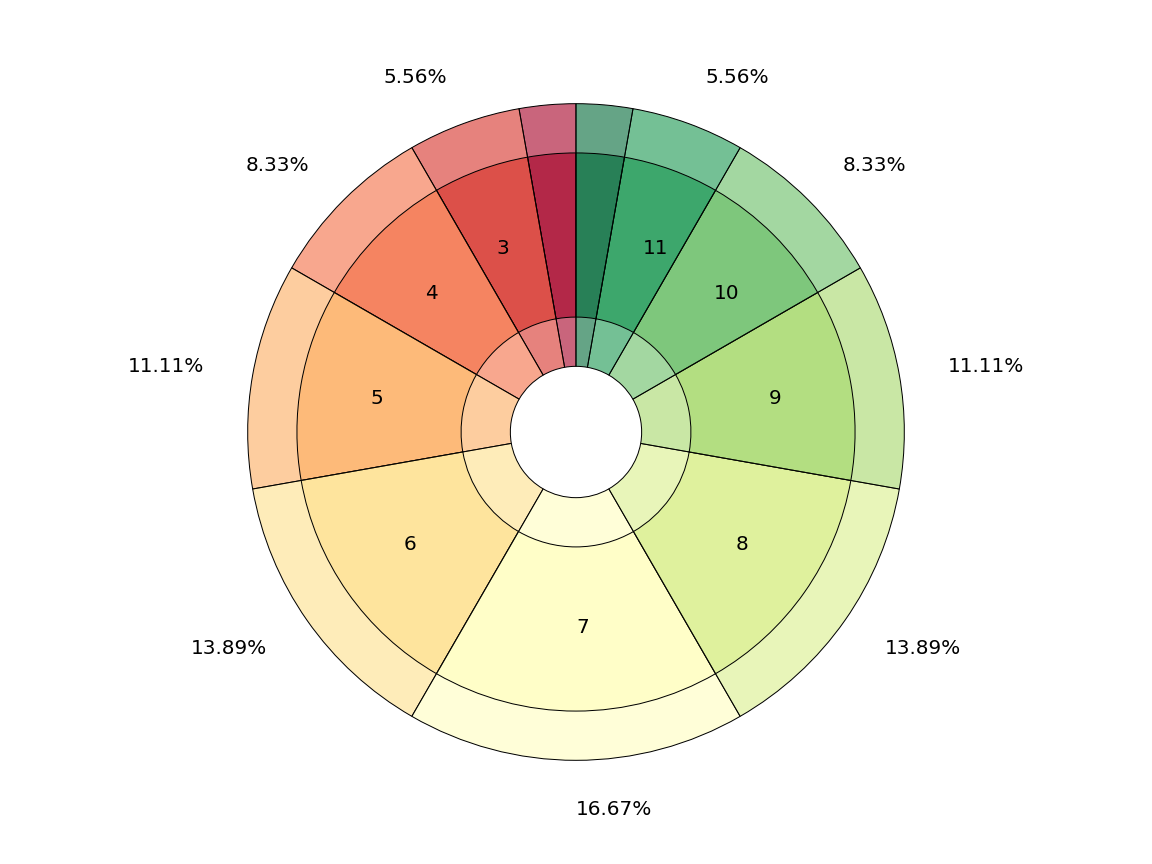
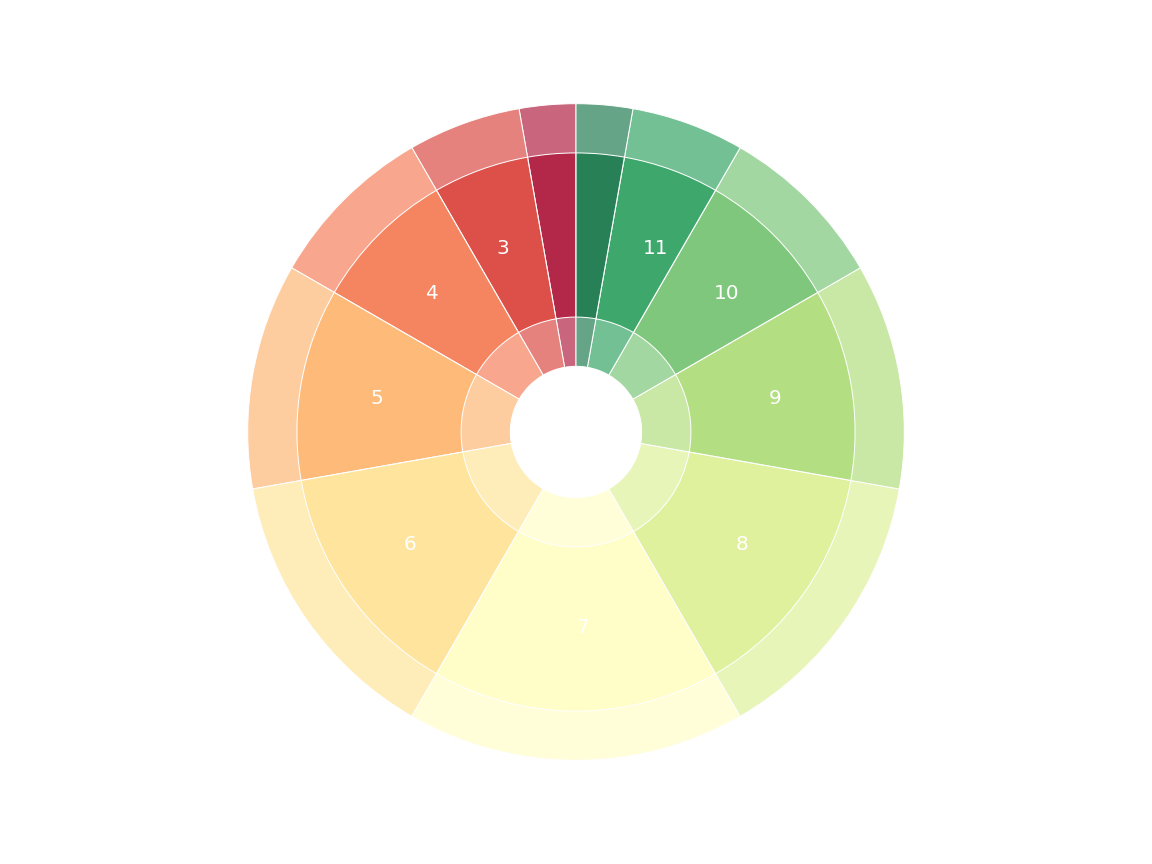
Source: plot_burst_1.py
--8<-- "docs/assets/plot_burst_1.py"
The outer ring can also be used to compare two histograms directly.
Ever been curious how your four shiny new fudge dice stack up against your trusty ol’ double six-siders?
Well wonder no more!
The outer ring and corresponding labels can be overridden for interesting, at-a-glance displays.
anydyce abides.
>>> df_4 = 4@H((-1, 0, 1))
>>> d6_2 = 2@H(6)
>>> ax = matplotlib.pyplot.axes() # doctest: +SKIP
>>> plot_burst(
...   ax,
...   df_4, d6_2,
...   inner_color="turbo",
...   alpha=1.0,
... )  # doctest: +SKIP
>>> matplotlib.pyplot.show()  # doctest: +SKIP
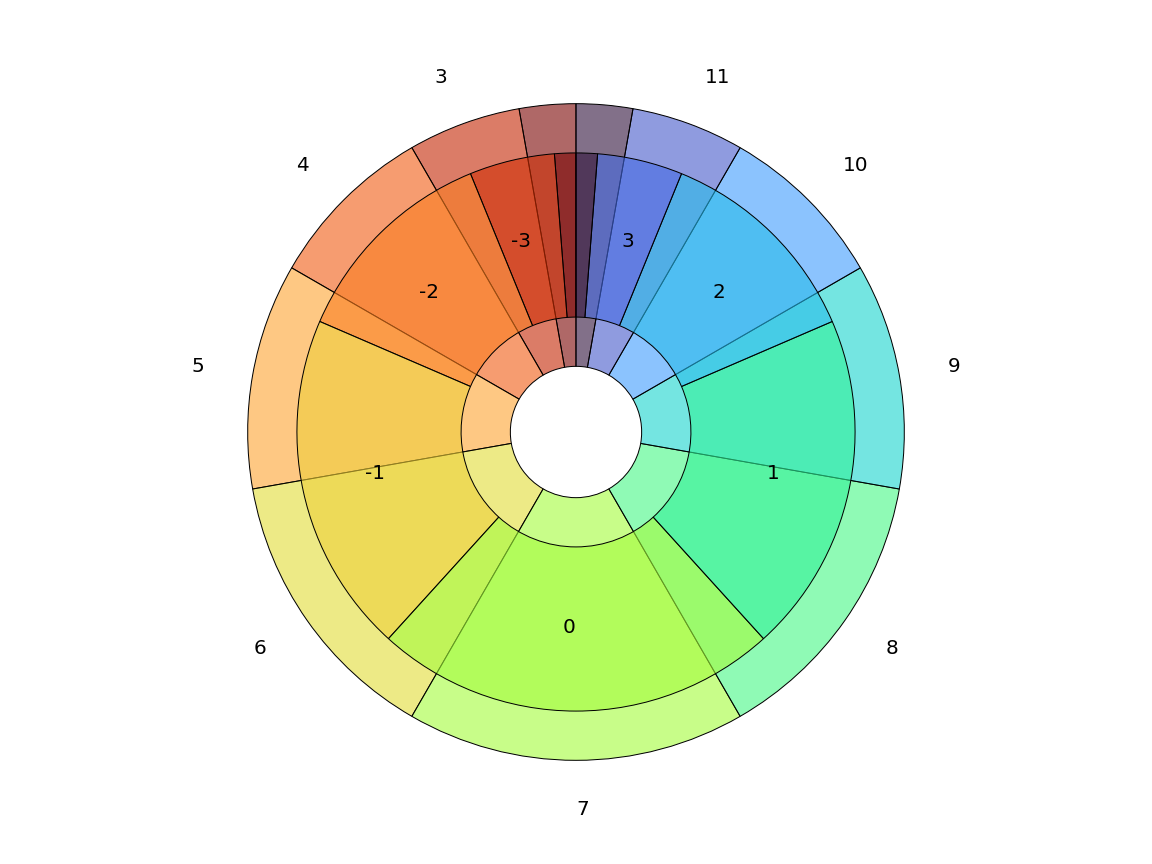
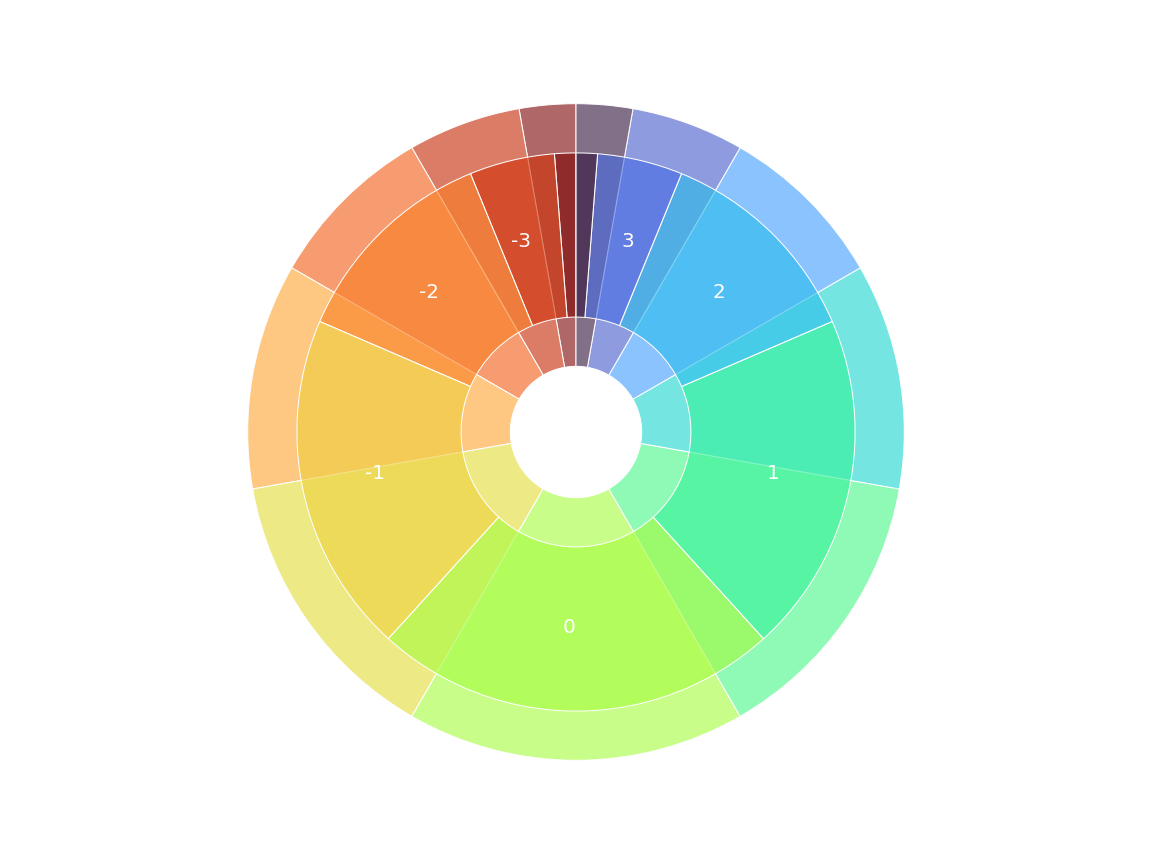
Source: plot_burst_2.py
--8<-- "docs/assets/plot_burst_2.py"
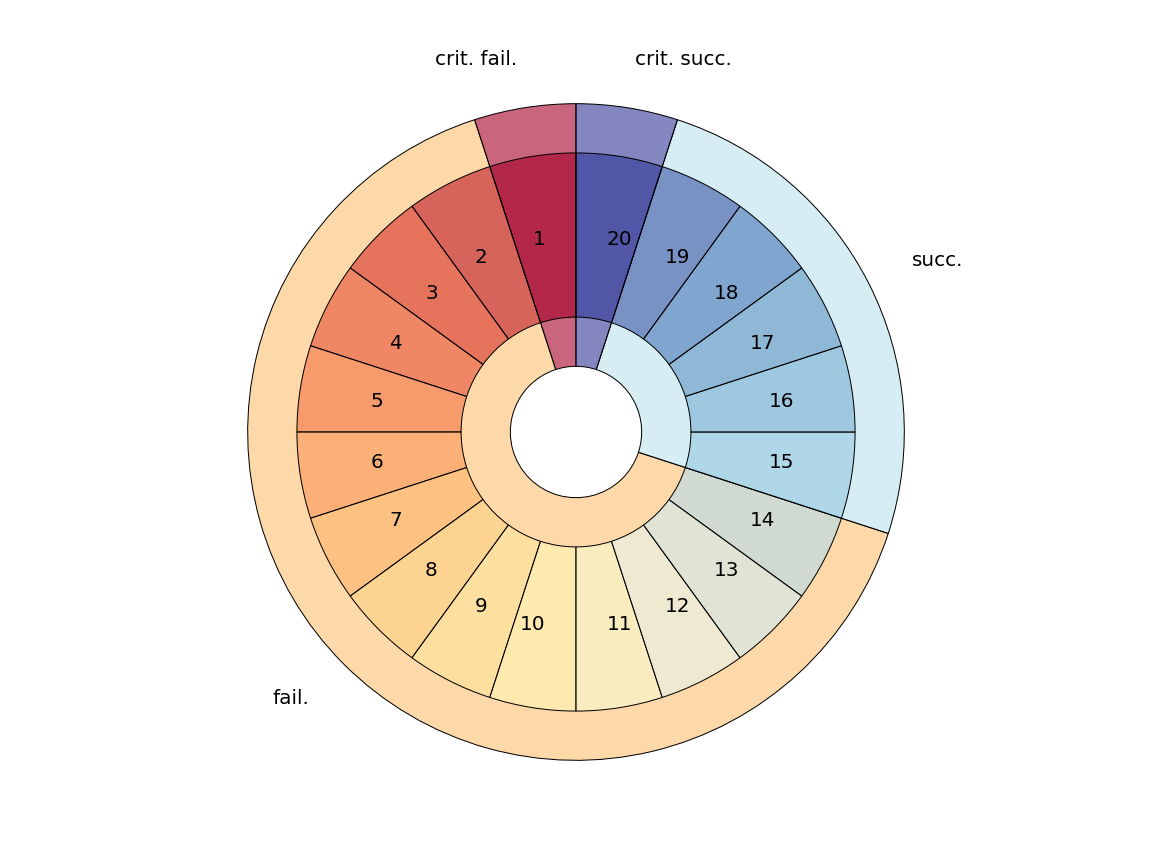
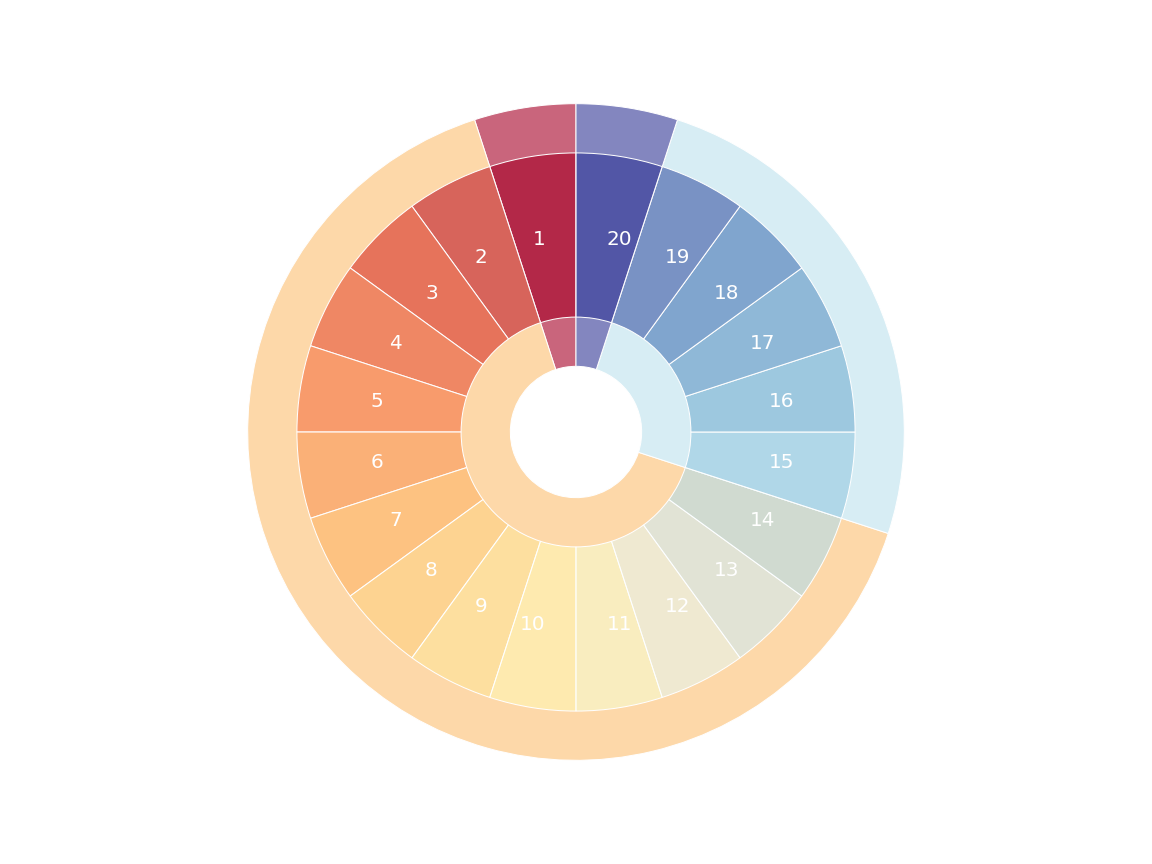
Labels can even be overridden for interesting, at-a-glance displays. Overrides apply counter-clockwise, starting from the 12 o’clock position.
>>> def d20formatter(outcome, probability, h) -> str:
...   vals = {
...     -2: "crit. fail.",
...     -1: "fail.",
...     1: "succ.",
...     2: "crit. succ.",
...   }
...   return vals[outcome]

>>> d20 = H(20)
>>> ax = matplotlib.pyplot.axes() # doctest: +SKIP
>>> plot_burst(ax, h_inner=d20, h_outer=H({
...   -2: d20.le(1)[1],
...   -1: d20.within(2, 14)[0],
...   1: d20.within(15, 19)[0],
...   2: d20.ge(20)[1],
... }), inner_color="RdYlBu_r", outer_formatter=d20formatter)  # doctest: +SKIP
>>> matplotlib.pyplot.show()  # doctest: +SKIP
Source: plot_burst_3.py
--8<-- "docs/assets/plot_burst_3.py"
Requirements
anydyce requires a relatively modern version of Python:
It has the following runtime dependencies:
dycefor dice mechanic modelingnumeraryforproperbest-effort hacking around deficiencies in static and runtime numeric type-checking
anydyce will opportunistically use the following, if available at runtime:
beartypefor yummy runtime type-checking goodness (0.8+)ipywidgetsfor interactivity in Jupytermatplotlibfor visualizing histograms and pools
anydyce (and dyce) leverage numerary for its opportunistic use of beartype. If you use beartype for type checking your code, but don’t want anydyce, dyce, or numerary to use it internally, disable it with numerary’s NUMERARY_BEARTYPE environment variable.
See the hacking quick-start for additional development and testing dependencies.
Design philosophy
anydyce (currently) targets Matplotlib (both alone and within Jupyter).
Support for additional visualization tools may be added in the future.
It is intended as a convenience layer for those who benefit from simple interfaces with reasonable defaults and limited configurability.
If you find they are too restrictive, or have any requests or ideas for improvements, let me know![^1]
[^1]:
At some point this devolves into an exercise in chasing a diversity of very specific preferences.
If you have a very specific need, [``dyce``](https://posita.github.io/dyce/) is fairly low level and should be able to integrate directly with whatever visualization context or package you prefer.
That being said, I am always on the lookout for more intuitive or accessible visualizations and will eagerly [explore ideas with you](https://posita.github.io/anydyce/0.1/contrib/#starting-discussions-and-filing-issues).
If used within Jupyter, anydyce provides a high-level, interactive interface with functionality that echos AnyDice.
(See Comparison to AnyDice.)
Comparison to AnyDice
| Feature | anydyce |
AnyDice |
|---|---|---|
| Modeling language | Python | Proprietary |
| Share session URLs | Yes 👍[^2] | Yes 👍 |
| Configure plots | Yes 👍 | No 👎 |
| “Burst” graphs | Yes 👍 | No 👎 |
| Open source | Yes 👍 | No 👎 |
| Install and run locally | Yes 👍 | No 👎 |
[^2]:
Relies on external depedencies.
Notebooks that are published via GitHub Gists or in Git repositories can be auto-loaded via Binder.
(See [Interactive quick start](#interactive-quick-start).)
However, edits are not persisted.
Notebooks can also be downloaded and shared as ``.ipynb`` files.
License
anydyce is licensed under the MIT License.
See the included LICENSE file for details.
Source code is available on GitHub.
Customers
- This could be you! 👋
Do you have a project that uses dyce?
Let me know, and I’ll promote it here!
And don’t forget to do your part in perpetuating gratuitous badge-ification!
<!-- Markdown -->
As of version 1.1, HighRollin is
[][dyce-powered]!
[dyce-powered]: https://posita.github.io/dyce/ "dyce-powered!"
..
    reStructuredText - see https://docutils.sourceforge.io/docs/ref/rst/directives.html#image

As of version 1.1, HighRollin is |dyce-powered|!

.. |dyce-powered| image:: https://raw.githubusercontent.com/posita/dyce/master/docs/dyce-powered.svg
   :align: top
   :target: https://posita.github.io/dyce/
   :alt: dyce-powered
<!-- HTML -->
As of version 1.1, HighRollin is <a href="https://posita.github.io/dyce/"><img
  src="https://raw.githubusercontent.com/posita/dyce/master/docs/dyce-powered.svg"
  alt="dyce-powered"
  style="vertical-align: middle;"></a>!
Release history Release notifications | RSS feed


Download files
Download the file for your platform. If you're not sure which to choose, learn more about installing packages.
Source Distributions
Built Distribution
Filter files by name, interpreter, ABI, and platform.
If you're not sure about the file name format, learn more about wheel file names.
Copy a direct link to the current filters
File details
Details for the file anydyce-0.1.0-py3-none-any.whl.
File metadata
- Download URL: anydyce-0.1.0-py3-none-any.whl
- Upload date:
- Size: 15.4 kB
- Tags: Python 3
- Uploaded using Trusted Publishing? No
- Uploaded via: twine/3.7.1 importlib_metadata/4.10.0 pkginfo/1.8.2 requests/2.26.0 requests-toolbelt/0.9.1 tqdm/4.62.3 CPython/3.9.7
File hashes
| Algorithm | Hash digest | |
|---|---|---|
| SHA256 |
b297b798414568d56c29c9aed5bb780ae1121d46d48043e5c6e0dc494eae9a1e
|
|
| MD5 |
8fe25bc7ac26290e0ce3c4946191f961
|
|
| BLAKE2b-256 |
ee2ad71ce0e451ad633acc4d231268a1697dd272ae1ebc0683f02e95d876df57
|






