
Effortless data labeling with AI support

Reason this release was yanked:
Wrong model URL for SAM ViT-L
Project description

🌟 AnyLabeling 🌟
Effortless data labeling with AI support from YOLO and Segment Anything!
AnyLabeling = LabelImg + Labelme + Improved UI + Auto-labeling






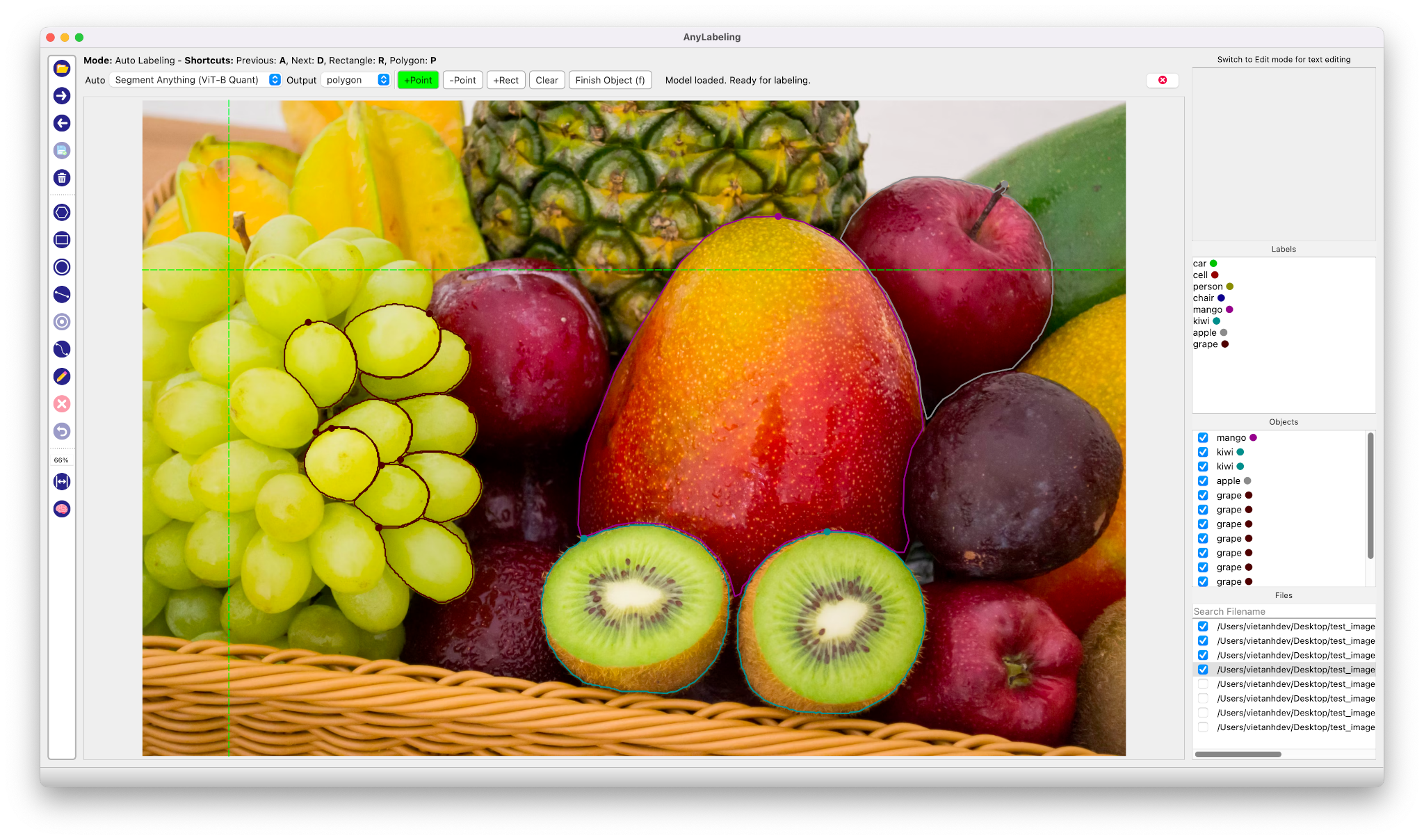
Auto Labeling with Segment Anything
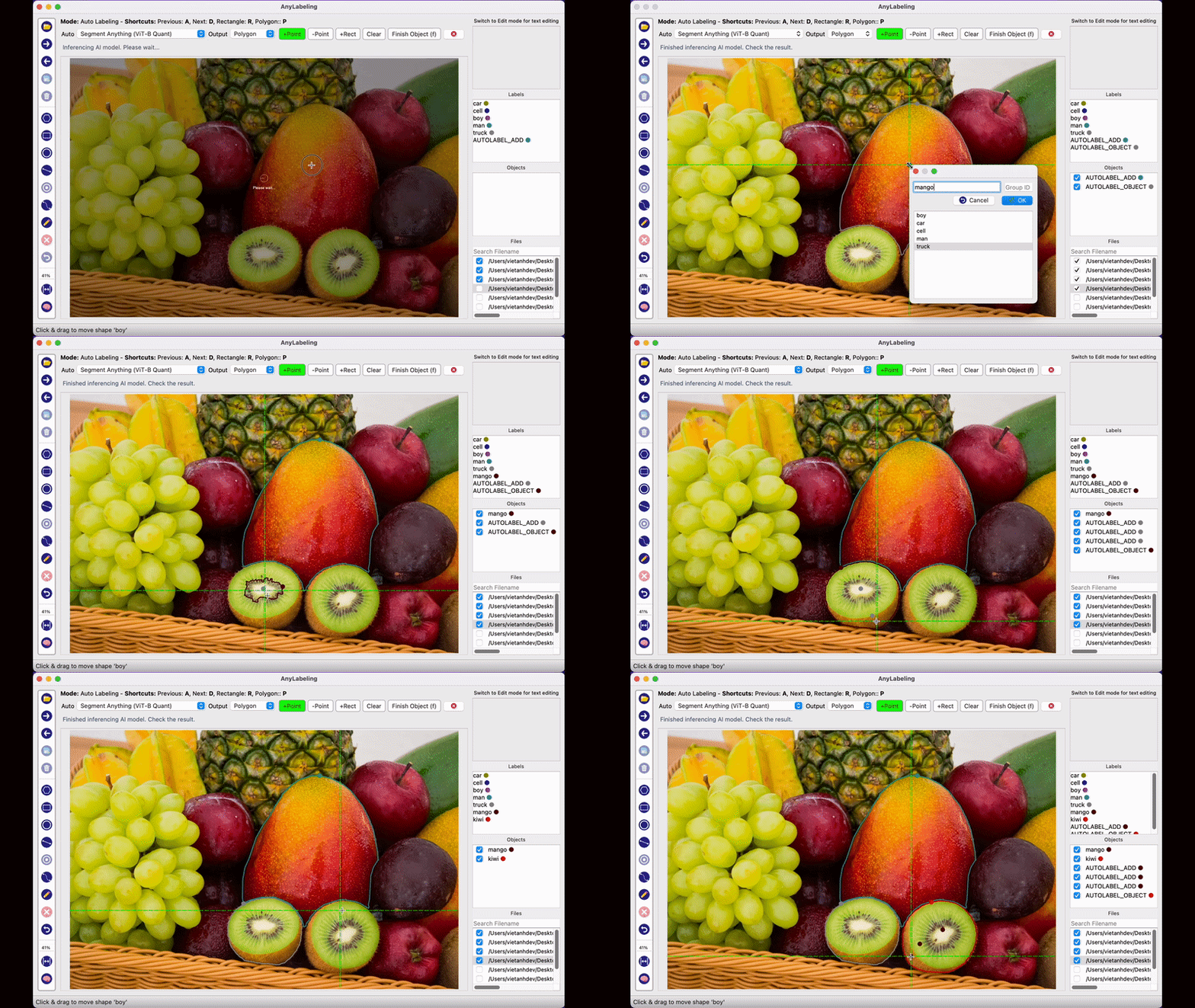
- Youtube Demo: https://www.youtube.com/watch?v=5qVJiYNX5Kk
- Documentation: https://anylabeling.nrl.ai
Features:
- Image annotation for polygon, rectangle, circle, line and point.
- Auto-labeling with YOLOv5 and Segment Anything.
- Text detection, recognition and KIE (Key Information Extraction) labeling.
- Multiple languages availables: English, Vietnamese, Chinese.
I. Install and run
1. Download and run executable
- Download and run newest version from Releases.
- For MacOS:
- After installing, go to Applications folder
- Right click on the app and select Open
- From the second time, you can open the app normally using Launchpad
2. Install from Pypi
-
Requirements: Python >= 3.8, <= 3.10.
-
Recommended: Miniconda/Anaconda.
-
Create environment:
conda create -n anylabeling python=3.8
conda activate anylabeling
- (For macOS only) Install PyQt5 using Conda:
conda install -c conda-forge pyqt==5.15.7
- Install anylabeling:
pip install anylabeling # or pip install anylabeling-gpu for GPU support
- Start labeling:
anylabeling
II. Development
- Generate resources:
pyrcc5 -o anylabeling/resources/resources.py anylabeling/resources/resources.qrc
- Run app:
python anylabeling/app.py
III. Build executable
- Install PyInstaller:
pip install -r requirements-dev.txt
- Build:
bash build_executable.sh
- Check the outputs in:
dist/.
IV. Contribution
If you want to contribute to AnyLabeling, please read Contribution Guidelines.
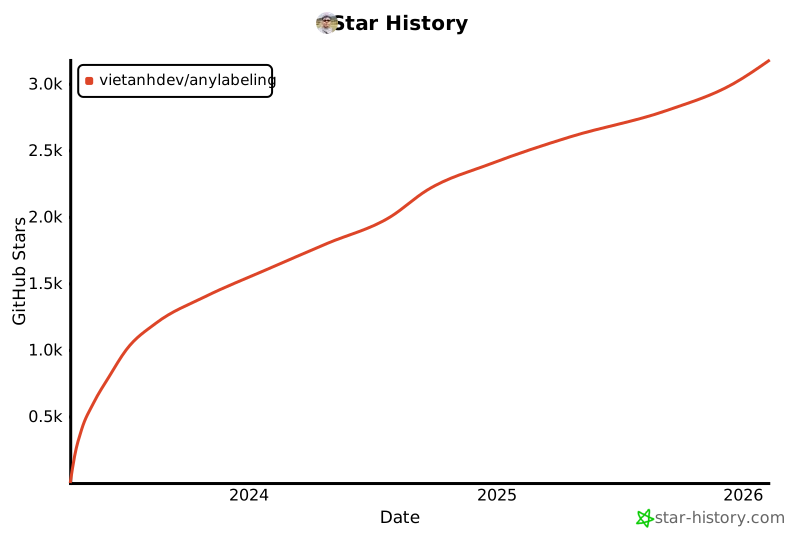
V. Star history
VI. References
Release history Release notifications | RSS feed


Download files
Download the file for your platform. If you're not sure which to choose, learn more about installing packages.
Source Distribution
Built Distribution
Filter files by name, interpreter, ABI, and platform.
If you're not sure about the file name format, learn more about wheel file names.
Copy a direct link to the current filters
File details
Details for the file anylabeling-0.3.0.tar.gz.
File metadata
- Download URL: anylabeling-0.3.0.tar.gz
- Upload date:
- Size: 3.4 MB
- Tags: Source
- Uploaded using Trusted Publishing? No
- Uploaded via: twine/4.0.1 CPython/3.11.4
File hashes
| Algorithm | Hash digest | |
|---|---|---|
| SHA256 |
86c4fbf32c0c2a4872530cb94c34066a552d421a93b41132425d9ebe945ee7b5
|
|
| MD5 |
58a9810995d26efdd521210b2332cd76
|
|
| BLAKE2b-256 |
7e7d53ed53ba929e147dd62126731a79b8b11bfa99e4ab80ebf5833b9d7a72c9
|
File details
Details for the file anylabeling-0.3.0-py3-none-any.whl.
File metadata
- Download URL: anylabeling-0.3.0-py3-none-any.whl
- Upload date:
- Size: 3.6 MB
- Tags: Python 3
- Uploaded using Trusted Publishing? No
- Uploaded via: twine/4.0.1 CPython/3.11.4
File hashes
| Algorithm | Hash digest | |
|---|---|---|
| SHA256 |
5ea0ac08e0a812d1426ef03ce285dc242fba6d9eb41cae7d0ee1670c67c10d4d
|
|
| MD5 |
2230301b65cdabe0aeab21075fa9eb7f
|
|
| BLAKE2b-256 |
0885670d7f5564f460ee68215209aa078dbeca57533a57a3b7b642e82f2c69e6
|






