
anyscribe
Let your AI agent transcribe anything. Turns YouTube videos, Instagram reels, and local audio/video files into structured, searchable markdown, browsable in Obsidian.
Built agent-first, with three ways to reach it, in priority order:
- With your AI agent (primary) — anyscribe ships as a Claude Code skill that installs itself the first time you run any anyscribe command, plus an MCP server (
pip install "anyscribe[mcp]", ten tools) for Claude Desktop, Cursor, and any MCP host. Most commands that report results also take--json, and the ones that would stop to ask take--yes— for agents, CI, and scripts. - The web UI (
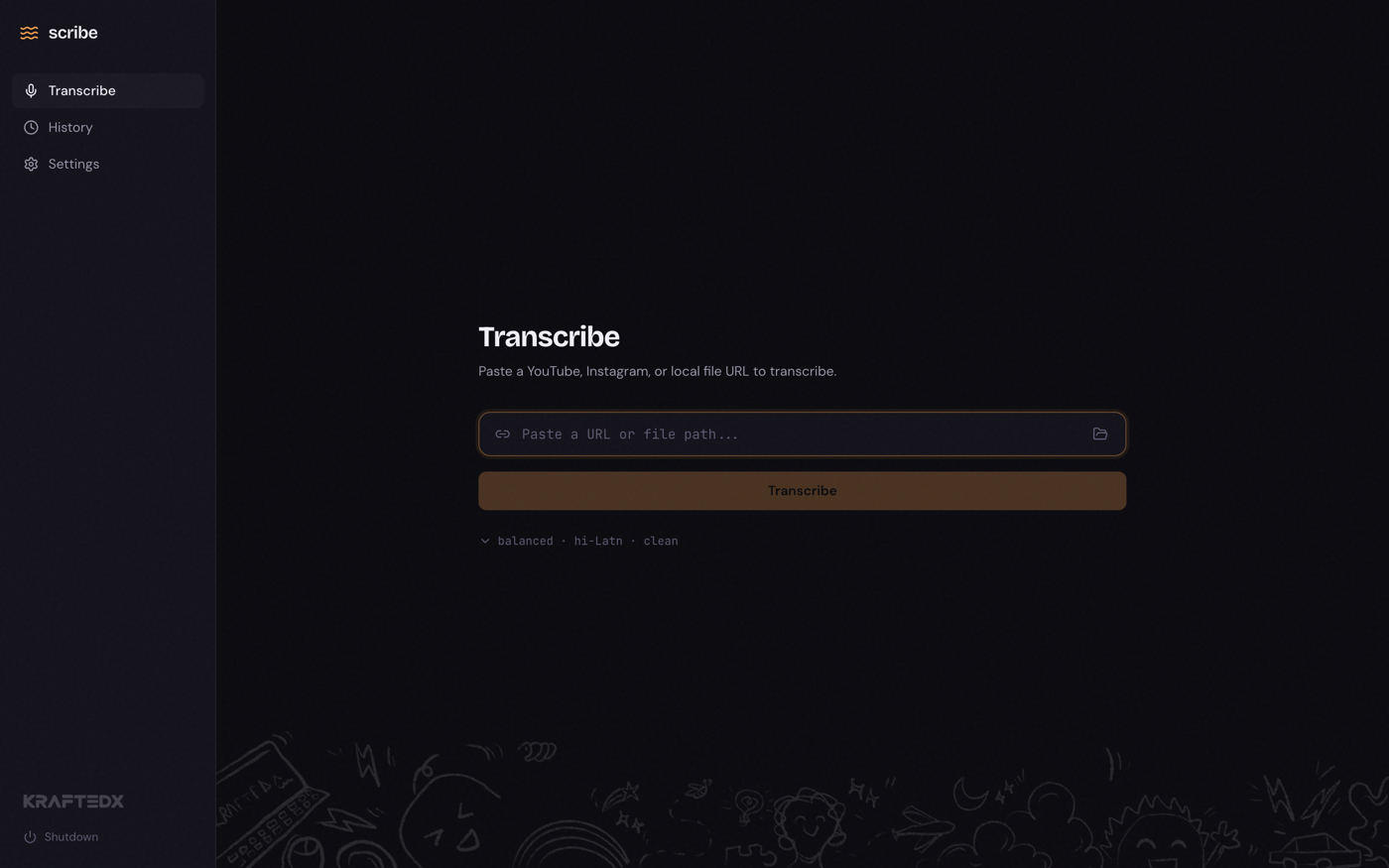
anyscribe ui) — a clean local dashboard at127.0.0.1:8457for when you want to see it: paste a URL, watch progress live, browse history, change settings, first-run wizard included. - The CLI (
anyscribe "<url>",anyscribe onboard) — one command with arrow-key prompts, for when you want your hands on it.
Shared backend, shared state: a transcription started from any surface is visible to all of them.
Private by default, local-first
- The Web UI is a local server, not a cloud service. It runs at
127.0.0.1:8457on your own machine. No account, no sign-up, no telemetry. There is no "anyscribe.com" backend. - Internet is only involved when you ask for it. Three cases, all transparent:
- Downloading a YouTube or Instagram source — obvious; you gave it the URL.
- Calling an API provider (OpenAI, Deepgram, ElevenLabs, Sarvam, Groq, OpenRouter) — your audio goes to the provider you picked, and nothing else. Your data stays between you and them.
- Pulling a Whisper model (one-time, only if you enable local transcription) — weights download from Hugging Face.
- Fully offline is available. Local files + the local provider (
anyscribe local setup --model base) = zero network traffic. Your audio never leaves your machine. Same pipeline, same output format as the cloud providers. - No analytics, no phone-home.
anyscribe update --checkreaches PyPI to compare versions, but only when you run it.



What you need
- Python 3.10 or newer — python.org
- ffmpeg and yt-dlp — the installers below put both in place for you; with the pip route, install them yourself (
brew install ffmpeg yt-dlp, or ffmpeg.org) - An API key for one cloud provider (OpenAI, Deepgram, ElevenLabs, Sarvam, Groq, OpenRouter) — or none at all if you run offline with the local provider
anyscribe doctor checks all of this at any time, and the setup wizard checks it for you on first run.
Install
macOS / Linux — installs Python, ffmpeg, yt-dlp, and anyscribe with the menu-bar app:
curl -fsSL https://raw.githubusercontent.com/rishmadaan/anyscribe/main/install.sh | bash
Windows (PowerShell) — same, for Windows:
irm https://raw.githubusercontent.com/rishmadaan/anyscribe/main/install.ps1 | iex
Already have Python, ffmpeg, and yt-dlp?
pip install "anyscribe[tray]"
Then start it:
anyscribe ui # opens the web dashboard — guides you through setup
On first launch the web UI opens a full-screen onboarding wizard — pick a provider, paste the API key (with a Test key button), optionally enable offline transcription, confirm your workspace, done. Prefer the terminal? anyscribe onboard does the same thing with arrow keys, and anyscribe onboard --provider openai --api-key "$OPENAI_API_KEY" --yes --json does it headlessly for agents and CI.
Windows: if
anyscribeisn't recognized, usepython -m anyscribe ui.
Then transcribe something:
anyscribe "https://www.youtube.com/watch?v=VIDEO_ID"   # always quote URLs — shells break on ? and &
anyscribe /path/to/podcast.mp3
Docs
| Start here | What it covers |
|---|---|
| Use it from your AI agent | The primary path — Claude Code skill and MCP setup, what your agent can drive |
| Getting started | Install to first transcript, step by step |
| Commands | Every command and flag, with examples |
| Providers | The seven providers compared — accuracy, cost, languages |
| Configuration | Every setting, where it lives, what it changes |
| Troubleshooting | Common errors and plain-English fixes |
For contributors: CLAUDE.md, AGENTS.md, and docs/building/.
Development
git clone https://github.com/rishmadaan/anyscribe.git
cd anyscribe
pip install -e ".[dev]"

ruff check src/          # lint
ruff format src/         # format
pytest                   # test
Upgrading from anyscribecli
The package, command, and app folder were renamed (the scribe and ascli commands still work as permanent aliases). After pip install --upgrade anyscribe, run anyscribe migrate once — it moves your config and API keys from ~/.anyscribecli/ to ~/.anyscribe/ without overwriting anything. Add --dry-run to preview first.
License
MIT
1 maintainer

Metadata
1 maintainer
Release files for anyscribe 0.16.3
For a detailed explanation of source distributions (sdists) and built distributions (wheels), please see the package formats documentation.
Source distribution (sdist)
| File | Size | Uploaded | |
|---|---|---|---|
| anyscribe-0.16.3.tar.gz | 4.9 MB | Details |
Built distribution (wheel)
| File | Interpreter | ABI | Platform | Reset |
|---|---|---|---|---|
| anyscribe-0.16.3-py3-none-any.whl | Python 3 | none | any | Details |
Total release size: 6.8 MB
Release files / anyscribe-0.16.3.tar.gz
| Download URL | anyscribe-0.16.3.tar.gz |
|---|---|
| Size | 4.9 MB |
| Tags | Source |
|
SHA-256 checksum How to use checksums |
718f89de97ba2ac5b161812f14a756d2010b099b6c72e14e39b356625c56d295
|
|
BLAKE2b-256 checksum How to use checksums |
dd4a34f57f8b276ecd497216a8c7eb1512b00add1231d091bf358e2b56528227
|
| Upload date | |
|
Uploaded using Trusted Publishing? What is trusted publishing? |
Yes |
| Uploaded via |
twine/7.0.0 CPython/3.13.14
|
Provenance
Provenance describes where a file came from. On PyPI, provenance is shared via attestations, which provide a verifiable record of the build or publishing details. View details, limitations and caveats.


PyPI Publish Attestation
PyPI verified that this artifact, at this checksum, originated from the publisher listed below.
Signed by GitHub Actions, verified by PyPI on Aug 9, 2026.
Transparency logRelease files / anyscribe-0.16.3-py3-none-any.whl
| Download URL | anyscribe-0.16.3-py3-none-any.whl |
|---|---|
| Size | 1.9 MB |
| Tags | Python 3 |
|
SHA-256 checksum How to use checksums |
022527e95ccccd9496f13017d2fdba058242173cc7559fdfb837ea8affee5643
|
|
BLAKE2b-256 checksum How to use checksums |
23bcd64cce7b5c6c3b300a267f6f74bf2d34b66577d6089a0455c5154e60c6e1
|
| Upload date | |
|
Uploaded using Trusted Publishing? What is trusted publishing? |
Yes |
| Uploaded via |
twine/7.0.0 CPython/3.13.14
|
Provenance
Provenance describes where a file came from. On PyPI, provenance is shared via attestations, which provide a verifiable record of the build or publishing details. View details, limitations and caveats.
PyPI Publish Attestation
PyPI verified that this artifact, at this checksum, originated from the publisher listed below.
Signed by GitHub Actions, verified by PyPI on Aug 9, 2026.
Transparency log













