
⚡ APEX — Your AI Coding Assistant






APEX is a terminal-based agentic AI coding assistant that helps you write code, fix bugs, run commands, search your project, manage GitHub repos, and automate tasks — all from your terminal.
📸 Preview
| Dashboard | Auto Mode | Code Generation |
|---|---|---|
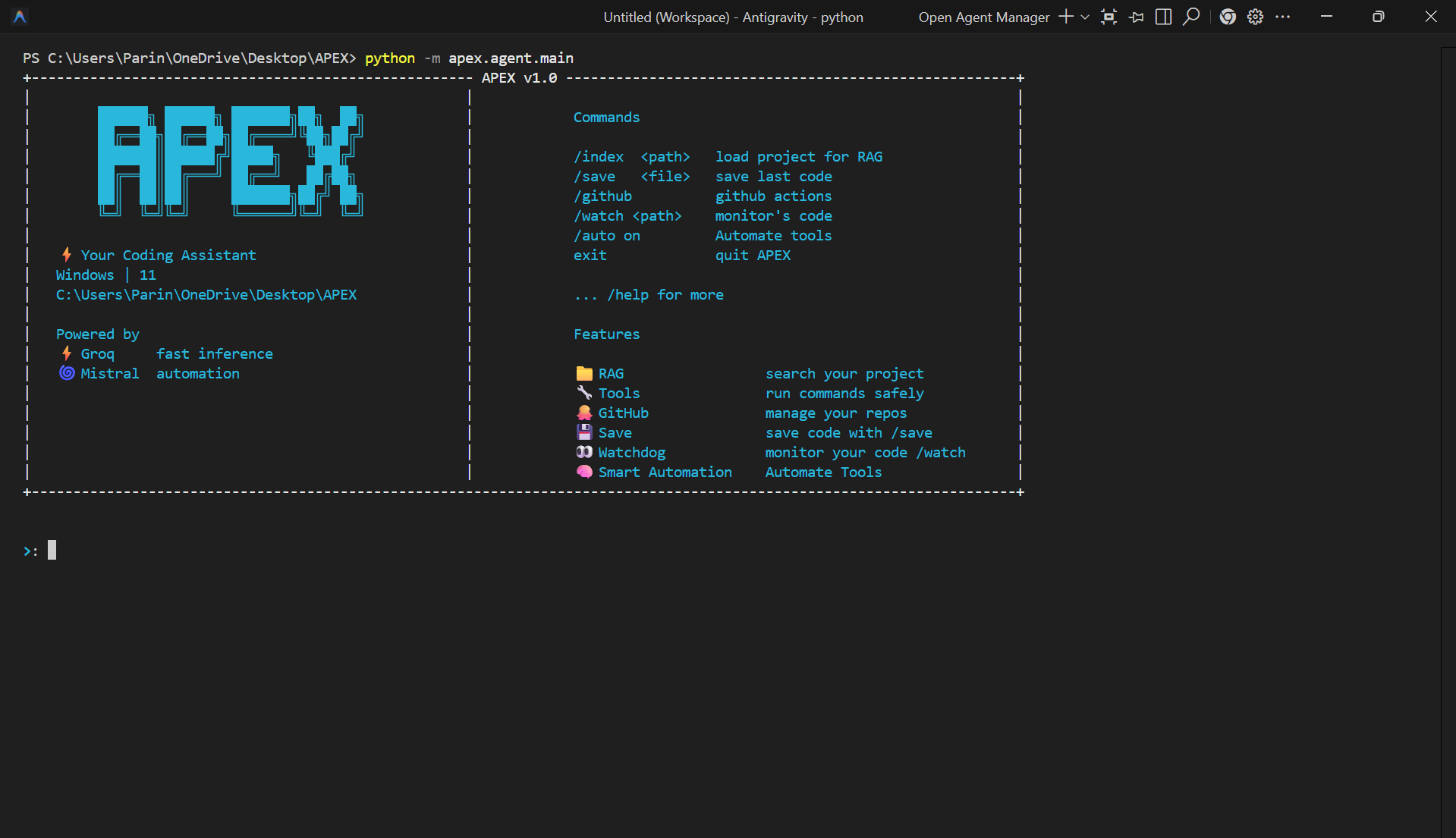 |
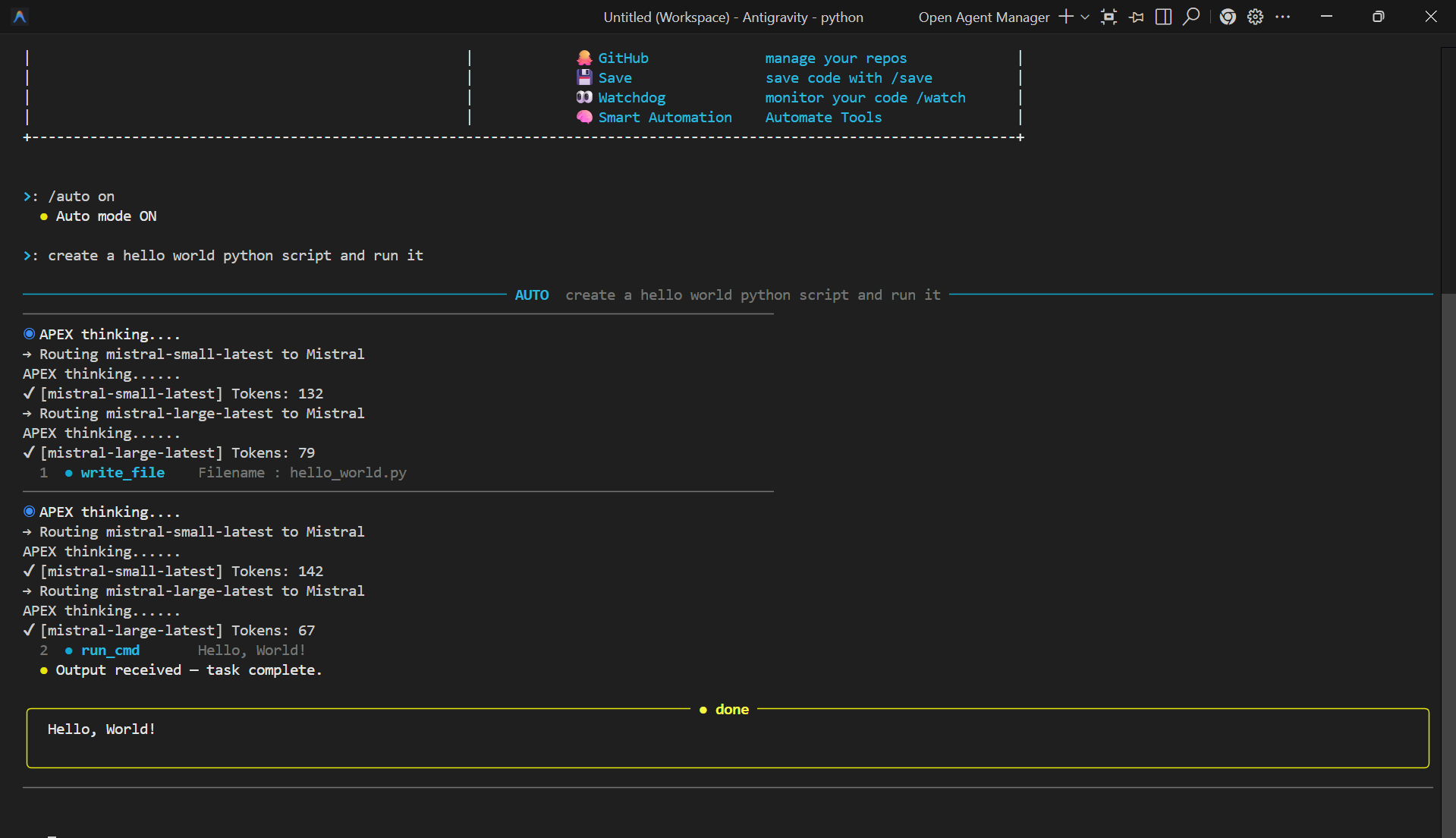 |
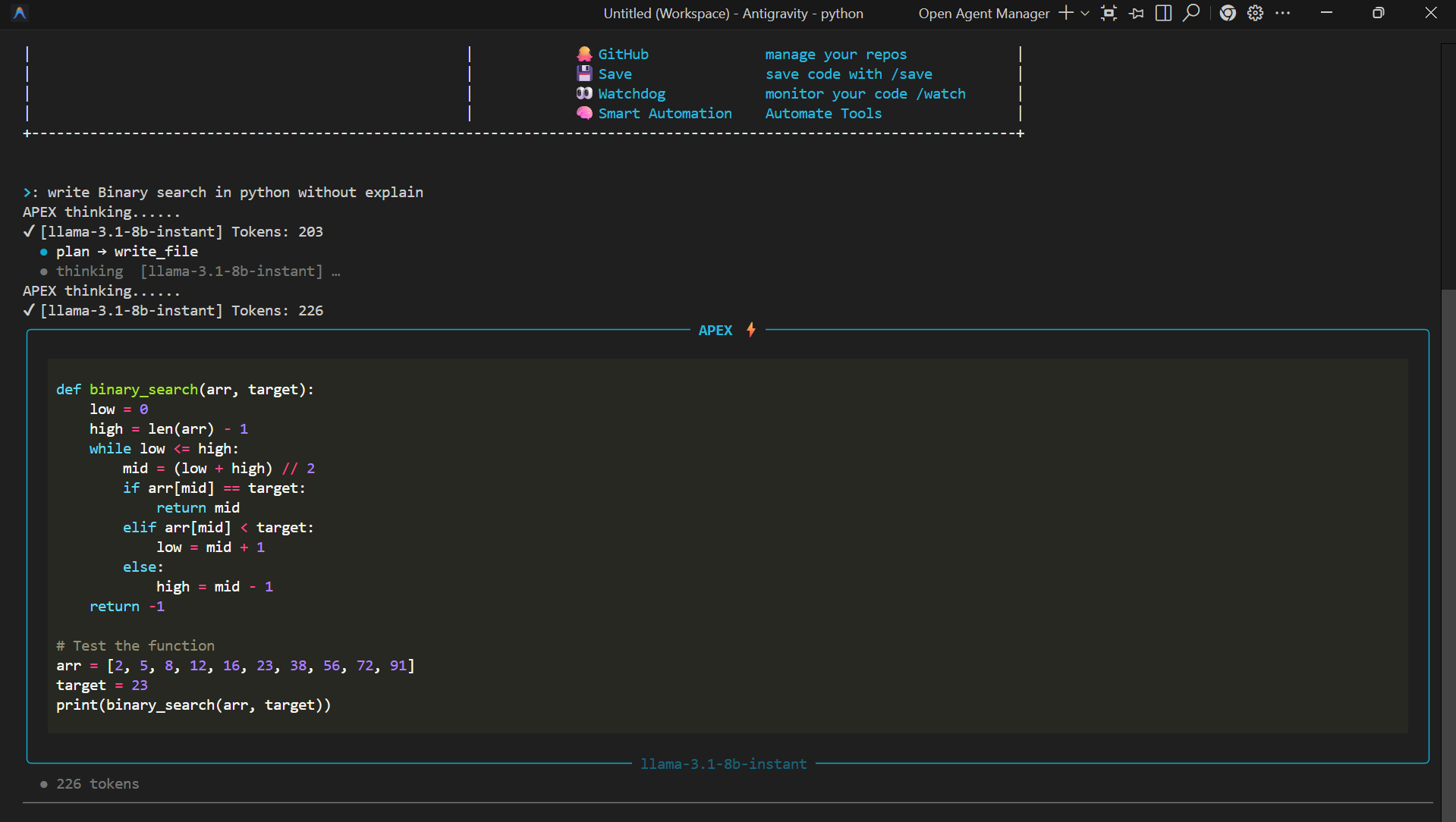 |
| GitHub | RAG Search | Analyze & Test |
|---|---|---|
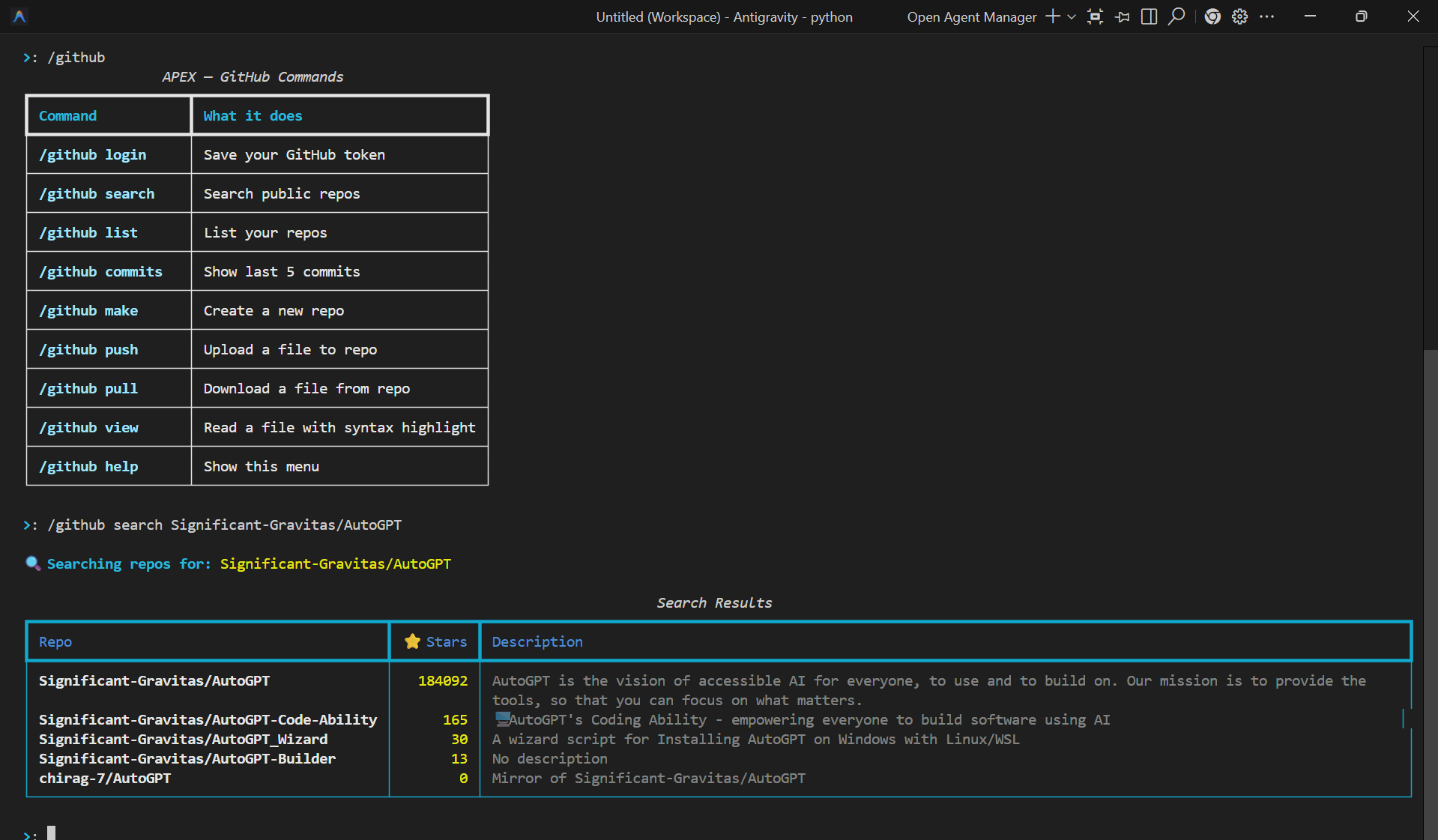 |
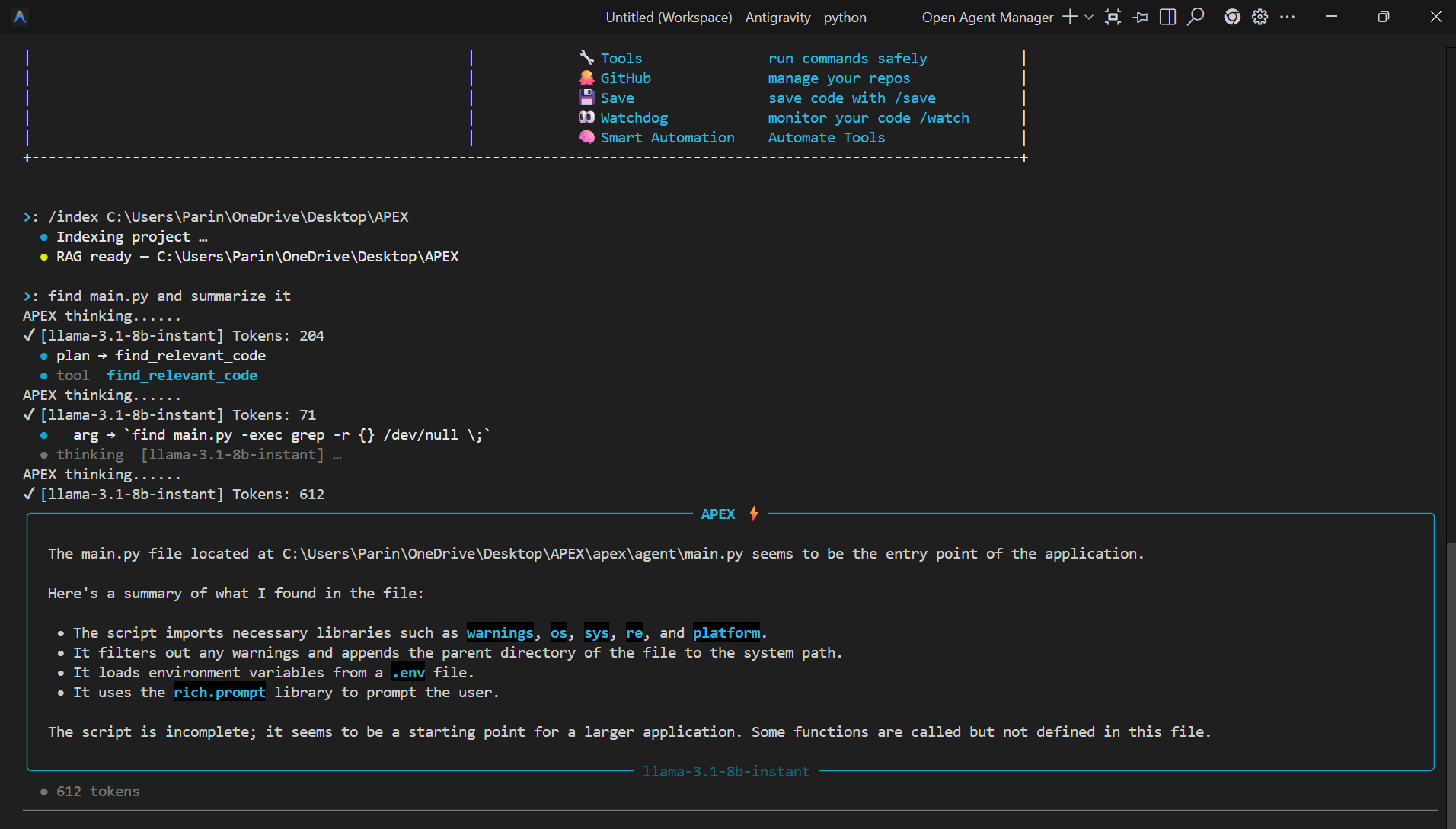 |
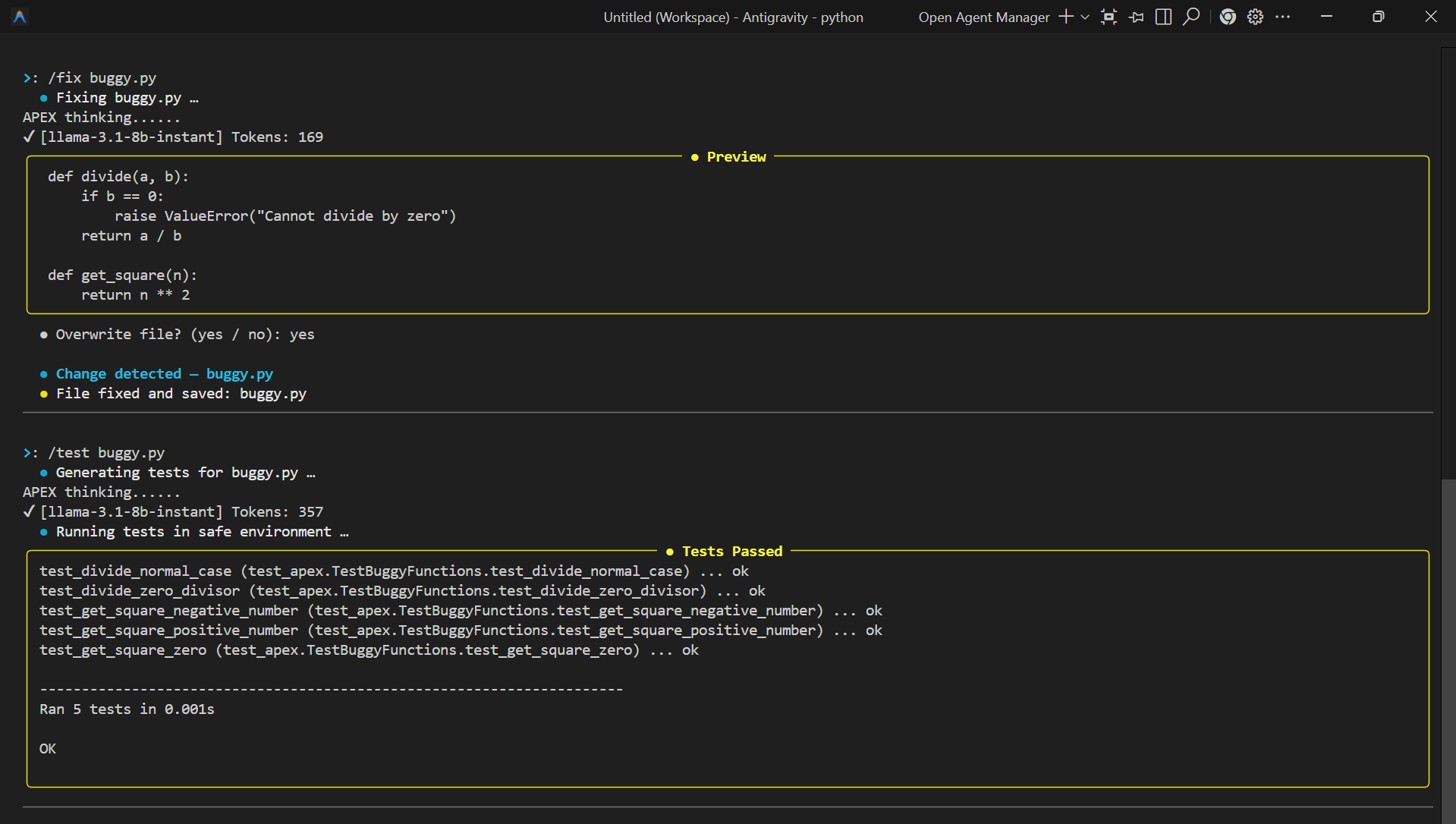 |
✨ Features
- ⚡ Fast AI Responses — Powered by Groq (llama-3.1, llama-3.3) for ultra-fast inference
- 🧠 Smart Automation —
/auto onlets APEX write, run, and fix code automatically - 📁 RAG — Project Search — Index your codebase and search it with natural language
- 🔧 Tool Execution — Run terminal commands safely with dangerous command detection
- 🐙 GitHub Integration — List, search, push, pull, create repos from the terminal
- 👀 Watchdog — Monitor files and auto-analyze on every save
- 🔍 Code Analysis — Scan files for real bugs and auto-fix them
- 🧪 Unit Test Generator — Auto-generate and run tests in a safe sandbox
- 💾 Save Code — Save any code block from responses with
/save - 🌀 Mistral Fallback — Automatically falls back to Mistral if Groq is unavailable
🚀 Installation
pip install apex-coder
Or clone and install manually:
git clone https://github.com/parinprajapati/apex.git
cd apex
pip install -e .
🔑 Setup
On first run, APEX will ask for:
- Groq API key — get it from https://console.groq.com
- Mistral API key — get it from https://console.mistral.ai
- Your experience level (Beginner / Intermediate / Advanced)
- Whether to allow auto command execution
python -m apex.agent.main
🛠️ Commands
+---------------------------+---------------------------------------------------+
| Command | Description |
|---|---|
/index <path> |
Index a project folder for RAG code search |
/save <file> |
Save the last code block to a file |
/github |
GitHub actions (login, push, pull, search, etc.) |
/watch <file> |
Monitor a file and auto-analyze on every save |
/analyze <file> |
Scan a file for bugs and bad practices |
/fix <file> |
Auto-fix issues in a file (shows preview first) |
/test <file> |
Generate and run unit tests in a safe sandbox |
/auto on|off |
Toggle smart automation mode |
/setting |
View or update your config (API keys, level) |
/help |
Show full help guide |
exit |
Quit APEX |
| +---------------------------+---------------------------------------------------+ |
🤖 Auto Mode
Enable auto mode and just describe what you want:
>: /auto on
>: create a hello world python script and run it
APEX will write the file, run it, and show you the output — fully automated.
📁 RAG — Project Code Search
>: /index C:\Users\Parin\Projects\MyApp
>: find the login function
>: where is the database connection?
Supports: .py .js .ts .java .cpp .c .cs .kt .scala .html .md
🐙 GitHub Commands
/github login <token>
/github list
/github search <keyword>
/github commits <owner/repo>
/github make <repo-name>
/github push <owner/repo> <file> <message>
/github pull <owner/repo> <file>
/github view <owner/repo> <file>
👀 Watchdog
/watch myfile.py       # auto-analyze on every save
/analyze myfile.py     # one-time scan
/fix myfile.py         # auto-fix with preview
/test myfile.py        # generate + run tests
/wdstop                # stop watching
🧠 Models Used
+-------------------+---------------------------------------------+
| Purpose | Models |
|---|---|
| General coding | llama-3.1-8b-instant, llama-3.3-70b |
| Automation | mistral-large-latest, codestral-latest |
| Router / Planner | mistral-small-latest, ministral-3b |
| Watchdog / Fix | llama-3.3-70b, codestral-latest |
| +-------------------+---------------------------------------------+ |
📂 Project Structure
apex/
├── agent/          # Core agent loop, planner, UI
├── auto/           # Auto mode pipelines, stages, memory
├── config/         # Settings, system prompt, help
├── github/         # GitHub integration
├── models/         # LLM fallback + model routing
├── rag/            # RAG indexing and code search
├── tools/          # File, command, and code tools
└── watchdog/       # File watcher, analyzer, fixer, tester
🔒 Safety
APEX detects and blocks dangerous commands like rm -rf, format, drop table, shutdown, and many more across Windows, Linux, and macOS. You can also set auto_run_commands: false to approve every command manually.
👨💻 Author
Parin Prajapati
- 📧 parin0127@gmail.com
- 🐙 GitHub
- 🎂 Age: 19
📄 License
This project is licensed under the MIT License.
⭐ Support
If you find APEX useful, please give it a ⭐ on GitHub — it means a lot!
1 maintainer

Release files for apex-coder 1.0.2
For a detailed explanation of source distributions (sdists) and built distributions (wheels), please see the package formats documentation.
Source distribution (sdist)
| File | Size | Uploaded | |
|---|---|---|---|
| apex_coder-1.0.2.tar.gz | 29.7 kB | Details |
Built distribution (wheel)
| File | Interpreter | ABI | Platform | Reset |
|---|---|---|---|---|
| apex_coder-1.0.2-py3-none-any.whl | Python 3 | none | any | Details |
Total release size: 63.0 kB
Release files / apex_coder-1.0.2.tar.gz
| Download URL | apex_coder-1.0.2.tar.gz |
|---|---|
| Size | 29.7 kB |
| Tags | Source |
|
SHA-256 checksum How to use checksums |
a55cf0b3aa3686df5c36c7a70fae5d5d6626345034aad72dc5560b38f12a1a19
|
|
BLAKE2b-256 checksum How to use checksums |
00b6fac966c7dedf640aaa095fa554236dc733a899aa17173b726e5ac0229d60
|
| Upload date | |
|
Uploaded using Trusted Publishing? What is trusted publishing? |
No |
| Uploaded via |
twine/6.2.0 CPython/3.14.0
|
Release files / apex_coder-1.0.2-py3-none-any.whl
| Download URL | apex_coder-1.0.2-py3-none-any.whl |
|---|---|
| Size | 33.3 kB |
| Tags | Python 3 |
|
SHA-256 checksum How to use checksums |
9f6149b2692a01c6cc28dfcc987446d11b601962af909064248cbe0a7a5daef0
|
|
BLAKE2b-256 checksum How to use checksums |
68fc7562cf58034ce67732593dee7e75edc8dd9813115bb6ab3f35cc1b849245
|
| Upload date | |
|
Uploaded using Trusted Publishing? What is trusted publishing? |
No |
| Uploaded via |
twine/6.2.0 CPython/3.14.0
|














