






















NOTE: Apio IDE for Visual Studio Code. Apio is also available as an extension for Visual Studio Code. To install it, visit the Apio IDE page in the Visual Studio Code Marketplace. The rest of this page describes the command line version of Apio.
Apio CLI is an easy to install and use command-line tool for FPGA design from A to Z. For a quick start, visit the Getting started with Apio guide.
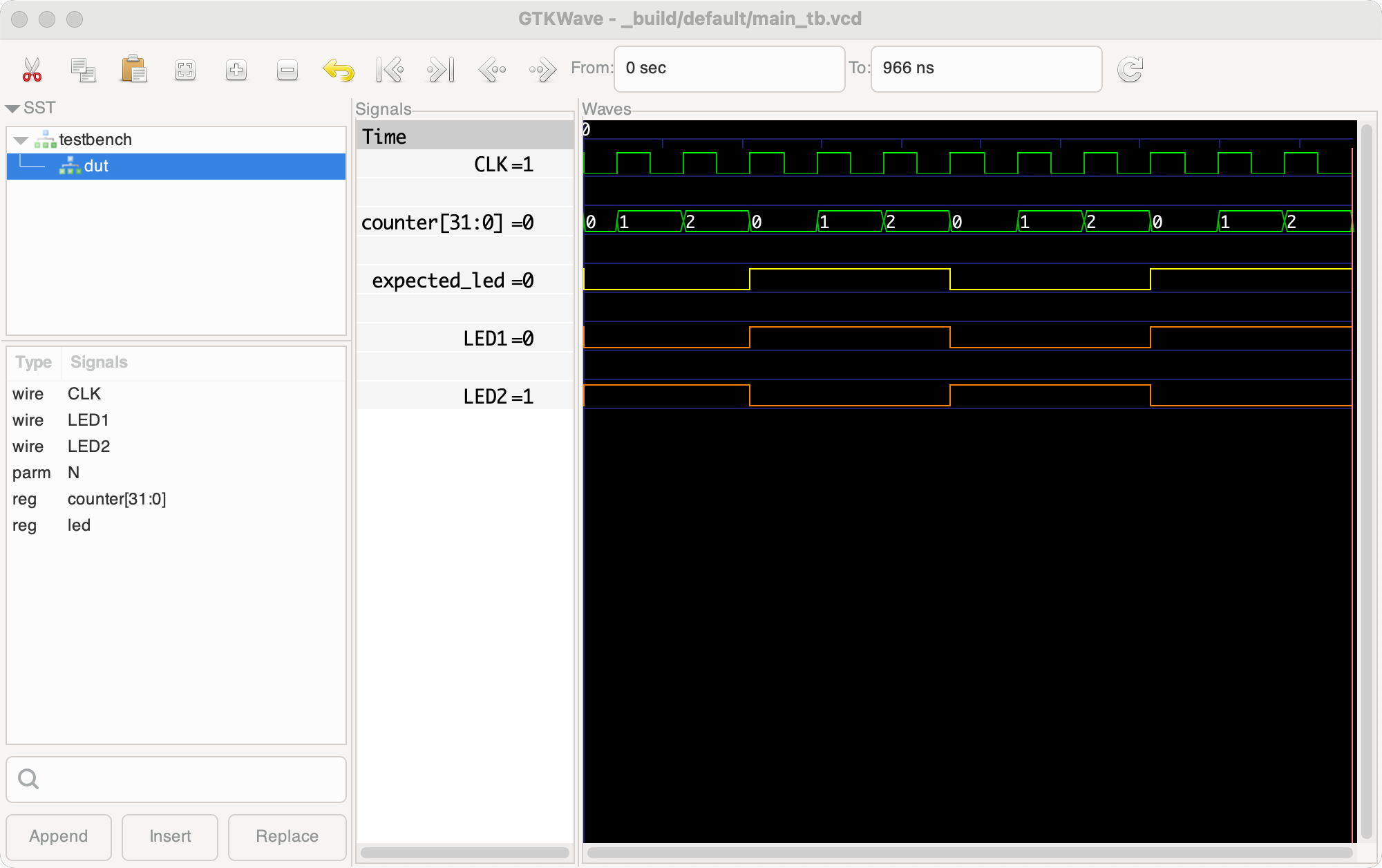
Simulation example:
Description
Apio CLI is a powerful yet easy-to-use command line tool for FPGA development using Verilog and System Verilog. It’s simple to install, no toolchains, licenses, or makefiles required, and works across Linux, Windows, and macOS. Apio CLI is 100% open source, and free to use.
Apio CLI supports every stage of the FPGA workflow, from simulating and testing, to building and programming the FPGA, using simple commands such as apio test, apio build, and apio upload that do what you expect them to do.
Apio CLI currently supports over 80 FPGA boards, custom boards can be easily added, and it includes over 60 ready-to-use example projects. Apio CLI currently supports the ICE40, ECP5, and Gowin FPGA and Xilinx architectures.
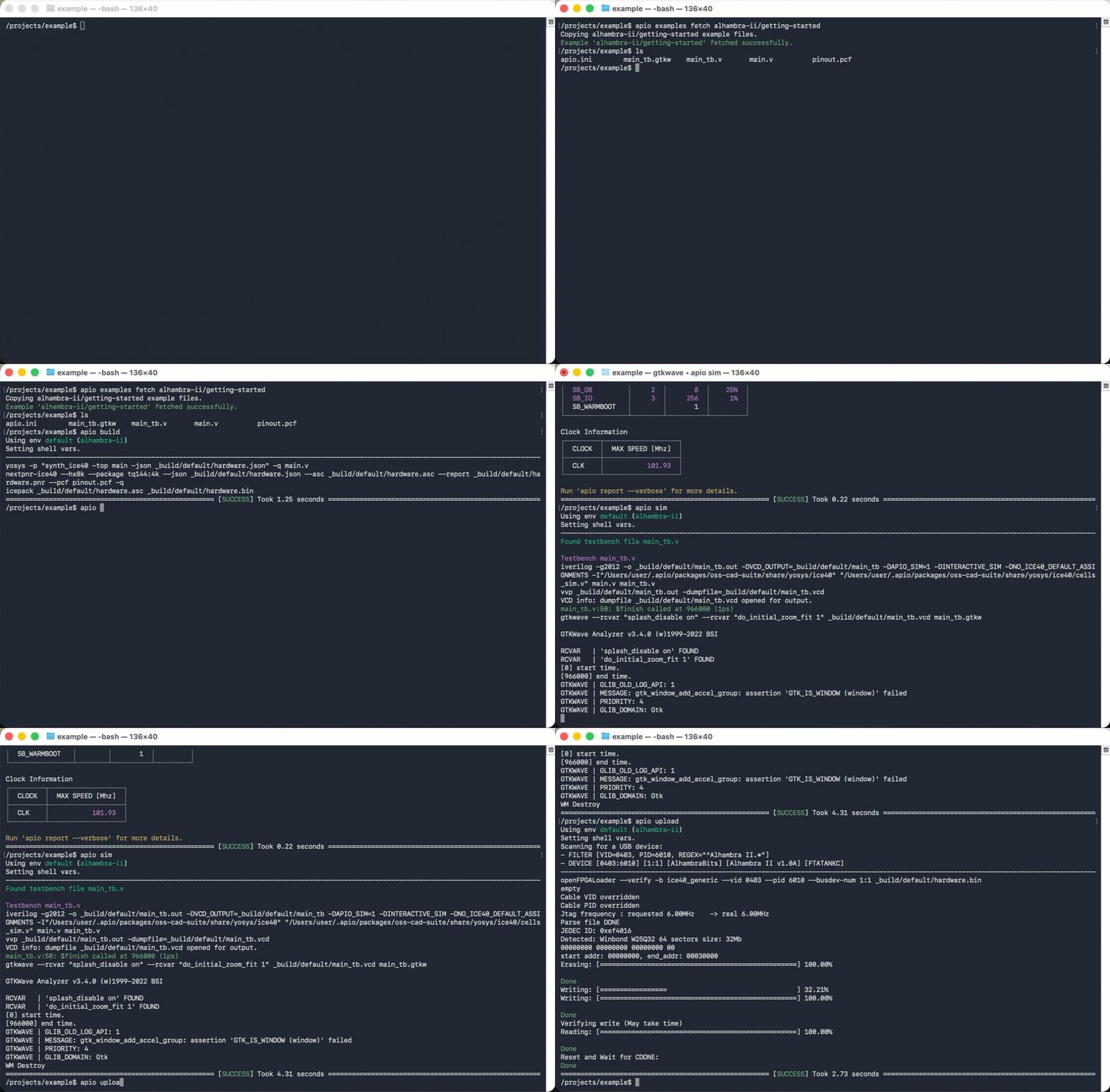
Sample Apio CLI session
apio examples fetch alhambra-ii/getting-started- fetch an example.apio build- build the project.apio report- report utilization and max clock speed.apio sim- simulate the design and show signals.apio upload- program the FPGA board.
Apio CLI in the media
Shawn Hymel's excellent series on FPGA programming is based on and older version of Apio CLI and the the Icestick board

As the user gh02t said in this post on Hacker-news:
Apio is a command-line tool that automates installing the toolchain for your FPGA and running it. It just simplifies things, you don't have to use it if you'd rather call the individual tools for synthesis, P&R, simulation etc. It'd be reasonable to think of it as akin to a very smart Makefile combined with an automatic package manager, specialized to FPGAs (it's based on PlatformIO). It's nice when you're still kind of getting oriented, because you don't need to know how to set up and invoke the different tools... just call
apio buildorapio sim
Resources
- Apio CLI Documentation
- Getting started with Apio
- Apio CLI github repository
- Apio CLI package on PyPi
- Apio CLI development environment (for Apio CLI developers).
- Apio CLI daily build
- Apio CLI Test Coverage Report
Credits
- Apio CLI was inspired by PlatformIO and was originally created by Jesús Arroyo Torrens in February 2016.
- Thanks to all the Apio CLI contributors over the years.
- Apio CLI uses open source tools including Yosys, Click, Scons, GTKWave, and Python.
- BQ sponsored this project from 02/2016 to 11/2016. Thanks.
License
The Apio project itself is licensed under the GNU General Public License version 3.0 (GPL-3.0). Pre-built packages may include third-party tools and components, which are subject to their respective license terms.


Download files
Download the file for your platform. If you're not sure which to choose, learn more about installing packages.
Source Distribution
Built Distribution
Filter files by name, interpreter, ABI, and platform.
If you're not sure about the file name format, learn more about wheel file names.
Copy a direct link to the current filters
File details
Details for the file apio-1.5.1.tar.gz.
File metadata
- Download URL: apio-1.5.1.tar.gz
- Upload date:
- Size: 6.5 MB
- Tags: Source
- Uploaded using Trusted Publishing? No
- Uploaded via:
python-requests/2.34.2
File hashes
| Algorithm | Hash digest | |
|---|---|---|
| SHA256 |
631b0334263fe25458c259836e8d20f97dc09bdbe9f9366181bc551529507dc6
|
|
| MD5 |
081541403e146aacbd3bc8932fb30058
|
|
| BLAKE2b-256 |
c9e54723c82c9bec71b8de646b45817fc54876c504c7b875d44dede036a05b0d
|
File details
Details for the file apio-1.5.1-py3-none-any.whl.
File metadata
- Download URL: apio-1.5.1-py3-none-any.whl
- Upload date:
- Size: 203.8 kB
- Tags: Python 3
- Uploaded using Trusted Publishing? No
- Uploaded via:
python-requests/2.34.2
File hashes
| Algorithm | Hash digest | |
|---|---|---|
| SHA256 |
be77acd9ffb11357b05175c7e30a46d7f25ba62941ce75f03d8d2e5770956fd7
|
|
| MD5 |
cefe6d60ba49a5b553851bc584013588
|
|
| BLAKE2b-256 |
92adedc269d9664a3720ee6abded4ea4da21fa86af347db03b9d537b15376b12
|














