
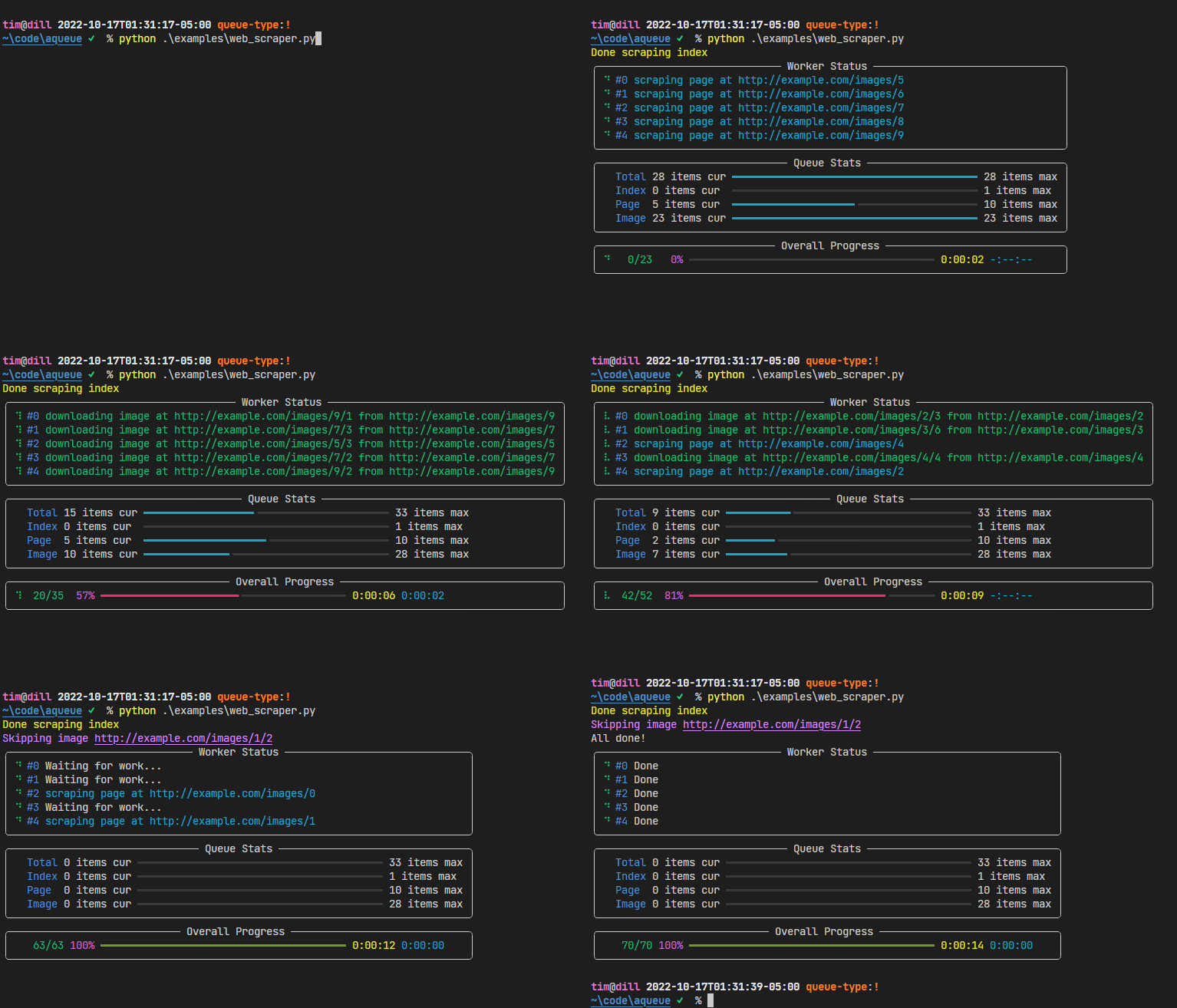
aqueue is an async task queue with live progress display.
You put items (tasks) in, and they get processed, possibly creating more items which get processed, and so on, until all items are completed. A typical use case would be to scrape a website.
Meanwhile, a nice visualization of the queue’s goings-on is displayed in the terminal.
Installation
aqueue is a Python package hosted on PyPI. The recommended installation method is pip-installing into a virtual environment:
pip install aqueueGetting Started
There’s two things you need to do to use aqueue:
Implement your Item subclasses.
Start your queue with one of those items.
Example
If you had a hierarchy of items like this…

Then, you might process it with aqueue like this…
import aqueue


class RootItem(aqueue.Item):
   async def process(self) -> aqueue.ProcessRetVal:
      # display what we're doing in the worker status panel
      self.set_worker_desc("Processing RootItem")

      # make an HTTP request, parse it, etc
      ...

      # when you discover more items you want to process, enqueue them by yield-ing
      # them:
      for _ in range(3):
            yield ChildItem()

   async def after_children_processed(self) -> None:
      # run this method when this Item and all other Items it enqueued are done
      print("All done!")


class ChildItem(aqueue.Item):

   # track the enqueueing and completion of these items in the overall panel
   track_overall: bool = True

   async def process(self) -> aqueue.ProcessRetVal:
      self.set_worker_desc("Processing ChildItem")
      # this child item has no further children to enqueue, so it doesn't yield
      # anything


if __name__ == "__main__":
   aqueue.run_queue(
      initial_items=[RootItem()],
      num_workers=2,
   )
Project Information
License: MIT
Source Code: https://github.com/t-mart/aqueue
Documentation: https://t-mart.github.io/aqueue/
Supported Python Versions: 3.10 and later
1 maintainer

Download files
Download the file for your platform. If you're not sure which to choose, learn more about installing packages.
Source Distribution
Built Distribution
Filter files by name, interpreter, ABI, and platform.
If you're not sure about the file name format, learn more about wheel file names.
Copy a direct link to the current filters
File details
Details for the file aqueue-0.9.3.tar.gz.
File metadata
- Download URL: aqueue-0.9.3.tar.gz
- Upload date:
- Size: 11.3 kB
- Tags: Source
- Uploaded using Trusted Publishing? No
- Uploaded via:
poetry/2.0.0 CPython/3.12.3 Linux/6.8.0-1017-azure
File hashes
| Algorithm | Hash digest | |
|---|---|---|
| SHA256 |
b9c2bc82d81ff0bbcb859c1b81a63a4ef3ef5e2e3d148efc9f1f273b58d22d63
|
|
| MD5 |
b0dc15110ab90a2fb2ab9adfad7db4c2
|
|
| BLAKE2b-256 |
775d24a636c6327f79d2a95cfe9e945e03481b2f287107af2063a32708c0ab57
|
File details
Details for the file aqueue-0.9.3-py3-none-any.whl.
File metadata
- Download URL: aqueue-0.9.3-py3-none-any.whl
- Upload date:
- Size: 11.8 kB
- Tags: Python 3
- Uploaded using Trusted Publishing? No
- Uploaded via:
poetry/2.0.0 CPython/3.12.3 Linux/6.8.0-1017-azure
File hashes
| Algorithm | Hash digest | |
|---|---|---|
| SHA256 |
b6bde6e3cf1ce766c81697d26adbc0ea472918aed126cd91798d9ffd0a47fe44
|
|
| MD5 |
a17bf01a960e7e32e38e2ea315d5a037
|
|
| BLAKE2b-256 |
5bccc62b8bcc337e09a3c4bfbced9c045c91f74305209dfc788158fea7ec4110
|














