
Local CLI for managing stacked pull requests
Verified details
These details have been verified by PyPIProject links
GitHub Statistics
Maintainers

Project description





arc
Stacked PRs without the manual overhead.
arc keeps a branch stack current, opens the PRs for each layer, and restacks
the branches above when one merges.

Dashboard themes
arc dashboard ships with 6 built-in themes. Pick the one that matches your terminal:
arc (default)
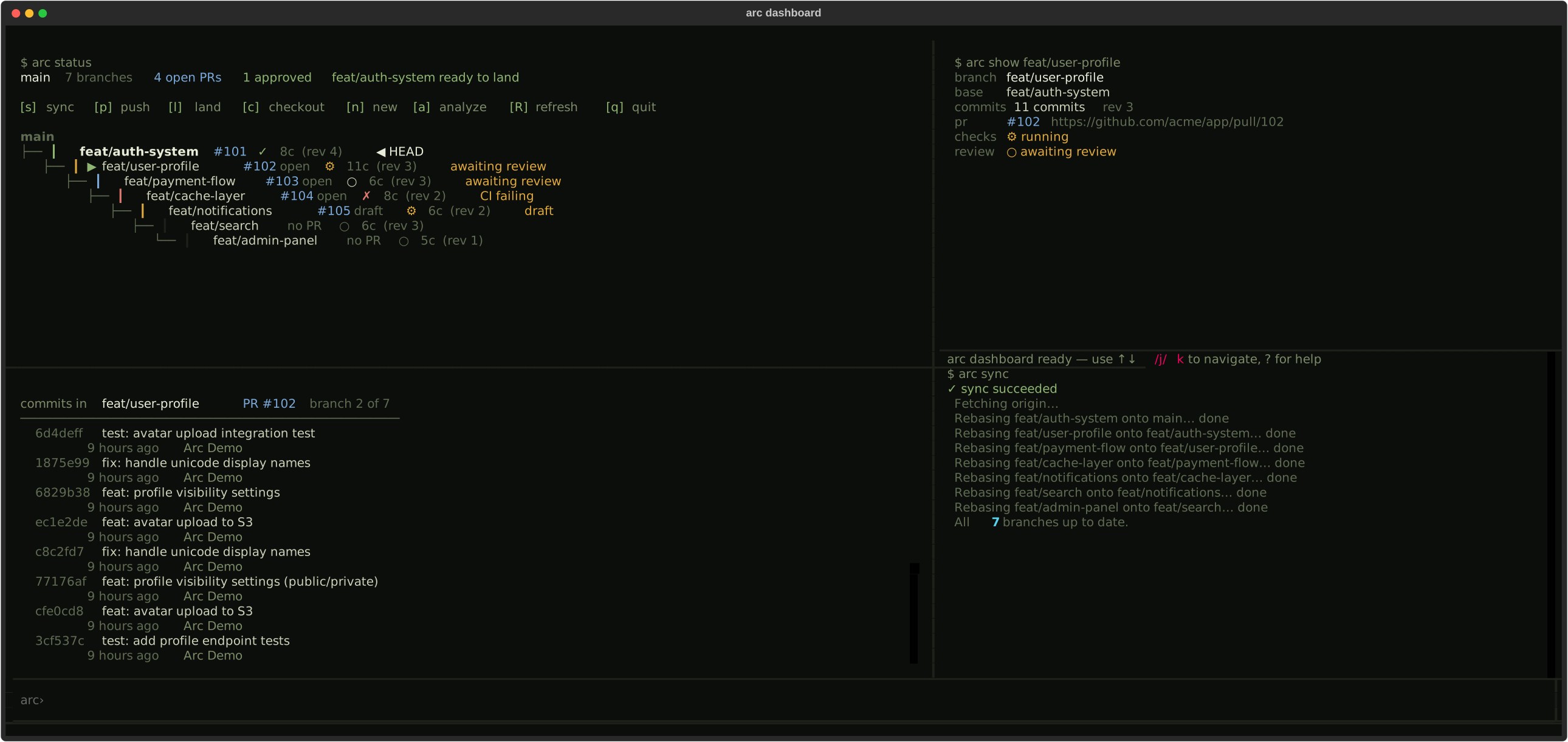
dracula
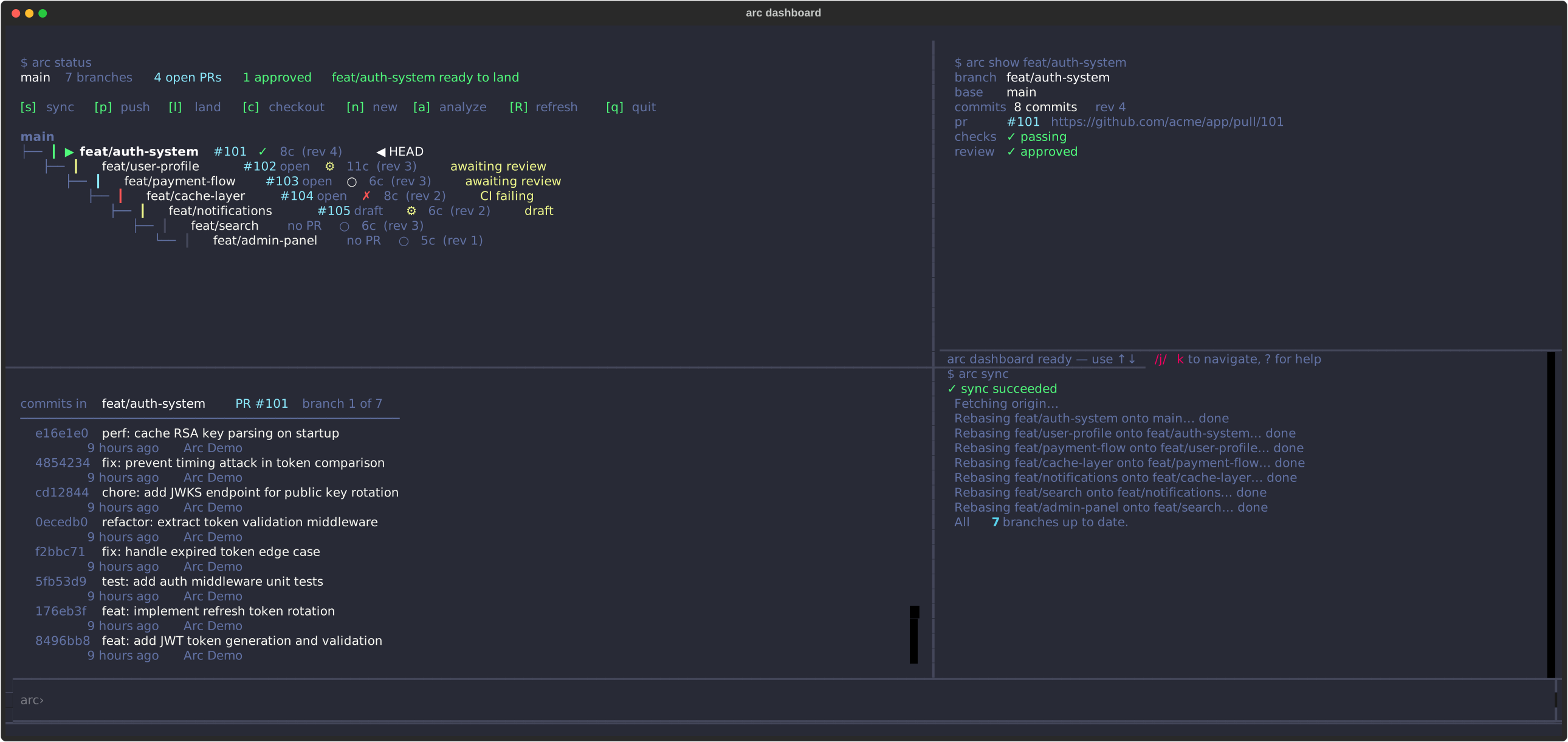
nord
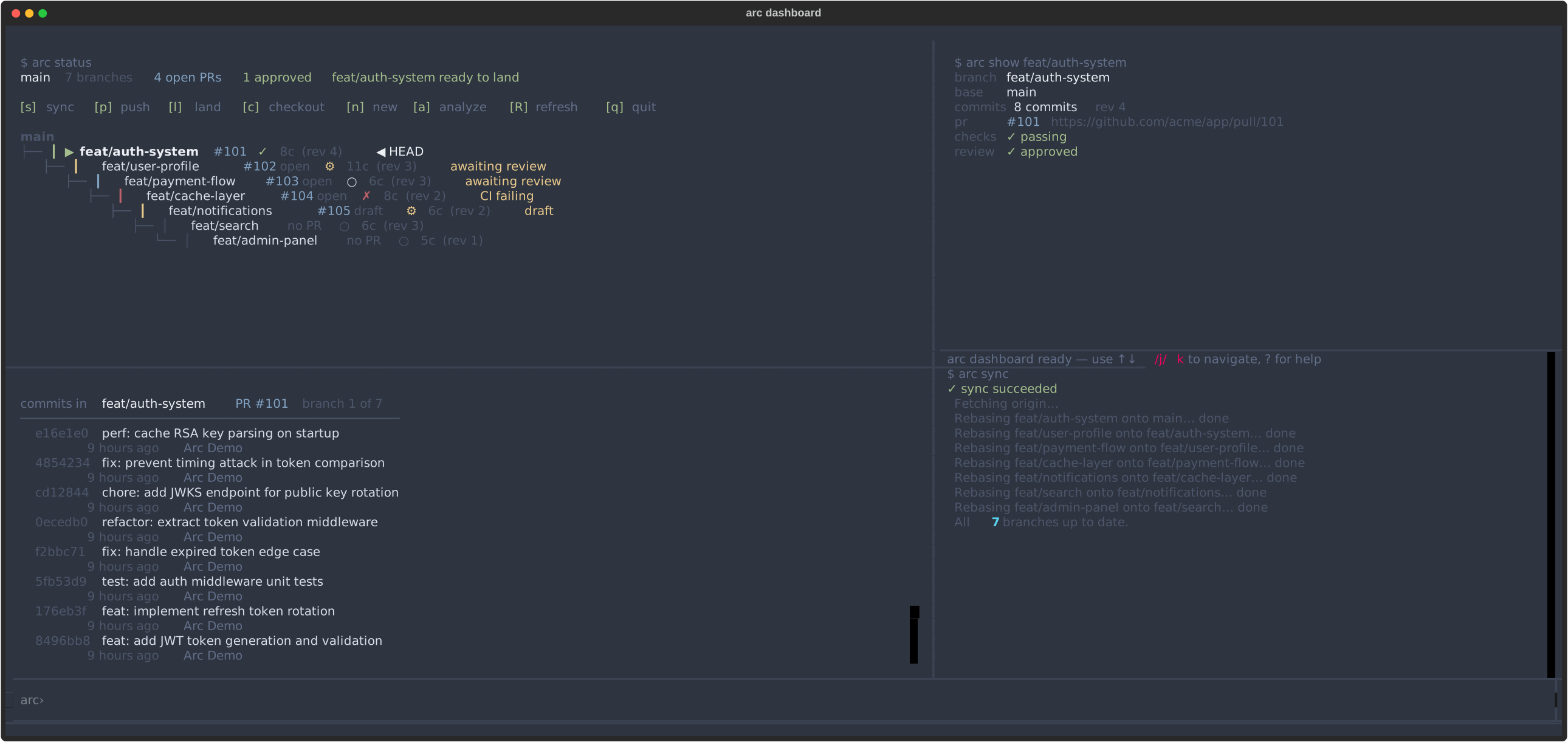
gruvbox
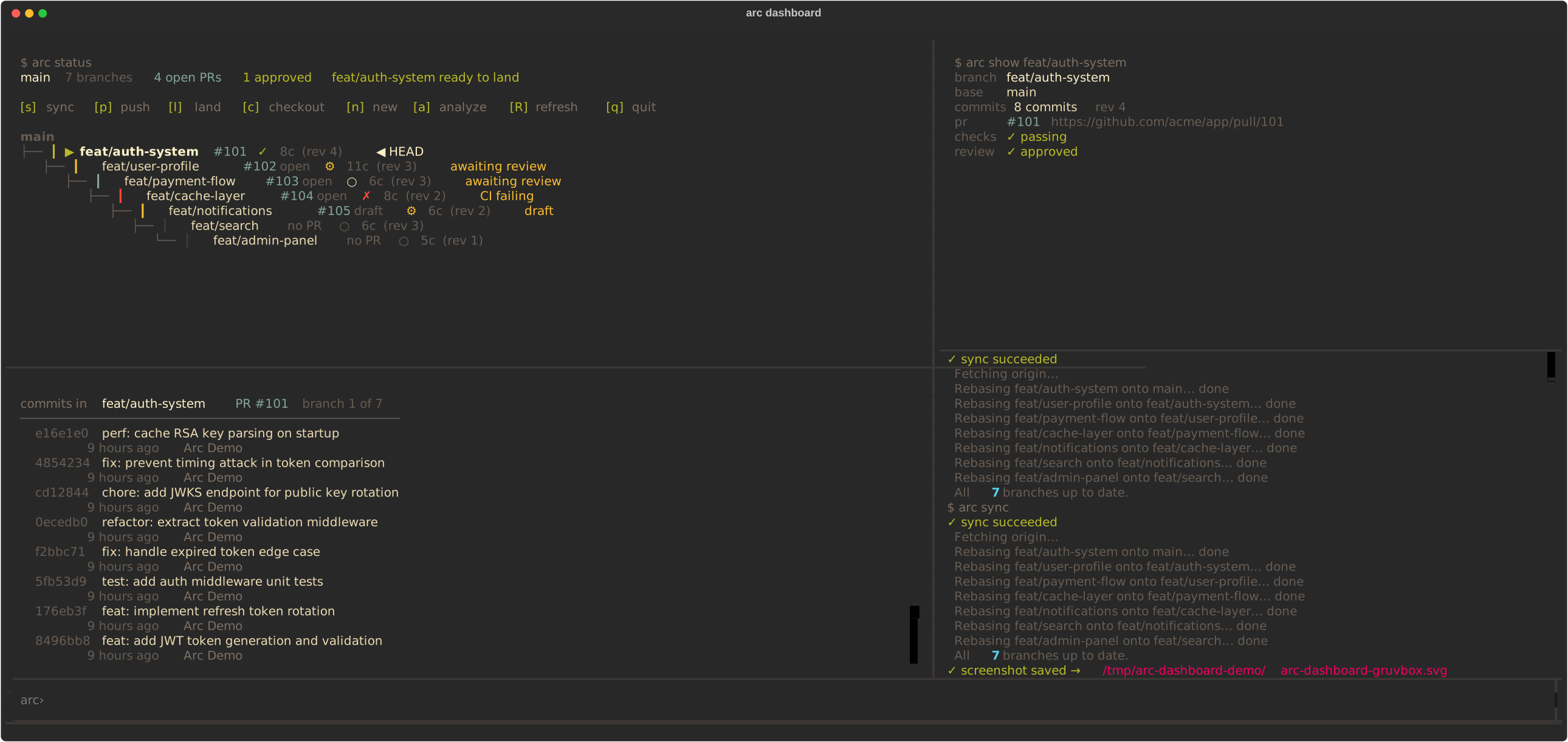
catppuccin
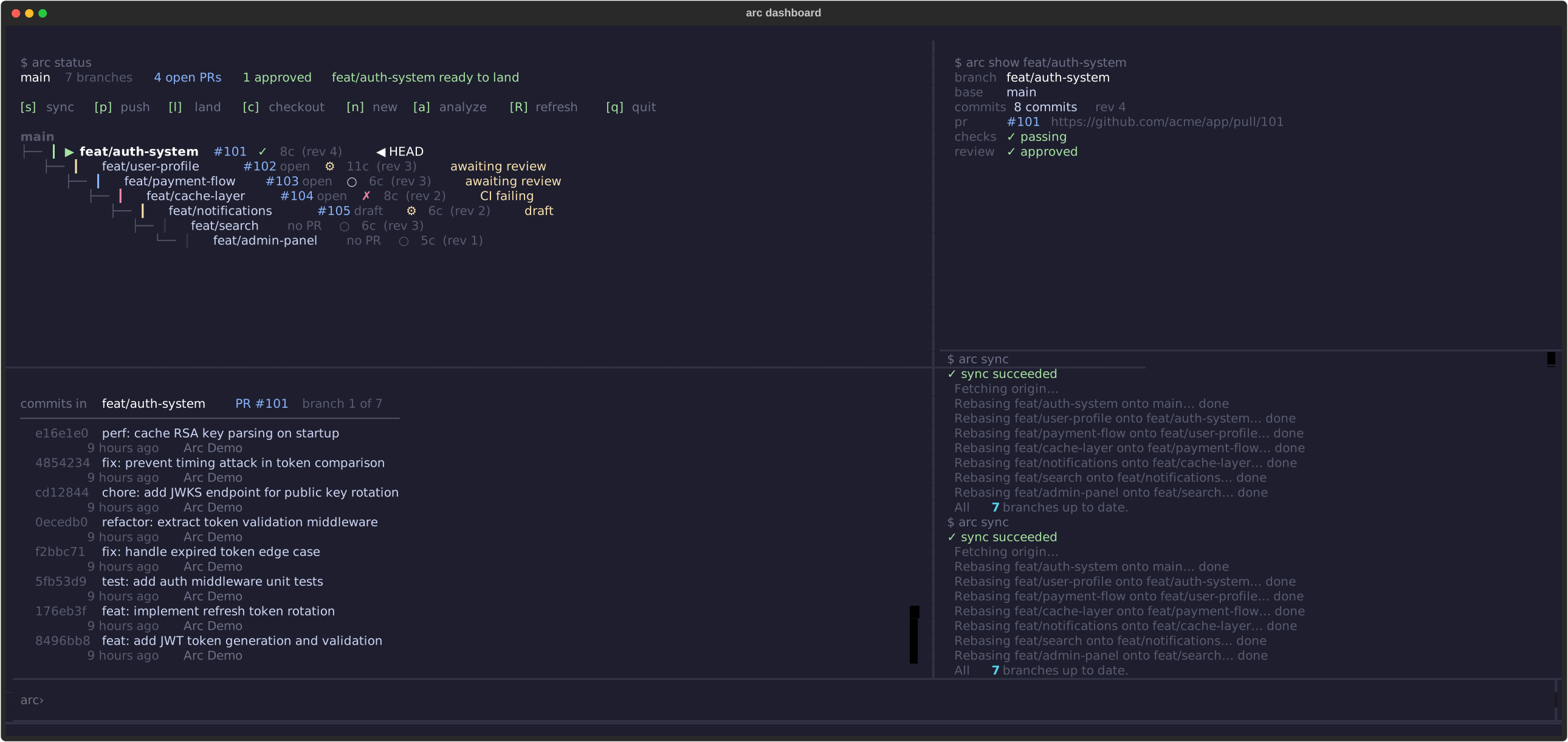
tokyo-night
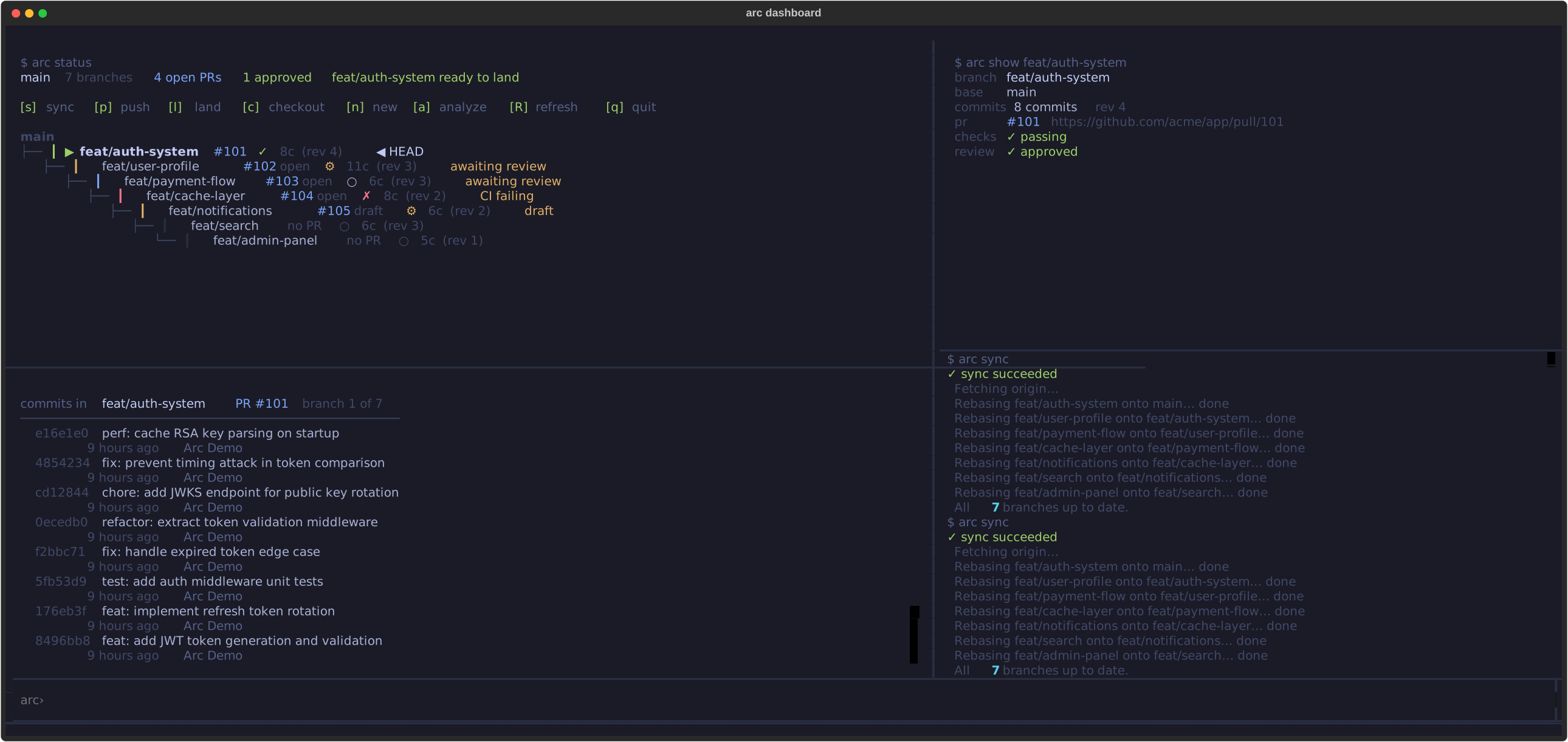
arc dashboard --theme nord
Status
- Version:
0.8.1 - Python:
3.11to3.13 - CI: GitHub Actions
- Changelog: CHANGELOG.md
- Security: SECURITY.md
What arc handles for you:
- Native GitHub stack integration - registers every stack with GitHub's own stacked-PR API as you submit, so you get GitHub's stack map and atomic bottom-up merge in the UI while arc keeps driving the actual git work (rebase, conflict recovery, signed commits) locally
- Cascade rebases - one
arc syncpropagates a change from the bottom branch to the top - Resumable conflict recovery - a mid-cascade conflict pauses in place;
arc rebase --continuepicks up where it left off instead of starting over - PR creation and updates -
arc submitopens all PRs with correct bases and injects a stack map into each description - Squash-merge recovery - detects squash-merged branches and restacks automatically
- Conflict prediction - warns before rebasing when adjacent branches touch the same files
- Lifecycle hooks - gate or notify on any arc event via plain executables in
.arc/hooks/ - Scripting-friendly -
--json,--plain,--dry-run, and structured exit codes on every command
Install
# macOS (Homebrew)
brew install yash-srivastava19/arc/arc-prs

# Python (any OS)
pipx install arc-prs
# or
uv tool install arc-prs
Requires: Python 3.11+, git, gh CLI (authenticated via gh auth login)
First time on a new machine:
arc setup # checks git, gh auth, and configures git rerere
To upgrade later:
arc upgrade
Shell completions (optional):
eval "$(arc completions bash)"   # bash
eval "$(arc completions zsh)"    # zsh
arc completions fish | source    # fish
Building a stack
Initialize arc in your repo once:
arc init --base main --prefix feat
This creates .arc/state.json (git-ignored, per-clone) and adds it to .gitignore. The --prefix is optional - if set, arc new auth creates feat/auth instead of auth.
Then build your stack branch by branch as you work:
arc new auth
# write code, run tests
git add . && git commit -m "Add auth middleware"

arc new api
# write code
git add . && git commit -m "Add API routes"

arc new ui
git add . && git commit -m "Add frontend"
Each arc new creates a branch from your current HEAD and registers it in the stack. arc status shows you where you are at any point.
The daily loop
When main moves or you amend a lower branch, run:
arc sync
This fetches the latest from remote and cascades a rebase bottom-up through the stack - feat/auth onto main, feat/api onto feat/auth, feat/ui onto feat/api. If there's a conflict, arc pauses the rebase right there and tells you exactly which files to fix:
Conflict in feat/api. Resolve: src/api.py
Then run 'arc rebase --continue' or 'arc rebase --abort'.
Resolve the conflict and run arc rebase --continue - it finishes feat/api and keeps cascading through the rest of the stack (feat/ui, and so on), not just the one branch. arc rebase --abort rolls every branch back to exactly where it was before the sync started, including any branches that had already rebased cleanly earlier in the same run.
When the stack is clean, push everything and open PRs:
arc push                  # force-pushes all branches atomically
arc submit --draft        # creates or updates PRs for each branch
Each PR targets the branch below it, not main directly. Reviewers see only the diff for that layer. arc submit also injects a stack map into every PR description:
---
Stack (base: main):
  1. feat/auth - PR #42 [this PR]
  2. feat/api  - PR #43
  3. feat/ui   - no PR
Reviewers can navigate the whole stack from any PR without hunting for context.
Once two or more PRs exist, arc submit also registers the chain as a native GitHub stack - no extra step needed. This gets you github.com's own stack UI (stack map, per-layer diffs, atomic bottom-up merge) on top of PRs arc is still driving underneath. Disable it with {"link_github_stack": false} in .arc/config.json.
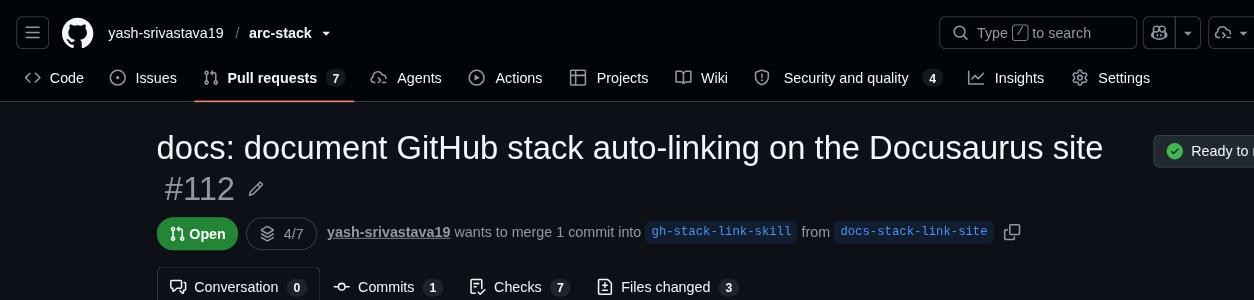
Click the stack badge to see the full map GitHub builds from the same chain arc already manages:
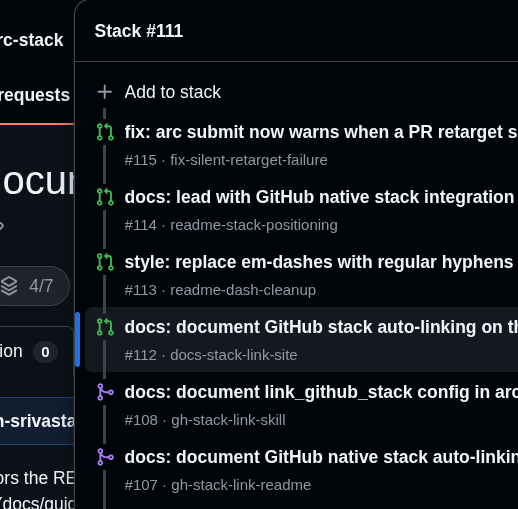
When you're ready to open for review, arc submit --open marks all drafts as ready at once.
When a PR merges
Once feat/auth is approved and merged on GitHub:
arc land feat/auth
arc verifies the PR is merged, detects whether it was a squash-merge or a regular merge, rebases feat/api and feat/ui onto main correctly (using git rebase --onto for squash-merges, which would otherwise leave duplicate commits), removes feat/auth from the stack, and deletes the local branch.
You can land branches in order as they get approved. The rest of the stack stays coherent throughout. If restacking hits a conflict, arc land pauses the same way arc sync does - resolve it, run arc rebase --continue, then re-run arc land feat/auth -f to finish (arc drop works the same way).
Other useful things
If a lower branch needs changes after review feedback:
arc checkout feat/auth   # or: arc checkout 1
# fix the issue, amend your commit
arc sync                 # cascades the change up through api and ui
arc push && arc submit
Or do it in one step with arc edit, which amends the branch's commit and
cascades the rest of the stack automatically (with the same pause/resume-on-
conflict safety as arc sync):
git add src/auth.py
arc edit feat/auth       # amends HEAD, restacks api and ui, force-pushes
arc checkout 2 navigates to the second branch in the stack. arc up / arc down / arc top / arc bottom move you through the stack without remembering branch names.
Remove a branch from the stack without touching the others:
arc drop feat/api -f # restacks feat/ui onto feat/auth
Keep commit messages useful after a PR is created:
arc amend # appends the PR link and stack position to the HEAD commit message
This means git log on the landed commits still traces back to the PR.
Gate submissions on local checks - configure .arc/config.json (committed, shared with your team):
{
  "hooks": {
    "pre-submit": ["npm run lint", "npm test"]
  }
}
arc submit runs these before touching GitHub. Any non-zero exit aborts. Pass --skip-hooks to bypass.
Lifecycle hooks
For richer automation, drop executable files into .arc/hooks/<event>. Arc fires 8 events: pre-submit, post-submit, pre-land, post-land, pre-sync, post-sync, pre-push, and post-push. pre-* hooks are gates - a non-zero exit aborts the command (exit code 7). post-* hooks are notifications - the exit code is ignored. Each hook receives context via environment variables (ARC_EVENT, ARC_BRANCH, ARC_BASE, …) and a JSON object on stdin.
$ cat .arc/hooks/pre-submit
#!/bin/sh
exec ruff check .        # lint gate before every PR create/update
$ chmod +x .arc/hooks/pre-submit
$ arc submit             # → running pre-submit hook
Run arc init to scaffold .arc/hooks/ with samples and a full event table in .arc/hooks/README.md.
Preview destructive operations before running them:
arc sync -n    # shows the rebase plan without executing
arc push -n    # shows which branches would be pushed
arc land -n    # shows which branches would be restacked
Interactive dashboard - a live TUI that gives you a full picture of your stack at a glance:
arc dashboard
arc dashboard --theme dracula   # arc | dracula | nord | gruvbox | catppuccin | tokyo-night
The dashboard loads local state instantly and then enriches each branch with live GitHub data in the background. It shows:
- Stack tree (left panel) - your branches in order, with depth indentation and
├──/└──connectors. Each branch shows its PR status (✓ approved,⚙ CI running,✗ CI failing,⬡ draft,○ no PR) and commit count. A▶cursor marks your selection;◀ HEADmarks the checked-out branch. - Commit log (below tree) - the 20 most recent commits on the selected branch with short SHA, subject, relative time, and author. Context-aware hints at the bottom suggest the next natural action (open a PR, fix CI, request review, etc.).
- Detail panel (right) - full PR info including URL, CI state, approval status, and the exact
arccommands to move forward. - Output log (below detail) - live output of any arc command you run from the dashboard.
Keybindings inside the dashboard:
| Key | Action |
|---|---|
j / k |
Move up/down the stack |
s |
arc sync - fetch and cascade-rebase |
p |
arc push - force-push all branches |
l |
arc land - land the selected branch |
r |
arc restack - restack selected branch only |
R |
Refresh GitHub data |
c |
arc checkout - switch to selected branch |
n |
arc new - create a new branch |
a |
arc stack analyze - show critical path and blockers |
o |
Open selected PR in browser |
Ctrl+S |
Save SVG screenshot |
? |
Help overlay |
q |
Quit |
Read and write configuration:
arc config list
arc config get feedback.enabled
arc config set feedback.enabled false
Report a bug or send feedback directly from the terminal:
arc report --bug      # opens a prefilled GitHub issue in arc's repo
arc report --feedback
Scripting and agents
Every command is non-interactive by default. --json sends structured output to stdout; status messages go to stderr. Exit codes carry meaning.
# Find branches that need rebasing
arc status --json | jq '.branches[] | select(.needs_rebase) | .name'

# Get all branch names for a script
arc status --plain

# Full dry-run before committing
arc sync -n && arc push -n && arc submit -n
arc status --json output:
{
  "base": "main",
  "prefix": "feat",
  "current_branch": "feat/api",
  "branches": [
    {
      "name": "feat/auth",
      "index": 1,
      "pr_number": 42,
      "pr_url": "https://github.com/owner/repo/pull/42",
      "pr_state": "OPEN",
      "commits": 2,
      "revision": 3,
      "needs_rebase": false,
      "is_current": false,
      "is_merged": false
    }
  ]
}
Exit codes:
| Code | Meaning | What to do |
|---|---|---|
| 0 | Success | - |
| 1 | Error | Read stderr |
| 2 | Not in a stack | arc init |
| 3 | Rebase conflict | Resolve, then arc rebase --continue or --abort |
| 4 | GitHub API failure | gh auth status, retry |
| 5 | Invalid arguments | Read stderr |
| 6 | Setup check failed | arc setup |
| 7 | Pre-submit hook failed | Fix the check or --skip-hooks |
Reference
All commands accept -q (--quiet) to suppress hints and -n (--dry-run) where the operation is destructive. --json is available on any command that produces data.
| Command | What it does |
|---|---|
arc setup |
Verify environment, configure git |
arc init [--base B] [--prefix P] |
Initialize a stack |
arc new <branch> |
Create branch from HEAD, add to stack |
arc add <branch> |
Adopt an existing local branch |
arc status [--json|--plain] |
Show the stack |
arc sync |
Fetch + cascade rebase |
arc restack [<branch>] |
Restack a single branch onto its parent without full sync |
arc push |
Force-push all branches, increment revision |
arc submit [--draft|--open] [--skip-hooks] |
Create or update PRs |
arc land [<branch>] [-f] |
Land a merged PR, restack above |
arc amend |
Append PR link to commit message |
arc edit [<branch>] |
Amend a branch's commit and auto-cascade the rest of the stack |
arc drop <branch> [-f] |
Remove branch, restack above |
arc rebase [--upstack|--downstack|--continue|--abort] |
Fine-grained rebase |
arc checkout <name|index> |
Switch to branch by name or position |
arc up [n] / arc down [n] |
Move through the stack |
arc top / arc bottom |
Jump to ends of the stack |
arc tip |
Create/update a local arc-tip branch pointing at the stack's top and check it out |
arc stack analyze [--json] |
Show critical path, safe-to-land branches, and blockers |
arc dashboard [--theme NAME] |
Interactive TUI: all PRs, CI status, review state in one view |
arc config get|set|list |
Read and write arc configuration values |
arc report [--bug|--feedback] |
File a bug or feedback issue in arc's GitHub repo |
arc schema {status|submit|analyze} |
Print JSON Schema for a command's --json output |
arc upgrade |
Upgrade arc to the latest version |
arc completions {bash|zsh|fish} |
Print shell completion script |
arc doctor |
Check environment: git, gh, auth, stack validity |
License
MIT
Project details
Verified details
These details have been verified by PyPIProject links
GitHub Statistics
Maintainers
Release history Release notifications | RSS feed


Download files
Download the file for your platform. If you're not sure which to choose, learn more about installing packages.
Source Distribution
Built Distribution
Filter files by name, interpreter, ABI, and platform.
If you're not sure about the file name format, learn more about wheel file names.
Copy a direct link to the current filters
File details
Details for the file arc_prs-0.8.1.tar.gz.
File metadata
- Download URL: arc_prs-0.8.1.tar.gz
- Upload date:
- Size: 1.6 MB
- Tags: Source
- Uploaded using Trusted Publishing? Yes
- Uploaded via: uv/0.12.1 {"installer":{"name":"uv","version":"0.12.1","subcommand":["publish"]},"python":null,"implementation":{"name":null,"version":null},"distro":{"name":"Ubuntu","version":"24.04","id":"noble","libc":null},"system":{"name":null,"release":null},"cpu":null,"openssl_version":null,"setuptools_version":null,"rustc_version":null,"ci":true}
File hashes
| Algorithm | Hash digest | |
|---|---|---|
| SHA256 |
b23d009aa6b82ee7d2012480a832dc7ef723bdf0df3d7fb9519659c617ada5c4
|
|
| MD5 |
8f31bf22ebef6e3cdbcc2b2a69507643
|
|
| BLAKE2b-256 |
fe12e1e2f552c38982f55b5ededddcdfeca5bc4e4613e9dfd587f01fd2a57051
|
File details
Details for the file arc_prs-0.8.1-py3-none-any.whl.
File metadata
- Download URL: arc_prs-0.8.1-py3-none-any.whl
- Upload date:
- Size: 66.2 kB
- Tags: Python 3
- Uploaded using Trusted Publishing? Yes
- Uploaded via: uv/0.12.1 {"installer":{"name":"uv","version":"0.12.1","subcommand":["publish"]},"python":null,"implementation":{"name":null,"version":null},"distro":{"name":"Ubuntu","version":"24.04","id":"noble","libc":null},"system":{"name":null,"release":null},"cpu":null,"openssl_version":null,"setuptools_version":null,"rustc_version":null,"ci":true}
File hashes
| Algorithm | Hash digest | |
|---|---|---|
| SHA256 |
74c7c492e1ba53aeeca8f8b92b90b8b4c33152989091f7391d7ad49c479566eb
|
|
| MD5 |
114c0b2fb11f9b05f34eed8b8b02c351
|
|
| BLAKE2b-256 |
369271f32393e4e12b4e7d369631f35d8ba82434f6ea7dbd729b6c2d106a73f1
|






