







About
Alconna is a powerful cli tool for parsing message chain or other raw message data. It is an overload version of CommandAnalysis, affiliated to ArcletProject.
Alconna has a large number of built-in components and complex parsing functions. But do not afraid, you can use it as a simple command parser.
Installation
pip
$ pip install --upgrade arclet-alconna
$ pip install --upgrade arclet-alconna[full]
Documentation
Official Document : 👉Link
Relevant Document : 📚Docs
A Simple Example
from arclet.alconna import Alconna, Option, Subcommand, Args

cmd = Alconna(
    "/pip",
    Subcommand("install", Option("-U|--upgrade"), Args["pak", str]),
    Option("list")
)

result = cmd.parse("/pip install numpy --upgrade") # This method returns an 'Arparma' class instance.
print(result.query('install'))  # Or result.install
Output as follows:
value=None args={'pak': 'numpy'} options={'upgrade': value=Ellipsis args={}} subcommands={}
Communication
QQ Group: Link
Features
- High Performance. On i5-10210U, performance is about
71000~289000 msg/s; test script: benchmark - Intuitive way to create command components
- Powerful Automatic Type Parse and Conversion
- Customizable Help Text Formatter and Control of Command Analyser
- i18n Support
- Cache of input command for quick response of repeated command
- Easy-to-use Construct and Usage of Command Shortcut
- Can bind callback function to execute after command parsing
- Can create command completion session to implement multi-round continuous completion prompt
- Various Features (FuzzyMatch, Output Capture, etc.)
Example of Callback Executor:
# callback.py
from arclet.alconna import Alconna, Args

alc = Alconna("callback", Args["foo", int]["bar", str])

@alc.bind()
def callback(foo: int, bar: str):
    print(f"foo: {foo}")
    print(f"bar: {bar}")
    print(bar * foo)

if __name__ == "__main__":
    alc()
$ python callback.py 3 hello
foo: 3
bar: hello
hellohellohello
Example of Type Conversion:
from arclet.alconna import Alconna, Args
from pathlib import Path

read = Alconna("read", Args["data", bytes])

@read.bind()
def cb(data: bytes):
    print(type(data))

read.parse(["read", b'hello'])
read.parse("read test_fire.py")
read.parse(["read", Path("test_fire.py")])

'''
<class 'bytes'>
<class 'bytes'>
<class 'bytes'>
'''
Example of Component creation:
# component.py
from arclet.alconna import Alconna, Args, Option, Subcommand, store_true, count, append

alc = Alconna(
    "component",
    Args["path", str],
    Option("--verbose|-v", action=count),
    Option("-f", Args["flag", str], compact=True, action=append),
    Subcommand("sub", Option("bar", action=store_true, default=False))
)

if __name__ == '__main__':
    res = alc()
    print(res.query("path"))
    print(res.query("verbose.value"))
    print(res.query("f.flag"))
    print(res.query("sub"))
$ python component.py /home/arclet -vvvv -f1 -f2 -f3 sub bar
/home/arclet
4
['1', '2', '3']
(value=Ellipsis args={} options={'bar': (value=True args={})} subcommands={})
Example of Command Shortcut:
# shortcut.py
from arclet.alconna import Alconna, Args

alc = Alconna("eval", Args["content", str])
alc.shortcut("echo", {"command": "eval print(\\'{*}\\')"})

@alc.bind()
def cb(content: str):
    eval(content, {}, {})

if __name__ == '__main__':
    alc()
$ python shortcut.py eval print(\"hello world\")
hello world
$ python shortcut.py echo hello world!
hello world!
Example of Command Completion:
# completion.py
from arclet.alconna import Alconna, Args, Option

alc = Alconna("complete", Args["bar", int]) + Option("foo") + Option("fool")

if __name__ == "__main__":
    alc()
$ python completion.py ?
suggest input follows:
* bar: int
* --help
* -h
* foo
* fool
Example of typing Support:
from typing import Annotated  # or typing_extensions.Annotated
from arclet.alconna import Alconna, Args

alc = Alconna("test", Args.foo[Annotated[int, lambda x: x % 2 == 0]])
alc.parse("test 2")
alc.parse("test 3")

'''
'foo': 2
ParamsUnmatched: param 3 is incorrect
'''
Example of FuzzyMatch:
# fuzzy.py
from arclet.alconna import Alconna, CommandMeta, Arg

alc = Alconna('!test_fuzzy', Arg("foo", str), meta=CommandMeta(fuzzy_match=True))

if __name__ == "__main__":
    alc()
$ python fuzzy.py /test_fuzzy foo bar
/test_fuzy not matched. Are you mean "!test_fuzzy"?
Examples
| Name | File |
|---|---|
| Calculate | calculate.py |
| Execute | exec_code.py |
| Request Route | endpoint.py |
| Image Search | img_search.py |
| PIP | pip.py |
| Database Query | exec_sql.py |
License
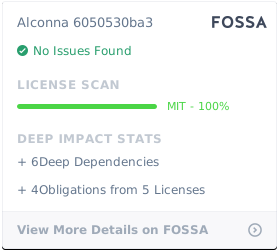
Alconna is licensed under the MIT License.
Acknowledgement

1 maintainer

Metadata
1 maintainer
Release files for arclet-alconna 1.8.44
For a detailed explanation of source distributions (sdists) and built distributions (wheels), please see the package formats documentation.
Source distribution (sdist)
| File | Size | Uploaded | Provenance | |
|---|---|---|---|---|
| arclet_alconna-1.8.44.tar.gz | 80.8 kB | Without provenance | Details |
Built distribution (wheel)
| File | Interpreter | ABI | Platform | Reset |
|---|---|---|---|---|
| arclet_alconna-1.8.44-py3-none-any.whl | Python 3 | none | any | Details |
Total release size: 158.1 kB
Release files / arclet_alconna-1.8.44.tar.gz
| Download URL | arclet_alconna-1.8.44.tar.gz |
|---|---|
| Size | 80.8 kB |
| Tags | Source |
|
SHA-256 checksum How to use checksums |
9bf30c35eab42e27a6b10dc8ce8a76b6f8824d9cca6875e39122739c3b7b5363
|
|
BLAKE2b-256 checksum How to use checksums |
2fdea8db35e40ac85de9078ff6aaad21e4bafdc4180cb2b5594b1730e3ffaf38
|
| Upload date | |
|
Uploaded using Trusted Publishing? What is trusted publishing? |
Yes |
| Uploaded via |
pdm/2.26.6 CPython/3.12.3 Linux/6.14.0-1017-azure
|
Release files / arclet_alconna-1.8.44-py3-none-any.whl
| Download URL | arclet_alconna-1.8.44-py3-none-any.whl |
|---|---|
| Size | 77.3 kB |
| Tags | Python 3 |
|
SHA-256 checksum How to use checksums |
96a7e33da17df4befdd5068a52aa4923267bc47439067cd96ddefd06985a5e6f
|
|
BLAKE2b-256 checksum How to use checksums |
b0f597ae6756b394e313e53396692c34a6dd474f4dcd70936b74c093b406b1f1
|
| Upload date | |
|
Uploaded using Trusted Publishing? What is trusted publishing? |
Yes |
| Uploaded via |
pdm/2.26.6 CPython/3.12.3 Linux/6.14.0-1017-azure
|
Security for arclet-alconna 1.8.44
Provenance
Provenance describes where a file came from. On PyPI, provenance is shared via attestations, which provide a verifiable record of the build or publishing details. View details, limitations and caveats.
No provenance found
None of the files in this release were uploaded with provenance metadata.
A note on package security
PyPI is a repository for distributing packages, not a service for auditing them. While third-party security researchers and our staff do their best to detect and remove malicious packages, PyPI cannot guarantee the quality, security or suitability of any given package.
To learn more about protecting yourself from malicious actors, visit our package security documentation.














