
ARGscape: interactive ARG visualization and analysis

Project description

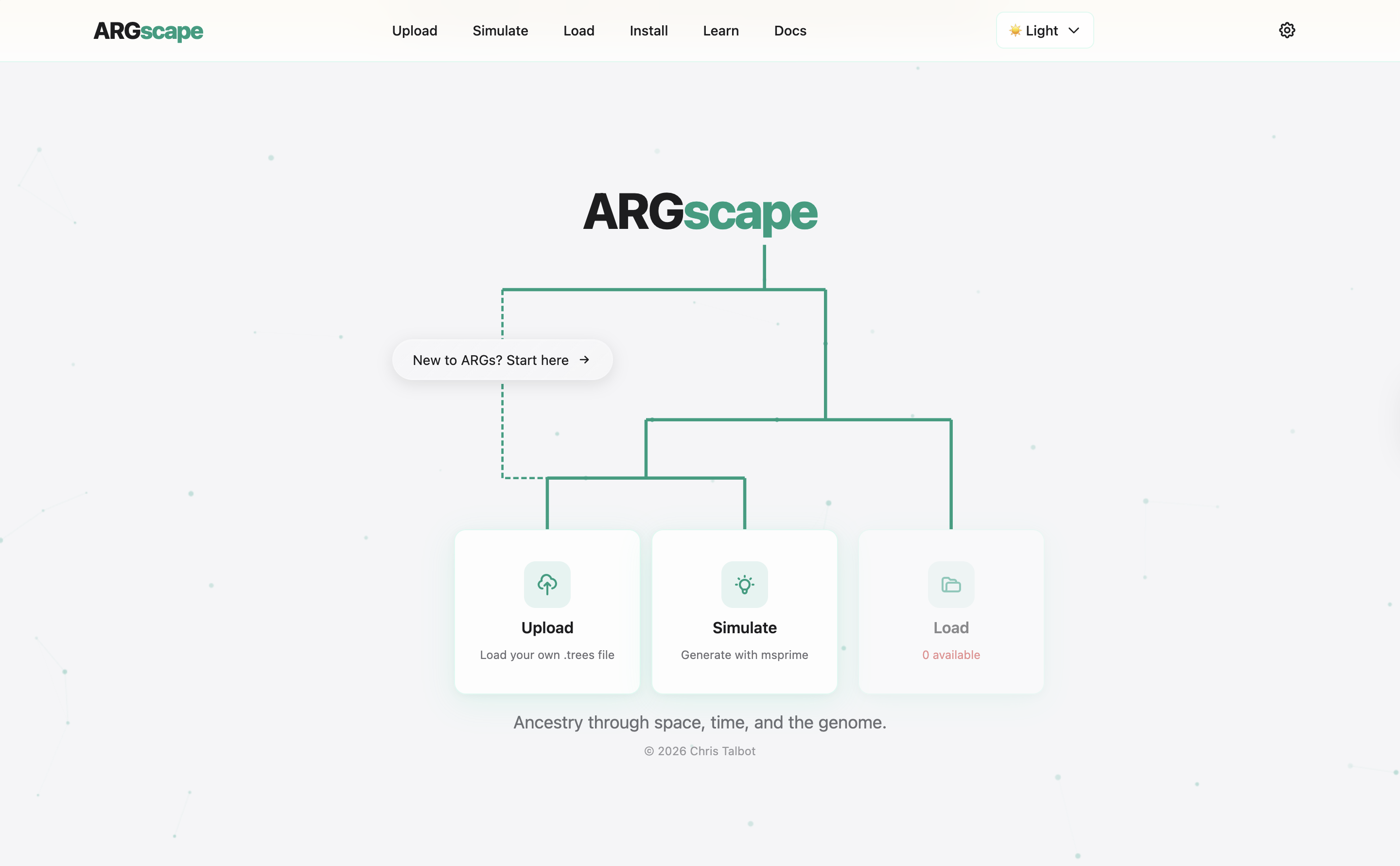
ARGscape (v0.4.6) is a comprehensive web application for visualizing and analyzing tree sequences (representing Ancestral Recombination Graphs, or ARGs). Built with React and FastAPI, it aims to provide an intuitive web interface, powerful computational backend, and simple command-line interface for spatiotemporal population genetics research.
🌐 Live Demo: www.argscape.com (May be blocked on some networks - working on it!)
Citation
ARGscape is now in pre-print! If you use it in your work, please cite:
Talbot, C., & Bradburd, G. (2025). ARGscape: A modular, interactive tool for manipulation of spatiotemporal ancestral recombination graphs. ArXiv.org. https://arxiv.org/abs/2510.07255
Features
Core
- File upload & management: Upload and visualize
.trees/.tsztree sequences - Tree sequence simulation: Generate data with
msprimedirectly in the app - Interactive visualization:
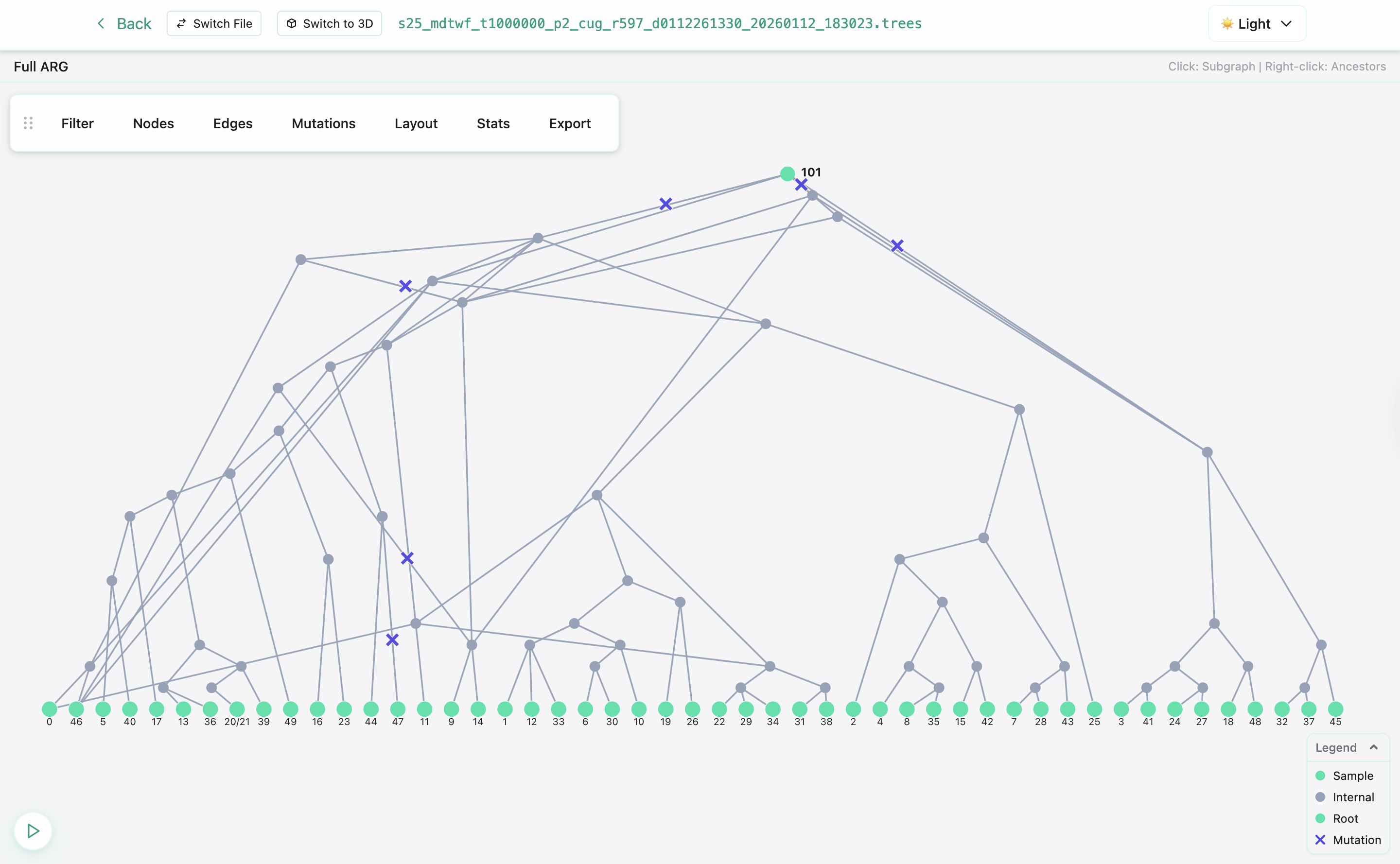
- 2D ARG (force‑directed)
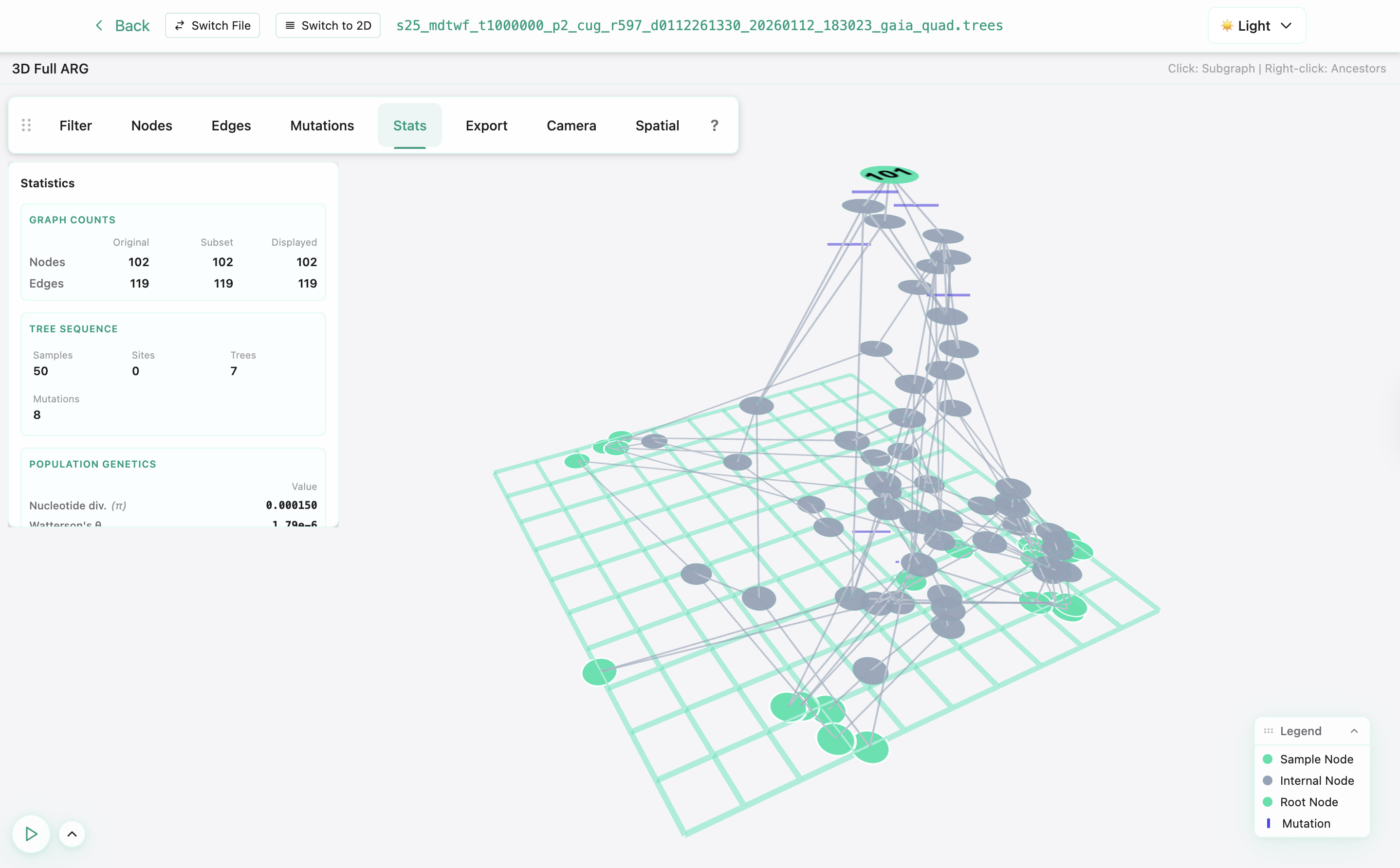
- 3D Spatial ARG (for sequences with spatial coordinates)
- Spatial Diff (compare two spatial sequences)
- Heatmap (via any spatial visualization, view ancestry heatmap rather than precise locations)
- Spatial inference: Estimate locations for internal nodes from genealogical signal
- Session storage: Persistent per‑client storage with auto‑cleanup
- Export: Download processed tree sequences and rendered images
Visualization details
- 2D ARG: pan/zoom, node IDs, edge spans, optional sample ordering strategies
- 3D spatial ARG: geographic grid, temporal planes, adjustable node/edge styles, heatmap, built-in animations
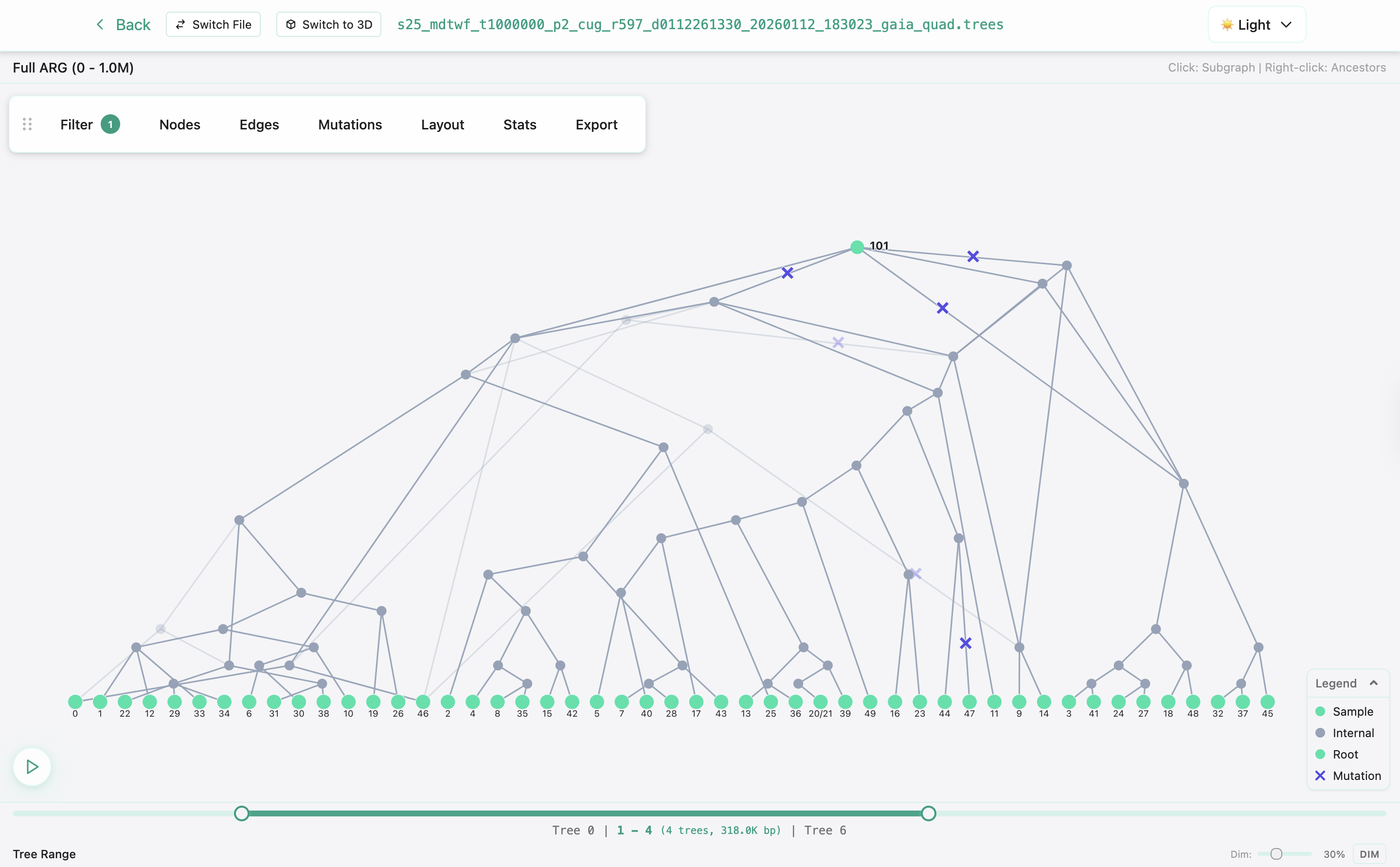
- Filtering: by genomic position, by tree index, and over time (temporal planes)
Session management
Files are stored in a per‑client session (locally at dev_storage/ in development) for up to 24h. You can download outputs any time and remove files manually.
Visualization Gallery
2D Network Visualization
Interactive force-directed layouts showing genealogical relationships with node IDs and genomic spans.
Genomic Filtering
Navigate through specific genomic regions using the interactive slider.
3D Spatial Visualization
Three-dimensional rendering of spatially-embedded tree sequences with geographic context.
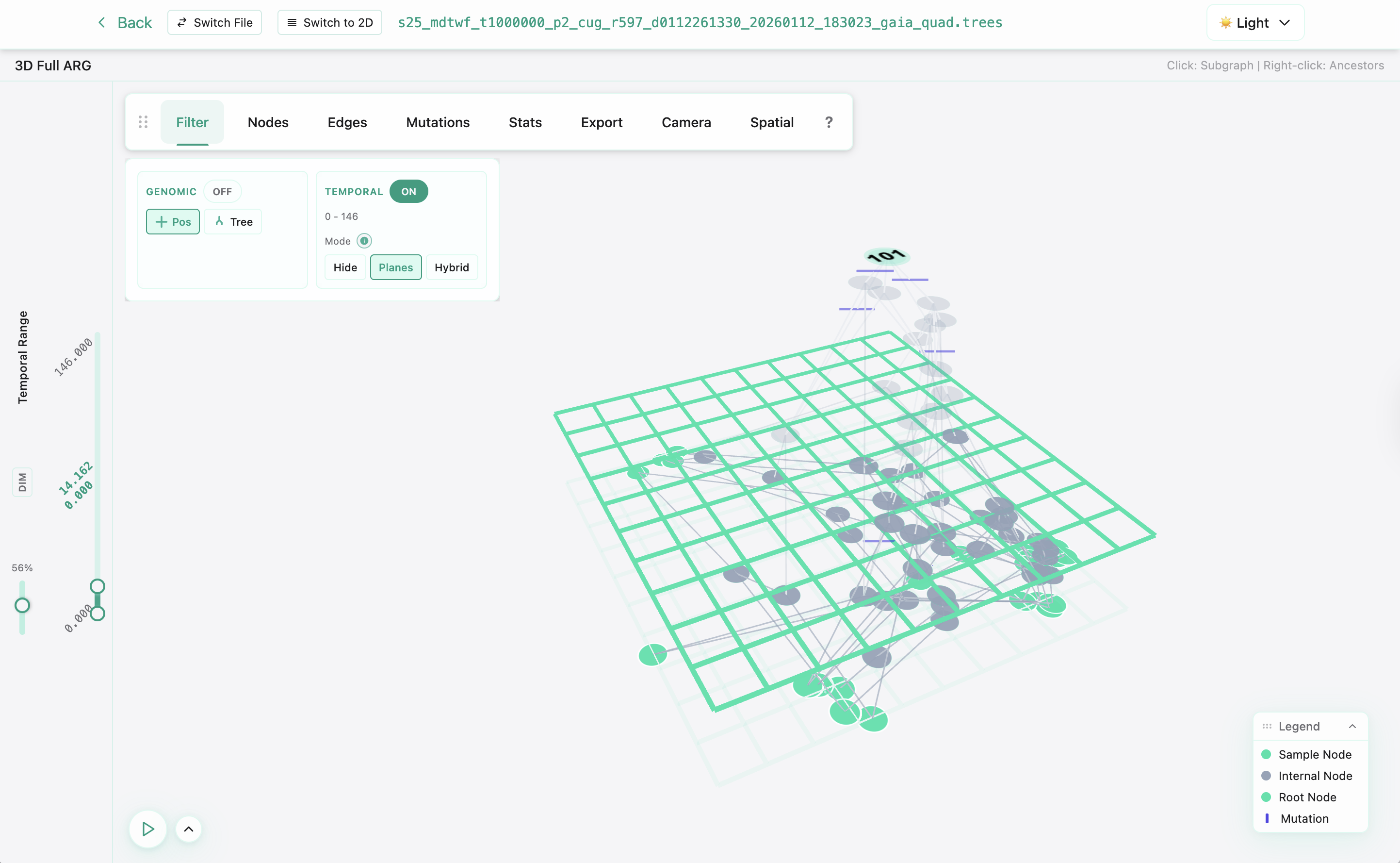
Temporal Filtering
Explore different time periods using the temporal slider controls.
Ancestry Heatmap
View a heatmap of ancestral locations across specific chunks of time.

Quick start
Option 1: Use the Live Website
Visit argscape.com to start visualizing tree sequences immediately - no installation required. Storage space and computational power is extremely limited. Please refer to Option 2 below for more intensive uses.
Option 2: Local installation (recommended)
Install ARGscape locally for better performance and offline use:
Prerequisites
- Anaconda, Miniconda, or another Conda distribution (Download here)
Installation Steps
-
Download the environment file:
- Visit argscape.com/install and click "Download environment.yml"
- Or download directly from GitHub
-
Navigate to the download folder:
cd /path/to/your/folder
-
Create the ARGscape environment:
conda env create -f environment.yml
Installation takes 5-15 minutes depending on your connection.
-
Activate the environment:
conda activate argscape_local
-
Launch ARGscape:
argscape
-
Open in browser: ARGscape opens automatically at http://127.0.0.1:8000. Wait 2-3 minutes for startup, then refresh if needed.
Command‑line options
argscape [--host HOST] [--port PORT] [--reload] [--no-browser] [--no-tsdate]

# Options:
#   --host HOST       Host to run the server on (default: 127.0.0.1)
#   --port PORT       Port to run the server on (default: 8000)
#   --reload          Enable auto-reload for development
#   --no-browser      Don't automatically open the web browser
#   --no-tsdate       Disable tsdate temporal inference (enabled by default)
Option 3: Local development
Prerequisites
- Node.js 20+ and npm
- Python 3.11+ with conda/mamba
- Git
Setup
-
Clone the repository:
git clone https://github.com/chris-a-talbot/argscape.git
cd argscape
-
Backend setup:
# Create and activate conda environment
conda env create -f argscape/api/environment.yml
conda activate argscape_local

# Install the package in development mode
pip install -e .

# Start the backend server
uvicorn argscape.api.main:app --reload --port 8000
Or, to run as if on Railway, use:
# Start the backend server
FORCE_RAILWAY_MODE=true VITE_IS_RAILWAY=true ENABLE_ENCRYPTION=true uvicorn argscape.api.main:app --reload --port 8000
- Frontend setup (in new terminal):
cd frontend
npm install
npm run dev
Or, to run as if on Railway, use:
VITE_IS_RAILWAY=true npm run dev
- Access the application:
- Frontend: http://localhost:5173
- Backend API: http://localhost:8000
- API docs: http://localhost:8000/docs
Option 4: Docker development
# Clone and start the development environment
git clone https://github.com/chris-a-talbot/argscape.git
cd argscape
docker compose up --build
The Docker setup provides a complete development environment with hot-reloading for both frontend and backend. Access at:
- Frontend: http://localhost:5173
- Backend API: http://localhost:8000
- API docs: http://localhost:8000/docs
Note: The Docker setup mounts your local code directories, so changes to the code will be reflected immediately in the running containers.
API reference
Interactive API docs are served at /docs when running locally, and at the production /docs endpoint when hosted. The OpenAPI schema documents endpoints for upload, simulation, inference, visualization data, and session management.
Command‑line tools (v0.4.6)
ARGscape 0.4.6 includes a set of CLI tools for running the backend and performing inference from the terminal.
-
argscape– start the web app (API + UI)- Examples:
argscape --no-browser(local server at http://127.0.0.1:8000)argscape --host 0.0.0.0 --port 8000argscape --no-tsdate(disable temporal inference to speed startup)
- Examples:
-
argscape_infer– run spatial/temporal inference- Subcommands:
load– load a.treesfile into persistent session storagerun– run an inference method and save the output.trees- (no subcommand) – interactive mode to pick file/method/output
- Methods:
midpoint,fastgaia,gaia-quadratic,gaia-linear,sparg,tsdate - Examples:
argscape_infer load --file /path/data.trees --name demoargscape_infer run --name demo --method midpoint --output ./outargscape_infer run --input /path/data.trees --method tsdate --output ./out
- Subcommands:
-
argscape_load– manage persistent session storage- Subcommands:
load– load a.treesfile:argscape_load load --file /path/data.trees --name demolist– list stored names:argscape_load listrm– remove by name:argscape_load rm --name democlear– remove all files from the CLI session:argscape_load clearload-with-locations– load.treesand apply CSV locations:argscape_load load-with-locations \ --file /path/data.trees \ --sample-csv /path/sample_locations.csv \ --node-csv /path/node_locations.csv \ --name demo \ --output ./out
CSVs must include columns:node_id,x,y[,z]. Samples must cover all sample node IDs; node CSV must cover all internal node IDs.
- Subcommands:
Notes
- Session storage is keyed per client; the above commands use a stable CLI session so data is available to both the web UI and CLI.
- In 0.4.6 the visualization snapshot command (
argscape_vis) is temporarily disabled while it's stabilized.
Development
File formats
Supported inputs
.trees: Standard tskit tree sequence format.tsz: Compressed tree sequence format
Generated outputs
- Tree sequences with updated inferred locations or node ages
- Visualization data
Performance notes
- File Size: Recommended < 100MB per upload
- Samples: Optimal performance with < 1000 nodes
- Sessions: Automatic cleanup after 24 hours (including on local hosting, for now)
Contributing
- Fork the repository
- Create feature branch (
git checkout -b feature/new-feature) - Follow clean code principles
- Add tests for new functionality
- Submit pull request
License
This project is licensed under the MIT License.
Acknowledgments
- tskit development team for testing, feedback, and the
tskittree sequence simulation and analysis tools - Michael Grundler and the Bradburd Lab for funding, support, testing, feedback, and the
gaiaalgorithms - James Kitchens and the Coop Lab for testing, feedback, and the
spargalgorithm - Philipp Messer and the Messer Lab for continued support
Support
- 🌐 Website: www.argscape.com
- 📖 API Docs: Available at
/docsendpoint - 🐛 Issues: GitHub Issues for bug reports
- 💬 Discussions: GitHub Discussions for questions
Note: This is research software under active development. The API may change between versions. Data is stored temporarily and may be cleared during updates.
Release history Release notifications | RSS feed


Download files
Download the file for your platform. If you're not sure which to choose, learn more about installing packages.
Source Distribution
Built Distribution
Filter files by name, interpreter, ABI, and platform.
If you're not sure about the file name format, learn more about wheel file names.
Copy a direct link to the current filters
File details
Details for the file argscape-0.4.6.tar.gz.
File metadata
- Download URL: argscape-0.4.6.tar.gz
- Upload date:
- Size: 791.8 kB
- Tags: Source
- Uploaded using Trusted Publishing? No
- Uploaded via: twine/6.2.0 CPython/3.13.7
File hashes
| Algorithm | Hash digest | |
|---|---|---|
| SHA256 |
9f47bc65fbc9b93fea264ec66fdfb0c7b9e1892195807f46def773574898a39c
|
|
| MD5 |
eded5dddf5e61fa1e5989b436d442385
|
|
| BLAKE2b-256 |
9ce3cbab8c5b4d87f71026d530e1316a87d9c22dec6ffec8fd1c64146a81d64c
|
File details
Details for the file argscape-0.4.6-py3-none-any.whl.
File metadata
- Download URL: argscape-0.4.6-py3-none-any.whl
- Upload date:
- Size: 808.1 kB
- Tags: Python 3
- Uploaded using Trusted Publishing? No
- Uploaded via: twine/6.2.0 CPython/3.13.7
File hashes
| Algorithm | Hash digest | |
|---|---|---|
| SHA256 |
4314d11c51358fbb495c69d08cf2168206cf7d2316e020d97f4022f995e22cdc
|
|
| MD5 |
aabcdf58bce6c04dbac49e95bfbe02aa
|
|
| BLAKE2b-256 |
92a17f03216a33eb9a62c84ba6a8e8eb8e3ef66a809df17809eefa66696c17ef
|






