
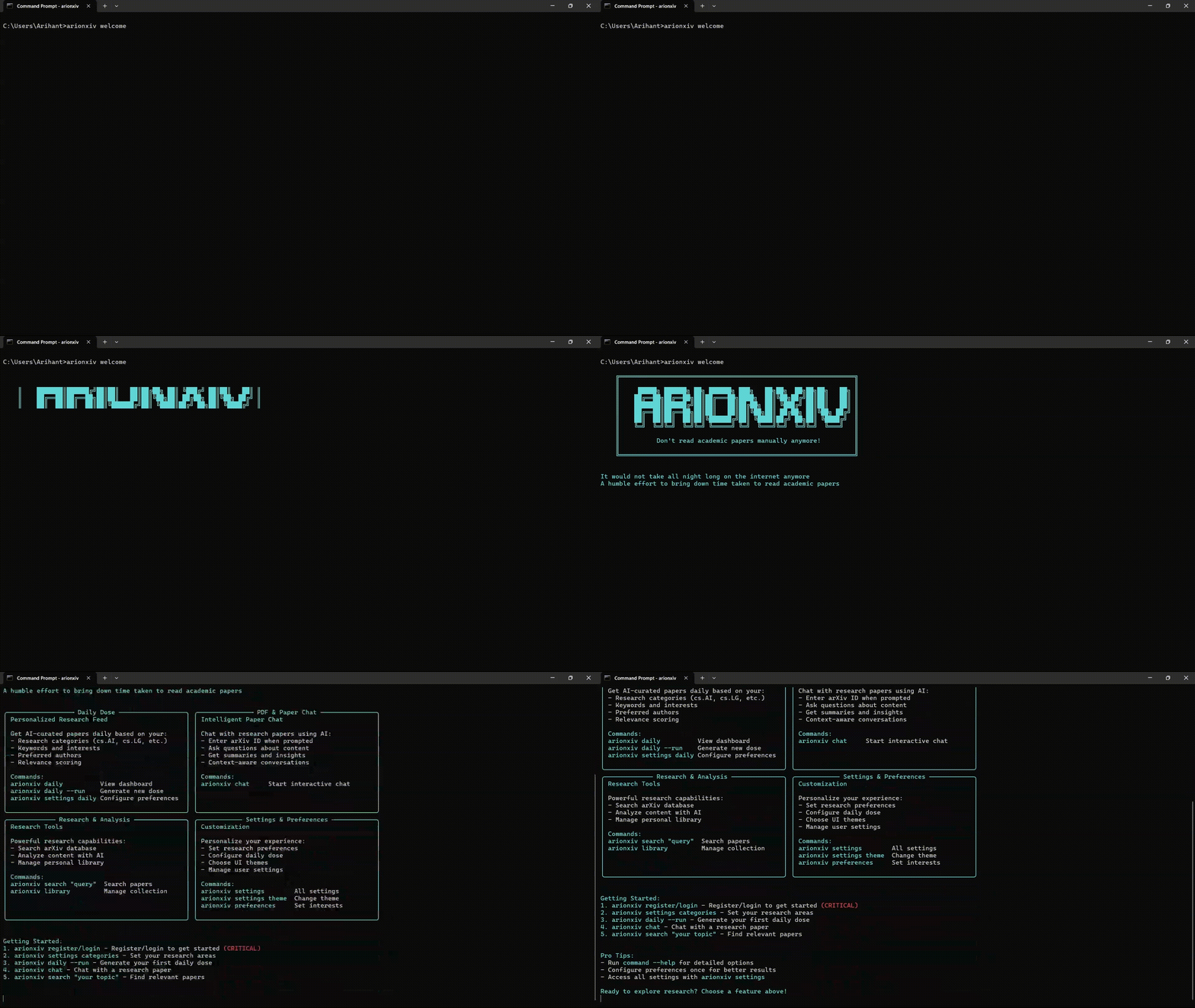
Let's face it, nobody has the bandwidth, nor the patience to go through entire papers every single day.
But that doesn't mean you will have to miss out on all these interesting launches everyday!
Use ArionXiv, automate it! Its absolutely FREE for all!
Installation
pip install arionxiv
Windows (PowerShell):
python -c "import sysconfig; p=sysconfig.get_path('scripts'); import os; os.system(f'setx PATH \"%PATH%;{p}\"')"
macOS / Linux:
echo "export PATH=\"\$PATH:$(python3 -c 'import sysconfig; print(sysconfig.get_path(\"scripts\"))')\"" >> ~/.bashrc && source ~/.bashrc
Getting Started
Welcome to ArionXiv
arionxiv welcome
Create an Account
arionxiv register   # Create a new account (required for first-time users)
arionxiv login      # Login to existing account
Once registered, you can access all features including paper search, AI analysis, chat, and personalized recommendations.
That's it. No API keys or configuration required.
Features
1. Daily Dose of AI
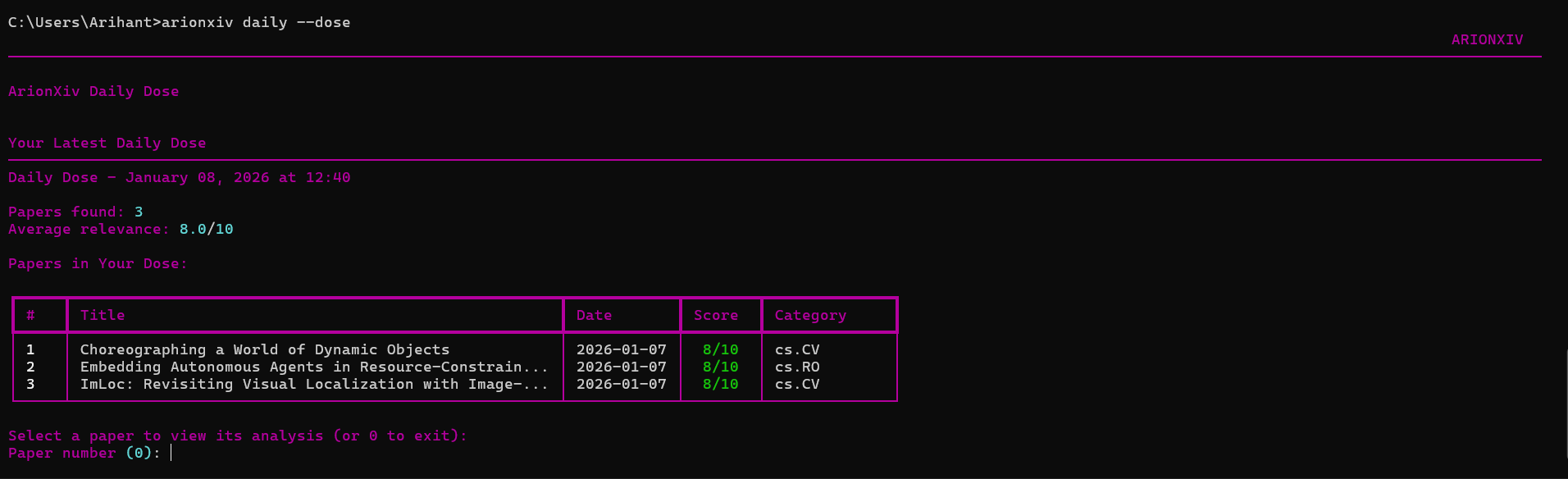
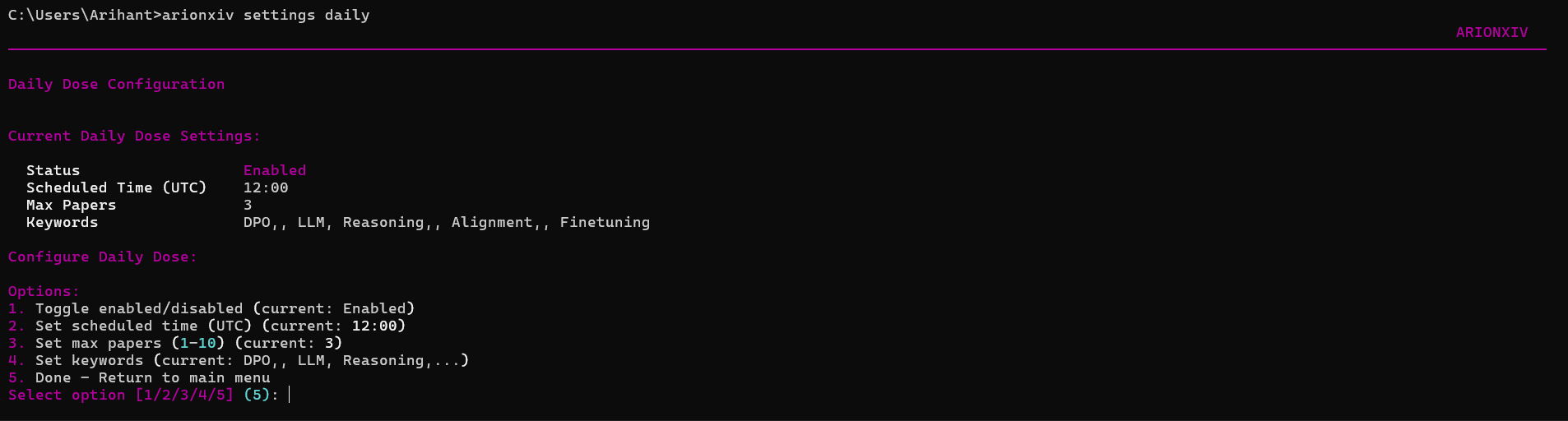
Configure your keywords, time, and number of papers (max 10) - and you'll have analysis of all these papers ready for you the next time you come in.
(I use it to run analysis overnight, so I can quickly skim through the papers in the morning.)
arionxiv daily
arionxiv daily --run
arionxiv daily --dose
Configure schedule and preferences:
arionxiv settings daily
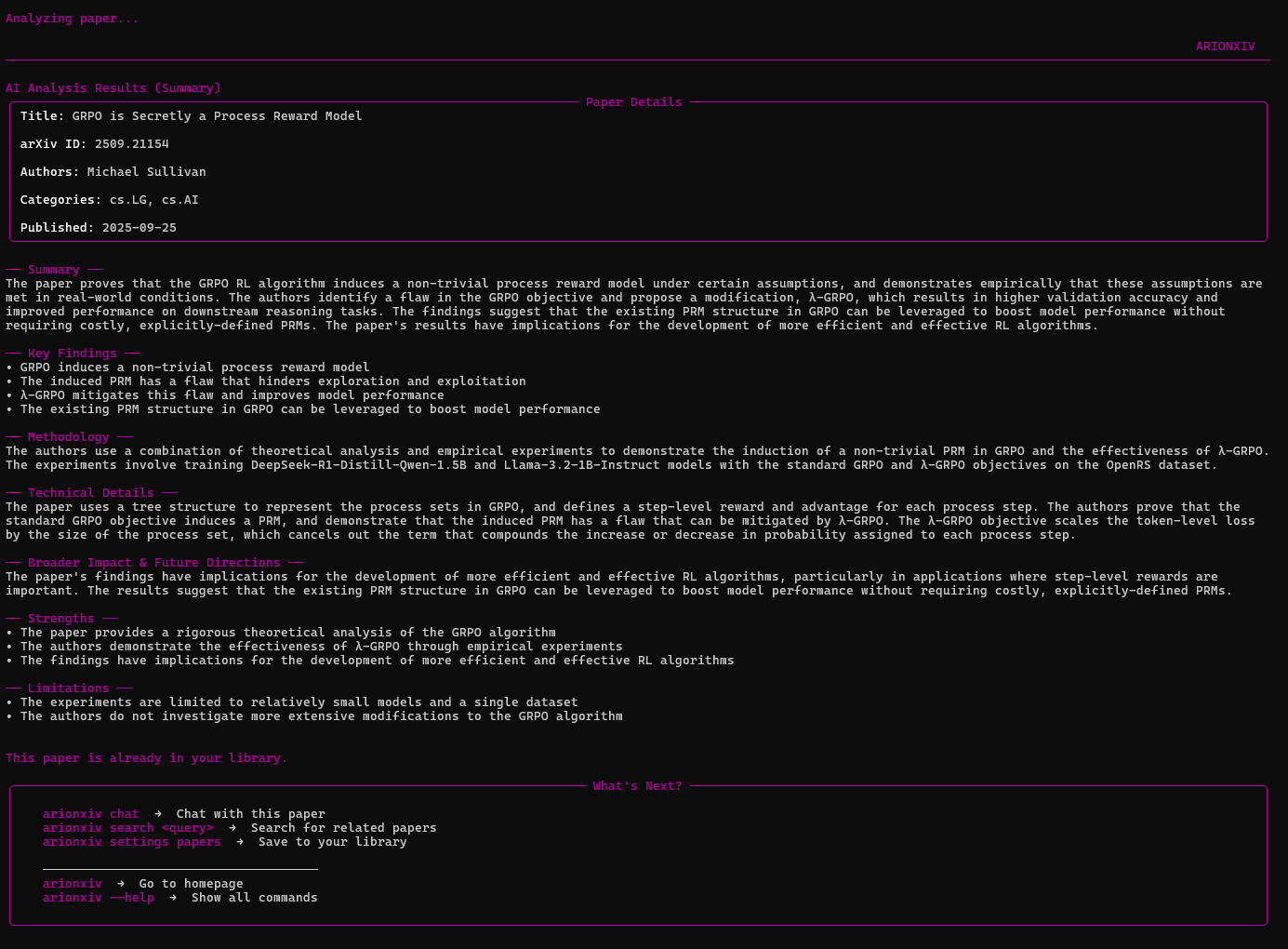
2. Paper Analysis
Get exhaustive analysis on the paper.
arionxiv search "transformer architecture"
# Select a paper → Choose "Analyze"
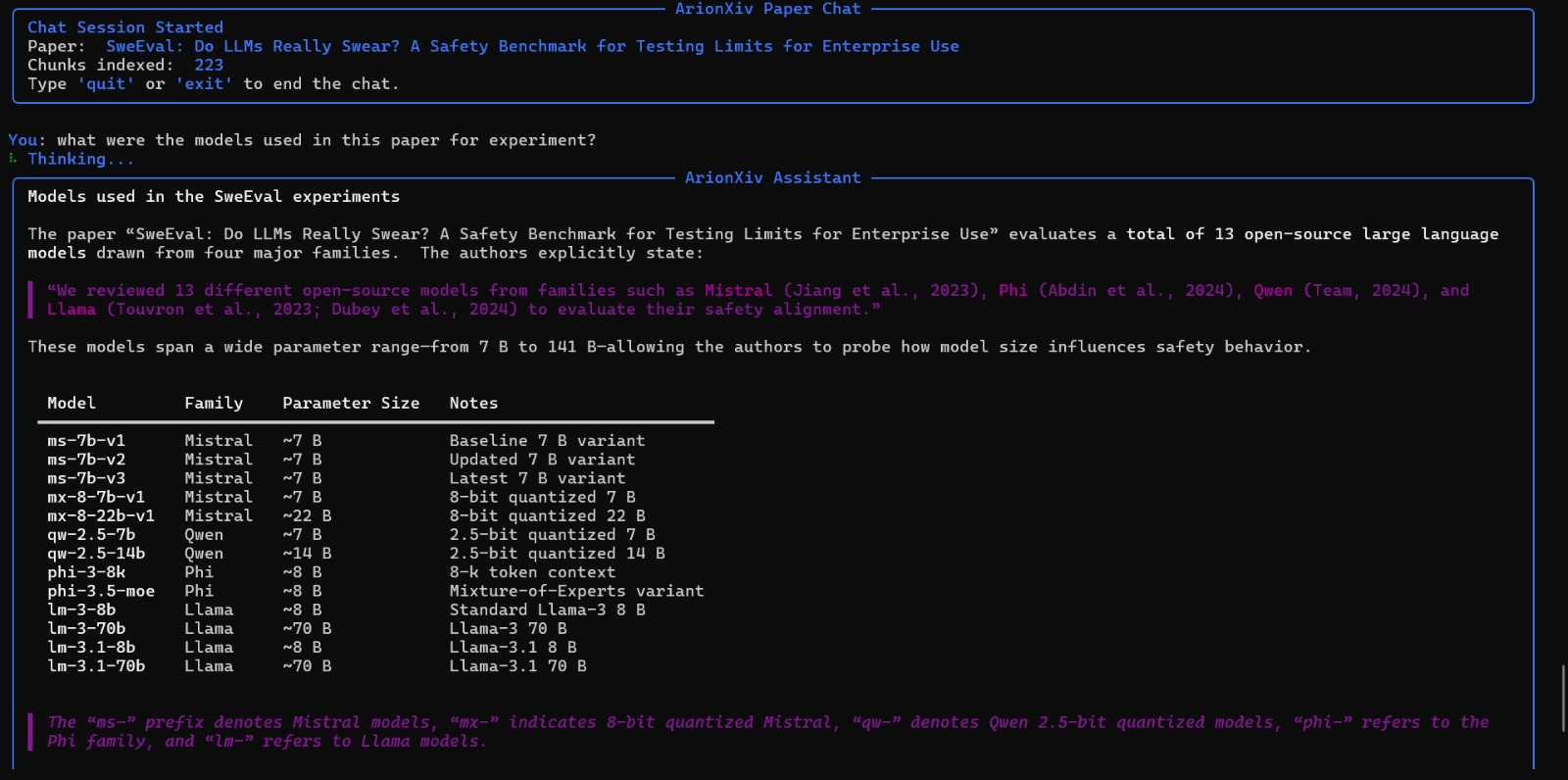
3. Chat with Papers
Interactive RAG-based Q&A with any paper. Supports session persistence and history.
arionxiv chat
Features:
- Context-aware responses using paper content
- Chat history maintained indefinitely
- Chat session persisted for 24 hours for reuse
- Chat history also persisted for reuse
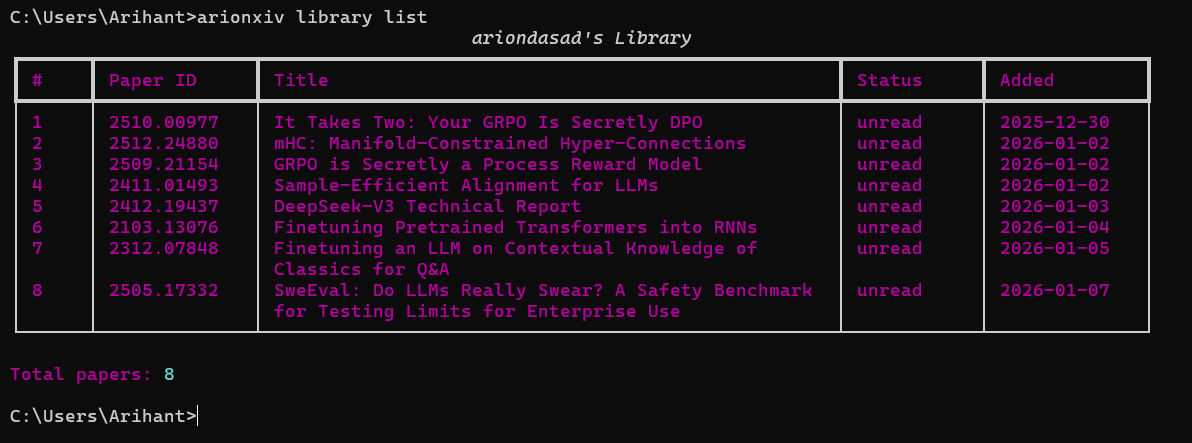
4. Personal Library
Save papers and manage your research collection.
arionxiv library
arionxiv settings papers
6. Trending Papers
Discover trending research topics and papers.
arionxiv trending
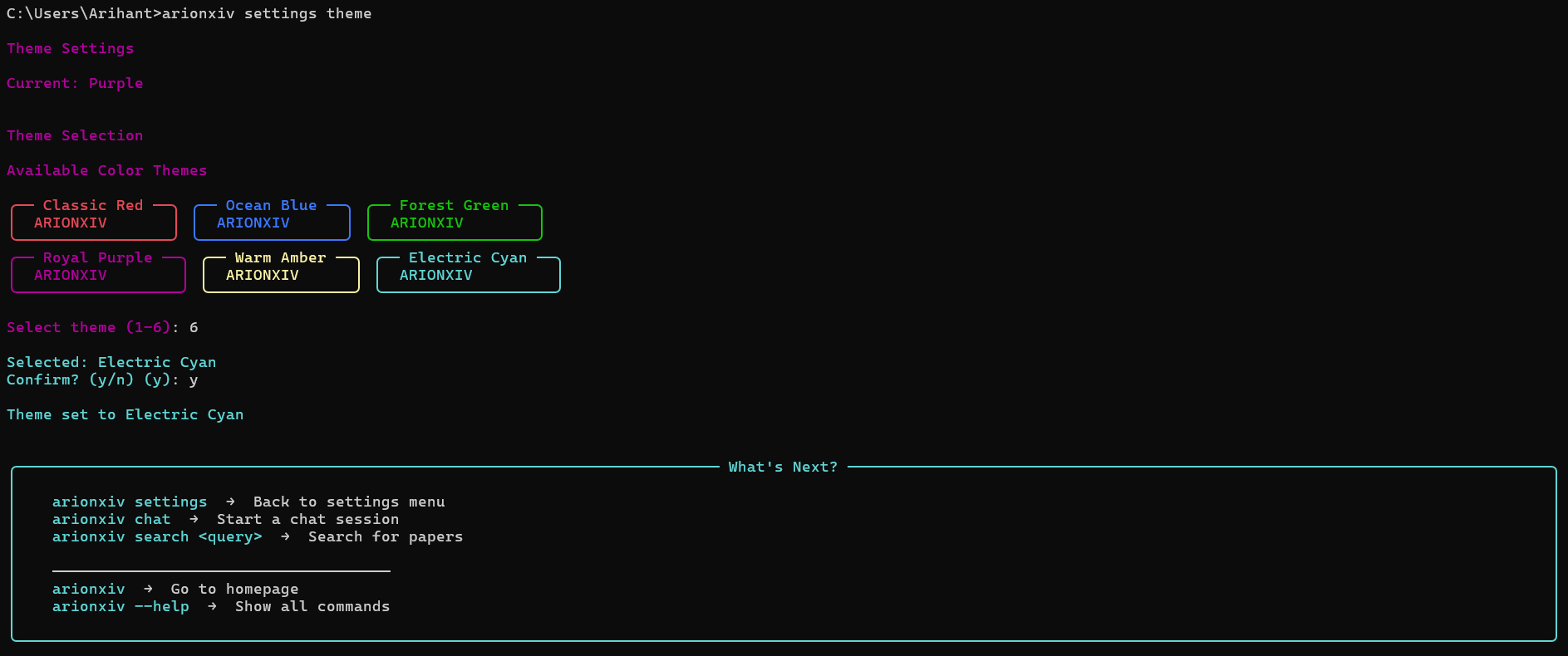
7. Themes
Customizable terminal interface with multiple color themes.
arionxiv settings theme
Command Reference
| Command | Description |
|---|---|
arionxiv welcome |
Welcome screen (run this first!) |
arionxiv |
Main menu |
arionxiv search <query> |
Search for papers (with analyze option) |
arionxiv chat [paper_id] |
Interactive RAG chat with papers |
arionxiv daily |
Daily personalized recommendations |
arionxiv trending |
Discover trending topics |
arionxiv library |
View saved papers |
arionxiv settings |
Configuration menu |
arionxiv register |
Create new account |
arionxiv login |
Login to existing account |
arionxiv session |
Check authentication status |
arionxiv --help |
Show all commands |
Configuration
Settings Commands
arionxiv settings show         # View all settings
arionxiv settings theme        # Change color theme
arionxiv settings api          # Configure optional API keys (OpenRouter, Gemini, Groq)
arionxiv settings preferences  # Research preferences
arionxiv settings daily        # Daily dose schedule
arionxiv settings papers       # Manage saved papers
Self-Hosting
Using command "arionxiv settings api":
| Variable | Description |
|---|---|
OPENROUTER_API_KEY |
OpenRouter API key for LLM |
GEMINI_API_KEY |
Google Gemini embeddings (optional) |
GROQ_API_KEY |
Fallback LLM provider (optional) |
Links
- PyPI: https://pypi.org/project/arionxiv/
- GitHub: https://github.com/ArionDas/ArionXiv
- Issues: https://github.com/ArionDas/ArionXiv/issues
License
MIT License
1 maintainer

Metadata
1 maintainer
Release files for arionxiv 1.0.40
For a detailed explanation of source distributions (sdists) and built distributions (wheels), please see the package formats documentation.
Source distribution (sdist)
| File | Size | Uploaded | |
|---|---|---|---|
| arionxiv-1.0.40.tar.gz | 188.8 kB | Details |
Built distribution (wheel)
| File | Interpreter | ABI | Platform | Reset |
|---|---|---|---|---|
| arionxiv-1.0.40-py3-none-any.whl | Python 3 | none | any | Details |
Total release size: 400.6 kB
Release files / arionxiv-1.0.40.tar.gz
| Download URL | arionxiv-1.0.40.tar.gz |
|---|---|
| Size | 188.8 kB |
| Tags | Source |
|
SHA-256 checksum How to use checksums |
0f3218217187a478e20fb5efeb7df4d391d7745288f974b1eadf275b56686114
|
|
BLAKE2b-256 checksum How to use checksums |
1d6b847be310efa6264da4a9d8633035987dd5d12f939eec1a7fd4adb5eead31
|
| Upload date | |
|
Uploaded using Trusted Publishing? What is trusted publishing? |
No |
| Uploaded via |
twine/6.2.0 CPython/3.14.0
|
Release files / arionxiv-1.0.40-py3-none-any.whl
| Download URL | arionxiv-1.0.40-py3-none-any.whl |
|---|---|
| Size | 211.7 kB |
| Tags | Python 3 |
|
SHA-256 checksum How to use checksums |
6031e908a6d728f9d4e7790fcb2eb766883af95d1ee2d93b703d4111136f2ca1
|
|
BLAKE2b-256 checksum How to use checksums |
8caf0959a5132fd1e25b4b3f3045c31a2ba19c6b780e22b55136b00e37e78f08
|
| Upload date | |
|
Uploaded using Trusted Publishing? What is trusted publishing? |
No |
| Uploaded via |
twine/6.2.0 CPython/3.14.0
|














