arlyn-upscale
This repository was adapted from the alicat repository
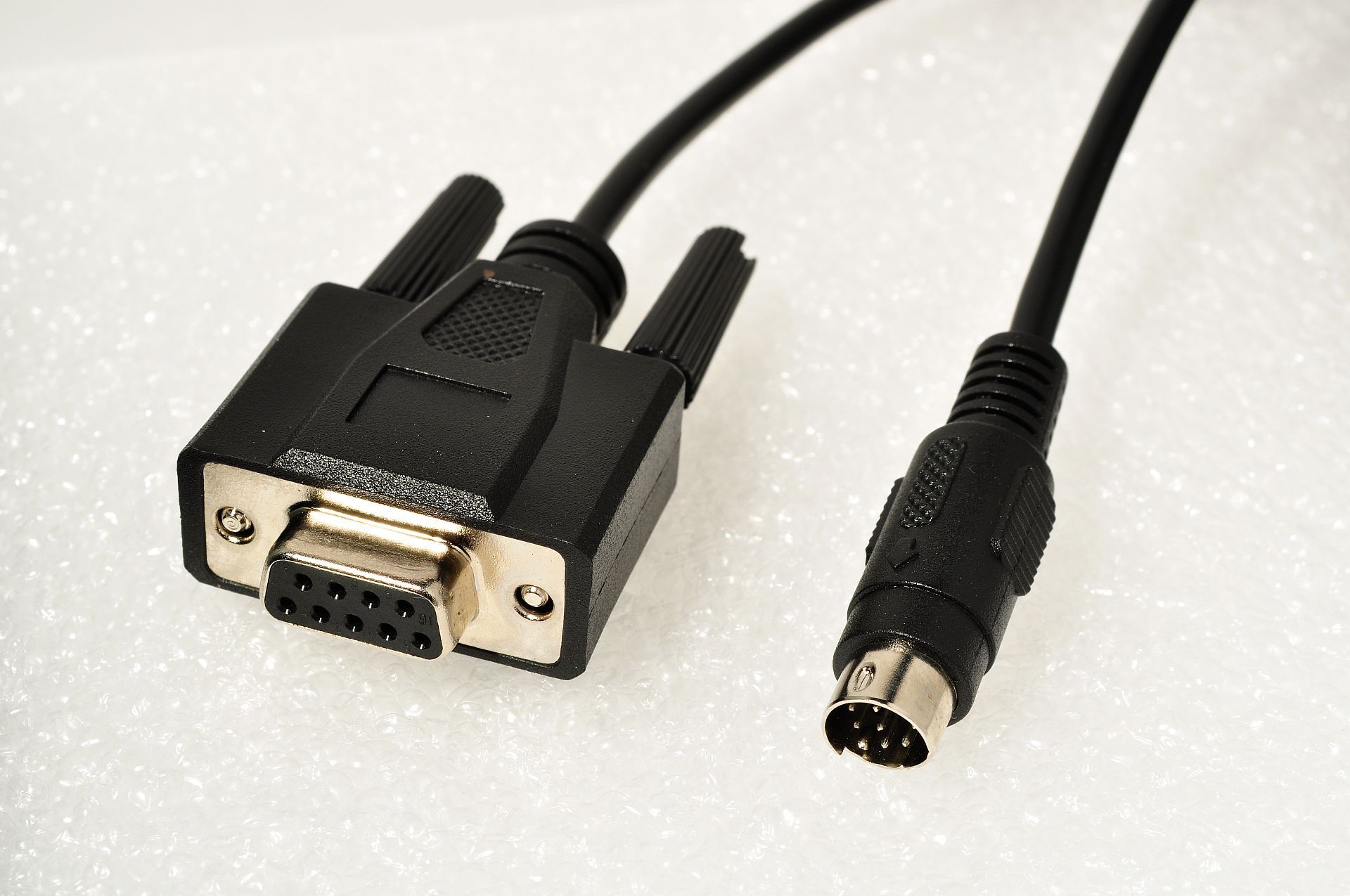
TCP/Serial driver for Arlyn UpScale Touchscreen Indicator with the RS-232 serial port upgrade option.
Example Connections
| Type | Usage |
|---|---|
The standard DB9 cable connected directly to a computer (unix: /dev/ttyS0, windows: COM1). |
Good with older computers that still have the connector. |
The cable connected to a computer through a USB converter (unix: /dev/ttyUSB0, windows: COM1). |
Good for newer computers and maker boards such as Raspberry Pis. |
The rj45 network port on the Arlyn UpScale Touchscreen Indicator (192.168.1.100:23) |
Using the scale over a network connection |
Cables routed through a TCP device server (192.168.1.100:23). |
Using the scale over a network connection |
Installation
git clone https://github.com/treychaffin/arlyn.git
cd alicat/
python setup.py install
Python Usage
Getting the weight string
This .print_weight method inputs the ~*P*~ serial command (shown in the Arlyn UpScale Touchscreen User Manual)
Example Usage
from arlynupscale import Scale

arlyn_address = 'ip-address:port'

async def get_weight_string(scale_address: str) -> str:
    '''Retrieve the weight string from the scale'''
    async with Scale(scale_address) as scale:
        return await scale.get_weight_string()

print(await get_weight_string(arlyn_address))
The method and the function shown will return a string showing the date, time, weight, unit, and whether or not the scale is in net mode.
'03/31/2024 17:28:08, 0.00 kg'
Toggle Unit
This .toggle_unit method inputs the ~*U*~ serial command (shown in the Arlyn UpScale Touchscreen User Manual)
The order in which the scale toggles: kg -> g -> oz -> lb ->
Example Usage
from arlynupscale import Scale

arlyn_address = 'COM6'

async def toggle_unit(scale_address: str) -> None:
    '''Toggles the unit change command'''
    async with Scale(scale_address) as scale:
        await scale.toggle_unit()

await toggle_unit(arlyn_address)
This method and function shown returns nothing
Zero Scale
This .zero_scale method inputs the ~*Z*~ serial command (shown in the Arlyn UpScale Touchscreen User Manual)
Example Usage
from arlynupscale import Scale

arlyn_address = '/dev/ttyS0'

async def zero_scale(scale_address: str) -> None:
    '''Sets the current weight on the scale to zero'''
    async with Scale(scale_address) as scale:
        await scale.zero_scale()

await zero_scale(arlyn_address)
This method and function shown returns nothing
JSON String
This .get_json method inputs the ~*W*~ serial command (shown in the Arlyn UpScale Touchscreen User Manual).
The JSON string is converted into a dictionary.
Example Usage
from arlynupscale import Scale

arlyn_address = '/dev/ttyUSB0'

async def get_json(scale_address: str) -> dict:
    '''Retrieve a JSON string of the scales current status'''
    async with Scale(scale_address) as scale:
        return await scale.get_json()

print(await get_json(arlyn_address))
This method and function shown will return a dictionary
{'bSIndi': True, 'sNet': '', 'sUnit': 'kg', 'sWeight': '0.05', '_CMD_ACK': 'ACK', '_id': 1, '_name': '*W', '_rSNo': 42, '_sSNo': 24}
Weight Dictionary
The .get_weight_dict method obtains the the weight string from using the .get_weight_string method.
Then, regex is used to extract and organize the information from the string into a dictionary.
Example Usage
from arlynupscale import Scale

arlyn_address = 'ip-address:port'

async def get_weight_dict(scale_address: str) -> dict:
    '''
    Retrieve the weight string from the scale, then extracts the information into
    a dictionary. Converts weight value into a float
    '''
    async with Scale(scale_address) as scale:
        return await scale.get_weight_dict()

print(await get_weight_dict(arlyn_address))
This method and function shown will return a dictionary:
{'date': '04/05/2024', 'time': '11:39:30', 'weight': 50.0, 'unit': 'g', 'netMode': False}
Change Unit
The .change_unit method used the .toggle_unit method to change the unit value to
the desired unit.
Example Usage
from arlynupscale import Scale

arlyn_address = 'COM6'

async def change_unit(scale_address: str, desired_unit: str) -> None:
    '''Toggles through units until scale is set to desired unit'''
    async with Scale(scale_address) as scale:
        return await scale.change_unit(desired_unit)

await change_unit(arlyn_address, 'kg')
This method and function shown does not return anything.
1 maintainer

Metadata
1 maintainer
Release files for arlynupscale 0.0.6
For a detailed explanation of source distributions (sdists) and built distributions (wheels), please see the package formats documentation.
Source distribution (sdist)
| File | Size | Uploaded | |
|---|---|---|---|
| arlynupscale-0.0.6.tar.gz | 15.9 kB | Details |
Built distribution (wheel)
| File | Interpreter | ABI | Platform | Reset |
|---|---|---|---|---|
| arlynupscale-0.0.6-py3-none-any.whl | Python 3 | none | any | Details |
Total release size: 30.3 kB
Release files / arlynupscale-0.0.6.tar.gz
| Download URL | arlynupscale-0.0.6.tar.gz |
|---|---|
| Size | 15.9 kB |
| Tags | Source |
|
SHA-256 checksum How to use checksums |
0cd7e92f47b6b67b17592cd589f175f6f8f071e24a90a690582971c473a04c6e
|
|
BLAKE2b-256 checksum How to use checksums |
e172003730f0c25c1c14b6e1051ae5cc7600e8b8f611ccdcda1095ed3fef919e
|
| Upload date | |
|
Uploaded using Trusted Publishing? What is trusted publishing? |
No |
| Uploaded via |
twine/5.1.1 CPython/3.12.7
|
Release files / arlynupscale-0.0.6-py3-none-any.whl
| Download URL | arlynupscale-0.0.6-py3-none-any.whl |
|---|---|
| Size | 14.4 kB |
| Tags | Python 3 |
|
SHA-256 checksum How to use checksums |
8712f5001762132d589c78fa0234a42ba99332e99c04e7d0e5f7be01cc1122f3
|
|
BLAKE2b-256 checksum How to use checksums |
0f9b995b35c0e86d2b8afca36c20af3298a89ce8945c938ae0f961e67d7af2c0
|
| Upload date | |
|
Uploaded using Trusted Publishing? What is trusted publishing? |
No |
| Uploaded via |
twine/5.1.1 CPython/3.12.7
|