
Automatically tag audio files with album art found on Discogs, Bandcamp or Musicbrainz.

Project description
artfetch
Description
artfetch is primarily aimed at automatically adding artwork to single mp3 files, based on existing tags. It's intended to process a whole directory and optionally its subfolders.
Install
The app can be installed via:
pip install artfetch
Usage
Use it via:
artfetch /path/to/music/folder
After starting the program, it will go through all the files in the specified folder and present a list of matches for each tagged mp3 file, file after file.
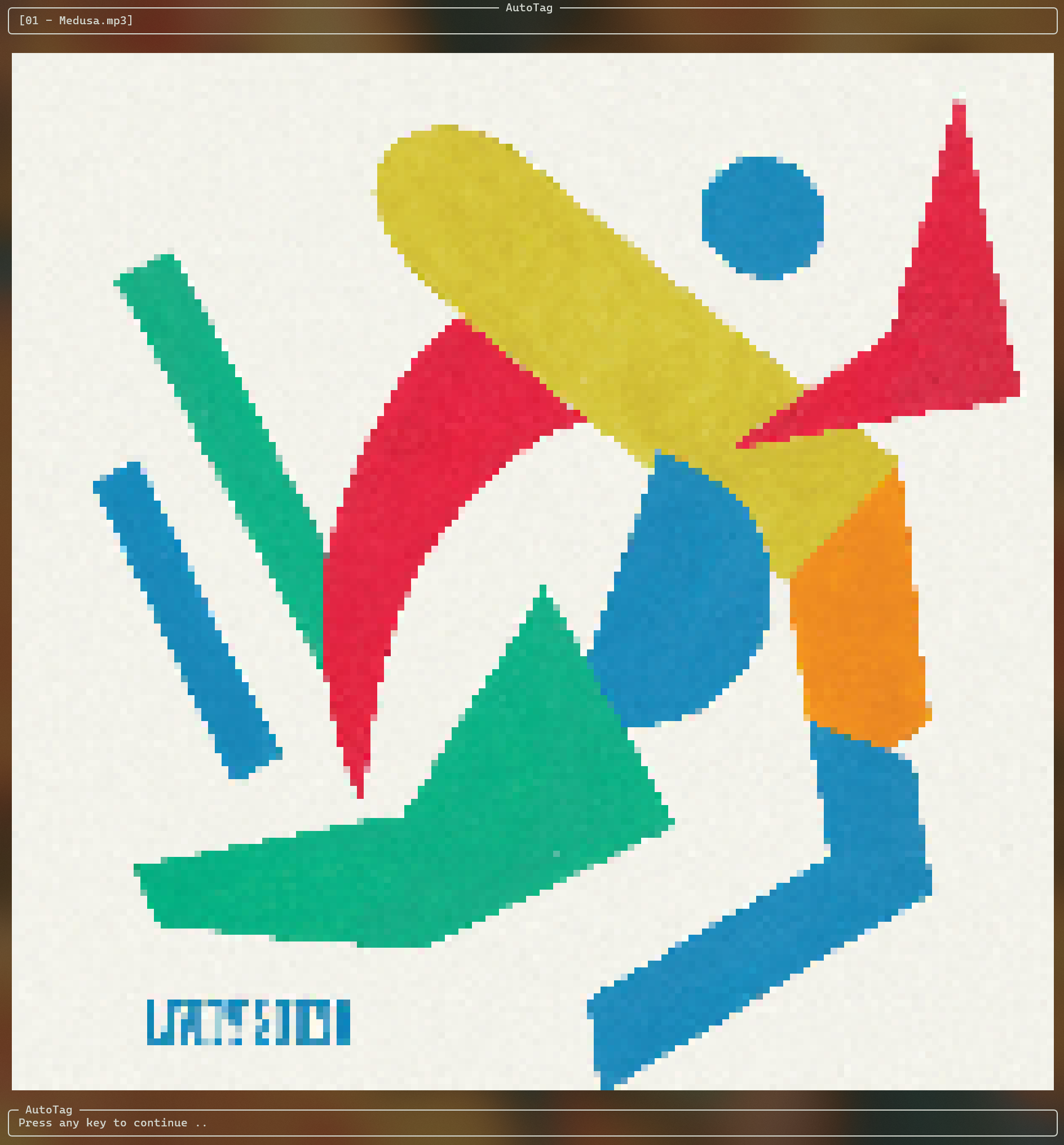
In the list you can choose to view the source or the image of each candidate to make sure they are the correct match.
The list will only show results if they have a high enough confidence (above lower-confidence).
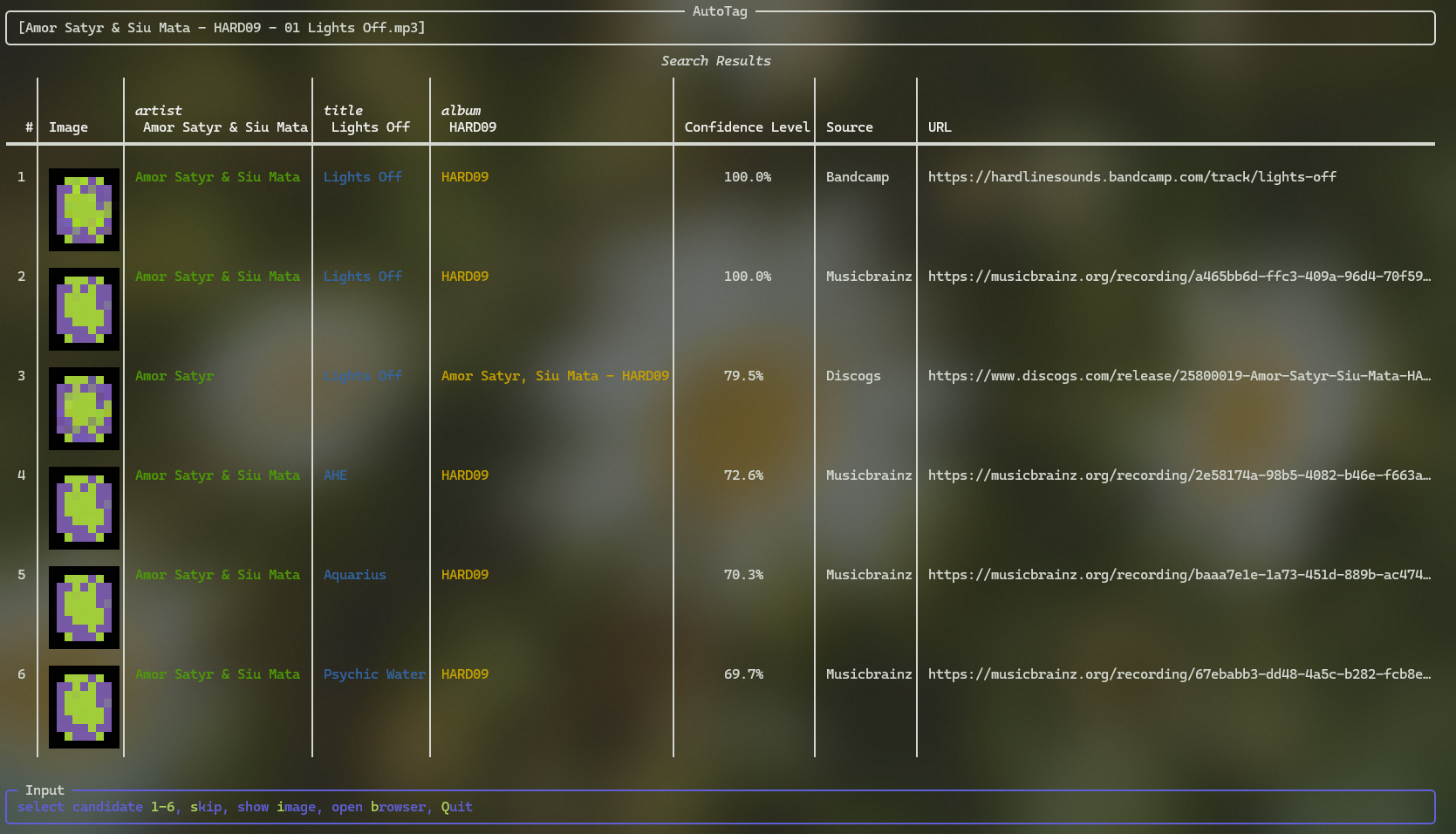
It skips the candidate-selection and tags the file automatically if the similarity (selection-confidence) of one of the result is high enough (per default any result with 80% or higher similarity). You can disable this behavior by setting selection-confidence to 1.0.
If you want to use Discogs as a tag source, you need to authenticate the app first with your Discogs account. On first startup, a browser window will open the Discogs OAuth page. After authentication, please copy the code to your clipboard or enter it manually if you use the traditional UI. If you do not want to use Discogs, disable this source in the config file.
Configuration
The config.yaml file (with an explanation of each setting) can be found at:
- Windows:
%appdata%\\Roaming\\artfetch - Unix:
~/.config/app
Settings
If you want a more traditional interface or your terminal does not support the default one, a scrolling interface is available with:
-u or ui: standard
confidence-score: A confidence score (0-1) is used to select the best match based on the ID3 tags. Theselection-confidencesets a threshold over which the highest-ranking candidate is automatically selected. Set it to1.0to disable this feature.lower-confidence: Thelower-confidencedoes the opposite and throws out all results with a lower score than it. This results in the file being skipped if there are no suitable matches.auto-mode: You can also enable auto mode, which always selects the best matching candidate with an image attached. This also usesselection-confidenceand skips all matches below it.
Release history Release notifications | RSS feed

Download files
Download the file for your platform. If you're not sure which to choose, learn more about installing packages.
Source Distribution
Built Distribution
Filter files by name, interpreter, ABI, and platform.
If you're not sure about the file name format, learn more about wheel file names.
Copy a direct link to the current filters
File details
Details for the file artfetch-0.1.0.tar.gz.
File metadata
- Download URL: artfetch-0.1.0.tar.gz
- Upload date:
- Size: 13.7 kB
- Tags: Source
- Uploaded using Trusted Publishing? No
- Uploaded via: twine/6.1.0 CPython/3.12.9
File hashes
| Algorithm | Hash digest | |
|---|---|---|
| SHA256 |
3785a5483c2023f34a2385403d34c6f124985633caff68c9ed1fd5ad47ebbb79
|
|
| MD5 |
04176f559f8af0a689760ba10c2b3b83
|
|
| BLAKE2b-256 |
666b8dc6a467daf3a69991c71b42fb9d8739d24abfa68a1ba7397a722469c0e8
|
File details
Details for the file artfetch-0.1.0-py3-none-any.whl.
File metadata
- Download URL: artfetch-0.1.0-py3-none-any.whl
- Upload date:
- Size: 14.8 kB
- Tags: Python 3
- Uploaded using Trusted Publishing? No
- Uploaded via: twine/6.1.0 CPython/3.12.9
File hashes
| Algorithm | Hash digest | |
|---|---|---|
| SHA256 |
1784f0cc0a6ae69178424e8da4292cc581313ef5364d3c75f0180864da7fb2fa
|
|
| MD5 |
bc79ff73c83335b7bb44f3dd89b82af5
|
|
| BLAKE2b-256 |
05244b683e2b80b0edbfe93b343dec8fc422a5d27dbe71d8e73f6e2bd3263c8d
|






