
ASCII Wizard
Python package that converts images into ASCII representation for terminals supporting TrueColor only.
Acknowledgement
This project is inspired by another similar project ASCII_Magic. ASCII_Magic is a great choice if you still want ASCII representation on termninals not supporting TrueColor.
TrueColor
TrueColor means that your terminal can display 24 bits colors (full RGB space).
To check if your current terminal supports TrueColor, please check out this excellent resource.
Installation
pip install ascii_wizard
Basic usage
import ascii_wizard
import os

img = ascii_wizard.AsciiWizard("doraemon.jpg")
img.colored(150, 2.2, None, None, True)
Result

Documentation
Initialization
Initialize the object using the default constructor.
ascii_wizard.AsciiWizard(
    path: str
)
where path is a PIL-compatible file, such as a .jpeg or .png file. See the documentation of PIL for other image formats.
grayscale()
Convert an image into ASCII representation but with no color (basically a grayscale image).
grayscale(
    columns: int = 120,
    width_ratio: float = 2.2,
    char: str = None,
    background: tuple = None,
    to_terminal: bool = True
) -> str
The method returns the ASCII representation (without color) of the image initialized using the constructor above.
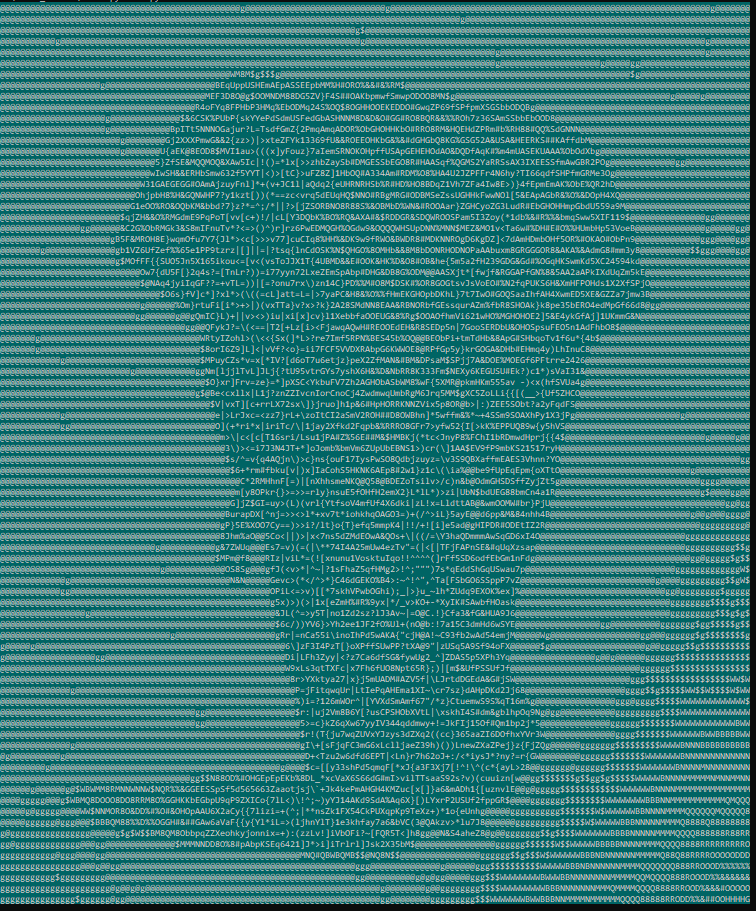
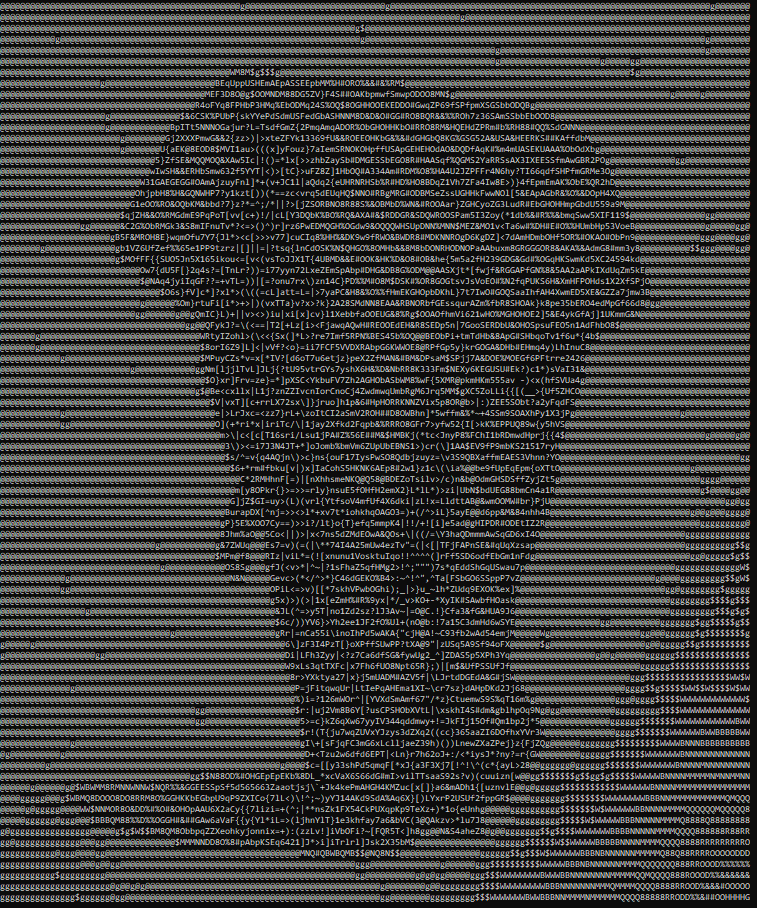
columns (optional): the number of characters per row, the more columns the bigger the ASCII image.width_ratio (optional): ASCII characters are not squares, so this adjusts the width to height ratio.char (optional): instead of using the built-in ASCII Character Ramp, you can use a single character like#.background (optional): specify the background of the image with a tuple(r, g, b)wherer,g,brespectively are the RGB value of the background color.to_terminal: choose to print the ASCII image to the terminal
Example
With background color
img = ascii_wizard.AsciiWizard("elephant.jpg")
img.grayscale(150, 2.2, None, (0, 255, 255), True)
Without background color
img = ascii_wizard.AsciiWizard("elephant.jpg")
img.grayscale(150, 2.2, None, None, True)
colored()
Convert an image into ASCII representation in true color.
colored(
    columns: int = 120,
    width_ratio: float = 2.2,
    char: str = None,
    background: tuple = None,
    to_terminal: bool = True
) -> str
The method returns the ASCII representation (with color) of the image initialized using the constructor above.
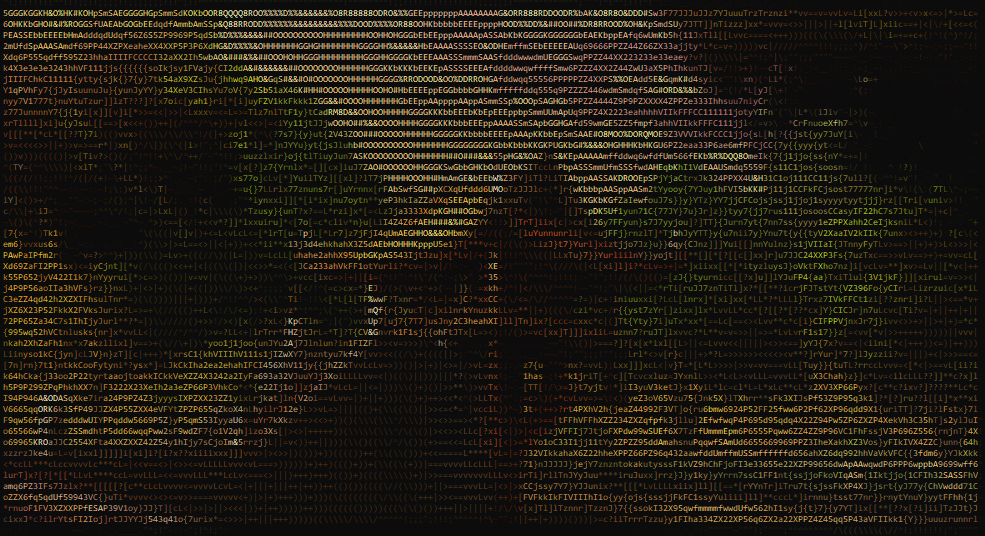
columns (optional): the number of characters per row, the more columns the bigger the ASCII image.width_ratio (optional): ASCII characters are not squares, so this adjusts the width to height ratio.char (optional): instead of using the built-in ASCII Character Ramp, you can use a single character like#.background (optional): specify the background of the image with a tuple(r, g, b)wherer,g,brespectively are the RGB value of the background color.to_terminal: choose to print the ASCII image to the terminal
Example
img = ascii_wizard.AsciiWizard("chuamotcot.jpg")
img.colored(200, 2.2, None, None, True)
1 maintainer

Metadata
1 maintainer
Release files for ascii-wizard 1.2
For a detailed explanation of source distributions (sdists) and built distributions (wheels), please see the package formats documentation.
Source distribution (sdist)
| File | Size | Uploaded | Provenance | |
|---|---|---|---|---|
| ascii-wizard-1.2.tar.gz | 3.5 kB | Without provenance | Details |
Built distribution (wheel)
| File | Interpreter | ABI | Platform | Reset |
|---|---|---|---|---|
| ascii_wizard-1.2-py3-none-any.whl | Python 3 | none | any | Details |
Total release size: 7.0 kB
Release files / ascii-wizard-1.2.tar.gz
| Download URL | ascii-wizard-1.2.tar.gz |
|---|---|
| Size | 3.5 kB |
| Tags | Source |
|
SHA-256 checksum How to use checksums |
1d1f11bf103e3a4f00f91a72252c7a4273908bb3f65e68567056ca504aa6b6a8
|
|
BLAKE2b-256 checksum How to use checksums |
d7d538007a7c18c3c595118890a57b80a00343b92f24a4d9573c872d2d5ee29e
|
| Upload date | |
|
Uploaded using Trusted Publishing? What is trusted publishing? |
No |
| Uploaded via |
twine/4.0.1 CPython/3.10.0
|
Release files / ascii_wizard-1.2-py3-none-any.whl
| Download URL | ascii_wizard-1.2-py3-none-any.whl |
|---|---|
| Size | 3.5 kB |
| Tags | Python 3 |
|
SHA-256 checksum How to use checksums |
c6c6c01425b63ea3d1e4a78965b77132e489bf9d927da5fab0359f638a3cf028
|
|
BLAKE2b-256 checksum How to use checksums |
ae91e300feebea7219cc9721bbece2d6569c92be9a95e7f8a40e351e526c6f0a
|
| Upload date | |
|
Uploaded using Trusted Publishing? What is trusted publishing? |
No |
| Uploaded via |
twine/4.0.1 CPython/3.10.0
|
Security for ascii-wizard 1.2
Provenance
Provenance describes where a file came from. On PyPI, provenance is shared via attestations, which provide a verifiable record of the build or publishing details. View details, limitations and caveats.
No provenance found
None of the files in this release were uploaded with provenance metadata.
A note on package security
PyPI is a repository for distributing packages, not a service for auditing them. While third-party security researchers and our staff do their best to detect and remove malicious packages, PyPI cannot guarantee the quality, security or suitability of any given package.
To learn more about protecting yourself from malicious actors, visit our package security documentation.














